2AA2O-FSNA1Fugoo Bluetooth Speaker
Fugoo Corporation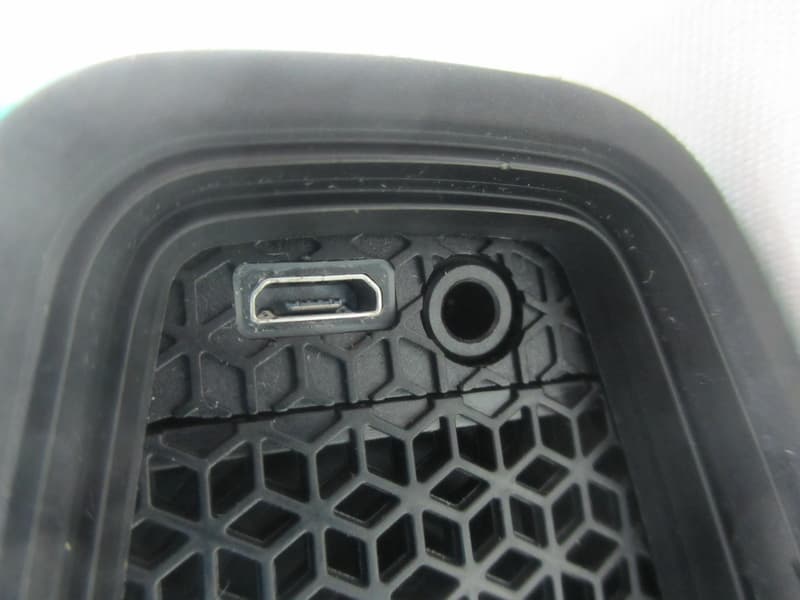
Click to zoom
Application Details
- Equipment Class
- DSS - Part 15 Spread Spectrum Transmitter
- Date of Grant
- Jan 13, 2014
- Application Purpose
- Original Equipment
- Date of Application
- Jan 08, 2014
- Equipment Note
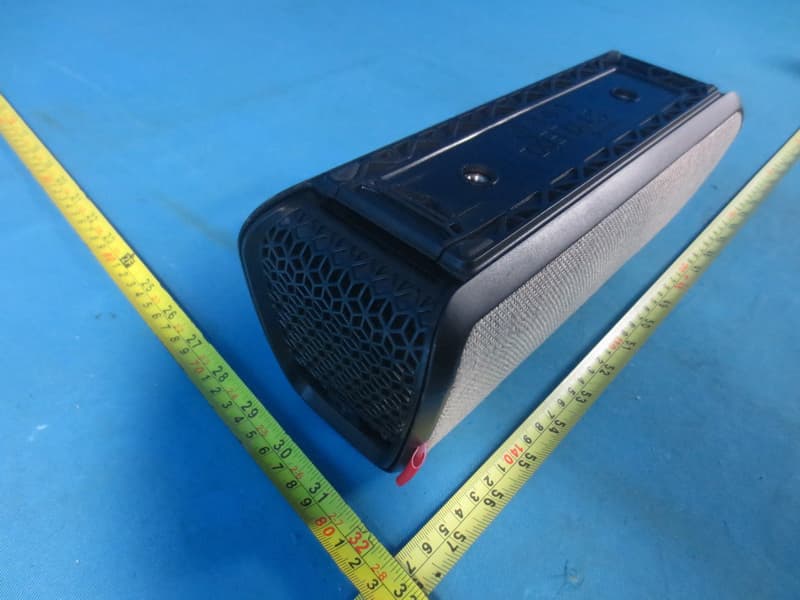
- Fugoo Bluetooth Speaker
- Frequency Range
- 2402.00000000 - 2480.00000000
- Company
- Fugoo Corporation
- Country
- United States
Documents & Files
Document Text
Text extracted from the exhibit documents filed with the FCC. Open a document above to read the original.
Users Manual
1 1/7/2014 Fugoo Bluetooth Speaker User Manual FSNA1 Contents In the Box 2 Speaker parts 2 Charging 3 Checking your battery level 3 Charging your speaker 3 Power 3 Connecting 3 Connecting through an audio cable 3 Pairing to another Bluetooth device 4 Un-pairing a Bluetooth device 4 Re-pairing to a previously connected device 4 Clearing all pairings 4 Audio playback 4 Adjusting the volume 4 Playback 4 Speakerphone 4 Taking a call 4 Voice Response mode 4 Adjusting the volume 5 Using the remote control 5 Remote control buttons 5 Replacing the battery 5 Customization 5 Changing jackets 5 Turning voice prompts on / off 5 Change tones 5 Resetting the speaker 6 Updating your software 6 Optional accessories 6 Remote control 6 Bike mount 6 Clip 6 Strap 6 Customer support 7 Legal notices 7 2 1/7/2014 In the box • Fugoo Bluetooth Speaker • Remote control (included with some models) • AC wall charger • Micro-USB charging cable • 3.5 mm audio cable • Accessory pouch • Quick Setup Guide • Remote lanyard (included with some models) • Remote wrist strap (included with some models) Fugoo Bluetooth Speaker controls Part Description 1 Micro-USB charging connector / update port For charging the Fugoo Bluetooth Speaker, and for updating its software 2 3.5 mm AUX input jack For playing music from the headphone output of another device 3 microphone For speakerphone function 4 volume down button ( - ) Lowers the volume 5 Action button Pause / Play and speakerphone control. 6 Volume up button ( + ) Raises the volume 7 Power button Turns the Fugoo Bluetooth Speaker On 8 Bluetooth button For pairing with other Bluetooth devices 9 LED indicator Indicates status of the Fugoo Bluetooth Speaker 3 1/7/2014 Charging your Fugoo Bluetooth Speaker Checking the battery level • Press the (Power) button briefly. The LED blinks one to four times to indicate the charge of the battery. • If voice prompts are enabled, the speaker responds with "Battery is almost full" or another indication of how fully charged the battery is. LED indicator voice prompt battery level one blink Battery is full 100% two blinks Battery medium 50% three blinks Battery low 25% four blinks* Battery needs recharging 5% *The LED blinks amber when the battery reaches 5%. - correct? red? Charging your speaker • Connect one end of the Micro-USB charging cable to the speaker and the other end to a power outlet. • The LED indicator blinks green during charging. • The LED indicator glows steady green once the battery is fully charged. Turning on your speaker • Press and hold the (Power) button to turn the speaker on or off. • When the speaker is running from battery power, it will turn off after 5 minutes of inactivity. To turn the speaker back on, press the (Action), – (volume down), or + (volume up) button. Connecting your speaker to smartphones and other devices You can connect to your Fugoo Bluetooth Speaker either through its AUX input jack, or through a Bluetooth wireless link. Only one of these inputs can be active at a time. Connecting through an audio cable to the AUX input • Connect one end of a 3.5 mm audio cable to your Fugoo Bluetooth Speaker's AUX input jack, then connect the other end to headphones jack of your audio device. • The LED glows blue and a voice may say, “Disconnected. Bluetooth off. Connected” • Plugging an audio cable into the speaker's AUX input jack turns off the Bluetooth wireless link , to save power and maximize battery life. 4 1/7/2014 Connecting and pairing with another Bluetooth device 1. Place your Fugoo Bluetooth Speaker and your other Bluetooth device within 30 feet (10 meters) of each other. 2. Turn the speaker and the other device on. 3. Press and hold the (Bluetooth) button for 3 seconds. The LED blinks red and blue repeatedly. If voice prompts are enabled, the speaker says, “Pairing mode. Please use the Bluetooth settings of your device to connect.” The speaker will remain in pairing mode for three minutes. 3. On your other Bluetooth device, turn on Bluetooth and enter pairing mode. See the instructions that came with your Bluetooth device for more information. 4. Wait for the speaker to detect your Bluetooth device. If voice prompts are enabled, the speaker says, "Pairing successful.” or "Pairing is unsuccessful. Please try again. Powering off." Disconnecting from another Bluetooth device To disconnect your speaker from another Bluetooth device, you can: • Move your Fugoo Bluetooth Speaker and the other Bluetooth device more than 30 feet (10 meters) apart. • Turn off your Fugoo Bluetooth Speaker. • Turn off the other device. • Turn off Bluetooth on your other device. • Disconnecting temporarily interrupts the Bluetooth wireless link between the speaker and the other devices. The devices will still be paired, allowing them to automatically reconnect when they are placed within 30 feet of each other. Re-connecting with a previously-paired device • To reconnect to a Bluetooth device that you have previously paired with, just turn on the speaker and the other device, and place them within 30 feet (10 meters) of each other. Typically, they will reconnect automatically. • If voice prompts are enabled, the speaker says "Connected". will un-pair the most recently connected device. Re-pair the Fugoo Bluetooth Speaker with the device, per the instructions above (Pairing with another Bluetooth device). Clearing all pairings • To clear all of the Bluetooth pairings with other devices, turn the speaker on, and then press and hold the Bluetooth button for 10 seconds. • If voice prompts are enabled, the speaker says "All Bluetooth pairings cleared. Pairing mode. Please use the Bluetooth settings of your device to connect.” 5 1/7/2014 Audio playback Adjusting the volume • Press the + (volume up) or – (volume down) buttons to raise or lower the volume. Playback • Press (Action) to play or pause your audio. OR • Use the playback controls on your audio device to control playback. Navigation • Press (Action) and together with the + (vol…
Text truncated - open the document above for the full version.
Cover Letter(s)
CERTIFICATE OF COMPLIANCE Authorized under Declaration of Conformity according to 47 CFR, Part 2 and Part 15 of the FCC Rules. The product listed in follows was (were) tested in the Neutron EMC Laboratory to comply with the criteria limits Class B of conducted and radiated emissions of the Technical Standards FCC Part 15, Subpart B, established by the FCC, USA Equipment Fugoo Bluetooth Speaker Model Name FSNA1 Brand Name FUGOO Applicant Fugoo Corporation Address 8001 Irvine Center Drive, Suite 250, Irvine, CA, USA 92618 Standard(s) FCC Part 15, Subpart B:2012 ANSI C63.4:2009 Report(s) NEI-FCCE -1-1312C208 The test data, data evaluation, and equipment configuration contained in our test reports above was(were) obtained utilizing the test procedures, test instruments, test sites that has been accredited by the Authority of TAF according to the ISO-17025 quality assessment standard and technical standard(s). The test data contained in the referenced test report relate only to the EUT sample and item(s) tested. Andy Chiu Authorized Signatory Neutron Engineering Inc. B1, No.37, Lane 365, Yang Guang St., NeiHu District 114., Taipei, Taiwan TEL:+886-2-2657-3299 FAX:+886-2-2657-3331
External Photos
Neutron Engineering Inc. Project No.: 1312C208 Page 2 of 11 Neutron Engineering Inc. Project No.: 1312C208 Page 3 of 11 Neutron Engineering Inc. Project No.: 1312C208 Page 4 of 11 Neutron Engineering Inc. Project No.: 1312C208 Page 5 of 11 Neutron Engineering Inc. Project No.: 1312C208 Page 6 of 11
ID Label/Location Info
CAN ICES-3 (B)/NMB-3(B)
Internal Photos
Neutron Engineering Inc. Project No.: 1312C208 Page 7 of 11 Neutron Engineering Inc. Project No.: 1312C208 Page 8 of 11 Neutron Engineering Inc. Project No.: 1312C208 Page 9 of 11 Neutron Engineering Inc. Project No.: 1312C208 Page 10 of 11 Neutron Engineering Inc. Project No.: 1312C208 Page 11 of 11
RF Exposure Info
Neutron Engineering Inc. FCC RF EXPOSURE REPORT FCC ID: 2AA2O-FSNA1 Project No. : 1312C208 Equipment : Fugoo Bluetooth Speaker Model : FSNA1 Applicant : Fugoo Corporation Address : 8001 Irvine Center Drive, Suite 250, Irvine, CA, USA 92618 According: : FCC Guidelines for Human Exposure IEEE C95.1 Neutron Engineering Inc. No.3, Jinshagang 1st Road, ShiXia, Dalang Town, Dong Guan, China. TEL : (0769) 8318-3000 FAX : (0769) 8319-6000 Neutron Engineering Inc. GENERAL CONCULUSION: Table for Filed Antenna: Ant. Manufacturer Model Name Antenna Type Connector Gain (dBi) Note 1 N/A N/A Integral N/A 1.62 TX/RX Maximum measured transmitter power: Output Power (dBm) Out Power (mW) Limit (mW) 4.81 3.0 10 According to FCC KDB447498 V05, Appendix A, SAR Test Exclusion Thresholds for 100 MHz – 6 GHz and ≤ 50 mm The maximum measured output power of this EUT is 4.81dBm (3.0mW), less than 10mW at 5mm distance. Conclusion: No SAR evaluation required since transmitter power is below FCC threshold
Test Report
Neutron Engineering Inc. Report No.: NEI-FICP-1-1312C208 Page 1 of 100 FCC&IC Radio Test Report FCC ID: 2AA2O-FSNA1 IC: 11419A-FSNA1 This report concerns (check one): Original Grant Class II Change Issued Date : Jan. 03, 2014 Project No. : 1312C208 Equipment : Fugoo Bluetooth Speaker Model Name : FSNA1 Applicant : Fugoo Corporation Address : 8001 Irvine Center Drive, Suite 250, Irvine, CA, USA 92618 Tested by: Neutron Engineering Inc. EMC Laboratory Date of Receipt: Dec. 09, 2013 Date of Test: Dec. 09, 2013~ Dec. 31, 2013 Testing Engineer : (David Mao) Technical Manager : (Leo Hung) Authorized Signatory: (Steven Lu) Neutron Engineering Inc. No.3,Jinshagang 1st Road, ShiXia, Dalang Town, Dong Guan, China. TEL: 0769-8318-3000 FAX: 0769-8319-6000 Neutron Engineering Inc. Report No.: NEI-FICP-1-1312C208 Page 2 of 100 Declaration Neutron represents to the client that testing is done in accordance with standard procedures as applicable and that test instruments used has been calibrated with the standards traceable to National Measurement Laboratory (NML) of CHINA, or National Institute of Standards and Technology (NIST) of U.S.A. Neutron's reports apply only to the specific samples tested under conditions. It is manufacture’s responsibility to ensure that additional production units of this model are manufactured with the identical electrical and mechanical components. Neutron shall have no liability for any declarations, inferences o r generalizations drawn by the client or others from Neutron issued reports. Neutron’s reports must not be used by the client to claim product endorsement by the authorities or any agency of the Government. This report is the confidential property of the client. As a mutual protection to the clients, the public and Neutron-self, extracts from the test report shall not be reproduced except in full with Neutron’s authorized written approval. Neutron’s laboratory quality assurance procedures are in compliance with the ISO Guide 17025 requirements, and accredited by the conformity assessment authorities listed in this test report. Limitation For the use of the authority's logo is limited unless the Test Standard(s) /Scope(s)/Item(s) mentioned in this test report is (are) included in the conformity assessment authorities acceptance respective. Neutron Engineering Inc. Report No.: NEI-FICP-1-1312C208 Page 3 of 100 Table of Contents Page 1 . CERTIFICATION 7 2 . SUMMARY OF TEST RESULTS 8 2.1 TEST FACILITY 9 2.2 MEASUREMENT UNCERTAINTY 9 3 . GENERAL INFORMATION 10 3.1 GENERAL DESCRIPTION OF EUT 10 3.2 DESCRIPTION OF TEST MODES 12 3.3 TABLE OF PARAMETERS OF TEXT SOFTWARE SETTING 12 3.4 BLOCK DIAGRAM SHOWING THE CONFIGURATION OF SYSTEM TESTED 13 3.5 DESCRIPTION OF SUPPORT UNITS 14 4 . EMC EMISSION TEST 15 4.1 CONDUCTED EMISSION MEASUREMENT 15 4.1.1 POWER LINE CONDUCTED EMISSION LIMITS 15 4.1.2 TEST PROCEDURE 15 4.1.3 DEVIATION FROM TEST STANDARD 15 4.1.4 TEST SETUP 16 4.1.5 EUT OPERATING CONDITIONS 16 4.1.6 EUT TEST CONDITIONS 16 4.1.7 TEST RESULTS 16 4.2 RADIATED EMISSION MEASUREMENT 19 4.2.1 RADIATED EMISSION LIMITS 19 4.2.2 TEST PROCEDURE 20 4.2.3 DEVIATION FROM TEST STANDARD 20 4.2.4 TEST SETUP 21 4.2.5 EUT OPERATING CONDITIONS 22 4.2.6 EUT OPERATING CONDITIONS 22 4.2.7 TEST RESULTS (BELOW 30MHZ) 23 4.2.8 TEST RESULTS: 30MHZ - 1000MHZ 24 4.2.9 TEST RESULTS (ABOVE 1000 MHZ) 37 5 . NUMBER OF HOPPING CHANNEL 52 5.1 APPLIED PROCEDURES 52 5.1.1 TEST PROCEDURE 52 5.1.2 DEVIATION FROM STANDARD 52 5.1.3 TEST SETUP 52 5.1.4 EUT OPERATION CONDITIONS 52 5.1.5 EUT TEST CONDITIONS 52 5.1.6 TEST RESULTS 53 Neutron Engineering Inc. Report No.: NEI-FICP-1-1312C208 Page 4 of 100 Table of Contents Page 6 . AVERAGE TIME OF OCCUPANCY 54 6.1 APPLIED PROCEDURES / LIMIT 54 6.1.1 TEST PROCEDURE 54 6.1.2 DEVIATION FROM STANDARD 54 6.1.3 TEST SETUP 54 6.1.4 EUT OPERATION CONDITIONS 55 6.1.5 EUT TEST CONDITIONS 55 6.1.6 TEST RESULTS 56 7 . HOPPING CHANNEL SEPARATION MEASUREMENT 68 7.1 APPLIED PROCEDURES / LIMIT 68 7.1.1 TEST PROCEDURE 68 7.1.2 DEVIATION FROM STANDARD 68 7.1.3 TEST SETUP 68 7.1.4 EUT TEST CONDITIONS 68 7.1.5 TEST RESULTS 69 8 . BANDWIDTH TEST 73 8.1 APPLIED PROCEDURES 73 8.1.1 TEST PROCEDURE 73 8.1.2 DEVIATION FROM STANDARD 73 8.1.3 TEST SETUP 73 8.1.4 EUT OPERATION CONDITIONS 73 8.1.5 EUT TEST CONDITIONS 73 8.1.6 TEST RESULTS 74 9 . PEAK OUTPUT POWER TEST 78 9.1 APPLIED PROCEDURES / LIMIT 78 9.1.1 TEST PROCEDURE 78 9.1.2 DEVIATION FROM STANDARD 78 9.1.3 TEST SETUP 78 9.1.4 EUT OPERATION CONDITIONS 78 9.1.5 EUT TEST CONDITIONS 78 9.1.6 TEST RESULTS 79 10 . ANTENNA CONDUCTED SPURIOUS EMISSION 83 10.1 APPLIED PROCEDURES / LIMIT 83 10.1.1 MEASUREMENT INSTRUMENTS LIST AND SETTING 错误!未定义书签。 10.1.2 TEST PROCEDURE 83 10.1.3 DEVIATION FROM STANDARD 83 10.1.4 TEST SETUP 84 10.1.5 EUT OPERATION CONDITIONS 84 10.1.6 EUT TEST CONDITIONS 84 10.1.7 TEST RESULTS 85 Neutron Engineering Inc. Report No.: NEI-FICP-1-1312C208 Page 5 of 100 Table of Contents Page 11 . MEASUREMENT INSTRUMENTS LIST AND SETTING 95 12 . EUT TEST PHOTO 97 Neutron Engineering Inc. Report No.: NEI-FICP-1-1312C208 Page 6 of 100 REPORT ISSUED HISTORY Issued No. Description Issued Date NEI-FICP-1-1312C208 Original Issue. Jan. 03, 2014 Neutron Engineering Inc. Report No.: NEI-FICP-1-1312C208 Page 7 of 100 1. CERTIFICATION Equipment : Fugoo Bluetooth Speaker Brand Name : FUGOO Model Name : FSNA1 Applicant : Fugoo Corporation Manufacturer : Fugoo Corporation Address : 8001 Irvine Center Drive, Suite 250, Irvine, CA, USA 92618 Date of Test : Dec. 09, 2013~ Dec. 31, 2013 Test Item : ENGINEERING SAMPLE Standard(s) : FCC Part15, Subpart C : 2012 (15.247) / ANSI C63.4 : 2009 / FCC Public Notice DA 00-705, March 30, 2000. Canada RSS-210:2010 RSS-GEN Issue 3, Dec 2010 The above equipment has been tested and found compliance with the requirement of the relative standards by Neutron Engineering Inc. EMC Laboratory. The test data, data evaluation, and equipment configuration contained in our test report (Ref No. NEI-FICP-1-1312C208) were ob…
Text truncated - open the document above for the full version.
Test Setup Photos
Neutron Engineering Inc. Report No.: NEI-FICP-1-1312C208 Page 97 of 100 12. EUT TEST PHOTO Conducted Measurement Photos Neutron Engineering Inc. Report No.: NEI-FICP-1-1312C208 Page 98 of 100 Radiated Measurement Photos 9K~30MHz Neutron Engineering Inc. Report No.: NEI-FICP-1-1312C208 Page 99 of 100 Radiated Measurement Photos 30~1000MHz Neutron Engineering Inc. Report No.: NEI-FICP-1-1312C208 Page 100 of 100 Radiated Measurement Photos Above 1000MHz
Contact Information
Applicant
Scott Morford(Systems Engineer)
Technical Contact
Neutron Engineering, Inc.Steven Lu
[email protected]86-769-83183000
No.3 Jinshagang 1st Rd, Shixia, Dalang · China
Non-Technical Contact
Neutron Engineering, Inc.Cathy Wang
[email protected]86-769-83183000
Test Firm
BTL Inc.Daisy Dai
Technical Specifications
| # | Rule Parts | Frequency Range | Power Output |
|---|---|---|---|
| 1 | 15C | 2.40 GHz - 2.48 GHz | 3.00 mW |
Other Applications from Fugoo Corporation
2AA2O-FSNA2
May 25, 2015Fugoo XL Bluetooth Speaker
Equipment Class
DSS - Part 15 Spread Spectrum Transmitter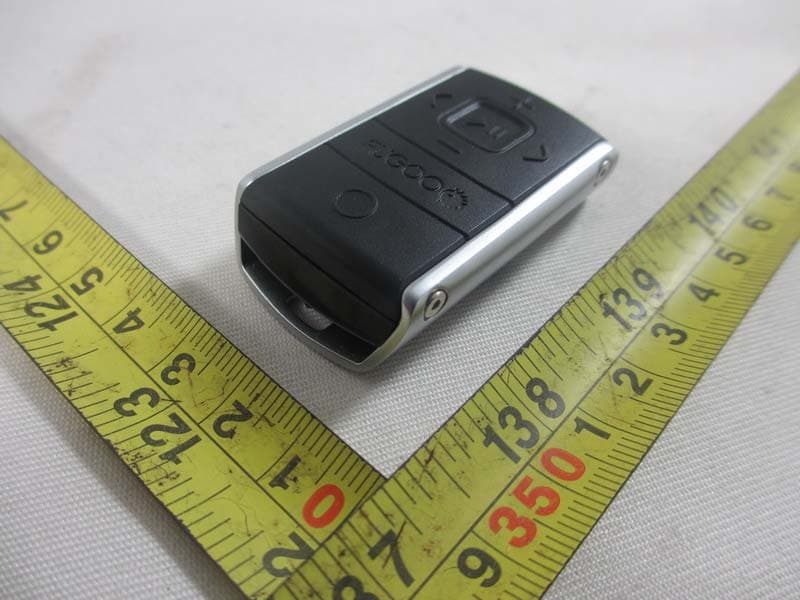
2AA2O-FSNAR
Jan 22, 2014Fugoo Bluetooth Speaker Remote Control
Equipment Class
DTS - Digital Transmission System