2AA3N-TC1VS2Peloton Tread Tablet
Peloton Interactive Inc.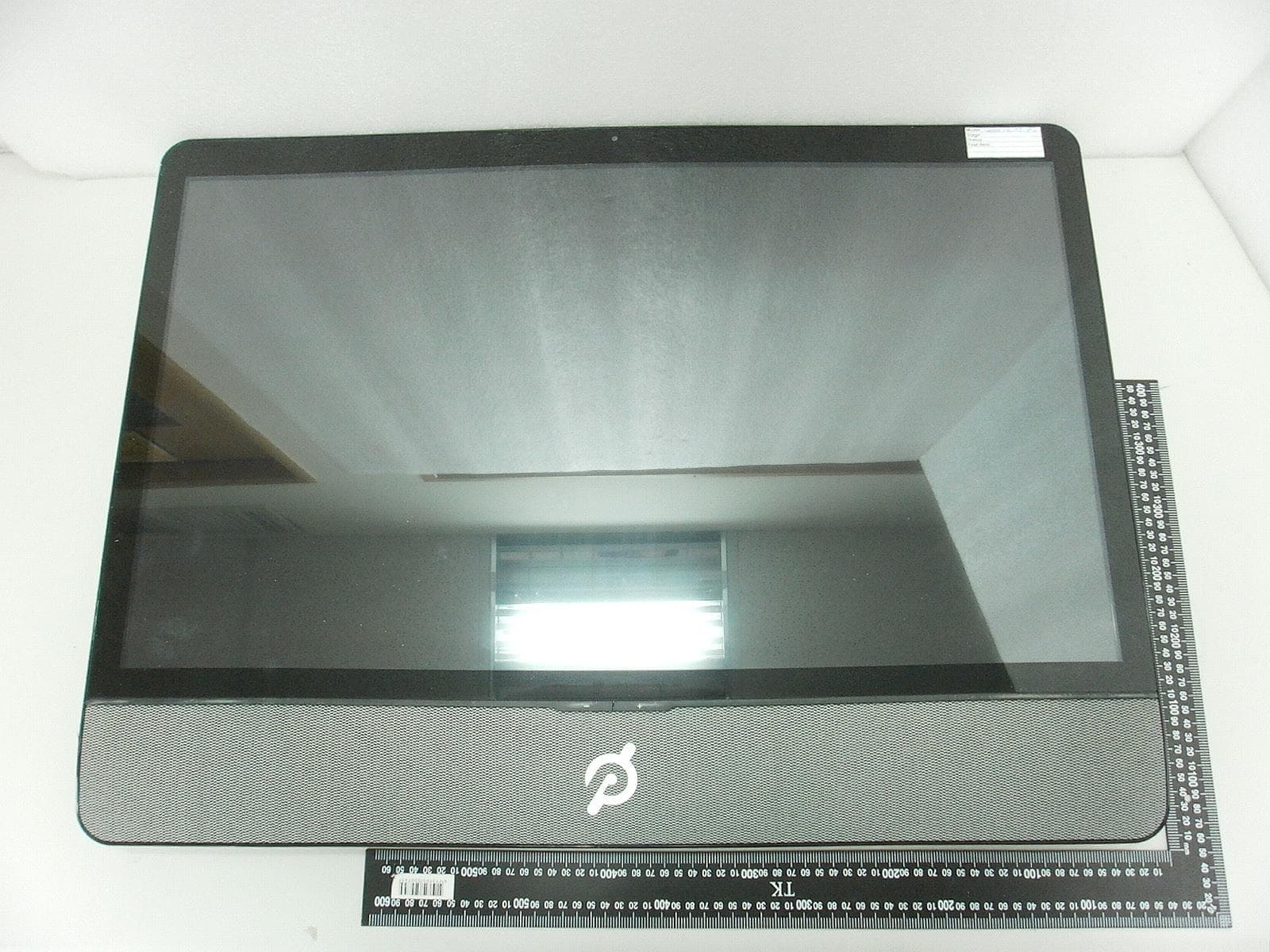
Click to zoom
Application Details
- Equipment Class
- DTS - Digital Transmission System
- Date of Grant
- Jun 07, 2021
- Application Purpose
- Original Equipment
- Date of Application
- Jun 02, 2021
- Equipment Note
- Peloton Tread Tablet
- Frequency Range
- 2412.00000000 - 2462.00000000
- Company
- Peloton Interactive Inc.
- Country
- United States
Documents & Files
Document Text
Text extracted from the exhibit documents filed with the FCC. Open a document above to read the original.
Users Manual
Peloton Tread Tablet Model No.:PLTN-TC1VS-2 User Manual FCC: 2AA3N-TC1VS2 IC: 21377 –TC1VS2 Peloton Tread Tablet installation Peloton Tread tablet will be setting on Treadmill, Peloton Tread Tablet requires a professional installation, our engineer shall assembly it for you. Also, our professional installers will access the configuration UI for the device. Peloton Tread Tablet Basic Info Getting to Know Your Peloton Tread Tablet Peloton Tread Table specification • Introduction • The Peloton Tread Tabletis complete all-in-one, 32”full-HD LCDconsole, The computer will be mounted to Peloton’s indoor exercise treadmill and serve as a console for runner. • The supporting Wireless are 802.11 a/b/g/n/ac2x2 MIMOand Bluetooth 2.1 EDR,BLE 4.2, ANT+, NFC and Ethernet Mega network access, the equipment can’t function with battery, the power is from external 24V DC power adapter. • Wireless connectivity • The Peloton Tread Tablet is a console with support 802.11 a/b/g/n/ac 2x2 MIMO WLAN function at 20/40/80 MHz bandwidth and BLE V4.2. • There wirelessspec as below: • Wi-Fisupported 2.4Gband.WiFi2.4G operating frequencies are 2.412-2.472 GHz,The Maximum output power 14.3 dBm • WiFisupport 5G band operating freque5180 MHz ~ 5240 MHz,The Maximumoutput power 12.79dBm • BT operating frequency is 2.402-2.480GHzThe Maximum Output power :13.92 dBm • Ant+ operating frequency is2.402 -2.480GHz.The Maximum Output power: 5.07 dBm Getting Around Your Peloton Tread Tablet • There are different ways to navigate around the Home screen, menus and application screens on your Peloton Tread Tablet. You can also change the screen orientation of the Peloton Tread Tablet as well.. • Touch When you want to type using the onscreen keyboard, select items onscreen such as Join Class and personal profile icons and touch them with your finger. • Swipe or slide To swipe or slide means to quickly drag your finger vertically or horizontally across the screen. • • Soft Key functions and status bar Touch the control keys on the front panel of your Peloton Tread Tabletto do the following: Key Function HOME While on any application or screen, touch to return the main Home screen BACK Touch to go back to the previous screen, or to close a dialog box, options menu, or close the Notifications panels. Touch and hold to return to the main screen of the current application When the onscreen keyboard is open, touch to close the onscreen keyboard Time Display Local Time There is Date and Time in the setting, it will be change by time zone an user define. Ethernet Ethernet status icon There is Ethernet menu in the setting, it will connect to Ethernet automatically by connecting RJ45 Ethernet cable. Wi-Fi Wi-Fi status icon There is Wi-Fi menu in the setting, it could be configure to connect AP. BT Bluetooth status icon Getting Started The equipment can function with external DC adapter only, and no battery included. Once you’ve plug in the DC adapter, you can turn on your Peloton Tread Tablet and start using it. Turn your Peloton Tread Tablet on and off To turn on the Peloton Tread Tablet Press the POWER key on the top side of the Peloton Tread Tablet. To turn off the Peloton Tread Tablet 1 Press and hold the POWERkey until the Power off options menu opens. 2 Touch OK when prompted to turn off the Peloton Tread Tablet. Set up your Peloton Tread Tablet for the first time When you turn on the Peloton Tread Tablet for the first time, you will be requested to connect to your Internet connection if any. Please follow the instruction showed on the Peloton Tread Tablet. Home Screen The Home screen is your starting point for using the applications on your Peloton Tread Tablet. You can control the icons on Home screen to process application. Settings Press Status Bar on bottom Right of Peloton Tread Tabletscreen, thentouch to open the Notification tab, and then touch Settings Ethernet configuration Configure your Peloton Tread Tablet’s Ethernet connections, Wi-Fi Configure your Peloton Tread Tablet’s WLAN connections, Bluetooth Configure your Peloton Tread Tablet’s BT connections, Sound Set the notification ring tones Display Set the screen brightness and screen timeout. Storage Check internal Storage and Available storage Apps Manage applications in system and check memory status Security Select the password visable, or set the screen unlock pattern Language & keyboard Set the operating system language and region. You can also set onscreen keyboard options. Backup & Reset Backup the personal settings and other application data, restore the backed up and back to the factory setting Add Accounts Sync your data with Google services. Date & time Set the date, time, time zone, and date or time format. About Peloton Tread Tablet View the Peloton Tread Tablet status such as the network type. You can also view the legal information and software version of your Peloton Tread Tablet. Ethernet configuration Ethernet connect will automatically connect to network and when you insert RJ45 connecter. You can ConfigureEthernet connections for static IP, or DHCP etc, To uncheck option to Turn Off Ethernet automatic connection The internet connection will use Ethernet when Wi-Fi is Turn On. WLAN connection Wi-Fi can only be used when it connects with home Wi-Fi Access Point (AP) or a free unsecured Wi-Fi hotpot. Under “Wireless & networks”, tap “Wi-Fi” to turn it on. After a moment, your Wi-Fi network list should populate. If you need to rescan for available networks, tap "scan" • Turn on WLAN Tap “Settings”→ then “Wireless & networks”→“Wi-Fi”to turn on Wi-Fi.Your Peloton Tread Tablet lists the networks it finds within range. Tap a network to connect. If necessary, enter Network SSID, Security, and Wireless password, and tap “Connect”. When your Peloton Tread Tablet is connected to the network, the wireless indicator appears in the status bar. Waves indicate connection strength. BT connection • Make device discoverable: You must pair your Peloton Tr…
Text truncated - open the document above for the full version.
Cover Letter(s)
Peloton Interactive Inc. 125 W 25th St, 11th Floor, New York, NY 10001 Tel: 646-759-8482 Authority to Act as Agent Date: 2021/05/10 Telefication 775 Montague Expressway Milpitas, CA 95035 USA To Whom It May Concern: Intertek Testing Services Taiwan Ltd (Rico Deng) is authorized to act on our behalf, until otherwise notified, for applications to Bureau Veritas Consumer Product Services, Inc. We certify that we are not subject to denial of federal benefits, that includes FCC benefits, pursuant to Section 5301 of the Anti-Drug Abuse Act of 1988, 21 U.S.C. 862. Further, no party, as defined in 47 CFR 1.2002 (b), to the application is subject to denial of federal benefits, that includes FCC benefits. Thank you, By: __________________________ ______ Minqaad Rana___ (Signature) (Print name) Title: Manager, Product Compliance Engineering On behalf of: Peloton Interactive Inc. _ (Company Name) Telephone: __4058191773__
Cover Letter(s)
FCC, Request for non-disclosure Date: 21-Nov-2018 RF_501, Issue 8 Page 1 of 1 Company Name: Peloton Interactive Inc Address: 125 W 25th St, 11th Floor, NY 10001 City: New York Country: USA To: Telefication B.V., Dept. FCC TCB Edisonstraat 12A 6902 PK ZEVENAAR The Netherlands Subject: Request for confidentiality FCC ID: 2AA3N-TC1VS2 Dear FCC TCB, 1. Long-Term Confidentiality Pursuant to 47 CFR Section 0.459(a) & (b), we hereby requests non-disclosure and confidential treatment of the following materials submitted in support of FCC certification application: Bill(s) of Material Block Diagrams Operational Description Schematic Diagrams Software Security Declaration Above materials contain secrets, proprietary and technical information, which would customarily be guarded from competitors under 47 CFR, section 0.457(d)(2). Disclosure or publication or any portion of this company confidential material to other parties could cause substantial competitive harm and provide unjustified benefits for competitors. 2. Short-Term Confidentiality (STC) Pursuant to Public Notice DA 04-1705 of the Commission’s policy, in order to comply with the marketing regulations in 47 CFR §2.803 and the importation rules in 47 CFR §2.1204, applicant hereby requests Short-Term Confidential treatment of the following materials (See notes below): Internal Photos User’s Manual Test Set-up Photos External Photos Justification: Date: 05/17/2021 Name and signature of applicant: Minqaad Rana Notes: 1) A document or type of document can only have ONE type of confidentiality! 2) Short-Term confidentiality is in principle for 45 days from date of grant; it can be extended max 3 times (total time 180 days max.)! The planned date should stated in the RF731 application form. 3) FCC must be informed when marketing begins earlier. 4) Release takes place automatically thus extension must be requested in time. Telefication does not remind you of this! 5) Request for extension or for release must be received by Telefication at least 7 days before date of actual marketing or before expiration of the STC period
External Photos
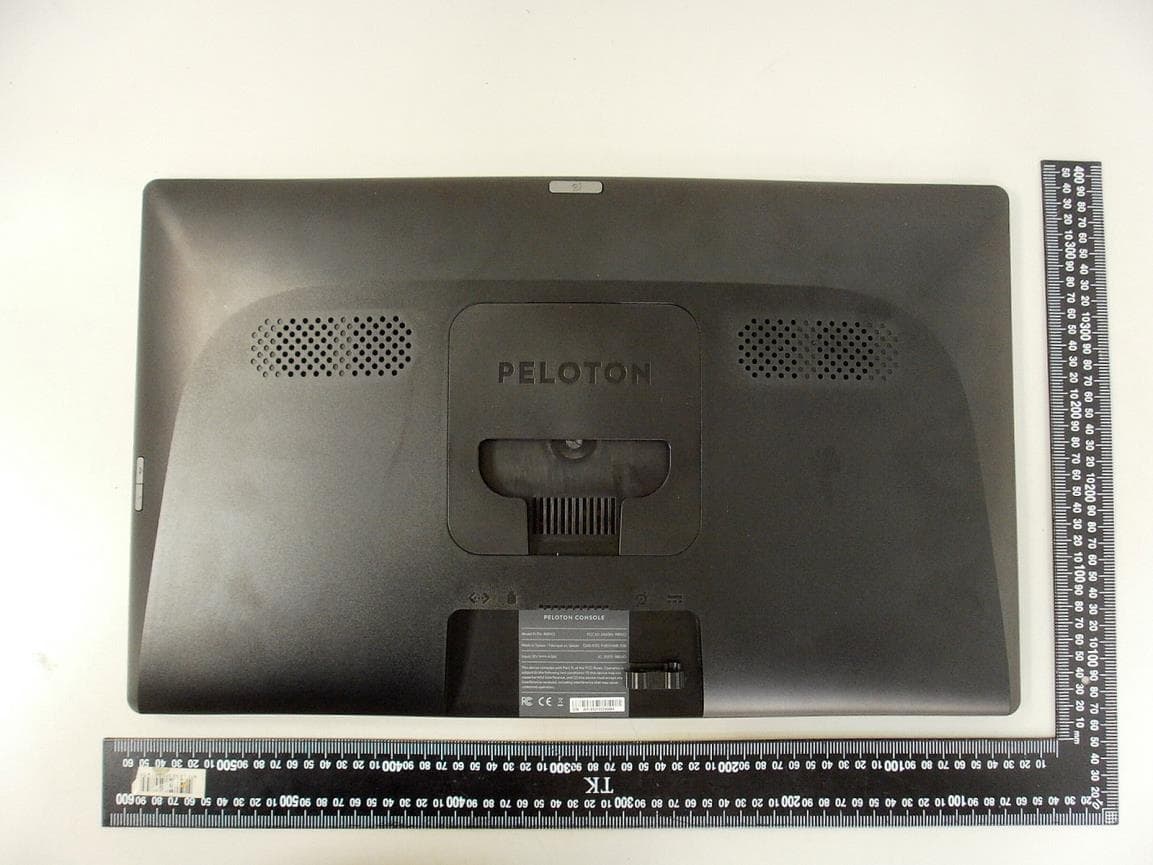
External photo of EUT External photo of EUT External photo of EUT
ID Label/Location Info
FCC ID location
Internal Photos
Internal photo of EUT Internal photo of EUT Antenna 1 for WiFi Antenna 1 for WiFi Internal photo of EUT Antenna 1 for WiFi Antenna 2 for WiFi, BT Internal photo of EUT Antenna 2 for WiFi, BT Antenna 2 for WiFi, BT Internal photo of EUT ANT+ Antenna ANT+ Antenna Internal photo of EUT ANT+ Antenna Internal photo of EUT Internal photo of EUT Internal photo of EUT Internal photo of EUT Internal photo of EUT Internal photo of EUT Internal photo of EUT
RF Exposure Info
Peloton Interactive Inc. TEST REPORT SCOPE OF WORK: FCC 1.1310 – Maximum Permissible Exposure report Model: PLTN-TC1VS-2 REPORT NUMBER 210500071THC-001 ISSUE DATE May 31, 2021 PAGES 19 DOCUMENT CONTROL NUMBER GFT-OP-10h (28-Nov-2018) © 2020 Intertek Report No.: 210500071THC-001 This report is for the exclusive use of Intertek's Client and is provided pursuant to the agreement between Intertek and its Client. Intertek's responsibility and liability are limited to the terms and conditions of the agreement. Intertek assumes no liability to any party, other than to the Client in accordance with the agreement, for any loss, expense or damage occasioned by the use of this report. Only the Client is authorized to permit copying or distribution of this report and then only in its entirety. Any use of the Intertek name or one of its marks for the sale or advertisement of the tested material, product or service must first be approved in writing by Intertek. The observations and test results in this report are relevant only to the sample tested. This report by itself does not imply that the material, product, or service is or has ever been under an Intertek certification program. GFT-OP-10h (28-Nov-2018) Page 1 of 19 Test Report Maximum Permissible Exposure (MPE) Evaluation Report Applicant: Peloton Interactive Inc. 125 W 25th St, 11th Floor, New York, NY 10001 Product: Peloton Tread Tablet Model No.: PLTN-TC1VS-2 FCC ID: 2AA3N-TC1VS2 Test Method/ Standard: FCC 1.1310 KDB 447498 Test By: Intertek Testing Services Taiwan Ltd., Hsinchu Laboratory No. 11, Lane 275, Ko-Nan 1 Street, Chia-Tung Li, Shiang-Shan District, Hsinchu City, Taiwan Zero Chen Engineer Durant Wei Reviewer Report No.: 210500071THC-001 GFT-OP-10h (28-Nov-2018) Page 2 of 19 TEST REPORT Revision History Report No. Issue Date Revision Summary 180300403TWN-001 Jul. 12, 2018 Original report (FCC ID: 2AA3N- TC1VS) 210500071THC-001 May 31, 2021 The NFC module was removed from the EUT. Based on engineering judgement, spot testing was deemed necessary. Report No.: 210500071THC-001 GFT-OP-10h (28-Nov-2018) Page 3 of 19 TEST REPORT Table of Contents Summary of Tests ....................................................................................................................... 4 1. General Information ............................................................................................................... 5 1.1 Identification of the EUT .................................................................................................. 5 1.2 Antenna description ......................................................................................................... 6 1.3 Peripherals equipment ..................................................................................................... 7 2. Test specifications ................................................................................................................... 8 2.1 Introduction ...................................................................................................................... 8 2.2 RF Exposure Limit ............................................................................................................. 9 2.3 RF Exposure calculations ................................................................................................ 12 2.4 Operation mode ............................................................................................................. 12 2.5 Test equipment ............................................................................................................... 13 2.6 Test Set-up ...................................................................................................................... 13 3. Test results ............................................................................................................................ 14 Report No.: 210500071THC-001 GFT-OP-10h (28-Nov-2018) Page 4 of 19 TEST REPORT Summary of Tests MPE Evaluation meet FCC OET No. 65: 1997, IEEE C95.1-2005 Test Reference Results MPE Evaluation FCC Guidelines for Human Exposure IEEE C95.1 Complies Verified (Note) Note: After evaluation, the other test data refer to the report number: 180300403TWN-001, dated Jul.12, 2018. Note: Please note that the test results with statement of conformity, the decision rules which are based on: Safety Testing: the specification, standard or IEC Guide 115. Other Testing: the specification, standard and not taking into account the measurement uncertainty. Report No.: 210500071THC-001 GFT-OP-10h (28-Nov-2018) Page 5 of 19 TEST REPORT 1. General Information 1.1 Identification of the EUT Product: Peloton Tread Tablet Model No.: PLTN-TC1VS Operating Frequency: 1. 2402 MHz ~ 2480 MHz 2. 2412 MHz ~ 2462 MHz 3. 5180MHz~5240MHz 4. 5260MHz~5320MHz 5. 5500MHz~5720MHz 6. 5745MHz~5825MHz Channel Number: 1. 3 channels for 2402 MHz ~ 2480 MHz (ANT+) 2. 79 channels for 2402 MHz ~ 2480 MHz (BT 2.0) 3. 40 channels for 2402 MHz ~ 2480 MHz (BT 4.0) 4. 11 channels for 2412 MHz ~ 2462 MHz (WiFi 2.4GHz) 5. 7 channels for 5180MHz~5240MHz (WiFi 5GHz) 6. 7 channels for 5260MHz~5320MHz (WiFi 5GHz) 7. 18 channels for 5500MHz~5720MHz (WiFi 5GHz) 8. 8 channels for 5745MHz~5825MHz (WiFi 5GHz) Rated Power: DC 24V from adapter Power Cord: N/A Sample receiving date: 2021/05/05 Sample condition: Workable Test Date(s): 2021/05/17 Report No.: 210500071THC-001 GFT-OP-10h (28-Nov-2018) Page 6 of 19 TEST REPORT 1.2 Antenna description For BT2.0/BT4.0 Antenna Gain : 2.3 dBi Antenna Type : PIFA Antenna Connector Type : I‐PEX For ANT+ Antenna Gain : 2.5 dBi Antenna Type : PIFA Antenna Connector Type : I‐PEX For WiFi 2.4GHz Antenna 1 Antenna Gain : 1.9 dBi Antenna Type : PIFA antenna Connector Type : I-Pex Antenna 2 Antenna Gain : 2.3 dBi Antenna Type : PIFA antenna Connector Type : I-Pex Report No.: 210500071THC-001 GFT-OP-10h (28-Nov-2018) Page 7 of 19 TEST REPORT For WiFi 5GHz Antenna 1 Antenna Gain : 3.6 dBi Antenna Type : PIFA ante…
Text truncated - open the document above for the full version.
Test Report
PELOTON INTERACTIVE, INC. TEST REPORT SCOPE OF WORK: 47 CFR FCC Part 15.247 – Radio Spectrum report Model: PLTN-TC1VS-2 REPORT NUMBER 210500069THC-001 ISSUE DATE May 31, 2021 PAGES 16 DOCUMENT CONTROL NUMBER GFT-OP-10h (28-Nov-2018) © 2020 Intertek Report No.: 210500069THC-001 This report is for the exclusive use of Intertek's Client and is provided pursuant to the agreement between Intertek and its Client. Intertek's responsibility and liability are limited to the terms and conditions of the agreement. Intertek assumes no liability to any party, other than to the Client in accordance with the agreement, for any loss, expense or damage occasioned by the use of this report. Only the Client is authorized to permit copying or distribution of this report and then only in its entirety. Any use of the Intertek name or one of its marks for the sale or advertisement of the tested material, product or service must first be approved in writing by Intertek. The observations and test results in this report are relevant only to the sample tested. This report by itself does not imply that the material, product, or service is or has ever been under an Intertek certification program. GFT-OP-10h (28-Nov-2018) Page 1 of 16 Test Report 0597 FCC TEST REPORT (Spot Check) Applicant: PELOTON INTERACTIVE, INC. 125 West 25th street, FL11, New York, NY 10001, USA Product: Peloton Tread Tablet Model No.: PLTN-TC1VS-2 FCC ID: 2AA3N- TC1VS2 Test Method/ Standard: 47 CFR FCC Part 15.247 & ANSI C63.10 2013 KDB 558074 D01 v05r02 Test By: Intertek Testing Services Taiwan Ltd., Hsinchu Laboratory No. 11, Lane 275, Ko-Nan 1 Street, Chia-Tung Li, Shiang-Shan District, Hsinchu City, Taiwan Zero Chen Engineer Durant Wei Reviewer Report No.: 210500069THC-001 GFT-OP-10h (28-Nov-2018) Page 2 of 16 TEST REPORT Revision History Report No. Issue Date Revision Summary 180300421TWN-001 Jul.12, 2018 Original report (FCC ID: 2AA3N- TC1VS) 210500069THC-001 May 31, 2021 The NFC module was removed from the EUT. Based on engineering judgement, spot testing was deemed necessary. Report No.: 210500069THC-001 GFT-OP-10h (28-Nov-2018) Page 3 of 16 TEST REPORT Table of Contents Summary of Test Data ................................................................................................................ 4 1. General Information ............................................................................................................... 5 1.1 Identification of the EUT .................................................................................................. 5 1.2 Description of the EUT ..................................................................................................... 5 1.3 Antenna description ......................................................................................................... 5 1.4 Operation mode ............................................................................................................... 6 1.5 Peripherals equipment ..................................................................................................... 6 2. Maximum Peak Conducted Output Power ............................................................................. 7 2.1 Instrument Setting ............................................................................................................ 7 2.2 Test Procedure .................................................................................................................. 7 2.3 Test Diagram ..................................................................................................................... 7 2.4 Limit .................................................................................................................................. 7 2.5 Test Results ....................................................................................................................... 8 3. Emissions in Non-Restricted Frequency Bands .................................................................... 10 3.1 Instruments Setting ........................................................................................................ 10 3.2 Test Procedure ................................................................................................................ 10 3.3 Test Diagram ................................................................................................................... 10 3.4 Limit ................................................................................................................................ 10 3.5 Test Results ..................................................................................................................... 10 4. Emission on Band Edge ......................................................................................................... 12 4.1 Instrument Setting .......................................................................................................... 12 4.2 Test Procedure ................................................................................................................ 12 4.3 Test Results ..................................................................................................................... 13 Appendix A: Test equipment list ............................................................................................... 15 Appendix B: Measurement Uncertainty ................................................................................... 16 Report No.: 210500069THC-001 GFT-OP-10h (28-Nov-2018) Page 4 of 16 TEST REPORT Summary of Test Data Test Requirement Applicable Rule (Section 15.247) Result Minimum 6 dB Bandwidth 15.247(a)(2) Verified (Note) Maximum Peak Conducted Output Power 15.247(b)(3) Pass Verified (Note) Power Spectral Density 15.247(e) Verified (Note) Emissions In Non-Restricted Frequency Bands 15.247(d) Pass Verified (Note) Emissions In Restricted Frequency Bands (Radiated emission measurements) 15.247(d), 15.205, 15.209 Veri…
Text truncated - open the document above for the full version.
Test Setup Photos
Conducted Emission Test set-up photo
Test Setup Photos
Radiated Emission Test set-up photo 9kHz ~ 30MHz Radiated Emission Test set-up photo 30 MHz ~ 1GHz Radiated Emission Test set-up photo Above 1GHz
Contact Information
Applicant
Minqaad Rana(Manager, Product Compliance Engineering)
Technical Contact
Intertek Testing Services Taiwan Ltd.Rico Deng
[email protected]+88635191411
No. 11, Lane 275, Ko-Nan 1 Street, Chia-Tung Li, · Taiwan
Non-Technical Contact
Intertek Testing Services Taiwan Ltd.Sunny Liu
[email protected]886-3-5191411
Test Firm
Intertek Testing Services Taiwan Ltd.Lily Shih
Technical Specifications
| # | Rule Parts | Frequency Range | Power Output |
|---|---|---|---|
| 1 | 15C | 2.41 GHz - 2.46 GHz | 330.00 mW |
Other Applications from Peloton Interactive Inc.
2AA3N-RB1VO2
Jul 12, 2021Peloton Console Tablet
Equipment Class
DXX - Part 15 Low Power Communication Device Transmitter
2AA3N-TTR01
Jun 22, 2020Peloton Console
Equipment Class
DXX - Part 15 Low Power Communication Device Transmitter