2AALKM706Mobile Internet Device
SYSBAY INTERNATIONAL TECHNOLOGY LTD.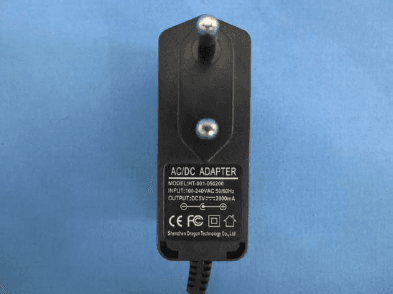
Click to zoom
Application Details
- Equipment Class
- DTS - Digital Transmission System
- Date of Grant
- Jul 24, 2013
- Application Purpose
- Original Equipment
- Date of Application
- Jul 24, 2013
- Equipment Note
- Mobile Internet Device
- Frequency Range
- 2412.00000000 - 2462.00000000
- Country
- Hong Kong
Documents & Files
Document Text
Text extracted from the exhibit documents filed with the FCC. Open a document above to read the original.
Users Manual
1 M706 USER MANUAL 2 Contents Safety Notices Getting ready to use the device What’s inside box Product Appearance Control buttons and connections Technical Specifications Quick Guide Power on / Power off Standby and Lock screen The desktop status bar and shortcut menu and the definition of the icons Orientation Sensor Setting Battery management and recharging WIFI network settings Mobile network settings To install an APK file To uninstall an APK file Camera Voice recording Use the device a multi media player Music playback Video playback Photo browsing File Management Set OSD Language Set Keyboard Set Date and time About the Device Trouble Shootings 3 Safety notices 1 ) Keep this device away from strong magnetic field to avoid any damages 2 ) Do not rub this device with any hard objects and never clean this device with any chemicals or detergents or acids or it could cause damages on surfaces. 3 ) Humidity or liquid may enter this device and causes permanent damages to the hardware inside. Do not place this device in any humid environment or under the rain. 4 ) It is recommended that volume level of the earphones should be adjusted to an appropriate level to avoid damages to your hearings due to high volume. 5 ) Do not cut off the power abruptly during software update, software download, or during this device is under any kind of operation or it may cause data lost and system error. 6 ) Over-voltage, power cable strain, bending or squeezing by heavy objects must be avoided to prevent this device from overheating or fire disaster. 7 ) To eliminate the risk of electric shock, do not connect the power plug with wet hands. 8 ) Some movies, music and pictures are under protections of copyrights, any unauthorized usages are deemed as infringements to the laws of copyrights. 9 ) The performance of the WIFI reception of this device could be influenced by the wireless equipments and networks in the surrounding areas. 10 ) Any wireless equipment will influence the flight of an airplane, please consult the airline company if you want to use this device on the airplane. 11 ) Do not use this device anywhere near any blasting operations. 12 ) Only qualified maintenance personnel is allowed to dismantle this device. 13 ) Please comply with any related restrictions and rules when using this device. 14 ) Only use this device with its original accessories and battery. 4 15 ) Do not use any incompatible accessories on this device. 16 ) This device is not waterproof, please keep it dry all the time. 17 ) For the sake of data safety, please back up the important data anytime on a timely basis. 18 ) When connecting this device with other equipments, please follow instructions on this user’s manual. 19 ) Never connect this device with any incompatible equipment. 20 ) Please consult the after-sales service in your area for any technical problems. Getting ready to use the device What’s inside box Components Quantity Ta b l e t P C 1 Power Charger 1 Earphone 1 USB Cable 1 User Manual 1 5 Product Appearance 6 Control buttons and connections View Button Function ① Front camera ② Power on / off ③ Go to the previous screen Go to a shortcut menu for: “Wallpaper” - select wallpaper for the home screen “Manage apps” - go a list of installed applications “System Setting” - go to Setting menu directly ④ Earphone jack ⑤ DC 5V power jack ⑥ USB slot Side ⑦ Microphone ⑧ Rear camera ⑨ Speaker Back ⑩ Micro SD card slot Technical Specifications 7 Size 7” TFT capacitive multi Tap panel LCD display LCD Display Resolution 800*480 Operation System Android 4.0 PC interface High speed USB2.0 HOST for external U-disk, Mouse, etc Built-in Flash Flash Memory:8GB Built-in RAM 512M DDRIII Capacity Expansion Support Micro SD Card up to 32GB (not included) Power Supply Built-in 3.7V Lithium rechargeable battery Charger: Input: AC110V~240V, Output: DC 5V/2A Format WMA、MP3、OGG、APE、FLAC、 AAC、WAV Headset max. output (L)5mW+(R)5mW(32Ohm) Bit rate 8Kbps ~ 320Kbps WMA、WMV、 Bit rate supported 5Kbps ~ 320 Kbps Frequency response 20Hz to 20KHz SN ratio 90dB Music Function Distortion <0.05% Play format MKV、AVI、RM、RMVB、MP4、 MOV、VOB、DAT、FLV、3GP, etc (Please install the correct video player via third party if any format cannot playback) Max. resolution supported 2160p Video Function Ratio 16:9、wide screen for optional 8 Photo browse JPG、JPEG、BMP、GIF supported Format Supported TXT、LRC、PDF、Html、 Htm、EPUB, etc (Install .APK via third party) E-book Function Max. capacity 20M Recording function Format supported AMR Spec 802.11b/g/n Transmission rate Max150Mbps Transmission DistanceMax100m WI-FI Function Work Frequency 2.4GHz 3G Support only external 3G USB-DONGLE wireless network card (3G card and USB-Dongle are not included) Auto Screen Rotation Selectable from Setting menu Loudspeaker Built-in 1W@8ohm Working temperature -10 ~ 45°C OSD Languages Default language: Spanish Other options: Catala, Cestina, Dansk, Deutsch, English, Romanian, Espanol, Francais, Hebrew, Hrvatski, Indonesian, Italiano, Latviesu, Leituviu, Magyar, Nederlands, Norsk Bokmal, Polski, Portugues, Romana, Romansh, Slovencina, Suomi, Svenska, Tagalog, Tieng Viet, Turkce, Russian, Korean, Chinese, Japanese, Operation systems supported Compatible with Windows 98 se / 2000 / XP / Vista / 7, Mac 9.1 or above, Linux 2.4 9 Quick Guide Power on / Power off Long press button for 3 seconds to power on the device. It will take about a minute and half to boot the system. Unlock the screen by sliding to the right. To power off the device, long press button for 3 seconds, the screen will show the power off options: Cancel or OK. Tap “OK” to power off the unit or tap “Cancel” to exit to previous operation. 10 【Note】When the device is low battery, it will alert continuously and will shut down automatically when battery has completely run out. The device cannot be powered on if the battery is empty, please recharge the battery at least one minute before resta…
Text truncated - open the document above for the full version.
ID Label/Location Info
label size: 55mm*85mm SYSBAY INTERNATIONAL TECHNOLOGY LTD. Product Name: Mobile Internet Device Model No.: M706 FCC ID: 2AALKM706 This device complies with part 15 of the FCC Rules. Operation is subject to the following two conditions: (1) This device may not cause harmful interference, and (2) this device must accept any interference received, including interference that may cause undesired operation
ID Label/Location Info
Label location
RF Exposure Info
RF Exposure evaluation According to 447498 1 D01 General RF Exposure Guidance v05 The 1-g and 10-g SAR test exclusion thresholds for 100 MHz to 6 GHz at test separation distances ≤ 50 mm are determined by: [(max. power of channel, including tune-up tolerance, mW)/(min. test separation distance, mm)] ·[√f(GHz)] ≤ 3.0 for 1-g SAR and ≤ 7.5 for 10-g extremity SAR,16 where f(GHz) is the RF channel transmit frequency in GHz Power and distance are rounded to the nearest mW and mm before calculation The result is rounded to one decimal place for comparison So (5.52mW/5mm)x √2.412 =1.71<3 Then SAR evaluation is not required
Test Report
Global United Technology Services Co., Ltd. Report No.: GTSE13070103401 Authorized Signature: Robinson Lo Laboratory Manager This report details the results of the testing carried out on one sample. The results contained in this test report do not relate to other samples of the same product and does not permit the use of the GTS product certification mark. The manufacturer should ensure that all products in series production are in conformity with the product sample detailed in this report. This report may only be reproduced and distributed in full. If the product in this report is used in any configuration other than that detailed in the report, the manufacturer must ensure the new system complies with all relevant standards. Any mention of GTS International Electrical Approvals or testing done by GTS International Electrical Approvals in connection with, distribution or use of the product described in this report must be approved by GTS International Electrical Approvals in writing. This document cannot be reproduced except in full, without prior written approval of the Company. Any unauthorized alteration, forgery or falsification of the content or appearance of this document is unlawful and offenders may be prosecuted to the fullest extent of the law. Unless otherwise stated the results shown in this test report refer only to the sample(s) tested and such sample(s) are retained for 90 days only.” FCC REPORT Applicant: SYSBAY INTERNATIONAL TECHNOLOGY LTD. Address of Applicant: 5/F.,Tung Kin Building, 200-202 Tsat Tsz Mui Road ,North Point, HongKong Equipment Under Test (EUT) Product Name: Mobile Internet Device Model No.: M706, Wb7-L, M707, Altro 7 FCC ID: 2AALKM706 Applicable standards: FCC CFR Title 47 Part 15 Subpart C Section 15.247:2012 Date of sample receipt: July 05, 2013 Date of Test: July 05-22, 2013 Date of report issued: July 22, 2013 Test Result : PASS * * In the configuration tested, the EUT complied with the standards specified above. Report No.: GTSE13070103401 Global United Technology Services Co., Ltd. Project No.: GTSE130701034RF 2nd Floor, Block No.2, Laodong Industrial Zone, Xixiang Road Baoan District, Shenzhen, China 518102 Telephone: +86 (0) 755 2779 8480 Fax: +86 (0) 755 2779 8960 Page 2 of 63 2 Version Version No. Date Description 00 July 22, 2013 Original Prepared By: Date: July 22, 2013 Project Engineer Check By: Date: July 22, 2013 Reviewer Report No.: GTSE13070103401 Global United Technology Services Co., Ltd. Project No.: GTSE130701034RF 2nd Floor, Block No.2, Laodong Industrial Zone, Xixiang Road Baoan District, Shenzhen, China 518102 Telephone: +86 (0) 755 2779 8480 Fax: +86 (0) 755 2779 8960 Page 3 of 63 3 Contents Page 1 COVER PAGE ...........................................................................................................................................1 2 VERSION .................................................................................................................................................. 2 3 CONTENTS .............................................................................................................................................. 3 4 TEST SUMMARY ..................................................................................................................................... 4 5 GENERAL INFORMATION ...................................................................................................................... 5 5.1 CLIENT INFORMATION......................................................................................................................... 5 5.2 GENERAL DESCRIPTION OF EUT ......................................................................................................... 5 5.3 TEST MODE........................................................................................................................................ 6 5.4 DESCRIPTION OF SUPPORT UNITS....................................................................................................... 6 5.5 TEST FACILITY.................................................................................................................................... 7 5.6 TEST LOCATION................................................................................................................................. 7 6 TEST INSTRUMENTS LIST ..................................................................................................................... 8 7 TEST RESULTS AND MEASUREMENT DATA...................................................................................... 9 7.1 ANTENNA REQUIREMENT:.................................................................................................................... 9 7.2 CONDUCTED EMISSIONS................................................................................................................... 10 7.3 CONDUCTED PEAK OUTPUT POWER.................................................................................................. 13 7.4 CHANNEL BANDWIDTH...................................................................................................................... 18 7.5 POWER SPECTRAL DENSITY............................................................................................................. 23 7.6 BAND EDGES.................................................................................................................................... 28 7.6.1 Conducted Emission Method ..................................................................................................... 28 7.6.2 Radiated Emission Method ........................................................................................................31 7.7 SPURIOUS EMISSION......................................................................................................................... 36 7.7.1 Conducted Emission Method ......................................................................................…
Text truncated - open the document above for the full version.
Test Setup Photos
Radiated Emission Conducted Emission
Contact Information
Applicant
Rex Song(Project Supervisor)
Test Firm
Global United Technology Service Co., LtdRobinson Lo
Technical Specifications
| # | Rule Parts | Frequency Range | Power Output |
|---|---|---|---|
| 1 | 15C | 2.41 GHz - 2.46 GHz | 5.52 mW |
Other Applications from SYSBAY INTERNATIONAL TECHNOLOGY LTD.
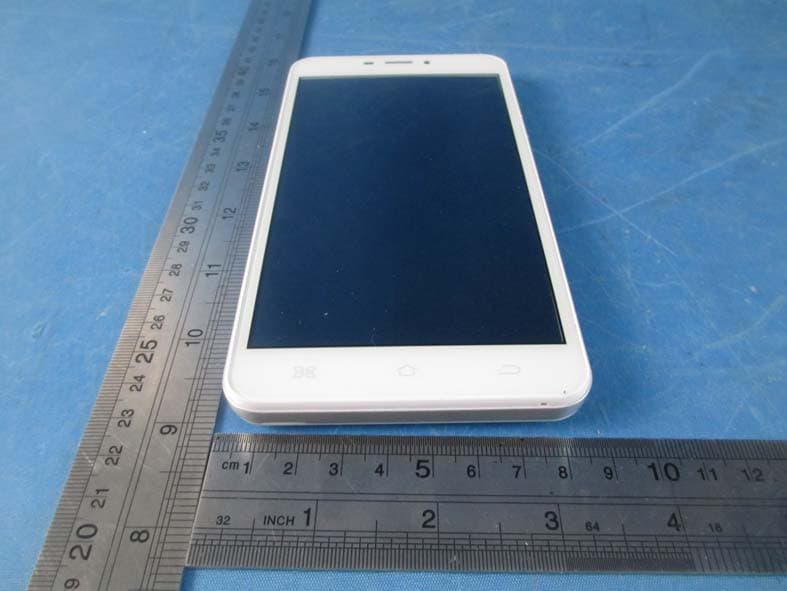
2AALKM611T
Jan 20, 2015Mobile phone
Equipment Class
DTS - Digital Transmission System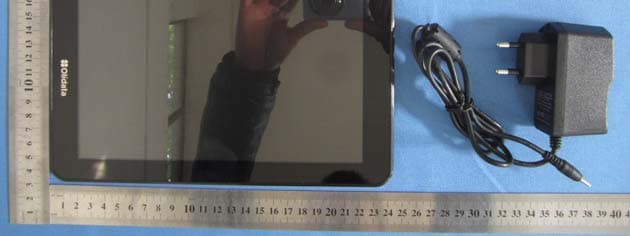
2AALKWB9V2SN
Jan 22, 2014Mobile Internet Device
Equipment Class
DXX - Part 15 Low Power Communication Device Transmitter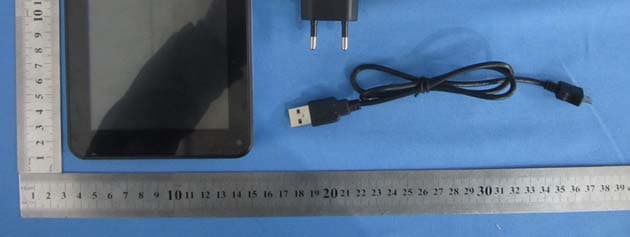
2AALKM716DB
Jan 20, 2014Mobile Internet Device
Equipment Class
DXX - Part 15 Low Power Communication Device Transmitter
2AALKM716D
Oct 21, 2013Mobile Internet Device
Equipment Class
DTS - Digital Transmission System
2AALKM901DB
Sep 27, 2013Mobile Internet Device
Equipment Class
DTS - Digital Transmission System