2AAMVBTM100Bluetooth MediaRemote Controller
HITBOX(HK)LTD.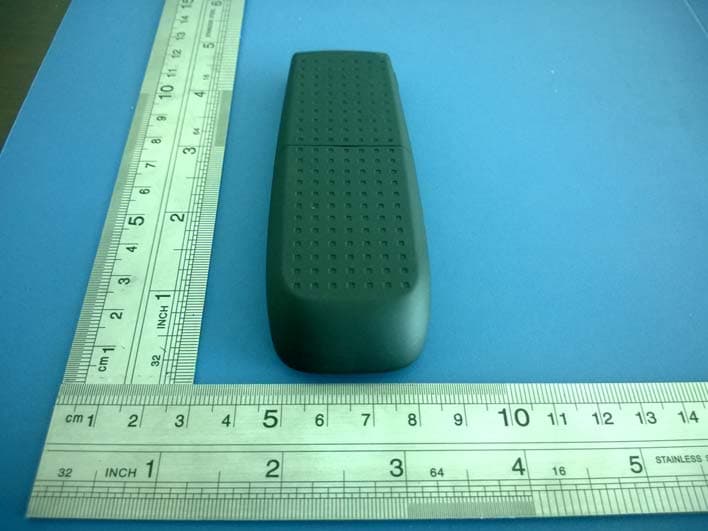
Click to zoom
Application Details
- Equipment Class
- DSS - Part 15 Spread Spectrum Transmitter
- Date of Grant
- Dec 08, 2013
- Application Purpose
- Original Equipment
- Date of Application
- Dec 06, 2013
- Equipment Note
- Bluetooth MediaRemote Controller
- Frequency Range
- 2402.00000000 - 2480.00000000
- Company
- HITBOX(HK)LTD.
- Country
- China
Documents & Files
Document Text
Text extracted from the exhibit documents filed with the FCC. Open a document above to read the original.
Users Manual
BLUETOOTH MEDIAREMOTE CONTROLLER USER GUIDE Compact and light BTM100 MediaRemote Controller is the multi‐media companion for your Bluetooth iOS device. Enjoy the convenience of controlling your iPhone or iPad even android, media wirelessly . I. Introduction ∙ Bluetooth 3.0 , Class II . Works with: iPhone, iPad & other OS compatible devices (iMac, Macbook etc.), and also Android phones and tablets that support Bluetooth HID. ∙ Media playback controls include play/pause, fast forward/rewind, volume up/down, mute. Home button can be used to activate Siri ∙ Volume up button, you can take pictures with iPhone camera without leaving yourself out 1. Support: BT Media Remote supports Bluetooth 3.0 HID, Class II profile. It is compatible with: iPhone, iPad & other OS compatible devices (iMac, MacBook Air, MacBook Pro, Mac mini, iPod Touch iOS 4 or higher, etc.) 2. Snap shot : The volume up button on BT Media Remote will trigger the Camera app to take a photo just like a camera remote shutter. This means you can place the iPhone on a tripod or stand, and snap a blur‐free shot. The remote is also perfect for group shots, where you can be included!! 3. Media controlling : Connected to your TV, a dock station or car stereo you can, play, pause, forward, rewind and mute or adjust the volume of music or video content on your iPhone or iPad from upto 10 meters away. 4. Battery : BT Media Remote powers via AAA battery 5. Ultra portable : only 42 gram with battery II. Connection/Pairing BTM100 MediaRemote Controller support IOS and android system same time. On the device have button which can switch between IOS and Android a) For start to using BTM100 please turn on. b) If you use Android please switch BTM100 to android system. If you use IOS please switch BTM100 to ISO system. c) First time connection to your smart phone, please be sure your device bluetooth is ON. d) Start to pairing please press Play/Stop key around 3‐4 seconds. After that please check led light is flashing or not. If led blinking, BTM100 ready for bluetooth connection. Please choose ^BTM100^ from bluetoth devise list in your smart phone. During your smart phone paired controller ,you also can connect your speaker to your smart phone. And manage by BTM100 III. Functions 1. Next Track 2. Previous Track 3. Volume up /remote Shutter key for IOS 4. Volume down 5. Play/stop 6. Turn of display / Remote shutter for Samsung 7. home key 8. Mute 9. On /Off 10.IOS‐Android Switch 11. Led light for pairing mode IV. System Requirements iPhone 5/iPhone 4S/4/3GS, iPad 3/2/1, iPod Touch 4G/3G, MacBook Pro/Air, iMac, Mac Mini, and all other Bluetooth enabled Apple products, All android devices, Bluetooth 3.0 HID V. Technical Specifications ∙ Built‐in slide show buttons ∙ 15 meters effective range with Bluetooth technology ∙ LED indicator for pairing mode ∙ Plug‐and ‐play, no software required ∙ Storable receiver AAA battery ∙ On/Off switch VI. FCC Compliance statement 1. This device complies with Part 15 of the FCC Rules. Operation is subject ot the following two condition: (1) This device may not cause hrmful interference (2) This device must accept any interferce received, including interference that may cause undesired operation. 2. Changes or modifications not expressly approved by the party responsible for compliance could void the user’s authority to operate the equipment. 6 11 3 4 5 8 7 10 2 9 1 Caution: This equipment has been tested and found to comply with the limits for a Class B digital device, pursuant to part 15 of the FCC Rules. These limits are designed to provide reasonable protection against harmful interference in a residential installation. This equipment generates, uses and can radiate radio frequency energy and, if not installed and used in accordance with the instructions, may cause harmful interference to radio communications. However, there is no guarantee that interference will not occur in a particular installation. If this equipment does cause harmful interference to radio or television reception, which can be determined by turning the equipment off and on, the user is encouraged to try to correct the interference by one or more of the following measures: • Reorient or relocate the receiving antenna. • Increase the separation between the equipment and receiver. • Connect the equipment into an outlet on a circuit different from that to which the receiver is connected. • Consult the dealer or an experienced radio/TV technician for help.
External Photos
ATA Testing Technology Service Co., Ltd. Report No.: ATA131129003F Page: 1 of 3 3/F., Bldg. 5, Fusen Technology Park, Hangcheng Road, Xixiang, Bao’an District, Shenzhen, China Tel: (86)-0755-23498786 Fax: (86)-0755-29765125 www.ata-cert.com Photographs – External Photo ATA Testing Technology Service Co., Ltd. Report No.: ATA131129003F Page: 2 of 3 3/F., Bldg. 5, Fusen Technology Park, Hangcheng Road, Xixiang, Bao’an District, Shenzhen, China Tel: (86)-0755-23498786 Fax: (86)-0755-29765125 www.ata-cert.com ATA Testing Technology Service Co., Ltd. Report No.: ATA131129003F Page: 3 of 3 3/F., Bldg. 5, Fusen Technology Park, Hangcheng Road, Xixiang, Bao’an District, Shenzhen, China Tel: (86)-0755-23498786 Fax: (86)-0755-29765125 www.ata-cert.com
ID Label/Location Info
Label and Label location: HITBOX (HK) LTD. Bluetooth MediaRemote controller Model No.: BTM100 FCC ID: 2AAMVBTM100 This device complies with Part 15 of the FCC Rules. Operation is subject to the following two conditions: (1) This device may not cause harmful interference, and (2) this device must accept any interference received, including interference that may cause undesired operation.
Internal Photos
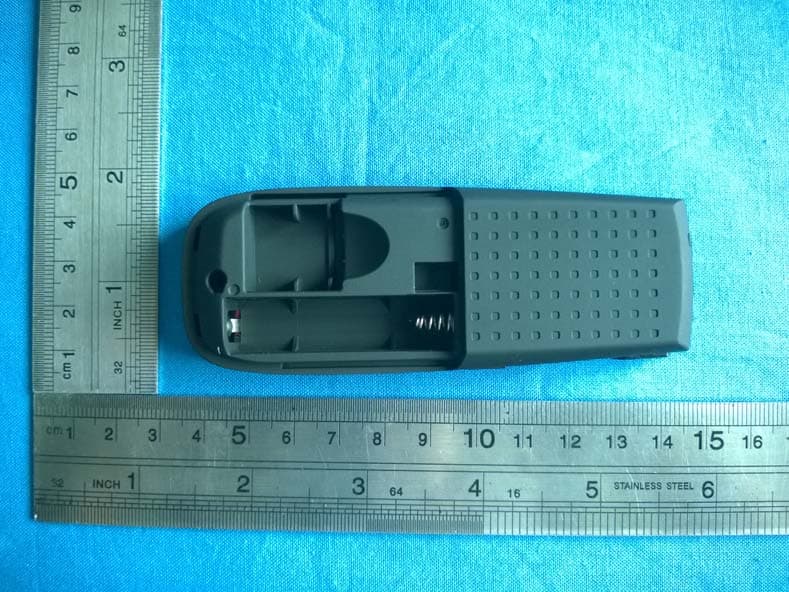
ATA Testing Technology Service Co., Ltd. Report No.: ATA131129003F Page: 1 of 2 3/F., Bldg. 5, Fusen Technology Park, Hangcheng Road, Xixiang, Bao’an District, Shenzhen, China Tel: (86)-0755-23498786 Fax: (86)-0755-29765125 www.ata-cert.com Photographs – Internal Photo ATA Testing Technology Service Co., Ltd. Report No.: ATA131129003F Page: 2 of 2 3/F., Bldg. 5, Fusen Technology Park, Hangcheng Road, Xixiang, Bao’an District, Shenzhen, China Tel: (86)-0755-23498786 Fax: (86)-0755-29765125 www.ata-cert.com
RF Exposure Info
FCC RF Exposure FCC ID: 2AAMVBTM100 Frequency: 2402-2480 MHz (79 channels) Mid-Channel: 2.441 GHz (channel 39) Mid-Channel Peak Power, Conducted: 5.18 dBm == 3.3 mW Antenna Gain: G = 0 dBi Peak, Radiated = 5.18 dBm + 0 dBi = 5.18 dBm = 3.3 mW SAR Test Exclusion Thresholds specified in KDB447498 Appendix A: Evaluation: The Calculated Radiated Peak output power is taken as worst case, and this emission level appears to be far under the maximum allowed emission level at even the closest distance for 2.4G device specified in this table. Conclusion: The emitted power appears to be (far) below the required limit, so PASS.
Test Report
ATA Testing Technology Service Co., Ltd. Report No.: ATA131129003F Page: 1 of 50 3/F., Bldg. 5, Fusen Technology Park, Hangcheng Road, Xixiang, Bao’an District, Shenzhen, China Tel: (86)-0755-23498786 Fax: (86)-0755-29765125 www.ata-cert.com FCC Test Report (Bluetooth) FCC ID : 2AAMVBTM100 Applicant : Hitbox (hk) ltd. RM 913-914, HaoShen Business Center Building, DongBin Road, NanShan District, Shenzhen, China Sample Description Product Name : Bluetooth MediaRemote Controller Model No. : BTM100 Serial No. : N/A Trademark : N/A Receipt Date : 2013-11-25 Test Date : 2013-11-25 to 2013-12-02 Issue Date : 2013-12-02 Test Standard(s) : FCC CFR Title 47 Part 15 Subpart C Section 15.247 Conclusions : PASSED* *In the configuration tested, the EUT complied with the standards specified above. Test/Witness Engineer : Approved & Authorized : This report details the results of the testing carried out on one sample. The results contained in this test report do not relate to other samples of the same product. The manufacturer should ensure that all products in series production are in conformity with the product sample detailed in the report. ATA Testing Technology Service Co., Ltd. Report No.: ATA131129003F Page: 2 of 50 3/F., Bldg. 5, Fusen Technology Park, Hangcheng Road, Xixiang, Bao’an District, Shenzhen, China Tel: (86)-0755-23498786 Fax: (86)-0755-29765125 www.ata-cert.com Contents CONTENTS...................................................................................................................................................................2 1. GENERAL INFORMATION...........................................................................................................................4 1.1. Client Information.....................................................................................................................................4 1.2. General Description of EUT (Equipment Under Test)........................................................................4 1.3. Description of Test Mode........................................................................................................................5 1.4. Test Instruments List...............................................................................................................................6 1.5. Laboratory Location.................................................................................................................................6 2. TEST SUMMARY............................................................................................................................................7 3. ANTENNA REQUIREMENT..........................................................................................................................8 3.1. Standard Requirement.....................................................................................................................8 3.2. Antenna Connected Construction...................................................................................................8 4. CONDUCTED EMISSION TEST..................................................................................................................9 4.1. Test Standard and Limit...................................................................................................................9 4.2. Test Setup..........................................................................................................................................9 4.3. Test Procedure..................................................................................................................................9 4.4. Test Data..........................................................................................................................................10 5. CONDUCTED PEAK OUTPUT POWER TEST.......................................................................................11 5.1. Test Standard and Limit.................................................................................................................11 5.2. Test Setup........................................................................................................................................11 5.3. Test Procedure ................................................................................................................................11 5.4. Test Data..........................................................................................................................................11 6. 20DB OCCUPY BANDWIDTH TEST........................................................................................................16 6.1. Test Standard and Limit.................................................................................................................16 6.2. Test Setup........................................................................................................................................16 6.3. Test Procedure................................................................................................................................16 6.4. Test Data..........................................................................................................................................16 7. CARRIER FREQUENCY SEPARATION TEST.......................................................................................20 7.1. Test Standard and Limit.................................................................................................................20 7.2. Test Setup........................................................................................................................................20 7.3. Test Procedure................................................................................................................................20 7.4. Test Data..........................................................................................................................................20 8. NUMBE…
Text truncated - open the document above for the full version.
Test Setup Photos
ATA Testing Technology Service Co., Ltd. Report No.: ATA131028010E Page: 1 of 1 3/F., Bldg. 5, Fusen Technology Park, Hangcheng Road, Xixiang, Bao’an District, Shenzhen, China Tel: (86)-0755-23498786 Fax: (86)-0755-29765125 www.ata-cert.com Photographs – Test Setup Radiated Emission Test Setup
Contact Information
Applicant
Annie Zhang(Manager)
Technical Contact
Test Firm
Shenzhen Certification Technology Service Co., LtdMark Zhu
Technical Specifications
| # | Rule Parts | Frequency Range | Power Output |
|---|---|---|---|
| 1 | 15C | 2.40 GHz - 2.48 GHz | 3.30 mW |
Other Applications from HITBOX(HK)LTD.
2AAMVPTM100
Jul 16, 2014Wireless Laser Presenter
Equipment Class
DXX - Part 15 Low Power Communication Device Transmitter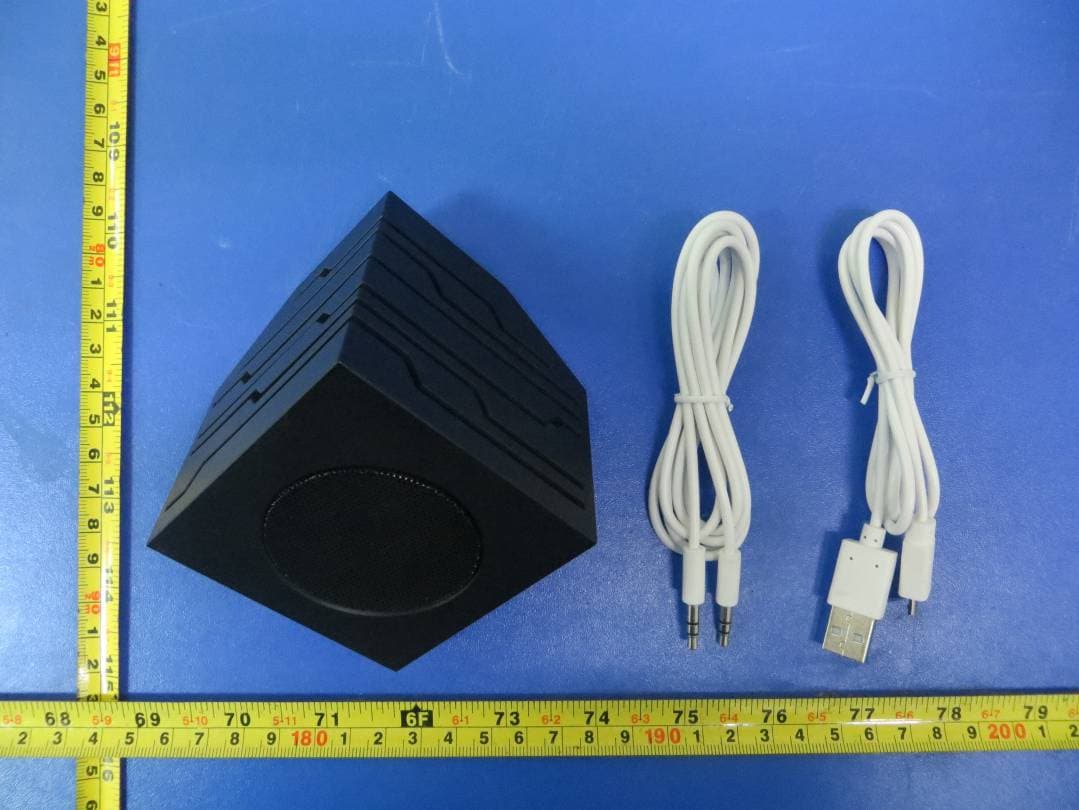
2AAMVHITBOX
Jul 29, 2013Bluetooth Speaker
Equipment Class
DSS - Part 15 Spread Spectrum Transmitter