2AAOI75417Ford 2012 Focus
FLYAUDIO CORPORATION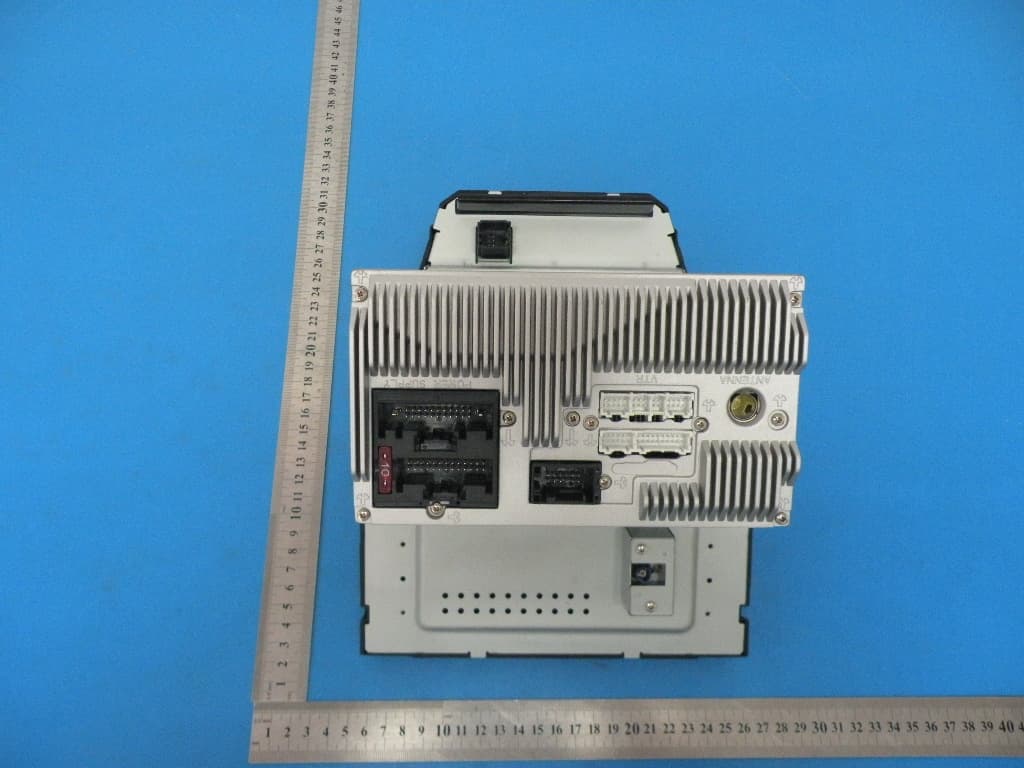
Click to zoom
Application Details
- Equipment Class
- DSS - Part 15 Spread Spectrum Transmitter
- Date of Grant
- Aug 03, 2013
- Application Purpose
- Original Equipment
- Date of Application
- Aug 03, 2013
- Equipment Note
- Ford 2012 Focus
- Frequency Range
- 2402.00000000 - 2480.00000000
- Company
- FLYAUDIO CORPORATION
- Country
- China
Documents & Files
Document Text
Text extracted from the exhibit documents filed with the FCC. Open a document above to read the original.
Users Manual
Notes before Installation Functions Instruction AV Operation Introducing Optional Function Other Information Multimedia Navigation System Before using this navigation system, please read this manual carefully and preserve it properly for future reference. V1.0 To avoid accident, please DO NOT watch video while driving . Genuine Product Safety Info Please read through this User’s Manual Before using this navigation system, please be sure to read through and fully understand the following safety information, so as to enjoy the advanced functions. Please preserve this User’s Manual for future reference Ensure Safe Driving . Ensure obeying safety driving regulations and current traffic rules. Operating this navigation system (and the optional car reversing camera) may distract your attention of driving the car safely. If you need to watch the monitor to conduct any system operation, please park the car at a safety place, and take the parking brake, before making necessary adjustment. DO NOT set the volume of the navigation system too high, as you may not be aware of the traffic condition and SOS signal outside. l l l l lFor safety reason, some functions of the system may be disabled while driving, unless you stop the car or use stopping brake. lPlease DO NOT wear ear phone while driving. The blue and white wire at power connector is for detecting the status of car stopping. It must be connected with the power of car stopping switch. Improper connection or use of this wire may be law-breaking, and may endanger your personal safety. To avoid car accident and possible breaking to applicable law, please DO NOT use the navigation system for any other purpose other than navigation while driving. Likewise, the rearview monitor shouldn’t be used while blocking the vision of the driver. When using the monitor connected to rear monitor output, the rearview monitor l l l ii Announcement output of this system is for connecting to monitor, so as the passengers in rear seats lWatching video and conducting relevant operation while driving is prohibited by the laws in some countries. For your and other person’s safety, please DO NOT do it while driving. lDO NOT contact this system with liquid, watch program and conduct relevant operation while driving. Warning: lPlease DO NOT install or fix your navigation system on your own. Danger could happen when this navigation system is installed or fixed by the personnel without receiving electronic device and automobile parts training, and you may be under the risk of electric shock or other dangers. Please DO NOT watch program and conduct relevant operation while driving. iii otherwise, electric shock may happen, it may also cause damage to the system, smoke and overheat etc. SafetyAnnouncement lThe navigation function of this product (and the optional car reversing camera) serves as your assistance while driving. It doesn’t mean that you could distract attention, absent-minded or lose judgment while driving. The accident it caused is irrelevant with our company. lThe intellectual right of the digital map written into TF card belongs to the supplier. Map supplier is responsible for the content of it. Announcement This User ’s Manual mainly introduces the function, purpose and operation of the vehicle AV system product. This manual serves as an operation guideline for Safety Info Please read through this User’s Manual Before using this navigation system, please be sure to read through and fully understand the following safety information, so as to enjoy the advanced functions. Please preserve this User’s Manual for future reference Ensure Safe Driving . Ensure obeying safety driving regulations and current traffic rules. Operating this navigation system (and the optional car reversing camera) may distract your attention of driving the car safely. If you need to watch the monitor to conduct any system operation, please park the car at a safety place, and take the parking brake, before making necessary adjustment. DO NOT set the volume of the navigation system too high, as you may not be aware of the traffic condition and SOS signal outside. l l l l lFor safety reason, some functions of the system may be disabled while driving, unless you stop the car or use stopping brake. lPlease DO NOT wear ear phone while driving. The blue and white wire at power connector is for detecting the status of car stopping. It must be connected with the power of car stopping switch. Improper connection or use of this wire may be law-breaking, and may endanger your personal safety. To avoid car accident and possible breaking to applicable law, please DO NOT use the navigation system for any other purpose other than navigation while driving. Likewise, the rearview monitor shouldn’t be used while blocking the vision of the driver. When using the monitor connected to rear monitor output, the rearview monitor l l l ii Announcement output of this system is for connecting to monitor, so as the passengers in rear seats lWatching video and conducting relevant operation while driving is prohibited by the laws in some countries. For your and other person’s safety, please DO NOT do it while driving. lDO NOT contact this system with liquid, watch program and conduct relevant operation while driving. Warning: lPlease DO NOT install or fix your navigation system on your own. Danger could happen when this navigation system is installed or fixed by the personnel without receiving electronic device and automobile parts training, and you may be under the risk of electric shock or other dangers. Please DO NOT watch program and conduct relevant operation while driving. iii otherwise, electric shock may happen, it may also cause damage to the system, smoke and overheat etc. SafetyAnnouncement lThe navigation function of this product (and the optional car reversing camera) serves as your assistance while driving. It doesn’t mean that you could distract attention, absent-minded or lose judgment while driving. T…
Text truncated - open the document above for the full version.
Users Manual
( TRACK0010/1000 ):Total currently playing songs . ( 00'34" )Time elapsed in song list.: ( ):Single song rotation (controlled by RPT button). ( ):Random playback (without this mark, playback is in order). ( 1'45~5'45 ):Songs playback timeline. ( ):Press it to play previous song or track. ( ):Press it to play next song or track. ( ):When playing, press it to pause, re-press it to resume normal playback. ( Display bar): 3 bars are for displaying song name, singer and album name. Functions and AV operation ( RPT )Press it to switch to rotating playback mode. ( Shuffle )Press it to switch to random play back mode. : : ( Search ): Click it to access to playback list. "Song navigation ":Press(Prev) (Next)button to turn the page. As following picture: “ ”:Return to iPod folder page. “ Back ”: Return to page setup. 21 Auto:Touch (SCAN)button on operation screen to auto scan frequency. When channel signal is found, the search will auto stop. Press this button to search for next frequency. 3. iPod Control When iPod in the setup page is “ON”, iPod is connected.Click on the iPod icon in main menu to access to the following page: Functions and AV operation 20 ( Video ):Press it to access to video page. ( ): Press it to play previous song or track. ( ):Fast backward control. ( ):When the Disc is inserted, press it to start playback; when in playback mode, press it to pause. When it’s paused or stopped, press it to resume normal playback. ( TRACK0010/1000 ):Total currently playing songs . ( 00'34" )Time elapsed in song list.: ( ):Single song rotation (controlled by RPT button). ( ):Random playback (without this mark, playback is in order). ( 1'45~5'45 ):Songs playback timeline. ( ):Press it to play previous song or track. ( ):Press it to play next song or track. ( ):When playing, press it to pause, re-press it to resume normal playback. ( Display bar): 3 bars are for displaying song name, singer and album name. Functions and AV operation ( RPT )Press it to switch to rotating playback mode. ( Shuffle )Press it to switch to random play back mode. : : ( Search ): Click it to access to playback list. "Song navigation ":Press(Prev) (Next)button to turn the page. As following picture: “ ”:Return to iPod folder page. “ Back ”: Return to page setup. 21 Auto:Touch (SCAN)button on operation screen to auto scan frequency. When channel signal is found, the search will auto stop. Press this button to search for next frequency. 3. iPod Control When iPod in the setup page is “ON”, iPod is connected.Click on the iPod icon in main menu to access to the following page: Functions and AV operation 20 ( Video ):Press it to access to video page. ( ): Press it to play previous song or track. ( ):Fast backward control. ( ):When the Disc is inserted, press it to start playback; when in playback mode, press it to pause. When it’s paused or stopped, press it to resume normal playback. Functions and AV operation 23 ( TRACK1 ):Currently playing track No. ( 00'34" ):Display elapsed playing time. ( Display bar ):3 bars are for displaying song name, singer and album name. ( 1'45)( 6'45 ):Song playing timeline. ( ):Press it to play previous song or track . ( ):Press it to play next song or track. ():In playback mode,press it to pause,Press it again to resume normal playback. ( RPT ):Press it to switch to rotating playback mode. ( Shuffle ):Press it to switch to random playback mode. ( Playlist ):Press it to access to next screen displaying all tracks and songs in the Disc. ( Prev )(Next ):Choose song, use the middle slidingbar to navigate, as following picture: 5.Navigation system Click on (Navigation) icon in main screen to access to Navigation control screen: (Run Navigation):Click on the map software in the pathway, as follows: ( ):Fast forward control. ( ):Press it to play next track or song. ( SETUP ):The same as DVD operation. 4.MP3 Player Control Click(Mp3 )button to access toMP3 player control screen, as following picture: ( USB or SD ):In(Playlist) select one playback device. The icon on it will correspondingly change to blue, indicating playing the music or image in the device. Functions and AV operation 22 ( Browse ):Click it to see the map, as follows: Functions and AV operation 23 ( TRACK1 ):Currently playing track No. ( 00'34" ):Display elapsed playing time. ( Display bar ):3 bars are for displaying song name, singer and album name. ( 1'45)( 6'45 ):Song playing timeline. ( ):Press it to play previous song or track . ( ):Press it to play next song or track. ():In playback mode,press it to pause,Press it again to resume normal playback. ( RPT ):Press it to switch to rotating playback mode. ( Shuffle ):Press it to switch to random playback mode. ( Playlist ):Press it to access to next screen displaying all tracks and songs in the Disc. ( Prev )(Next ):Choose song, use the middle slidingbar to navigate, as following picture: 5.Navigation system Click on (Navigation) icon in main screen to access to Navigation control screen: (Run Navigation):Click on the map software in the pathway, as follows: ( ):Fast forward control. ( ):Press it to play next track or song. ( SETUP ):The same as DVD operation. 4.MP3 Player Control Click(Mp3 )button to access toMP3 player control screen, as following picture: ( USB or SD ):In(Playlist) select one playback device. The icon on it will correspondingly change to blue, indicating playing the music or image in the device. Functions and AV operation 22 ( Browse ):Click it to see the map, as follows: Functions and AV operation positioning, please stay at the same location, where is preferable open space,without shield above. lFirst positioning may need over 3 minutes, subject to current environment and satellite signal. lDO NOT operate the navigation system while driving, so as to ensure safe driving. To avoid accident, please operate this system after safely pulling over the vehicle. Wireless communication product (e.g. mobile phone, speed alarm etc.) may interfere with the receiving of satellite…
Text truncated - open the document above for the full version.
Cover Letter(s)
775 Montague Expressway Milpitas, CA 95035 Tel: 408-526-1188 Fax: 408-526-1088 Email: [email protected] Project and Product Certification Representative Authorization Letter Reason for Amendment (current / obsolete) Revision History Approved Date From To Initial Release (obsolete) 1.0 1.0 Nov-14-2006 Revised wording (obsolete) 1.0 2.0 Sept–25-2007 Updated company template (current) 2.0 3.0 Jan-31-2012 FLYAUDIO CORPORATION(CHINA) SCS-F18: Project and Product Certification Representative Authorization Letter Page 2 of 2 Rev 3.0 2013/7/20 To: SIEMIC, INC. 775 Montague Expressway, Milpitas, CA 95035 USA Dear Sir/Madam, Re: Project and Product Certification Representative Authorization Letter We, FLYAUDIO CORPORATION(CHINA) _ hereby authorize SIEMIC, INC. to act as a Certification Body for certifying for the following project(s): Product: Ford 2012 Focus Trade Name: Model Name: 75417 Serial Model: N/A FCC ID: 2AAOI75417 We affirm that between SIEMIC and ___ FLYAUDIO CORPORATION(CHINA) __ , any difference in understanding, including test plan, measurement methods, applicable standards and relevant procedures and processes have been resolved prior to commencement of testing activities. Sincerely, Client’s signature Signature Name: Lucy Lan Title: General Manager Assistant Tel: 61566931
Cover Letter(s)
SCS-F19: Confidentiality Request Letter Page 1 of 2 Rev 3.0 775 Montague Expressway Milpitas, CA 95035 Tel: 408-526-1188 Fax: 408-526-1088 Email: [email protected] Confidentiality Request Letter Reason for Amendment (current / obsolete) Revision History Approved Date From To Initial Release (obsolete) 1.0 1.0 Nov-14-2006 Adding CFR 2.459 (obsolete) 1.0 2.0 August – 11 - 2008 Updated company template & Added text box (current) 2.0 3.0 Jan-31-2012 SCS-F19: Confidentiality Request Letter Page 2 of 2 Rev 3.0 FLYAUDIO CORPORATION(CHINA) 2013-7-20 To: Federal Communications Commission Authorization and Evaluation Division 7435 Oakland Mills Road Columbia, MD Subject: Permanent Confidentiality Request for FCC ID: 2AAOI75417 We hereby request confidential treatment of information accompanying this application as outlined below: - Block Diagram - Schematics - Operational Description The above materials contain trade secrets and proprietary information not customarily released to the public. The public disclosure of these materials may be harmful to the applicant and provide unjustified benefits to its competitors. The applicant understands that pursuant to Section 0.457 & 0.459 of the Rules, disclosure of this application and all accompanying documentation will not be made before the date of the Grant for this application. Sincerely, Client’s signature Client’s name / title : Lucy Lan / General Manager Assistant Contact information / address : FlyAudio Industrial Park No.16 Mingzhu Road,Economical & Technology Development Zone,Guangzhou,Guangdong,china
External Photos
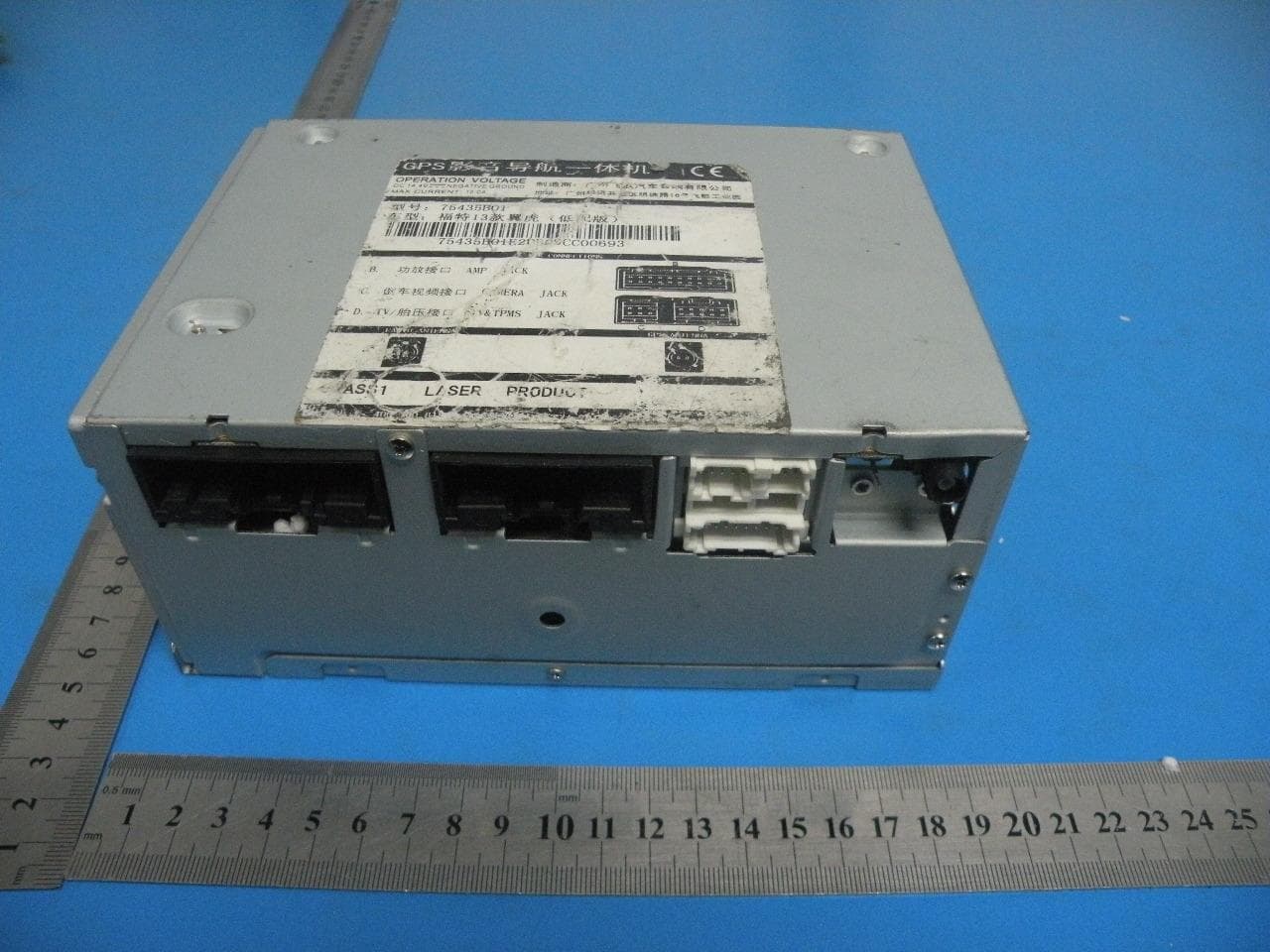
APPENDIX-PHOTOGRAPHS OF EUT CONSTRUCTIONAL DETAILS Photo 1 Photo 2 Photo 3 Photo 4 Photo 5 Photo 6
ID Label/Location Info
Label lock
ID Label/Location Info
WARNING 75417 90 6 3 THIS DEVICE COMPLIES WITH PART 15 OF THE FCC RULES AND REGULATIONS. OPERATION IS SUBJECT TO THE FOLLOWING TWO CONDITIONS: 1)THE DEVICE MAY NOT CAUSE HARMFUL INTERFERENCE , AND 2)THE DEVICE MUST ACCEPT ANY INTERFERENCE RECEIVED ,INCLUDING INTERFERENCE THAT MAY CAUSE UNDESIRED OPERATION Product Name FORD 2012 FOCUS
Internal Photos
Photo 7 Photo 8 Photo 9 Photo 10 Photo 11 Photo 12 Photo 13 Photo 14 Photo 15 Photo 16 GPS ANT BT ANT Photo 17
RF Exposure Info
FCC ID: 2AAOI75417 RF EXPOSURE TEST SAR Test Exclusion Thresholds for 100 MHz – 6 GHz and ≤ 50 mm Approximate SAR Test Exclusion Power Thresholds at Selected Frequencies and Test Separation Distances are illustrated in the following Table. The 1-g and 10-g SAR test exclusion thresholds for 100 MHz to 6 GHz at test separation distances ≤ 50 mm are determined by: [(max. power of channel, including tune-up tolerance, mW)/(min. test separation distance, mm)] · [√f(GHz)] ≤ 3.0 for 1-g SAR and ≤ 7.5 for 10-g extremity SAR,16 where f(GHz) is the RF channel transmit frequency in GHz Power and distance are rounded to the nearest mW and mm before calculation17 The result is rounded to one decimal place for comparison The test exclusions are applicable only when the minimum test separation distance is ≤ 50 mm and for transmission frequencies between 100 MHz and 6 GHz. When the minimum test separation distance is < 5 mm, a distance of 5 mm is applied to determine SAR test exclusion. FCC ID: 2AAOI75417 Bluetooth Max Output Power: frequency range Maximum Peak Conducted Output Power (dBm) Maximum Conducted Output Power (mW) 2402 0.824 1.21 The max.output power E.I.R.P is 0.824dBm=1.21mW, Frequency is 2.402GHz So (1.21/5)* √2.402=0.375≤ 3.0 Conclusion: No SAR is required.
Test Report
FCC RADIO TEST REPORT FCC ID: 2AAOI75417 Product: Ford 2012 Focus Trade Name: Model Name: 75417 Serial Model: N/A Report No.: NTEK-2013NT0728726F Prepared for FLYAUDIO CORPORATION(CHINA) FlyAudio Industrial Park No.16 Mingzhu Road,Economical & Technology Development Zone,Guangzhou,Guangdong,china Prepared by NTEK Testing Technology Co., Ltd. 1/F, Building E, Fenda Science Park, Sanwei Community,Xixiang Street Bao’an District, Shenzhen P.R. China Tel.: +86-0755-61156588 Fax.: +86-0755-61156599 Website:www.ntek.org.cn Page 2 of 85 Report No.: NTEK-2013NT0728726F TEST RESULT CERTIFICATION Applicant’s name ................. : FLYAUDIO CORPORATION(CHINA) Address ................................. : FlyAudio Industrial Park No.16 Mingzhu Road,Economical & Technology Development Zone,Guangzhou,Guangdong,china Manufacture's Name ............ : GUANGDONG CREATOR&FlyAUdio ELECTRONIC Ltd Address ................................. : Hengli Town, Dongguan Dongxing Industrial Zone Tianyu Technology Park Philco Product description Product name ........................... : Ford 2012 Focus Model and/or type reference : 75417 Serial Model: N/A Standards ............................. : FCC Part15.247 Test procedure ..............................ANSI C63.4-2003 This device described above has been tested by NTEK, and the test results show that the equipment under test (EUT) is in compliance with the FCC requirements. And it is applicable only to the tested sample identified in the report. This report shall not be reproduced except in full, without the written approval of NTEK, this document may be altered or revised by NTEK, personal only, and shall be noted in the revision of the document. Date of Test ............................................ : Date (s) of performance of tests ............. : 02 Jul. 2013 ~21 Jul. 2013 Date of Issue ........................................... : 21 Jul. 2013 Test Result ............................................... : Pass Testing Engineer : (Apple Huang) Technical Manager : (Tom Zhang) Authorized Signatory : (Bovey Yang) Page 3 of 85 Report No.: NTEK-2013NT0728726F Table of Contents Page 1 . SUMMARY OF TEST RESULTS 5 1.1 TEST FACILITY 6 1.2 MEASUREMENT UNCERTAINTY 6 2 . GENERAL INFORMATION 7 2.1 GENERAL DESCRIPTION OF EUT 7 2.2 DESCRIPTION OF TEST MODES 9 2.3 TABLE OF PARAMETERS OF TEXT SOFTWARE SETTING 9 2.4 BLOCK DIGRAM SHOWING THE CONFIGURATION OF SYSTEM TESTED 10 2.5 DESCRIPTION OF SUPPORT UNITS(CONDUCTED MODE) 11 2.6 EQUIPMENTS LIST FOR ALL TEST ITEMS 12 3 . EMC EMISSION TEST 13 3.1 CONDUCTED EMISSION MEASUREMENT 13 3.1.1 POWER LINE CONDUCTED EMISSION LIMITS 13 3.1.2 TEST PROCEDURE 14 3.1.3 DEVIATION FROM TEST STANDARD 14 3.1.4 TEST SETUP 14 3.1.5 EUT OPERATING CONDITIONS 14 3.1.6 TEST RESULTS 15 3.2 RADIATED EMISSION MEASUREMENT 16 3.2.1 RADIATED EMISSION LIMITS 16 3.2.2 TEST PROCEDURE 17 3.2.3 DEVIATION FROM TEST STANDARD 17 3.2.4 TEST SETUP 18 3.2.5 EUT OPERATING CONDITIONS 19 3.2.6 TEST RESULTS (BELOW 30 MHZ) 20 3.2.7 TEST RESULTS (BETWEEN 30M – 1000 MHZ) 21 3.2.8 TEST RESULTS (ABOVE 1000 MHZ) 23 3.2.9 TEST RESULTS (RESTRICTED BANDS REQUIREMENTS) 41 4 . NUMBER OF HOPPING CHANNEL 53 4.1 APPLIED PROCEDURES / LIMIT 53 4.1.1 TEST PROCEDURE 53 4.1.2 DEVIATION FROM STANDARD 53 4.1.3 TEST SETUP 53 4.1.4 EUT OPERATION CONDITIONS 53 4.1.5 TEST RESULTS 54 5 . AVERAGE TIME OF OCCUPANCY 55 5.1 APPLIED PROCEDURES / LIMIT 55 Page 4 of 85 Report No.: NTEK-2013NT0728726F Table of Contents Page 5.1.1 TEST PROCEDURE 55 5.1.2 DEVIATION FROM STANDARD 55 5.1.3 TEST SETUP 56 5.1.4 EUT OPERATION CONDITIONS 56 5.1.5 TEST RESULTS 57 6 . HOPPING CHANNEL SEPARATION MEASUREMENT 63 6.1 APPLIED PROCEDURES / LIMIT 63 6.1.1 TEST PROCEDURE 63 6.1.2 DEVIATION FROM STANDARD 63 6.1.3 TEST SETUP 63 6.1.4 EUT OPERATION CONDITIONS 63 6.1.5 TEST RESULTS 64 7 . BANDWIDTH TEST 70 7.1 APPLIED PROCEDURES / LIMIT 70 7.1.1 TEST PROCEDURE 70 7.1.2 DEVIATION FROM STANDARD 70 7.1.3 TEST SETUP 70 7.1.4 EUT OPERATION CONDITIONS 70 7.1.5 TEST RESULTS 71 8 . PEAK OUTPUT POWER TEST 77 8.1 APPLIED PROCEDURES / LIMIT 77 8.1.1 TEST PROCEDURE 77 8.1.2 DEVIATION FROM STANDARD 77 8.1.3 TEST SETUP 77 8.1.4 EUT OPERATION CONDITIONS 77 8.1.5 TEST RESULTS 78 9 . ANTENNA REQUIREMENT 84 9.1 STANDARD REQUIREMENT 84 9.2 EUT ANTENNA 84 10 . EUT TEST PHOTO 85 APPENDIX-PHOTOGRAPHS OF EUT CONSTRUCTIONAL DETAILS Page 5 of 85 Report No.: NTEK-2013NT0728726F 1. SUMMARY OF TEST RESULTS Test procedures according to the technical standards: FCC Part15 (15.247) , Subpart C Standard Section Test Item Judgment Remark 15.207 Conducted Emission N/A 15.247(a)(1) Hopping Channel Separation PASS 15.247(b)(1) Peak Output Power PASS 15.247(c) Radiated Spurious Emission PASS 15.247(a)(iii) Number of Hopping Frequency PASS 15.247(a)(iii) Dwell Time PASS 15.247(a)(1) Bandwidth PASS 15.205 Band Edge Emission PASS 15.203 Antenna Requirement PASS NOTE: (1)” N/A” denotes test is not applicable in this Test Report Page 6 of 85 Report No.: NTEK-2013NT0728726F 1.1 TEST FACILITY NTEK Testing Technology Co., Ltd Add. : 1/F, Building E, Fenda Science Park, Sanwei Community, Xixiang Street, Bao’an District, Shenzhen P.R. China. FCC Registration No.:238937; IC Registration No.:9270A-1 1.2 MEASUREMENT UNCERTAINTY The reported uncertainty of measurement y ± U,where expended uncertainty U is based on a standard uncertainty multiplied by a coverage factor of k=2,providing a level of confidence of approximately 95 %。 No. Item Uncertainty 1 Conducted Emission Test ±1.38dB 2 RF power,conducted ±0.16dB 3 Spurious emissions,conducted ±0.21dB 4 All emissions,radiated(<1G) ±4.68dB 5 All emissions,radiated(>1G) ±4.89dB 6 Temperature ±0.5°C 7 Humidity ±2% Page 7 of 85 Report No.: NTEK-2013NT0728726F 2. GENERAL INFORMATION 2.1 GENERAL DESCRIPTION OF EUT Equipment Ford 2012 Focus Trade Name Model Name 75417 Serial Model N/A Model Difference N/A Product Description The EUT is a Ford 2012 Focus Operation Frequency: 2402~2480 MHz Modulation Type: BT(1Mbps): GFSK BT EDR(2Mbps): ∏…
Text truncated - open the document above for the full version.
Test Setup Photos
Page 85 of 85 Report No.: NTEK-2013NT0728726F 10. EUT TEST PHOTO Radiated Measurement Photos
Contact Information
Applicant
Lucy Lan(General Manager Assistant)
Test Firm
NTEK Testing Technology Co., Ltd.Wetow Huang
Technical Specifications
| # | Rule Parts | Frequency Range | Power Output |
|---|---|---|---|
| 1 | 15C | 2.40 GHz - 2.48 GHz | 1.20 mW |
Other Applications from FLYAUDIO CORPORATION
2AAOI75435B01E2
Feb 19, 2014Ford 2013 kuga
Equipment Class
DSS - Part 15 Spread Spectrum Transmitter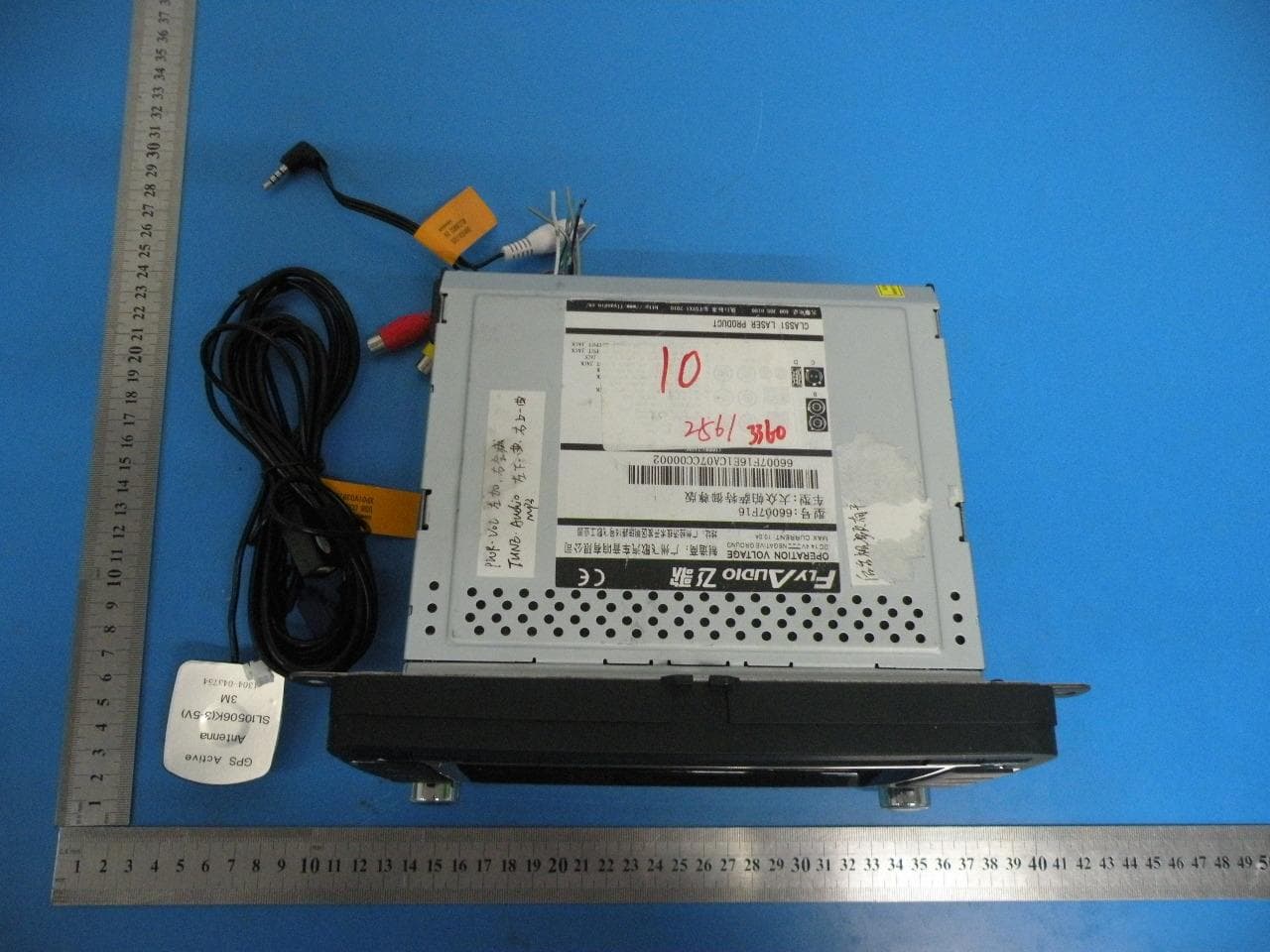
2AAOIXZZ
Nov 05, 2013Pathfinder II IS
Equipment Class
DSS - Part 15 Spread Spectrum Transmitter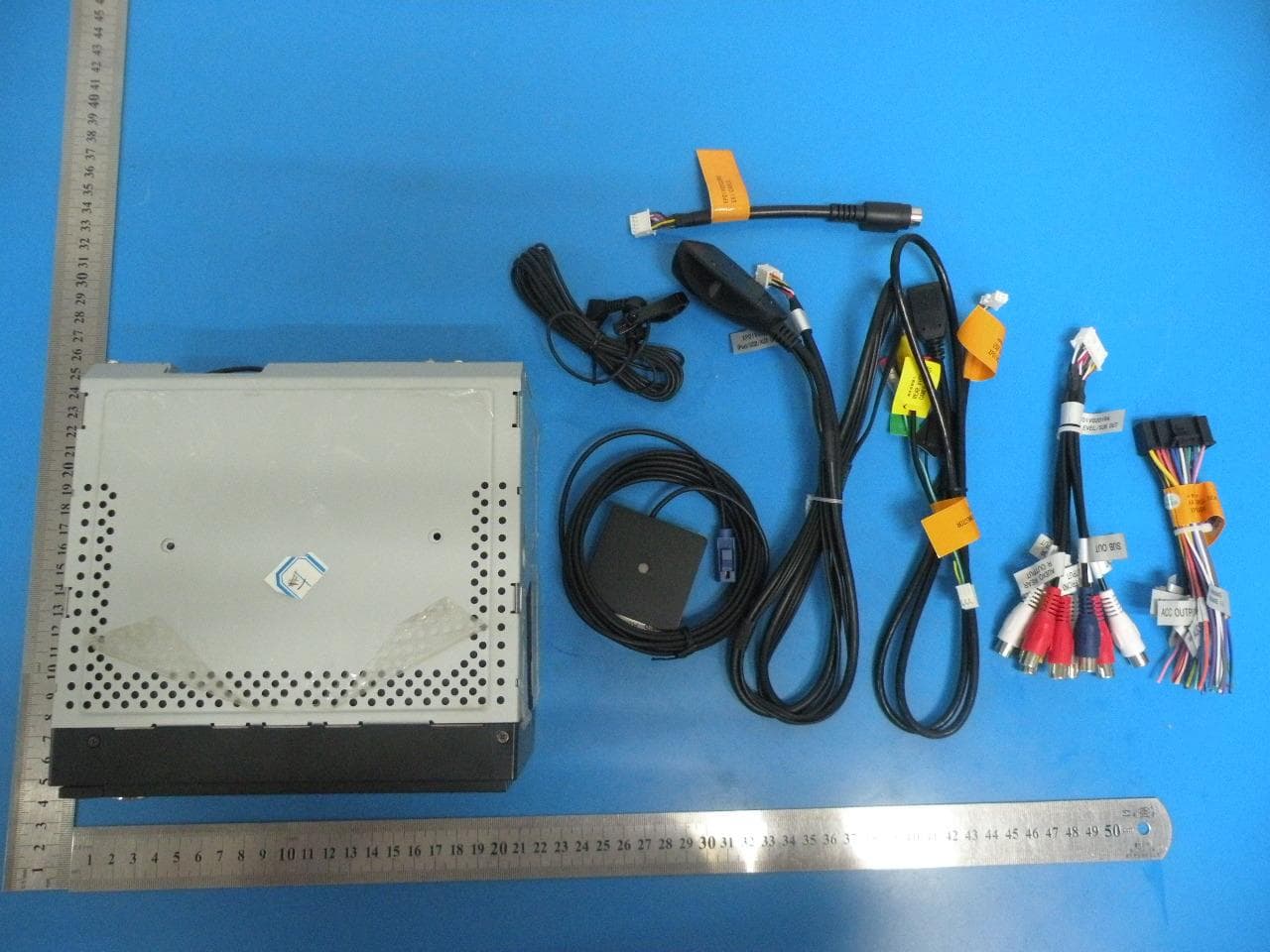
2AAOIOTO
Sep 11, 2013Universal
Equipment Class
DSS - Part 15 Spread Spectrum Transmitter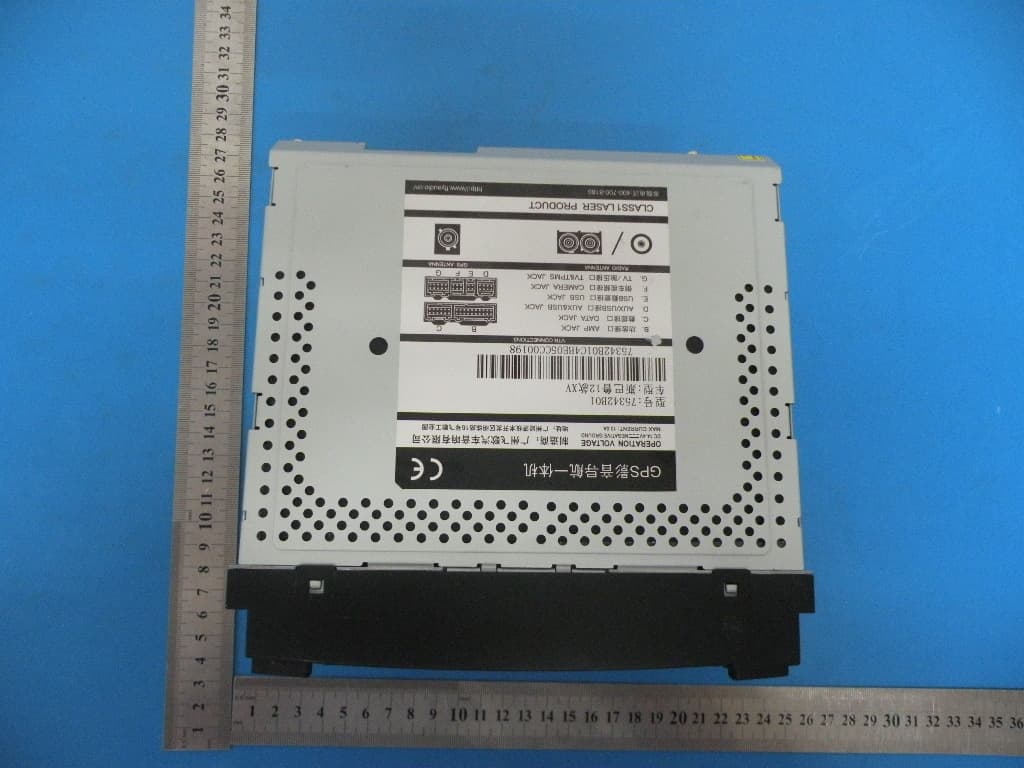
2AAOI75342
Aug 07, 2013SUBARU 13 Forester
Equipment Class
DSS - Part 15 Spread Spectrum Transmitter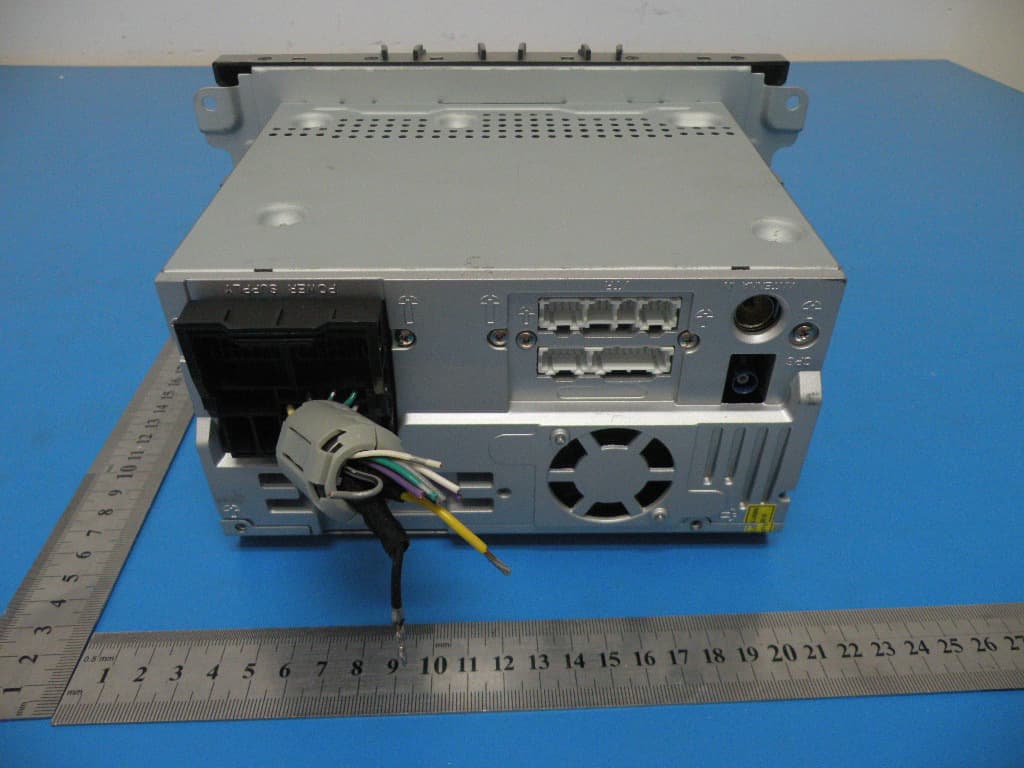
2AAOI75322
Aug 06, 2013Ford 322 special model 2009 Focus 2011 Mondeo
Equipment Class
DSS - Part 15 Spread Spectrum Transmitter