2AAP6M7026INTERNET TABLET
SHENZHEN ZOWEE TECHNOLOGY CO.,LTD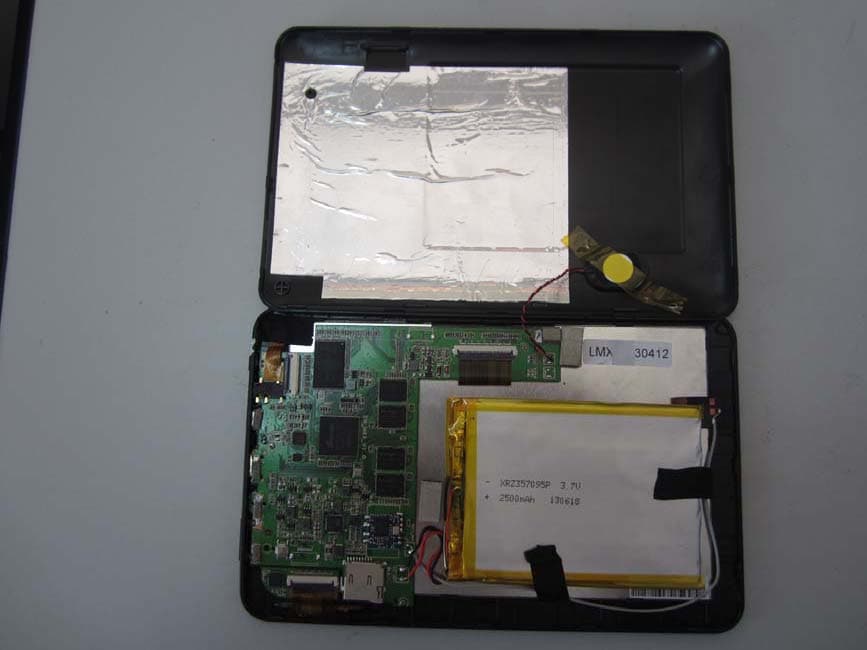
Click to zoom
Application Details
- Equipment Class
- DTS - Digital Transmission System
- Date of Grant
- Sep 08, 2013
- Application Purpose
- Original Equipment
- Date of Application
- Sep 08, 2013
- Equipment Note
- INTERNET TABLET
- Frequency Range
- 2412.00000000 - 2462.00000000
- Country
- China
Documents & Files
Document Text
Text extracted from the exhibit documents filed with the FCC. Open a document above to read the original.
Users Manual
TM-7S448 Internet Tablet Quick Start Guide For the complete instruction manual, go to www. tmaxdigital.com 2 Important Safety Instructions and Notices We would like you to have a safe and enjoyable experience. Please read the following instructions and notices before using your tablet. • Avoid using the tablet in extremely hot, cold, dusty, damp or wet environments. • The tablet is not moisture/water-resistant. Avoid using the tablet around sources of water. • Avoid dropping or forcibly placing the tablet onto a hard surface. This may damage the screen or internal electronic components. • Do not use alcohol, thinner or benzene to clean the surface of the tablet. Use only cleaning products designed for computer tablet devices. • Do not use the tablet while walking or driving. • Excessive use of earphones at high volume may lead to hearing impairment. Limit earphone usage, and adjust the volume to a moderate level when doing so. • The images in this manual may vary slightly from the actual product. • Charge the tablet battery under any of the following circumstances: 1. The battery level icon indicates low power, by showing a drained, red battery icon. 2. The tablet powers-off automatically, and continues to do so even after restarting. 3. On-screen keys do not work. • Do not suddenly disconnect the tablet when formatting, uploading or downloading data. This can lead to program errors (e.g., system or screen “freezing”.) • Static discharge in the cable, while it is con- nected to a computer, may corrupt files or damage the memory of the tablet. • Dismantling the tablet will void the manu- facturer’s warranty. If you are experiencing problems, review the Troubleshooting section of this manual. • The tablet functions, hardware, software, and warranty information may be improved or modified by the manufacturer or their respec- tive owners, and is subject to change without notice. 3 Features / What’s In the Box Features • 7” 1024 X 600 Capacitive touch-screen, with multi-point touch function. • Wi-Fi and Bluetooth capability. • Music formats: Supports MP3, WMA, AAC, OGG and WAV. • Video formats: AVI, WMV, MP4, MKV, RM, RMVB, TS and FLV. Supports resolution up to 1080p. • Picture formats: PNG, JPG, BMP, JPEG and GIF. • Can use a TF card for data storage and transfer. • Energy-saving, brightness control and sleep functions. • Supports multiple languages. • USB 2.0 high-speed transfer. • APK program installation using the AppInstaller. • OTG (“On-the-Go) functionality. Can play files on a USB device via the OTG port, where the current is lower than 500mA. Can be connected to any hardware with a USB device. • Supports firmware upgrades. • G-Sensor function: Detects the environment, orientation and position of the tablet, to provide input for various applications (i.e., Accelerometer, Light Sensor.) • Camera: Front (facing user) 0.3 MP What’s in the Box • The TMAX TM-7S448 7” Tablet • AC Adapter • Quick Start Guide • USB Cable • OTG (“On-the-Go”) Cable 4 The TMAX TM-7S448 at-a-glance 5 1Camera0.3M camera on front of tablet (facing the user.) 2Power/Lock KeyPowers ON/OFF the tablet when held for about 3 seconds. Locks and unlocks the tablet in Stand-by Mode. 3Earphone JackFor use with a standard 3.5 mm stereo headphone jack. 4Micro USB PortConnect to a computer via mini USB cable to transfer data (i.e. music, video, photo, data files.) 5HDMI1080P HDMI Output. 6Power JackConnects to an AC adapter. 7Volume - / + KeyIncreases/Decreases audio volume in either speakers or earphones. 8TF Card SlotSlot for a TransFlash card (also referred to as an SD card.) 9Reset Button (At bot- tom of aperture.) Press to reset the tablet. The aperture requires a paper-clip or other small, narrow-tipped item to insert and trigger the reset. (Be careful not to apply undue pressure to the button located inside the aperture. Do not use a knife or other bladed tool, as this may damage the unit, and potentially cause personal harm. Data can be lost after you reset.) 10Speaker 6 Basic Operations Powering ON/OFF To power ON/OFF the tablet, press and hold the Power button for about 3 seconds. When turning the tablet ON, you will go to the initial Startup screen and have the option of unlocking it and going to the Home screen, or directly to the Camera app. When turning OFF the tablet, a window will open, verifying your action. Stand-by Mode If you do not want to power-off the tablet, you can opt to deactivate just the LCD screen. This will keep the tablet in Stand-by mode. To deactivate the screen, quickly press and release the Power button. The screen will go black. To reactivate, simply press and release the Power button again. (You may have to unlock the tablet in order to use it, depending on your security settings.) Touching and Typing The TM-7S448 tablet screen is designed for you to touch it to move, select and manipulate information. • To select an item on the screen, simply tap it once with your fingertip or stylus. Some items may require you to “double-tap”. • To type into an text field (i.e., when inputting your name, or a web address), tap the text field. The on-screen keyboard will appear, and allow you to type the information you wish to enter. Other common finger gestures include: • Touch and Hold: Touching and keeping your finger on an on-screen item, until a light glow appears around it, may activate a separate menu or other options for that item. This is often used for deleting an item from the tablet. • Drag: To move an object, or activate functionality, Touch and Hold an item until it glows, then “drag” it to another location on the screen without lifting your finger or stylus. 7 • Swipe/Slide: A motion often used to move through menus, pictures or multiple options. This is done with a light tap or flick of the finger/stylus into the direction you want the item, menu or screen to move toward. • Double-Tap: Some items will require two taps in order to activate, zoom-in, zoom-out. • Pinch: In some apps (such as …
Text truncated - open the document above for the full version.
Cover Letter(s)
Equipment Autorisation Division Federal Communications Commission 7435 Oakland Mills Road Columbia, MD 21046 Date:2013-09-04 FCC ID: 2AAP6M7026 Subject: Attestation Letter “Declaration of Conformity” Dear Sirs, The products with the above FCC ID are defined as composite device. The transmitter is authorized under the “Certification” procedure. The device is also defined as “PC Periphery” acc to §15.101 Equipment authorization of unintentional radiators, where we hereby declare, that we apply and follow the “Declaration of Conformity” procedure. If you have any questions, please feel free to contact me at the address shown below. Yours sincerely, Name Jamy Yu Position Manager Company Name Dongguan Dongdian Testing Service Co.,Ltd. Address 17, Zongbu Road 2, Songshan Lake Sci&Tech, Industry Park, Dongguan City, Guangdong Province, China, 523808 Tel / Fax +86-0769-22891499-8562 E-Mail [email protected]
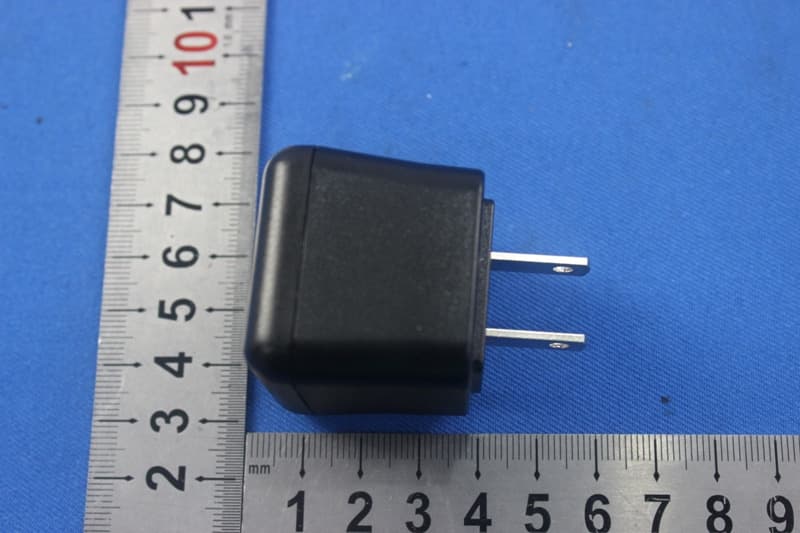
External Photos
Dongguan Dongdian Testing Service Co., Ltd Report No: DDT-RE130200 Page 131 of 137 12. Photos of the EUT Dongguan Dongdian Testing Service Co., Ltd Report No: DDT-RE130200 Page 132 of 137 Dongguan Dongdian Testing Service Co., Ltd Report No: DDT-RE130200 Page 133 of 137
ID Label/Location Info
TF CARD FCC ID:2AAP6M7026 INPUT:DC 5V/2A Double Power 7” Internet Tablet Model No: EM63 Made in China This device complies with part 15 of the FCC Rules. Operation is subject to the following two conditions: (1) This device may not cause harmful interference, and (2) this device must accept any interference received, including interference that may cause undesired operation.
Internal Photos
Dongguan Dongdian Testing Service Co., Ltd Report No: DDT-RE130200 Page 134 of 137 Dongguan Dongdian Testing Service Co., Ltd Report No: DDT-RE130200 Page 135 of 137 Dongguan Dongdian Testing Service Co., Ltd Report No: DDT-RE130200 Page 136 of 137 Dongguan Dongdian Testing Service Co., Ltd Report No: DDT-RE130200 Page 137 of 137 END OF REPORT
RF Exposure Info
OET65 SAR TEST REPORT FOR Issued By: Dongguan Dongdian Testing Service Co., Ltd. Add: No. 17, Zongbu Road 2, Songshan Lake Sci&Tech, Industry Park, Dongguan City, Guangdong Province, China, 523808 Tel: +86-0769-22891499 Http://www.dgddt.com Applicant : SHENZHEN ZOWEE TECHNOLOGY CO.,LTD Address : Science&Technology Industrial Park of Privately Owned Enterprises,Pingshan,Xili,Nanshan District,Shenzhen,PR CHINA Equipment under Test : Internet Tablet Model No : M7026,EM63,TM-7S448,AP-7S448,TM-7S228, AP-7S228,TM-7S338,AP-7S338,DG-63,DM-63,D7688, M7688,AP-7S118,DM7688,DG7658,M7100,EM63-BLK, EM63-BLU,EM63-PNK,EM63-PUR,EM63-RED FCC ID : 2AAP6M7026 Manufacturer : SHENZHEN ZOWEE TECHNOLOGY CO.,LTD Address : Science&Technology Industrial Park of Privately Owned Enterprises,Pingshan,Xili,Nanshan District,Shenzhen,PR CHINA Report No: DDT-RE130201 Issued Date: 2013/8/20 Dongguan Dongdian Testing Service Co., Ltd Report No:DDT-RE130201 Page 2 of 54 TEST REPORT DECLARE Test Standard Used: OET 65C Test procedure used: KDB 447498 D01 Mobile Portable RF Exposure v05r01; KDB 616217 D04 SAR for laptop and Internet Tablets v01; KDB 248227 D01: SAR meas for 802 11 a b g v01r02;FCC Part 2: FREQUENCY ALLOCA-TIONS AND RADIO TREATY MAT-TERS; GENERAL RULES AND REG-ULATIONS We Declare: The equipment described above is evaluation by Dongguan Dongdian Testing Service Co., Ltd and in the configuration tested the equipment complied with the standards specified above. The test results are contained in this test report and Dongguan Dongdian Testing Service Co., Ltd is assumed of full responsibility for the accuracy and completeness of these tests. After test and evaluation, our opinion is that the equipment provided for test compliance with the requirement of the above standards. Report No: DDT-RE130201 Date of Test: 2013/08/13~2013/08/14 Date of Report: 2013/8/20 Prepared By: Approved By: ________________ _____________________ Leo Liu/Engineer Jamy Yu/EMC Manager Note: This report applies to above tested sample only. This report shall not be reproduced in parts without written approval of Dongguan Dongdian Testing Service Co., Ltd. Applicant : SHENZHEN ZOWEE TECHNOLOGY CO.,LTD Address : Science&Technology Industrial Park of Privately Owned Enterprises,Pingshan,Xili,Nanshan District,Shenzhen,PR CHINA Equipment under Test : Internet Tablet Model No : M7026,EM63,TM-7S448,AP-7S448,TM-7S228, AP-7S228,TM-7S338,AP-7S338,DG-63,DM-63,D7688, M7688,AP-7S118,DM7688,DG7658,M7100,EM63-BLK, EM63-BLU,EM63-PNK,EM63-PUR,EM63-RED FCC ID : 2AAP6M7026 Manufacturer : SHENZHEN ZOWEE TECHNOLOGY CO.,LTD Address : Science&Technology Industrial Park of Privately Owned Enterprises,Pingshan,Xili,Nanshan District,Shenzhen,PR CHINA Dongguan Dongdian Testing Service Co., Ltd Report No:DDT-RE130201 Page 3 of 54 Contents 1. TEST STANDARDS 4 2. SUMMARY 5 2.1. Product Description 5 2.2. Accessories of EUT 5 2.3. Short description of the Equipment under Test (EUT) 5 2.4. TEST Configuration 5 2.5. EUT operation mode 6 2.6. EUT configuration 6 3. TEST ENVIRONMENT 7 3.1. Address of the test laboratory 7 3.2. Environmental conditions 7 3.3. SAR Limits 7 3.4. Equipments Used during the Test 7 4. SAR MEASUREMENTS SYSTEM CONFIGURATION 8 4.1. SAR Measurement Set-up 8 4.2. DASY5 E-field Probe System 9 4.3. Phantoms 10 4.4. Device Holder 10 4.5. Scanning Procedure 11 4.6. Data Storage and Evaluation 12 4.7. SAR Measurement System 13 4.8. Tissue equivalent liquid properties 14 4.9. System Check 14 4.10. SAR measurement procedure 15 5. TEST CONDITIONS AND RESULTS 18 5.1. Conducted Power Results 18 5.2. SAR Measurement Results 18 5.3. Measurement Uncertainty 19 5.4. System Check Results 20 5.5. SAR Test Graph Results 21 6. CALIBRATION CERTIFICATE 27 6.1. Probe Calibration Ceriticate 27 6.2. D2450V2 Dipole Calibration Ceriticate 38 6.3. DAE4 Calibration Ceriticate 45 7. TEST SETUP PHOTOS 50 8. EXTERNAL PHOTOS OF THE EUT 52 Dongguan Dongdian Testing Service Co., Ltd Report No:DDT-RE130201 Page 4 of 54 1. TEST STANDARDS The tests were performed according to following standards: IEEE Std C95.1, 1999: IEEE Standard for Safety Levels with Respect to Human Exposure to Radio Frequency Electromagnetic Fields, 3 KHz to 300 GHz. IEEE Std 1528™-2003: IEEE Recommended Practice for Determining the Peak Spatial-Average Specific Absorption Rate (SAR) in the Human Head from Wireless Communications Devices: Measurement Techniques. KDB 447498 D01 Mobile Portable RF Exposure v05r01: Mobile and Portable Device RF Exposure Procedures and Equipment Authorization Policies KDB 616217 D04 SAR for laptop and Internet Tablets v01: SAR Evaluation Considerations for Laptop, Notebook, Netbook and Internet Tablet Computers FCC Part 2:2012: FREQUENCY ALLOCA-TIONS AND RADIO TREATY MAT-TERS; GENERAL RULES AND REG-ULATIONS KDB 248227 D01: SAR meas for 802 11 a b g v01r02. Dongguan Dongdian Testing Service Co., Ltd Report No:DDT-RE130201 Page 5 of 54 2. SUMMARY 2.1. Product Description Note1: EUT is the ab.of equipment under test. 2.2. Accessories of EUT Description of Accessories Manufacturer Model number or Type Serial No. Other USB Cable 1 / / / 15cm USB Cable 2 / / / 90cm Power adapter 1 JUKE JK050200-S04USA / / Power adapter 2 Shenzhen FRECOM ELECTRONICS F12W-050200SPAU / / 2.3. Short description of the Equipment under Test (EUT) MID with WLAN functions; The spatial peak SAR values were assessed for systems. Battery and accessories shell be specified by the manufacturer. The EUT battery must be fully charged and checked periodically during the test to ascertain uniform power output. 2.4. TEST Configuration Body-worn Configuration For body-worn measurements, the EUT was tested at the lowest, middle and highest frequencies in the transmit band. EUT* Name : Internet Tablet Model Number : M7026,EM63,TM-7S448,AP-7S448,TM-7S228, AP-7S228,TM-7S338,AP-7S338,DG-63,DM-63,D7688, M7688,AP-7S118,DM7688,DG7658,M7100,EM63-BLK, EM63-BLU,EM63-PNK,EM63-PUR,EM63-RED Difference of Model number : Cabinent color and trade …
Text truncated - open the document above for the full version.
Test Report
Dongguan Dongdian Testing Service Co., Ltd Report No:DDT-RE130200 Page 1 of 137 FCC CERTIFICATION TEST REPORT FOR Issued By: Dongguan Dongdian Testing Service Co., Ltd. Add: No. 17, Zongbu Road 2, Songshan Lake Sci&Tech, Industry Park, Dongguan City, Guangdong Province, China, 523808 Tel: +86-0769-22891499 Http://www.dgddt.com Applicant : SHENZHEN ZOWEE TECHNOLOGY CO.,LTD Address : Science&Technology Industrial Park of Privately Owned Enterprises,Pingshan,Xili,Nanshan District,Shenzhen,PR CHINA Equipment under Test : Internet Tablet Model No : M7026,EM63,TM-7S448,AP-7S448,TM-7S228, AP-7S228,TM-7S338,AP-7S338,DG-63,DM-63,D7688, M7688,AP-7S118,DM7688,DG7658,M7100,EM63-BLK, EM63-BLU,EM63-PNK,EM63-PUR,EM63-RED FCC ID : 2AAP6M7026 Manufacturer : SHENZHEN ZOWEE TECHNOLOGY CO.,LTD Address : Science&Technology Industrial Park of Privately Owned Enterprises,Pingshan,Xili,Nanshan District,Shenzhen,PR CHINA Report No: DDT-RE130200 Issued Date: 2013/8/20 Dongguan Dongdian Testing Service Co., Ltd Report No:DDT-RE130200 Page 2 of 137 TABLE OF CONTENTS Test report declares......................................................................................................................4 1. Summary of test results ............................................................................................................... 5 2. General test information .............................................................................................................. 6 2.1. Description of EUT ..................................................................................................................... 6 2.2. Accessories of EUT..................................................................................................................... 6 2.3. Assistant equipment used for test ................................................................................................ 6 2.4. Block diagram of EUT configuration for test ............................................................................. 7 2.5. Test environment conditions ....................................................................................................... 7 2.6. Test laboratory............................................................................................................................. 7 2.7. Measurement uncertainty ............................................................................................................ 8 3. 6dB Bandwidth............................................................................................................................ 9 3.1. Test equipment ............................................................................................................................ 9 3.2. Block diagram of test setup ......................................................................................................... 9 3.3. Limits .......................................................................................................................................... 9 3.4. Test Procedure............................................................................................................................. 9 3.5. Test Result................................................................................................................................... 9 3.6. Original test data ....................................................................................................................... 10 4. Maximum Peak Output Power .................................................................................................. 15 4.1. Test equipment .......................................................................................................................... 15 4.2. Block diagram of test setup ....................................................................................................... 15 4.3. Limits ........................................................................................................................................ 15 4.4. Test Procedure........................................................................................................................... 15 4.5. Test Result................................................................................................................................. 15 4.6. Original test data ....................................................................................................................... 16 5. Power Spectral Density ............................................................................................................. 20 5.1. Test equipment .......................................................................................................................... 20 5.2. Block diagram of test setup ....................................................................................................... 20 5.3. Limits ........................................................................................................................................ 20 5.4. Test Procedure........................................................................................................................... 20 5.5. Test Result................................................................................................................................. 20 5.6. Original test data ....................................................................................................................... 21 6. Emissions in non-restricted frequency bands ............................................................................ 26 6.1. Test equipment .......................................................................................................................... 26 6.2. Block diagram of test setup ....................................................................................................... 26 6.3. Limits ...........................................................…
Text truncated - open the document above for the full version.
Test Setup Photos
Dongguan Dongdian Testing Service Co., Ltd Report No: DDT-RE130200 Page 129 of 137 11. Test setup photograph Dongguan Dongdian Testing Service Co., Ltd Report No: DDT-RE130200 Page 130 of 137
Contact Information
Applicant
hao zhang(Manager)
Test Firm
Dongguan Dongdian Testing Service Co.,LtdJamy Yu
[email protected]086-0769-22891499
Technical Specifications
| # | Rule Parts | Frequency Range | Power Output |
|---|---|---|---|
| 1 | 15C | 2.41 GHz - 2.46 GHz | 55.70 mW |
Other Applications from SHENZHEN ZOWEE TECHNOLOGY CO.,LTD
2AAP6A0726
Nov 17, 2015LIFETAB
Equipment Class
DTS - Digital Transmission System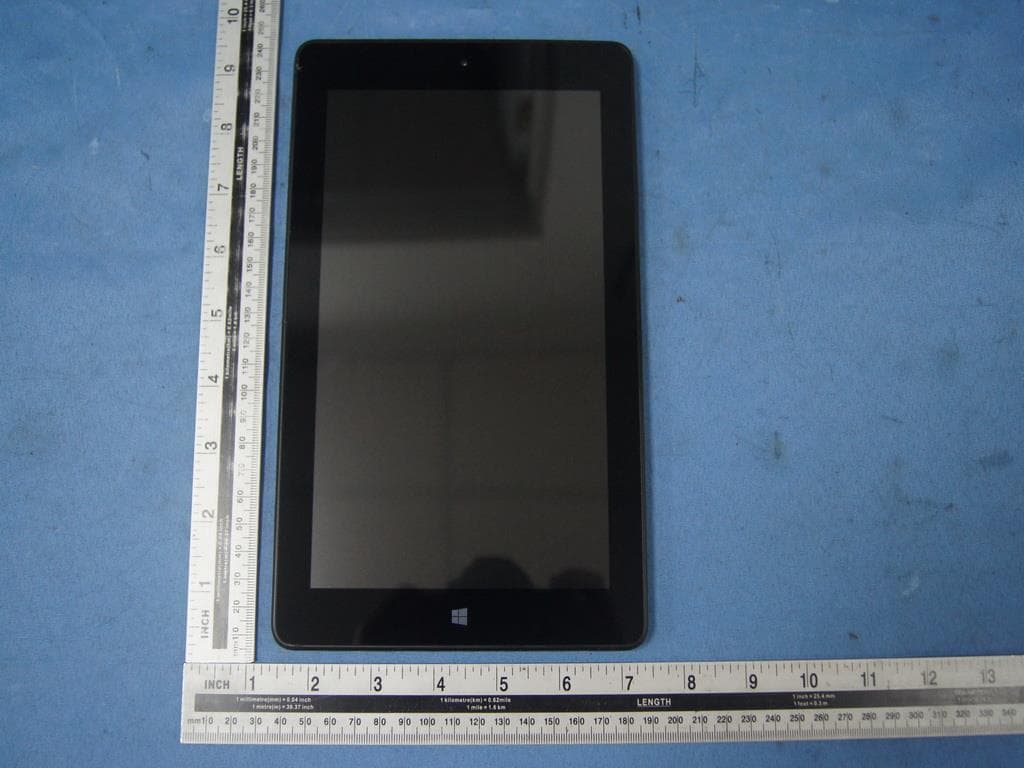
2AAP6ZM8021A1
Sep 29, 2015Tablet PC
Equipment Class
DTS - Digital Transmission System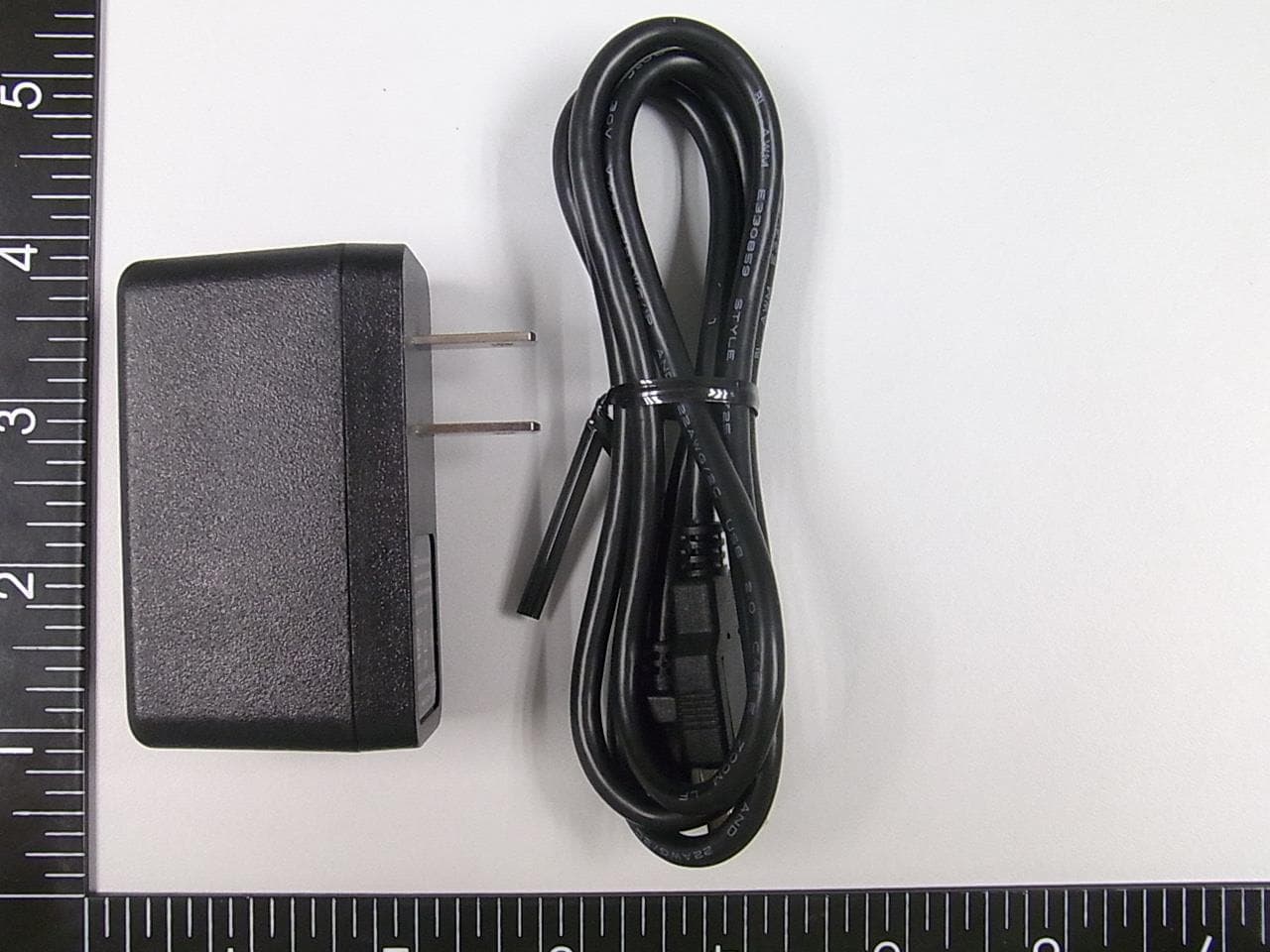
2AAP6ZM1100B1
Sep 29, 2015Tablet PC
Equipment Class
DTS - Digital Transmission System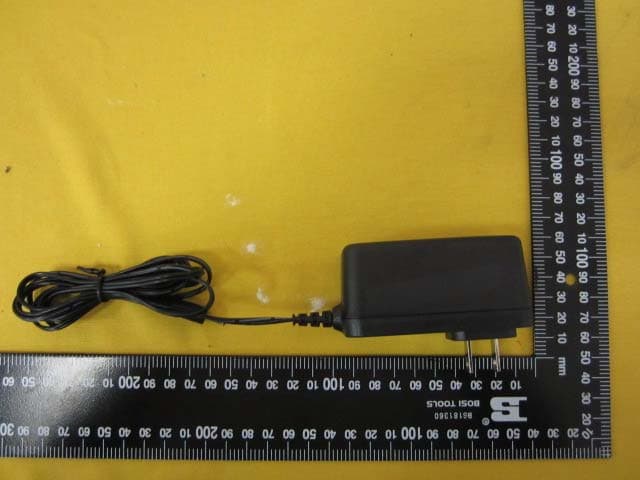
2AAP6M1065
Sep 08, 2015Tablet PC
Equipment Class
DSS - Part 15 Spread Spectrum Transmitter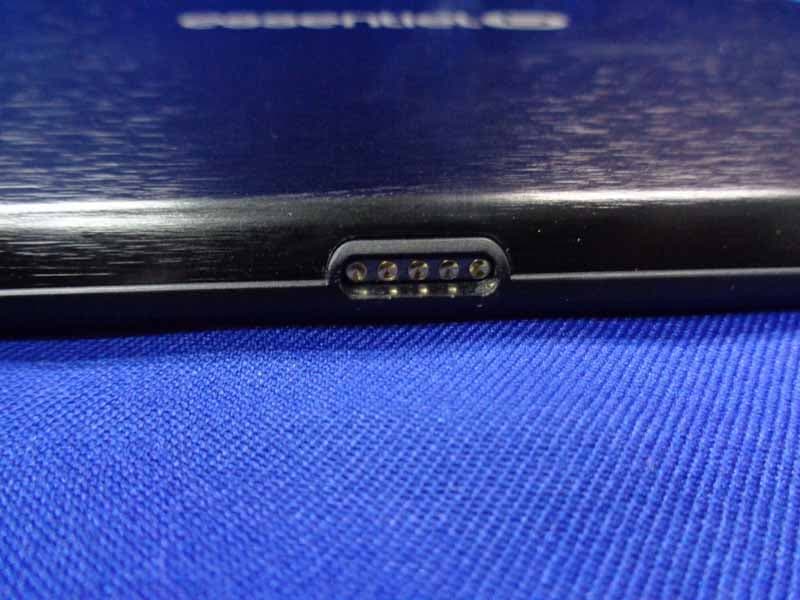
2AAP6M1042M
Aug 30, 2015Tablet PC
Equipment Class
NII - Unlicensed National Information Infrastructure TX