2AAQHD70A17Tablet
AAPPAA TECHNOLOGY(HK) LIMITED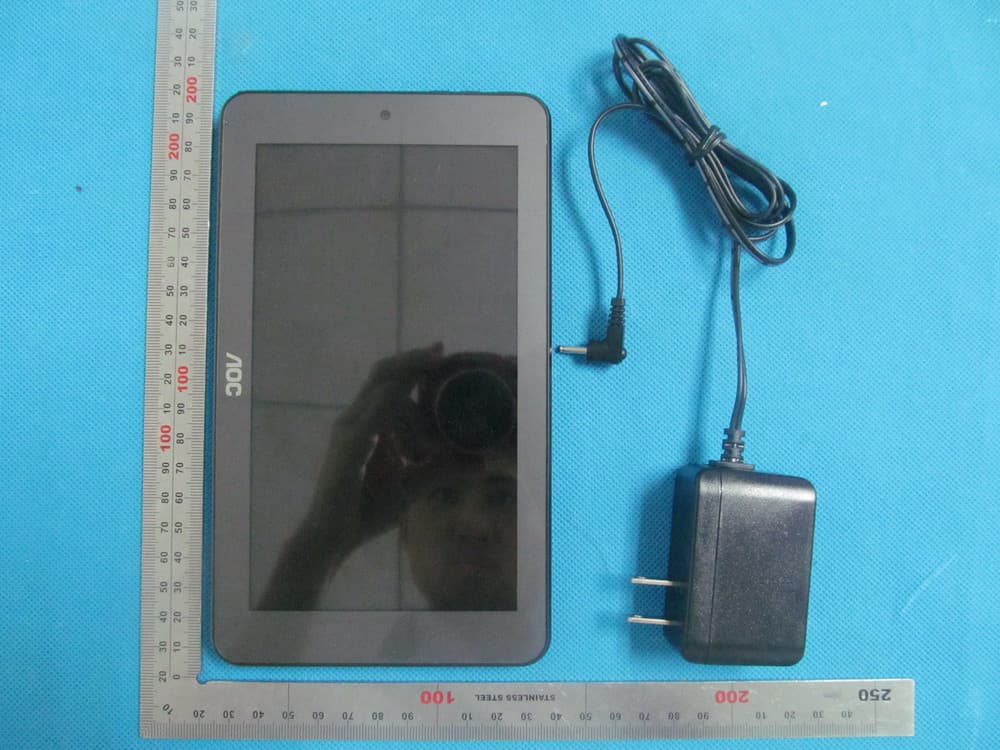
Click to zoom
Application Details
- Equipment Class
- DTS - Digital Transmission System
- Date of Grant
- Nov 19, 2013
- Application Purpose
- Original Equipment
- Date of Application
- Nov 19, 2013
- Equipment Note
- Tablet
- Frequency Range
- 2422.00000000 - 2452.00000000
- Country
- China
Documents & Files
Document Text
Text extracted from the exhibit documents filed with the FCC. Open a document above to read the original.
Users Manual
Tablet PC Brand Name: AOC Model Name: D70A17A-2C FCC ID: 2AAQHD70A17 English User Manual AOC TABLET Thanks for buying the Tablet PC. This manual is to introduce the functions of the device, as well as matters which need attention. Please read this manual before you use the device. 1. Announcements ①. Please keep the device away from moist and dust. ②. Do not put the device in high-temperature environment, especially closed car in hot weather. ③. Do not drop or strike the device. ④. Do not shake the device violently, especially the LCD Screen part. Or, it will cause abnormal display on the screen. ⑤. Please choose proper volume when using the earphone which will be good for your ear. ⑥. Please charge the device when (1) The power icon shows lowest power. (2) The device is turned off automatically, and when you turn on it, it is turned off automatically again. (3) No response when operating the buttons. Attention: Please use the charger offered by manufacturer to charge, other charges may causes damage to the device. Input: 100-240V ~ 50/60 Hz Output: 5V 2000 mA ⑦. Do not disconnect the device from PC when downloading, uploading or formatting, or it will cause programming errors of the device. ⑧. Do not dismounting the device privately without professional guidance. ⑨. Do not use alcohol, thinner or benzene-chemical to clean the surface of the device. ⑩. Do not use the device in forbidden place, like airplane. ⑪. Please back-up your files in device’s memory always. The manufacturer is not responsible for the clear of files after damage or repair of the device. ⑫. The manufacture reserves all right of device’s technology and design, and will have no obligation to inform the user if there are new versions or designs been developed. ⑬. The device is NOT water-proof; please keep it away from water. The turn on time of this device is about 45 seconds; please don’t operate the device when it is turned on in 45 seconds. 2. Introduction 2.1 Packing Details. Each unit of Tablet PC has the following items: Tablet PC device*1, charger*1, USB cable*1,OTG cable*1 and Quick Setup Guide*1. Warranty card *1 .All items are packed in gift box. 2.2 Instructions on Keys. Name Description POWER Press this button shortly to enter sleeping/wake up mode, long press to switch ON/OFF MENU Press this button shortly to enter the submenu ESC Press shortly to return, TF Card Slot For external TF card, 1GB to 32GB Stereo Earpieces Jack Stereo earpieces jack for earphone DC Socket Connect with 5V DC charger Micro USB Port Micro5 PIN USB Port Display HD Display area Long Press: Press the item for more than 1--2 seconds. 2.3 Features Overview CPU: 1.2 Ghz Max ARM Cortex Duo Core (RK3188) with Android 4.2 or above. Built-in TV tuner: ISDB-T 7" TFT touch panel LCD display, 1024*600 pixel resolution Support 4~16GB built-in Flash Memory, support 1GB-32GB external TF card. Support Medias playing: Video, audio, pictures, Ebooks, etc. Built-in Wi-Fi. Support external 3G USB-DONGLE wireless network card (3G card or USB-Dongle are not provided by the Tablet PC manufacturer). 2.412-2.462GHz Various applications are available in the Play Store. (APK applications only). Support built-in microphone record function (optional). Support USB-HOST and external U-disk, MP3, MP4, Mouse, keyboard, etc. Support G-sensor screen rotation function. Support Stereo Earpieces and speaker. Supports multiple languages. The device can be used as USB portable hard disk, driver not needed for WIN2000 or above. Support Bluetooth 2.402-2.480GHz 2.4 Technical Specifications Screen 7 inch capacitive Multi touch screen,Resolution: 1024x 600 CPU 1.2 Ghz max ARM Cortex Duo Core (RK3188) RAM DDR3 1GB Storage 8GB NAND Flash(Micro Sd Card Max to 32GB) System Android 4.2 Jelly Bean or Above Network Wifi: Built-in Wifi Module. IEEE 802.11b/g/n. 11Mbps to 54Mbps 3G: External 3G by USB Dongle (not all models in the market are supported) Applications APK format applications Video RM, RMVB, AVI, MOV, WMV, MP4, ASF, 3GP, TS, MKV, MPEG, etc. All videos support HD 2160P. Music MP3, WMA, WAV, APE, FLAC, AAC, OGG, etc. Pictures JPG, JPEG, GIF, BMP, PNG Ebooks TXT, EPUB, PDF,WORD,EXCEL, POWERPOINTS Office Files Supported files: Word, Excel, PDF, etc. PC Connection Micro USB2.0 x 1 Battery Built-in Lithium Battery: 3000mAh 3. Quick Guides 3.1 About Touch Panel The touch screen is capacitive touch screen; 3.2 Switch On/Off. Switch On and Unlock: When the device is in the OFF mode, press and hold “Power” key for 3 seconds to enter the Android startup progress bar, it need abouts 45 seconds enter to the system desktop, when the LCD is under locked mode, please press and pull the icon to the green point, then the LCD will unlocked automatically, see the figures below, 3.3 Power Saving Modes and lock screen. Press the “POWER” key shortly after starting up, system enter to power save and lock mode. Press the “POWER” key or tap the touch screen, system will return to bright in 1 second The primary operation of the device will not stop under the power save mode, just the LCD is shut and with black screen. For example: playing music, movie, etc Switch OFF: When the device is in the OFF mode, press and hold the “POWER” key for 3 seconds, the screen will display the power off interface, choose the power off item to confirm, the system will shut automatically 【Note】When the device with low battery it will alarm continuous and shut automatically without charging. If the device can not start up please check if the battery is low, and try it again after the battery is charged. 3.4 Battery management and charging. 3.4.1 Charge the battery for 6-8 hours to make sure the battery is fully charged when firstly use. 3.4.2 Insert the micro port of the battery adaptor into DC slot on the device, and connect the other side with the power socket. Then the desktop icon of the battery keep rolling which shows it is charging, please wait until the battery is fully charg…
Text truncated - open the document above for the full version.
Cover Letter(s)
Ersteller: D. Brandhorst Revision: 00 Erstelldatum: 21.06.07 Datum: 00.00.00 Seite 1 von 1 Date: Nov. 15, 2013 Subject: Ad Hoc Mode Function Declaration FCC ID: 2AAQHD70A17 To Whom it may concern, This device is acting as slave device and operating in the 2.4 GHz (2412 – 2462 MHz) band. Ad Hoc function is supported but not able to operate on non-US frequencies. Please contact the one signed below or the authorized agent for this filing. Thank you. Regards, AAPPAA TECHNOLOGY(HK) LIMITED Contact person: Summer Lau Title: Manager
Cover Letter(s)
Nov.15, 2013 Federal Communication Commission Authorization and Evaluation Division FCC ID: 2AAQHD70A17 Re: Confidentiality Request Pursuant to Sections 0.457 and 0.459 of the Commission’s Rules, the applicant hereby requests confidential treatment of information applied this application as outlined below: 1: Block Diagram 2: Circuit Diagram 3: Operational Description 4: Parts List 5:Turn Up Procedure The above materials contain trade secrets and proprietary information not customarily released to the public. The public disclosure of these matters might be harmful to the applicant and provide unjustified benefits to its competitors. The Applicant understands that pursuant to Rules 0.457, disclosure of this Application and all accompanying documentation will not be made before the date of the Grant for this application. Sincerely, AAPPAA TECHNOLOGY(HK) LIMITED Contact person: Summer Lau Title: Manager
External Photos
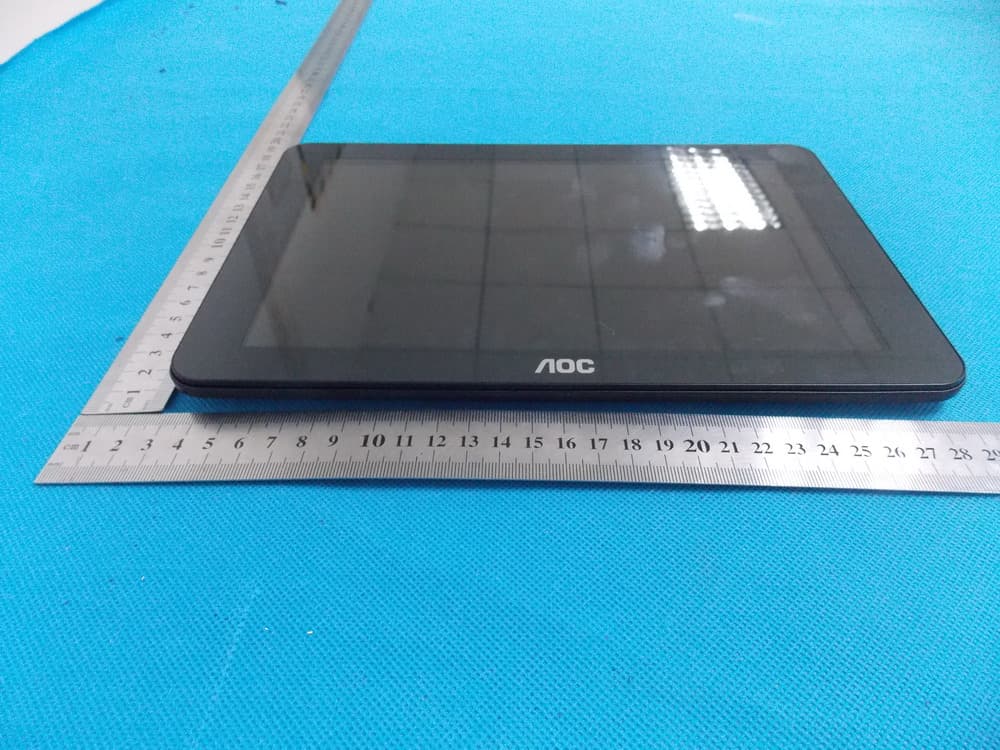
External Photos TOTAL VIEW OF EUT TOP VIEW OF EUT BOTTOM VIEW OF EUT FRONT VIEW OF EUT BACK VIEW OF EUT LEFT VIEW OF EUT RIGHT VIEW OF EUT
ID Label/Location Info
FCC ID Label Location Table PC Model: D70A17A-2C Trade Name: AOC FCC ID: 2AAQHD70A17 D70A17T-2C/D70A17A-2B/D70 A17A-2R/D70A17A-2P/D70A17 A-2M/D70A17T-2N/D70A17A- 2M/S70A13T-0N/D70A18G-2 W/D70A18G-2N/Q70A19G-2N /Q70A20-3C,MID-715 AAPPAA, YARVIK, MULTILASER
Internal Photos
Internal Photos OPEN VIEW OF EUT BT Antenna Wifi Antenna INTERNAL VIEW OF EUT‐1 INTERNAL VIEW OF EUT‐2
RF Exposure Info
RF Exposure (FCC ID: 2AAQHD70A17) Applicable Standard According to §1.1307(b)(5), systems operating under the provisions of this section shall be operated in a manner that ensure that the public is not exposed to radio frequency energy level in excess of the Commission’s guideline. This is a Portable device. KDB447498 D01 V05 was used as the guidance. For WiFi: Maximum measured transmitter Conducted Power: 802.11b Maximum Peak Conducted Power (dBm) Maximum Conducted Power (AV)(dBm) Maximum Conducted Power (mW) 11.5 9.63 9.18 Maximum measured transmitter Conducted Power: 802.11g Maximum Peak Conducted Power (dBm) Maximum Conducted Power (AV)(dBm) Maximum Conducted Power (mW) 10.3 8.46 7.01 Maximum measured transmitter Conducted Power: 802.11n HT20 Maximum Peak Conducted Power (dBm) Maximum Conducted Power (AV)(dBm) Maximum Conducted Power (mW) 9.9 8.06 6.40 Maximum measured transmitter Conducted Power: 802.11n HT20 Maximum Peak Conducted Power (dBm) Maximum Conducted Power (AV)(dBm) Maximum Conducted Power (mW) 8 6.14 4.11 For BT: Maximum measured transmitter Conducted Power: GFSK MOUDULATION Maximum Peak Conducted Power (dBm) Maximum Conducted Power (AV)(dBm) Maximum Conducted Power (mW) 3.55 1.68 1.47 Maximum measured transmitter Conducted Power: Π /4-DQPSK MODULATION Maximum Peak Conducted Power (dBm) Maximum Conducted Power (AV)(dBm) Maximum Conducted Power (mW) 2.69 0.79 1.20 Maximum measured transmitter Conducted Power: 8-DPSK MODULATION Maximum Peak Conducted Power (dBm) Maximum Conducted Power (AV)(dBm) Maximum Conducted Power (mW) 2.58 0.67 1.17 Refer to 447498 25 D01 General RF Exposure Guidance v05 Appendix A, you see that for Maximum Conducted Output Power 9.18mW (<10mW), so no SAR is required. •
Test Report
Report No.: AGC00901130905FE04 Page 1 of 75 Report No.: AGC00901130905FE04 FCC ID : 2AAQHD70A17 APPLICATION PURPOSE : Original Equipment PRODUCT DESIGNATION : Tablet PC BRAND NAME : AOC, AAPPAA, YARVIK, MULTILASER MODEL NAME : D70A17A-2C/D70A17T-2C/D70A17A-2B/D70A17A-2R/D70A17A-2P/ D70A17A-2M/D70A17T-2N/D70A17A-2M/S70A13T-0N/D70A18G-2W/ D70A18G-2N/ Q70A19G-2N/Q70A20-3C,MID-715 CLIENT : AAPPAA TECHNOLOGY(HK) LIMITED DATE OF ISSUE : Nov.13, 2013 STANDARD(S) : FCC Part 15 Rules REPORT VERSION : V1.0 Attestation of Global Compliance (Shenzhen) Co., Ltd CAUTION: This report shall not be reproduced except in full without the written permission of the test laboratory and shall not be quoted out of context. FCC Test Report Report No.: AGC00901130905FE04 Page 2 of 75 Report Revise Record Report Version Revise Time Issued Date Valid Version Notes V1.0 / Nov.13, 2013 Valid Original Report Report No.: AGC00901130905FE04 Page 3 of 75 TABLE OF CONTENTS 1. VERIFICATION OF CONFORMITY ......................................................................................5 2. GENERAL INFORMATION ..................................................................................................6 2.1. PRODUCT DESCRIPTION ............................................................................................................ 6 2.2. TABLE OF CARRIER FREQUENCYS ........................................................................................... 6 2.3. IEEE 802.11N MODULATION SCHEME........................................................................................ 7 2.4. RELATED SUBMITTAL(S) / GRANT (S) ........................................................................................ 7 2.5. TEST METHODOLOGY ................................................................................................................. 7 2.6. SPECIAL ACCESSORIES .............................................................................................................. 7 2.7. EQUIPMENT MODIFICATIONS ..................................................................................................... 7 3. MEASUREMENT UNCERTAINTY .......................................................................................8 4. DESCRIPTION OF TEST MODES .......................................................................................8 5. SYSTEM TEST CONFIGURATION ......................................................................................9 5.1. CONFIGURATION OF EUT SYSTEM ........................................................................................... 9 5.2. EQUIPMENT USED IN EUT SYSTEM .......................................................................................... 9 5.3. SUMMARY OF TEST RESULTS .................................................................................................... 9 6. TEST FACILITY .................................................................................................................10 7. PEAK OUTPUT POWER ....................................................................................................11 7.1. MEASUREMENT PROCEDURE .................................................................................................. 11 7.2. TEST SET-UP (BLOCK DIAGRAM OF CONFIGURATION) ....................................................... 12 7.3. LIMITS AND MEASUREMENT RESULT ..................................................................................... 13 8. 6DB BANDWIDTH..............................................................................................................21 8.1. MEASUREMENT PROCEDURE ................................................................................................. 21 8.2. TEST SET-UP (BLOCK DIAGRAM OF CONFIGURATION) ....................................................... 21 8.3. LIMITS AND MEASUREMENT RESULTS ................................................................................... 22 9. CONDUCTED SPURIOUS EMISSION ...............................................................................32 9.1. MEASUREMENT PROCEDURE ................................................................................................. 32 9.2. TEST SET-UP (BLOCK DIAGRAM OF CONFIGURATION) ....................................................... 32 9.3. MEASUREMENT EQUIPMENT USED ........................................................................................ 32 9.4. LIMITS AND MEASUREMENT RESULT ..................................................................................... 32 10. MAXIMUM CONDUCTED OUTPUT POWER SPECTRAL DENSITY ..............................35 10.1 MEASUREMENT PROCEDURE ................................................................................................ 35 10.2 TEST SET-UP (BLOCK DIAGRAM OF CONFIGURATION) ...................................................... 35 10.3 MEASUREMENT EQUIPMENT USED ....................................................................................... 35 10.4 LIMITS AND MEASUREMENT RESULT .................................................................................... 35 Report No.: AGC00901130905FE04 Page 4 of 75 11. RADIATED EMISSION .....................................................................................................45 11.1. MEASUREMENT PROCEDURE ................................................................................................ 45 11.2. TEST SETUP .............................................................................................................................. 46 11.3. LIMITS AND MEASUREMENT RESULT ................................................................................... 47 11.4. TEST RESULT ............................................................................................................................ 47 12. BAND EDGE EMISSION ..................................................................................................56 12.1. MEASUREMENT PROCEDURE ....…
Text truncated - open the document above for the full version.
Test Setup Photos
Te s t Setup Photos FCC LINE CONDUCTED EMISSION TEST SETUP FCC RADIATED EMISSION TEST SETUP
Contact Information
Applicant
Summer Lau
Test Firm
Attestation of Global Compliance Shenzhen Co. Ltd.Forrest Lei
Technical Specifications
| # | Rule Parts | Frequency Range | Power Output |
|---|---|---|---|
| 2 | 15C | 2.42 GHz - 2.45 GHz | 6.30 mW |
Other Applications from AAPPAA TECHNOLOGY(HK) LIMITED
2AAQHD10A12-3M
Nov 04, 2013Tablet PC
Equipment Class
DSS - Part 15 Spread Spectrum Transmitter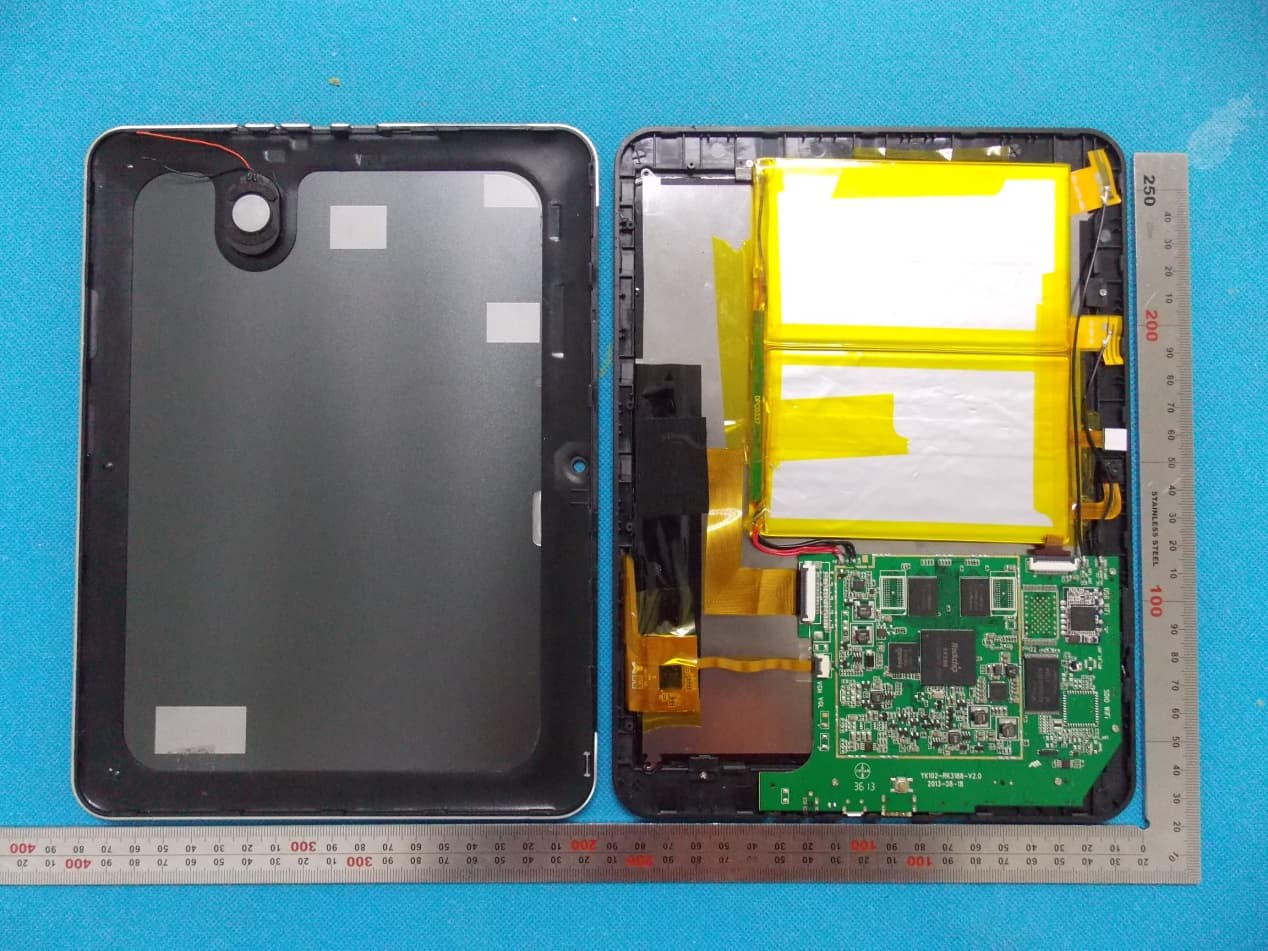
2AAQHD97A11-2S
Oct 20, 2013Tablet
Equipment Class
DSS - Part 15 Spread Spectrum Transmitter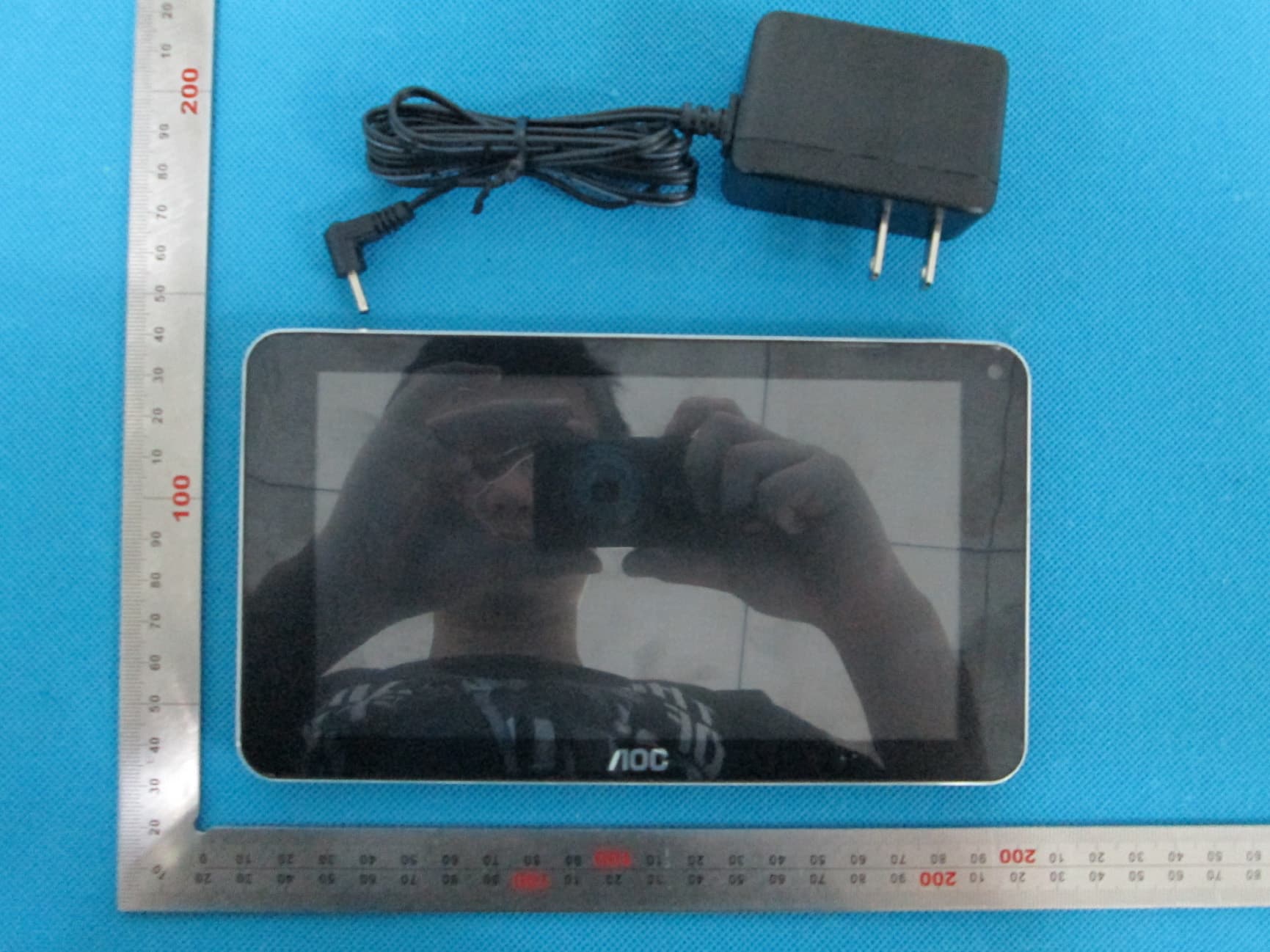
2AAQHS70A12
Aug 25, 2013Tablet PC
Equipment Class
DTS - Digital Transmission System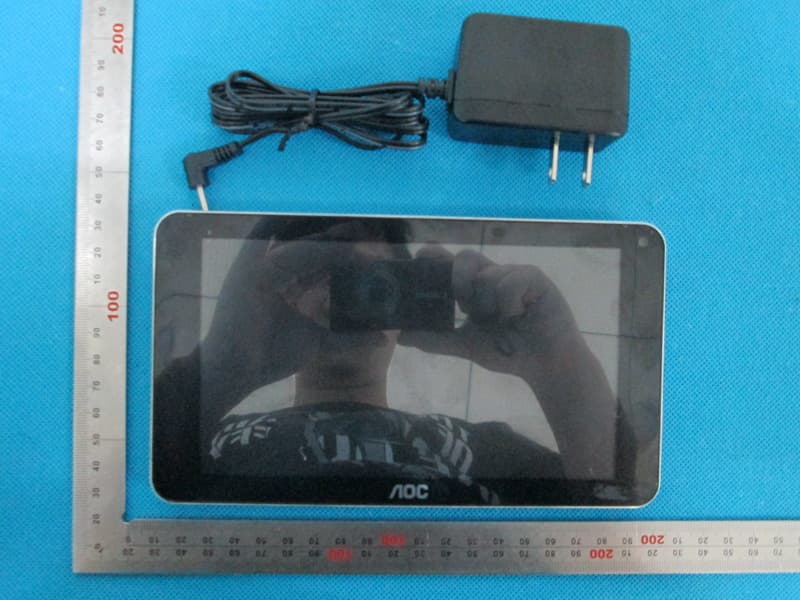
2AAQHD70A1
Aug 25, 2013Tablet PC
Equipment Class
DTS - Digital Transmission System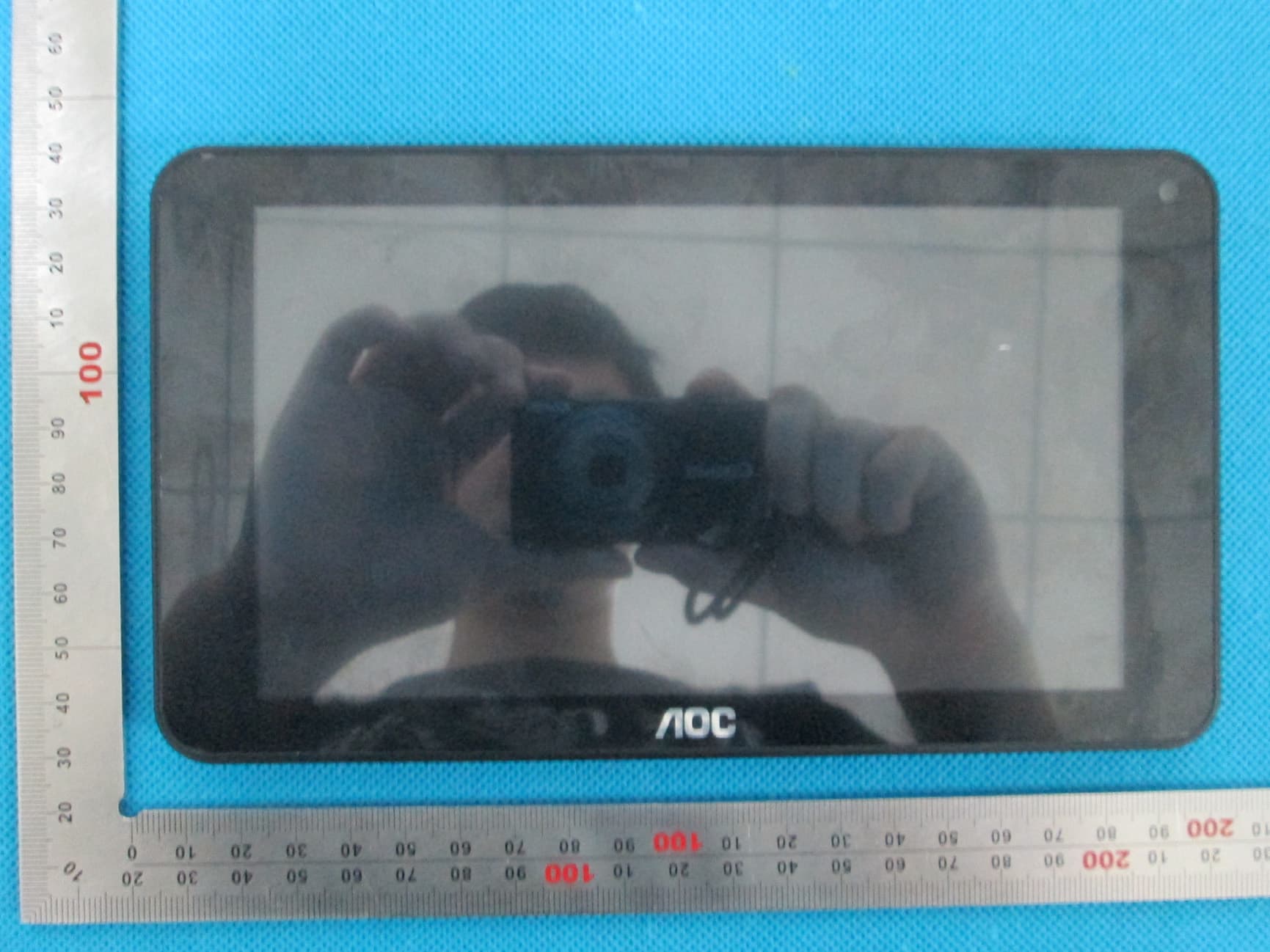
2AAQHB7120L
Aug 25, 2013Tablet PC
Equipment Class
DTS - Digital Transmission System