2AB34-NB-K1Neck band type bluetooth head set
CLIPS Tech Co., Ltd.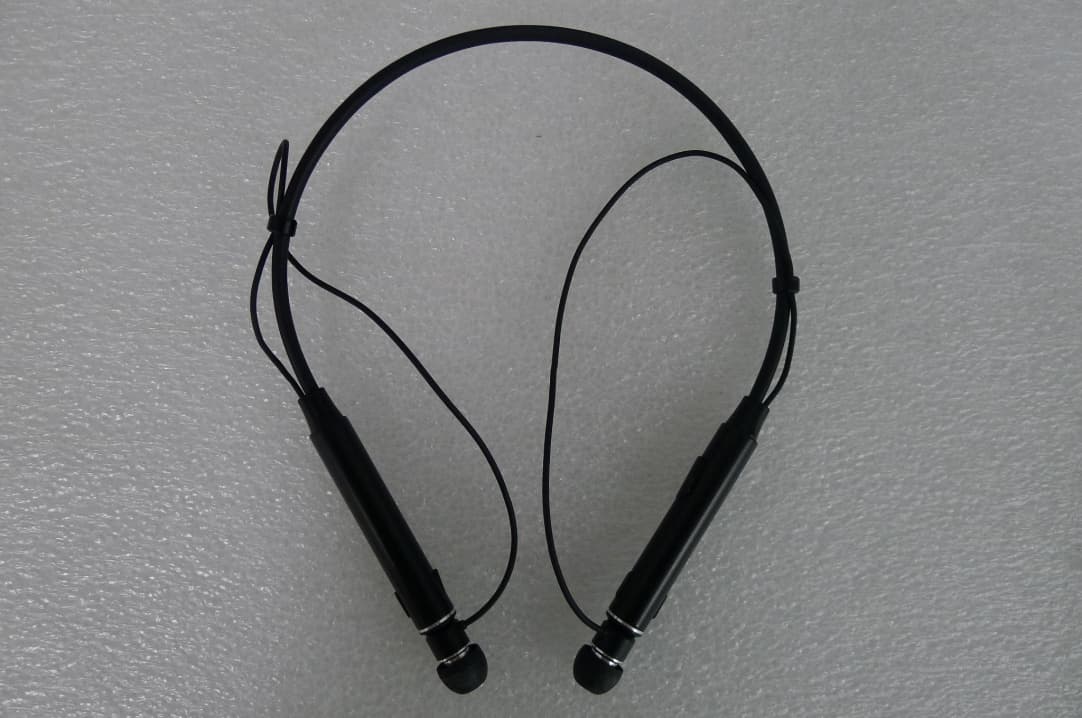
Click to zoom
Application Details
- Equipment Class
- DTS - Digital Transmission System
- Date of Grant
- May 28, 2015
- Application Purpose
- Original Equipment
- Date of Application
- May 28, 2015
- Equipment Note
- Neck band type bluetooth head set
- Frequency Range
- 2402.00000000 - 2480.00000000
- Company
- CLIPS Tech Co., Ltd.
- Country
- South Korea
Documents & Files
Document Text
Text extracted from the exhibit documents filed with the FCC. Open a document above to read the original.
Users Manual
Bluetooth Stereo Headset Clips Neckband NB-K1 / NB-KO User Manual Carefully readthis user manual before using your new CLIPS Neckband NB-K1 Bluetooth Stereo Headset . Please follow the instructions and important safety advice. If used properly, the Clips Neckband will provide long and useful service. Basic information to connect Clips Message Reader Package Contents This package contains the productslistedbelow. Please check the packaging contents before use. ☐NB – K1...............................................................................1pc ☐USB ChargingCable ..........................................................................1pc ☐User Manual .........................................................................1pc This feature enables you to receive the call alert plus incoming phone numbers and messages through a built-in speaker or earphones. Please download and install the “Clips Message Reader” app from Android’s Play Store. (Android OS ONLY) Use the device ID to search for Bluetooth using your Smartphone or PC. Device ID: NB-K1 1 The USB Charging Adapter in the packaging is designed for this product ONLY. Please DO NOT use it tochargeother devices. It is not interchangeable with other chargers, as it maycause damage if used with other products. ! Caution *LED turns bluewhen deviceis fully charged. Description CHARGE Before Use! You MUSTcharge the device beforeusingthe charging cable provided. The LEDcharging indicator will TURN GREEN when charging is complete. 2 NOTE: Vibration cannot be turned OFF. Item OperationLED Display Power ON Push the Power/Callbutton for approximately 2 secondsto turn on. Redand Blue LEDblinks Power OFF Push the Power/Call button for more than 3 seconds to turn off. LEDwill turn off Single Pairing Push the Power/Callbutton for more than 2 seconds from the POWER OFF position. Red and blue LEDsblinks MultiPairing Push thePlay/Stop button for more than 5 seconds from the POWER ONposition. Red andblue LEDs blinks PairingReset Push theVolume Control -button together for more than 3 seconds from the POWER ONposition. PinkLED->Red and Blue L Ds blinks Volume Control Push the Volume Control button (“+/-”) just once, quickly. Make a Call Pushthe (on and off ) Power/Callbutton quicklytwice (starts dialing the last dialed number) from poweron Answer a Call Push thePower/Call button one time, quickly, when receiving a call. Reject a Call Pushthe Power/Callbutton andholdfor more than 1 second, when receiving a call. Ending a Call Push thePower/Call button one time, quickly, when onthecall. Playing Music Push the Music Playback / Pause button quickly, one time. BlueLED blinks Pause Music Push the Music Playback / Pause button quickly, one time. Next Song Push theNext / FF”button quickly 1 time Previous Song Push the Back / REW button quickly1 time FastForward Pushthe Next/FFbutton slowly and hold Rewind Push the Back/Rewbutton slowly and hold Ending Music Push theMusic Playback / Pause button slowly,for a pproximately 1 second. 3 How to Set Pairing Mode (Initial registering of the device) Every Bluetooth enabled device must be initiated by the customer. This means a “pairing”procedure with the host device or smartphone is required. This requires a PIN number or auto-pairing before the first time use of the product. Please refer to this QuickStart Guide for pairing with smartphones. LED OFF (Power Off) LED ON (Blue after Red) LED ON (Red ⟷Green) blinkingat the same time (Pairing Mode) 2. Searching for the product from device before connecting Searching for the product from a paired device--The way search mode works may differ forsome devices, depending on manufacture. Please refer to the “Quick Start Guide” or user manual of such devices. 3. Registering the product from the device before connecting The product (NB-K1) will show up on the Bluetooth device, smartphone or PC.Just select the product and register it. The LED indicator will turn blueblinking slowly while it completes the pairing. After that, it will connect automaticallyand your Neckband will be ready for use. 4 QUICK START Guide 1.Setting with pairing mode for the product (NB-K1) Push the Power/Callbutton for more than 2 seconds from “the status of Power- off”. LED indicator will blink red and green together so as to turn on the pairing mode. Initially the pairing mode setting was input to your device at the factory.* ✻This device will automatically pair with previously paired devices. For more details, please check your smartphone user manual or contact your smartphone manufacturer. Red Blue alternately blinking (whenpairing) Blue indicator blinking slowly indicates pairing is completed. 5 PAIRING Connection Red <-> BlueBlue Power ON/OFF ■Power ON (Voice Prompt: Say “Power on”)Automatic Power-Off Push the Power/Call button approximately 2 seconds using the Power-On/Off button, then the LED indicator will turn from blue to red to turn power ON. If it does have the paired device nearthe product, it will try to connect automatically. If the connection is completed, the LED indicator willalternately turn from red to blue toshow it is ready to use. If the pairingis interrupted, the red and blue LED will alternately keep blinking. ■Power OFF (Voice Prompt: Say “Power off”) Push the Power/Call button approximately 3 seconds from the power-on, then LED indicator will turn to red after blue and turn off the LED indicator to Power OFF. Make a call using smartphones NOTE: The operation might be different for yoursmartphoneor deviceas interactions may vary depending on the specification of the products. ■Receiving a Call (Voice Prompt: Say“Connecting”) When a call comes to in to your smartphone, the product startsvibrating* and the LED indicator blinks blue. PushPower/Callbutton once quickly. ■Receiving other call Press Power/Call button quickly to answer or press Power/Call button more than 1 second Please speak clearly and directly into the microphone.If the sound you talk seems too low to the opponen…
Text truncated - open the document above for the full version.
Cover Letter(s)
CLIPS Tech Co., Ltd. A-203, SK Twintech Tower, 119, Gasandigital 1-ro, Geumcheon-gu, Seoul, Korea Date: May 18, 2015 Federal Communications Commission 7435 Oakland Mills Road Columbia MD 21046 c.c. Timco Engineering, Inc. Certification Division 849 N.W. State Road 45 P.O. Box 370 Newberry, Florida 32669 USA To whom it may concern: I, the undersigned, hereby authorize Technical Manager Issac Jin of MOVON CORPORATION and hereafter referred to as MOVON CORPORATION, to act on our behalf in all manners relating to application for equipment authorization, including signing of all documents relating to these m atters. Any and all acts carried out by Technical Manager Issac Jin of MOVON CORPORATION on our behalf shall have the same effect as acts of our own. I, the undersigned, hereby certify that we are not subject to a denial of federal benefits, that includes FCC benefits, pursuant to Section 5301 of the Anti-Drug Abuse Act of 1988, 21 U.S.C. 853(a). In authorizing MOVON CORPORATION as our agent, we still recognize that we are responsible to: a) comply with the relevant provisions of the certification program; b) make all necessary arrangements for the conduct of the evaluation, including provision for examining documentation and access to all areas, records (including internal audit reports) and personnel for the purposes of evaluation (e.g. testing, inspection, assessment, surveillance, reassessment) and resolution of complaints; c) make claims regarding certification only in respect of the scope for which certification has been granted; d) do not use our product certification in such a manner as to bring the Certification Division into disrepute and not make any statement regarding our product certification which the Certification Division may consider misleading or unauthorized; CLIPS Tech Co., Ltd. A-203, SK Twintech Tower, 119, Gasandigital 1-ro, Geumcheon-gu, Seoul, Korea e) upon suspension or cancellation of certification, discontinue use of all advertising matter that contains any reference thereto and return any certification documents as required by the Certification Division; f) use certification only to indicate the products are certified as being in conformity with specified standards; g) endeavor to ensure that no certificate or report nor any part thereof is used in a misleading manner; h) ensure that any reference to our product certification in communication media such as documents, brochures or advertising, complies with the requirements of the Certification Division; i) keep a record of all complaints made known to the us relating to the product’s compliance with requirements of the relevant standard and to make these records available to the Certification Division when requested; j) take appropriate action with respect to such complaints and any deficiencies found in products or services that affect compliance with the requirements for certification; k) document the actions taken. This authorization is valid until further written notice from the applicant. Sincerely Yours, Sung Koo Mo / Manager CLIPS Tech Co., Ltd. REMARK: 1. This authorization letter will be sent along with your application when filing with the Certification Division. 2. Please follow the format and type it on company letterhead and send original to us. 3. Authorized signature must be in agreement with grantee code contact in FCC database.
Cover Letter(s)
Clips Tech Co., Ltd. A-203, SK Twintech Tower, 119, Gasandigital 1-ro, Geumcheon-gu, Seoul, Korea May 28, 2015 Product Equality Declaration To whom it may concern: We, Clips Tech Co., Ltd. Declare that Model name of NB-K1 and NB-KO. This product has a USB port, but only for charging function, not data transmission. Regards, Sung Koo Mo/ Manager Clips Tech Co., Ltd.
Cover Letter(s)
Clips Tech Co., Ltd. A-203, SK Twintech Tower, 119, Gasandigital 1-ro, Geumcheon-gu, Seoul, Korea May 21, 2015 Product Equality Declaration To whom it may concern: We, Clips Tech Co., Ltd. Declare that Model name of NB-K1 and NB-KO. NB-KO is just another name for NB-K1 Regards, Sung Koo Mo/ Manager Clips Tech Co., Ltd.
Cover Letter(s)
CLIPS Tech Co., A-203, SK Twintech Tower, 119, Gasandigital 1-ro, Geumcheon-gu, Seoul, Korea Federal Communications Commission 7435 Oakland Mills Road Columbia MD 21046 Subject: Request for Confidentiality FCC ID: 2AB34-NB-K1 To Whom It May Concern: Pursuant to the provisions of Sections 0.457 and 0.459 of the Commission’s rules (47 CFR §§ 0.457, 0.459), we are requesting the Commission to withhold the following attachments as confidential document from public disclosure indefinitely. Schematics / Block Diagram / Operational Description / Parts List Above mentioned document contains detailed system and equipment description are considered as proprietary information in operation of the equipment. The public disclosure of above documents might be harmful to our company and would give competitor an unfair advantage in the market. Pursuant to the provisions of Sections 0.457 and 0.459 of the Commission’s rules (47 CFR §§ 0.457, 0.459), we are requesting the Commission to withhold the following attachments as confidential document from public disclosure indefinitely. 2.803 and the importation rules in 47 CFR §2.1204, while ensuring that business sensitive information remains confidential until the actual marketing of newly authorized devices. We are requesting the commission to grant short-term confidentiality request on the following attachments until 180 days External Photos / Internal Photos / Test Setup Photos / User Manual It is our understanding that all measurement test reports, FCC ID label format and correspondence during certification review process cannot be granted as confidential documents and such information will be available for public review once the grant of equipment authorization is issued. Sincerely Yours, Sung Koo Mo / Manager CLIPS Tech Co., Ltd.
External Photos
External photos of EUT Top view of EUT Bottom view of EUT Side of EUT Side view of EUT Side of EUT Back view of EUT
ID Label/Location Info
Label location Clips Tech Co., Ltd. Bluetooth Earset FCC ID : 2AB34-NB-K1 Model No.: NB-K1 Serial No.: Proto Type Manufacturer: Clips Tech Co., Ltd. Made in Korea Clips Tech Co., Ltd. Bluetooth Earset FCC ID : 2AB34-NB-K1 Model No.: NB-K1 Serial No.: Proto Type Manufacturer: Clips Tech Co., Ltd. Made in Korea
Internal Photos
Internal photos of EUT Antenna view of EUT Internal view of EUT Chip Antenna Top view of Main PCB Bottom view of Main PCB Top view of SUB PCB Bottom view of SUB PCB
Test Report
MOVON CORPORATION Report Number: MOV-15-RF-I040 FCC Part 15 Subpart C §15.247 Test Report Equipment Under Test Neck band type bluetooth head set Model Name NB-K1 Variant Model NB-KO Applicant Clips Tech Co., Ltd. FCC ID 2AB34-NB-K1 Manufacturer Clips Tech Co., Ltd. Date of Test(s) 2015.05.12 ~ 2015.05.21 Date of Issue 2015.05.21 In the configuration tested, the EUT complied with the standards specified above. Issue to Issue by Clips Tech Co., Ltd. A-203, SK Twintech Tower, Gasan-Dong, Geumcheon-gu, Seoul, Korea Te l . : +82-2-514-5517 Fax: +82-2-517-5574 MOVON CORPORATION 498-2, Geumeo-ro, Pogok-eup, Cheoin-gu, Yongin-si, Gyeonggi-do, Korea, 449-812 Tel.: +82-31-338-8837 Fax: +82-31-338-8847 Page : (1) of (38) The results shown in this test report refer only to the sample(s) tested unless otherwise stated. This test report cannot be reproduced, except in full, without the written approval of MOVON CORPORATION. MOVON CORPORATION Report Number: MOV-15-RF-I040 Revision history Revision Date of issue Description Revised by -- May 21, 2015 Initial -- Page : (2) of (38) The results shown in this test report refer only to the sample(s) tested unless otherwise stated. This test report cannot be reproduced, except in full, without the written approval of MOVON CORPORATION. MOVON CORPORATION Report Number: MOV-15-RF-I040 Table of contents 1. ATTESTATION OF TEST RESULT ................................................................................ 4 2. EUT DESCRIPTION ........................................................................................................ 6 3. MEASUREMENT EQUIPMENT ...................................................................................... 7 4. TRANSMITTER RADIATED SPURIOUS EMISSIONS AND CONDUCTED SPURIOUS EMISSIONS .................................................................................................................. 8 5. CONDUCTED POWER LINE TEST .............................................................................. 23 6. 6 ㏈ BANDWIDTH ....................................................................................................... 26 7. MAXIMUM OUTPUT POWER MEASUREMENT .......................................................... 29 8. POWER SPECTRAL DENSITY MEASUREMENT ....................................................... 32 9. ANTENNA REQUIREMENT ......................................................................................... 35 10. RF EXPOSURE EVALUATION .................................................................................. 36 11. TEST SETUP PHOTO OF EUT .................................................................................. 37 Page : (3) of (38) The results shown in this test report refer only to the sample(s) tested unless otherwise stated. This test report cannot be reproduced, except in full, without the written approval of MOVON CORPORATION. MOVON CORPORATION Report Number: MOV-15-RF-I040 1. Attestation of test result 1.1. Details of applicant Applicant : Clips Tech Co.,Ltd Address : A-203, SK Twintech Tower, Gasan-Dong, Geumcheon-gu, Seoul, Korea Contact Person : Sung Koo Mo Telephone : + 82-2-517-5517 Fax : + 82-2-517-5574 1.2. Manufacturer Information Manufacturer : Clips Tech Co.,Ltd Address : A-203, SK Twintech Tower, Gasan-Dong, Geumcheon-gu, Seoul, Korea Page : (4) of (38) The results shown in this test report refer only to the sample(s) tested unless otherwise stated. This test report cannot be reproduced, except in full, without the written approval of MOVON CORPORATION. MOVON CORPORATION Report Number: MOV-15-RF-I040 1.3. Summary of test results The EUT has been tested according to the following specifications; Section in FCC part 15 Description Result §15.205 §15.209 §15.247(d) Transmitter radiated spurious emissions, Conducted spurious emission C §15.247(a)(2) 6 ㏈ Bandwidth C §15.247(b)(e) Maximum Conducted Output Power C §15.247(e) Transmitter Power Spectral Density C §1.1307(b)(1) RF exposure evaluation C The sample was tested according to the following specification: FCC Parts 15.247; ANSI C-63.4-2009 FCC Public Notice KDB 558074 D01 v03r02 TEST SITE REGISTRATION NUMBER: FCC(670686), FCC(273444) ※ Abbreviation C Complied N/A Not applicable F Fail Approval Signatories Test and Report Completed by : Report Approval by : Jungmoo Her Te s t E n g i neer MOVON CORPORATION Issac Jin Technical Manager MOVON CORPORATION Page : (5) of (38) The results shown in this test report refer only to the sample(s) tested unless otherwise stated. This test report cannot be reproduced, except in full, without the written approval of MOVON CORPORATION. MOVON CORPORATION Report Number: MOV-15-RF-I040 2. EUT Description Kind of product Neck band type bluetooth head set FCC ID 2AB34-NB-K1 Model Name NB-K1 Variant Model NB-KO Serial Number N/A Power supply DC 5.0V Frequency range 2 402 ㎒ ~ 2 480㎒ Modulation technique GFSK Number of channels 40 Antenna gain 2.3㏈i (Max.) Test Site Registration Number FCC(670686), FCC(273444) 2.1. Declarations by the manufacturer None 2.2. Details of modification None Page : (6) of (38) The results shown in this test report refer only to the sample(s) tested unless otherwise stated. This test report cannot be reproduced, except in full, without the written approval of MOVON CORPORATION. MOVON CORPORATION Report Number: MOV-15-RF-I040 3. Measurement equipment Equipment Manufacturer Model Serial number Calibration Interval Calibration due. Test Receiver R&S ESVD 836108/010 1 year 2016-03-03 Signal Generator R&S SMBV100 257379 1 year 2015-09-29 Spectrum Analyzer R&S FSV-40 100832 1 year 2016-03-06 Power Meter Agilent E4416A GB41290645 1 year 2015-09-29 Power Sensor Agilent 9327A US40441490 1 year 2016-03-05 Double Redge Horn Antenna R&S HF906 100236 2 year 2015-09-04 Horn Antenna AH Systems EM-AH-0818 AH00012 2 year 2015-09-06 Bi-Log Antenna Schwarz Beck VULB9186 9168-570 2 year 2016-04-17 Power Amplifier MITEQ AM-1431 1497315 1 year 2015-09-29 Power Amplifier MITEQ AFS43…
Text truncated - open the document above for the full version.
Test Setup Photos
Test setup photo of EUT A. Setup photo of EUT Photo of radiated spurious emission at below 30 MHz Photo of radiated spurious emission at 30MHz ~ 1 0 00MHz Photo of radiated spurious emission at above 1 000 MHz Photo of Conducted emission at below 30MHz
Contact Information
Applicant
Sung Koo Mo
Test Firm
MOVON CorporationDanny Kim
Technical Specifications
| # | Rule Parts | Frequency Range | Power Output |
|---|---|---|---|
| 1 | 15C | 2.40 GHz - 2.48 GHz | 3.00 mW |
Other Applications from CLIPS Tech Co., Ltd.
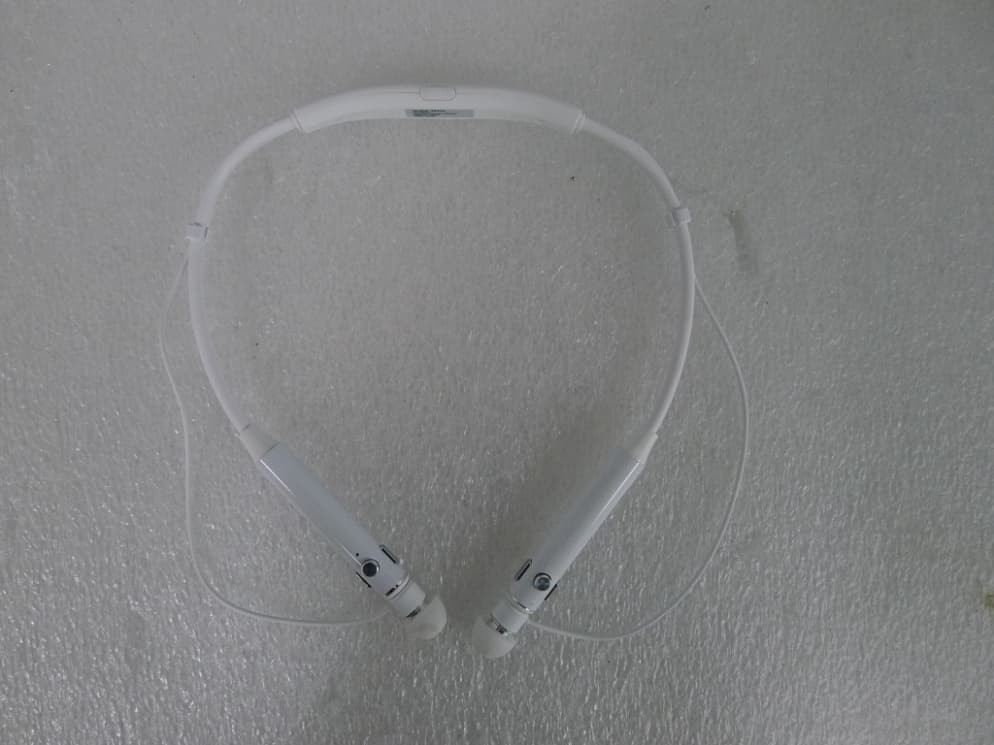
2AB34-NB-K3
May 28, 2015Neck band type bluetooth head set
Equipment Class
DTS - Digital Transmission System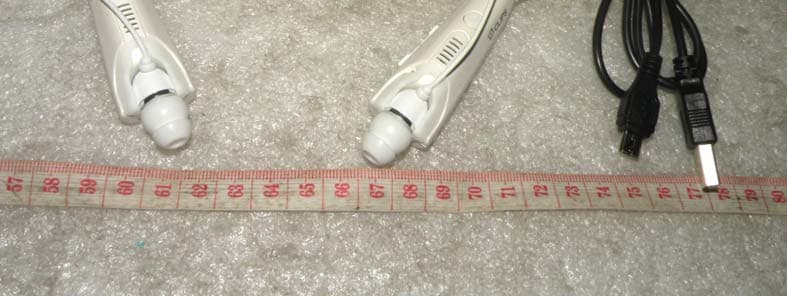
2AB34-NB-S3
May 11, 2014Bluetooth Earset
Equipment Class
DTS - Digital Transmission System