Text extracted from the exhibit documents filed with the FCC. Open a document above to read the original.
(1) (2) (3) (4) (5) (6) Wireless Keyboard User Guide If the keyboard is not working with the iPad (or other Bluetoothdevices) make sure: Troubleshooting 1)The Bluetooth function on the iPad (or other Bluetooth devices)is enabled. 2)The Bluetooth keyboard is within 33 feet of the iPad. 3)The passkey is entered correctly. 4)Restart your device. 5)Make sure the keyboard is charged,recharge if low. 6)If you press the CONNECT button when both devices have been connected already it will disrupt the established connection.The keyboard will exhibit as though it not connected with the keyboard.To solve the issue simply restart the keyboard by turning it OFF and then ON again.You do not need to repair the device if it was done previously. 1) 2)Range of Frequency: 2.4GHz Spectrum 3)Operating Voltage: 3.7Vdc(powered by Li-ion) 4)Operation current: <5mA 5)Standby current: 1.0mA 6)Sleep current: <0.25mA Transmit Range: up to 10 meters This device complies with Part 15 of the FCC Rules: Operation is subject to the following two conditions: 1.This device may not cause harmful interference and 2.This device must accept any interference that is received,including any interference that may cause undesired operation. Product Specifications Congratulation on selecting the Bluetooth Wireless Keyboard for your high tech devices.The super slim keyboard is quiet and crafted out of high grade plastic. In this present age of portable tech gadgets this is an ideal product for your iPad. Welcome Overview Keyboard How to Charge the battery: To charge the keyboard, Connect the 5V.DC input from the keyboard into the computer USB port with the connector cableprovided. The Keyboard can function while charging. Step 2.Pairing your Bluetooth Keyboard with your iPad/iMac/iPhone or other Bluetooth enabled device. The following sample shows how to pair the Bluetooth keyboardwith your iPad. Before you can use your keyboard, you have to pair it with your iPad.Pairing allows your keyboard to communicate wirelessly with your iPad.You only have to perform the pairing once. 1. Turn on the keyboard and press the CONNECT key on the keyboard.The LED light will blink blue. Then on the screen of the iPad, you search for Settings-->Bluetooth. Prompted Blue LED blinking: Pairing Red LED on: Charging Green LED on: Battery is fully charged Green LED blinking: Low in Battery Yellow LED on: Caps lock 2.Enable the Bluetooth function, and it will search for the Bluetooth keyboard automatically. When the Bluetooth keyboard is discovered, select the “Bluetooth keyboard” from the ipad screen, a passkey will appear on the screen of the iPad. Type in the passkey provided and press the ENTER key on the keyboard. Your Bluetooth keyboard will then be successfully paired with your iPad. Installation Guide 1. For the first time user, Please charge the keyboard for at least 6 hours before using it.Thereafter,charge for at least 2 hours when the battery runs low. 2.The LED(green)will blink when battery is low.The LED(green)will stay solid when fully charged. 3.Connect the charging cable(included)to charge keyboard. Step 1.Charging the battery Caution:to properly operate this product please read the user manual thoroughly. 1) Open the protective case 2) Pull out the stand 3) Adjust the stand angle 4) Put the case on the groove of keyboard base Using Schematic diagram Stand Keyboard base Protective Case 360 Vertical layout 360 degrees rotate (1) (2) (3)(4) Installation and removal 1)Removing back protective piece.Hold tablet PC on both sides(picture)gently push back cover off the tablet PC with thumb(back piece held in place by two tabs.) 2)Proceed to“peel”cover away from tablet PC 3) Take tablet PC out 4)Take table PC out upwards. (1)(2) (3)(4) enter return caps lock shift DAFGH J KLS WERTY U I O P Q XZCVBNM <> {}| ~ delete shift tab @ 2 5 & 7 ( 9 ) 0 4 8 3 # 6 control fn cmdcmd alt option PgUp HomeEndPgDn option alt [] /\ DC.5V. Input O P | delete ( 9 ) 0 O P | delete ( 9 ) 0 Mute Volume - Volume + PrevTrack NextTrack Play/pause Main screen/Esc Virtual Keyboard Search Preview photo Brightness + Brightness - Lock screen Change Language Delete Command combination key, press FN key can input the blue characters above on the keyboard or control the blue keys. fn- Function fn Note: Keyboard should always remain on. No need to power off. Because keyboard has battery saving feature it will go to sleep when not in use. This way connection will never be lost. Keyboard will need to 5 seconds to wake up. Press a key and wait 5 seconds before using. Federal Communications Commission (FCC) Statement This device complies with part 15 of the FCC Rules. Operation is subject to the following two conditions: (1) This device may n ot cause harmful interference, and (2) this device must accept any interference received, includin g interference that may cause undesired operation. Note: This equipment has been tested and found to comply with the limits for a Class B digital device, pursuant to part 15 of t he FCC Rules. These limits are designed to provide reasonable protection against harmful interference in a residential installation. This equipment generates, uses and can radiate radio frequency energy and, if not installed and used in accordance with the instructions, may cause harmful interference to radio communicatio ns. However, there is no guarantee that interference will not occur in a particular installation. If this equipment does cause harmful interference to radio or te levision reception, which can be determined by turning the equipment off and on, the user is encouraged to try to correct the interference by one or more of the following measures: z Reorient or relocate the receiving antenna. z Increase the separation between the equipment and receiver. z Connect the equipment into an outlet on a circuit different from that to which the receiver is connected. z Consult the dealer or an experienced radio/TV technician for help. Warning: Changes or modifications mad…
Text truncated - open the document above for the full version.
Dov Enterprises Inc / SHARKK 2001 Rt 46 E Suite 310 Parsippany NJ 07054, United States TEL: (862)222-2041 FAX: (855)306-5112 Series Models Description FCC ID: 2ABCA-K361 Date: Feb. 11, 2014 Federal Communications Commission Authorization and Evaluation Division 7435 Oakland Mills Road Columbia, MD 21046 To whom it may concern: To whom concern: The device (Product Name: Bluetooth Keyboard) Models Name: K361, K362, K561, K562,K563,K564,K365, K560, ABK05, ABK06, ABK07, ABK08, ABK09, ABK10, LY05B, LY05C, K363, K335, K338, K331, K360, K355, K366 have same electrical, PCB and BOM, only the model’s name and colour are different for marketing requirements. Sincerely, Dov Brafman/CEO
Dov Enterprises Inc / SHARKK 2001 Rt 46 E Suite 310 Parsippany NJ 07054, United States TEL: (862)222-2041 FAX: (855)306-5112 USB Port Statement FCC ID: 2ABCA-K361 Date: Feb. 11, 2014 To whom it may concern: We, the undersigned, state that the device's (Model: K361, K362, K561, K562,K563,K564,K365, K560, ABK05, ABK06, ABK07, ABK08, ABK09, ABK10, LY05B, LY05C, K363, K335, K338, K331, K360, K355, K366) USB port only used for charge, no any data transfer to PC. Sincerely, Dov Brafman/CEO
Dov Enterprises Inc / SHARKK 2001 Rt 46 E Suite 310 Parsippany NJ 07054, United States TEL: (862)222-2041 FAX: (855)306-5112 AGENCY AUTHORIZATION LETTER FCC ID: 2ABCA-K361 Date: Feb. 11, 2014 Federal Communications Commission Authorization and Evaluation Division 7435 Oakland Mills Road Columbia, MD 21046 To whom it may concern: We, the undersigned, hereby authorize Shenzhen CTL Testing Technology Co., Ltd.(MR. Tracy Qi) on our behalf, to apply to the Federal Communications Commission on our equipment. Any and all acts carried out by Shenzhen CTL Electromagnetic Technology Co., Ltd. (MR. Tracy Qi) on our behalf shall have the same effect as acts of our own. This authorization expires on Dec. 26, 2014. This is to advise that we are in full compliance with the Anti-Drug Abuse Act. We, Shenzhen Smart Link Communication Ltd are not subject to a denial of federal benefits pursuant to Section 5301 of the Anti-Drug Act of 1988, 21 USC853a, and no party to the application is subject to a denial of federal benefits pursuant to that section. Sincerely, Dov Brafman/CEO
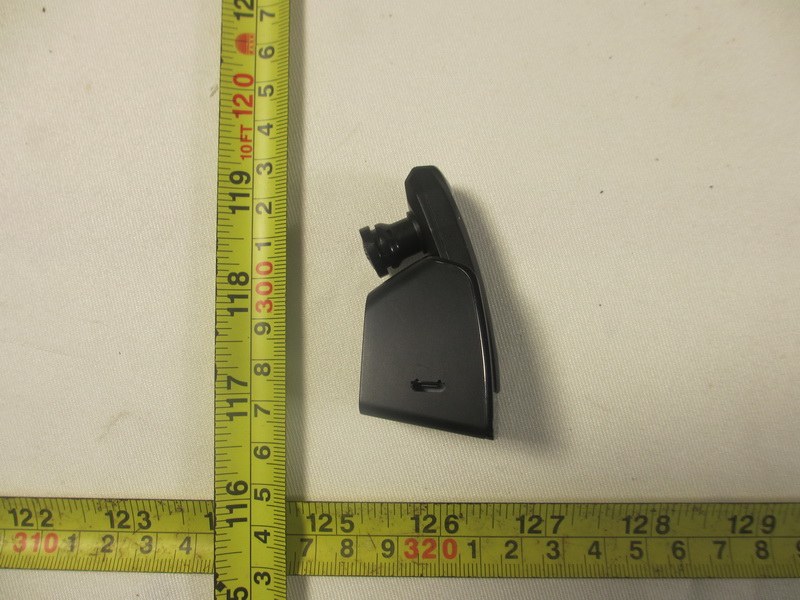
External Photos of the EUT
FCC ID Label Information 1. Label location: 2. FCC ID Label: Dov Enterprises Inc / SHARKK Model: K361 Bluetooth Keyboard FCC ID: 2ABCA-K361 This device complies with part 15 of the FCC Rules. Operation is subject to the following two conditions: (1) This device may not cause harmful interference, and (2) this device must accept any interference received, including interference that may cause undesired operation.
Internal Photos of the EUT
Bluetooth Keyboard Operation Description 1. Controller Side Radio The radio system is mainly composed of three parts: radio modem, frequency synthesizer and baseband microprocessor. The radio modem is a GFSK modem running at 1Mbps. The antenna is an embedded PCB antenna matching is done by using lumped inductors and capacitors. The microcontroller scans keystrokes on the joypad, then packs the data by adding preambles, frame information, and error checking bytes.The radio system uses one of 79 channels (the frequency range is 2.402-2.480GHz) to send signal in random, Otherwise, there are 4 synchronous channels (distribute in the 79 channels uniformity). The joypad radio is powered by 3.7V Batteries. The power consumption of RF module is about 5mA, the total power consumption of the joypad side radio system is about 5mA in normal working mode. It will enter sleep mode if no key be pressed after 8 minutes, in this mode the total power consumption of joypad is only about 40uA.
Shenzhen CTL Testing Technology Co., Ltd. Tel: +86-755-89486194 Fax: +86-755-26636041 FCC PART 15 SUBPART C TEST REPORT FCC Part 15.249 Report Reference No......................: CTL1401150079-WF Compiled by ( position+printed name+signature)..: File administrators Jacky Chen Name of the organization performing the tests ( position+printed name+signature)..: Test Engineer Tracy Qi Approved by ( position+printed name+signature)..: Manager Tracy Qi Date of issue.....................................: Feb. 12, 2014 Test Firm..........................................: Shenzhen CTL Testing Technology Co., Ltd. Address.............................................: Floor 1-A, Baisha Technology Park, No. 3011, Shahexi Road, Nanshan, Shenzhen 518055 China. Applicant’s name............................: Dov Enterprises Inc / SHARKK Address.............................................: 2001 Rt 46 E Suite 310 Parsippany NJ 07054, United States Test specification: Standard ...........................................: FCC Part 15.249: Operation within the bands 920-928 MHz, 2400- 2483.5 MHz, 5725-5850 MHz and 24.0 - 24.25 GHz. TRF Originator ..................................: Shenzhen CTL Testing Technology Co., Ltd. Master TRF.......................................: Dated 2011-01 Shenzhen CTL Testing Technology Co., Ltd. All rights reserved. This publication may be reproduced in whole or in part for non-commercial purposes as long as the Shenzhen CTL Testing Technology Co., Ltd. is acknowledged as copyright owner and source of the material. Shenzhen CTL Testing Technology Co., Ltd. takes no responsibility for and will not assume liability for damages resulting from the reader's interpretation of the reproduced material due to its placement and context. Test item description .................... : Bluetooth Keyboard Trade Mark .......................................: SHARKK Models/Type reference.....................: K361, K362, K561, K562,K563,K564,K365, K560, ABK05, ABK06, ABK07, ABK08, ABK09, ABK10, LY05B, LY05C, K363, K335, K338, K331, K360, K355, K366 Modulation .......................................: FHSS Work Frequency...........................: 2402 MHz~2480 MHz Antenna Type..............................: internal FCC ID .............................................: 2ABCA-K361 Result................................................: Positive V1.0 Page 2 of 28 Report No.: CTL1401150079-WF T E S T R E P O R T Test Report No. : CTL1401150079-WF Jan. 03, 2014 ______________________________________________________________________________________________ Date of issue Equipment under Test : Bluetooth Keyboard Model /Type : K361 Listed Modes : K362, K561, K562,K563,K564,K365, K560, ABK05, ABK06, ABK07, ABK08, ABK09, ABK10, LY05B, LY05C, K363, K335, K338, K331, K360, K355, K366 Difference Description : Only the color and model's name is different. Applicant : Dov Enterprises Inc / SHARKK Address : 2001 Rt 46 E Suite 310 Parsippany NJ 07054, United States Manufacturer Brave Sword Technology Co., Limited Address Xin’gu Industrial Park, Gushu Town, Bao’an District, Shenzhen, China Test Result according to the standards on page 4: Positive The test report merely corresponds to the test sample. It is not permitted to copy extracts of these test result without the written permission of the test laboratory. V1.0 Page 3 of 28 Report No.: CTL1401150079-WF Contents 1. TEST STANDARDS .................................................................. 4 2. SUMMARY............................................................................. 5 2.1. General Remarks 5 2.2. Equipment Under Test 5 2.3. Short description of the Equipment under Test (EUT) 5 2.4. EUT operation mode 6 2.5. EUT configuration 6 2.6. Related Submittal(s) / Grant (s) 6 2.7. Modifications 6 3. TEST ENVIRONMENT............................................................... 7 3.1. Address of the test laboratory 7 3.2. Test Facility 7 3.3. Environmental conditions 7 3.4. Configuration of Tested System 7 3.5. Statement of the measurement uncertainty 8 3.6. Equipments Used during the Test 8 4. TEST CONDITIONS AND RESULTS ............................................. 9 4.1. Conducted Emissions Test 9 4.2. Radiated Emission Test 12 4.3. Band Edge Measurement 17 5. ANTENNA REQUIREMENT ....................................................... 21 6. TEST SETUP PHOTOS OF THE EUT .......................................... 22 7. EXTERNAL AND INTERNAL PHOTOS OF THE EUT ....................... 24 V1.0 Page 4 of 28 Report No.: CTL1401150079-WF 1. TEST STANDARDS The tests were performed according to following standards: FCC Rules Part 15.249: Operation within the bands 902 - 928 MHz, 2400 - 2483.5 MHz, 5725 - 5875 MHz, and 24.0 - 24.25 GHz. ANSI C63.4-2009 V1.0 Page 5 of 28 Report No.: CTL1401150079-WF 2. SUMMARY 2.1. General Remarks Date of receipt of test sample : Jan. 15, 2014 Testing commenced on : Jan. 16, 2014 Testing concluded on : Jan. 18, 2014 2.2. Equipment Under Test Power supply system utilised Power supply voltage : o 120V / 60 Hz o 115V / 60Hz o 12 V DC o 24 V DC ● Other (specified in blank below) DC 3.7V from battery 2.3. Short description of the Equipment under Test (EUT) The EUT is a Bluetooth Keyboard work at 2402~2480 MHz. Channel List: Channel Frequency (MHz) Channel Frequency (MHz) Channel Frequency (MHz) 00 2402 27 2429 54 2456 01 2403 28 2430 55 2457 02 2404 29 2431 56 2458 03 2405 30 2432 57 2459 04 2406 31 2433 58 2460 05 2407 32 2434 59 2461 06 2408 33 2435 60 2462 07 2409 34 2436 61 2463 08 2410 35 2437 62 2464 09 2411 36 2438 63 2465 10 2412 37 2439 64 2466 11 2413 38 2440 65 2467 12 2414 39 2441 66 2468 13 2415 40 2442 67 2469 14 2416 41 2443 68 2470 15 2417 42 2444 69 2471 16 2418 43 2445 70 2472 17 2419 44 2446 71 2473 18 2420 45 2447 72 2474 19 2421 46 2448 73 2475 20 2422 47 2449 74 2476 21 2423 48 2450 75 2477 22 2424 49 2451 76 2478 23 2425 50 2452 77 2479 24 2426 51 2453 78 2480 25 2427 52 2454 26 2428 53 2455 Power Range: -5dB…
Text truncated - open the document above for the full version.
Test Setup Photos of the EUT
| # | Rule Parts | Frequency Range | Power Output |
|---|---|---|---|
| 1 | 15C | 2.40 GHz - 2.48 GHz | - |

Bluetooth Headset
Equipment Class
DTS - Digital Transmission System