2ABH6-GGMMWB-800M-Freebox
Shenzhen GGMM Industrial Company Limited
Click to zoom
Application Details
- Equipment Class
- DTS - Digital Transmission System
- Date of Grant
- Jan 12, 2014
- Application Purpose
- Original Equipment
- Date of Application
- Jan 12, 2014
- Equipment Note
- M-Freebox
- Frequency Range
- 2422.00000000 - 2452.00000000
- Country
- China
Documents & Files
Document Text
Text extracted from the exhibit documents filed with the FCC. Open a document above to read the original.
Users Manual
Quick Start Guide(WB‐800) Step 1: Getting Started Step2: Hotspot connection and online connection Plug it in 1. Connect your mobile device with the audio connector by WIFI setting. And then ,you can enjoy the local music. 2. Input the 192.168.78.1IP address, and setup the online connection. 3. Connect the WIFI connector to your home WIFI router step by step. And then, you can enjoy the online music. Light indicator Blue Light Red Light Flash Ready for connection Fail to connection Lighting Success to connection NA The Name of the audio connector This connector can upgrade HIFI system(Active speaker) to WIFI system. Step3: Connection( for IOS&android) 3.1 iOS ( Local and on line playback) 3.2 Android device(local contents playback) HTC Smartphone – OneX, M700, Desire, Butterfly Note: 1. For other brand android mobile phone, please connect by the similar ways. 2. For the Android device, please remember to use music player supporting DLNA. There are two most popular media player supporting the DLNA: 3.3: Android device (online contents playback ) Online playback, please use the music player supporting the DLNA, eg imediashare . Sony smartphone – Xperia Serial Samsung smartphone – Galaxy Serial 3.4 Windows PC by WiFiMusic Utility . Please download WiFi Music APP from Website http://db.tt/GWVl2JX7 , then install on your Windows device. (Support XP / Vista / 7 / 8) .The WiFi Music icon will appear on your desktop after installed the APP. . Power on the audio connector, and connect your PC with the WIFI audio connector by setting the WIFI. .Start the WIFI music APK,the WIFI Music icon will appear on the right bottom of the window. And the PC will automatically detect the available speaker. . Select the audio connector in the list of the available speaker. .And now you can enjoy the whole Windows Audio stored in the PC through the WiFi Audio Connector. . If you want to enjoy the online audio, pls set your PC by the following step. The WiFi Music icon on the desk The list of the available speaker Window PC connection with the audio connector 1. Input the 192.168.78.1 IP address. 2. Connect the WIFI connector to your home WIFI router step by step. And then, you can transmit the online audio. Product Parameter FCC Statement: This device complies with part 15 of the FCC Rules. Operation is subject to the following two conditions: (1) This device may not cause harmful interference, and (2) this device must accept any interference received, including interference that may cause undesired operation. This equipment has been tested and found to comply with the limits for a Class B digital device, pursuant to part 15 of the FCC Rules. These limits are designed to provide reasonable protection against harmful interference in a residential installation. This equipment generates, uses and can radiate radio frequency energy and, if not installed and used in accordance with the instructions, may cause harmful interference to radio communications. However, there is no guarantee that interference will not occur in a particular installation. If this equipment does cause harmful interference to radio or television reception, which can be determined by turning the equipment off and on, the user is encouraged to try to correct the interference by one or more of the following measures: —Reorient or relocate the receiving antenna. —Increase the separation between the equipment and receiver. —Connect the equipment into an outlet on a circuit different from that to which the receiver is connected. —Consult the dealer or an experienced radio/TV technician for help. Caution: Any changes or modifications not expressly approved by the party responsible for compliance could void the user's authority to operate the equipment. This equipment complies with FCC radiation exposure limits set forth for an uncontrolled environment. This equipment should be installed and operated with minimum distance 20 cm between the radiator & your body. Support OS ¾ IOS 5.0 or up ¾ iTunes 10.1 or up ¾ Android 4.0 or up ¾ Windows XP/Vista/7/8 Audio Format MP3, WAV, MMA, AAC, M4A, AIFF, Apple Lossless WIFI 802.1 b/g/n Operation Range 70 meters Audio output AUX/SPDIF(Optical) S/N 89dB THD+N ‐85dBFs Power DC 5V /500mA
External Photos
Model No.: WB-800 Page 1 of 4 FRONT VIEW OF SAMPLE BACK VIEW OF SAMPLE Model No.: WB-800 Page 2 of 4 LEFT VIEW OF SAMPLE RIGHT VIEW OF SAMPLE Model No.: WB-800 Page 3 of 4 TOP VIEW OF SAMPLE BOTTOM VIEW OF SAMPLE Model No.: WB-800 Page 4 of 4 PHOTO OF THE ENTIRE SAMPLE-1 PHOTO OF THE AC ADAPTER
Internal Photos
Model No.: WB-800 Page 1 of 4 INTERNAL PHOTO OF SAMPLE – 1 INTERNAL PHOTO OF SAMPLE – 2 Model No.: WB-800 Page 2 of 4 INTERNAL PHOTO OF SAMPLE –3 INTERNAL PHOTO OF SAMPLE –4 Model No.: WB-800 Page 3 of 4 INTERNAL PHOTO OF SAMPLE –5 INTERNAL PHOTO OF SAMPLE –6 Model No.: WB-800 Page 4 of 4 INTERNAL PHOTO OF SAMPLE –7
RF Exposure Info
FCC §15.247 (i) & §1.1307 (b) (1) & §2.1091- MAXIMUM PERMISSIBLE EXPOSURE (MPE) Applicable Standard According to subpart 15.247 (i) and subpart 1.1307 (b)(1), 2.1091 systems operating under the provisions of this section shall be operated in a manner that ensures the public is not exposed to RF energy level in excess of the communication guidelines. Limits for General Population/Uncontrolled Exposure Limits for General Population/Uncontrolled Exposure Frequency Range (MHz) Electric Field Strength (V/m) Magnetic Field Strength (A/m) Power Density (mW/cm 2 ) Averaging Time (Minutes) 0.3-1.34 614 1.63 *(100) 30 1.34-30 824/f 2.19/f *(180/f 2 ) 30 30-300 27.5 0.073 0.2 30 300-1500 / / f/1500 30 1500-100,000 / / 1.0 30 f = frequency in MHz * = Plane-wave equivalent power density Result Calculated Formulary: Predication of MPE limit at a given distance S = power density (in appropriate units, e.g. mW/cm2) P = power input to the antenna (in appropriate units, e.g., mW). G = power gain of the antenna in the direction of interest relative to an isotropic radiator, the power gain factor, is normally numeric gain. R = distance to the center of radiation of the antenna (appropriate units, e.g., cm) Antenna Gain Conducted Power Frequency (MHz) (dBi) (numeric) (dBm) (mW) Evaluation Distance(cm) Power Density (mW/cm 2 ) MPE Limit (mW/cm 2 ) 2462 0 1.00 16.22 41.88 20 0.0083 1 Note: To maintain compliance with the FCC’s RF exposure guidelines, place the equipment at least 20cm from nearby persons. Result: Compliance
Test Report
FCC 47 CFR PART 15 SUBPART C TEST REPORT For Applicant : Shenzhen GGMM Industrial Company Limited Address : Room 110, F518 Idea Land, Baoyuan Road, Baoan District, Shenzhen Product Name : M-Freebox Model Name : WB-800 Brand Name : GGMM FCC ID : 2ABH6-GGMMWB-800 Report No. : MTE/DAL/T13121652 Date of Issue : Dec. 27, 2013 Issued by : Most Technology Service Co., Ltd. Address : No.5, Langshan 2nd Rd., North Hi-Tech Industrial park, Nanshan, Shenzhen, Guangdong, China Tel : 86-755-8617 0306 Fax : 86-755-8617 0310 The report consists 80 pages in total. It may be duplicated completely for legal use with the approval of the applicant. It should not be reproduced except in full, without the written approval of our laboratory. The client should not use it to claim product endorsement by MOST. The test results in the report only apply to the tested sample. The test report shall be invalid without all the signatures of testing engineers, reviewer and approver. FCC ID:2ABH6-GGMMWB-800 Report No.: MTE/DAL/T13121652 Page 2 of 80 TABLE OF CONTENTS 1. VERIFICATION OF CONFORMITY ....................................................................................... 4 2. GENERAL INFORMATION.................................................................................................... 5 2.1 Product Information.................................................................................................................................. 5 2.2 Objective.................................................................................................................................................... 6 2.3 Test Standards and Results ..................................................................................................................... 6 2.4 Environmental Conditions........................................................................................................................ 6 2.5 MEASUREMENT UNCERTAINTY ............................................................................................................... 6 3. TEST FACILITY ..................................................................................................................... 7 3.2 Test Conditions .......................................................................................................................................... 8 3.3 Channel List................................................................................................................................................ 8 3.4 Description of Test Modes......................................................................................................................... 8 3.5 Table of Parameters of Text Software Setting.......................................................................................... 8 4. TEST EQUIPMENT LIST ....................................................................................................... 9 5. 47 CFR Part 15 C 15.247 Requirements.............................................................................11 5.1 6dB Bandwidth ........................................................................................................................................ 11 5.1.1 Definition ..........................................................................................................................................11 5.1.2 Limit..................................................................................................................................................11 5.1. 3 Test Configuration.............................................................................................................................11 5.1.4 Test Procedure...................................................................................................................................11 5.1.5 Test Result.........................................................................................................................................11 5.2 Peak Output Power ................................................................................................................................. 19 5.2.1 Definition ......................................................................................................................................... 19 5.2.2 Limit................................................................................................................................................. 19 5.2.3 Test Configuration............................................................................................................................ 19 5.2.4 Test Procedure.................................................................................................................................. 19 5.2.5 Test Result........................................................................................................................................ 19 5.3 Conducted Spurious Emission .............................................................................................................. 21 5.3.1 Definition ......................................................................................................................................... 21 5.3.2 Test Description ............................................................................................................................... 21 5.3.3 Test Result........................................................................................................................................ 21 5.4 Band Edge ............................................................................................................................................... 34 5.4.1 Definition ......................................................................................................................................... 34 5.4.2 Test Description .........................................................................................................…
Text truncated - open the document above for the full version.
Test Setup Photos
Model No.: WB-800 Page 1 of 4 INTERNAL PHOTO OF SAMPLE – 1 INTERNAL PHOTO OF SAMPLE – 2 Model No.: WB-800 Page 2 of 4 INTERNAL PHOTO OF SAMPLE –3 INTERNAL PHOTO OF SAMPLE –4 Model No.: WB-800 Page 3 of 4 INTERNAL PHOTO OF SAMPLE –5 INTERNAL PHOTO OF SAMPLE –6 Model No.: WB-800 Page 4 of 4 INTERNAL PHOTO OF SAMPLE –7
Contact Information
Applicant
Will Yuan(Product Manager)
Test Firm
Most Technology Service Co., Ltd.Mark Wen
Technical Specifications
| # | Rule Parts | Frequency Range | Power Output |
|---|---|---|---|
| 2 | 15C | 2.42 GHz - 2.45 GHz | 30.00 mW |
Other Applications from Shenzhen GGMM Industrial Company Limited
Jan 25, 2016
Equipment Class
DTS - Digital Transmission System
2ABH6-GGMMWS-401
Feb 10, 2015Wireless Digital Speaker
Equipment Class
DTS - Digital Transmission System
2ABH6-GGMMWS-301
Jun 09, 2014M-Freedom (WiFi Digital Speaker)
Equipment Class
DTS - Digital Transmission System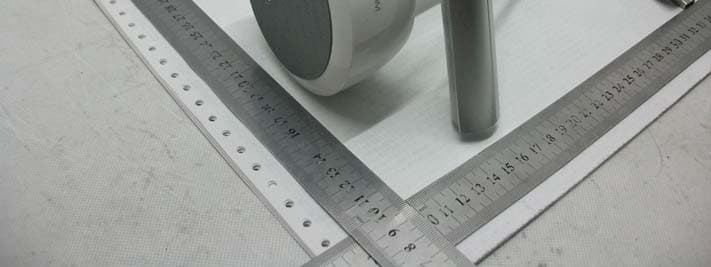
2ABH6-GGMMBL-610
Mar 20, 2014M-Show
Equipment Class
DXX - Part 15 Low Power Communication Device Transmitter