2AC3S-T1Card phone
WirelessMe Limited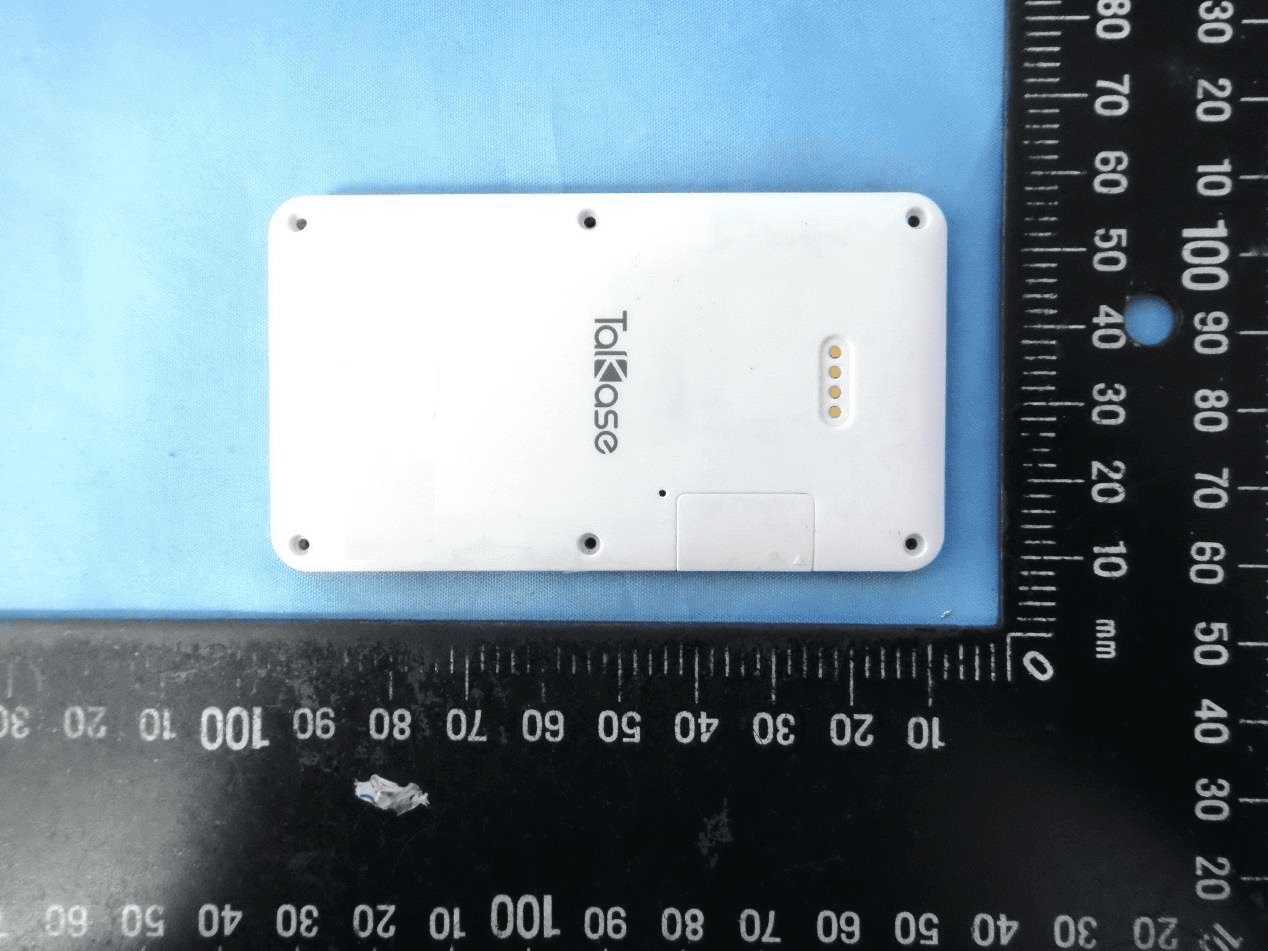
Click to zoom
Application Details
- Equipment Class
- PCE - PCS Licensed Transmitter held to ear
- Date of Grant
- Feb 08, 2015
- Application Purpose
- Original Equipment
- Date of Application
- Feb 08, 2015
- Equipment Note
- Card phone
- Frequency Range
- 1850.20000000 - 1909.80000000
- Company
- WirelessMe Limited
- Country
- China
Documents & Files
Document Text
Text extracted from the exhibit documents filed with the FCC. Open a document above to read the original.
Users Manual
4.4 Contacts Press "OK" to enter the contacts list when in the contacts menu,press top or bottom key to select SIM card contacts, Bluetooth contacts and add contacts. 4.4.1 Add Contacts Press "OK" will show the pop-up circle in add contacts menu, press top or bottom key to input name and number to the input area, press “OK”to save or cancel. Press “#” to choose input method. 4.4.2 Call SIM Card Contacts Press top and bottom key to choose contacts from SIM Card Contacts, then press “OK”will show “Find Contacts”, “Send Message”, “Call the Contacts”, “Edit Contacts”,”Delete Contacts”, “Choose the Save Area”and so on. Press top or bottom key to select “Call the Contacts”. Play and Delete Record List Press top or bottom key to select, press OK to enter the record list, press top or bottom key to choose that you want to play, press “OK”will show “play”or “delete” , select by press top or bottom key, press “OK”to confirm. 4.3 Bluetooth 4.3.1 Instrcution of Bluetooth Open the Bluetooth, search the Talkase Bluetooth on your smart phone, then pair it. 1. Instruction Before Use 1.1. Install SIM Card 1.2. Charging Method 2. Instruction of Buttons 3. Starter 3.1. Standby Interface 3.2. How to Use Dialer 4. Menu 4.1. Music Player 4.2. Record 4.3. Bluetooth 4.4. Contacts 4.5. Message 4.6. Call History 4.7. Setting 4.8. Calculator 4.9. Anti-Lost 4.10. Shortcut Key Contents 1.1 Install SIM Card The SIM card slot is on the right side of the back of Talkase, first remove the cover as instructed, then put the SIM card into the slot, close the cover, the installing is done. Only support micro SIM card. 1.2 Charging Method Let the four metal contacts of charging slip correspond to the four of Talkase, then press the charging clip to ensure it is tightly attached to the back of Talkase, connect the computer using USB cable or an adapter for charging. Take out the clip from down to up in vertical direction, sliding way is not suggested for protecting the four contacts in charging clip. 3.1.Standby Interface Long press the power key to start up, standby interface show the internet signal, Battery Capacity, and the message notification when there is message you have not read. When open the Bluetooth it will show on the interface too. The middle of the interface is the present time. Press top or bottom menu key for changing different function. Lock and Unlock Press power on/off key and "#" simultaneously to lock or unlock. 3.2 How to Use Dialer Press the number key can make a call directly, or dial by GSM SIM card, or use the BT call to make a dial after connecting with your smart phone through Bluetooth.(There must be a SIM card in your smart phone, how to pair the Bluetooth please refer to BT3.5). If there is error in input number using the delete key to correct. 4.1 Bluetooth Music Control After connecting with the smart phone by Bluetooth can use the music player.(Note:Only can control music but can not play, control smart phone to play the previous and next one.) 4.1.1 How to control music Press "OK" to enter the function interface when in the music control menu, press top and bottom key to select the previous and the next one, press "OK" to play or pause. 4.2 Record Begin Recording Press "OK" to enter the function interface when in the recording menu, press top and bottom key to select the function you want, choose the record mark and begin to record. Save/Pause/Give up When recording the screen will show the record time, press “OK”will show“save/pause/give up ”, select function by press top and bottom key, press “OK”to confirm, press recording key to continue recording. 4.4.3 Dialer to Bluetooth Contacts Press “OK”to enter the Bluetooth contacts, another press to choose different functions, press top or bottom key to “Text Message”, “Dial to the Contacts “, “Save to the phone book”. 4.5 Message Press "OK" to enter the message operation interface when in the message menu, press top or bottom key to “Text Message”,“Inbox”,“Drafts”,“Outbox”. 4.5.1 Text and Send Message Choose “Text Message”, press “OK”when the message is done and the screen will show “send”, recipient could be choosed from contacts or input number directly, press “OK”to send. Press top or bottom key could choose“Save Message”, ”Punctuation”, “Input Method”and so on. 4.5.2 Inbox Choose “Inbox”, press “OK” to enter the list, press top and bottom key to select, press “OK”to read, press again to “Reply”, “Add Contacts”, “Delete”, “Forward”, “Dial”and so on. 4.5.3 Outbox Choose “Outbox”, Press “OK” to the list, press top or bottom key to choose, and press “OK”to read, press “OK”again to “Forward”or “Delete”. 4.5.4 Drafts Choose “Drafts”, press “OK”to the list, press top or bottom key to choose, and press “OK”to read, “OK” again to “Send”, ”Edit”, “Delete”and so on. 4.6 Call History Press “OK” to the call history, another press to choose and “OK”again to “Add contacts”, “Dial “, “Send Message”, “Delete Call History ”. 4.7 Setting 4.7.1 Alarm Clock Setting Enter setting-alarm, press “OK” begin to set time, Press “OK”could enjoy the following functions after setting done: “Ringtone Setting”, “Repeat Setting”, “Save Alarm Clock”and so on. The circle could become solid after successful setting. 4.7.1.1 How to turn off Enter setting-Alarm Clock, choose the one you want to delete, press “OK”to confirm, the circle would be hollow. 4.7.2 Phone Setting This including: “Date Setting”, “Time Setting”, “Zone Setting”, “Time Format Setting”, “System Language Setting”, “Ringtone Setting”, “Volume Setting”, “Operator Manul Setting”, “Screen display Time Setting”, Details See Below: 4.7.3 Profiles It including: “Standard Mode”,“Silent Mode”, “Conference Mode”, “Outdoors Mode”, “Airplane Mode”. Press “OK” to confirm the one you like. 4.7.4 Restore Factory Setting Enter setting- restore factory settings, press “OK” get a notification and “OK” again could accomplish the setting, press return button to cancel. It can be restored to the initial status. 4.8 Calculator Lo…
Text truncated - open the document above for the full version.
Cover Letter(s)
WirelessMe Limited CONFIDENTIALITY REQUEST for Certification Service in USA Federal Communication Commission Equipment Authorization Division, Application Processing Branch 7435 Oakland Mills Road Columbia, MD 21048 DATE: Feb 04 th 2015 TO WHOM IT MAY CONCERN Pursuant to Paragraphs §0.457 and 0.459 of the Commission’s Rules (47 C.F.R.) and Section §552(b)(4) of the Freedom of Information Act, we requests confidentiality for the following products: FCC ID Model name 2AC3S-T1 T1 For the product stated above, we request permanent confidentiality for exhibits which contain Operational Description, Block Diagram, Schematics, Parts Lists or Tune Up Information. The above exhibits contain our trade secrets and proprietary information that could be of benefit to our competitors. If you have any questions, please feel free to contact me at the address shown below. Sincerely, Best Regards! Company: WirelessMe Limited Contact Person: Paul Chang Title: General Manager Telephone: 0755-86562001 Fax: 0755-86562001-888 Email: [email protected]
External Photos
A Test Lab Techno Corp. External Photos A Test Lab Techno Corp. A Test Lab Techno Corp. A Test Lab Techno Corp. A Test Lab Techno Corp.
Internal Photos
A Test Lab Techno Corp. Internal Photos BT Antenna GSM Antenna A Test Lab Techno Corp. A Test Lab Techno Corp. A Test Lab Techno Corp. A Test Lab Techno Corp. A Test Lab Techno Corp. A Test Lab Techno Corp. A Test Lab Techno Corp.
RF Exposure Info
A Test Lab Techno Corp. Changan Lab:No. 140 -1, Changan Street, Bade City, Taoyuan County, Taiwan R.O.C. Te l:886-3-271-0188 / Fax:886-3-271-0190 SAR EVALUATION REPORT Test Report No. : 1501FS13 Applicant : WirelessMe Limited Product Type : Card Phone Trade Name : Talkase Model Number : T1 Date of Received : Jan. 13, 2015 Test Period : Jan. 20 ~ Jan. 23, 2015 Date of Issued : Feb. 02, 2015 Test Environment : Ambient Temperature: 22 ± 2 ° C Relative Humidity:40 - 70 % Standard : KDB 865664 D01 SAR Measurement 100 MHz to 6 GHz v01r03 KDB 865664 D02 RF Exposure Reporting v01r01 KDB 447498 D01 General RF Exposure Guidance v05r02 KDB 941225 D01 3G SAR Procedures v03 KDB 648474 D04 Handset SAR v01r02 ANSI/IEEE C95.1-1999 IEEE Std. 1528-2013 IEEE Std. 1528a-2005 47 CFR Part §2.1093; Test Lab Location : Chang-an Lab 1. The test operations have to be performed with cautious behavior, the test results are as attached. 2. The test results are under chamber environment of A Test Lab Techno Corp. A Test Lab Techno Corp. does not assume responsibility for any conclusions and generalizations drawn from the test results with regard to other specimens or samples. 3. The measurement report has to be written approval of A Test Lab Techno Corp. It may only be reproduced or published in full. This report shall not be reproduced except in full, without the written approval of A Test Lab Techno Corp. The test results in the report only apply to the tested sample. Approved By : Tested By : (Bill Hu) (Sky Chou) Report Number: 1501FS13Page 1 of 97 © 2015 A Test Lab Techno Corp. Contents 1. Summary of Maximum Reported SAR Value ................................................................................................. 4 2. Description of Equipment under Test (EUT) .................................................................................................. 5 3. Introduction..................................................................................................................................................... 6 3.1 SAR Definition ..................................................................................................................................... 6 4. SAR Measurement Setup .............................................................................................................................. 7 4.1 DASY E-Field Probe System............................................................................................................... 8 4.2 Data Acquisition Electronic (DAE) System ........................................................................................ 11 4.3 Robot ................................................................................................................................................. 11 4.4 Measurement Server......................................................................................................................... 11 4.5 Device Holder .................................................................................................................................... 12 4.6 Phantom - SAM v4.0 ......................................................................................................................... 12 4.7 Oval Flat Phantom - ELI 4.0 .............................................................................................................. 13 4.8 Data Storage and Evaluation............................................................................................................. 13 5. Tissue Simulating Liquids............................................................................................................................. 16 5.1 Ingredients......................................................................................................................................... 17 5.2 Recipes.............................................................................................................................................. 17 5.3 Liquid Depth ...................................................................................................................................... 18 6. SAR Testing with RF Transmitters ............................................................................................................... 19 6.1 SAR Testing with GSM/GPRS/EGPRS Transmitters ........................................................................ 19 6.2 Power reduction ................................................................................................................................ 19 6.3 Conducted Power .............................................................................................................................. 19 6.4 Antenna location................................................................................................................................ 21 6.5 Stand-alone SAR Evaluate................................................................................................................ 23 6.6 Simultaneous Transmitting Evaluate ................................................................................................. 23 6.7 SAR test reduction according to KDB ............................................................................................... 25 7. System Verification and Validation ............................................................................................................... 26 7.1 Symmetric Dipoles for System Verification ....................................................................................... 26 7.2 Liquid Parameters ............................................................................................................................. 27 7.3 Verification Summary ........................................................................................................................ 28 7.4 Validation Summary ................................................................................…
Text truncated - open the document above for the full version.
Test Report
A Test Lab Techno Corp. Report Number:1502FR11 Page 1 of 48 FCC 47 CFR PART 22H and 24E Test Report Product Type : Card Phone Applicant : WirelessMe Limited Address : B210 Languang Building, NO.7 Xinxi Road, Hign-tech Park North, Nanshan District, Shenzhen, China Trade Name : Talkase Model Number : T1 Test Specification : FCC 47 CFR PART 22H: Oct, 2012 FCC 47 CFR PART 24E: Oct, 2012 ANSI/TIA-603-C-2004 Application Purpose : Original Receive Date : December 24, 2014 Test Period : January 06, 2015 to January 28, 2015 Issue Date : February 02, 2015 Issue by A Test Lab Techno Corp. No. 140-1, Changan Street, Bade City, Taoyuan County 334, Taiwan R.O.C. Tel:+886-3-2710188 / Fax:+886-3-2710190 Taiwan Accreditation Foundation accreditation number: 1330 Note: This report shall not be reproduced except in full, without the written approval of A Test Lab Techno Corp. This document may be altered or revised by A Test Lab Techno Corp. personnel only, and shall be noted in the revision section of the document. The client should not use it to claim product endorsement by TAF, or any government agencies. The test results in the report only apply to the tested sample. A Test Lab Techno Corp. Report Number:1502FR11 Page 2 of 48 Revision History Rev. Issue Date Revisions Revised By 00 February 02, 2015 Initial Issue A Test Lab Techno Corp. Report Number:1502FR11 Page 3 of 48 Veri f i c a t i o n o f C o m p l i a n c e Issued Date: 02/02/2015 Product Type : Card Phone Applicant : WirelessMe Limited Address : B210 Languang Building, NO.7 Xinxi Road, Hign-tech park North, Nanshan District, Shenzhen, China Trade Name : Talkase Model Number : T1 FCC ID : 2AC3S-T1 EUT Rated Voltage : DC 3.7V Test Voltage : 120 Vac / 60 Hz Applicable Standard : FCC 47 CFR PART 22H: Oct, 2012 FCC 47 CFR PART 24E: Oct, 2012 ANSI/TIA-603-C-2004 Application Purpose : Original Test Result : Complied Performing Lab. : A Test Lab Techno Corp. No. 140-1, Changan Street, Bade City, Taoyuan County 334, Taiwan R.O.C. Tel:+886-3-2710188 / Fax:+886-3-2710190 Taiwan Accreditation Foundation accreditation number: 1330 http://www.atl-lab.com.tw/e-index.htm The above equipment was tested by A Test Lab Techno Corp. The test data, data evaluation, test procedures, and equipment configurations shown in this report were made in accordance with the procedures given in ANSI C63.4: 2009 and the energy emitted by the sample tested as described in this report is in compliance with the requirements of FCC Rules Part 22H, Part 24E. The test results of this report relate only to the tested sample identified in this report. Approved By : Reviewed By : (Manager) (Murphy Wang) (Testing Engineer) (Fly Lu) A Test Lab Techno Corp. Report Number:1502FR11 Page 4 of 48 TABLE OF CONTENTS 1 General Information ......................................................................................................... 6 1.1. EUT Description ....................................................................................................................... 6 1.2. Mode of Operation .................................................................................................................... 7 1.3. EUT Exercise Software ............................................................................................................. 7 1.4. Configuration of Test System Details ....................................................................................... 8 1.5. Test Site Environment ............................................................................................................... 8 1.6. Summary of Test Result ............................................................................................................ 9 2 RF Output Power Test .................................................................................................... 10 2.1. Limit ........................................................................................................................................ 10 2.2. Test Instruments ...................................................................................................................... 10 2.3. Test Setup ................................................................................................................................ 10 2.4. Test Procedure ......................................................................................................................... 10 2.5. Uncertainty ............................................................................................................................... 11 2.6. Test Result ................................................................................................................................ 11 3 Effective Radiated Power / Equivalent Isotropic Radiated Power Test ..................... 12 3.1. Limit ........................................................................................................................................ 12 3.2. Test Instruments ...................................................................................................................... 12 3.3. Setup........................................................................................................................................ 13 3.4. Test Procedure ......................................................................................................................... 14 3.5. Uncertainty .............................................................................................................................. 14 3.6. Test Result ............................................................................................................................... 15 4 Emission Bandwidth & Occupied Bandwidth Test ...................................................... 16 4.1. Limit ........................................................................................................................................ 16 4.2. Test Instruments .....…
Text truncated - open the document above for the full version.
Test Setup Photos
SAR Test Setup Photographs EUT Side Definition Item Side 1 Front 2 Back 3 Top 4 Bottom 5 Left 6 Right n o p q r s ©2015 A Test Lab Techno Corp. Report Number: 1501FS13Page 1 of 7 Phantom Position: Right Cheek EUT side:N/A Spacing to phantom: 0 mm Accessory:N/A ©2015 A Test Lab Techno Corp. Report Number: 1501FS13Page 2 of 7 Phantom Position: Right Tilted EUT side:N/A Spacing to phantom: 0 mm Accessory:N/A ©2015 A Test Lab Techno Corp. Report Number: 1501FS13Page 3 of 7 Phantom Position: Left Cheek EUT side:N/A Spacing to phantom: 0 mm Accessory:N/A ©2015 A Test Lab Techno Corp. Report Number: 1501FS13Page 4 of 7 Phantom Position: Left Tilted EUT side:N/A Spacing to phantom: 0 mm Accessory:N/A ©2015 A Test Lab Techno Corp. Report Number: 1501FS13Page 5 of 7 Phantom Position: Flat EUT side:Front Spacing to phantom: 10 mm Accessory:N/A ©2015 A Test Lab Techno Corp. Report Number: 1501FS13Page 6 of 7 Phantom Position: Flat EUT side:Back Spacing to phantom: 10 mm Accessory:N/A ©2015 A Test Lab Techno Corp. Report Number: 1501FS13Page 7 of 7
Test Setup Photos
A Test Lab Techno Corp. Setup Photograph Radiated Emissions Below 1 GHz A Test Lab Techno Corp. Setup Photograph Radiated Emissions Above 1 GHz
Contact Information
Applicant
Paul Chang(general manager)
Technical Specifications
| # | Rule Parts | Frequency Range | Power Output | Emission | Tolerance |
|---|---|---|---|---|---|
| 2 | 24E | 1.85 GHz - 1.91 GHz | 708.00 mW | 253KGXW | 0.02 ppm |
Other Applications from WirelessMe Limited

2AC3S-WI-WATCH-S1
Oct 07, 2014Smart Watch
Equipment Class
PCT - PCS Licensed Transmitter worn on body