2AC9LHB066Bluetooth keyboard
Shenzhen Hastech industries Co., Ltd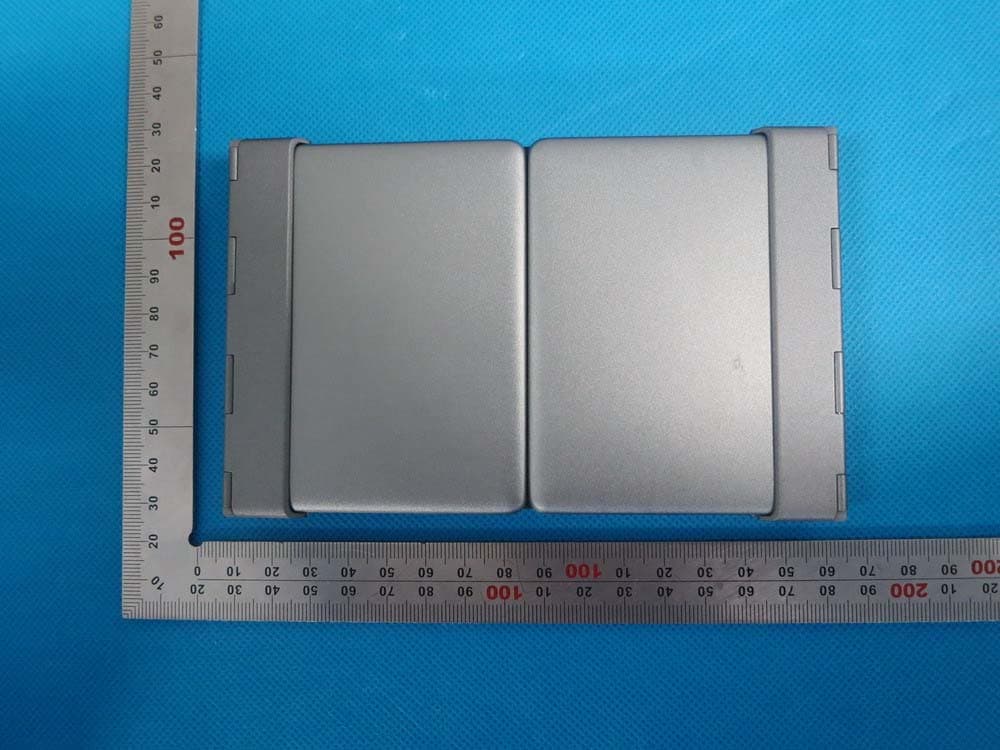
Click to zoom
Application Details
- Equipment Class
- DSS - Part 15 Spread Spectrum Transmitter
- Date of Grant
- Sep 23, 2014
- Application Purpose
- Original Equipment
- Date of Application
- Sep 23, 2014
- Equipment Note
- Bluetooth keyboard
- Frequency Range
- 2402.00000000 - 2480.00000000
- Country
- China
Documents & Files
Document Text
Text extracted from the exhibit documents filed with the FCC. Open a document above to read the original.
Users Manual
HB066 BluetoothKeyboardforAndroid/Windows/IOStablets&laptops Packingcontents: 1.Cordlesskeyboard 2.USBpowerchargingcable 3.Usermanual BluetoothKeyboardSpecification 1.Built-inBroadcomBluetooth3.0keyboard. 2.Modernslimkeyboardbacksidewithbrushedsteel. 3.Chocolatekeycapwithscissorsstructure,goodtouchfeeling. 4.SuitableforAndroid/Windows/IOStablets,laptops,desktops,andallsmartphones. 5.Built-inrechargeablelithiumbattery,lastforapproximately60hourspercharge. 6.Lightweight,quietkeystrokes,water-proof,dust-proof. 7.Energysavingkeyboardsleepmode. 8.Keyboardsize:281.7*135*4.3MM BluetoothKeyboardSpecificationandPairingInstruction: BluetoothKeyboardSpecification 1.Bluetooth3.0interfacestandard 2.OperatingDistanceto10meters 3.ModulatingSystem:GFSK 4.OperationVoltage:3.0-4.2V 5.WorkingCurrent:<2.5mA 6.StandbyCurrent:0.3-0.5mA 7.SleepingCurrent:<40uA 8.ChargingCurrent:>200uA 9.StandbyTime:>100days 10.ChargingTime:>2hours 11.LithiumBatteryCapacity:210mAH 12.UninterruptedWorkingTime:>64hours 13.LithiumBatteryLife:3year 14.LithiumBatterySpecification:38*20*35mm 15.KeyStrength:50g~80g 16.Keylife:<3millionstrokes 17.OperatingTemperature:-10-+55C BluetoothKeyboardPairing Step1:Turnonthepowertoggleswitch.Thestateindicatorlightwillbeonfor10seconds,and thenthelightwillgooff. Step2:Presson“FN+C”buttontogetheronkeyboard,theindicatorlightwillbeblinking. Step3:TurnonBluetoothsettinginyourdevice,yourdevicewillautomaticallyfind“Bluetooth 3.0Keyboard”,thenconnectit. Step4:DeviceshowedBluetoothhadconnected,keyboardstateindicatorlightwillturnoff. FCC ID:2AC9LHB066 SpecialNote: ForotherBluetoothenableddevice,pleaseverifytheBluetoothStandard&compatibilitybefore attemptingtoconnecttothekeyboard. Battery Thelong-lastingrechargeablebatterycanserviceyouforseveralweeks Withnomemoryeffect,thelithiumbatterycanbechargedatanytime. Inordertoextendservicelife,werecommendyouturnthekeyboardoffwhenthereislongtime withnointeractive. Charging Whenthebatterypowerislow,the[power]indicatorlightwillstartblinking,itistimetorecharge thekeyboard. Step1:ConnectUSB-BofthenativeUSBpowercabletothekeyboardcharginginterface. Step2:ConnectUSB-Atothepoweradapterorcomputer'sUSBinterface. Step3:theredindicatorlightwillstayonwhenthekeyboardischarging.Onceitfinishedcharging theindicatorlightwillturngreencolor. EnergySavingSleepMode Thekeyboardwillkickintosleepmodewhenitisinactivefor10minutesandthekeyboard [power]indicatororlightwillgooff.Toactivatefromsleepmode,justpressanykeyandwait 3seconds,thekeyboardwillcomebackon. SafetyCaution 1.Keeptheitemawayfromsharpobjects. 2.Donotplaceheavyobjectontopofthekeyboard. 3.DonotMicrowavetheitem. 4.Donotforceordistortedthekeyboard 5.Keepawayfromoil.chemicaloranyotherorganicliquid. Cleaning Cleanthesiliconekeyboardwithwater,alcoholoralcoholbaseddisinfectant Troubleshooting A,Unabletoconnect 1.Makesurethepowerswitchison. 2.Makesurethekeyboardiswithintheoperatingdistance. 3.Makesurethebatteryischarged. 4.MakesureyourdeviceBluetoothsettingison. 5.Makesurewirelesskeyboardisconnectedtoyourdevice. 6.Makesurewirelesskeyboardhasbeenpairedwithyourdevice. B.UnabletoChargeKeyboard 1.MakesuretheUSBpowercableisconnectedproperlytothekeyboardandthepowersource. 2.Makesurethewallchargerisplugintothepoweroutlet. SpecialKeysDescription LongpressFnandcombinationwithF1-F12andinsertkeystotheshiftmultimediakeys,and mainlybeusedintheoperationofAndroidsystemmultimedia. SpecialFeaturesandOptions PleasenotethattheKeyboardCaseismadefromsteelwithahighgradefinishsimilartothefinish onmanypopulardevices Options:Asetoffourrubberfeethadpastedonthefourcorners,whichcanhelpprevent scratchinghigh-gradefinishoftheKeyboardCase. WhatdoyouthinkaboutourBluetoothkeyboard Pleasetakeaminutetotellus. Thanksforpurchasingourproduct. http://www.bow.cn ProductEndofLife: Keyboardbatterydisposal 1.Insertscrewdriverbetweenplastictopandmetalcaseatkeyboardtoporbottom 2.Pryupplastictopandremoveitcompletely.Thisactiondestroyskeyboard 3.Turntopoverandremovetapefrombattery. 4.Separatebatteryfromcircuitboard 5.Disposeofbatteryaccordingtolocallaws.Recycleremainingkeyboardparts. TableofToxicandHazardousSubstance/ElementsandTheirContent Ingredients(Pb)(Hg)(Cd)(Cr(VI))(PBB)(PBDE) CableXOOOOO PWAsXOOOOO PlasticpartsOOOOOO MembraneOOOOOO MeterpartsXOOOOO RubberdomeOOOOOO Ostandsforthistoxicandhazardouscontentinhomogeneousmaterialisunderthe SJ/T11363-2006Standardslimits Xstandsforthistoxicandhazardouscontentinhomogeneousmaterialisbeyondthe SJ/T11363-2006Standardslimits Undertheingredientswith'X'intheformallareuptoROHS; “on27January2003t heEuropeanparliamentandthecouncilannounceelectronicequipmentin limitingtheuseofcertainhazardoussubstancesdirective2002/95/EC” Note:theenvironmentalprotectionusingperiodreferencestandarddependsontheproductof theregularworktemperatureandhumidityconditions。 This device complies with part 15 of the FCC rules. Operation is subject to the following two conditions: (1) this device may not cause harmful interference, and (2) this device must accept any interference received, including interference that may cause undesired operation. Changes or modifications to this unit not expressly approved by the party responsible for compliance could void the user's authority to operate the equipment.
Cover Letter(s)
Sep.23, 2014 Federal Communication Commission Authorization and Evaluation Division FCC ID: 2AC9LHB066 Re: Confidentiality Request Pursuant to Sections 0.457 and 0.459 of the Commission’s Rules, the applicant hereby requests confidential treatment of information applied this application as outlined below: 1: Circuit Diagram 2: Parts List 3.Block Diagram 4.Operational Description The above materials contain trade secrets and proprietary information not customarily released to the public. The public disclosure of these matters might be harmful to the applicant and provide unjustified benefits to its competitors. The Applicant understands that pursuant to Rules 0.457, disclosure of this Application and all accompanying documentation will not be made before the date of the Grant for this application. Sincerely, Shenzhen Hastech industries Co., Ltd Contact person: Jiang Wei Title: Manager
External Photos
External Photos TOP VIEW OF EUT BOTTOM VIEW OF EUT FRONT VIEW OF EUT BACK VIEW OF EUT LEFT VIEW OF EUT RIGHT VIEW OF EUT EXPANDED VIEW OF EUT-1 EXPANDED VIEW OF EUT-2 VIEW OF EUT(PORT)
ID Label/Location Info
FCC ID Label Location FCC ID:2AC9LHB066
Internal Photos
Internal Photos OPEN VIEW OF EUT-1 OPEN VIEW OF EUT-2 OPEN VIEW OF EUT-3 INTERNAL VIEW OF EUT-1 INTERNAL VIEW OF EUT-2 INTERNAL VIEW OF EUT-3 Antenna
Test Report
Page 1 of 61 FCC Test Report Report No.: AGC00610140906FE03 FCC ID : 2AC9LHB066 APPLICATION PURPOSE : Original Equipment PRODUCT DESIGNATION : Bluetooth Keyboard BRAND NAME : N/A MODEL NAME : HB066 CLIENT : Shenzhen Hastech industries Co., Ltd. DATE OF ISSUE : Sep.22,2014 STANDARD(S) : FCC Part 15 Rules REPORT VERSION : V1.0 Attestation of Global Compliance (Shenzhen) Co., Ltd CAUTION: This report shall not be reproduced except in full without the written permission of the test laboratory and shall not be quoted out of context. Report No.: AGC00610140906FE03 Page 2 of 61 Report Revise Record Report Version Revise Time Issued Date Valid VersionNotes V1.0 / Sep.22,2014 Valid Original Report Report No.: AGC00610140906FE03 Page 3 of 61 TABLE OF CONTENTS 1. VERIFICATION OF CONFORMITY ...................................................................................... 5 2. GENERAL INFORMATION .................................................................................................. 6 2.1. PRODUCT DESCRIPTION ........................................................................................................... 6 2.2. TABLE OF CARRIER FREQUENCYS .......................................................................................... 6 2.3. RECEIVER INPUT BANDWIDTH ................................................................................................. 7 2.4. EXAMPLE OF A HOPPING SEQUENCY IN DATA MODE ........................................................... 7 2.5. EQUALLY AVERAGE USE OF FREQUENCIES AND BEHAVIOUR ............................................ 7 2.6. RELATED SUBMITTAL(S) / GRANT (S) ....................................................................................... 8 2.7. TEST METHODOLOGY................................................................................................................ 8 2.8. SPECIAL ACCESSORIES ............................................................................................................ 8 2.9. EQUIPMENT MODIFICATIONS ................................................................................................... 8 3. MEASUREMENT UNCERTAINTY........................................................................................ 9 4. DESCRIPTION OF TEST MODES ........................................................................................ 9 5. SYSTEM TEST CONFIGURATION .................................................................................... 10 5.1. CONFIGURATION OF EUT SYSTEM ........................................................................................ 10 5.2. EQUIPMENT USED IN EUT SYSTEM ....................................................................................... 10 5.3. SUMMARY OF TEST RESULTS ................................................................................................ 10 6. TEST FACILITY .................................................................................................................. 11 7. PEAK OUTPUT POWER .................................................................................................... 12 7.1. MEASUREMENT PROCEDURE ................................................................................................ 12 7.2. TEST SET-UP (BLOCK DIAGRAM OF CONFIGURATION) ....................................................... 12 7.3. LIMITS AND MEASUREMENT RESULT .................................................................................... 13 8. 20DB BANDWIDTH ............................................................................................................ 15 8.1. MEASUREMENT PROCEDURE ................................................................................................ 15 8.2. TEST SET-UP (BLOCK DIAGRAM OF CONFIGURATION) ....................................................... 15 8.3. LIMITS AND MEASUREMENT RESULTS .................................................................................. 15 9. CONDUCTED SPURIOUS EMISSION ............................................................................... 18 9.1. MEASUREMENT PROCEDURE ................................................................................................ 18 9.2. TEST SET-UP (BLOCK DIAGRAM OF CONFIGURATION) ....................................................... 18 9.3. MEASUREMENT EQUIPMENT USED ....................................................................................... 18 9.4. LIMITS AND MEASUREMENT RESULT .................................................................................... 18 10. RADIATED EMISSION ..................................................................................................... 22 10.1. MEASUREMENT PROCEDURE .............................................................................................. 22 10.2. TEST SETUP ............................................................................................................................ 24 10.3. TEST RESULT .......................................................................................................................... 24 Report No.: AGC00610140906FE03 Page 4 of 61 11. BAND EDGE EMISSION .................................................................................................. 31 11.1. MEASUREMENT PROCEDURE .............................................................................................. 37 11.2. TEST SET-UP ........................................................................................................................... 37 11.3. TEST RESULT .......................................................................................................................... 38 12. NUMBER OF HOPPING FREQUENCY ............................................................................ 42 12.1. MEASUREMENT PROCEDURE .............................................................................................. 42 12.2. TEST SETUP (BLOCK DIAGRAM OF CONFIGURATION) ..............…
Text truncated - open the document above for the full version.
Test Setup Photos
Test Setup Photos FCC LINE CONDUCTED EMISSION TEST SETUP FCC RADIATED EMISSION TEST SETUP
Contact Information
Applicant
Jiang Wei
Test Firm
Attestation of Global Compliance Shenzhen Co. Ltd.Forrest Lei
Technical Specifications
| # | Rule Parts | Frequency Range | Power Output |
|---|---|---|---|
| 1 | 15C | 2.40 GHz - 2.48 GHz | 500.00 µW |
Other Applications from Shenzhen Hastech industries Co., Ltd
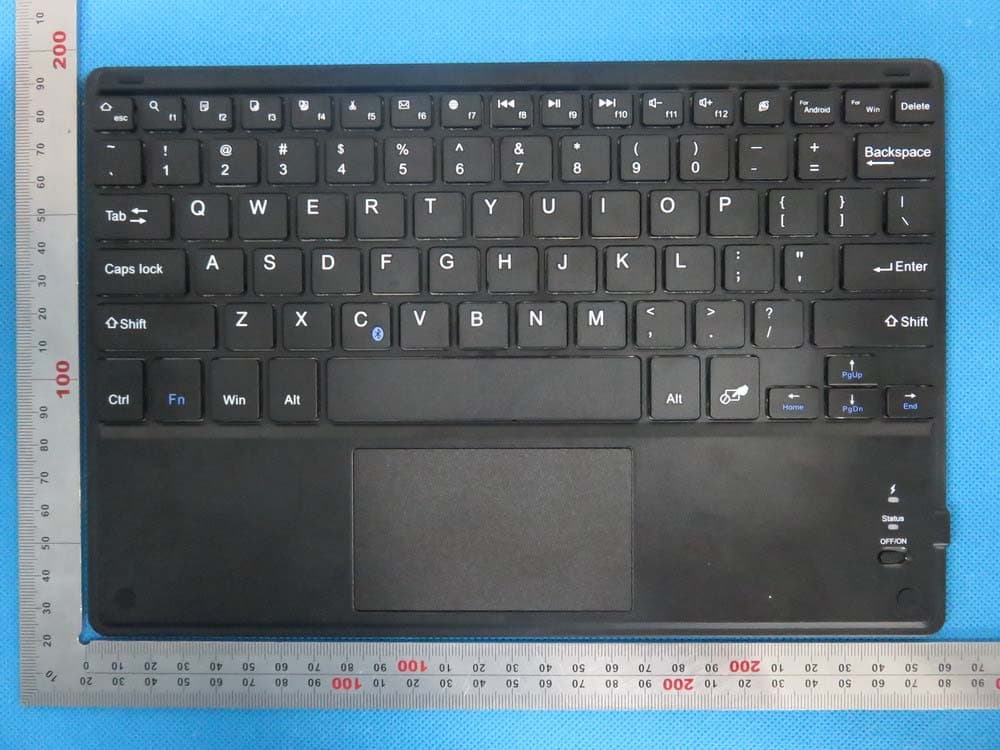
2AC9LHB092
Aug 23, 2015Bluetooth Keyboard
Equipment Class
DXX - Part 15 Low Power Communication Device Transmitter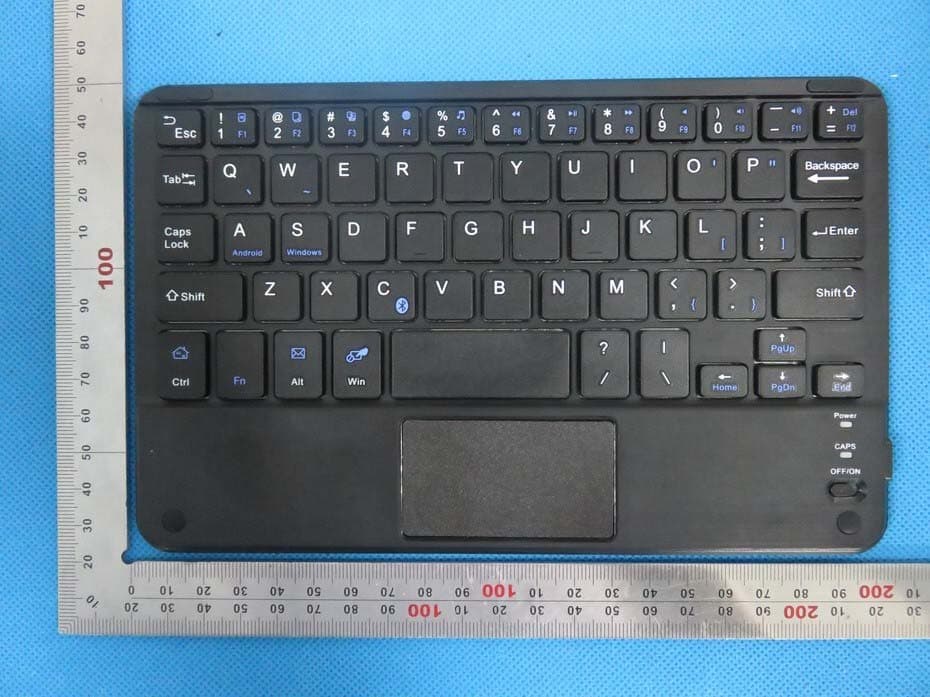
2AC9LHB118
Aug 20, 2015Bluetooth Keyboard
Equipment Class
DXX - Part 15 Low Power Communication Device Transmitter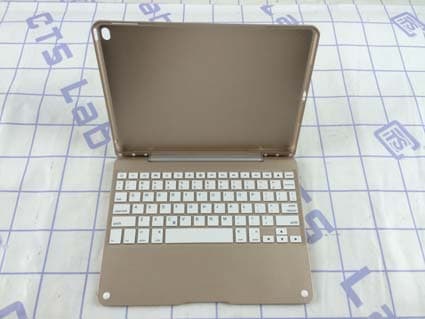
2AC9LHB125
May 13, 2015Bluetooth Keyboard
Equipment Class
DXX - Part 15 Low Power Communication Device Transmitter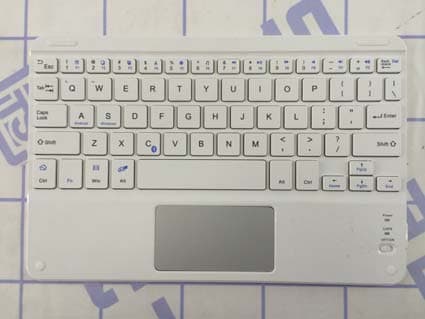
2AC9LHB119
Feb 09, 2015Bluetooth Keyboard
Equipment Class
DXX - Part 15 Low Power Communication Device Transmitter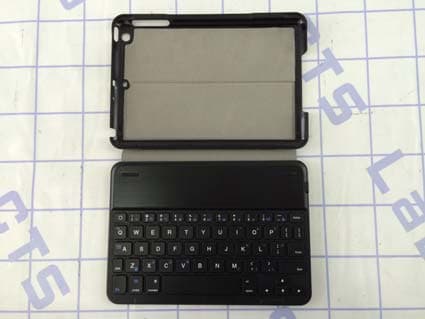
2AC9LHB135
Feb 08, 2015Bluetooth Keyboard
Equipment Class
DXX - Part 15 Low Power Communication Device Transmitter