2ACJAHNDPF1008Social Photo Frame
Shenzhen Harmony Technology Co., Ltd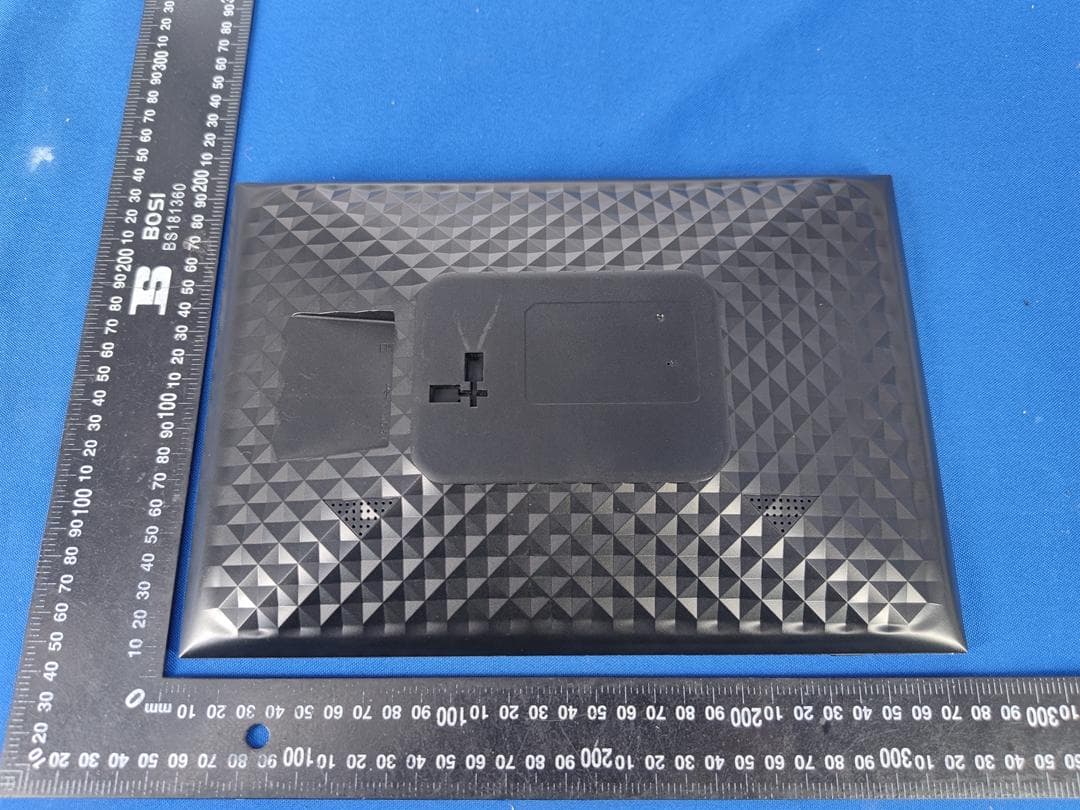
Click to zoom
Application Details
- Equipment Class
- DTS - Digital Transmission System
- Date of Grant
- Jun 30, 2021
- Application Purpose
- Original Equipment
- Date of Application
- Jun 30, 2021
- Equipment Note
- Social Photo Frame
- Frequency Range
- 2412.00000000 - 2462.00000000
- Country
- China
Documents & Files
Document Text
Text extracted from the exhibit documents filed with the FCC. Open a document above to read the original.
Users Manual
Before connecting, operating or adjustingthisproduct, please readthisuser’smanualcarefully and completely. ENGLISH Feelcare Social Photo Frame For any question please email to: [email protected] USER MANUAL HN-DPF1 008 Feelcare This micro USB port is for uploading photos from USB drive only, it is not for connecting computer.Photos in the USB drive can’t be displayed directly in the frame, you have to upload/import photos from USB drive to the frame first. You can export/copy photos from the frame to USB drive.Remarks: The usb flash drive is recognized as “SD card” when it was inserted in the frame. 2. USB 3. RESET Use a needle or paper clip to reset unit. 1. POWER Use power adapter to power on the frame. When it is on, press and hold power button for approximately 3 seconds to access reboot or power off menu. Short press on power buttonwill turn off/onscreen (but leave the photo frame in on position). Power off: To avoid any possible damage to the frame, please do not unplug the power adapter from the frame directly, please always press the power button for 2 seconds and tap “Power off” . 1 5 2 4 3 5. DC Connect DC adapter to power on the device. Load external micro SD memory cards here. Photos in the micro SD card can’t be displayed directly in the frame, you have to upload/import photos from micro SD card to the frame first. You can export/copy photos from the frame to micro SD card. If you want to backup the photos in the frame, please follow the below steps:step 1: get a micro SD card(maximum 32GB), and put it in the micro SD card slot.step 2: tap the screen and go to “Settings” step 3: go to “Backup and Restore” step 4: tick “ Automatic backup” step 5: tap “Backup frame to SD card” Then you will see a sentence “Last successful backup: 29 December...” under “Backup frame to SD card”. 4. Micro SD (Support maximum 32G micro SD card) Feelcare 1 Contents FeelcareFeelcare Contents 1 Getting started 4 Frameo app Connecting a new friend 6 Add friend 7 Settings 7 Power menu 7 Hide photo 7 Gallery 7 Fit to frame/Fill frame 7 Adjust photo 8 Interacting with videos 8 Power menu 9 Settings 9 My frame 9 Frame name 9 Frame location 9 Set language 9 Set time zone 9 Enable/Disable 24-hour format 10 Manage photos 10 Show/hide photos 10 Delete photos 10 Start using Feelcare Feelcare quick setup 4 5 6 Navigating your Feelcare 7 Feelcare 2 Import photos 10 Export photos 11 My Friends 11 Change options for a friend 11 Add person 11 Display 11 Brightness level 11 Sleep mode 11 Slideshow 12 Timer 12 Show caption 12 Fill frame 12 Photo display order 12 Autoplay 12 Video playback 12 Video volume 12 Wi-Fi 13 Wi-Fi details 13 Reset Wi-Fi 13 Notifications 13 Show notifications 13 Notification volume 13 Storage space 13 Backup 13 Network connection 13 New photos 13 New friends 14 Software update 14 Feature news 14 Backup and Restore 14 Backup frame to external storage (e.g. microSD card) 14 Automatic backup 14 Restore from backup 14 Reset frame 15 Help 15 Open source libraries 15 Share anonymous analytics data 15 Guide 15 About 15 Android version 15 Peer ID 15 MAC 15 Frameo version 16 Up time 16 Check for update 16 Beta program 16 Feelcare 3 Support 16 Warranty, Compliance, Support and Safety information 17 Feelcare 4 Gettingstarted Congratulations with your brand new Feelcare photo frame! If you are new to using Feelcare then start by following the Feelcare quick setup or follow the on-screen guide when powering it on for the first time. Once you have set up your Feelcare frame, you can start connecting it to your friends and family. Frameoapp To send photos to your frame, use the Frameo app for iOS or Android. Find the Frameo app by scanning this code: For Android: Searchfor “Frameo”on GooglePlay . For iOS: Searchfor “Frameo”on App Store. Feelcare 5 Feelcare quick setup Whenstartingyourframefor the first time,you will needto setupthe frame. ● Select a language. This will be the language used on the Feelcare. ●Connect your frame to the internet by connecting it to a Wi-Fi. ● Frameo may ask you to update to the latest version. It is recommended to update your frame before continuing if asked to. ● Enter your name, and the location where you have placed your frame e.g. “John Doe” and “Living room”, “Kitchen” or “Office”. Finally set the timezone if not already correct. Start using Feelcare Next step is to connect Feelcare with your friends and family by providing them with a code from your frame. If you want to be able to send photos to the frame yourself, start by downloading the app for iOS or Android on App Store or Google Play. Then use the code to connect your frame and app as described below. Connecting a new friend Make sure that your friend has downloaded and installed the Frameo app. Click the add friend icon on your frame . A dialog will appear showing a connection code, which is valid for 12 hours. Now share this code in whatever fashion you prefer e.g. SMS, E-Mail, IM, phone call, to your friend. Once your friends have added the code in their Frameo app, they will automatically appear on your frame and be able to send you photos. Read chapter Change options for a friend to allow connected friends, to retrieve and share the connection code via the smartphone app. Feelcare 6 Feelcare 7 NavigatingyourFeelcare Swipeleft or rightto go throughyourphotos. To accessthe menu,simplytap onceon the screen. In the menu you will find the most used features. Add friend This will generate a code that you can share with your friends and family so they can connect and send photos to your frame. Settings Opens the Settings. Power menu Opens the Power menu Hide photo Hides the current photo. This means that the photo will no longer be shown in the slideshow. If needed the photo can be shown again through the settings menu. Gallery Opens a gallery which allows for easy and fast navigation through your photos. Fit to frame/Fill frame This toggles how the photo is shown. The Fill frame option is the default. …
Text truncated - open the document above for the full version.
Cover Letter(s)
ShenzhenHarmonyTechnologyCo.,Ltd Block2,JiayuanIndustrialZone,HepingCommunity,high-techpark,No2FuyuanRoad, Fuyong,Bao'an,Shenzhen,China Statement Product:SocialPhotoFrame Model:HN-DPF1008 AdditionalModel:HN-DPF10XX(XX=00-99) Trademark:N/A WeherebystatethatAllmodelsaboveareidenticalininteriorstructure,electricalcircuitsand components,andjustmodelnamesaredifferentforthemarketingrequirement. Yourassistanceonthismatterishighlyappreciated. Yourssincerely, Signature: Date:2021/06/22 Name:LoganLuo CompanyName:ShenzhenHarmonyTechnologyCo.,Ltd Address:Block2,JiayuanIndustrialZone,HepingCommunity,high-tech park,No2FuyuanRoad,Fuyong,Bao'an,Shenzhen,China Tel/Fax:+86-0755-81451768/+86-0755-81451768 E-Mail:[email protected]
Cover Letter(s)
ShenzhenHarmonyTechnologyCo., Ltd Block2, JiayuanIndustrialZone,HepingCommunity,high-techpark, No 2 FuyuanRoad, Fuyong,Bao'an,Shenzhen,China Agent AuthorizationLetter 2021-06-22 Eurofins Electrical and Electronic Testing NA, Inc. 914 West Patapsco Avenue Baltimore, MD 21230 RE: LETTER OF AGENT AUTHORIZATION To Whom It May Concern: We, the undersigned, hereby authorize (SHENZHEN TONGCE TESTING LAB) to act on our behalf in all matters relating to application for equipment authorization, including the signing of all documents relating to these matters. We also hereby certify that no party to the application authorized hereunder is subject to the denial of benefits, including FCC benefits, pursuant to Section 5301 of the Anti-Drug Abuse Act of 1988, 21 U.S.C.853(a). This agreement expires one year from the current date. Sincerely, Name:LoganLuo Date: 20 21-06-22 Title: N/A
Cover Letter(s)
ShenzhenHarmonyTechnologyCo.,Ltd Block2,JiayuanIndustrialZone,HepingCommunity,high-techpark,No2FuyuanRoad, Fuyong,Bao'an,Shenzhen,China LongTermConfidentialityRequestLetter (2021-06-22) EurofinsElectricalandElectronicTestingNA,Inc. 914WestPatapscoAvenue Baltimore,MD21230 RE:CONFIDENTIALITYREQUESTFOR(SocialPhotoFrame/HN-DPF1008,HN- DPF10XX(XX=00-99)) ToWhomItMayConcern: Thisletterservesasanofficialrequestforconfidentialityundersections0.457and0.459of CFR47.Wehaverequestedthatthe SchematicDiagram BlockDiagram OperationalDescription requiredtobesubmittedwiththisapplicationbepermanentlywithheldfrompublicreview. Abovementioneddocumentcontainsdetailedsystemandequipmentdescriptionare consideredasproprietaryinformationinoperationoftheequipment.Thepublicdisclosureof abovedocumentsmightbeharmfultoourcompanyandwouldgivecompetitoranunfair advantageinthemarket. Itisourunderstandingthatallmeasurementtestreports,FCCIDlabelformatand correspondentduringcertificationreviewprocesscannotbegrantedasconfidential documentsandthoseinformationwillbeavailableforpublicreviewoncethegrantof equipmentauthorizationisissued. Pleasecontactmeifthereisanyinformationyoumayneed. Sincerely, Name:LoganLuo Date:2021-06-22 Title:N/A
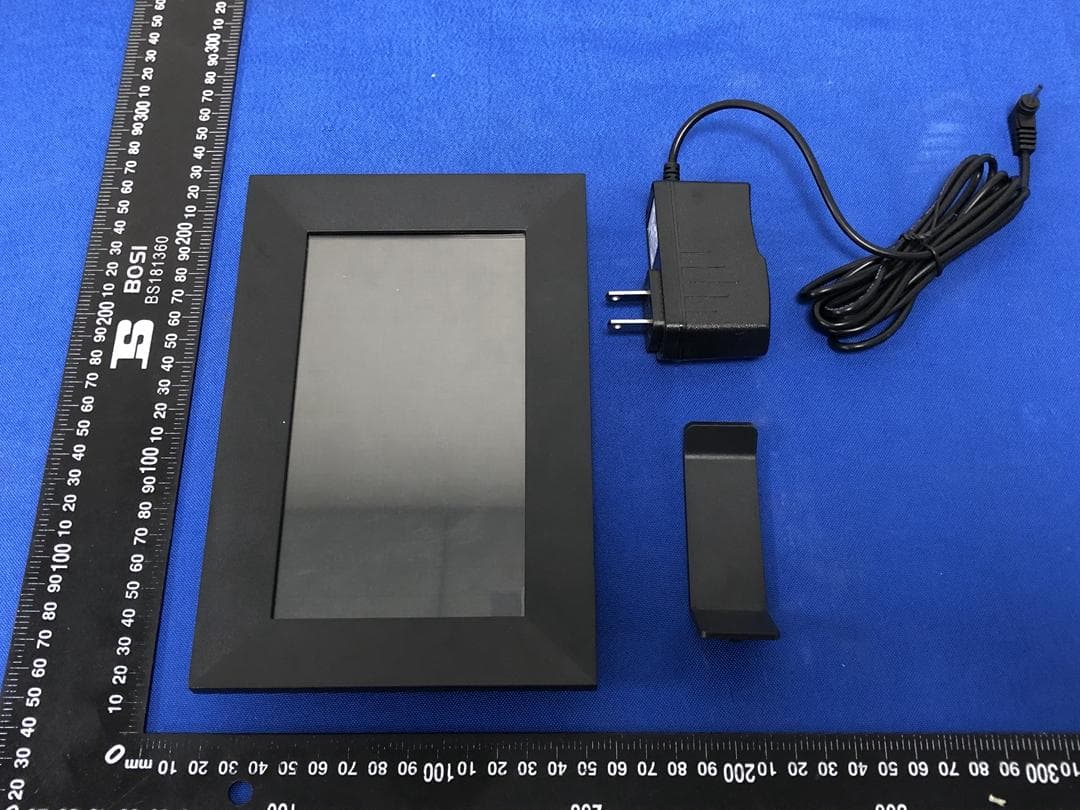
External Photos
Page 1 of 4 Appendix C: Photographs of EUT Product: Social Photo Frame Model: HN-DPF1008 External Photos Page 2 of 4 Page 3 of 4 Page 4 of 4
ID Label/Location Info
LabelArtworkandLocation Model:HN-DPF1008 Label: Size:L*W=60*40mm Location SocialPhotoFrame Model:HN-DPF1008 FCCID:2ACJAHNDPF1008 Thisdevicecomplieswithpart15oftheFCC rules.Operationissubjecttothefollowingtwo conditions(1)thisdevicemaynotcauseharmful interference,and(2)thisdevicemustacceptany interferencereceived,includinginterferencethat maycauseundesiredoperation.
Internal Photos
Page 1 of 3 Appendix C: Photographs of EUT Product: Social Photo Frame Model: HN-DPF1008 Internal Photos Antenna Page 2 of 3 Page 3 of 3
Test Report
Hotline: 400-6611-140 Tel: 86-755-27673339 Fax: 86-755-27673332 http://www.tct-lab.com TEST REPORT FCC ID. ............................ : 2ACJAHNDPF1008 Test Report No. ............... : TCT210608E016 Date of issue ................... : Jun. 21, 2021 Testing laboratory .......... : SHENZHEN TONGCE TESTING LAB Testing location/ address: TCT Testing Industrial Park Fuqiao 5th Industrial Zone, Fuhai Street, Bao'an District Shenzhen, Guangdong, 518103, People's Republic of China Applicant's name ............ : Shenzhen Harmony Technology Co., Ltd Address ........................... : Block 2, Jiayuan Industrial Zone, Heping Community, high-tech park, No 2 Fuyuan Road, Fuyong, Bao'an, Shenzhen, China Manufacturer's name ... : Shenzhen Harmony Technology Co., Ltd Address ........................... : Block 2, Jiayuan Industrial Zone, Heping Community, high-tech park, No 2 Fuyuan Road, Fuyong, Bao'an, Shenzhen, China Standard(s) ..................... : FCC CFR Title 47 Part 15 Subpart C Section 15.247 FCC KDB 558074 D01 15.247 Meas Guidance v05r02 ANSI C63.10:2013 Test item description ..... : Social Photo Frame Trade Mark ...................... : N/A Model/Type reference..... : HN-DPF1008, HN-DPF10XX(XX=00-99) Rating(s).......................... : Adapter Information: MODEL: RSF-DY056-0502000 INPUT: AC 100-240V, 50/60Hz, 0.4A OUTPUT: DC 5V, 2.0A Date of receipt of test item ......................................... : Jun. 08, 2021 Date (s) of performance of test ................................... : Jun. 18, 2021 Tested by (+signature) ... : Aaron Mo Check by (+signature) .... : Beryl Zhao Approved by (+signature): Tomsin General disclaimer: This report shall not be reproduced except in full, without the written approval of SHENZHEN TONGCE TESTING LAB. This document may be altered or revised by SHENZHEN TONGCE TESTING LAB personnel only, and shall be noted in the revision section of the document. The test results in the report only apply to the tested sample. Report No.: TCT210608E016 Page 2 of 78 Hotline: 400-6611-140 Tel: 86-755-27673339 Fax: 86-755-27673332 http://www.tct-lab.com Table of Contents 1. General Product Information .................................................................. 3 1.1. EUT description ..................................................................................................... 3 1.2. Model(s) list ............................................................................................................ 3 1.3. Operation Frequency ............................................................................................ 4 2. Test Result Summary .............................................................................. 5 3. General Information ................................................................................. 6 3.1. Test environment and mode ................................................................................. 6 3.2. Description of Support Units ................................................................................ 7 4. Facilities and Accreditations .................................................................. 8 4.1. Facilities ................................................................................................................. 8 4.2. Location ................................................................................................................. 8 4.3. Measurement Uncertainty ..................................................................................... 8 5. Test Results and Measurement Data ..................................................... 9 5.1. Antenna requirement ............................................................................................ 9 5.2. Conducted Emission ........................................................................................... 10 5.3. Maximum Conducted (Average) Output Power ................................................ 14 5.4. Emission Bandwidth ........................................................................................... 15 5.5. Power Spectral Density ....................................................................................... 16 5.6. Conducted Band Edge and Spurious Emission Measurement ....................... 17 5.7. Radiated Spurious Emission Measurement ...................................................... 19 Appendix A: Test Result of Conducted Test Appendix B: Photographs of Test Setup Appendix C: Photographs of EUT Report No.: TCT210608E016 Page 3 of 78 Hotline: 400-6611-140 Tel: 86-755-27673339 Fax: 86-755-27673332 http://www.tct-lab.com 1. General Product Information 1.1. EUT description Test item description ........... : Social Photo Frame Model/Type reference........... : HN-DPF1008 Sample Number....................: TCT210608E016-0101 Operation Frequency ........... : 2412MHz~2462MHz (802.11b/802.11g/802.11n(HT20)) 2422MHz~2452MHz (802.11n(HT40)) Channel Separation .............. : 5MHz Number of Channel .............. : 11 for 802.11b/802.11g/802.11n(HT20) 7 for 802.11n(HT40) Modulation Technology ....... : 802.11b: Direct Sequence Spread Spectrum (DSSS) 802.11g/802.11n: Orthogonal Frequency Division Multiplexing(OFDM) Data speed ............................ : 802.11b: 1Mbps, 2Mbps, 5.5Mbps, 11Mbps 802.11g: 6Mbps, 9Mbps, 12Mbps, 18Mbps, 24Mbps, 36Mbps, 48Mbps, 54Mbps 802.11n: Up to 150Mbps Antenna Type ........................ : Internal Antenna Antenna Gain ........................ : 0dBi Rating(s)................................ : Adapter Information: MODEL: RSF-DY056-0502000 INPUT: AC 100-240V, 50/60Hz, 0.4A OUTPUT: DC 5V, 2.0A Remark .................................. : / Note: The antenna gain listed in this report is provided by applicant, and the test laboratory is not responsible for this parameter. 1.2. Model(s) list No. Model No. Tested with 1 HN-DPF1008 Other models HN-DPF10XX(XX=00-99) Note: HN-DPF1008 is tested model, other models are derivative models. The models are …
Text truncated - open the document above for the full version.
Test Report
Report No.: TCT210608E016 Page 49 of 78 Hotline: 400-6611-140 Tel: 86-755-27673339 Fax: 86-755-27673332 http://www.tct-lab.com 11G_High_2462 11N20SISO_Low_2412 11N20SISO_High_2462 Report No.: TCT210608E016 Page 50 of 78 Hotline: 400-6611-140 Tel: 86-755-27673339 Fax: 86-755-27673332 http://www.tct-lab.com 11N40SISO_Low_2422 11N40SISO_High_2452 Report No.: TCT210608E016 Page 51 of 78 Hotline: 400-6611-140 Tel: 86-755-27673339 Fax: 86-755-27673332 http://www.tct-lab.com Conducted Spurious Emission Test Result Test Mode Channel Freq Range [Mhz] Ref Level [dBm] Result [dBm] Limit [dBm] Verdict 11B 2412 Reference 7.10 7.10 --- PASS 30~1000 30~1000 -68.442 <=-22.896 PASS 1000~26500 1000~26500 -42.411 <=-22.896 PASS 2437 Reference 7.55 7.55 --- PASS 30~1000 30~1000 -68.016 <=-22.45 PASS 1000~26500 1000~26500 -42.989 <=-22.45 PASS 2462 Reference 7.61 7.61 --- PASS 30~1000 30~1000 -68.094 <=-22.393 PASS 1000~26500 1000~26500 -42.308 <=-22.393 PASS 11G 2412 Reference 2.30 2.30 --- PASS 30~1000 30~1000 -68.567 <=-27.699 PASS 1000~26500 1000~26500 -41.911 <=-27.699 PASS 2437 Reference 4.10 4.10 --- PASS 30~1000 30~1000 -68.184 <=-25.898 PASS 1000~26500 1000~26500 -41.912 <=-25.898 PASS 2462 Reference 3.63 3.63 --- PASS 30~1000 30~1000 -67.841 <=-26.37 PASS 1000~26500 1000~26500 -42.977 <=-26.37 PASS 11N20SISO 2412 Reference 3.22 3.22 --- PASS 30~1000 30~1000 -67.842 <=-26.78 PASS 1000~26500 1000~26500 -42.697 <=-26.78 PASS 2437 Reference 4.46 4.46 --- PASS 30~1000 30~1000 -68.551 <=-25.542 PASS 1000~26500 1000~26500 -41.93 <=-25.542 PASS 2462 Reference 4.08 4.08 --- PASS 30~1000 30~1000 -68.34 <=-25.92 PASS 1000~26500 1000~26500 -42.777 <=-25.92 PASS 11N40SISO 2422 Reference 1.69 1.69 --- PASS 30~1000 30~1000 -67.742 <=-28.307 PASS 1000~26500 1000~26500 -41.444 <=-28.307 PASS 2437 Reference 1.80 1.80 --- PASS 30~1000 30~1000 -68.508 <=-28.204 PASS 1000~26500 1000~26500 -43.262 <=-28.204 PASS 2452 Reference 1.84 1.84 --- PASS 30~1000 30~1000 -68.755 <=-28.161 PASS 1000~26500 1000~26500 -40.768 <=-28.161 PASS Report No.: TCT210608E016 Page 52 of 78 Hotline: 400-6611-140 Tel: 86-755-27673339 Fax: 86-755-27673332 http://www.tct-lab.com Test Graphs 11B_2412_0~Reference 11B_2412_30~1000 11B_2412_1000~26500 Report No.: TCT210608E016 Page 53 of 78 Hotline: 400-6611-140 Tel: 86-755-27673339 Fax: 86-755-27673332 http://www.tct-lab.com 11B_2437_0~Reference 11B_2437_30~1000 11B_2437_1000~26500 Report No.: TCT210608E016 Page 54 of 78 Hotline: 400-6611-140 Tel: 86-755-27673339 Fax: 86-755-27673332 http://www.tct-lab.com 11B_2462_0~Reference 11B_2462_30~1000 11B_2462_1000~26500 Report No.: TCT210608E016 Page 55 of 78 Hotline: 400-6611-140 Tel: 86-755-27673339 Fax: 86-755-27673332 http://www.tct-lab.com 11G_2412_0~Reference 11G_2412_30~1000 11G_2412_1000~26500 Report No.: TCT210608E016 Page 56 of 78 Hotline: 400-6611-140 Tel: 86-755-27673339 Fax: 86-755-27673332 http://www.tct-lab.com 11G_2437_0~Reference 11G_2437_30~1000 11G_2437_1000~26500 Report No.: TCT210608E016 Page 57 of 78 Hotline: 400-6611-140 Tel: 86-755-27673339 Fax: 86-755-27673332 http://www.tct-lab.com 11G_2462_0~Reference 11G_2462_30~1000 11G_2462_1000~26500 Report No.: TCT210608E016 Page 58 of 78 Hotline: 400-6611-140 Tel: 86-755-27673339 Fax: 86-755-27673332 http://www.tct-lab.com 11N20SISO_2412_0~Reference 11N20SISO_2412_30~1000 11N20SISO_2412_1000~26500 Report No.: TCT210608E016 Page 59 of 78 Hotline: 400-6611-140 Tel: 86-755-27673339 Fax: 86-755-27673332 http://www.tct-lab.com 11N20SISO_2437_0~Reference 11N20SISO_2437_30~1000 11N20SISO_2437_1000~26500 Report No.: TCT210608E016 Page 60 of 78 Hotline: 400-6611-140 Tel: 86-755-27673339 Fax: 86-755-27673332 http://www.tct-lab.com 11N20SISO_2462_0~Reference 11N20SISO_2462_30~1000 11N20SISO_2462_1000~26500 Report No.: TCT210608E016 Page 61 of 78 Hotline: 400-6611-140 Tel: 86-755-27673339 Fax: 86-755-27673332 http://www.tct-lab.com 11N40SISO_2422_0~Reference 11N40SISO_2422_30~1000 11N40SISO_2422_1000~26500 Report No.: TCT210608E016 Page 62 of 78 Hotline: 400-6611-140 Tel: 86-755-27673339 Fax: 86-755-27673332 http://www.tct-lab.com 11N40SISO_2437_0~Reference 11N40SISO_2437_30~1000 11N40SISO_2437_1000~26500 Report No.: TCT210608E016 Page 63 of 78 Hotline: 400-6611-140 Tel: 86-755-27673339 Fax: 86-755-27673332 http://www.tct-lab.com 11N40SISO_2452_0~Reference 11N40SISO_2452_30~1000 11N40SISO_2452_1000~26500 Report No.: TCT210608E016 Page 64 of 78 Hotline: 400-6611-140 Tel: 86-755-27673339 Fax: 86-755-27673332 http://www.tct-lab.com Report No.: TCT210608E016 Page 65 of 78 Hotline: 400-6611-140 Tel: 86-755-27673339 Fax: 86-755-27673332 http://www.tct-lab.com Duty Cycle 5.7.4. Test Result Test Mode Channel Transmission Duration [ms] Transmission Period [ms] Duty Cycle [%] Limit Verdict 11B 2412 50.00 50.00 100.00 --- PASS 2437 50.00 50.00 100.00 --- PASS 2462 50.00 50.00 100.00 --- PASS 11G 2412 50.00 50.00 100.00 --- PASS 2437 50.00 50.00 100.00 --- PASS 2462 50.00 50.00 100.00 --- PASS 11N20SISO 2412 50.00 50.00 100.00 --- PASS 2437 50.00 50.00 100.00 --- PASS 2462 50.00 50.00 100.00 --- PASS 11N40SISO 2422 50.00 50.00 100.00 --- PASS 2437 50.00 50.00 100.00 --- PASS 2452 50.00 50.00 100.00 --- PASS Report No.: TCT210608E016 Page 66 of 78 Hotline: 400-6611-140 Tel: 86-755-27673339 Fax: 86-755-27673332 http://www.tct-lab.com 5.7.5. Test Graphs 11B_2412 11B_2437 11B_2462 11G_2412 Report No.: TCT210608E016 Page 67 of 78 Hotline: 400-6611-140 Tel: 86-755-27673339 Fax: 86-755-27673332 http://www.tct-lab.com 11G_2437 11G_2462 11N20SISO_2412 Report No.: TCT210608E016 Page 68 of 78 Hotline: 400-6611-140 Tel: 86-755-27673339 Fax: 86-755-27673332 http://www.tct-lab.com 11N20SISO_2437 11N20SISO_2462 11N40SISO_2422 Report No.: TCT210608E016 Page 69 of 78 Hotline: 400-6611-140 Tel: 86-755-27673339 Fax: 86-755-27673332 http://www.tct-lab.com 11N40SISO_2437 11N40SISO_2452
Test Report
Report No.: TCT210608E016 Page 70 of 78 Hotline: 400-6611-140 Tel: 86-755-27673339 Fax: 86-755-27673332 http://www.tct-lab.com Appendix B: Photographs of Test Setup Product: Social Photo Frame Model: HN-DPF1008 Radiated Emission Report No.: TCT210608E016 Page 71 of 78 Hotline: 400-6611-140 Tel: 86-755-27673339 Fax: 86-755-27673332 http://www.tct-lab.com Conducted Emission Report No.: TCT210608E016 Page 72 of 78 Hotline: 400-6611-140 Tel: 86-755-27673339 Fax: 86-755-27673332 http://www.tct-lab.com Appendix C: Photographs of EUT Product: Social Photo Frame Model: HN-DPF1008 External Photos Report No.: TCT210608E016 Page 73 of 78 Hotline: 400-6611-140 Tel: 86-755-27673339 Fax: 86-755-27673332 http://www.tct-lab.com Report No.: TCT210608E016 Page 74 of 78 Hotline: 400-6611-140 Tel: 86-755-27673339 Fax: 86-755-27673332 http://www.tct-lab.com Report No.: TCT210608E016 Page 75 of 78 Hotline: 400-6611-140 Tel: 86-755-27673339 Fax: 86-755-27673332 http://www.tct-lab.com Report No.: TCT210608E016 Page 76 of 78 Hotline: 400-6611-140 Tel: 86-755-27673339 Fax: 86-755-27673332 http://www.tct-lab.com Product: Social Photo Frame Model: HN-DPF1008 Internal Photos Report No.: TCT210608E016 Page 77 of 78 Hotline: 400-6611-140 Tel: 86-755-27673339 Fax: 86-755-27673332 http://www.tct-lab.com Report No.: TCT210608E016 Page 78 of 78 Hotline: 400-6611-140 Tel: 86-755-27673339 Fax: 86-755-27673332 http://www.tct-lab.com *****END OF REPORT*****
Test Setup Photos
Page 1 of 2 Appendix B: Photographs of Test Setup Product: Social Photo Frame Model: HN-DPF1008 Radiated Emission Page 2 of 2 Conducted Emission
Contact Information
Applicant
Logan Luo
Technical Contact
SHENZHEN TONGCE TESTING LABBeryl Zhao
[email protected]86-0755-27673339
TCT Testing Industrial Park Fuqiao 5th Industrial · Shenzhen Guangdong · China
Test Firm
SHENZHEN TONGCE TESTING LABBeryl Zhao
[email protected]+8675527208735
Technical Specifications
| # | Rule Parts | Frequency Range | Power Output |
|---|---|---|---|
| 1 | 15C | 2.41 GHz - 2.46 GHz | 53.80 mW |
Other Applications from Shenzhen Harmony Technology Co., Ltd
2ACJAHNDPF70
Feb 03, 2021Social Photo Frame
Equipment Class
DTS - Digital Transmission System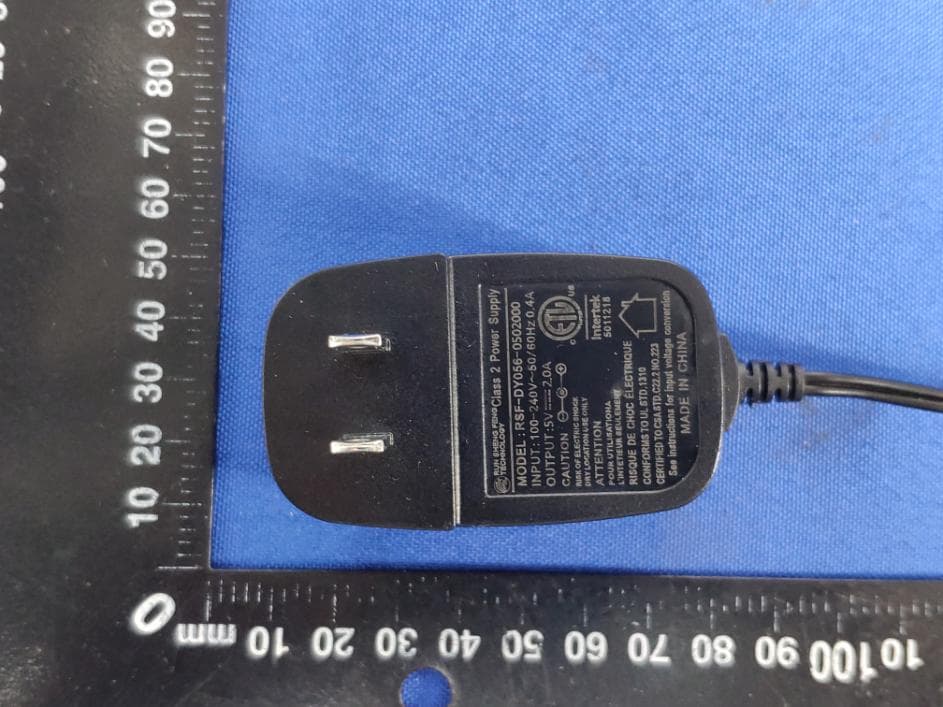
2ACJAHNDPF1002
Jul 02, 2020Social Photo Frame
Equipment Class
DTS - Digital Transmission System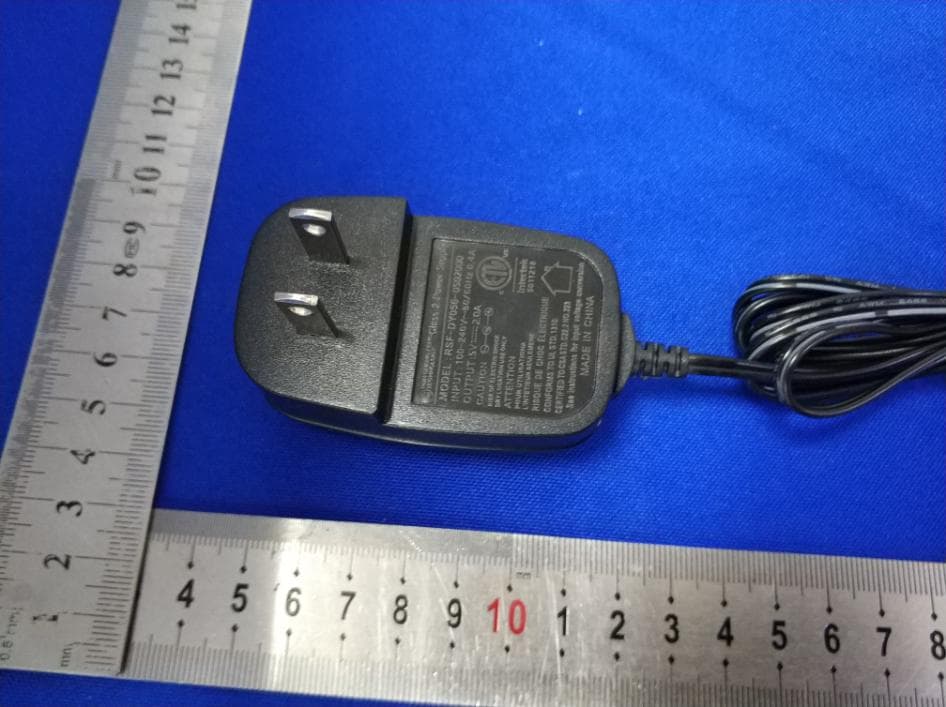
2ACJAHNDPF1006
Jun 26, 2020Social Photo Frame
Equipment Class
DTS - Digital Transmission System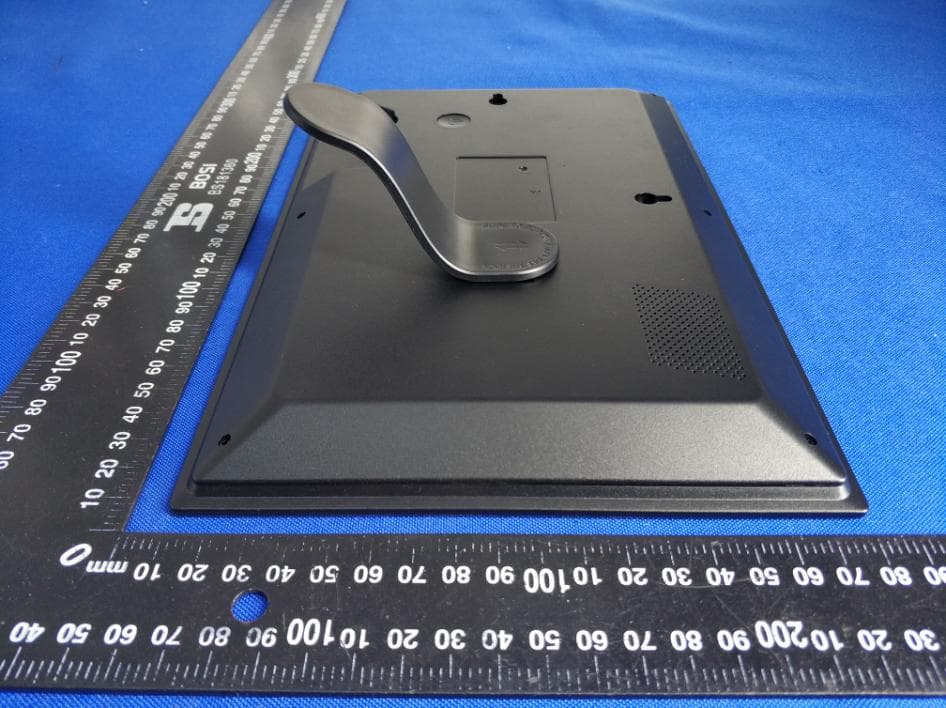
2ACJAHNDPF1003
Jun 23, 2020Social Photo Frame
Equipment Class
DTS - Digital Transmission System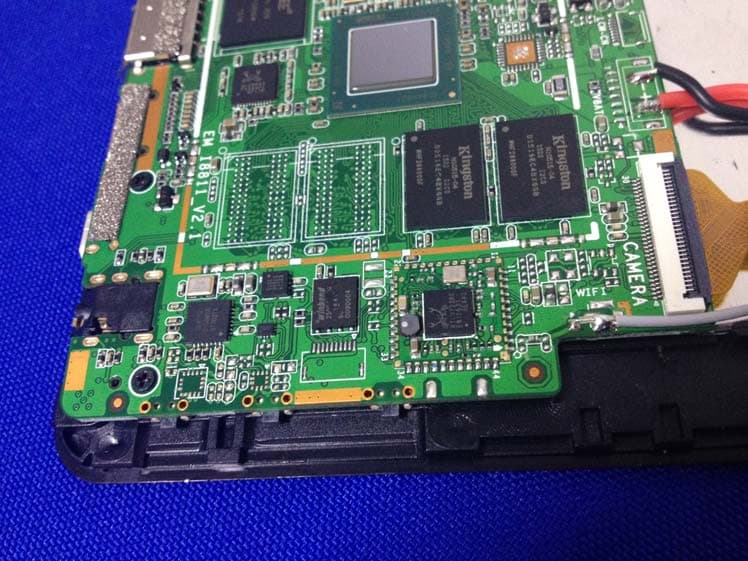
2ACJAPLT8990
Nov 24, 2015TABLET PC
Equipment Class
DTS - Digital Transmission System