2ACZO-USRRELAYWIFI Remote Control Device
Jinan USR IOT Technology Limited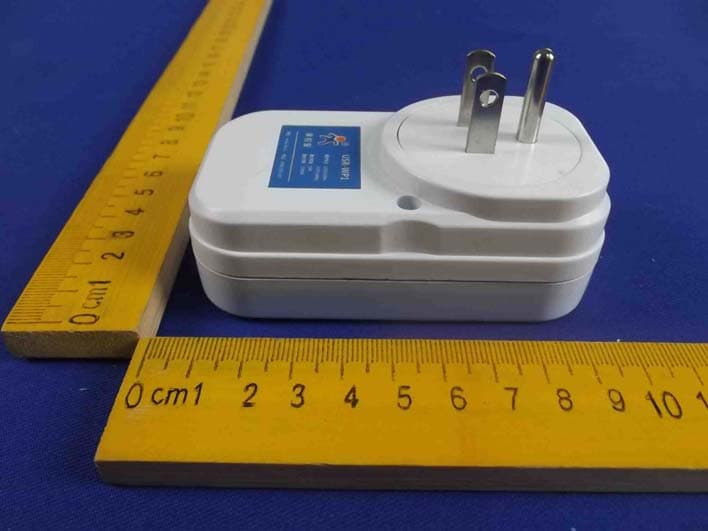
Click to zoom
Application Details
- Equipment Class
- DTS - Digital Transmission System
- Date of Grant
- Oct 26, 2014
- Application Purpose
- Original Equipment
- Date of Application
- Oct 23, 2014
- Equipment Note
- WIFI Remote Control Device
- Frequency Range
- 2412.00000000 - 2462.00000000
- Country
- China
Documents & Files
Document Text
Text extracted from the exhibit documents filed with the FCC. Open a document above to read the original.
Users Manual
USR-WP1 User Manual www.usr.so Jinan USR IOT Technology Limited 1 / 25 [email protected] LonHand Series Product Specification USR-WP1 Ver: V1.2 USR-WP1 User Manual www.usr.so Jinan USR IOT Technology Limited 2 / 25 [email protected] 1、 Quick start ............................................................................................................................ 3 1.1 WLAN Control Operation ......................................................................................................... 3 1.2 Equipment Network Settings.................................................................................................... 5 1.3 Remote control ...................................................................................................................... 8 2、 Product Introduction ............................................................................................................ 10 2.1 Product Description .............................................................................................................. 10 2.2 Product features .................................................................................................................. 10 2.3 Hardware specifications ........................................................................................................ 10 2.3 Indicator and Key Function Introduction .................................................................................... 11 2.4 Smartlink Instructions ........................................................................................................... 12 2.5 WPS Instructions .................................................................................................................. 13 3、 Instructions for Use .............................................................................................................. 14 3.1 Hardware Instructions ........................................................................................................... 14 3.2 Connect the wireless router via Webpage configuration ................................................................ 14 3.2.1 The configuration process of USR-WP1+WINXP .................................................................. 14 3.2.2 USR-WP1 smartphone configuration process ..................................................................... 17 4、 LonHand of Windows Introduction ............................................................................................ 20 Contact Information.................................................................................................................... 24 Disclaimer ................................................................................................................................. 24 Update History ........................................................................................................................... 25 USR-WP1 User Manual www.usr.so Jinan USR IOT Technology Limited 3 / 25 [email protected] 1、Quick start Preparation conditions: 1. Insert the USR-WP1 into the power socket. 2. Installation LonHand software to mobile phone User can find LonHand software from the product CD, and install to the mobile phone. The IOS system can be downloaded and installed from App Store search for "LonHand". User also can scan two-dimensional code to download and install. IOS Android 1.1 WLAN Control Operation 1. Connect Smartphone to USR-WP1’s wireless network Open the settings, find USR-WP1 in WLAN, connected to the network, as shown below. 2. Open LonHand software Click the icon to start the software, click Start. USR-WP1 User Manual www.usr.so Jinan USR IOT Technology Limited 4 / 25 [email protected] 3. Control menu Enter the equipment list, find the USR-WP1, click the USR-WP1 tab, enter into the control menu. 4. Control Test USR-WP1 User Manual www.usr.so Jinan USR IOT Technology Limited 5 / 25 [email protected] User can control the USR-WP1 now.Via click the switch button,User can open or close the output.User can simply experience the control by smartphone, The following will be a detailed introduction. 1.2 Equipment Network Settings 1. Open LonHand software,refresh the equipment list,Long press equipment information icon, select Web config. USR-WP1 User Manual www.usr.so Jinan USR IOT Technology Limited 6 / 25 [email protected] 2. After click web config, enter the default user name and password (admin) into pop-up window , enter the fast setting page. The web Webpage default is Chinese Webpage, users can click on the English to switch to the English Webpage。 3. Click Scan router to get the router information list, and then select the router which want to connect, click sure. USR-WP1 User Manual www.usr.so Jinan USR IOT Technology Limited 7 / 25 [email protected] 4. Input router passwords, save it, and then restart. 5. WP1 will connect to the router automatically after restart, the blue indicator will light up. USR-WP1 User Manual www.usr.so Jinan USR IOT Technology Limited 8 / 25 [email protected] 1.3 Remote control 1. After WP1 connected to the router, please let mobile phone also connect to the same router. Select the user center in LonHand software, regist remote control account, and then login in. 2. Return device interface, refresh the list of equipment, can see the USR-WP1 equipment. Long press equipment information icon, click activate. USR-WP1 User Manual www.usr.so Jinan USR IOT Technology Limited 9 / 25 [email protected] 3. After activate the device, click get activated devices in the user center. Then disconnect the wireless network, using 2G/3G Internet,, refresh the equipment list, you can see the device icon into a remote icon, now you can control the devices via internet. USR-WP1 User Manual www.usr.so Jinan USR IOT Technology Limited 10 / 25 [email protected] 2、Product Introduction 2.1 Product Description The USR-WP1 power outlet whose relays can be switched on or switched off by remote control, is WIFI branch of LonHand series product, and is designed for smart-home applicat…
Text truncated - open the document above for the full version.
Cover Letter(s)
Jinan USR IOT Technology Limited FCC Confidentiality Request Number:CF303 Version:V05 Date: 21-05-2012 (Permanent or also called long term confidentiality is the normal method to keep certain docuements confidential, and may apply to schematics, block diagrams, operational description and bill of materials.) To: Federal Communications Commission Equipment Authorization Branch 7435 Oakland Mills Road Columbia, MD 21046 Pursuant to 47 CFR Section 0.459(a) & (b), we, (the applicant / grantee) Company nameJinan USR IOT Technology Limited Address#1-724~729, Huizhan Guoji Cheng, Gaoxin District, CityJinan City, Shandong Province, 250101, CountryChina request for this certification filing under: Grantee CodeProduct Number FCC ID:2ACZO-USRRELAY to maintainpermanent confidentialityfor the following documents submitted within this application: (please cross what is applicable, or add other documents, provide the file name and description) ExhibitFile NameDescription √ Operational DescriptionOperational Descriptionexplaining the functioning of the block diagram √ Block DiagramsBlock Diagramsshowing the systematic building blocks of the EUT √ Schematics DiagramsSchematicsshowing components, their values and interconnection Bill of MaterialsList of components used on the PCB’s of the EUT Above materials crossed contain secrets, proprietary and technical information, which would customarily be guarded from competitors under 47 CFR, section 0.457(d)(2). Disclosure or publication or any portion of this company confidential material to other parties could cause substantial competitive harm and provide unjustified benefits for competitors. We understand that pursuant to 47 CFR section 0.457(d)(1)(ii) disclosure of the applicant and all accompanying documentation will not be made before the date of the grant. The documents indicated as confidential above, are not publicly available elsewhere. Attestation: City and Country:Date:Name: (this must be a person) Function:Signature: (or official company stamp) Jinan, China2014-09-29 Gu XinGeneral Manager
External Photos
Figure 1 The EUT-Top View Figure 2 The EUT-Bottom View Figure 3 The EUT-Left View Figure 4 The EUT-Right View Figure 5 The EUT-Front View Figure 6 The EUT-Back View
ID Label/Location Info
Label Location On EUT
ID Label/Location Info
Model Name: WIFI Remote control device Model No.: USR-WP1 FCC ID: 2ACZO-USRRELAY
Internal Photos
Figure 7 TheEUT-InsideView Figure 8 PCB of The EUT-Front View Figure 9 PCB of The EUT-Front View Figure 10 PCB of The EUT-Back View Figure 11 PCB of The EUT-Front View Figure 12 PCB of The EUT-Back View Figure 13 PCB of The EUT-Front View Figure 14 PCB of The EUT-Back View
RF Exposure Info
MPE Calculation FCC ID: 2ACZO-USRRELAY Remark: Average ≤ Peak, which means that calculating the power density applying Peak power is worst case. The worst case operation mode generating the highest power in each frequency range is taken for calculation. Frequency range:2412-2462MHzTypical use distance: d ≥20cm Power density limit for mobile devices at 2.4 GHz: S ≤1mW/cm 2 Maximum measured conducted power (Peak): Pconducted =17.67dBm =58.48mW Antenna Gain: G = 1.5dBi =1.41on the linear scale Calculation: P radiated = P conducted + G linear =17.67dBm +1.5dBi =19.17dBm =82.6mW Power density S = (P radiated ) / (4π x d 2 ) =82.6/5026 =0.0164mW/cm 2 <1=> below limit Frequency range:2422-2452MHzTypical use distance: d ≥20cm Power density limit for mobile devices at 2.4 GHz: S ≤1mW/cm 2 Maximum measured conducted power (Peak): Pconducted =17.39dBm =54.83mW Antenna Gain: G = 1.5dBi =1.41on the linear scale Calculation: P radiated = P conducted + G linear =17.39dBm +1.5dBi =18.89dBm =77.45mW Power density S = (P radiated ) / (4π x d 2 ) =77.45/5026 =0.0154mW/cm 2 <1=> below limit
Test Report
Shenzhen Anbotek Compliance Laboratory Limited FCC ID: 2ACZO-USRRELAY Page 1 of 92 Report No.: R011408277E Shenzhen Anbotek Compliance Laboratory Limited Tel:(86)755-26066544 Fax:(86)755-26014772www.anbotek.com FCC TEST REPORT for Jinan USR IOT Technology Limited WIFI Remote control device Model No.: USR-WP1, USR-WM1s, USR-WM1h, USR-WL1, USR-WP3, USR-HTW, USR-WIFIIO-83, USR-WSA, USR-WSC, USR-R16 Report Number: R011408277E Date of Test:Au g.21~Sept. 26, 2014 Date of Report:Sept. 28, 2014 Prepared for: Jinan USR IOT Technology Limited Address: #1-724~729, Huizhan Guoji Cheng, Gaoxin District, Jinan City, Shandong Province, 250101, China Prepared By: Shenzhen AnbotekCompliance Laboratory Limite d Address: 1/F., Building 1, SEC Industrial Park, No.0409 Qianhai Road, Nanshan District, Shenzhen, Guangdong, China Tel: (86) 755-26066544 Fax: (86) 755-26014772 Shenzhen Anbotek Compliance Laboratory Limited FCC ID: 2ACZO-USRRELAY Page 2 of 92 Report No.: R011408277E Shenzhen Anbotek Compliance Laboratory Limited Tel:(86)755-26066544 Fax:(86)755-26014772www.anbotek.com TABLE OF CONTENT Description Page Test Report 1. GENERAL INFORMATION......................................................................................................4 1.1. Description of Device (EUT)................................................................................................................4 1.2. Auxiliary Equipment Used during Test................................................................................................ 5 1.3. Description of Test Facility.................................................................................................................. 5 1.4. Measurement Uncertainty.....................................................................................................................5 2. TEST METHODOLOGY............................................................................................................6 2.1. Summary of Test Results......................................................................................................................6 2.2. Description of Test Modes....................................................................................................................6 2.3. List of channels:....................................................................................................................................7 3. CONDUCTED EMISSION TEST.............................................................................................. 8 3.1. Block Diagram of Test Setup................................................................................................................8 3.2. Power Line Conducted Emission Measurement Limits (15.207).........................................................8 3.3. Configuration of EUT on Measurement............................................................................................... 8 3.4. Operating Condition of EUT................................................................................................................ 8 3.5. Test Procedure...................................................................................................................................... 9 3.6. Test equipment......................................................................................................................................9 3.7. Power Line Conducted Emission Measurement Results...................................................................... 9 4. FCC PART 15.247 REQUIREMENTS FOR DSSS & OFDM MODULATION................. 12 4.1 Test Setup.............................................................................................................................................12 4.2 6dB Bandwidth.................................................................................................................................... 12 4.3. Maximum Peak output power test...................................................................................................... 20 4.4. Band Edges Measurement...................................................................................................................28 4.5. Peak Power Spectral Density..............................................................................................................65 4.6. Radiated Emissions.............................................................................................................................73 5. PHOTOGRAPH......................................................................................................................... 84 5.1. Photo of Conducted Emission Measurement......................................................................................84 5.2. Photo of Radiation Emission Test.......................................................................................................84 APPENDIX I (EXTERNAL PHOTOS)........................................................................................86 APPENDIXII(INTERNAL PHOTOS)...................................................................................... 89 Appendix I (3 Pages) Appendix II (4 Pages) Shenzhen Anbotek Compliance Laboratory Limited FCC ID: 2ACZO-USRRELAY Page 3 of 92 Report No.: R011408277E Shenzhen Anbotek Compliance Laboratory Limited Tel:(86)755-26066544 Fax:(86)755-26014772www.anbotek.com TEST REPORT Applicant: Jinan USR IOT Technology Limited Manufacturer: Jinan USR IOT Technology Limited EUT: WIFI Remote control device Model No.: USR-WP1, USR-WM1s, USR-WM1h, USR-WL1, USR-WP3, USR-HTW, USR-WIFIIO-83, USR-WSA, USR-WSC, USR-R16 Serial No.: N.A. Trade Mark: USR IOT Rating: AC 100-240V, 50/60Hz, 10A Measurement Procedure Used: FCC Part15 Subpart C, Paragraph 15.247 The device described above is tested by Shenzhen Anbotek Compliance Laboratory Limited to determine the maximum emissionlevels emanating from the device and the severe levels of the device can endure and itsperformance c…
Text truncated - open the document above for the full version.
Test Setup Photos
1. Photo of Conducted Emission Measurement 2. Photo of Radiation Emission Test
Contact Information
Applicant
Gu Xin(General Manager)
Technical Contact
Test Firm
Shenzhen Anbotek Compliance Laboratory LimitedDaniel zhu
[email protected]86-755-26014771
Technical Specifications
| # | Rule Parts | Frequency Range | Power Output |
|---|---|---|---|
| 1 | 15C | 2.41 GHz - 2.46 GHz | 63.00 mW |
Other Applications from Jinan USR IOT Technology Limited
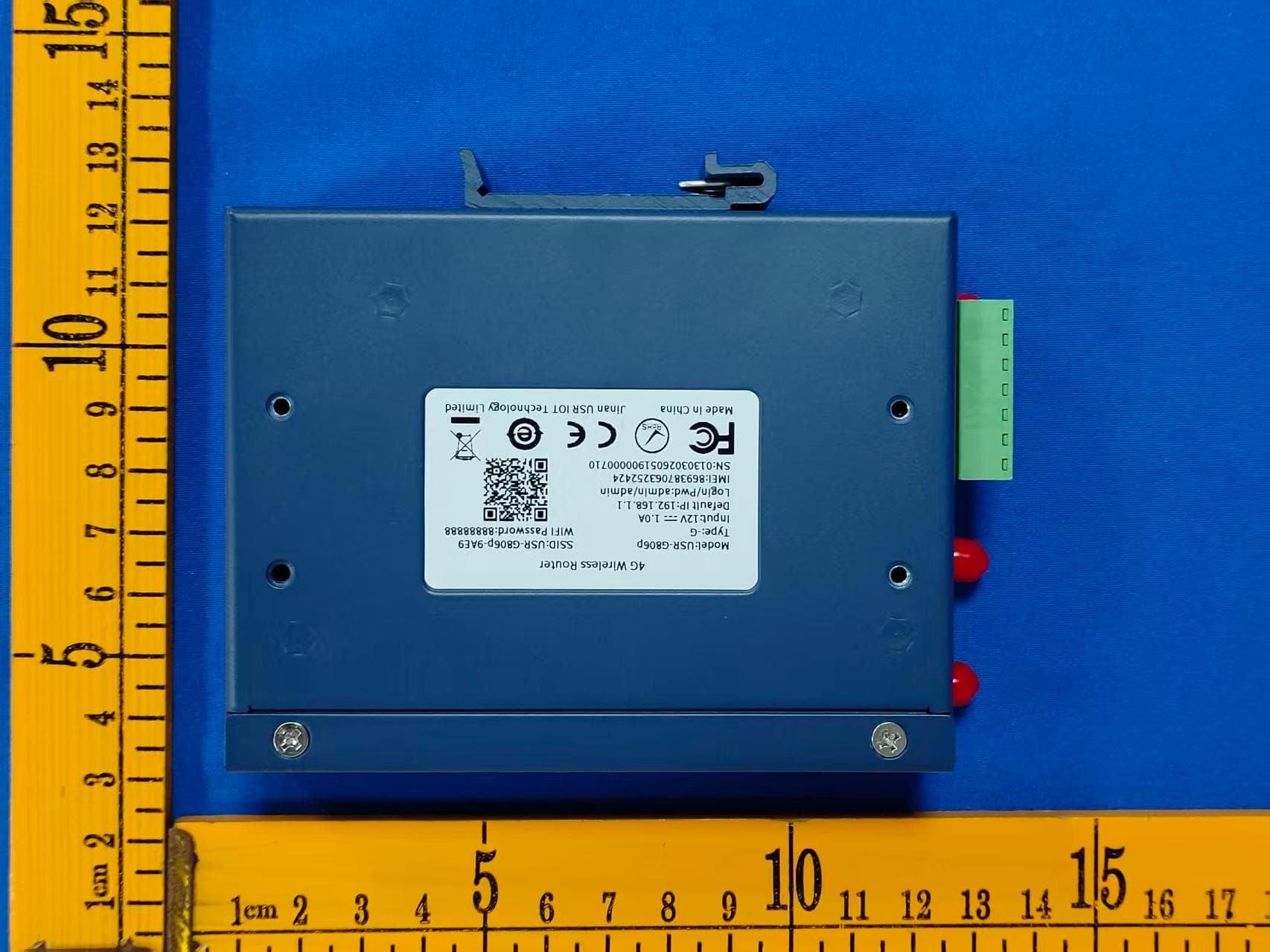
2ACZO-USR-G806P
Jul 28, 20264G Wireless Router
Equipment Class
DTS - Digital Transmission System
2ACZO-USR-EG828
Jan 01, 2025ARM based Computer
Equipment Class
DTS - Digital Transmission System
2ACZO-USR-S100
Dec 31, 2023Data collection stick
Equipment Class
DTS - Digital Transmission System
2ACZOUSR-G806W
Sep 27, 20234G Cellular Router
Equipment Class
DTS - Digital Transmission System
2ACZOUSR-G786-G
Aug 15, 20224G Cellular Modem
Equipment Class
PCB - PCS Licensed Transmitter