2ADJMWAT-1Secure Wireless Alarm Transmitter
Professional Security Corporation DBA Personal Safety Corporation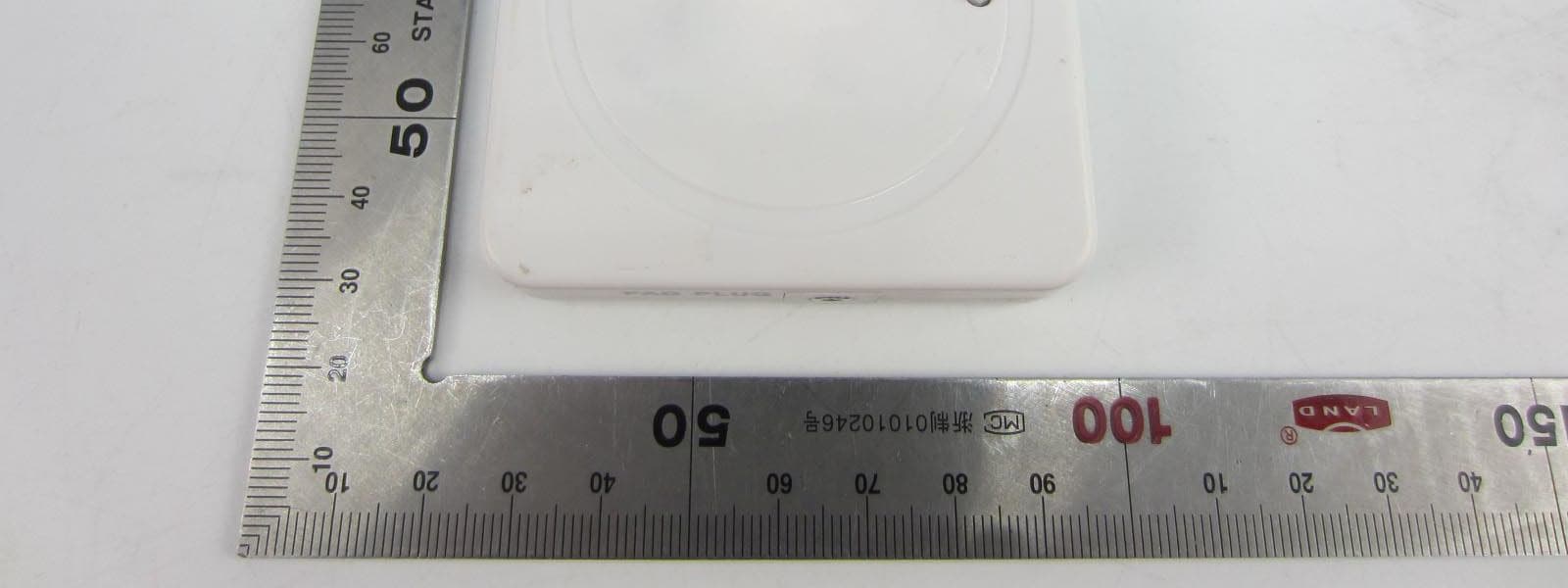
Click to zoom
Application Details
- Equipment Class
- DXX - Part 15 Low Power Communication Device Transmitter
- Date of Grant
- Jun 01, 2015
- Application Purpose
- Original Equipment
- Date of Application
- Jun 01, 2015
- Equipment Note
- Secure Wireless Alarm Transmitter
- Frequency Range
- 2443.00000000 - 2454.00000000
- Country
- United States
Documents & Files
Document Text
Text extracted from the exhibit documents filed with the FCC. Open a document above to read the original.
Users Manual
TM PATIENT MONITORING SYSTEM • Wireless Alarm Monitor – Model No. WAM-1 • Wireless Alarm Transmitter – Model No. WAT-1 • Wireless Bed Sensor Pad (One Year) – Model No. BEDPAD-1W • Wireless Chair Sensor Pad (One Year) – CHAIRPAD-1W • Wireless Floor Mat Sensor (One Year) – MAT-1W Made in China • One Year Warranty • Patent Pending Quick Setup 1. Insert 3 AA batteries into Alarm Monitor (WAM-1) & 2 AAA batteries into Transmitter (WAT-1). 2. Press & hold Alarm Monitor SYNC button. Red light turns on. 3. Press Transmitter SYNC button. Red light turns on and Alarm Monitor beeps once. 4. Both red lights will turn off. Monitor & Transmitter are now synced. Test before each use. WARNING: Changes or modifications to this product that are not authorized by the manufacturer may void FCC compliance and negate the user’s authority to operate this product. Note: This equipment has been tested and found to comply with the limits for a Class B digital device, pursuant to Part 15 of the FCC Rules. These limits are designed to provide reasonable protection against harmful interference in a residential installation. This equipment generates uses and can radiate radio frequency energy and if not installed and used in accordance with the instructions, may cause harmful interference to radio communications. However, there is no guarantee that interference will not occur in a particular installation. If this equipment does cause harmful interference to radio or television reception, which can be determined by turning the equipment off and on, the user is encouraged to try to correct the interference by: 1. Reorient or relocate the receiving antenna. 2. Increase the separation between the equipment and receiver. 3. Connect the equipment into an outlet on a circuit different from that to which the receiver is connected. 4. Consult the dealer or an experienced radio/TV technician for help. System Overview The Secure ® Wire-Less Patient Monitoring System takes fall management patient alarms to the next level by eliminating tripping hazards, taking the alarm sound out of the patient room, and employing the most advanced, patent pending continuous 2.4G bi-directional wireless communication that ensures secure communication between the Wireless Alarm Monitor (WAM-1) and Wireless Alarm Transmitter (WAT-1) housed in the pocket of a Secure ® bed or chair sensor pad or floor mat sensor. When a patient gets off the monitoring pad housing the transmitter, the transmitter will instantly send a wireless signal to the monitor without a dangerous delay that is found in other patient monitors. The monitor will then send a confirmation signal to the transmitter to stop the transmitter signal conserving battery life. The monitor will automatically reset once the patient gets back on the bed/chair sensor pad. Alternatively, the monitor can be reset by pressing the reset button located on the front of the monitor. When using a floor mat sensor, the monitor will continue to alarm until the reset button is pressed. The monitor may be connected to a standard nurse call system using the optional Nurse Call Cable accessory (NCI- 1). When connected to a nurse call system, the monitor alarm sound may be left on or muted to eliminate in-room alarm noise. The Monitor will activate the nurse call system to alert the nurses’ station of unsafe patient egress. When in standby, the monitor and transmitter communicate every 5 minutes to confirm both remain synced. If the monitor and transmitter become unpaired the 3rd LED light on the front of monitor will flash continuously and the alarm will sound continuously indicating the system is not functioning properly. Setup Instructions (Call 800-3-Secure for Setup Help) 1. Wireless Alarm Monitor (WAM-1) – Install Batteries& Set Volume/Tone • Remove WAM-1 from protective holder • Fully loosen battery cover screw with included screwdriver • Open battery cover by sliding in a downward motion • Insert 3 AA batteries (included) into the battery compartment ensuring correct polarity Personal Safety Corporation • Hiawatha, Iowa 52233 • 800.373.2873 • Select desired volume level using “H M L” toggle switch located in battery compartment (H = high, M = medium, L = low) • Select desired alarm tone using “Tone 1 Tone 2” toggle switch located in battery compartment • Close the battery cover and fully tighten Phillips-head screw • Place the monitor in protective holder 2. Wireless Alarm Transmitter (WAT-1) – Install batteries & Adjust Settings • To access WAT-1 battery compartment, remove case back by fully loosening the four (4) Phillips-head screws using the included screwdriver • Insert 2 AAA batteries (included) into the battery compartment ensuring correct polarity • Attach case back and fully tighten four (4) Philips-head screws • Using a pen or other pointed instrument, turn on the WAT-1 by switching the “OFF ON” toggle switch to “On” position • Using a pen or other pointed instrument, choose the correct position of the “Mat Pad” toggle switch (Mat = Floor Mat Sensor, Pad= Bed/Chair/Toilet Sensor Pad) 3. Sync/Pair WAM-1 & WAT-1, Plug-in Sensor Pad or Floor Mat • Press & hold WAM-1 “SYNC” button located on right side of monitor. The red LED light will turn on indicating that the monitor is in Sync mode. • Press WAT-1“SYNC” button. The WAT-1 red LED light will turn on and WAM-1will sound an audible beep. • Both red LED lights on WAM-1 & WAT-1 will turn off. The monitor & transmitter are now synced. • Plug bed/chair sensor pad or floor mat sensor into the WAT-1 “PAD PLUG” • Always test system before each use. 4. Testing Wire-Less Patient Monitoring System Operation T o test system, press down on the sensor pad with the palm of your hand. The monitor will beep to indicate it is active. After removing pressure from the sensor pad, the monitor will immediately begin to alarm. Press the reset button once to silence the alarm sound and put the system into standby mode. Instructions for Use The WAM-1 alarm, WAT-1 tran…
Text truncated - open the document above for the full version.
Cover Letter(s)
MET Laboratories TCB - Samples Agent Authorization Letter 2015-05-08 MET Laboratories, Inc. 914 West Patapsco Avenue Baltimore, MD 21230 RE: LETTER OF AGENT AUTHORIZATION To Whom It May Concern: We, the undersigned, hereby authorize Most Technology Service Co., Ltd. to act on our behalf in all matters relating to application for equipment authorization, including the signing of all documents relating to these matters. We also hereby certify that no party to the application authorized hereunder is subject to the denial of benefits, including FCC benefits, pursuant to Section 5301 of the Anti-Drug Abuse Act of 1988, 21 U.S.C.853(a). This agreement expires one year from the current date. Sincerely, Name: Mr. Richard Olson Position: President Company Name: Professional Security Corp. DBA Personal Safety Corp. Address: 1655 Progress Drive, Hiawatha, Iowa 52233, USA E-Mail: [email protected]
Cover Letter(s)
MET Laboratories TCB - Samples Long Term Confidentiality Request Letter 2015-05-08 MET Laboratories, Inc. 914 West Patapsco Avenue Baltimore, MD 21230 RE: CONFIDENTIALITY REQUEST FOR (Secure® Wireless Alarm Transmitter/ WAT-1) To Whom It May Concern: This letter serves as an official request for confidentiality under sections 0.457 and 0.459 of CFR 47. We have requested that the - e.g. Block diagram - e.g. SCH - e.g. Operational Description required to be submitted with this application be permanently withheld from public review. SPECIFY REASON FOR REQUEST (i.e. the above documents are company proprietary information that could never get into the possession of your competition). Please contact me if there is any information you may need. Sincerely, Name: Mr. Richard Olson Position: President Company Name: Professional Security Corp. DBA Personal Safety Corp. Address: 1655 Progress Drive, Hiawatha, Iowa 52233, USA E-Mail: [email protected]
External Photos
FCC ID: 2ADJMWAT-1 Model No.: WAT-1 FRONT VIEW OF SAMPLE BACK VIEW OF SAMPLE FCC ID: 2ADJMWAT-1 Model No.: WAT-1 LEFT VIEW OF SAMPLE RIGHT VIEW OF SAMPLE FCC ID: 2ADJMWAT-1 Model No.: WAT-1 TOP VIEW OF SAMPLE BOTTOM VIEW OF SAMPLE FCC ID: 2ADJMWAT-1 Model No.: WAT-1 PHOTO OF THE ENTIRE SAMPLE
ID Label/Location Info
Label Label location
Internal Photos
FCC ID: 2ADJMWAT-1 Model No.: WAT-1 I NTERNAL PHOTO OF SAMPLE – 1 INTERNAL PHOTO OF SAMPLE – 2 FCC ID: 2ADJMWAT-1 Model No.: WAT-1 I NTERNAL PHOTO OF SAMPLE – 3 INTERNAL PHOTO OF SAMPLE – 4 FCC ID: 2ADJMWAT-1 Model No.: WAT-1 I NTERNAL PHOTO OF SAMPLE – 5 INTERNAL PHOTO OF SAMPLE – 6 FCC ID: 2ADJMWAT-1 Model No.: WAT-1 I NTERNAL PHOTO OF SAMPLE – 7
Test Report
FCC 47 CFR PART 15 SUBPART C TEST REPORT For Applicant: Professional Security Corp DBA Personal Safety Corp Address: 1655 Progress Drive, Hiawatha, Iowa 52233, USA Product Name: Secure® Wireless Alarm Transmitter Model Name: WAT-1 Brand Name: Secure FCC ID: 2ADJMWAT-1 Report No.: MTE/DYY/A15050507 Date of Issue: May 06, 2015 Issued by : Most Technology Service Co., Ltd. Address : No.5, Langshan 2nd Road, North District, Hi-tech Industrial Park, Nanshan, Shenzhen, Guangdong, China Tel : 86-755-8602 6850 Fax : 86-755-2601 3350 The report consists 28 pages in total. It may be duplicated completely for legal use with the approval of the applicant. It should not be reproduced except in full, without the written approval of our laboratory. The client should not use it to claim product endorsement by MOST. The test results in the report only apply to the tested sample. The test report shall be invalid without all the signatures of testing engineers, reviewer and approver. FCC ID: 2ADJMWAT-1 Report No.: MTE/DYY/A15050507 Page 2 of 28 TABLE OF CONTENTS 1. VERIFICATION OF CONFORMITY..........................................................................................3 2. GENERAL INFORMATION.......................................................................................................4 2.1 Product Information................................................................................................................4 2.2 Objective................................................................................................................................5 2.3 Test Standards and Results....................................................................................................5 2.4 Environmental Conditions.......................................................................................................5 2.5 MEASUREMENT UNCERTAINTY.........................................................................................5 3. TEST FACILITY........................................................................................................................6 3.1TEST FACILITY.......................................................................................................................6 3.2 Test Conditions.......................................................................................................................6 3.3 Channel List...........................................................................................................................7 3.4 Description of Test Modes......................................................................................................7 3.5 Table of Parameters of Text Software Setting.........................................................................8 3.6 FCC PART 15.205 RESTRICTED BANDS OF OPERATIONS...............................................9 4. SETUP OF EQUIPMENT UNDER TEST................................................................................10 4.1 SUPPORT EQUIPMENT......................................................................................................10 4.2 TEST EQUIPMENT LIST.......................................................................................................11 5. 47 CFR Part 15C 15.249 Requirements.................................................................................12 5.1 Spurious Emission Test........................................................................................................12 5.1.1 Requirement......................................................................................................................12 5.1.2 Test Description.................................................................................................................13 5.1.3 Test Description.................................................................................................................14 5.1.4 Test Result.....................................................................................................................16 5.2 20 dB Bandwidth..................................................................................................................21 5.2.1 Definition...........................................................................................................................23 5.2.2 Block Diagram Of Test Setup............................................................................................23 5.2.3 Test Result.........................................................................................................................23 5.3 Antenna Requirement...........................................................................................................25 5.3.1 Definition...........................................................................................................................25 5.3.2 Evaluation Criteria.............................................................................................................25 5.3.3 Evaluation Results.............................................................................................................25 APPENDIX 1..............................................................................................................................26 PHOTOGRAPHS OF TEST SETUP...........................................................................................26 FCC ID: 2ADJMWAT-1 Report No.: MTE/DYY/A15050507 Page 3 of 28 1. VERIFICATION OF CONFORMITY Equipment Under Test: Secure® Wireless Alarm Transmitter Brand Name: Secure Model Number: WAT-1 Series Number: N/A Description of Differences: N/A FCC ID: 2ADJMWAT-1 Professional Security Corp DBA Personal Safety Corp Applicant: 1655 Progress Drive, Hiawatha, Iowa 52233, USA Professional Security Corp DBA Personal Safety Corp Manufacturer: 1655 Progress Drive, Hiawatha, Iowa 52233, USA Technical Standards: 47 CFR Part 15 Subpart C File Number: MTE/DYY/A15050507 Date of test: Apr. 02-26, 2015 …
Text truncated - open the document above for the full version.
Test Setup Photos
FCC ID: 2ADJMWAT-1 Model No.: WAT-1 CONDUCTED EMISSION T EST SETUP RE T EST SETUP FCC ID: 2ADJMWAT-1 Model No.: WAT-1 RE T EST SETUP
Contact Information
Applicant
Richard Thomas Olson(President)
Technical Contact
Most Technology Service Co.,Ltd.Mark Wen
[email protected]86-755-86170306
No.5, 2nd Langshan Road, North District · Shenzhen, Guangdong · China
Test Firm
Most Technology Service Co., Ltd.Mark Wen
Technical Specifications
| # | Rule Parts | Frequency Range | Power Output |
|---|---|---|---|
| 1 | 15C | 2.44 GHz - 2.45 GHz | - |
Other Applications from Professional Security Corporation DBA Personal Safety Corporation
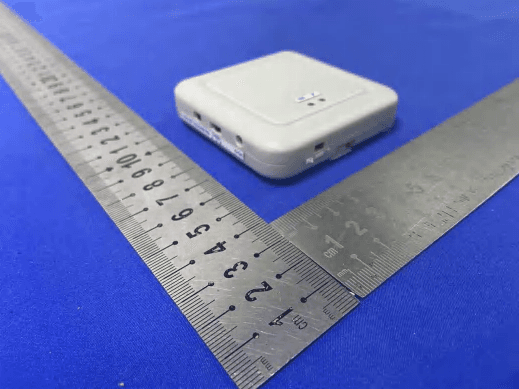
2ADJMWAT-1R
Jul 12, 2021Wireless Alarm Transmitter
Equipment Class
DXX - Part 15 Low Power Communication Device Transmitter
2ADJM-SCO
Mar 26, 2015Secure Wireless Call Button Transmitter
Equipment Class
DSC - Part 15 Security/Remote Control Transmitter