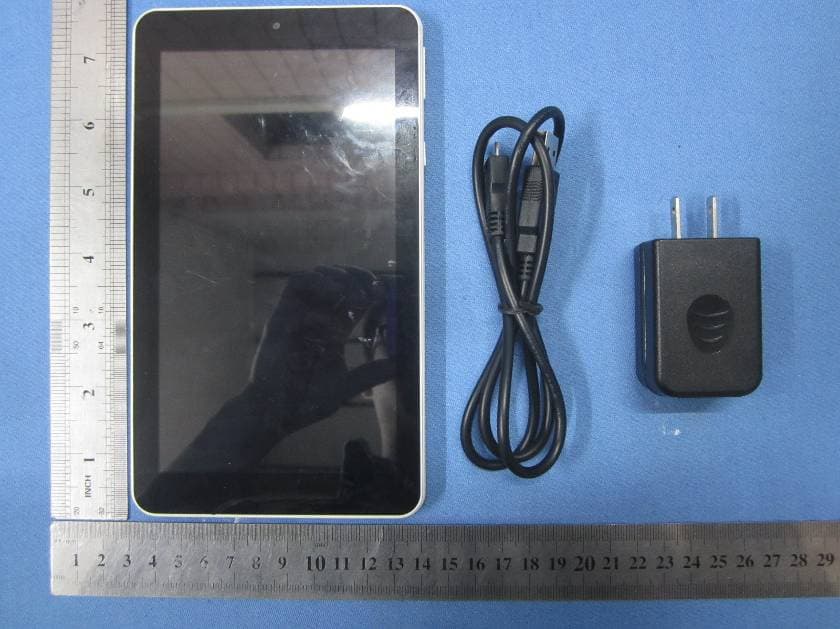
2ADQN-S8538 inch tablet PC
Yuko Technology Co., Ltd.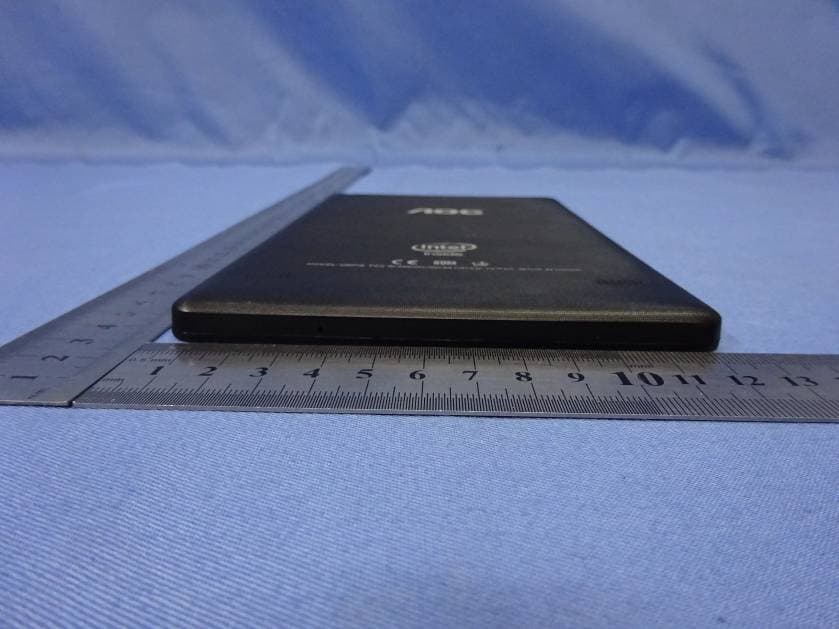
Click to zoom
Application Details
- Equipment Class
- DTS - Digital Transmission System
- Date of Grant
- Sep 17, 2015
- Application Purpose
- Original Equipment
- Date of Application
- Sep 17, 2015
- Equipment Note
- 8 inch tablet PC
- Frequency Range
- 2412.00000000 - 2462.00000000
- Company
- Yuko Technology Co., Ltd.
- Country
- China
Documents & Files
Document Text
Text extracted from the exhibit documents filed with the FCC. Open a document above to read the original.
Users Manual
User Manual U807 1. Introduction 1.1 Acknowledgements Many thanks for you choosing this product. The product belongs to MID (Mobile Internet Device), which is a kind of mobile internet device, small and exquisite, and also portable. It is also equipped with a piece of touch LCD of high definition, which can be used to watch videos and pictures of high definition. It supports installation of multiple application programs on office and entertainment. The fantastic operation interface will give you a brand-new user experience. This manual systematically introduces diversified functions, using skills and matters needing attention of this MID, please read this manual carefully before using it. 1.2 Safety Notice Before using MID, please read information in this section, and make your children learn about the information. About more detailed information, please refer to safety instructions and matters needing attention. Please don’t use MID when you are driving. In medical places, please observe relevant stipulations and regulations. And in regions near the medical devices, please shut down MID. Please shut down MID or enable the airplane mode when boarding, so that the wireless signals will not interfere control signal of the airplane. Please shut down MID neighboring electronic equipments with high accuracy, otherwise, breakdown of electronic equipments may be brought about. Please don’t dismantle the MID and its accessories on yourself, and only the authorized agency can maintain this MID. Please keep MID far away from magnetic equipment, radiation from MID will erase information stored on the magnetic equipment. Please don’t use MID in places with high temperature and inflammable gas (such as nearby gas station). Please put MID and its accessories in places beyond children’s touch, please don’t let children use MID without supervision. During using of this MID, please observe related laws and regulations, respect privacy and legitimate rights of others. Please strictly follow up by relevant explanations in this manual when using USB data line, otherwise, MID or personal computer may be damaged. Please don’t use the MID in humid environment such as bathroom, etc., and the MID being soaked or rinsed by liquid must be avoided. 1.3 Abbreviation/term Abbreviation/term Full name Explanations MID Mobile Internet Device Mobile internet terminal WIFI Wireless Fidelity Wireless Local Area Network based on IEEE 802.11b standard TF Trans Flash Alternate name Micro SD, super miniature storage card 2. Brief introduction for MID product 2.1 Wireframe for MID complete machine 2.2 MID state and notice Iconograph for notification When a prompt message shows on your notice panel, please click the column box and slide on the screen with your finger to open the notice list. Click options needing to check to see detailed information. Then you may click the message box and slide upwards to close the message window. The following are iconography for icons in status bar: Mail notice Mute Gmail notice Without SD card Computer and MID are connected through USB line Uploading/Downloading Events waiting to be done Downloading finished Alarm clock opening General notice (for example: synchronous error) Playing music In data synchronism Insufficient space of SD card More WIFI service is connected, netwrk is available Battery symbol Airplane mode Charging Bluetooth is already connected 3. Quick start 3.1 Key function Descriptions for key function: Power key Press this key for a long time to start up Under starting up state, press this key for a long time to pop up shutdown option Under starting up state, press this key to close the screen Under starting up state or when breakdown appears, press the power key for 7 seconds to make your device enter into shutdown state Menu key Press this key to open menu of the current interface Return key Press this key to return the last operating step or the previous operating interface Homepage key Press this key to return back main function interface from any interface 3.2 Starting up and turning off Starting up Press the power key for 3 seconds, you can see the starting up picture. After the system is started, the machine enters into screen lock state, please unlock according to direction indication of sliding icon on the interface. Turning off 1. After pressing the power key for a long time, the shutdown option will pop up. 2. Click OK. 3.3 Unlocking and closing of the screen The machine will close automatically when the screen is left unused 1.After the screen being left unused for a period of time, the machine will close screen automatically, so as to save battery power. 2.Under screen on state, press the power key, the screen will close immediately. Turning on under screen off state If the screen is in off state, you can unlock the screen by pressing power key for a short time or the return key for a long time. After opening, the screen will enter lock state, press “lock” icon by your finger and slide rightwards, the screen will be unlocked, press “lock” icon and slide leftwards, you can enter the camera function. Figure 3-1 3.4 Use of touch screen Operating mode in MID There are various ways to skim the main screen, menu and application program, etc. on your MID. Click to select When you want to use screen keyboard entry, and you want to select items on the homepage interface such as application program, you only use your finger to click. Press on If you want to unlock the available option of a certain item (such as textbox or link in the webpage), or move shortcut on the homepage interface and menu of main program, only press the item. Slide quickly or slide Quick sliding or sliding means doing rapid vertical or horizontal drag movement by using finger on the picture. Drag Before you starting to drag, you must press it with your finger and impose a certain pressure, and don’t loosen the finger before dragging to the wanted position. Rotate Ai…
Text truncated - open the document above for the full version.
Cover Letter(s)
Differences Declaration To whom concern, We company Yuko Technology Co., Ltd. hereby declares: The product model(s) S853 is identical in the same PCB layout, interior structure and electrical circuits with the model U807 which tested in Global United Technology Services Co., Ltd., the only differences are the model name for commercial purpose. Authorized signature: Position: Sales Director Date: 2015-09-06
Cover Letter(s)
Date:9/06/2015 To: Federal Communications Commission 7435 Oakland Mills Road Columbia, MD FCC ID:2ADQN-S853 To Whom It May Concern: We,Yuko Technology Co., Ltd., are applying FCC DOC for product 8’’ tablet PC which model no. are S853, U807. the FCC DOC is doing at proper FCC authorized and recognized lab, and FCC DOC will be issued soon. If you have any question or concerns, pls. contact us. Sincerely, Client’s signature Client’s name / title Sunny Wong / Sales Director Contact information / address Tel: +86-0755-33985818 Address: 6th Floor, A9 building, TianRui Industrial Park, FuYuan 1st Road, FuYong Town,Bao'an District,ShenZhen and recognized MRA lab, and FCC DOC will be issued soon.
Cover Letter(s)
8 inch tablet PC
ID Label/Location Info
黑色底壳,银色丝印 MODELO: U807 FCC ID:2ADQN-S853 VOLTAJE: HECHO EN ARGENTINA
Test Report
Global United Technology Services Co., Ltd. Report No.: GTSE15080162001 Authorized Signature: Robinson Lo Laboratory Manager This report details the results of the testing carried out on one sample. The results contained in this test report do not relate to other samples of the same product and does not permit the use of the GTS product certification mark. The manufacturer should ensure that all products in series production are in conformity with the product sample detailed in this report. This report may only be reproduced and distributed in full. If the product in this report is used in any configuration other than that detailed in the report, the manufacturer must ensure the new system complies with all relevant standards. Any mention of GTS or testing done by GTS in connection with, distribution or use of the product described in this report must be approved by GTS in writing. This document cannot be reproduced except in full, without prior written approval of the Company. Any unauthorized alteration, forgery or falsification of the content or appearance of this document is unlawful and offenders may be prosecuted to the fullest extent of the law. Unless otherwise stated the results shown in this test report refer only to the sample(s) tested and such sample(s) are retained for 90 days only. FCC Report (WIFI) Applicant: Yuko Technology Co., Ltd. Address of Applicant: 6th Floor, A9 building, TianRui Industrial Park, FuYuan 1st Road, FuYong Town,Bao'an District,ShenZhen Equipment Under Test (EUT) Product Name: 8’’ tablet PC Model No.: S853, U807 FCC ID: 2ADQN-S853 Applicable standards: FCC CFR Title 47 Part 15 Subpart C Section 15.247:2014 Date of sample receipt: August 27, 2015 Date of Test: August 28-September 02, 2015 Date of report issued: September 06, 2015 Test Result : PASS * * In the configuration tested, the EUT complied with the standards specified above. Report No.: GTSE15080162001 Global United Technology Services Co., Ltd. Project No.: GTSE150801620RF Room 301-309, 3th Floor, Block A, Huafeng Jinyuan Business Building, No. 300 Laodong Industrial Zone,Xixiang Road, Baoan District, Shenzhen 518102 Telephone: +86 (0) 755 2779 8480 Fax: +86 (0) 755 2779 8960 Page 2 of 54 2 Version Version No. Date Description 00 September 06, 2015 Original Prepared By: Date: September 06, 2015 Project Engineer Check By: Date: September 06, 2015 Reviewer Report No.: GTSE15080162001 Global United Technology Services Co., Ltd. Project No.: GTSE150801620RF Room 301-309, 3th Floor, Block A, Huafeng Jinyuan Business Building, No. 300 Laodong Industrial Zone,Xixiang Road, Baoan District, Shenzhen 518102 Telephone: +86 (0) 755 2779 8480 Fax: +86 (0) 755 2779 8960 Page 3 of 54 3 Contents Page 1 COVER PAGE ...........................................................................................................................................1 2 VERSION .................................................................................................................................................. 2 3 CONTENTS .............................................................................................................................................. 3 4 TEST SUMMARY ..................................................................................................................................... 4 4.1 MEASUREMENT UNCERTAINTY............................................................................................................ 4 5 GENERAL INFORMATION ...................................................................................................................... 5 5.1 CLIENT INFORMATION......................................................................................................................... 5 5.2 GENERAL DESCRIPTION OF EUT ......................................................................................................... 5 5.3 TEST MODE........................................................................................................................................ 6 5.4 DESCRIPTION OF SUPPORT UNITS....................................................................................................... 6 5.5 TEST FACILITY.................................................................................................................................... 7 5.6 TEST LOCATION................................................................................................................................. 7 6 TEST INSTRUMENTS LIST ..................................................................................................................... 8 7 TEST RESULTS AND MEASUREMENT DATA...................................................................................... 9 7.1 ANTENNA REQUIREMENT..................................................................................................................... 9 7.2 CONDUCTED EMISSIONS................................................................................................................... 10 7.3 CONDUCTED PEAK OUTPUT POWER.................................................................................................. 13 7.4 CHANNEL BANDWIDTH...................................................................................................................... 14 7.5 POWER SPECTRAL DENSITY............................................................................................................. 18 7.6 BAND EDGES.................................................................................................................................... 22 7.6.1 Conducted Emission Method ..................................................................................................... 22 7.6.2 Radiated Emission Method ........................................................................................................25 7.7 SPURIOUS EMISSION.................................................................................…
Text truncated - open the document above for the full version.
Test Setup Photos
Radiated Emission Conducted Emission
Contact Information
Applicant
Sunny Wong(Sales Director)
Test Firm
Global United Technology Service Co., LtdRobinson Lo
Technical Specifications
| # | Rule Parts | Frequency Range | Power Output |
|---|---|---|---|
| 1 | 15C | 2.41 GHz - 2.46 GHz | 6.00 mW |
Other Applications from Yuko Technology Co., Ltd.
2ADQN-I710
Mar 28, 20157 inch tablet PC
Equipment Class
DXX - Part 15 Low Power Communication Device Transmitter
2ADQN-I853W
Dec 20, 2014Tablet PC
Equipment Class
DXX - Part 15 Low Power Communication Device Transmitter