2ADVA-L1PLUS4G Smart phone
XTRATECH COMPUTERS S.A.
Click to zoom
Application Details
- Equipment Class
- DSS - Part 15 Spread Spectrum Transmitter
- Date of Grant
- Sep 15, 2015
- Application Purpose
- Original Equipment
- Date of Application
- Sep 15, 2015
- Equipment Note
- 4G Smart phone
- Frequency Range
- 2402.00000000 - 2480.00000000
- Company
- XTRATECH COMPUTERS S.A.
- Country
- Ecuador
Documents & Files
Document Text
Text extracted from the exhibit documents filed with the FCC. Open a document above to read the original.
Users Manual
1 User Manual Version:1.0.0 2 Warnings Not following these simple guidelines may be dangerous or illegal. Read the complete user guide for further information. TURN ON SAFELY Do not turn on the phone when wireless phone is prohibited or when it may cause interference or danger. ROAD SAFETY Obey all road safety laws. Always use both of your hands to operate the vehicle while driving. INTERFERENCE All wireless phones may be sensitive to interference, which may affect performance. TURN OFF IN HOSPITALS Follow all restrictions. Turn off the phone near medical equipment. TURN OFF ON AIRCRAFTS Follow all restrictions. Wireless devices can cause interference on aircrafts. 3 TURN OFF WHEN REFUELING Do not use the phone at/near refueling stations. Do not use near fuel or chemicals. USE SENSIBLY Only qualified personnel may install or repair this product. ENHANCEMENTS AND BATTERIES Use only appropriate enhancements and batteries. Do not connect incompatible products. WATER-RESISTANCE Your phone is not water-resistant. Keep it dry. BACKUP COPIES Remember to make back-up copies or keep a written record of all important information stored in your phone. CONNECTING TO OTHER DEVICES When connecting to any external device, read its user guide for detailed safety instructions. Do not connect with incompatible products. 4 Content Your Phone ............................................................................... 5 Keypad Descriptions ................................................................ 6 Input Method ............................................................................ 6 Start to Use ............................................................................... 7 Charge the Battery .................................................................... 7 Use Touch Screen ..................................................................... 8 Make a Call ............................................................................... 8 Answer a Call ........................................................................... 9 Emergency Service ................................................................... 9 1. Backup and Restore .............................................................. 9 2. Browser ................................................................................. 9 3. Calculator.............................................................................. 9 4. Calendar .............................................................................. 10 5. Camera ................................................................................ 10 6. Clock ................................................................................... 10 7. Downloads .......................................................................... 10 8. Email ................................................................................... 10 9. File Manager ....................................................................... 11 10. FM Radio .......................................................................... 11 11. Gallery .............................................................................. 11 12. Messaging ......................................................................... 11 13. Music ................................................................................ 11 14. People ............................................................................... 12 15. Phone ................................................................................ 12 16. Search ............................................................................... 12 17. Settings ............................................................................. 13 5 18. SIM Toolkit ....................................................................... 14 19. Sound Recorder ................................................................ 15 20. ToDo ................................................................................. 15 21. Video Player ..................................................................... 15 22. Wireless Input Device ....................................................... 15 Widgets ................................................................................... 15 Accessories ............................................................................. 15 Care and Maintenance ............................................................ 15 Your Phone The phone appearance is shown as below. The picture is for reference only; your phone may be different. Please take your actual phone as the standard. 6 Please insert picture Keypad Descriptions Key Description Power Key (Right side) Long press the key to turn on the phone. In the power on status, press the key to lock keypad and screen; long press the key to show phone options. Back Key In the menu mode, press the key to go back to upper menu. Home Key Press the key to return to standby mode. Long press the key to show recent list. Option Key Press the key to enter option menu. Vo l u m e K e y s (Right side) To adjust incoming call ringtone volume. During a call, playing music, video, or listening to radio, press the keys to adjust volume. Input Method Your phone has the built-in input method. In edit mode, long press “ , ... ” to show Input options and set input languages and Android keyboard settings. Input English Press the on-screen keypad to enter corresponding letters. 7 Input Number Press “?123”, you can input numbers directly by press the number icons. Long press the letter icons with number, or after long press, slide finger to the numbers to input. Input Symbol Press “?123” to enter symbol list. Press the desired symbol to input. Long press “. ... ” or “:-) ... ” to show symbol list, slide finger to the desired symbol to input. Start to Use Install Memory Card, SIM Card and Battery When you apply for a network, you will get a plug-in SIM card. SIM (Subscriber Identity Module) card that contai…
Text truncated - open the document above for the full version.
Cover Letter(s)
SCS-F18: Project and Product Certification Representative Authorization Letter Page 1 of 2 Rev 5.0 775 Montague Expressway Milpitas, CA 95035 Tel: 408-526-1188 Fax: 408-526-1088 Email: [email protected] Project and Product Certification Representative Authorization Letter Reason for Amendment (current / obsolete) Revision History Approved Date From To Initial Release (obsolete) 1.0 1.0 Nov-14-2006 Revised wording (obsolete) 1.0 2.0 Sept–25-2007 Updated company template (obsolete) 2.0 3.0 Jan-31-2012 Updated letter information (obsolete) 3.0 4.0 May-23-2014 Added FCC ID field (current) 4.0 5.0 Sept 16 2014 J eff sun / engineer SCS-F18: Project and Product Certification Representative Authorization Letter Page 2 of 2 Rev 5.0 XTRATECH COMPUTERS S.A. 2015-08-20 To: SIEMIC, INC. 775 Montague Expressway, Milpitas, CA 95035 USA Dear Sir/Madam, Re: Product Certification Representative Authorization Letter We, _ XTRATECH COMPUTERS S.A._hereby authorize SIEMIC, Inc. to act as a Certification Body for certifying for the following project(s): 4G Smart phone Model Numbers: BRIO L1 PLUS, Brio L1 E FCC ID: 2ADVA-L1PLUS Sincerely, signature Phone: 0755-86265237 Fax: 0755-86265237 Address: Ciudadela Profesor Aguirre Abad,solar 40 de la manzana 118
Cover Letter(s)
SCS-F19: Confidentiality Request Letter Page 1 of 2 Rev 4.0 775 Montague Expressway Milpitas, CA 95035 Tel: 408-526-1188 Fax: 408-526-1088 Email: [email protected] Confidentiality Request Letter Reason for Amendment (current / obsolete) Revision History Approved Date From To Initial Release (obsolete) 1.0 1.0 Nov-14-2006 Adding CFR 2.459 (obsolete) 1.0 2.0 August – 11 - 2008 Updated company template & Added text box (obsolete) 2.0 3.0 Jan-31-2012 Added IC confidentiality letter form (current) 3.0 4.0 March-26-2015 J eff sun SCS-F19: Confidentiality Request Letter Page 2 of 2 Rev 4.0 XTRATECH COMPUTERS S.A. 2015-08-20 To: Federal Communications Commission Authorization and Evaluation Division 7435 Oakland Mills Road Columbia, MD Subject: Permanent Confidentiality Request for FCC ID: 2ADVA-L1PLUS We hereby request confidential treatment of information accompanying this application as outlined below: - Block Diagram - Schematics - Operational Description - Tune up Procedure - Part List The above materials contain trade secrets and proprietary information not customarily released to the public. The public disclosure of these materials may be harmful to the applicant and provide unjustified benefits to its competitors. The applicant understands that pursuant to Section 0.457 & 0.459 of the Rules, disclosure of this application and all accompanying documentation will not be made before the date of the Grant for this application. Sincerely, Client’s signature : Client’s name & title : Contact information / address: Ciudadela Profesor Aguirre Abad,solar 40 de la manzana 118
Cover Letter(s)
J eff sun / engineer XTRATECH COMPUTERS S.A. Date: 2015-08-20 To: Federal Communications Commission 7435 Oakland Mills Road Columbia, MD FCC ID: 2ADVA-L1PLUS To Whom It May Concern: This letter is to ascertain that Guangzhou Shirui Electronics Co.,Ltd. Wireless Screen Mirroring Model Namer : BRIO L1 PLUS, Brio L1 E has been the units used for conducting FCC compliance testing, the DoC part will be tested by FCC recognized test lab. If you have any question or concerns, pls. contact us. Sincerely, Sincerely, signature Phone: 0755-86265237 Fax: 0755-86265237 Address: Ciudadela Profesor Aguirre Abad,solar 40 de la manzana 118
Cover Letter(s)
J eff sun / engineer XTRATECH COMPUTERS S.A. Family models declaration letter. 2015-08-20 We XTRATECH COMPUTERS S.A. Of Ciudadela Profesor Aguirre Abad,solar 40 de la manzana 118 Product: 4G Smart phone FCC ID: 2ADVA-L1PLUS Model Name: BRIO L1 PLUS, Brio L1 E These models are identical in circuitry and electrical, mechanical and physical construction; the only differences are the silk-screen, color and model no., and not influential with the products' feature of safety and EMC for trading purpose. Unless otherwise stated. Thanks Sincerely, signature E-mail: [email protected] Phone: 0755-86265237 Fax: 0755-86265237 Address: Ciudadela Profesor Aguirre Abad,solar 40 de la manzana 118
ID Label/Location Info
Label Location Proposed Label Location on EUT
Test Report
TRF No.:FCC 15.247/A Page 1 of 65 Report No.: ES150716209E1 Ver.1.0 Access to the World FCC 47 CFR PART 15 SUBPART C CERTIFICATION TEST REPORT For 4G Smart phone Model No.: BRIO L1 PLUS, Brio L1 E FCC ID: 2ADVA-L1PLUS Trademark: XTRATECH REPORT NO.: ES150716209R2 ISSUE DATE: July 31, 2015 Prepared for XTRATECH COMPUTERS S.A. Ciudadela Profesor Aguirre Abad,solar 40 de la manzana 118 Prepared by SHENZHEN EMTEK CO., LTD. Bldg 69, Majialong Industry Zone, Nanshan District, Shenzhen, Guangdong, China TEL: 86-755-26954280 FAX: 86-755-26954282 TRF No.:FCC 15.247/A Page 2 of 65 Report No.: ES150716209E1 Ver.1.0 Access to the World Table of Contents 1 TEST RESULT CERTIFICATION .......................................................................................................................... 3 2 EUT TECHNICAL DESCRIPTION ........................................................................................................................ 4 3 SUMMARY OF TEST RESULT ............................................................................................................................. 6 4 TEST METHODOLOGY ........................................................................................................................................ 7 4.1 GENERAL DESCRIPTION OF APPLIED STANDARDS .......................................................................... 7 4.2 MEASUREMENT EQUIPMENT USED ..................................................................................................... 7 4.3 DESCRIPTION OF TEST MODES ............................................................................................................. 8 5 FACILITIES AND ACCREDITATIONS ................................................................................................................. 9 5.1 FACILITIES ................................................................................................................................................. 9 5.2 LABORATORY ACCREDITATIONS AND LISTINGS .............................................................................. 9 6 TEST SYSTEM UNCERTAINTY ......................................................................................................................... 10 7 SETUP OF EQUIPMENT UNDER TEST ............................................................................................................. 11 7.1 RADIO FREQUENCY TEST SETUP 1 ..................................................................................................... 11 7.2 RADIO FREQUENCY TEST SETUP 2 ..................................................................................................... 11 7.3 CONDUCTED EMISSION TEST SETUP ................................................................................................. 12 7.4 BLOCK DIAGRAM CONFIGURATION OF TEST SYSTEM ................................................................. 13 7.5 SUPPORT EQUIPMENT ........................................................................................................................... 13 8 FREQUENCY HOPPING SYSTEM REQUIREMENTS ..................................................................................... 14 8.1 STA N D A R D APPLICABLE .............................................................................................................................. 14 8.2 EUT PSEUDORANDOM FREQUENCY HOPPING SEQUENCE ........................................................................... 14 8.3 EQUAL HOPPING FREQUENCY USE .............................................................................................................. 15 8.4 FREQUENCY HOPPING SYSTEM .................................................................................................................... 15 9 TEST REQUIREMENTS ...................................................................................................................................... 16 9.1 20DB BANDWIDTH ................................................................................................................................. 16 9.2 CARRIER FREQUENCY SEPARATION .................................................................................................. 22 9.3 NUMBER OF HOPPING FREQUENCIES ............................................................................................... 28 9.4 AV E R A G E TIME OF OCCUPANCY (DWELL TIME) ............................................................................. 30 9.5 MAXIMUM PEAK CONDUCTED OUTPUT POWER ............................................................................ 33 9.6 CONDUCTED SUPRIOUS EMISSION .................................................................................................... 39 9.7 RADIATED SPURIOUS EMISSION ......................................................................................................... 46 9.8 CONDUCTED EMISSION TEST .............................................................................................................. 62 9.9 ANTENNA APPLICATION ....................................................................................................................... 65 TRF No.:FCC 15.247/A Page 3 of 65 Report No.: ES150716209E1 Ver.1.0 Access to the World 1 TEST RESULT CERTIFICATION Applicant: XTRATECH COMPUTERS S.A. Ciudadela Profesor Aguirre Abad,solar 40 de la manzana 118 Manufacturer: IT TEK Corp. 1970 NW 129 AV. UNIT 105- Miami FL, 33182 USA Product Description: 4G Smart phone Model Number: BRIO L1 PLUS, Brio L1 E File Number: ES150716209E1 Date of Test: July 17, 2015 to July 31, 2015 Measurement Procedure Used: APPLICABLE STANDARDS STANDARD TEST RESULT FCC 47 CFR Part 2, Subpart J, June 11, 2014 FCC 47 CFR Part 15, Subpart C, May 9, 2014 PASS The above equipment was tested by SHENZHEN EMTEK CO., LTD. The test data, data evaluation, test procedures, and equipment configurations shown in this report were made in accordance with the procedures given in ANSI C63.10 (2013) and th…
Text truncated - open the document above for the full version.
Test Setup Photos
Conducted Measurement Photo Radiated Emission Test
Contact Information
Applicant
Jeff Sun
Test Firm
EMTEK (Shenzhen) Co., Ltd.David Lee
Technical Specifications
| # | Rule Parts | Frequency Range | Power Output |
|---|---|---|---|
| 1 | 15C | 2.40 GHz - 2.48 GHz | 1.70 mW |
Other Applications from XTRATECH COMPUTERS S.A.

2ADVA-X10MT87
Jan 27, 2021TABLET PC
Equipment Class
DTS - Digital Transmission System
2ADVA-X8MT87
Aug 09, 2020Tablet PC
Equipment Class
NII - Unlicensed National Information Infrastructure TX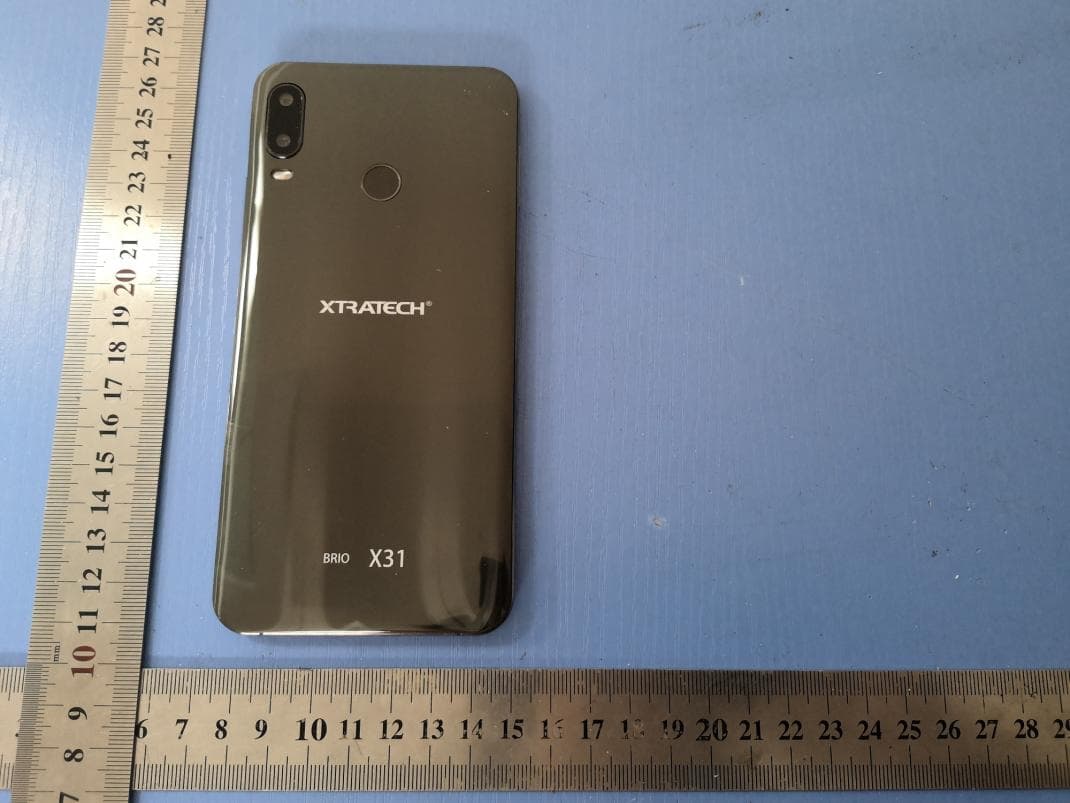
2ADVABRIOX31
Mar 23, 2020Smart Phone
Equipment Class
PCE - PCS Licensed Transmitter held to ear