2AE5ATOSVWireless Battery
Roost Inc.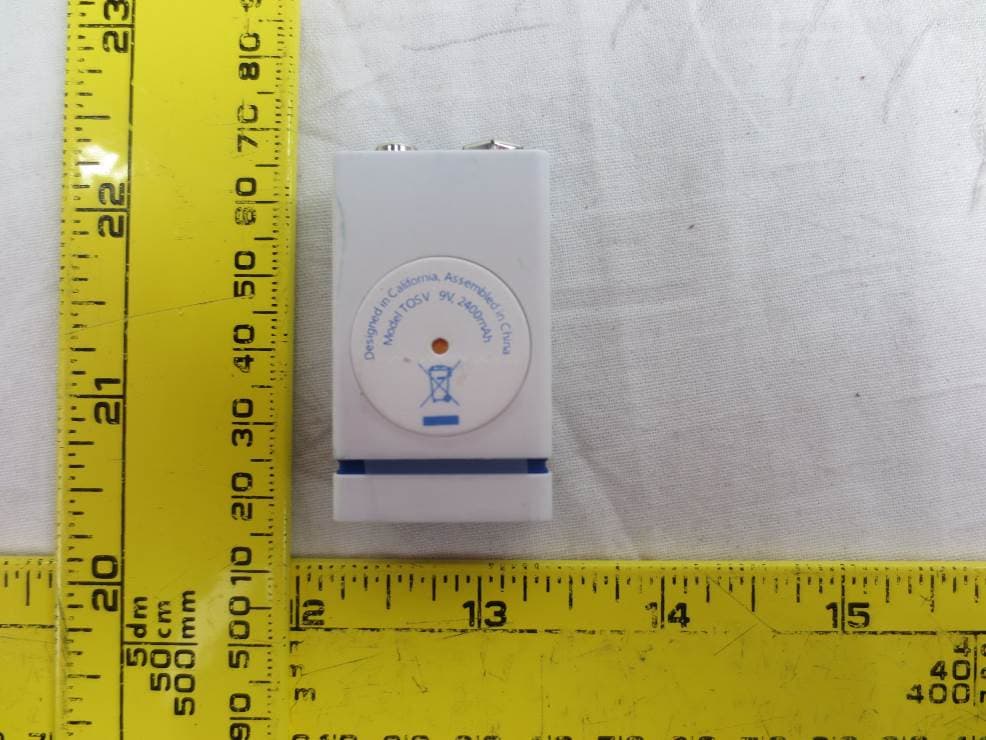
Click to zoom
Application Details
- Equipment Class
- DTS - Digital Transmission System
- Date of Grant
- Oct 21, 2015
- Application Purpose
- Original Equipment
- Date of Application
- Oct 21, 2015
- Equipment Note
- Wireless Battery
- Frequency Range
- 2412.00000000 - 2462.00000000
- Company
- Roost Inc.
- Country
- United States
Documents & Files
Document Text
Text extracted from the exhibit documents filed with the FCC. Open a document above to read the original.
Users Manual
10/13/2015Get started with Roost Smart Battery http://getroost.com/getstarted1/7 (index.html) GET STARTED WITH ROOST In most cases, setup takes minutes! Welcome to Roost! It's easy to get going with your Smart Battery, and this page will take you through setup stepbystep. You don’t need any tools or hubs – you just need a few things to get started with your Smart Battery: or just follow the 3step guide below. A smoke alarm that uses a 9volt battery for backup or primary power An iOS or Android smartphone A WiFi® network (and password if you have one) WATCH OUR SETUP VIDEO (HTTPS://WWW.YOUTUBE.COM/WATCH?V=LBWWCXZE0_0) Help 10/13/2015Get started with Roost Smart Battery http://getroost.com/getstarted2/7 Step 1: Get the Roost app and create your account Enable Location Create Account Get the Roost app Download and install the Roost mobile app by searching for "Roost Smart Battery" in the iTunes or Google Play app store. You can search directly from the app store on your smartphone or click below to add the appropriate Roost app. Next, open the Roost app and follow the installation instructions within the app. Questions? Please visit our Troubleshooting page. Download for iOS (https://itunes.apple.com/us/app/roost smartbattery/id975933208?mt=8) Download for Android (https://play.google.com/store/apps/details? id=com.smartroost.app) 10/13/2015Get started with Roost Smart Battery http://getroost.com/getstarted3/7 Step 2: Connect your Smart Battery Define a Location Connect to WiFi Set up Connection Add a Smart Battery After you’ve created your account, you are ready to set up your Smart Battery and connect it to WiFi. Before you start, make sure that your smartphone is connected to your home WiFi. To get started, pull the clear tab out of your Smart Battery. You will hear an audio welcome tone indicating that your Smart Battery has powered on. Then select “Add Now” in the Roost app to set up a new Smart Battery. Add A Smart Battery 10/13/2015Get started with Roost Smart Battery http://getroost.com/getstarted4/7 Step 3: Install and Test the Smart Battery in your Smoke Alarm Test Alarm Insert Battery Remove your old 9V battery. Then remove the clear protective cap at the top of your Smart Battery. You can reuse this to safely dispose of your current 9V battery by simply snapping it on the terminals of the old 9V for disposal. Install your Smart Battery in your smoke alarm, inserting it just as you would a conventional 9V battery. Congratulations, you’ve set up your Smart Battery! Roost can now help you remotely monitor and protect your loved ones in your home. Insert Battery 10/13/2015Get started with Roost Smart Battery http://getroost.com/getstarted5/7 Get more assurance with other Roost Smart Battery app features Emergency contacts Checking Status Alert notifications What happens when I receive an alert notification on my smartphone? Most of the time, your Smart Battery will be silently and reliably working to monitor your home's smoke alarm. In the case of alert, you'll receive a notification on your smartphone. You will also be able to open the app to silence your alarm, see which of your invited monitors are near the alarm, or call emergency contacts. When your Smart Battery detects an alert from your smoke or CO alarm, you will receive a Alert Notifications 10/13/2015Get started with Roost Smart Battery http://getroost.com/getstarted6/7 notification on your smartphone. If you tap on this notification, it'll open up the Roost app and reveal several options: Call Emergency Contact View Monitors Snooze Alarm When you Snooze Alarm, this will silence your alarm for a limited amount of time. This is especially handy when you have a false alarm (say, burn the toast). Please note that this feature only works with alarms that are only powered by 9V batteries and are not hard wired to A/C power. Snooze the Alarm 10/13/2015Get started with Roost Smart Battery http://getroost.com/getstarted7/7 (http://getroost.zendesk.com) Need additional help? Go to the Help Center Contact (contact.html) / Jobs (roostjobs.html) / Blog (blog.html) / Support (http://support.getroost.com) / Press Kit (https://www.dropbox.com/sh/obt9nlatrz888jr/AABOvJDr5fCd4gc5eT3oPAA6a? dl=0) / Buy (https://shop.getroost.com) Copyrights © 2015 All Rights Reserved by Roost, Inc. Privacy (privacy.html) / Terms (terms.html) Roost Important Information © 2015 Roost, Inc. All rights reserved. The Roost™ word mark and logo are trademarks of R oost, Inc. The Wi-Fi Certified Logo is a logo of W i-Fi Alliance ® . All other logos and trademarks are the property of their respective owners. S ee www.getroost.com/patents f or a list of a pplicable patents and/or patent applications. N o part of this publication may be stored, r eproduced, transmitted or distributed, in whole or in part, in any manner, electronic or otherwise, w hether or not for a charge or other or no c onsideration, without the prior written permission of Roost, Inc. Requests for permission to store, r eproduce, transmit or distribute materials may be m ade to the following address: Roost, Inc. 9 55 Benecia Avenue S unnyvale, CA 94085 User Guide Version: 1.0 P ublication date: September 1, 2015 [email protected] 1) Compatibility The Roost Smart Battery is compatible only w ith smoke and CO alarms that use a 9-volt battery, including those hard-wired with 9V b attery backup. R equires iOS 7 or Android 4.2 (or higher) devices, Wi-Fi ® access and installation of free R oost iOS or Android app. 2 ) FCC Notice This device complies with Part 15 of the FCC R ules. Operation is subject to the following two conditions: (1) this device may not cause harmful interference, and (2) this device must a ccept any interference received, including interference that may cause undesired operation. CAUTION: Changes or modifications to this unit not expressly approved by Roost, Inc. could void the user’s authority to operate this equipment. Note: T…
Text truncated - open the document above for the full version.
External Photos
Roost, Inc. FCC ID: 2AE5ATOSV Report Number: R1509231-247 Page 94 of 98 FCC Part 15C Test Report 13 Exhibit C - EUT Photographs 13.1 EUT – Top View 13.2 EUT – Bottom View Roost, Inc. FCC ID: 2AE5ATOSV Report Number: R1509231-247 Page 95 of 98 FCC Part 15C Test Report 13.3 EUT – Front View 13.4 EUT – Rear View Roost, Inc. FCC ID: 2AE5ATOSV Report Number: R1509231-247 Page 96 of 98 FCC Part 15C Test Report 13.5 EUT Right Side View 13.6 EUT Left Side View
Internal Photos
Roost, Inc. FCC ID: 2AE5ATOSV Report Number: R1509231-247 Page 97 of 98 FCC Part 15C Test Report 13.7 Battery PCB Top 13.8 Battery PCB Bottom (contains connector to Wireless PCB) Roost, Inc. FCC ID: 2AE5ATOSV Report Number: R1509231-247 Page 98 of 98 FCC Part 15C Test Report 13.9 Wireless PCB Top (contains connector to Battery PCB) 13.10 Wireless PCB Bottom --- END OF REPORT ---
Test Report
Note: This test report is prepared for the customer shown above and for the device described herein. It may not be duplicated or used in part without prior written consent from Bay Area Compliance Laboratories Corp. This report must not be used by the customer to claim product certification, approval, or endorsement by A2LA*, NIST, or any agency of the Federal Government. * This report may contain data that are not covered by the A2LA accreditation and are marked with an asterisk “*” (Rev.2) FCC PART 15, SUBPART C TEST AND MEASUREMENT REPORT For Roost, Inc. 955 Benicia Avenue, Sunnyvale, CA 94085, USA FCC ID: 2AE5ATOSV Report Type: Original Report Product Type: Wireless Battery Prepared By: Leonard Gray Associate En gineer Report Number: R1509231-247 Report Date: 2015-10-21 Reviewed By: Simon Ma RF Lead Bay Area Compliance Laboratories Corp. 1274 Anvilwood Avenue, Sunnyvale, CA 94089, USA Tel: (408) 732-9162 Fax: (408) 732-9164 Roost, Inc. FCC ID: 2AE5ATOSV Report Number: R1509231-247 Page 2 of 98 FCC Part 15C Test Report TABLE OF CONTENTS 1 General Description ..................................................................................................................................................... 5 1.1 Product Description for Equipment Under Test (EUT) ...................................................................................... 5 1.2 Mechanical Description of EUT ......................................................................................................................... 5 1.3 Objective ............................................................................................................................................................. 5 1.4 Related Submittal(s)/Grant(s) ............................................................................................................................. 5 1.5 Test Methodology ............................................................................................................................................... 5 1.6 Measurement Uncertainty ................................................................................................................................... 5 1.7 Test Facility ........................................................................................................................................................ 6 2 System Test Configuration.......................................................................................................................................... 7 2.1 Justification ......................................................................................................................................................... 7 2.2 EUT Exercise Software....................................................................................................................................... 7 2.3 Equipment Modifications.................................................................................................................................... 7 2.4 Local Support Equipment ................................................................................................................................... 7 2.5 EUT Internal Configuration Details .................................................................................................................... 7 2.6 Power Supply and Line Filter ............................................................................................................................. 7 2.7 Interface Ports and Cabling ................................................................................................................................. 7 3 Summary of Test Results ............................................................................................................................................ 8 4 FCC §15.247(i) & §2.1091 - RF Exposure ................................................................................................................. 9 4.1 Applicable Standard ............................................................................................................................................ 9 4.2 MPE Prediction ................................................................................................................................................... 9 4.3 MPE Results ....................................................................................................................................................... 9 5 FCC §15.203 - Antenna Requirements ...................................................................................................................... 11 5.1 Applicable Standards ........................................................................................................................................ 11 5.2 Antenna List and Details ................................................................................................................................... 11 6 FCC §15.209 & §15.247(d) - Spurious Radiated Emissions ..................................................................................... 12 6.1 Applicable Standards ........................................................................................................................................ 12 6.2 Test Setup ......................................................................................................................................................... 13 6.3 Test Procedure .................................................................................................................................................. 13 6.4 Corrected Amplitude & Margin Calculation ..................................................................................................... 14 6.5 Test Equipment List and Details ....................................................................................................................... 14 6.6 Test Environmental Conditions ...…
Text truncated - open the document above for the full version.
Test Setup Photos
Roost, Inc. FCC ID: 2AE5ATOSV Report Number: R1509231-247 Page 92 of 98 FCC Part 15C Test Report 12 Exhibit B - Test Setup Photographs 12.1 Radiated Emission below 1 GHz Front View 12.2 Radiated Emission below 1 GHz Rear View Roost, Inc. FCC ID: 2AE5ATOSV Report Number: R1509231-247 Page 93 of 98 FCC Part 15C Test Report 12.3 Radiated Emission above 1 GHz Front View 12.4 Radiated Emission above 1 GHz Rear View
Contact Information
Applicant
James Blackwell(CTO)
Test Firm
Bay Area Compliance Laboratories Corp.Lisa Tang
Technical Specifications
| # | Rule Parts | Frequency Range | Power Output |
|---|---|---|---|
| 1 | 15C | 2.41 GHz - 2.46 GHz | 28.00 mW |
Other Applications from Roost Inc.
2AE5A-SRRSW
Sep 30, 2021Water Sensor
Equipment Class
DSS - Part 15 Spread Spectrum Transmitter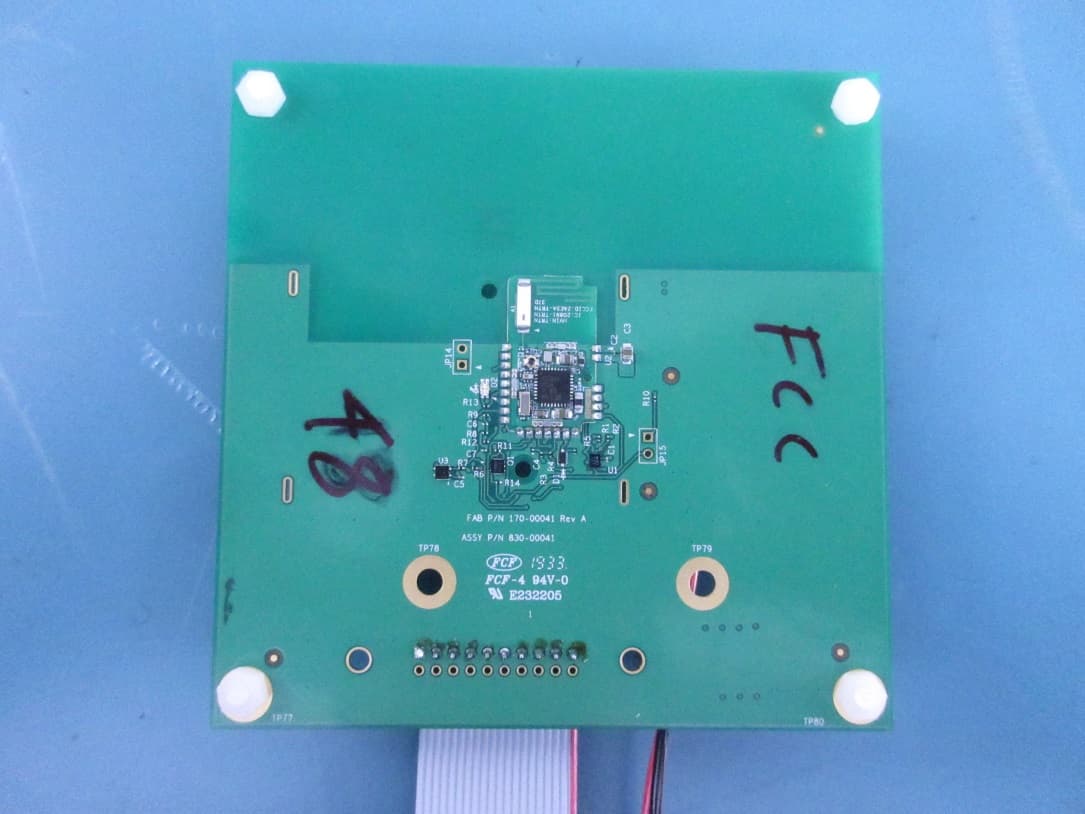
2AE5A-TRTN
Feb 27, 2020Radio Module
Equipment Class
DSS - Part 15 Spread Spectrum Transmitter