2AFSS-WIFISPKBluetooth Speaker
Shenzhen MeiDong Acoustics Co., Ltd.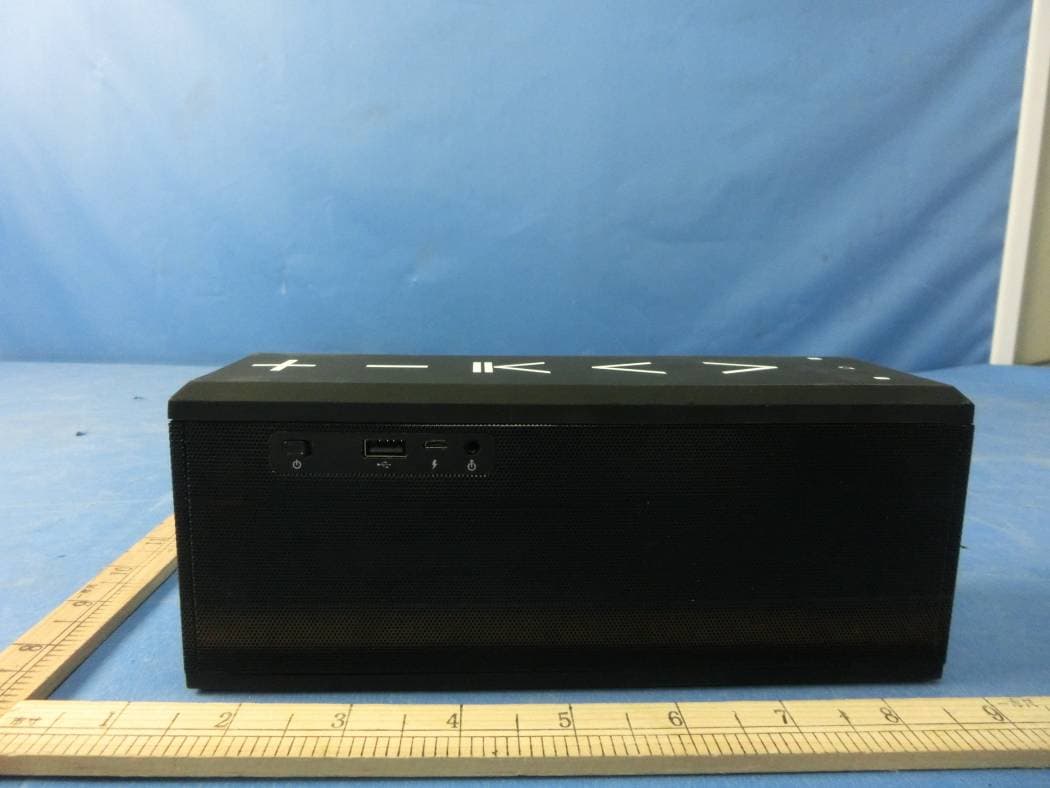
Click to zoom
Application Details
- Equipment Class
- DSS - Part 15 Spread Spectrum Transmitter
- Date of Grant
- Oct 26, 2015
- Application Purpose
- Original Equipment
- Date of Application
- Oct 26, 2015
- Equipment Note
- Bluetooth Speaker
- Frequency Range
- 2402.00000000 - 2480.00000000
- Country
- China
Documents & Files
Document Text
Text extracted from the exhibit documents filed with the FCC. Open a document above to read the original.
Users Manual
User’s Guide cowin Bluetooth Speaker iChocolate PRO Shenzhen MeiDong Acoustics Co., Ltd. 1. Introduction 2. Function Profile 3. Installing APP 4. Connecting speaker under WiFi mode 5. Mode Switch 6. Bluetooth connection 7. Cable connection 8. Charging and LED Indicator Light 9. Product Care Please read the following safety warnings and precautions before using your device. 2 3 4 5 7 7 9 9 10 Contents -1- 1. Introduction -2- iChocolate Pro Output Power: S/N: Frequency range: Power supply: Function Spec: Supported Device: Support Mode: Size: Rechargeable battery with charging option from USB cable 15W >75dB 80Hz-20KHz Lithium battery or USB cable WiFi, Bluetooth, Microphone, Line-in iPhone, iPad, iPod touch, Android Smartphone and Tablet, Window PC etc. Network Connection, Direct Connection, Bluetooth Connection, Cable connection 256.0mm x 80.0mm x 103.5mm Operating Range: Wifi mode: operating range up to 30 meters Bluetooth Mode: operating range up to 10 meters Specification Thank you for purchasing the iChocolate Pro - WiFi speaker, the entirely new concept. It is totally different with Bluetooth speaker and traditional speaker: One or more pieces speaker can be connected with your smart device via router to play same music or different music at the same time. -3- 2. Function Profile USB Port Aux-in/Line-in ON/OFF Micro USB Volume UP Volume Down Play/Pause Next NFC Previous WPS Bluetooth Mode WiFi mode Mode switch -4- APP for IOS system (iPhone, iPad etc): Search “MUZO” in Apple store, and install Search “MUZO” in Google play, and install APP for Android system(Samsung etc): 3. Installing APP 4. Connecting speaker under WiFi mode -5- A, Network Connection Enter WLAN setting of your device, and connect your network Turn on the speaker, you will see blue light (please kindly wait, it takes around 8s to turn on WiFi function) Enter our APP; click “Add Device” to connect speakers with your network: Press WPS on the speaker, you will hear “WiFi Searching”, then click “next” on APP Click or slide right to play online music or downloaded music as you want Add more speakers: press “+”(on right top of APP), then follow the APP advise. Do this again to add the third or more speakers. Click the setting key" " in APP to rename the speaker or other setting Play allPlay allPlay all change channel same music Speakers play different music add device -6- B. Direct Connection (This is used when there is no network, such as outdoor activity Remarks: The first speaker you connected just like the router, if you turn off the speaker, other speakers will be disconnected. If you turn off other speakers, the rest ones remain work. The possible reasons of failure of adding devices: 1. The most possible reason is that your smartphone connect with the WiFi router which is 2.4G, then device can't receive the request of connection sent from smartphone. 2. If you have a band router (2.4Gplease set the 2.4G password , then maybe connectable, maybe not, depends on the routers. 3. If the router set Enterprise WPA will fail to connect, as we don’t support Enterprise WPA. 4. Belows setting on router will also result in failing to add device: a) If the IP address is assigned statically b) If there is MAC address limitation, only specific MAC address could connect c) The router is hide 5. Some routers has maximum connection, when exceed the maximum, will fail to add device. 6. Network is too bad, may be successful after trying many times. Turn on the speaker, you will see blue light Enter WLAN setting of your device and turn on WLAN Search the WiFi name of speaker “WiFi Speaker”, connect. Enter APP, play music or add more speakers -7- 6. Bluetooth Connection Press mode switch key“ ”to change the mode from WiFi to Bluetooth . Then will see blue light“ ” flash . The speaker is in Bluetooth mode and waiting for connection. Navigate the Bluetooth function of your device (Select “Set Up” Bluetooth or turn “ON” Bluetooth) Select “Search” or “Discover” devices Select Bluetooth “iChocolate” If required, type the password or PIN 0000 After completing the steps above, a message on your device will appear confirming that your device is now paired/connected. In case of unsuccessful pairing, turn off the speaker and restart it. 5. Mode Switch When turn on speaker, it will be WiFi Mode automatically 1. The first time press “ ”, it will turn to Bluetooth mode 2. The second time press it, will turn to Line-in mode 3. The third time press it, will turn to WiFi mode Each time press the switch key “ ”, mode will change as aboved steps. 1. 2. 3. 4. -8- 6. 1 NFC Connection NFC: Near Field Communication, is a set of standard for smartphone and this speaker to establish Bluetooth radio communication with each other by touching them together or bringing them into close proximity, usually no more than a few centimeters. Please activate the NFC function (subjects to device own setting) function of your Bluetooth device. Bring your Bluetooth device close to speaker, as above picture. Bluetooth device will ask you whether you want to pair the speaker, confirm by “Yes” or “OK”, then the pairing process is completed. 6.2 Microphone Usage When a phone call comes in, you could talk through the microphone on speaker. Tips: When you make a call from your mobile phone the call will (subject to phone settings) automatically transfer to the speaker. -9- 7. Cable connection (Line-in) 3.5mm stereo jack 8. Charging and LED Indicator Light Built-in lithium battery can be charged by Micro USB cable, see below picture: Use provided audio cable as below to connect with speaker: PC Notebook Charging by USB -10- 9. Product Care Your device is designed to be durable, but as an electronic device, it must be treated carefully. Putting unnecessary pressure on it or striking the device against other objects may cause damage: The indicator light status display as below: Blue light stable White light Red Light Stay solid Red Light Flashing Low power Charging Charging finished …
Text truncated - open the document above for the full version.
Cover Letter(s)
SCS-F18: Project and Product Certification Representative Authorization Letter Page 1 of 2 Rev 5.0 775 Montague Expressway Milpitas, CA 95035 Tel: 408-526-1188 Fax: 408-526-1088 Email: [email protected] Project and Product Certification Representative Authorization Letter Reason for Amendment (current / obsolete) Revision History Approved Date From To Initial Release (obsolete) 1.0 1.0 Nov-14-2006 Revised wording (obsolete) 1.0 2.0 Sept–25-2007 Updated company template (obsolete) 2.0 3.0 Jan-31-2012 Updated letter information (obsolete) 3.0 4.0 May-23-2014 Added FCC ID field (current) 4.0 5.0 Sept 16 2014 SCS-F18: Project and Product Certification Representative Authorization Letter Page 2 of 2 Rev 5.0 Shenzhen MeiDong Acoustics Co., Ltd. 2015-10-20 To: SIEMIC, INC. 775 Montague Expressway, Milpitas, CA 95035 USA Dear Sir/Madam, Re: Product Certification Representative Authorization Letter We, ____ Shenzhen MeiDong Acoustics Co., Ltd._ _hereby authorize SIEMIC, Inc. to act as a Certification Body for certifying for the following project(s): Product: Bluetooth Speaker Trade Name: cowin Model Name: iChocolate PRO Serial Model: N/A FCC ID: 2AFSS-WIFISPK Sincerely, Signature Client’s name / title : Li jian / Manager Contact information / address : Cell B, 3th Floor, Tower B, Hongzhuyongqi Technology Park, Lezhujiao, Xixiang, Baoan, Shenzhen, Guangdong, China
Cover Letter(s)
SCS-F19: Confidentiality Request Letter Page 1 of 2 Rev 4.0 775 Montague Expressway Milpitas, CA 95035 Tel: 408-526-1188 Fax: 408-526-1088 Email: [email protected] Confidentiality Request Letter Reason for Amendment (current / obsolete) Revision History Approved Date From To Initial Release (obsolete) 1.0 1.0 Nov-14-2006 Adding CFR 2.459 (obsolete) 1.0 2.0 August – 11 - 2008 Updated company template & Added text box (obsolete) 2.0 3.0 Jan-31-2012 Added IC confidentiality letter form (current) 3.0 4.0 March-26-2015 SCS-F19: Confidentiality Request Letter Page 2 of 2 Rev 4.0 Shenzhen MeiDong Acoustics Co., Ltd. 2015-10-20 To: Federal Communications Commission Authorization and Evaluation Division 7435 Oakland Mills Road Columbia, MD Subject: Permanent Confidentiality Request for FCC ID: 2AFSS-WIFISPK We hereby request confidential treatment of information accompanying this application as outlined below: - . Block Diagram - Schematics - Operational Description The above materials contain trade secrets and proprietary information not customarily released to the public. The public disclosure of these materials may be harmful to the applicant and provide unjustified benefits to its competitors. The applicant understands that pursuant to Section 0.457 & 0.459 of the Rules, disclosure of this application and all accompanying documentation will not be made before the date of the Grant for this application. Sincerely, Signature Client’s name / title : Li jian / Manager Contact information / address : Cell B, 3th Floor, Tower B, Hongzhuyongqi Technology Park, Lezhujiao, Xixiang, Baoan, Shenzhen, Guangdong, China
External Photos
APPENDIX-PHOTOGRAPHS OF EUT CONSTRUCTIONAL DETAILS Photo 1 Photo 2 Photo 3 Photo 4 Photo 5 Photo 6
ID Label/Location Info
FCC ID LABELING AND LOCATION FCC ID Label Bluetooth Speaker Model NO.: iChocolate PRO FCC ID: 2AFSS-WIFISPK This device complies with part 15 of the FCC Rules. Operation is subject to the following two conditions: (1)This device may not cause harmful interference, and (2) this device must accept any interference received, including interference that may cause undesired operation. FCC ID Label Location The label shown shall be permanently affixed at a conspicuous location on the device and be readily visible to the user at the time purchase (Labeling requirements per 2.925)
Internal Photos
APPENDIX-PHOTOGRAPHS OF EUT CONSTRUCTIONAL DETAILS Photo 1 Photo 2 Photo 3 Photo 4 WIFI ANT Photo 5 Photo 6 Photo 7 Photo 8 BT ANT Photo 9 Photo 10 Photo 11 Photo 12 Photo 13 Photo 14
RF Exposure Info
FCC ID : 2AFSS-WIFISPK RF EXPOSURE EVALUATION METHOD FCC ID:2AFSS-WIFISPK SAR Test Exclusion Thresholds for 100 MHz – 6 GHz and ≤ 50 mm Approximate SAR Test Exclusion Power Thresholds at Selected Frequencies and Test Separation Distances are illustrated in the following Table. The 1-g and 10-g SAR test exclusion thresholds for 100 MHz to 6 GHz at test separation distances ≤ 50 mm are determined by: [(max. power of channel, including tune-up tolerance, mW)/(min. test separation distance, mm)] · [√f(GHz)] ≤ 3.0 for 1-g SAR and ≤ 7.5 for 10-g extremity SAR,where f(GHz) is the RF channel transmit frequency in GHz Power and distance are rounded to the nearest mW and mm before calculation The result is rounded to one decimal place for comparison The test exclusions are applicable only when the minimum test separation distance is ≤ 50 mm and for transmission frequencies between 100 MHz and 6 GHz. When the minimum test separation distance is < 5 mm, a distance of 5 mm is applied to determine SAR test exclusion. Maximum measured transmitter power. WIFI: TX 802.11b Mode Te s t Channe Frequency Maximum Peak Conducted Output Power(PK) Maximum Peak Conducted Output Power(AV) Maximum Peak Conducted Output Power (AV) (MHz) (dBm) (dBm) mW CH01 2412 12.21 9.36 8.630 CH06 2437 12.31 9.49 8.892 CH11 2462 12.02 9.2 8.318 TX 802.11g Mode CH01 2412 11.88 8.75 7.499 CH06 2437 11.69 8.56 7.178 CH11 2462 11.56 8.43 6.966 TX 802.11n(20) Mode CH01 2412 10.77 8.54 7.145 CH06 2437 10.89 8.66 7.345 CH11 2462 10.74 8.51 7.096 TX 802.11n(40) Mode CH03 2422 9.83 7.41 5.508 CH06 2437 9.54 7.12 5.152 CH09 2452 9.33 6.91 4.909 FCC ID : 2AFSS-WIFISPK BT 3.0 1Mbps Test Channel Frequency (MHz) Peak Output Power (dBm) Peak Output Power (mW) CH00 2402 -0.22 0.951 CH39 2441 -0.08 0.982 CH78 2480 -0.48 0.895 2Mbps CH00 2402 -0.53 0.885 CH39 2441 -0.48 0.895 CH78 2480 -0.79 0.834 3Mbps CH00 2402 -0.23 0.948 CH39 2441 -0.10 0.977 CH78 2480 -0.56 0.879 Remark: The best case gain of the antenna is 1.0dBi. 1.0 dBi logarithmic terms convert to numeric result is nearly 1.26 The 1-g and 10-g SAR test exclusion thresholds for 100 MHz to 6 GHz at test separation distances ≤ 50 mm are determined by: [(max. power of channel, including tune-up tolerance, mW)/(min. test separation distance,mm)] · [√f(GHz)] WIFI: Te s t Channel Range tune up max power (dBm) [(max. power of channel, including tune-up tolerance, mW) (min. test separation distance,mm)] [f(GHz)] Result Limit TX 802.11b Mode CH01 7.6~9.6 9.6 9.120 5 2.412 2.83 3 CH06 7.6~9.6 9.6 9.120 5 2.437 2.85 3 CH11 7.6~9.6 9.6 9.120 5 2.462 2.86 3 TX 802.11g Mode CH01 7.0~9.0 9.0 7.943 5 2.412 2.47 3 CH06 7.0~9.0 9.0 7.943 5 2.437 2.48 3 CH11 7.0~9.0 9.0 7.943 5 2.462 2.49 3 TX 802.11n-HT20 Mode CH01 7.0~9.0 9.0 7.943 5 2.412 2.47 3 CH06 7.0~9.0 9.0 7.943 5 2.437 2.48 3 CH11 7.0~9.0 9.0 7.943 5 2.462 2.49 3 TX 802.11n-HT40 Mode CH03 6.0~8.0 8.0 6.310 5 2.422 1.96 3 FCC ID : 2AFSS-WIFISPK CH06 6.0~8.0 8.0 6.310 5 2.437 1.97 3 CH09 6.0~8.0 8.0 6.310 5 2.452 1.98 3 BT 3.0 Te s t Channel Range tune up max power (dBm) [(max. power of channel, including tune-up tolerance, mW) (min. test separation distance,mm)] [f(GHz)] Result Limit 1Mbps CH00 -2~0 0 1.000 5 2.402 0.310 3 CH39 -2~0 0 1.000 5 2.441 0.312 3 CH78 -2~0 0 1.000 5 2.480 0.315 3 2Mbps CH00 -2~0 0 1.000 5 2.402 0.310 3 CH39 -2~0 0 1.000 5 2.441 0.312 3 CH78 -2~0 0 1.000 5 2.480 0.315 3 3Mbps CH00 -2~0 0 1.000 5 2.402 0.310 3 CH39 -2~0 0 1.000 5 2.441 0.312 3 CH78 -2~0 0 1.000 5 2.480 0.315 3 The test Result is less than 3.0 for 1-g SAR and ≤ 7.5 for 10-g extremity SAR. Conclusion: No SAR is required.
Test Report
FCC RADIO TEST REPORT-BT FCC ID:2AFSS-WIFISPK Product: Bluetooth Speaker Trade Name: cowin Model Name: iChocolate PRO Serial Model: N/A Report No.: NTEK-2015NT09122654F Prepared for Shenzhen MeiDong Acoustics Co., Ltd. Cell B, 3th Floor, Tower B, Hongzhuyongqi Technology Park, Lezhujiao, Xixiang, Baoan, Shenzhen, Guangdong, China Prepared by Shenzhen NTEK Testing Technology Co., Ltd. 1/F, Building E, Fenda Science Park, Sanwei Community,Xixiang Street Bao’an District, Shenzhen P.R. China Tel.: +86-0755-61156588 Fax.: +86-0755-61156599 Website:www.ntek.org.cn Page 2 of 69 Report No.:NTEK-2015NT09122654F TEST RESULT CERTIFICATION Applicant’s name ................. : Shenzhen MeiDong Acoustics Co., Ltd. Address ................................. : Cell B, 3th Floor, Tower B, Hongzhuyongqi Technology Park, Lezhujiao, Xixiang, Baoan, Shenzhen, Guangdong, China Manufacture's Name ............ : Shenzhen MeiDong Acoustics Co., Ltd. Address ................................. : Cell B, 3th Floor, Tower B, Hongzhuyongqi Technology Park, Lezhujiao, Xixiang, Baoan, Shenzhen, Guangdong, China Product description Product name ........................... : Bluetooth Speaker Model and/or type reference : iChocolate PRO Serial Model: N/A Standards ............................. : FCC Part15.247: 01 Oct. 2015 Test procedure .............................. ANSI C63.10-2013 This device described above has been tested by NTEK, and the test results show that the equipment under test (EUT) is in compliance with the FCC requirements. And it is applicable only to the tested sample identified in the report. This report shall not be reproduced except in full, without the written approval of NTEK, this document may be altered or revised by NTEK, personnel only, and shall be noted in the revision of the document. Date of Test ............................................ : Date (s) of performance of tests ............. : 12 Sep. 2015 ~15 Oct. 2015 Date of Issue ........................................... : 15 Oct. 2015 Test Result ............................................... : Pass Testing Engineer : (Allen Liu) Technical Manager : (Brown Lu) Authorized Signatory : (Sam Chen) Page 3 of 69 Report No.:NTEK-2015NT09122654F Table of Contents Page 1 . SUMMARY OF TEST RESULTS 5 1.1 TEST FACILITY 6 1.2 MEASUREMENT UNCERTAINTY 6 2 . GENERAL INFORMATION 7 2.1 GENERAL DESCRIPTION OF EUT 7 2.2 DESCRIPTION OF TEST MODES 9 2.3 TABLE OF PARAMETERS OF TEXT SOFTWARE SETTING 9 2.4 BLOCK DIGRAM SHOWING THE CONFIGURATION OF SYSTEM TESTED 10 2.5 DESCRIPTION OF SUPPORT UNITS(CONDUCTED MODE) 11 2.6 EQUIPMENTS LIST FOR ALL TEST ITEMS 12 3 . EMC EMISSION TEST 13 3.1 CONDUCTED EMISSION MEASUREMENT 13 3.1.1 POWER LINE CONDUCTED EMISSION LIMITS 13 3.1.2 TEST PROCEDURE 14 3.1.3 DEVIATION FROM TEST STANDARD 14 3.1.4 TEST SETUP 14 3.1.5 EUT OPERATING CONDITIONS 14 3.1.6 TEST RESULTS 15 3.2 RADIATED EMISSION MEASUREMENT 19 3.2.1 RADIATED EMISSION LIMITS 19 3.2.2 TEST PROCEDURE 20 3.2.3 DEVIATION FROM TEST STANDARD 20 3.2.4 TEST SETUP 21 3.2.5 EUT OPERATING CONDITIONS 22 3.2.6 TEST RESULTS (BELOW 30 MHZ) 23 3.2.7 TEST RESULTS (BETWEEN 30M – 1000 MHZ) 24 3.2.8 TEST RESULTS (ABOVE 1000 MHZ) 26 4 . NUMBER OF HOPPING CHANNEL 27 4.1 APPLIED PROCEDURES / LIMIT 27 4.1.1 TEST PROCEDURE 27 4.1.2 DEVIATION FROM STANDARD 27 4.1.3 TEST SETUP 27 4.1.4 EUT OPERATION CONDITIONS 27 4.1.5 TEST RESULTS 28 5 . AVERAGE TIME OF OCCUPANCY 29 5.1 APPLIED PROCEDURES / LIMIT 29 Page 4 of 69 Report No.:NTEK-2015NT09122654F Table of Contents Page 5.1.1 TEST PROCEDURE 29 5.1.2 DEVIATION FROM STANDARD 29 5.1.3 TEST SETUP 30 5.1.4 EUT OPERATION CONDITIONS 30 5.1.5 TEST RESULTS 31 6 . HOPPING CHANNEL SEPARATION MEASUREMENT 37 6.1 APPLIED PROCEDURES / LIMIT 37 6.1.1 TEST PROCEDURE 37 6.1.2 DEVIATION FROM STANDARD 37 6.1.3 TEST SETUP 37 6.1.4 EUT OPERATION CONDITIONS 37 6.1.5 TEST RESULTS 38 7 . BANDWIDTH TEST 44 7.1 APPLIED PROCEDURES / LIMIT 44 7.1.1 TEST PROCEDURE 44 7.1.2 DEVIATION FROM STANDARD 44 7.1.3 TEST SETUP 44 7.1.4 EUT OPERATION CONDITIONS 44 7.1.5 TEST RESULTS 45 8 . PEAK OUTPUT POWER TEST 51 8.1 APPLIED PROCEDURES / LIMIT 51 8.1.1 TEST PROCEDURE 51 8.1.2 DEVIATION FROM STANDARD 51 8.1.3 TEST SETUP 51 8.1.4 EUT OPERATION CONDITIONS 51 8.1.5 TEST RESULTS 52 9 . 100 KHZ BANDWIDTH OF FREQUENCY BAND EDGE 58 9.1 DEVIATION FROM STANDARD 58 9.2 TEST SETUP 58 9.3 EUT OPERATION CONDITIONS 58 9.4 TEST RESULTS 59 10 . ANTENNA REQUIREMENT 67 10.1 STANDARD REQUIREMENT 67 10.2 EUT ANTENNA 67 11 . EUT TEST PHOTO 68 APPENDIX-PHOTOGRAPHS OF EUT CONSTRUCTIONAL DETAILS Page 5 of 69 Report No.:NTEK-2015NT09122654F 1. SUMMARY OF TEST RESULTS Test procedures according to the technical standards: FCC Part15 (15.247) , Subpart C Standard Section Test Item Judgment Remark 15.207 Conducted Emission PASS 15.247(a)(1) Hopping Channel Separation PASS 15.247(b)(1) Peak Output Power PASS 15.247(c) Radiated Spurious Emission PASS 15.247(a)(iii) Number of Hopping Frequency PASS 15.247(a)(iii) Dwell Time PASS 15.247(a)(1) Bandwidth PASS 15.205 Band Edge Emission PASS 15.203 Antenna Requirement PASS NOTE: (1)” N/A” denotes test is not applicable in this Test Report Page 6 of 69 Report No.:NTEK-2015NT09122654F 1.1 TEST FACILITY NTEK Testing Technology Co., Ltd Add. : 1/F, Building E, Fenda Science Park, Sanwei Community, Xixiang Street, Bao’an District, Shenzhen P.R. China. FCC Registration No.:238937; IC Registration No.:9270A-1 CNAS Registration No.:L5516 1.2 MEASUREMENT UNCERTAINTY The reported uncertainty of measurement y ± U,where expended uncertainty U is based on a standard uncertainty multiplied by a coverage factor of k=2,providing a level of confidence of approximately 95 %。 No. Item Uncertainty 1 Conducted Emission Test ±1.38dB 2 RF power,conducted ±0.16dB 3 Spurious emissions,conducted ±0.21dB 4 All emissions,radiated(<1G) ±4.68dB 5 All emissions,radiated(>1G) ±4.89dB 6 Temperature ±0.5°C 7 Humidity ±2% Page 7 of 69 Report No.:NTEK-2015NT09122654F 2. GENERAL INFORMATION 2.1 GENERAL DESCRIPTI…
Text truncated - open the document above for the full version.
Test Setup Photos
Radiated Measurement Photos CONDUCTED EMISSION Photos
Contact Information
Applicant
Li Jian
Test Firm
Shenzhen NTEK Testing Technology Co., Ltd.Jason Chen
Technical Specifications
| # | Rule Parts | Frequency Range | Power Output |
|---|---|---|---|
| 1 | 15C | 2.40 GHz - 2.48 GHz | 982.00 µW |
Other Applications from Shenzhen MeiDong Acoustics Co., Ltd.
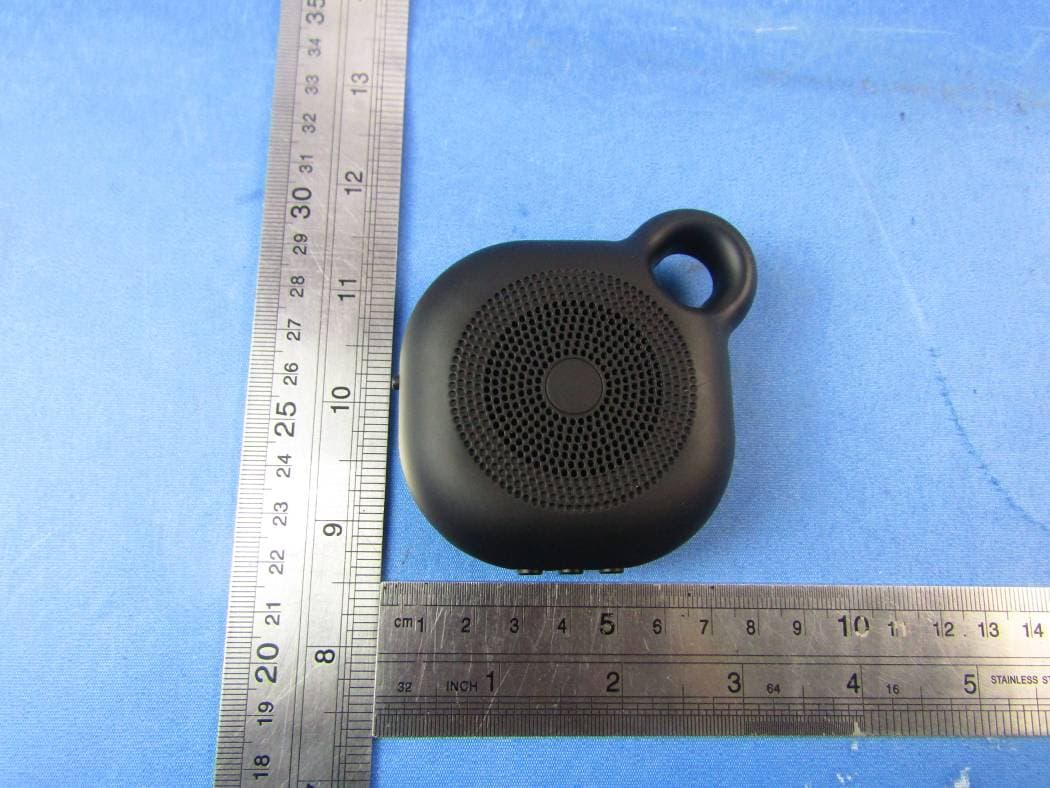
2AFSSMD-01
Jan 26, 2016Bluetooth Speaker
Equipment Class
DSS - Part 15 Spread Spectrum Transmitter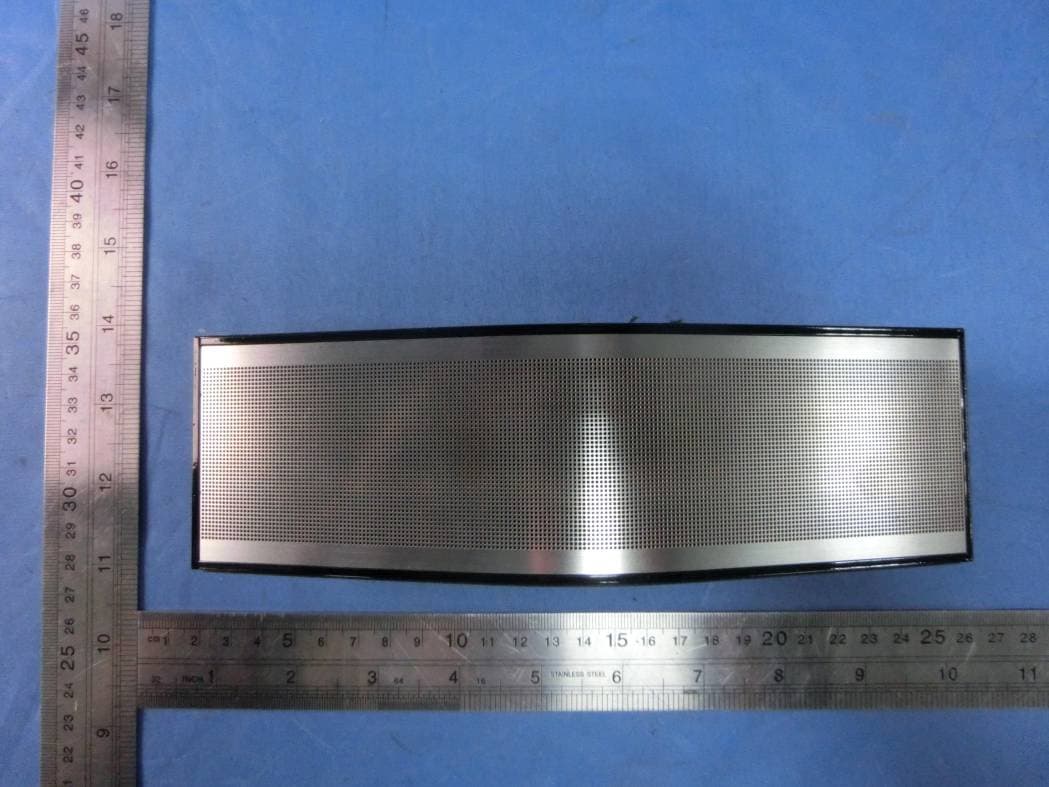
2AFSS-MAGIC
Oct 26, 2015Bluetooth speaker
Equipment Class
DSS - Part 15 Spread Spectrum Transmitter