2AG5F-LF-04REMOTE
Yueqing Originality Photography Equipment Co., LTD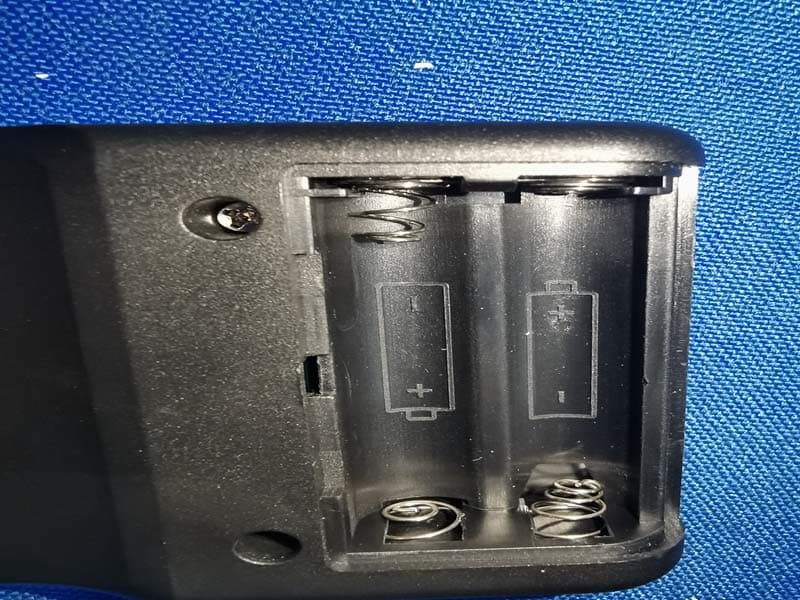
Click to zoom
Application Details
- Equipment Class
- DXX - Part 15 Low Power Communication Device Transmitter
- Date of Grant
- Jul 23, 2021
- Application Purpose
- Original Equipment
- Date of Application
- Jul 23, 2021
- Equipment Note
- REMOTE
- Frequency Range
- 2404.50000000 - 2467.50000000
- Country
- China
Documents & Files
Document Text
Text extracted from the exhibit documents filed with the FCC. Open a document above to read the original.
Users Manual
LED摄影灯说明书 Video LED light User manual 请勿将摄影灯放置在高温、高湿的地方。 此机有温度保护功能,当温度过高时进入保护状态,当温度降低后恢复 正常。 请勿用湿手接触产品,亦不可将产品浸入水中或暴露于雨中。 请勿拆卸或改造产品。若本产品因为摔落或其他意外事故造成破损, 请将产品送至厂家授权的维修中心进行检查维修。 LED摄影灯光源稳定,显色性好,功能强大,非常适用于影棚拍摄、采访布 光、静物拍摄以及视频拍摄等。可选配专用遥控器,可无线分组调光,无线 调节亮度,功能丰富,操作便捷。 产品具有以下亮点: ● 大功率COBLED灯珠亮度高,光源稳定。 ●显色指数高达95以上,真实还原物体色彩。 ●精准显示屏,参数(设置完成8秒后)自动保存。 ●可选配遥控器,2.4GHz无线16组别16频道分组控制,无线调节各组亮度。 ●配备用散热片与内置风扇高效散热,具有温度控制保护,延长灯珠使用寿 命。 前言 注意事项 亮度 灯光图标 无线图标 频道 组别 显示屏 产品描述 显示屏 亮度调节旋钮/确认键 频道/组别按钮 灯光开关 电源开关 保险座 AC电源插座 LED灯珠 伞孔 灯架接头锁紧旋钮 方向调节把手 托架 使用指南 ●打开电源之后,按“RUN”键可以开启灯光或关 闭灯光。 4.主机频道/组别调整 ●连接AC电源 ●按ON/OFF按钮打开电源,显示面板亮起,则表示 已经打开。 1.开始使用摄影灯 2.LED灯开关 ●打开电源之后,旋转主机上的调节旋钮可对亮度 进行调整。 ●可调节亮度范围:10%-100% 3.亮度 ●按“GR/CH”显示屏上“ ”闪烁,然后 旋转旋钮设置(1-16)频道,再按旋钮键确认; 按“GR/CH”显示屏上“ ”闪烁,然后 选择旋钮设置(0-9、A-F)组别,再按旋钮键确 认。 ●本机时时检测LED摄影灯的温度,温度过高时自动关机,杜绝安全隐患。 温度检测 注:闪光灯参数设置完成经过8秒后才会记忆保存。 遥控器 无线图标 亮度 灯光图标 色温 频道 组别 +键-键 色温按键 频道按键 遥控器电 源开关 LED灯开关 组别按键 SET键 按< >键,可以控制LED灯打开或关闭 按< + >< - >键,调节灯明暗亮度 按< CH >键,屏幕上< >闪烁,再按< + >< - >键设置频道。 按< GR >键,屏幕上< >闪烁,再按< + >< - >键设置组别。 注:*灯的频道、组别和遥控器的频道、组别要一样。 *如灯无此色温调节功能,COLOR 色温键不支持。 *遥控器参数设置完成经过8秒后才会记忆保存。 (遥控器另购) Don’t place the light in a high temperature and high humidity place. The light with temperature protection function. When the temperature is too high, it enters the protection state and returns to normal when the temperature be decreased . Don’t touch the product with wet hands and do not immerse the product in water or be exposed to rain. Don’t remove or modify products. If the product is damaged by fall or other accident, please send the product to the manufacturer's authorized maintenance center for inspection and repair. LED photography light source is stable, high quality color temperature, powerful, suitable for studio shooting, interview light, still life shooting and video shooting. Can be selected with a special remote control, wireless packet dimming, wireless brightness adjustment, rich functions, convenient operation. The product has the following highlights: ● The high-power COB LED lamp with high brightness and stable light source. ● The guider no higher than 95 , which truly reduces the color of the object ● LCD display parameters (after setting for 8 seconds) are saved automatically. ● Optional remote control, 2.4 GHz wireless grouping control with 16 groups and 16 channels , wireless adjustment of each group brightness. ● Equipped with heat sink and built-in fan for efficient heat dissipation to control the temperature protection and extended lamp life. Preface Note Brightness Light icon Wireless icon Channel Group Display screen Product Description LED lamp Umbrella hole Lamp joint locking knob Direction adjustment handle Bracket Display screen Brightness adjustment knob / confirmation key Channel / Group key On/Off Power switch Insurance seat AC power outlet Use of guidelines ●After the power is turned on, press "RUN" to turn the light on or off. 4.Channel / Group ●Connect AC power supply ●Press the ON / OFF button to turn on the power, and the digital display panel in on. 1. Start Using led Lights 2.LED light switch ●After the power is turned on, the adjusting knob to adjust the power. ●Adjustable power range: 10 % -100 % 3.Brightness ●Press”GR/CH” knob until “ ”flicker in the display.then select the dial setting(1-16) channel, and then press the dial key to confirm; Press”GR/CH” knob until “ ”flicker in the display, then select the dial setting(0-9, A-F) group, and then press the dial key to confirm. Remote control Wireless icon Brightness Light icon Color temperature Channel Group + key- key Color temperature button Channel button Remote control power switch LED light switch Group key SET key Press the < > button to control the LED light on or off Press<+>, <->to adjust the brightness of the light Press the "CH" key, flicker < >on the screen, and press the <+> <-> key to set the channel. Press the "GR" key, flicker < > on the screen, and then press the "+" "-''-'' key to set the group. Note:*Please keep the same channel and same group for light and remote . *If the light without color temperature adjustment function, the “COLOR”( color temperature )key is not supported. *It will take 8 seconds for the remote control parameter setting to be memorized and saved (Remote control purchased by separately) This light always detects the temperature of LED light .When the temperature too high,the light will be turn off . Temperature detection Note: the flash parameters will not be stored until 8 seconds after setting. Changes or modifications not expressly approved by the party responsible for compliance could void the user's authority to operate the equipment
Cover Letter(s)
July 16, 2021 Equipment Autorisation Division Federal Communications Commission 7435 Oakland Mills Road Columbia, MD 21046 FCC ID: 2AG5F-LF-04 Product Name: REMOTE Request for Confidentiality Pursuant to Sections 0.457 and 0.459 of the commissions rules, we hereby request that the following documents be held confidential: • Schematics • Block diagram • Operation description These materials contain trade secrets and proprietary information and are not customarily released to the public. The public disclosure of this information might be harmful to the company and provide unjustified benefits to our competitors. <Signature>: Name:joyce chen Title: Applicant Company:Yueqing Originality Photography Equipment Co., LTD
ID Label/Location Info
Label Location
ID Label/Location Info
REMOTE Model No:LF-04 Trade Name:TRIOPO Internal Battery :AAA 1.5V*2 FCC ID:2AG5F-LF-04 Made in China
Test Setup Photos
Radiated Emission Test Setup:
Contact Information
Applicant
joyce chen
Test Firm
Shenzhen Timeway Testing LaboratoriesTerry Tang
[email protected]+86-755-83448688
Technical Specifications
| # | Rule Parts | Frequency Range | Power Output |
|---|---|---|---|
| 1 | 15C | 2.40 GHz - 2.47 GHz | - |
Other Applications from Yueqing Originality Photography Equipment Co., LTD
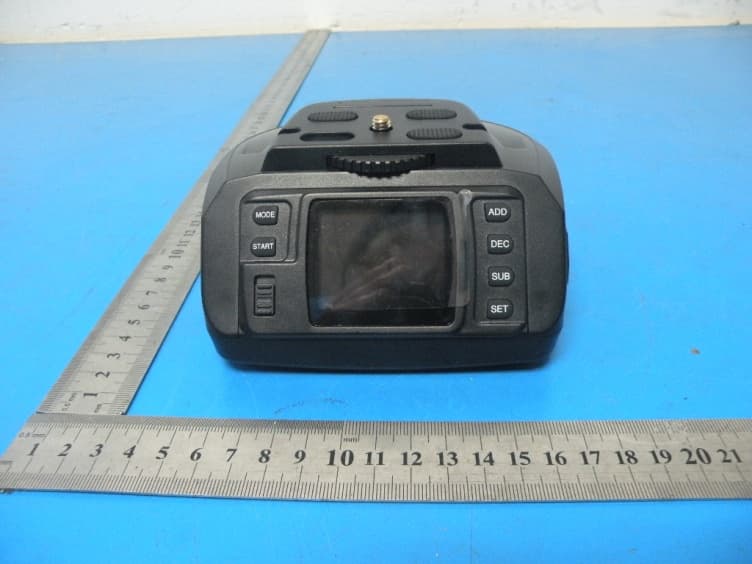
2AG5FAD-10
Jan 24, 2016Automatic Panoramic Head
Equipment Class
DXX - Part 15 Low Power Communication Device Transmitter