2AGN9-WOMBATBad Elf Wombat
Bad Elf, LLC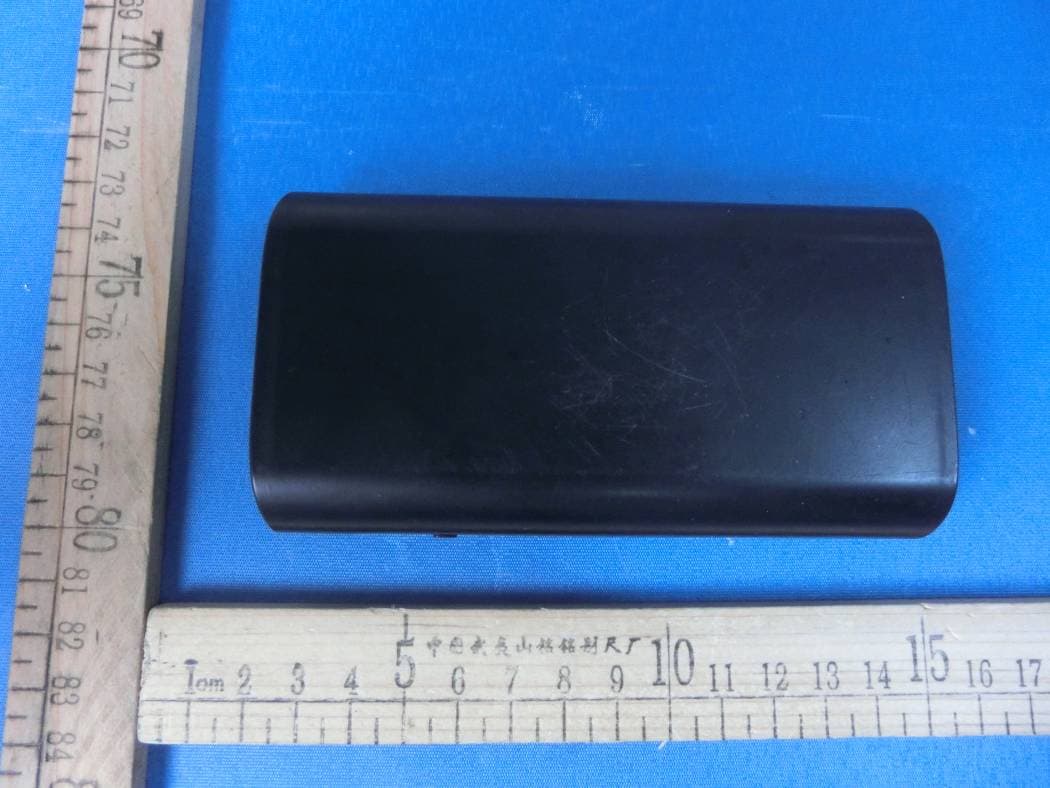
Click to zoom
Application Details
- Equipment Class
- DTS - Digital Transmission System
- Date of Grant
- Nov 30, 2015
- Application Purpose
- Original Equipment
- Date of Application
- Nov 30, 2015
- Equipment Note
- Bad Elf Wombat
- Frequency Range
- 2412.00000000 - 2462.00000000
- Company
- Bad Elf, LLC
- Country
- United States
Documents & Files
Document Text
Text extracted from the exhibit documents filed with the FCC. Open a document above to read the original.
Users Manual
Bad Elf Wombat User Manual Introduction Thank you for purchasing the Bad Elf Wombat! We designed the Wombat for pilots and boaters, allowing them to transfer files between their iOS device and installed equipment such as avionics and chartplotters. Key features include: ●Supports transferring files, over WiFi, between iOS devices and removable media including SD cards and USB memory sticks. ●Integrated 9000mAH battery supports simultaneous charging of an iPad (2.4A) and iPhone (1.0A) or other USB device. ●Standalone data log collection mode copies files to the Wombat’s internal memory without requiring an iOS device to be present. The files can then be copied to the iOS device at a later time. What’s in the Box? ●Wombat ●MicroUSB charging cable ●2GB MicroSD card with fullsize SD card adaptor ●User Manual Wombat (BE-DSL-3000) Quick Start Guide 1.Verify the Wombat is charged by pressing the top (silver) button, which will illuminate between 0 and 4 of the round, blue LED indicators to indicate charge status (0100% charged). If you do not see at least one LED illuminated, you should charge it before continuing, using the provided MicroUSB cable plugged into any USB power source (computer, wall wart adapter, etc. not provided). 2.Install the free “Bad Elf Wombat” utility app onto your Apple iOS device (iPad, iPhone, or iPod touch) via Apple’s iTunes App Store. You can search for “Bad Elf Wombat” on your iOS device, or visit our website at badelf.com/wombat for the download link. Your iOS device will need Internet connectivity (over WiFi or cellular) to download the app. 3.Open the Bad Elf Wombat app and follow the instructions to register your Wombat and to configure the app for your usecase scenarios. If prompted for the Wombat serial number, you will find it on the packaging label or on a card provided inside the package. If you do not have either of these, follow the prompts in the app. 4.Turn the Wombat ON by sliding the power switch on the side of the Wombat to the ON position, labeled with a battery icon with arrows inside. The red power LED on the top of the Wombat should illuminate. The Wombat will be ready to use in approximately 40 seconds, when the red power LED and the blue WiFi LED are illuminated and not flashing. 5.On your iOS device, open the Settings app and visit the WiFi page. Make sure WiFi is turned ON. You should see “Bad Elf Wombat #NNNNNNNN” (with your unique serial number) in the list of available access points. Click on this entry to connect to the Wombat. You will be prompted for a security key, which is 12345678 by default. 6.Reopen the Bad Elf Wombat app, which should now detect the Wombat device. 7.Follow the directions in the Bad Elf Wombat app for your particular usecase scenarios. Charging Your Wombat The Bad Elf Wombat can be charged, using the supplied MicroUSB cable, from any USB charging source. 1.Connect the Wombat to a USB power source using the supplied Micro USB charging cable. 2.One of the LED fuel gauge LEDs should start blinking, indicating the Wombat is charging. 3.When charging is complete, the fuel gauge LED will stop blinking. At some point all of the LEDs will turn off to conserve power. Press the fuel gauge button to check the charge level. NOTES: ●The Wombat will charge faster when connected to a 2.1A or 2.4A charger, such as the wall charger that comes with the Apple iPad. ●If you lose the Micro USB cable, any Micro USB cable will work, although it should be heavyduty for the maximum charge rate. ●Depending on the USB power source, charging the Wombat from empty to full will take 48 hours. Standalone Flight and Engine Log Collection You can use your Wombat to transfer flight and engine logs to your iOS device from most avionics that support exporting logs via SD card or USB stick. Once these logs are on your iOS device, you can upload them to Internetbased sites for further analysis or visualization. To reduce pilot workload after a flight, the Wombat supports a standalone mode where it can collect flight logs without requiring your iOS device to be present. The logs are stored in the Wombat’s internal memory, and they can be transferred to your iOS device at a later date when it is more convenient. To collect logs in standalone mode: 1.Turn the Wombat ON by sliding the switch on the side of the Wombat. It will take approximately 40 seconds to start up. It is ready to use when the red power LED and the blue WiFi LED are illuminated and not flashing. 2.At any time, insert your USB key or SD card. Once the Wombat has started up and detects the USB key or SD card, it will scan for new logs and copy them to the Wombat’s internal memory. During this process you will see the green USB or SD card indicator LED flash, and the red WiFi indicator LED will be flashing. 3.When all new logs have finished transferring, the LEDs will stop flashing. At that point, it is safe to remove your SD card or USB key from the Wombat. If you have multiple cards, you can insert the next one to repeat the process. 4.When you are done, you can turn the Wombat OFF by sliding the switch on the side of the Wombat. Transferring Flight and Engine Logs To retrieve engine, flight, or sonar logs from an SD card or USB key, just connect your iOS device to the Wombat WiFi network and open the Bad Elf Wombat iOS utility app. Follow the prompts in the app to transfer the files to your iOS device. Transferring NavData or Chartplotter Databases Please follow the directions in the Bad Elf Wombat utility app to transfer databases onto the SD card or USB memory key. Charging Your iPhone, iPad, or Other Devices with Your Wombat The Wombat has two USB charging ports capable of charging cell phone and tablets. The USB port on the end of the Wombat, near the SD card slot, provides 1.0A charging current suitable for cell phones. The USB port on the side of the Wombat can provide 2.4A charging current, which is ideal for the iPad and other tablets. You may have to pu…
Text truncated - open the document above for the full version.
Cover Letter(s)
SCS-F18: Project and Product Certification Representative Authorization Letter Page 1 of 2 Rev 5.0 775 Montague Expressway Milpitas, CA 95035 Tel: 408-526-1188 Fax: 408-526-1088 Email: [email protected] Project and Product Certification Representative Authorization Letter Reason for Amendment (current / obsolete) Revision History Approved Date From To Initial Release (obsolete) 1.0 1.0 Nov-14-2006 Revised wording (obsolete) 1.0 2.0 Sept–25-2007 Updated company template (obsolete) 2.0 3.0 Jan-31-2012 Updated letter information (obsolete) 3.0 4.0 May-23-2014 Added FCC ID field (current) 4.0 5.0 Sept 16 2014 SCS-F18: Project and Product Certification Representative Authorization Letter Page 2 of 2 Rev 5.0 Bad Elf, LLC 2015-11-23 To: SIEMIC, INC. 775 Montague Expressway, Milpitas, CA 95035 USA Dear Sir/Madam, Re: Product Certification Representative Authorization Letter We, ____ Bad Elf, LLC _hereby authorize SIEMIC, Inc. to act as a Certification Body for certifying for the following project(s): Product: Bad Elf Wombat Trade Name: Bad Elf Model Name: Wombat (BE-DSL-3000) Serial Model: N/A FCC ID: 2AGN9-WOMBAT Sincerely, Signature Client’s name / title : J. Cunningham / Manager Contact information / address : 2 Tunxis Rd., Suite 206, Simsbury, Connecticut 06081 United States
Cover Letter(s)
SCS-F19: Confidentiality Request Letter Page 1 of 2 Rev 5.0 775 Montague Expressway Milpitas, CA 95035 Tel: 408-526-1188 Fax: 408-526-1088 Email: [email protected] Confidentiality Request Letter Reason for Amendment (current / obsolete) Revision History Approved Date From To Initial Release (obsolete) 1.0 1.0 Nov-14-2006 Adding CFR 2.459 (obsolete) 1.0 2.0 August – 11 - 2008 Updated company template & Added text box (obsolete) 2.0 3.0 Jan-31-2012 Added IC confidentiality letter form (obsolete) 3.0 4.0 March-26-2015 Corrections to STC form. Added reference to KDB (current) 4.0 5.0 Nov 19 2015 SCS-F19: Confidentiality Request Letter Page 2 of 2 Rev 5.0 Bad Elf, LLC 2015-11-23 To: Federal Communications Commission Authorization and Evaluation Division 7435 Oakland Mills Road Columbia, MD Subject: Permanent Confidentiality Request for FCC ID: 2AGN9-WOMBAT Pursuant to sections 0.457 and 0.459 of CFR 47, we respectfully request permanent confidential treatment of the following Exhibits accompanying this application as: - Block Diagram - Schematics - Operational Description The above materials contain trade secrets and proprietary information not customarily released to the public. The public disclosure of these materials may be harmful to the applicant and provide unjustified benefits to its competitors. The applicant understands that disclosure of this application and all accompanying documentation will not be made before the date of the Grant for this application. Sincerely, Signature Client’s name / title : J. Cunningham / Manager Contact information / address : 2 Tunxis Rd., Suite 206, Simsbury, Connecticut 06081 United States
Cover Letter(s)
Bad Elf, LLC WIFI Channel 12 & 13 Declaration Letter To whom it may concern : We have declared below featured for FCC equipment authorization in regard to 802.11b/g/n channel 12 & 13 operating capability for FCC ID:2AGN9-WOMBAT Please check Product hardware does not have the capability to operate on channel 12 & 13 Product hardware has the capability to operate on channel 12 & 13. However , these 2 channels will be disabled via software and user will not able to enable these 2 channels Product hardware has the capability to operate on channel 12 & 13. And meeting KDB 594280 D01 requirement. Pls explain detail here. Others Pls explain detail here. Signature Client’s name / title : J. Cunningham / Manager Contact information / address : 2 Tunxis Rd., Suite 206, Simsbury, Connecticut 06081 United States
External Photos
APPENDIX-PHOTOGRAPHS OF EUT CONSTRUCTIONAL DETAILS Photo 1 Photo 2 Photo 3 Photo 4 Photo 5 Photo 6
ID Label/Location Info
FCC ID LABELING AND LOCATION FCC ID Label Bad Elf Wombat Model NO.: Wombat (BE-DSL-3000) FCC ID:2AGN9-WOMBAT This device complies with part 15 of the FCC Rules. Operation is subject to the following two conditions: (1)This device may not cause harmful interference, and (2) this device must accept any interference received, including interference that may cause undesired operation. FCC ID Label Location The label shown shall be permanently affixed at a conspicuous location on the device and be readily visible to the user at the time purchase (Labeling requirements per 2.925)
Internal Photos
APPENDIX-PHOTOGRAPHS OF EUT CONSTRUCTIONAL DETAILS Photo 1 Photo 2 Photo 3 Photo 4 Photo 5 Photo 6 WIFI ANT Photo 7 Photo 8
RF Exposure Info
FCC ID : 2AGN9-WOMBAT RF EXPOSURE EVALUATION METHOD FCC ID:2AGN9-WOMBAT SAR Test Exclusion Thresholds for 100 MHz – 6 GHz and ≤ 50 mm Approximate SAR Test Exclusion Power Thresholds at Selected Frequencies and Test Separation Distances are illustrated in the following Table. The 1-g and 10-g SAR test exclusion thresholds for 100 MHz to 6 GHz at test separation distances ≤ 50 mm are determined by: [(max. power of channel, including tune-up tolerance, mW)/(min. test separation distance, mm)] · [√f(GHz)] ≤ 3.0 for 1-g SAR and ≤ 7.5 for 10-g extremity SAR,where f(GHz) is the RF channel transmit frequency in GHz Power and distance are rounded to the nearest mW and mm before calculation The result is rounded to one decimal place for comparison The test exclusions are applicable only when the minimum test separation distance is ≤ 50 mm and for transmission frequencies between 100 MHz and 6 GHz. When the minimum test separation distance is < 5 mm, a distance of 5 mm is applied to determine SAR test exclusion. Maximum measured transmitter power. WIFI: TX 802.11b Mode Te s t Channe Frequency Maximum Peak Conducted Output Power(PK) Maximum Peak Conducted Output Power(AV) Maximum Peak Conducted Output Power (AV) (MHz) (dBm) (dBm) mW CH01 2412 12.83 9.37 8.650 CH06 2437 12.69 9.28 8.472 CH11 2462 12.58 9.36 8.630 TX 802.11g Mode CH01 2412 11.56 8.43 6.966 CH06 2437 11.35 8.22 6.637 CH11 2462 11.42 8.29 6.745 TX 802.11n(20) Mode CH01 2412 10.45 8.22 6.637 CH06 2437 10.33 8.1 6.457 CH11 2462 10.26 8.03 6.353 TX 802.11n(40) Mode CH03 2422 9.68 7.26 5.321 CH06 2437 9.75 7.33 5.408 CH09 2452 9.33 6.91 4.909 FCC ID : 2AGN9-WOMBAT Remark: The best case gain of the antenna is 1.0dBi. 1.0 dBi logarithmic terms convert to numeric result is nearly 1.26 The 1-g and 10-g SAR test exclusion thresholds for 100 MHz to 6 GHz at test separation distances ≤ 50 mm are determined by: [(max. power of channel, including tune-up tolerance, mW)/(min. test separation distance,mm)] · [√f(GHz)] WIFI: Te s t Channel Range tune up max power (dBm) [(max. power of channel, including tune-up tolerance, mW) (min. test separation distance,mm)] [f(GHz)] Result Limit TX 802.11b Mode CH01 7.6~9.6 9.6 9.120 5 2.412 2.83 3 CH06 7.6~9.6 9.6 9.120 5 2.437 2.85 3 CH11 7.6~9.6 9.6 9.120 5 2.462 2.86 3 TX 802.11g Mode CH01 7.0~9.0 9.0 7.943 5 2.412 2.47 3 CH06 7.0~9.0 9.0 7.943 5 2.437 2.48 3 CH11 7.0~9.0 9.0 7.943 5 2.462 2.49 3 TX 802.11n-HT20 Mode CH01 7.0~9.0 9.0 7.943 5 2.412 2.47 3 CH06 7.0~9.0 9.0 7.943 5 2.437 2.48 3 CH11 7.0~9.0 9.0 7.943 5 2.462 2.49 3 TX 802.11n-HT40 Mode CH03 6.0~8.0 8.0 6.310 5 2.422 1.96 3 CH06 6.0~8.0 8.0 6.310 5 2.437 1.97 3 CH09 6.0~8.0 8.0 6.310 5 2.452 1.98 3 The test Result is less than 3.0 for 1-g SAR and ≤ 7.5 for 10-g extremity SAR. Conclusion: No SAR is required.
Test Report
FCC RADIO TEST REPORT-WIFI FCC ID:2AGN9-WOMBAT Product: Bad Elf Wombat Trade Name: Bad Elf Model Name: Wombat (BE-DSL-3000) Serial Model: N/A Report No.: NTEK-2015NT09122648F Prepared for Bad Elf, LLC 2 Tunxis Rd., Suite 206, Simsbury, Connecticut 06081 United States Prepared by Shenzhen NTEK Testing Technology Co., Ltd. 1/F, Building E, Fenda Science Park, Sanwei Community, Xixiang Street Bao’an District, Shenzhen P.R. China Tel.: +86-0755-61156588 Fax.: +86-0755-61156599 Website:www.ntek.org.cn Page 2 of 60 Report No.: NTEK-2015NT09122648F TEST RESULT CERTIFICATION Applicant’s name ........ Bad Elf, LLC Address ......................... 2 Tunxis Rd., Suite 206, Simsbury, Connecticut 06081 United States Manufacture's Name ... Bad Elf, LLC Address ......................... 2 Tunxis Rd., Suite 206, Simsbury, Connecticut 06081 United States Product description Product name ..................Bad Elf Wombat Model and/or type reference ..................... Wombat (BE-DSL-3000) Serial Model .................... N/A Standards .................... FCC Part15.247 01 Oct. 2015 Test procedure ................ ANSI C63.10-2013 and KDB 558074: June 5, 2014 This device described above has been tested by NTEK, and the test results show that the equipment under test (EUT) is in compliance with the FCC requirements. And it is applicable only to the tested sample identified in the report. This report shall not be reproduced except in full, without the written approval of NTEK, this document may be altered or revised by NTEK, personnel only, and shall be noted in the revision of the document. Date of Test ..................................... . Date (s) of performance of tests ....... . 12 Sep. 2015 ~20 Oct. 2015 Date of Issue .................................... . 20 Oct. 2015 Test Result ........................................ . Pass Testing Engineer : (Allen Liu) Technical Manager : (Brown Lu) Authorized Signatory : (Sam Chen) Page 3 of 60 Report No.: NTEK-2015NT09122648F Table of Contents Page 1 . SUMMARY OF TEST RESULTS 5 1.1 TEST FACILITY 6 1.2 MEASUREMENT UNCERTAINTY 6 2 . GENERAL INFORMATION 7 2.1 GENERAL DESCRIPTION OF EUT 7 2.2 DESCRIPTION OF TEST MODES 9 2.3 BLOCK DIGRAM SHOWING THE CONFIGURATION OF SYSTEM TESTED 10 2.4 DESCRIPTION OF SUPPORT UNITS(CONDUCTED MODE) 11 2.5 EQUIPMENTS LIST FOR ALL TEST ITEMS 12 3 . EMC EMISSION TEST 13 3.1 CONDUCTED EMISSION MEASUREMENT 13 3.1.1 POWER LINE CONDUCTED EMISSION LIMITS 13 3.1.2 TEST PROCEDURE 14 3.1.3 DEVIATION FROM TEST STANDARD 14 3.1.4 TEST SETUP 14 3.1.5 EUT OPERATING CONDITIONS 14 3.1.6 TEST RESULTS 15 3.2 RADIATED EMISSION MEASUREMENT 23 3.2.1 RADIATED EMISSION LIMITS 23 3.2.2 TEST PROCEDURE 24 3.2.3 DEVIATION FROM TEST STANDARD 24 3.2.4 TEST SETUP 25 3.2.5 EUT OPERATING CONDITIONS 26 3.2.6 TEST RESULTS (BETWEEN 9KHZ – 30 MHZ) 27 3.2.7 TEST RESULTS (BETWEEN 30MHZ – 1GHZ) 28 3.2.8 TEST RESULTS (ABOVE 1000 MHZ) 30 4 . POWER SPECTRAL DENSITY TEST 31 4.1 APPLIED PROCEDURES / LIMIT 31 4.1.1 TEST PROCEDURE 31 4.1.2 DEVIATION FROM STANDARD 31 4.1.3 TEST SETUP 31 4.1.4 EUT OPERATION CONDITIONS 31 4.1.5 TEST RESULTS 32 5 . BANDWIDTH TEST 40 5.1 APPLIED PROCEDURES / LIMIT 40 5.1.1 TEST PROCEDURE 40 Page 4 of 60 Report No.: NTEK-2015NT09122648F Table of Contents Page TEST SETUP 40 5.1.2 EUT OPERATION CONDITIONS 40 5.1.3 TEST RESULTS 41 6 . PEAK OUTPUT POWER TEST 49 6.1 APPLIED PROCEDURES / LIMIT 49 6.1.1 TEST PROCEDURE 49 6.1.2 DEVIATION FROM STANDARD 49 6.1.3 TEST SETUP 49 6.1.4 EUT OPERATION CONDITIONS 49 6.1.5 TEST RESULTS 50 7 . 100 KHZ BANDWIDTH OF FREQUENCY BAND EDGE 51 7.1 DEVIATION FROM STANDARD 51 7.2 TEST SETUP 51 7.3 EUT OPERATION CONDITIONS 51 7.4 TEST RESULTS 52 8 . ANTENNA REQUIREMENT 58 8.1 STANDARD REQUIREMENT 58 8.2 EUT ANTENNA 58 9 . EUT TEST PHOTO 59 APPENDIX-PHOTOGRAPHS OF EUT CONSTRUCTIONAL DETAILS Page 5 of 60 Report No.: NTEK-2015NT09122648F 1. SUMMARY OF TEST RESULTS Test procedures according to the technical standards: FCC Part15 (15.247) , Subpart C Standard Section Test Item Judgment Remark 15.207 Conducted Emission PASS 15.247 (a)(2) 6dB Bandwidth PASS 15.247 (b) Peak Output Power PASS 15.247 (c) Radiated Spurious Emission PASS 15.247 (d) Power Spectral Density PASS 15.205 Band Edge Emission PASS 15.203 Antenna Requirement PASS NOTE: (1)” N/A” denotes test is not applicable in this Test Report Page 6 of 60 Report No.: NTEK-2015NT09122648F 1.1 TEST FACILITY NTEK Testing Technology Co., Ltd Add.:1/F, Building E, Fenda Science Park, Sanwei Community, Xixiang Street, Bao’an District, Shenzhen P.R. China. FCC Registration No.:238937; IC Registration No.:9270A-1 CNAS Registration No.:L5516 1.2 MEASUREMENT UNCERTAINTY The reported uncertainty of measurement y ± U,where expended uncertainty U is based on a standard uncertainty multiplied by a coverage factor of k=2,providing a level of confidence of approximately 95 %。 No. Item Uncertainty 1 Conducted Emission Test ±1.38dB 2 RF power,conducted ±0.16dB 3 Spurious emissions,conducted ±0.21dB 4 All emissions,radiated(<1G) ±4.68dB 5 All emissions,radiated(>1G) ±4.89dB 6 Temperature ±0.5°C 7 Humidity ±2% Page 7 of 60 Report No.: NTEK-2015NT09122648F 2. GENERAL INFORMATION 2.1 GENERAL DESCRIPTION OF EUT Equipment Bad Elf Wombat Trade Name Bad Elf Model Name Wombat (BE-DSL-3000) Serial Model N/A Model Difference N/A Product Description Operation Frequency: 802.11b/g/n(20MHz): 2412~2462MHz 802.11n(40MHz):2422~2452MHz Modulation Type: IEEE 802.11b : DSSS (CCK, QPSK, DBPSK) IEEE 802.11g/n (HT20/HT40) : OFDM (64QAM, 16QAM, QPSK, BPSK) Bit Rate of Transmitter 802.11b:11/5.5/2/1 Mbps 802.11g:54/48/36/24/18/12/9/6Mbps 802.11n(20MHz/40MHz):150/144.44/1 30/117/115.56/104/86.67/78/52/6.5Mb ps Number Of Channel 802.11b/g/n20MHz:11CH 802.11n40MHz:7CH Antenna Designation: Please see Note 3. Antenna Gain (dBi) 1.0 dbi Channel List Please refer to the Note 2. Ratings DC 3.8V Adapter N/A Battery DC 3.8V,2950mAh Connecting I/O Port(s) Please refer to the User's Manual Page 8 of 60 Report No.: NTEK-2015NT09122…
Text truncated - open the document above for the full version.
Test Setup Photos
Page 59 of 60 Report No.: NTEK-2015NT09122648F 9. EUT TEST PHOTO Radiated Measurement Photos Page 60 of 60 Report No.: NTEK-2015NT09122648F CONDUCTED EMISSION Photos
Contact Information
Applicant
J. Cunningham
Test Firm
Shenzhen NTEK Testing Technology Co., Ltd.Jason Chen
Technical Specifications
| # | Rule Parts | Frequency Range | Power Output |
|---|---|---|---|
| 1 | 15C | 2.41 GHz - 2.46 GHz | 19.19 mW |
Other Applications from Bad Elf, LLC
2AGN9-BEGPS5500
Apr 22, 2020Bad Elf Flex
Equipment Class
DSS - Part 15 Spread Spectrum Transmitter