2AH25D2S2NDPOS System (L1584,L1585,L1586,L1591, L1592, L1593,L3571,L3572,L3573)
Shanghai Sunmi Technology Co.,Ltd.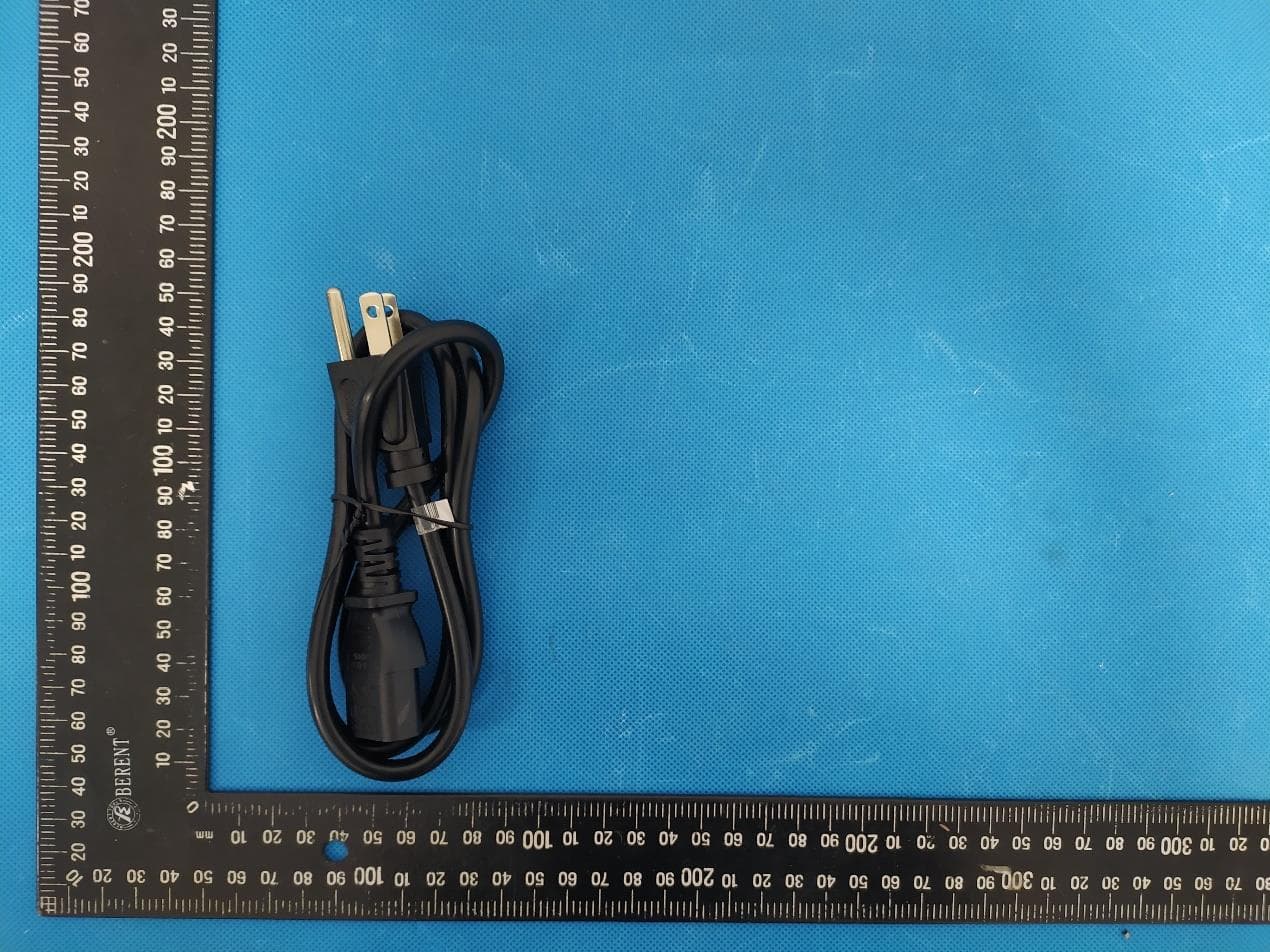
Click to zoom
Application Details
- Equipment Class
- DSS - Part 15 Spread Spectrum Transmitter
- Date of Grant
- Jan 15, 2023
- Application Purpose
- Original Equipment
- Date of Application
- Jan 15, 2023
- Equipment Note
- POS System (L1584,L1585,L1586,L1591, L1592, L1593,L3571,L3572,L3573)
- Frequency Range
- 2402.00000000 - 2480.00000000
- Country
- China
Documents & Files
Document Text
Text extracted from the exhibit documents filed with the FCC. Open a document above to read the original.
Users Manual
D2s 收款机用户指南 Quick Start Guide 收款机共有以下三款选配 15.6 〃 触摸屏+10.1 〃 客显屏 15.6 〃 触摸屏+15.6 〃 客显屏 15.6 〃 触摸屏 极简设置 更多使用帮助请阅读机内帮助APP 开启智能商用设备,只需几步 按电源键,屏幕点亮,进入首次开机界面,按提示操作即可。 本机可选择2种上网模式。 1 Wi-Fi设置 · 点击【设置】按钮,然后开启WLAN,进入WLAN搜索界面,等待其搜索并列出可用的WLAN热点; 2 · 点击要连接的WLAN,若选择一个加密的网络,则需要输入访问密码方可连接。 LAN设置 3 相关应用可在联网模式下,打开应用市场,浏览并下载应用即可完成安装。 如何下载/使用应用 系统预置软件列表 备注:预置软件列表会随着系统软件的升级而变更 · 应用市场 · 使用指南 · 硬件管家 · 用户反馈 · 远程协助 · 图库 · 下载 · 计算器 · 系统更新 · 店铺中心 电源键 关机状态下,短按开机启动; 使用状态下,长按 2 - 3 秒,可选择关机或重启。 死机状态下,长按 11 秒,断电关机。 触摸屏 用于操作员使用的触摸屏。 产品简介 触摸屏 电源键 收款机安装 打开纸仓门 向上拉打印机把手,纸仓盖 自动弹出。 1 放入58mm热敏纸并拉出一段 于打印纸口外,再盖上纸仓门。 安装打印纸 2 2 将适配器电源接口连接至主机底部电源口。 将适配器另一头插头插入市电插座。 连接电源线 3 1 常见故障排除 症状解决方法 打印机不工作 打印内容空白 死机怎么办 · 确认纸仓盖正确关闭; · 确认是否发生卡纸故障 · 请检查纸卷是否放反; · 请检查是否使用了58mm的热敏打印纸卷 · 请检查是否塞纸,如塞纸,请打开上盖,检查走纸通道,清除塞纸; 打印内容模糊 · 请检查热敏头片是否脏污,如果脏污,请使用棉签蘸无水酒精进行擦拭; · 请更换品质有保障的热敏纸,避免因为纸质引起的打印不清 · 长 按电源键11秒,进入断电关机,短按重新开机。 纸张不能正常输出 清洗打印头或进纸胶辊时不要用坚硬的物体(如镊子等)划伤打印头和胶棍; 为提高打印头使用寿命,建议每月清洗打印头和胶棍,清洗时请使用棉签蘸无水酒精轻轻擦拭打印头发热片。 注意: 如需要更多帮助,欢迎随时访问商米官网www.sunmi.com或拨打售后电话400-6666-509 本产品有毒有害物质名称及含量标识表 : 表示该有毒有害物质在该部件所有均质材料中的含量均在 SJ/T11363-2006 规定的限量要求以下。 : 表示该有毒有害物质至少在该部件的某一均质材料中的含量超出 SJ/T11363-2006 规定的限量要求; 但是上表中打 “ × ” 的部件,其含量超出是因为目前业界还没有成熟的可替代的技术。 对达到或超出环保使用年限的产品,应依据《电子信息产品控制管理办法》规定进行回收再利用,不应随意丢弃。 部件名称 电路板组件 铅 ( Pb ) 汞 ( Hg ) 镉 ( Cd ) 六价铬 ( Cr(VI) ) 多溴联苯 ( PBB ) 多溴二苯醚 ( PBDE ) 有毒有害物质或元素 壳体组件 产品保修卡 以下情况恕不提供免费保修: · 未经允许擅自拆卸修理的产品。 · 产品条码、易碎贴破损及保修卡涂改、残缺的。 · 未按照说明书的要求操作设备所引起的故障。 · 因进水或跌落而造成的故障、划伤或破损的人为损坏。 · 因不可抗拒因素造成的故障或损坏。 · 保修期限外。 产品名称: 产品型号: 产品编号: 购买日期: 保修期限:自购买之日起,我公司提供 天保修服务。 联系方式: · 公司地址: · 联系电话: 包装内容 主机一台 用户指南一本(包含包装内容、产品保修卡、产品合格证) 电源适配器一个 打印纸一卷 已检验合格 产品合格证 注意事项 安全警告 重要安全说明 免责申明 建议 声明 制造商:上海商米科技集团股份有限公司 地 址:上海市杨浦区淞沪路388号创智天地7号楼505室 · 请将交流电插头插入与配件电源适配器上标识输入相对 应的交流电插座中; · 请在温度0°C ~ 40°C范围内使用本设备,并在-20°C ~ 60°C范围内存放设备及配件 · 严禁在存有任何潜在爆炸性气体的场所使用; · 非专业人员不要随意打开电源适配器,以免发生危险; · 此为A级产品。在生活环境中,该产品可能会造成无线 电干扰。在这种情况下,可能需要用户对于干扰采取切 实可行的措施。 · 关于电池的更换: 1. 用错误型号电池更换会有爆炸危险! 2.更换后的旧电池应交维修人员处置,切勿把它投入火 中! · 不要在靠近水或潮湿环境中使用,避免液体落入终端中; · 不要在极端冷、热环境中使用,例如靠近火源或点燃的香烟; · 不要摔、投掷或弯折; · 尽量在清洁无尘环境中使用,避免细小物品落入终端中; · 在未获允许的情况下,不要在医疗设备附近使用。 · 避免在雷电期间安装或使用,否则有被雷电电击的危险; · 当您发现有异常气味,过热或烟雾情形下,请立刻切断 电源 ! 由于产品的更新,此文档的某些细节可能与产品不符,请 以实物为准,此文档的解释权归本公司。保留不预先通知 的情况下,修改本说明书的权利。 本公司不对以下行为负责 · 不在本指南说明的条件下使用和维护所造成的损坏; · 对于因选件或耗材(非本公司提供之最初产品或认可产品) 造成的损坏或问题; · 未经本公司同意,无权进行产品修改或变动; · 本产品的操作系统支持官方的系统更新,如果用户刷了 第三方的ROM系统或者采用破解方式修改了系统文件, 可能会导致系统不稳定,以及带来安全风险和安全威胁。 Three Configuration Options 15.6” Touch Screen15.6” Touch Screen + 10.1” Customer Screen 15.6” Touch Screen + 15.6” Customer Screen Easy Setup For more help, please refer to the Instruction App in the device. Get the device ready for use in a few steps. Press the power button to turn on the screen and enter into the boot interface, then operate following the onscreen instructions. Two network modes can be selected for this device. LAN Setting With network connection, you can download and install apps you need from the App Store. How to Download/Use Apps List of System Preset Software Note: the preset software list is subject to change due to software update. · App Store · Instruction · Pos Steward · Feedback · Remote Assistance · Gallery · Downloads · Calculator · System Update · ShopCenter 1 Wi-Fi Setting · Click the button [Setting], and enable WLAN to enter into the interface for Wi-Fi searching.Wait for the available Wi-Fi list; · Click the Wi-Fi to be connected, and a password is required if you want to connect to an encrypted network. 2 3 Package Items List Quick start guide × 1 Power adapter × 1 Smart terminal × 1 Printing paper roll × 1 Power button Press the button to boot up the device when it is off; Press and hold the button for 2-3 seconds to power off or reboot the device when it is on; Press and hold the button for 11 seconds to power off the device when it crashes. Touch Screen A touch screen for operators to use. Product Overview Touch screen Power button Power port Cash drawer port LAN port USB port Serial port USB port Audio jack TF card slot USB debug port 2 1 Open the printer cover As shown in the figure, press the button at the bottom left corner to pop open the printer cover. 1 Load the 58mm thermal paper and pull out a section outside the cutter, then close the cover. Install the printing pape 2 Connect the power adapter to the power port on the back of the display. Plug the other end of the power adapter into the mains socket. Connect the power cable 3 Device Installation Troubleshooting Solutions · Check whether the printer cover is closed properly; · Check whether there is a paper jam. · Check whether the paper roll is placed reversely; · Check whether the 58mm thermal printing paper roll is used. · Check whether there is a paper jam. Open the cover, check the paper feeding channel and clear the paper jam if there is one. · Check whether the thermal head is dirty. If it is dirty, please wipe it with a cotton swab dipped in absolute alcohol; · Replace the thermal paper with guaranteed quality to avoid blurry printouts caused by paper. · Press and hold the power button for 11 seconds to power off the device, then press to reboot. Troubles The printer doesn’t work The printer prints blank pages Device crashes Blurry printouts The paper does not come out Note: When cleaning the thermal head or paper feeding rubber roller, do not scratch the thermal head and rubber roller with hard objects (such as tweezers); In order to improve the service life, it is recommended to clean the thermal head and rubber roller every month. When cleaning, please use a cotton swab dipped in absolute alcohol to gently wipe the thermal head. For more information, please visit: www.sunmi.com or call at: 400-6666-509. This device complies with Part 15 of the FCC Rules. Operation is subject to the following two conditions: (1) this device may not cause harmful interference, and (2) this device must accept any interference received, including interference that may cause undesired operation. Note: This equipment has been tested and found to comply with the limits for a Clas…
Text truncated - open the document above for the full version.
Users Manual
Power Button Press the button to boot the device when it is off; Press and hold the button for 2-3 seconds to power off or reboot the device when the device is on. Press and hold the button for 11 seconds to power off the device when the device crashes. Touch Screen A touch screen for operators to use. “Take facial recognition version as an example” Introduction to the Device Display Screen Power Button Facial Recognition Camera Cable Hole Installation Put the power cable through the cable hole on the prop back; Turn the display upward to find the cable hole on the front side of the prop; Plug the power adapter into the power port on the back of the display; Plug the other side of the adapter into the AC socket. Simple Settings For more helps, please refer to the Help App in the device. Get this intelligent device ready for use in few steps. Press the power button to turn on the screen and enter into the boot interface, then you can operate in accordance with guidance. For this device, two network modes can be selected. 1 Wi-Fi Setting · Click the button [Setting], and open WLAN to enter into the interface for WLAN searching. Wait for the list of available WLAN hotspot list; 2 · Click the WLAN to be connected. An access password is required if you want to connect to an encrypted network. LAN Setting 3 With network connection, you can find and download relevant Apps in the App Store for installation. How to download/use Apps Three Configuration Options List of System Preset Software 15.6 ” Touch Screen +10.1 ” Customer Screen Attentions Cautions · Please plug the AC power plug into the AC socket which complies to the input marked on the power adapter of the accessory; · Use in any environment with potential explosive gas is strictly prohibited; · No one other than professionals shall open the power adapter casually to avoid dangers; · This device is a class B product and may cause radio jamming in the living environment. Under this circumstance, users need to take practical anti-jam- ming measures. · Battery replacement: Important Safety Reminder · Do not install or use the device during the weather of thunder and lightning to avoid being hit by thunder and lightning; · Please cut off the power supply immediately when you find a suspicious smell, overheated device or smoke! Disclaimer 1. Using the battery with a wrong model may lead to explosion! 2. The battery replaced shall be given to the maintenance staff for handling. Please Do not throw it into fire! Suggestions Power portLAN port USB portUSB portTF card slot Serial portAudio jackUSB debug port Cash drawer port · Do not use the device close to water or in moist environment to prevent liquid from getting inside the device; · Do not use the device in extremely cold or hot environment. For example: do not use the device close to fire or a lighted cigarette; · Do not drop, throw or bend the device; · Use the device in clean environment to prevent small items from getting inside the device; · Do not use the device close to medical facilities without permission. Declaration Our company is not responsible for the following actions: · Damages caused by the usage or maintenance which are not in accordance with the user guide; · Damages or problems caused by options or consumables (not provided or approved by our company); · Modifying or changing the product without our company’s permission is not allowed; · The OS of the product can be updated with update ROM released officially by our company. If users use a third-party ROM system to update or crack and change the system file, the system may be unstable and will bring safety risks and threats. Due to the updates of products, the details listed in this guide might be different from the products, and the products shall take precedence. Our company reserves the right to interpret this guide as well as the right to amend this guide without prior notice. Package Items List Device x 1 User Guide x 1 (includes package items list, product warranty card, product certificate of approval) Power Adapter x 1 For the details of the above software: select “Settings → Apps”, and you can select an App to check its detailed information. Remark: The preset software list may change as the system upgrades. · System Update · Instruction · Feedback · POS Steward · Remote Assistance · Gallery · Music · Downloads · Calculator · ShopCenter 15.6 ” Touch Screen15.6 ” Touch Screen +15.6 ” Customer Screen Quick Start Guide This device complies with Part 15 of the FCC Rules. Operation is subject to the following two conditions: (1) this device may not cause harmful interference, and (2) this device must accept any interference received, including interference that may cause undesired operation. Note: This equipment has been tested and found to comply with the limits for a Class B digital device, pursuant to part 15 of the FCC Rules. These limits are designed to provide reasonable protection against harmful interference in a residential installation.This equipment generates, uses and can radiate radio frequency energy and, if not installed and used in accordance with the instructions, may cause harmful interference to radio communications. However, there is no guarantee that interference will not occur in a particular installation. If this equipment does cause harmful interference to radio or television reception, which can be determined by turning the equipment off and on, the user is encouraged to try to correct the interference by one or more of the following measures: —Reorient or relocate the receiving antenna. —Increase the separation between the equipment and receiver. —Connect the equipment into an outlet on a circuit different from that to which the receiver is connected. —Consult the dealer or an experienced radio/TV technician for help. Caution: The user is cautioned that changes or modifications not expressly approved by the party responsible for compliance could void the user's authority to operate the equipm…
Text truncated - open the document above for the full version.
Users Manual
D2s Quick Start Guide Three Configuration Options 15.6” Touch Screen15.6” Touch Screen + 10.1” Customer Screen 15.6” Touch Screen + 15.6” Customer Screen Easy Setup For more help, please refer to the Instruction App in the device. Get the device ready for use in a few steps. Press the power button to turn on the screen and enter into the boot interface, then operate following the onscreen instructions. Two network modes can be selected for this device. LAN Setting With network connection, you can download and install apps you need from the App Store. How to Download/Use Apps List of System Preset Software Note: the preset software list is subject to change due to software update. · App Store · Instruction · Pos Steward · Feedback · Remote Assistance · Gallery · Downloads · Calculator · System Update · ShopCenter 1 Wi-Fi Setting · Click the button [Setting], and enable WLAN to enter into the interface for Wi-Fi searching.Wait for the available Wi-Fi list; · Click the Wi-Fi to be connected, and a password is required if you want to connect to an encrypted network. 2 3 Package Items List Quick start guide × 1 Power adapter × 1 Smart terminal × 1 Printing paper roll × 1 Power button Press the button to boot up the device when it is off; Press and hold the button for 2-3 seconds to power off or reboot the device when it is on; Press and hold the button for 11 seconds to power off the device when it crashes. Touch Screen A touch screen for operators to use. Product Overview Touch screen Power button Power port Cash drawer port LAN port USB port Serial port USB port Audio jack TF card slot USB debug port 2 1 Open the printer cover As shown in the figure, press the button at the bottom left corner to pop open the printer cover. 1 Load the 58mm thermal paper and pull out a section outside the cutter, then close the cover. Install the printing pape 2 Connect the power adapter to the power port on the back of the display. Plug the other end of the power adapter into the mains socket. Connect the power cable 3 Device Installation Troubleshooting Solutions · Check whether the printer cover is closed properly; · Check whether there is a paper jam. · Check whether the paper roll is placed reversely; · Check whether the 58mm thermal printing paper roll is used. · Check whether there is a paper jam. Open the cover, check the paper feeding channel and clear the paper jam if there is one. · Check whether the thermal head is dirty. If it is dirty, please wipe it with a cotton swab dipped in absolute alcohol; · Replace the thermal paper with guaranteed quality to avoid blurry printouts caused by paper. · Press and hold the power button for 11 seconds to power off the device, then press to reboot. Troubles The printer doesn’t work The printer prints blank pages Device crashes Blurry printouts The paper does not come out Note: When cleaning the thermal head or paper feeding rubber roller, do not scratch the thermal head and rubber roller with hard objects (such as tweezers); In order to improve the service life, it is recommended to clean the thermal head and rubber roller every month. When cleaning, please use a cotton swab dipped in absolute alcohol to gently wipe the thermal head. For more information, please visit: www.sunmi.com or call at: 400-6666-509. This device complies with Part 15 of the FCC Rules. Operation is subject to the following two conditions: (1) this device may not cause harmful interference, and (2) this device must accept any interference received, including interference that may cause undesired operation. Note: This equipment has been tested and found to comply with the limits for a Class B digital device, pursuant to part 15 of the FCC Rules. These limits are designed to provide reasonable protection against harmful interference in a residential installation.This equipment generates, uses and can radiate radio frequency energy and, if not installed and used in accordance with the instructions, may cause harmful interference to radio communications. However, there is no guarantee that interference will not occur in a particular installation. If this equipment does cause harmful interference to radio or television reception, which can be determined by turning the equipment off and on, the user is encouraged to try to correct the interference by one or more of the following measures: —Reorient or relocate the receiving antenna. —Increase the separation between the equipment and receiver. —Connect the equipment into an outlet on a circuit different from that to which the receiver is connected. —Consult the dealer or an experienced radio/TV technician for help. Caution: The user is cautioned that changes or modifications not expressly approved by the party responsible for compliance could void the user's authority to operate the equipment. the device for operation in the band 5150–5250 MHz is only for indoor use to reduce the potential for harmful interference to co-channel mobile satellite systems. FCC compliance statement Attentions Safety Warnings Important Safety Instructions Disclaimer Suggestions Declaration · Please insert the AC plug into the AC socket corresponding to the input marked on the power adapter; · Please use the device within the temperature range of 0 °C ~ 40 °C, and store the device and accessories within the range of - 20 °C ~ 60 °C; · It is strictly prohibited to use the device in places with any potentially explosive gas; · Non-professional personnel shall not open the power adapter at will to avoid danger; · This is a class B product. In a domestic environment, this product may cause radio interference, in which case the user may be required to take appropriate measures. · Battery replacement: 1. There is a risk of explosion if the battery of the wrong model is used! 2.The replaced old battery should be handed over to the maintenance personnel for disposal. Do not throw it into the fire! · Do not use the device near water or in a damp environ- ment to prevent liqui…
Text truncated - open the document above for the full version.
Cover Letter(s)
Company: Shanghai Sunmi Technology Co.,Ltd. Add: Room 505,No.388,Song Hu Road,Yang Pu District,Shanghai,China Tel: 18501703215 Fax: 021-61079331 Email: [email protected] Date: 2022-06-22 Declaration of Difference Dear Sir or Madam: We, Shanghai Sunmi Technology Co.,Ltd., hereby declare that product: POS System, model name: L1584,L1585,L1586,L1591,L1592,L1593,L3571,L3572,L3573 the detail differences description as below, others are the same. Model LCD Printer Adapter D2s L1591 15.6' 58 Printer 60W: CYSE65-240250 L1592 15.6'+10.1' 58 Printer L1593 15.6'+15.6' 58 Printer D2s Plus L1584 15.6' 80 Printer L1585 15.6'+10.1' 80 Printer L1586 15.6'+15.6' 80 Printer D2s LITE L3571 15.6' N/A 36W: CYZS36-240150 L3572 15.6'+10.1' N/A L3573 15.6'+15.6' N/A Please contact me if there is need for any additional clarification or information. Best Regards, Signature: Contact Person: Fang Lu Title: Certification Engineer
Cover Letter(s)
Request for Confidentiality Date: 2023/01/04 Subject: Confidentiality Request for: 2AH25D2S2ND Pursuant to FCC 47 CRF 0.457(d) and 0.459 and IC RSP-100, Section 10, the applicant requests that a part of the subject FCC application be held confidential. Type of Confidentiality Requested Exhibit Short Term Permanent Block Diagrams Short Term External Photos Short Term Permanent* 1 Internal Photos Short Term Permanent Operation Description/Theory of Operation Short Term Permanent BOM Short Term Permanent Tune up Short Term Permanent Schematics Short Term Test Setup Photos Short Term Permanent* User’s Manual Short Term Permanent Software Security Info *Note: (Insert Explanation as Necessary) Shanghai Sunmi Technology Co.,Ltd. has spent substantial effort in developing this product and it is one of the first of its kind in industry. Having the subject information easily available to "competition" would negate the advantage they have achieved by developing this product. Not protecting the details of the design will result in financial hardship. Permanent Confidentiality: The applicant requests the exhibits listed above as permanently confidential be permanently withheld from public review due to materials that contain trade secrets and proprietary information not customarily released to the public. Short-Term Confidentiality: The applicant requests the exhibits selected above as short term confidential be withheld from public view for a period of (180) 2 days from the date of the Grant of Equipment Authorization and prior to marketing. This is to avoid premature release of sensitive information prior to marketing or release of the product to the public. Applicant is also aware that they are responsible to notify TIMCO in the event information regarding the product or the product is made available to the public. TIMCO will then release the documents listed above for public disclosure pursuant to FCC Public Notice DA 04-1705. NOTE for Industry Canada Applications: The applicant understands that until such time that IC distinguishes between Short Term and Permanent Confidentiality, either type of marked exhibit above will simply be marked Confidential when submitted to IC. Sincerely, By: Fang Lu (Signature/Title 3 ) (Print name) 1 - The asterisked items (*) require further justification before permanent confidentiality will be allowed. These also currently require review by the FCC under their Permit-But-Ask policy before the grant is issued and can delay completion of an application. Further justification should be added to the note above. One such example for a potted device would be: “The EUT is FULLY potted using a non-removable epoxy based material. Removal of potting material causes irreparable damage to internal circuitry. See photographs exhibits that outline the device before and after potting.” 2 - Must be signed by applicant contact given for applicant on the FCC site, or by the authorized agent if an appropriate authorized agent letter has been provided. Letters should be placed on appropriate letterhead.
Cover Letter(s)
Authority to Act as Agent TCF: L1584,L1585,L1586,L1591, L1592, L1593,L3571,L3572,L3573 FCC ID: 2AH25D2S2ND IC ID: 22621‐D2S2ND To Whom It May Concern: We, the undersigned, hereby authorize Gao Hongning of Industrial Internet Innovation Center (Shanghai) Co.,Ltd. to act on our behalf as our agent in the following matters related to the FCC/IC request: testing report submittal, related technological documents submittal. This authorization shall expire 6 months from original date, if you have any question regarding the authorization, please don’t hesitate to contact us, thank you. By: Fang Lu (Signature) (Print Name) On behalf of: Shanghai Sunmi Technology Co.,Ltd. (Company Name) Telephone: +86 18501703215 Date: 2022.12.19
External Photos
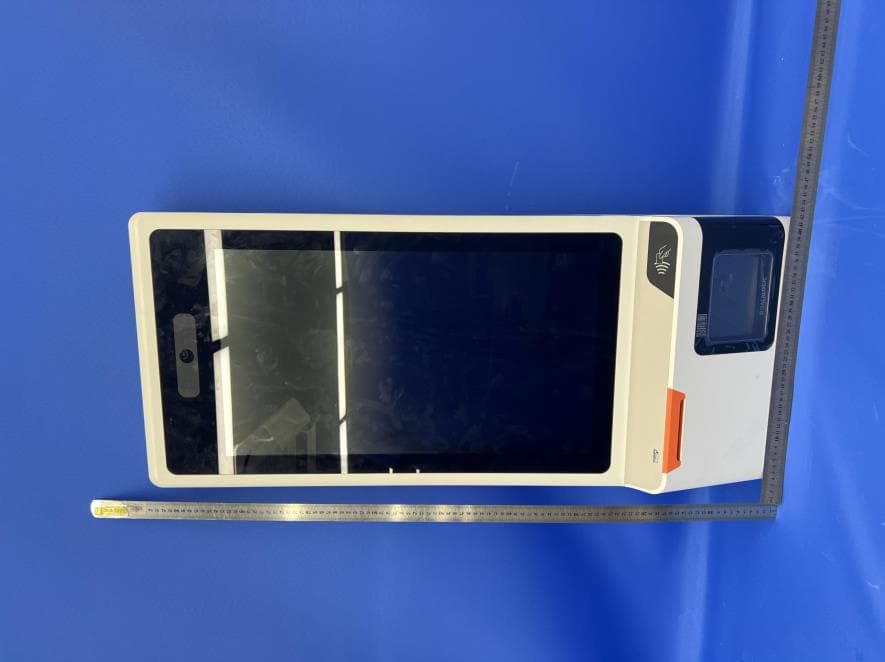
Model:L1591, with 15.6' screen and 58 printer Model:L1592, with 15.6'+10.1' screen and 58 printer Model:L1593, with 15.6'+15.6' screen and 58 printer Model:L1584, with 15.6' screen and 80 printer Model:L1585, with 15.6'+10.1' screen and 80 printer Model:L1586, with 15.6'+15.6' screen and 80 printer Model:L3571, with 15.6' screen and without printer Model:L3572, with 15.6'+10.1' screen and without printer Model:L3573, with 15.6'+15.6' screen and without printer Adapter1(60W: CYSE65-240250): Adapter2(36W: CYZS36-240150):
ID Label/Location Info
主机贴纸粘贴位置 A B C D E F 12345678 87654321 F E D C B A SN: XXXXXXXXXXXX 阿里巴巴普惠体( Regular)/4Pt 25 3 8 6.3 6 7.2 10 15 6.5 xxxxxxxxx 阿里巴巴普惠体 ( Regular)/4.7Pt R xxxxx 阿里巴巴普惠体 ( Regular)/4.5Pt 6 5 Model: L1591 Input: 24V 2.5A FCC ID: 2AH25D2S2ND IC: 22621-D2S2ND Shanghai Sunmi Technology Co., Ltd. Made in China SN: XXXXXXXXXXXXX D2s POS System 2nd GEN This device complies with part 15 of the FCC Rules.Operation is subject to the following two conditions:(1)This device may not cause harmful interference,and(2)this device must accept any interference received, including interference that may cause undesired operation. Model: L1591 Input: 24V 2.5A Shanghai Sunmi Technology Co., Ltd. Made in China SN: XXXXXXXXXXXXX D2s POS System2nd GEN Model: L1592 Input: 24V 2.5A FCC ID: 2AH25D2S2ND IC: 22621-D2S2ND Shanghai Sunmi Technology Co., Ltd. Made in China SN: XXXXXXXXXXXXX D2s POS System 2nd GEN This device complies with part 15 of the FCC Rules.Operation is subject to the following two conditions:(1)This device may not cause harmful interference,and(2)this device must accept any interference received, including interference that may cause undesired operation. Model: L1593 Input: 24V 2.5A FCC ID: 2AH25D2S2ND IC: 22621-D2S2ND Shanghai Sunmi Technology Co., Ltd. Made in China SN: XXXXXXXXXXXXX D2s POS System 2nd GEN This device complies with part 15 of the FCC Rules.Operation is subject to the following two conditions:(1)This device may not cause harmful interference,and(2)this device must accept any interference received, including interference that may cause undesired operation. Model: L1592 Input: 24V 2.5A Shanghai Sunmi Technology Co., Ltd. Made in China SN: XXXXXXXXXXXXX D2s POS System2nd GEN Model: L1593 Input: 24V 2.5A Shanghai Sunmi Technology Co., Ltd. Made in China SN: XXXXXXXXXXXXX D2s POS System2nd GEN Model: L1593 Input: 24V 1.5A Shanghai Sunmi Technology Co., Ltd. Made in China SN: XXXXXXXXXXXXX D2s POS System 2nd GEN SID:xxxxxxxxxx Double Display:15.6\CPU:MSM8937\ Memory:2GB\Flash:16GB\Camera: Face\Network:wifi\Adapter:CN\Print- er:58/80\ Scanner:Zebra\OS:SUNMI CN\Logo:SUNMI D2s 产品名称:收款机 PRODUCT NAME:POS System 产品型号/MODELXXXX 制造商:上海商米科技集团股份有限公司 Shanghai Sunmi Technology Co., Ltd. 所有技术信息以实物性能为准,商米保留最终解释权。 All technical information is subject to the actual performance. If you have questions please contact the seller. 地址:上海杨浦区淞沪路388号创智天地7号楼505室 官网:www.sunmi.com服务电话:400-6666-509 Address: Songhu Road No.388,7 KIC,Room 505,Shanghai,China. Web: www.sunmi.com Made in China 中国制造 智能台式终端 Smart Desktop Terminal XXXXXXXXXXXXX SN:XXXXXXXXXXXX
ID Label/Location Info
主机贴纸粘贴位置 A B C D E F 12345678 87654321 F E D C B A SN: XXXXXXXXXXXX 阿里巴巴普惠体( Regular)/4Pt 25 3 8 6.3 6 7.2 10 15 6.5 xxxxxxxxx 阿里巴巴普惠体 ( Regular)/4.7Pt R xxxxx 阿里巴巴普惠体 ( Regular)/4.5Pt 6 5 Model: L3571 Input: 24V 1.5A FCC ID: 2AH25D2S2ND IC: 22621-D2S2ND Shanghai Sunmi Technology Co., Ltd. Made in China SN: XXXXXXXXXXXXX D2s LITE POS System 2nd GEN This device complies with part 15 of the FCC Rules.Operation is subject to the following two conditions:(1)This device may not cause harmful interference,and(2)this device must accept any interference received, including interference that may cause undesired operation. Model: L3571 Input: 24V 1.5A Shanghai Sunmi Technology Co., Ltd. Made in China SN: XXXXXXXXXXXXX D2s LITEPOS System2nd GEN Model: L3572 Input: 24V 1.5A FCC ID: 2AH25D2S2ND IC: 22621-D2S2ND Shanghai Sunmi Technology Co., Ltd. Made in China SN: XXXXXXXXXXXXX D2s LITE POS System 2nd GEN This device complies with part 15 of the FCC Rules.Operation is subject to the following two conditions:(1)This device may not cause harmful interference,and(2)this device must accept any interference received, including interference that may cause undesired operation. Model: L3573 Input: 24V 1.5A FCC ID: 2AH25D2S2ND IC: 22621-D2S2ND Shanghai Sunmi Technology Co., Ltd. Made in China SN: XXXXXXXXXXXXX D2s LITE POS System 2nd GEN This device complies with part 15 of the FCC Rules.Operation is subject to the following two conditions:(1)This device may not cause harmful interference,and(2)this device must accept any interference received, including interference that may cause undesired operation. Model: L3572 Input: 24V 1.5A Shanghai Sunmi Technology Co., Ltd. Made in China SN: XXXXXXXXXXXXX D2s LITEPOS System2nd GEN Model: L3573 Input: 24V 1.5A Shanghai Sunmi Technology Co., Ltd. Made in China SN: XXXXXXXXXXXXX D2s LITEPOS System2nd GEN Model: L3573 Input: 24V 1.5A Shanghai Sunmi Technology Co., Ltd. Made in China SN: XXXXXXXXXXXXX D2s LITE POS System 2nd GEN SID:xxxxxxxxxx Double Display:15.6\CPU:MSM8937\ Memory:2GB\Flash:16GB\Camera: Face\Network:wifi\Adapter:CN\Print- er:58/80\ Scanner:Zebra\OS:SUNMI CN\Logo:SUNMI D2s LITE 产品名称:收款机 PRODUCT NAME:POS System 产品型号/MODELXXXX 制造商:上海商米科技集团股份有限公司 Shanghai Sunmi Technology Co., Ltd. 所有技术信息以实物性能为准,商米保留最终解释权。 All technical information is subject to the actual performance. If you have questions please contact the seller. 地址:上海杨浦区淞沪路388号创智天地7号楼505室 官网:www.sunmi.com服务电话:400-6666-509 Address: Songhu Road No.388,7 KIC,Room 505,Shanghai,China. Web: www.sunmi.com Made in China 中国制造 智能台式终端 Smart Desktop Terminal XXXXXXXXXXXXX SN:XXXXXXXXXXXX
ID Label/Location Info
主机贴纸粘贴位置 A B C D E F 12345678 87654321 F E D C B A SN: XXXXXXXXXXXX 阿里巴巴普惠体( Regular)/4Pt 25 3 8 6.3 6 7.2 10 15 6.5 xxxxxxxxx 阿里巴巴普惠体 ( Regular)/4.7Pt R xxxxx 阿里巴巴普惠体 ( Regular)/4.5Pt 6 5 SN: XXXXXXXXXXXXX D2s PLUSPOS System Made in China 2nd Gen SN: XXXXXXXXXXXXX D2s PLUSPOS System Made in China 2nd Gen SN: XXXXXXXXXXXXX D2s PLUSPOS System Made in China 2nd Gen Model: L1584 Input: 24V 2.5A FCC ID: 2AH25D2S2ND IC: 22621-D2S2ND Shanghai Sunmi Technology Co., Ltd. Model: L1585 Input: 24V 2.5A FCC ID: 2AH25D2S2ND IC: 22621-D2S2ND Shanghai Sunmi Technology Co., Ltd. Model: L1586 Input: 24V 2.5A FCC ID: 2AH25D2S2ND IC: 22621-D2S2ND Shanghai Sunmi Technology Co., Ltd. SN: XXXXXXXXXXXXX D2s PLUSPOS System Made in China 2nd Gen Model: L1586 Input: 24V 1.5A FCC ID: 2AH25D2SKDS IC: 22621-D2SKDS Shanghai Sunmi Technology Co., Ltd. This device complies with part 15 of the FCC Rules.Operation is subject to the following two conditions:(1)This device may not cause harmful interference,and(2)this device must accept any interference received, including interference that may cause undesired operation. SN: XXXXXXXXXXXXX D2s PLUSPOS System Made in China 2nd Gen SN: XXXXXXXXXXXXX D2s PLUSPOS System Made in China 2nd Gen SN: XXXXXXXXXXXXX D2s PLUSPOS System Made in China 2nd Gen Model: L1584 Input: 24V 2.5A Shanghai Sunmi Technology Co., Ltd. Model: L1585 Input: 24V 2.5A Shanghai Sunmi Technology Co., Ltd. Model: L1586 Input: 24V 2.5A Shanghai Sunmi Technology Co., Ltd. This device complies with part 15 of the FCC Rules.Operation is subject to the following two conditions:(1)This devic…
Text truncated - open the document above for the full version.
Contact Information
Applicant
Fang Lu(Certification Manager)
Test Firm
Industrial Internet Innovation Center (Shanghai)Zheng Zhongbin
[email protected]86-21-63843300
Technical Specifications
| # | Rule Parts | Frequency Range | Power Output |
|---|---|---|---|
| 1 | 15C | 2.40 GHz - 2.48 GHz | 11.60 mW |
Other Applications from Shanghai Sunmi Technology Co.,Ltd.
2AH25K2A13
Sep 28, 2024Self-Checkout Kiosk
Equipment Class
DXX - Part 15 Low Power Communication Device Transmitter2AH25T6F10NA
Sep 12, 2024Smart POS System
Equipment Class
DXX - Part 15 Low Power Communication Device Transmitter2AH2524QLB1221
Aug 28, 2024Smart Module
Equipment Class
DTS - Digital Transmission System2AH2524QLB1220
Aug 28, 2024Smart Module
Equipment Class
NII - Unlicensed National Information Infrastructure TX2AH25T6831
Jun 13, 2024Smart POS System
Equipment Class
DSS - Part 15 Spread Spectrum Transmitter