2AHR8-SDIAG2SmartDiag2
Octo Telematics S.P.A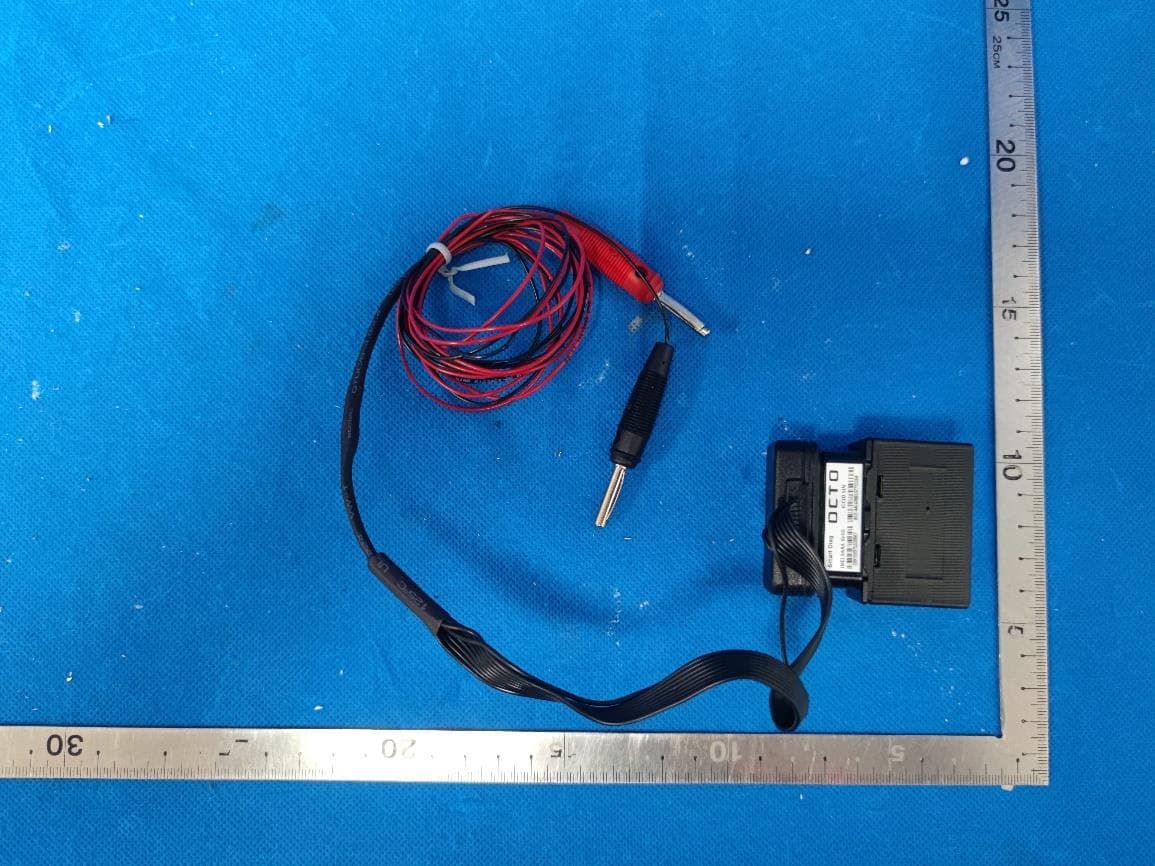
Click to zoom
Application Details
- Equipment Class
- DTS - Digital Transmission System
- Date of Grant
- May 31, 2022
- Application Purpose
- Original Equipment
- Date of Application
- May 29, 2022
- Equipment Note
- SmartDiag2
- Frequency Range
- 2402.00000000 - 2480.00000000
- Company
- Octo Telematics S.P.A
- Country
- Italy
Documents & Files
Document Text
Text extracted from the exhibit documents filed with the FCC. Open a document above to read the original.
Users Manual
INSTALLATION MANUAL SMARTDIAG 2 ENGLISH SD_2 10/2021 THE DEVICE DESCRIPTION Smartdiag2 is a telematic device equipped with Cellular and GNSS modules with internal antennas, gyroscope, accelerometer and Bluetooth tranceiver. [DL1] WARNINGS Please refer exclusively to the information indicated in this manual for installation activities. The device was designed to be installed inside the passenger compartment room only. Please do not remove the warranty seals or attempt to open the device or its accessories. Please do not attempt to modify or use the device outside of the scopes foreseen Avoid device contact with water and dirt (dust) The manufacturer declines every responsibility for damages caused to goods or persons due to a misuse of the device. DEVICE POSITIONING Your enclosed device plugs into the On Board Diagnosis (OBD) port of your vehicle (included in all 2001 or newer vehicles). Please follow the instructions below to install the device. a) Locate the OBD port in your vehicle. This port is usually located under the dashboard on the driver’s side and may have a cover – the picture shows the typical vehicle OBD port location. b) Plug the device firmly into the OBD port – the picture shows how it works. If it should not be possible to install directly on the OBD port, follow the instructions in the following chapter. c) Wait a few seconds for the LED lights to turn ON, confirming successful installation. NOTE: the device initialization procedure work better if the vehicle is outside in an open area with a good Cellular signal and satellite reception. INSTALLATION MANUAL SMARTDIAG 2 ENGLISH SD_2 10/2021 OPTIONAL FIXING OF THE DEVICE [DL2] SPLITTER M/F CABLE SPLITTER “Y” CABLE EXTENSION CABLE Once individuated the OBD socket of the vehicle, connect the plug of the cable provided in the package. Splitter M/F cable: Insert the plug (A) into the OBD port of the vehicle. Since the connector has two sides (socket/plug) you will have an OBD plug free (B) for diagnosis and maintenance. Insert the Octo OBD device into the free socket at the end of the cable (C) and fix with double sided adhesive (included in the kit) the device in a hidden location, taking care to avoid to fix it on plastic parts of the vehicle (subject to autonomous vibrations) and prefer metallic parts which are structural and chassis part of the vehicle (since the accelerometer is internal). Take care to fix it carefully in a way in which it cannot detach and create danger for the drive. Pay attention not to shield the GPS antenna side of the device (the cap of the device, opposite to the plug, where is the LED) Splitter “Y” cable: Insert the plug (A) into the OBD port of the vehicle. Fix the free socket (B) near the original OBD port of the vehicle, in a secure way to allow it to remain in site and be used for diagnosis. Insert the Octo OBD device into the free socket at the end of the cable (C) and fix with double sided adhesive (included in the kit) the device in a hidden location, taking care to avoid to fix it on plastic parts of the vehicle (subject to autonomous vibrations) and prefer metallic parts which are structural and chassis part of the vehicle (since the accelerometer is internal). Take care to fix it carefully in a way in which it cannot detach and create danger for the drive. Pay attention not to shield the GPS antenna side of the device (the cap of the device, opposite to the plug, where is the LED) The cables must in both cases be routed and secured in a way in which they do not disturb the driver and must be hidden. The double adhesive must be used in an environment which temperature is not below 21°C or above 38°C. Before applying the double adhesive clean the surfaces with isopropyl alcohol, the press the device on its location for at least 1 minute to ensure the fixation.[DL3] Extension cable: Insert the plug (2) into the OBD port of the vehicle. Insert the Octo OBD device into the free socket at the end of the cable (1) and fix with double sided adhesive (on the side opposite to the label side) the device in a hidden location, taking care to avoid to fix it on plastic parts of the vehicle (subject to autonomous vibrations) and prefer metallic parts which are structural and chassis part of the vehicle (since the accelerometer is internal). Take care to fix it carefully in a way in which it cannot detach and create danger for the drive. Pay attention not to shield the GPS antenna side of the device (the cap of the device, opposite to the plug, where is the LED) The cables must in both cases be routed and secured in a way in which they do not disturb the driver and must be hidden. The double adhesive must be used in an environment which temperature is not below 21°C or above 38°C. Before applying the double adhesive clean the surfaces with isopropyl alcohol, the press the device on its location for at least 1 minute to ensure the fixation. The cables are commercially available. INSTALLATION MANUAL SMARTDIAG 2 ENGLISH SD_2 10/2021 ACTIVATION AND DIAGNOSIS PROCEDURES Device not associated to the Octo voucher: to associate IMEI code of the device to the Octo voucher before installing it, (ask to the customer care for indications). Device already associated to the Octo voucher: verify the device IMEI code/plate code association. Install the device in order to power up it and verify that the LEDs are blinking. The blinking mode for correct installation is: blink (one or two or three) – stop (few seconds) – blink - ... NOTE: the procedure requires that the vehicle is outside in an open area to have a good cellular signal and the possibility of satellite reception. Check that the terminal has been correctly associated with the contract. VEHICLE APPLICATION RULES The instructions exposed in this manual are not referred to a particular type of vehicle, but they are applicable to every kind of vehicle. Every information provided by Octo on eventual Brand and Model is to be considered as a suggestion. The install…
Text truncated - open the document above for the full version.
External Photos
DEKRA Testing and Certification (Suzhou) Co., Ltd. No.99 Hongye Rd., Suzhou Industrial Park, Suzhou, 215006, Jiangsu, China TEL: +86-512-6251-5088 / FAX: +86-512-6251-5098 Report no.: 21B0294R-RF-External Photo Page 1 / 4 External Photographs (1) EUT Photo (2) EUT Photo DEKRA Testing and Certification (Suzhou) Co., Ltd. No.99 Hongye Rd., Suzhou Industrial Park, Suzhou, 215006, Jiangsu, China TEL: +86-512-6251-5088 / FAX: +86-512-6251-5098 Report no.: 21B0294R-RF-External Photo Page 2 / 4 (3) EUT Photo (4) EUT Photo DEKRA Testing and Certification (Suzhou) Co., Ltd. No.99 Hongye Rd., Suzhou Industrial Park, Suzhou, 215006, Jiangsu, China TEL: +86-512-6251-5088 / FAX: +86-512-6251-5098 Report no.: 21B0294R-RF-External Photo Page 3 / 4 (5) EUT Photo (6) EUT Photo DEKRA Testing and Certification (Suzhou) Co., Ltd. No.99 Hongye Rd., Suzhou Industrial Park, Suzhou, 215006, Jiangsu, China TEL: +86-512-6251-5088 / FAX: +86-512-6251-5098 Report no.: 21B0294R-RF-External Photo Page 4 / 4 (7) EUT Photo (8) EUT Photo
Internal Photos
DEKRA Testing and Certification (Suzhou) Co., Ltd. No.99 Hongye Rd., Suzhou Industrial Park, Suzhou, 215006, Jiangsu, China TEL: +86-512-6251-5088 / FAX: +86-512-6251-5098 Report no.: 21B2094R-RF-Internal Photo Page 1 / 7 Internal Photographs (1) EUT Photo (2) EUT Photo DEKRA Testing and Certification (Suzhou) Co., Ltd. No.99 Hongye Rd., Suzhou Industrial Park, Suzhou, 215006, Jiangsu, China TEL: +86-512-6251-5088 / FAX: +86-512-6251-5098 Report no.: 21B2094R-RF-Internal Photo Page 2 / 7 (3) EUT Photo (4) EUT Photo DEKRA Testing and Certification (Suzhou) Co., Ltd. No.99 Hongye Rd., Suzhou Industrial Park, Suzhou, 215006, Jiangsu, China TEL: +86-512-6251-5088 / FAX: +86-512-6251-5098 Report no.: 21B2094R-RF-Internal Photo Page 3 / 7 (5) EUT Photo (6) EUT Photo DEKRA Testing and Certification (Suzhou) Co., Ltd. No.99 Hongye Rd., Suzhou Industrial Park, Suzhou, 215006, Jiangsu, China TEL: +86-512-6251-5088 / FAX: +86-512-6251-5098 Report no.: 21B2094R-RF-Internal Photo Page 4 / 7 (7) EUT Photo (8) EUT Photo DEKRA Testing and Certification (Suzhou) Co., Ltd. No.99 Hongye Rd., Suzhou Industrial Park, Suzhou, 215006, Jiangsu, China TEL: +86-512-6251-5088 / FAX: +86-512-6251-5098 Report no.: 21B2094R-RF-Internal Photo Page 5 / 7 (9) EUT Photo (10) EUT Photo DEKRA Testing and Certification (Suzhou) Co., Ltd. No.99 Hongye Rd., Suzhou Industrial Park, Suzhou, 215006, Jiangsu, China TEL: +86-512-6251-5088 / FAX: +86-512-6251-5098 Report no.: 21B2094R-RF-Internal Photo Page 6 / 7 (11) EUT Photo (12) EUT Photo DEKRA Testing and Certification (Suzhou) Co., Ltd. No.99 Hongye Rd., Suzhou Industrial Park, Suzhou, 215006, Jiangsu, China TEL: +86-512-6251-5088 / FAX: +86-512-6251-5098 Report no.: 21B2094R-RF-Internal Photo Page 7 / 7 (13) EUT Photo (14) EUT Photo
RF Exposure Info
DEKRA Testing and Certification (Suzhou) Co., Ltd. No.99 Hongye Rd., Suzhou Industrial Park, Suzhou, 215006, Jiangsu, China TEL: +86-512-6251-5088 / FAX: +86-512-6251-5098 Test report No: 21B0294R-RF-US-P20V01 FCC Exposure TEST REPORT Product Name SmartDiag2 Trademark OCTO FCC ID 2AHR8-SDIAG2 Model and /or type reference Case type A or case type B; with or without logo on the case. Applicant ́s name / address OCTO Telematics S.p.A. Via V. Lamaro, 51, Roma Test method requested, standard KDB 447498D01V06 FCC Part1.1310 Verdict Summary IN COMPLIANCE Documented By (name / position & signature) Tim Cao/Project Engineer Approved by (name / position & signature) Jack Zhang/ Supervisor Date of issue 2022-05-25 Report template No Template_FCC-MPE-RF-V1.0 DEKRA Testing and Certification (Suzhou) Co., Ltd. No.99 Hongye Rd., Suzhou Industrial Park, Suzhou, 215006, Jiangsu, China TEL: +86-512-6251-5088 / FAX: +86-512-6251-5098 Report no.: 21B0294R-RF-US-P20V01 Page 2 / 11 INDEX page Competences and Guarantees ................................................................................................................................... 3 General conditions ...................................................................................................................................................... 3 Environmental conditions............................................................................................................................................ 3 Possible test case verdicts ......................................................................................................................................... 4 Abbreviations .............................................................................................................................................................. 4 Document History ....................................................................................................................................................... 5 Remarks and Comments ............................................................................................................................................ 5 1. RF Exposure Evaluation .................................................................................................................................... 8 1.1. Limits ................................................................................................................................................................. 8 1.2. Test Procedure ................................................................................................................................................ 10 1.3. Test Result of RF Exposure Evaluation .......................................................................................................... 10 DEKRA Testing and Certification (Suzhou) Co., Ltd. No.99 Hongye Rd., Suzhou Industrial Park, Suzhou, 215006, Jiangsu, China TEL: +86-512-6251-5088 / FAX: +86-512-6251-5098 Report no.: 21B0294R-RF-US-P20V01 Page 3 / 11 COMPETENCES AND GUARANTEES DEKRA is a testing laboratory competent to carry out the tests described in this report. In order to assure the traceability to other national and international laboratories, DEKRA has a calibration and maintenance program for its measurement equipment. DEKRA guarantees the reliability of the data presented in this report, which is the result of the measurements and the tests performed to the item under test on the date and under the conditions stated in the report and it is based on the knowledge and technical facilities available at DEKRA at the time of performance of the test. DEKRA is liable to the client for the maintenance of the confidentiality of all information related to the item under test and the results of the test. The results presented in this Test Report apply only to the particular item under test established in this document. IMPORTANT: No parts of this report may be reproduced or quoted out of context, in any form or by any means, except in full, without the previous written permission of DEKRA. GENERAL CONDITIONS Test Location No. 99, Hongye Road, Suzhou Industrial Park Suzhou, 215006, P.R. China Date(receive sample) Nov. 09, 2021 Date (start test) Nov. 13, 2021 Date (finish test) Jan. 10, 2022 1. This report is only referred to the item that has undergone the test. 2. This report does not constitute or imply on its own an approval of the product by the Certification Bodies or Competent Authorities. 3. This document is only valid if complete; no partial reproduction can be made without previous written permission of DEKRA. 4. This test report cannot be used partially or in full for publicity and/or promotional purposes without previous written permission of DEKRA. ENVIRONMENTAL CONDITIONS The climatic conditions during the tests are within the limits specified by the manufacturer for the operation of the EUT and the test equipment. The climatic conditions during the tests were within the following limits: Ambient temperature 15 °C – 35 °C Relative Humidity air 30% - 60% If explicitly required in the basic standard or applied product / product family standard the climatic values are recorded and documented separately in this test report. DEKRA Testing and Certification (Suzhou) Co., Ltd. No.99 Hongye Rd., Suzhou Industrial Park, Suzhou, 215006, Jiangsu, China TEL: +86-512-6251-5088 / FAX: +86-512-6251-5098 Report no.: 21B0294R-RF-US-P20V01 Page 4 / 11 POSSIBLE TEST CASE VERDICTS Test case does not apply to test object N/A Test object does meet requirement P (Pass) / PASS Test object does not meet requirement F (Fail) / FAIL Not measured N/M ABBREVIATIONS For the purposes of the present document, the following abbreviations apply: EUT : Equipment Under Test QP : Quasi-Peak CAV : CISPR Average AV : Average CDN : Coupling Decoupling Network SAC : Semi-Anechoic Chamber OATS : Open Area Test Site BW : Bandwidth AM : Amplitude Modulation PM : Pulse Modulation HCP : Ho…
Text truncated - open the document above for the full version.
Test Report
DEKRA Testing and Certification (Suzhou) Co., Ltd. No.99 Hongye Rd., Suzhou Industrial Park, Suzhou, 215006, Jiangsu, China TEL: +86-512-6251-5088 / FAX: +86-512-6251-5098 Test report No: 21B0294R-RF-US-P06V02 FCC TEST REPORT Product Name SmartDiag2 Trademark OCTO Model and /or type reference Case type A or case type B; with or without logo on the case. FCC ID 2AHR8-SDIAG2 Applicant ́s name / address OCTO Telematics S.p.A. Via V. Lamaro, 51, Roma Test method requested, standard FCC CFR Title 47 Part 15 Subpart C Section 15.247 ANSI C63.10: 2013 KD558074 D01 15.247 Meas Guidance v05r02 Verdict Summary IN COMPLIANCE Tested by (name / position & signature) Tim Cao/Project Engineer Approved by (name / position & signature) Jack Zhang/Supervisor Date of issue 2022-05-27 Report Version V1.1 Report template No Template_FCC 15.247-RF-V1.0 DEKRA Testing and Certification (Suzhou) Co., Ltd. No.99 Hongye Rd., Suzhou Industrial Park, Suzhou, 215006, Jiangsu, China TEL: +86-512-6251-5088 / FAX: +86-512-6251-5098 Report no.: 21B0294R-RF-US-P06V02 Page 2 / 49 INDEX page General conditions ...................................................................................................................................................... 4 Environmental conditions ............................................................................................................................................ 4 Possible test case verdicts .......................................................................................................................................... 5 Abbreviations .............................................................................................................................................................. 5 Document History ....................................................................................................................................................... 6 Remarks and Comments ............................................................................................................................................. 6 Used Equipment ......................................................................................................................................................... 7 Uncertainty ................................................................................................................................................................. 9 1 General Information.......................................................................................................................................... 10 1.1 General Description of the Item(s) .......................................................................................................... 10 1.2 Antenna Information ............................................................................................................................... 11 1.3 Channel List ........................................................................................................................................... 12 2 Description of Test Setup ................................................................................................................................. 14 2.1 Operating mode(s) used for tests ............................................................................................................ 14 2.2 Auxiliary equipment / Test software for the EUT ...................................................................................... 14 2.3 Test Configuration / Block diagram used for tests ................................................................................... 15 2.4 Testing process ...................................................................................................................................... 16 3 Verdict summary section .................................................................................................................................. 17 3.1 Standards............................................................................................................................................... 17 3.2 Deviation(s) from the Standard(s) / Test Specification(s) ......................................................................... 17 3.3 Overview of results ................................................................................................................................. 18 3.4 Test Facility ............................................................................................................................................ 19 4 Test Results ..................................................................................................................................................... 20 4.1 AC Power Line Conducted Emission ...................................................................................................... 20 4.1.1 Limit ............................................................................................................................................. 20 4.1.2 Test Setup .................................................................................................................................... 20 4.1.3 Test Procedure ............................................................................................................................. 20 4.1.4 Test Data ..................................................................................................................................... 21 4.2 Emissions in restricted frequency bands ................................................................................................. 22 4.2.1 Limit ............................................................................................................................................. 22 4.2.2 Test Setup .................................................................................................................................... 24 4.2.3 Test Procedure .....…
Text truncated - open the document above for the full version.
Test Setup Photos
DEKRA Testing and Certification (Suzhou) Co., Ltd. No.99 Hongye Rd., Suzhou Industrial Park, Suzhou, 215006, Jiangsu, China TEL: +86-512-6251-5088 / FAX: +86-512-6251-5098 Report no.: 21B0294R-RF-FCC-Test Photo Page 1 / 2 FCC Test Photographs Description: Radiated emission(Below 1G) Description: Radiated emission(1-18G) DEKRA Testing and Certification (Suzhou) Co., Ltd. No.99 Hongye Rd., Suzhou Industrial Park, Suzhou, 215006, Jiangsu, China TEL: +86-512-6251-5088 / FAX: +86-512-6251-5098 Report no.: 21B0294R-RF-FCC-Test Photo Page 2 / 2 Description: Radiated emission(Above 18G)
Contact Information
Applicant
Ivo Tidei
Test Firm
DEKRA Testing and Certification (Suzhou) Co., Ltd.Janet Xu
[email protected]86 512 6251 50885113
Technical Specifications
| # | Rule Parts | Frequency Range | Power Output |
|---|---|---|---|
| 1 | 15C | 2.40 GHz - 2.48 GHz | 0.30 µW |
Other Applications from Octo Telematics S.P.A
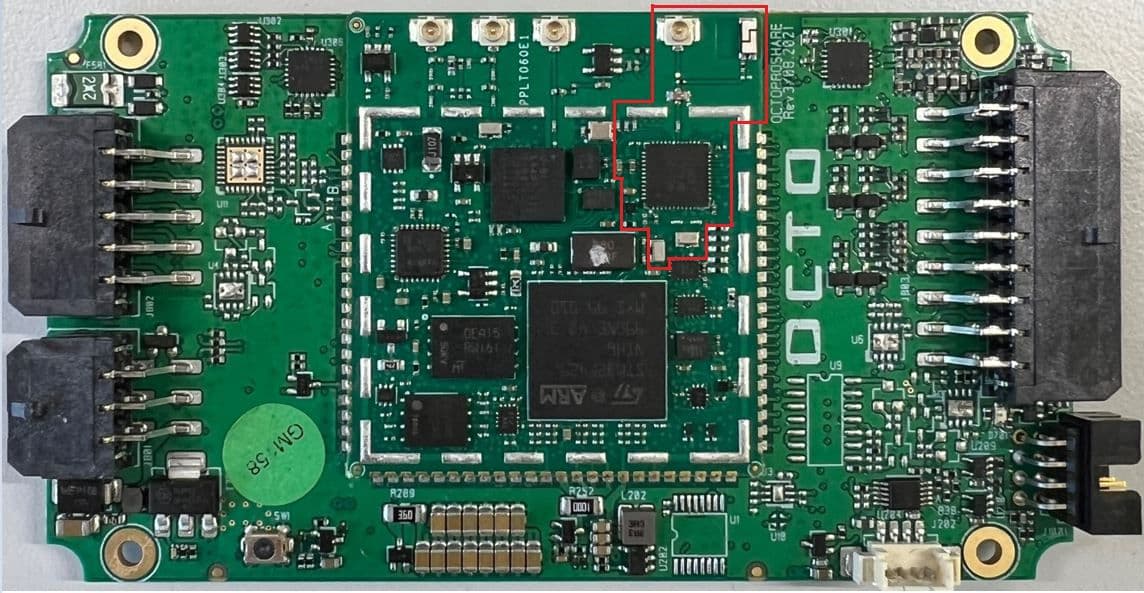
2AHR8-GPS4X0
Jul 17, 2022TRACKING DEVICE
Equipment Class
DTS - Digital Transmission System