2AIV6-IRC380SMART MULTI-MODE RADIO
Inrico Technologies Co.,Ltd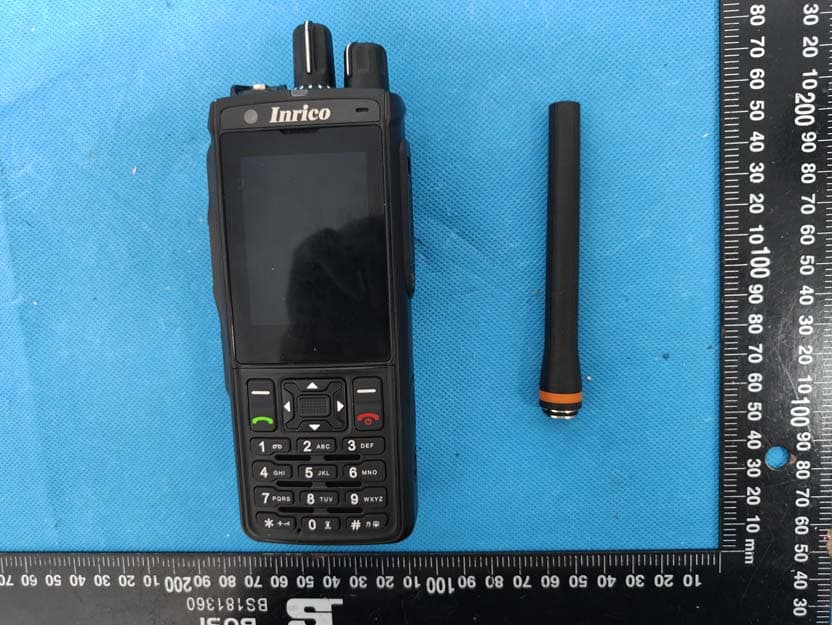
Click to zoom
Application Details
- Equipment Class
- DSS - Part 15 Spread Spectrum Transmitter
- Date of Grant
- Jul 03, 2024
- Application Purpose
- Original Equipment
- Date of Application
- Jul 02, 2024
- Equipment Note
- SMART MULTI-MODE RADIO
- Frequency Range
- 2402.00000000 - 2480.00000000
- Company
- Inrico Technologies Co.,Ltd
- Country
- China
Documents & Files
Document Text
Text extracted from the exhibit documents filed with the FCC. Open a document above to read the original.
Users Manual
www.inricosolutions.com Please read this instruction book carefully before using and keep this with care. IRC380 USER GUIDE SMART MULTI-MODE RADIO Please read the following content carefully. It is very important for radio users to gain general knowledge and risks. ● Do not use the device or charging the battery in any hazardous areas such as gas, dust, steam, etc. ● Please turn off the device while refueling or parking at the gas station. ● Do not disassemble your radio. ● Avoid prolonged time in the sun or placing it near heating appliance. ● Avoid excessive exposure to the extreme dusty, damp and splashing place, or leave it on unstable surface. ● Reparation by professional technicians, do not disassemble by yourself. Notes Before Using Inrico reserves the right to modify product design and specifications. Inrico assumes no responsibility in the event of printing errors. All specifications are subject to change without notice. Disclaimer Unpacking and Device Checking................................ Accessories................................................................... Handling Precautions.................................................. Battery Care................................................................. Fully Charge Battery Before Initial Use.................... Properly Store Batteries........................................... Features of Lithium Battery ..................................... Clean and Maintenance............................................ Product Overview........................................................ Accessories Installation.............................................. Insert SIM Card ......................................................... Attaching the Battery................................................ Attaching Headset..................................................... Install Hand Strip....................................................... Basic Functions............................................................ Power On/Off............................................................. User Log-in................................................................. Initiate a Call.............................................................. Program..................................................................... Status Indicators.......................................................... Simple Troubleshooting.............................................. Specification................................................................ Contents 01 01 02 03 03 03 03 04 05 07 07 07 08 08 09 09 09 09 09 09 10 11 0101 Lithium Battery Power Adaptor USB Charging Cable Belt Clip Antenna Desktop Charger Hand Strip QR Code Manual Please unpack and take out the device and all accessories carefully, and ensure all lists have been gotten before discarding the cardboard box. If any items are lost or damaged in transit, please contact with our distributors. 1 1 1 1 1 1 1 1 1 ItemsNumber Accessories Unpacking and Device Checking ItemsNumber SMART MULTI-MODE RADIO 02 Handling Precautions ● Do not overcharge the battery Please stop charging if it can’t be fully charged within required time. The battery probably overheats, smokes, bursts or suddenly be on fire due to abnormal charging process. When fully charged or not charged, please disconnect the charger and unplug it from the power outlet. ● Do not discard battery in a microwave or high pressure container. The battery probably overheats, smokes, bursts or suddenly be on fire. ● Do not expose damaged battery near any fire. If the battery is broken, leaking or has an abnormal odor, please remove it from flammable areas immediately. The fluid in the battery is flammable, which may cause smoke and fire. ● Do not use abnormal battery If the battery is with odd smelly, discolored, deformed, etc., please stop charging or disassemble from the device immediately. ● Please use authorized power adaptor To comply with warranty terms and avoid damages, charge the battery using a specified charger for best performance. 02 03 Battery Care Fully Charge Battery Before Initial Use ● Do preserve battery life by switching off a device and removing the batteries when it's not being used, and is not expected to be used for extended periods of time. ● Do practice proper battery storage by keeping batteries in a cool, dry place at normal room temperature. Properly Store Batteries ● Remove the battery from the device. ● Charge and discharge the battery to 40%-65% if it will not be used for 10 days or more. This can greatly extend the battery life. ● The battery should drop below 65% when it is idle for more than 10 days to prevent it from swelling. ● Store the battery in cool and dry environment that’s less than 25°C. Features of Lithium Battery ● Battery capacity will reduce after multiple charging cycles. ● The battery capacity drops gradually even without being used. ● Longer charging time is required in shady place. ● Charging and storing Lithium battery in warm condition will short its lifespan. Please do not leave them inside the vehicle or near the heater. ● If the battery working time has reduced significantly, please replace the battery immediately in avoidance of fluid leakage. 03
Users Manual
Clean and Maintenance ● Before cleaning and maintaining the device: please stop running, turn off the device, and disconnect all connections with other equipment. ● When you do not use the radio, please cover the accessories connector. ● When cleaning the dust, please use soft brush and neutral detergent (no strong corrosive chemicals) to wipe it. ● Please keep the equipment and accessories dry. ● Please do not use the microwave oven or hair dryer or other heating devices to dry them. 04 PTT1 Push to PoC talk Push to DMR PoC PoC/DMR mode switch Dual transmitting mode switch Enter recording playback mode, short press F2 to next record; select the recording to play automatically Report current working mode Main interface: Quickly enter the PoC APP Other interface: Pop-up operation menu Other interfaces: confirm button Quickly launch the camera Main interface: Quickly enter the DMR APP Other interface: Return/Delete Home button, return to the main interface Terminal upload The default is PoC and can be switc hed to DMR;PoC receiving the light is solid green,and transmitting is sold red The default is DMR and can be switched to PoC;DMR receiving the light is solid blue,and transmitting is sold rad The default is PoC Dual transmitting mode is off by default The most commonly used functions are short press to record the beginning and the end The system sends a broadcast notification to the APP, and the broadcast key value is determined; customization is supported The system sends a broadcast notification to the APP, and the broadcast key value is determined; customization is supported support customization PTT2 F2 F3 Menu OK Return PTT1 PTT2 F3 SOS Menu On/Off Button F2 05 Product Overview Return Dial Button Knob1 Knob2 Long press Long press Long press Long press Long press Long press Long press Short press Short press Short press Short press Short press ActionFunction Remark 06 Customizable DMR can continue to use after PoC is closed DMR no SOS call After the touch screen is disabled, the interface prompts Dial Button SOS Up Non-POC/DMR APP: Enter operator call; POC APP: Make full-duplex call; DMR APP: Make private call; Hang up the phone/Turn off screen, lock keyboard Turn on and off,Support choosing to close PoC Move focus up Down Move focus down Left Move focus left Right *Button Navigation Button Move focus right Touch screen disable switch Non-PoC/DMR APP: Enter the operator's phone dialing interface POC APP: Enter the POC dialing interface DMR APP: Enter the DMR dialing interface Non-PoC/DMR APP: Quickly dial the set operator phone number Initiate PoC and DMR SOS, send PoC call One-click video upload On/Off Button Knob1 Knob2 Long press Long press Long press Long press Long press Short press Short press Short press Short press Short press Short press Short press R-rotation R-rotation L-rotation L-rotation Volume down Volume up Volume interface display The knob is a stepless knob Switch to the previous PoC group Switch to the next PoC group ActionFunction Remark 07 Accessories Installation 1.Insert SIM Card 2.Attaching the Battery (a) Align the electrical contact of the battery with the rails. (b) Press the battery firmly, make sure the electrical connection touch with the bottom. SIM Card 08 4.Install Hand Strip 3.Attaching Headset Open the cover from the top of device to show the headset sockets. Headset will work immediately after being plugged in. DMR/PoC Transmitting PoC Receiving DMR Receiving Gateway Status Low Battery and No NetworkLow battery priority is higher 09 Basic Functions 1.Power on/off ● Power On: Long press the power button for 3 seconds and the program will start. ● Power Off: Long press the power button for 3 seconds. 2.User Log-in After the user log in successfully, user information will be broadcast. 3.Initiate a Call ● Press PTT button and start to talk. ● The LED light is solid red during transmitting. ● The LED light is solid green during receiving. ● If the current network is not online, the green light flashes quickly. ● If occupied when other person is talking, the PTT button is invalid. ● Once the call time exceeds 60 seconds automatically end the call. 4.Program Use the programming tool, you need to enter the system settings, "Program" to start. Status Indicators The network is normal Login failed / no network status The battery is low Led Indicator Color Working Status Solid Red Solid Green Solid Supersede Flash 1S/time Flash 5S/time Flash 1S/time Flash 3S/time Red Green Blue/Green Red Green Red Red Lasting Time
Users Manual
10 Simple Troubleshooting Unable to Power On Problems ● The battery may be incorrectly installed. Re-install the battery. ● The battery may be out of power. Charge or replace the battery. ● The battery may be in poor contact due to dirt or damage. Clean the electrical contact or replace it. Terminal Crash ● Too many APPS on processing.Force some programs to quit or restart the terminal. Buttons Not Working White Screen Error ● The buttons may not work temporarily, restart the terminal. ● The buttons are broken, contact the dealer or our company. ● Display screen may not work temporarily, restart the device. ● The display screen is damaged, contact the dealer or our company. Unable to Detect SIM Card ● The SIM card may be incorrectly installed. Remove and re-insert the SIM card. ● The SIM card may be not working due to dirt or damage. Clean the electrical contact or replace it. Echo or Noise During Connecting ● The signal may be weak, make sure the terminal is within network coverage. ●The speaker may be covered, clean the speaker surface. Unable to Charge ● The power adapter plug may be damaged or with poor contact.Pull out and re-plug the adapter. ● The charging cable connectors may be damaged or with poor contact. Pull out and re-insert the cable. Unable to Locate ● The signal is weak and the radio can’t receive the signal. Move to open and flat area and try again. Shorter Standby Time ● The battery life becomes shorter in high temperature environment. Replace a new qualified battery. ● Power consumption increased in areas with weak signal. Please temporarily turn off the device. Unable to Connect the Network ● SIM card cannot work properly or cannot be used. Make sure the SIM card have balance and not overdue. ● Mobile network is not enabled, swift on the SIM card network and contact the network operator to activate the cellular network. Solutions Front: 5MP / Rear: 13MP, 107° Wide Angle 7.6V Removable Battery, 3100mAh 2G: B2/B3/B5/B8 3G: B1/B2/B4/B5/B8 4G TDD-LTE: B38/B39/B40/41 4G FDD-LTE:B1/B2/B3/B4/B5/B7/B8/B12/ B14/B17/B20/B26/B28/B66 11 QM215 2GB+ 16GB(ROM) 7.6V 2.4 162.3*61*34.5mm (Without Antenna & Belt clip) ≈386.4g Specification Frequency Operating System Memory Voltage Screen Size Battery Dimension (H*W*D) Working Temperature Storage Temperature Android 10 CPU Weight -20°C ~ 60°C -40°C ~ 85°C Camera Support GPS GLONASS/AGPS/BEIDOU FCC Caution: Any Changes or modifications not expressly approved by the party responsible for compliance could void the user's authority to operate the equipment. This device complies with part 15 of the FCC Rules. Operation is subject to the following two conditions: (1) This device may not cause harmful interference, and (2) this device must accept any interference received, including interference that may cause undesired operation. IMPORTANT NOTE: Note: This equipment has been tested and found to comply with the limits for a Class B digital device, pursuant to part 15 of the FCC Rules. These limits are designed to provide reasonable protection against harmful interference in a residential installation. This equipment generates, uses and can radiate radio frequency energy and, if not installed and used in accordance with the instructions, may cause harmful interference to radio communications. However, there is no guarantee that interference will not occur in a particular installation. If this equipment does cause harmful interference to radio or television reception, which can be determined by turning the equipment off and on, the user is encouraged to try to correct the interference by one or more of the following measures: —Reorient or relocate the receiving antenna. —Increase the separation between the equipment and receiver. —Connect the equipment into an outlet on a circuit different from that to which the receiver is connected. —Consult the dealer or an experienced radio/TV technician for help. SAR tests are conducted using standard operating positions accepted by the FCC with the device transmitting at its highest certified power level in all tested frequency bands, although the SAR is determined at the highest certified power level, the actual SAR level of the device while operating can be well below the maximum value. Before a new model device is a available for sale to the public, it must be tested and certified to the FCC that it does not exceed the exposure limit established by the FCC, Tests for each device are performed in positions and locations (worn on the body)as required by the FCC. For face-up,25mm was used for test, this equipment should be installed and operated with minimum distance 25mm . For body worn operation, this model phone has been tested and meets the FCC RF exposure guidelines when used with an accessory designated for this product or when used with an accessory that Contains no metal and that positions the handset minimum of 10mm from the body. Non-compliance with the above restrictions may result in violation of RF exposure guidelines. RF Exposure Compliance and Control Guidelines and Operating Instructions To control your exposure and ensure compliance with the general/uncontrolled environment exposure limits always adhere following procedures. Guidelines: . Do not remove the RF Exposure Label from the device. . User awareness instructions should accompany device when transferred to other users. . Do not use this device if the operational requirements described herein are not met. Operating Instructions: . Transmit no more than the rated duty factor of 50% of the time. To transmit (talk), push the Push-To-Talk (PTT) button. To receive calls, release the PTT button. Transmitting 50 % of the time, or less, is important because this radio generates measurable RF energy exposure only when transmitting(in terms of measuring for standards compliance). . Hold the radio in a vertical position in front of face with the microphone(and the other parts of the radio, including the antenna) at least one inch (2.5 cm)away f…
Text truncated - open the document above for the full version.
Attestation Statements
Inrico Technologies Co.,Ltd Address:A1703, Shenzhen National Engineering Laboratory Building, No. 20 Gaoxin South 7th Road , Shenzhen,China Tel: 0755-83273589 Email: [email protected] CFR 47 §2.911(d)(7) U.S Agent CFR 47 §2.911(d)(7) Agent Designation Attestation Date: 2024-03-20 FEDERAL COMMUNICATIONS COMMISSIONS Authorization and Evaluation Division 7435 Oakland Mills Road Columbia, MD 21046 Ref: Attestation Statements CFR 47 §2.911(d)(7) Filing FCC ID: 2AIV6-IRC380 Inrico Technologies Co.,Ltd as required by section 2.911(d)(7), designates the following agent, located in the United States, for purposes of acting as the applicant’s agent for service of process. The applicant acknowledges the applicant’s acceptance to maintain an agent for no less than one year after the grantee has terminated all marketing and importation or the conclusion of any Commission- related proceeding involving the equipment. Echo911, LLC accepts, as of the date of the filing of the application, the obligation of the designated U.S. agent for service of process for the above referenced FCC ID. Designated U.S. Agent Information: Name: Echo911, LLC FRN: 0033462516 Address: 1004 Oster Drive NW, Suite C, Huntsville AL 35816 Tel.: +1 (205) 370 4346 Email:[email protected] Signed by (printed name):Warren Sandusky Signature: Applicant: Inrico Technologies Co.,Ltd Add:A1703, Shenzhen National Engineering Laboratory Building, No. 20 Gaoxin South 7th Road, Shenzhen, China Tel: 0755-83273589 FRN: 0025688870 Email: [email protected] Signed by (printed name): Wenshun Zhang Signature:
Attestation Statements
Inric Addr Sout Tel: Em a Dat e FED Aut 743 Colu Dea Ou r FCC BT( 2/5, 802 M H FCC by m Sinc Sig n Wen Man co Technologi ress:A1703, S th 7th Road , S 0755-832735 ail: sales@inri e: 2024-03-2 DERAL CO thorization a 5 Oakland M umbia, MD ar Sir/Madam r product SM C ID:2AIV6 (GFSK, π/4 , LTE band .11b/g/n20/ Hz, 5725-58 C only uses manufacture cerely, nature nshun Zhan nager ies Co.,Ltd Shenzhen Nati Shenzhen,Chi 89 icosolutions.co 20 OMMUNICA and Evaluat Mills Road D 21046 m, MART MULT 6-IRC380, 4-DQPSK, d 2/4/5/7/12 /n40 modes 850 MHz, 8 s 12.5kHz). er in the sof ng ional Enginee ina om ATIONS C tion Divisio TI-MODE RA for marketi 8DPSK), B 2/17/26/38/4 s), 5G Wi-F 02.11 a/n20 .The other f ftware, the e ring Laborato COMMISSIO on ADIO, model ing purpose BLE 1M, G 41/66, 2.4G Fi(5150-525 0/n40/ac80 functions, b end user has ory Building, N ONS l: IRC380, , this produ GSM 850/PC G Wi-Fi(241 50 MHz, 52 modes), NF ands and m s no capabil No. 20 Gaoxin uct only supp CS 1900,W 12-2462MH 250-5350 M FC, UHF(4 modes was di lity to activ n ports WCDMA Ba Hz, MHz,5470-5 400-480MH isabled to u vate it. and 5725 Hz, use
Cover Letter(s)
Inrico Technologies Co.,Ltd Address:A1703, Shenzhen National Engineering Laboratory Building, No. 20 Gaoxin South 7th Road , Shenzhen, China Tel: 0755-83273589 Email: [email protected] QA-FR-170-B 7/29/2014 FCC Authorization Date: 2024-03-20 FEDERAL COMMUNICATIONS COMMISSIONS Authorization and Evaluation Division 7435 Oakland Mills Road Columbia, MD 21046 Subject: Agent Authorization To whom it may concern: We, Inrico Technologies Co.,Ltd, the undersigned, hereby authorizes China Certification ICT Co., Ltd (Dongguan) to act on its behalf in all matters relating to application for Equipment authorization, including the signing of all documents relating to these matters. All acts carried out by China Certification ICT Co., Ltd (Dongguan) on our behalf shall have the same effect as our own action. We, the undersigned, hereby certify that we are not subject to a denial of federal benefits, that includes FCC benefits, pursuant to Section 5301 of the Anti-Drug Abuse Act of 1988, 21 U.S.C. 862. This authorization is valid until further written notice from the applicant. Sincerely Yours, Signature: Wenshun Zhang Manager
Cover Letter(s)
Inrico Technologies Co.,Ltd Address:A1703, Shenzhen National Engineering Laboratory Building, No. 20 Gaoxin South 7th Road , Shenzhen,China Tel: 0755-83273589 Email: [email protected] FCC Confidential Authorization Date: 2024-03-20 FEDERAL COMMUNICATIONS COMMISSIONS Authorization and Evaluation Division 7435 Oakland Mills Road Columbia, MD 21046 Subject: Confidentiality Request regarding application for certification of FCC ID: 2AIV6-IRC380 In accordance with Sections 0.457 and 0.459 of the Commission’s Rules, Inrico Technologies Co.,Ltd hereby requests long-term confidential treatment of information accompanying this application as outlined below: • Block Diagram • Schematics • Operation Description • Part list/Tune up Procedure • Software Security Description The above materials contain proprietary and confidential information not customarily released to the public. The public disclosure of these materials provides unjustified benefits to its competitors in the market. Sincerely Yours Signature: Wenshun Zhang Manager
External Photos
China Certification ICT Co., Ltd (Dongguan) Report No.: CR231058645-EXP Page 1 of 10 EUT EXTERNAL PHOTOGRAPHS China Certification ICT Co., Ltd (Dongguan) Report No.: CR231058645-EXP Page 2 of 10 Antenna Antenna Port China Certification ICT Co., Ltd (Dongguan) Report No.: CR231058645-EXP Page 3 of 10 China Certification ICT Co., Ltd (Dongguan) Report No.: CR231058645-EXP Page 4 of 10 China Certification ICT Co., Ltd (Dongguan) Report No.: CR231058645-EXP Page 5 of 10 China Certification ICT Co., Ltd (Dongguan) Report No.: CR231058645-EXP Page 6 of 10 Port China Certification ICT Co., Ltd (Dongguan) Report No.: CR231058645-EXP Page 7 of 10 China Certification ICT Co., Ltd (Dongguan) Report No.: CR231058645-EXP Page 8 of 10 Port China Certification ICT Co., Ltd (Dongguan) Report No.: CR231058645-EXP Page 9 of 10 China Certification ICT Co., Ltd (Dongguan) Report No.: CR231058645-EXP Page 10 of 10
ID Label/Location Info
Label 1 Label 2 Label Location Information Label 1 Label 2
Internal Photos
China Certification ICT Co., Ltd (Dongguan) Report No.: CR231058645-INP Page 1 of 18 EUT INTERNAL PHOTOGRAPHS China Certification ICT Co., Ltd (Dongguan) Report No.: CR231058645-INP Page 2 of 18 China Certification ICT Co., Ltd (Dongguan) Report No.: CR231058645-INP Page 3 of 18 China Certification ICT Co., Ltd (Dongguan) Report No.: CR231058645-INP Page 4 of 18 GPS Antenna China Certification ICT Co., Ltd (Dongguan) Report No.: CR231058645-INP Page 5 of 18 China Certification ICT Co., Ltd (Dongguan) Report No.: CR231058645-INP Page 6 of 18 China Certification ICT Co., Ltd (Dongguan) Report No.: CR231058645-INP Page 7 of 18 BT/WiFi Antenna China Certification ICT Co., Ltd (Dongguan) Report No.: CR231058645-INP Page 8 of 18 China Certification ICT Co., Ltd (Dongguan) Report No.: CR231058645-INP Page 9 of 18 4G chip China Certification ICT Co., Ltd (Dongguan) Report No.: CR231058645-INP Page 10 of 18 chip China Certification ICT Co., Ltd (Dongguan) Report No.: CR231058645-INP Page 11 of 18 chip China Certification ICT Co., Ltd (Dongguan) Report No.: CR231058645-INP Page 12 of 18 China Certification ICT Co., Ltd (Dongguan) Report No.: CR231058645-INP Page 13 of 18 China Certification ICT Co., Ltd (Dongguan) Report No.: CR231058645-INP Page 14 of 18 China Certification ICT Co., Ltd (Dongguan) Report No.: CR231058645-INP Page 15 of 18 China Certification ICT Co., Ltd (Dongguan) Report No.: CR231058645-INP Page 16 of 18 GSM/WCDMA/LTE Main Antenna China Certification ICT Co., Ltd (Dongguan) Report No.: CR231058645-INP Page 17 of 18 China Certification ICT Co., Ltd (Dongguan) Report No.: CR231058645-INP Page 18 of 18 NFC Antenna
RF Exposure Info
China Certification ICT Co., Ltd (Dongguan) Report No.: CR231058645-00B Page 88 of 90 5. RF EXPOSURE EVALUATION 5.1 Applicable Standard According to §15.247(i) and §1.1310, systems operating under the provisions of this section shall be operated in a manner that ensure that the public is not exposed to radio frequency energy level in excess of the Commission’s guideline. According to KDB447498 D01 General RF Exposure Guidance v06: The 1-g and 10-g SAR test exclusion thresholds for 100 MHz to 6 GHz at test separation distances ≤ 50 mm are determined by: [(max. power of channel, including tune-up tolerance, mW)/(min. test separation distance, mm)] · [√f(GHz)] ≤ 3.0 for 1-g SAR and ≤ 7.5 for 10-g extremity SAR, where • f(GHz) is the RF channel transmit frequency in GHz • Power and distance are rounded to the nearest mW and mm before calculation • The result is rounded to one decimal place for comparison • 3.0 and 7.5 are referred to as the numeric thresholds in the step 2 below The test exclusions are applicable only when the minimum test separation distance is ≤ 50 mm and for transmission frequencies between 100 MHz and 6 GHz. When the minimum test separation distance is < 5 mm, a distance of 5 mm according to 5) in section 4.1 is applied to determine SAR test exclusion. 5.2 Measurement Result The max conducted power including tune-up tolerance is 3 dBm (2mW). [(max. power of channel, mW)/(min. test separation distance, mm)][√f(GHz)] =2/5*(√2.480) = 0.6< 3.0 Result: Compliant. The stand-alone SAR test is not necessary.
Test Report
Antenna Name Model(s)/Type(s) Antenna 1 Model/Part Number: PD03 Manufacturer: Shenzhen Jianhaitong Antenna Technology Co., Ltd Frequency Range: GSM ( B2/3/5/8 ) WCDMA ( B1/B2/4/5/8 ) FDD ( B1/2/3/4/5/7/8/12/14/17/20/26/28A/28B/66 ) TDD(B38/B39/B40/B41 ( 120M ) ) Connector Type/ Maximum Gain GSM:B2:1.99dBi/B3:0.35dBi/B5:-0.47dBi/B8:-0. 46dBi WCDMA : B1:1.99dBi/B2:1.99dBi/B4 :0.35dBi/B5 :-0.47dBi/B8:-0.46dBi FDD-LTE : B1:1.99dBi/B2:1.99dBi/B3:0.35dBi/B4 :0.35dBi/B5 :-0.47dBi/B7:0. 55dBi/B8:-0.46dBi/B12:0.67dBi/ B14:0.67dBi/B17:0.67dBi/ B20 :-0.47dBi//B26:-0.47dBi/B28A&B:0.67db/B66:0.35dBi TDD-LTE:B38:0.99dBi/B39:1.99dBi/B40:0.76dBi/B41:0.99dBi Maximum Gain Antenna Type/ Pattern: FPC Measurement: 48.75* 12.5*0.12 Antenna 2 Model/Part Number: PD03 Manufacturer: Shenzhen Jianhaitong Antenna Technology Co., Ltd Frequency Range: BT, WIFI2.4G ,5G Connector Type/ BT, WIFI2.4G:4.12dBi ,5G:4.35dBi Maximum Gain Antenna Type/ Pattern: FPC Measurement: 10.8*2 3.23*0.12 Antenna 3 Model/Part Number: PD03 Manufacturer: Shenzhen Jianhaitong Antenna Technology Co., Ltd Frequency Range: GSM ( B2/3/5/8 ) WCDMA ( B1/B2/4/5/8 ) FDD ( B1/2/3/4/5/7/8/12/14/17/20/26/28A/28B/66 ) TDD(B38/B39/B40/B41 ( 120M ) ) Connector Type/ Maximum Gain GSM:B2:0.37dBi/B3:-1.32dBi/B5:-1.74dBi/B8:-0. 29dBi WCDMA : B1:0.37dBi/B2:0.37dBi/B4 :-1.32dBi/B5 :-1.74dBi/B8:-0.29dBi FDD-LTE : B1:0.37dBi/B2 :0.37dBi/B3:-1.32dBi/B4 :-1.32dBi/B5 :-1.74dBi/B7 :-0.36dBi/B8:-0.29dBi/B12 :-4.7dBi/B14 :-4.7dBi/B17 :-4.7dBi/ B20 :-1.74/B26 :-1.74dBi/B28A&B:-4.7db/B66 :1.32dBi TDD-LTE:B38:-0.3dBi/B39:0.37dBi/B40:0.1dBi/B41:-0.3dBi Maximum Gain Antenna Type/ Pattern: FPC Measurement: 21*20.71*0.12 Antenna 4 Model/Part Number: PD03 Manufacturer: Shenzhen Jianhaitong Antenna Technology Co., Ltd Frequency Range: NFC 13.56MHZ Connector Type/ Maximum Gain Antenna Type/ Loop antenna Pattern: Measurement: 53.85* 58.19*0.3 Manufacturer Add: Building B, Hezhou Zhongkono Industrial Park , Hezhou Community, Hangcheng Street, Baoan District, Shenzhen B1 TRP W1 TRP 16.55 17.01 16.62 16.92 16.53 -91.02 16.88 -102.25 B3 17.03 W2 16.25 16.55 16.87 16.29 -87.83 16.53 -101.41 B5 17.52 B5 17.88 17.19 17.57 16.85 -74.42 17.52 -88.12 B7 18.96 W8 17.22 19.8 17.01 19.77 -85.82 16.99 -84.73 B8 16.8 16.53 16.28 -67.61 B20 16.8 16.74 16.59 -69.49 B28 16.04 16.11 16.55 -67.64 B38 19.36 19.02 16.76 -84.18 B39 16.37 16.64 16.87 -83.99 B40 17.61 16.95 16.33 -84.72 B41 18.25 19.18 17.1 -82.3 BT&BLE&2.4G WIFI&5G WIFI 2G&3G&4G NFC
Test Report
TEST REPORT Applicant: Inrico Technologies Co.,Ltd Address: A1703, Shenzhen National Engineering Laboratory Building, No. 20 Gaoxin South 7th Road , Shenzhen,China FCC ID: 2AIV6- IRC380 Product Name: SMART MULTI-MODE RADIO Standard(s): 47 CFR Part 15, Subpart C(15.247) ANSI C63.10-2013 KDB 558074 D01 15.247 Meas Guidance v05r02 The above device has been tested and found compliant with the requirement of the relative standards by China Certification ICT Co., Ltd (Dongguan) Report Number: CR231058645-00B Date Of Issue: 2024/6/1 Reviewed By: Calvin Chen Title: RF Engineer Approved By: Sun Zhong Title: Manager Test Laboratory: China Certification ICT Co., Ltd (Dongguan) No. 113, Pingkang Road, Dalang Town, Dongguan, Guangdong, China Tel: +86-769-82016888 China Certification ICT Co., Ltd (Dongguan) Report No.: CR231058645-00B Page 2 of 90 Test Facility The Test site used by China Certification ICT Co., Ltd (Dongguan) to collect test data is located on the No. 113, Pingkang Road, Dalang Town, Dongguan, Guangdong, China. The lab has been recognized as the FCC accredited lab under the KDB 974614 D01 and is listed in the FCC Public Access Link (PAL) database, FCC Registration No. : 442868, the FCC Designation No. : CN1314. Declarations China Certification ICT Co., Ltd (Dongguan) is not responsible for the authenticity of any test data provided by the applicant. Data included from the applicant that may affect test results are marked with a triangle symbol “▲”. Customer model name, addresses, names, trademarks etc. are not considered data. Unless otherwise stated the results shown in this test report refer only to the sample(s) tested. This report cannot be reproduced except in full, without prior written approval of the Company. This report is valid only with a valid digital signature. The digital signature may be available only under the Adobe software above version 7.0. This report may contain data that are not covered by the accreditation scope and shall be marked with an asterisk “★”. China Certification ICT Co., Ltd (Dongguan) Report No.: CR231058645-00B Page 3 of 90 CONTENTS DOCUMENT REVISION HISTORY .......................................................................................... 5 1. GENERAL INFORMATION .................................................................................................... 6 1.1 PRODUCT DESCRIPTION FOR EQUIPMENT UNDER TEST (EUT) ....................................................... 6 1.2 DESCRIPTION OF TEST CONFIGURATION ........................................................................................... 7 1.2.1 EUT Operation Condition: ........................................................…
Text truncated - open the document above for the full version.
Contact Information
Applicant
Wenshun Zhang(Manager)
Test Firm
CHINA CERTIFICATION ICT CO., LTD (DONGGUAN)Tanie Ou
[email protected]0086 0769 86858888
Technical Specifications
| # | Rule Parts | Frequency Range | Power Output |
|---|---|---|---|
| 1 | 15C | 2.40 GHz - 2.48 GHz | 2.00 mW |
Other Applications from Inrico Technologies Co.,Ltd
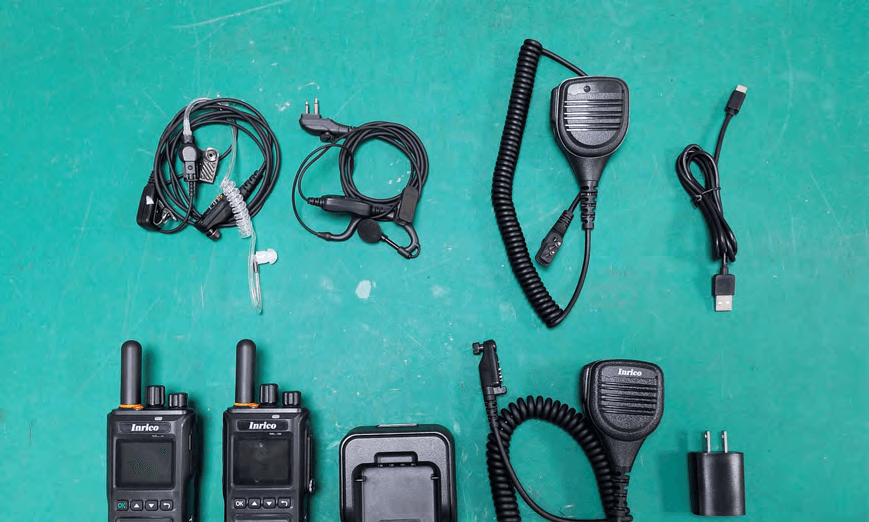
2AIV6-T740A
Nov 26, 20254G LTE Terminal
Equipment Class
DTS - Digital Transmission System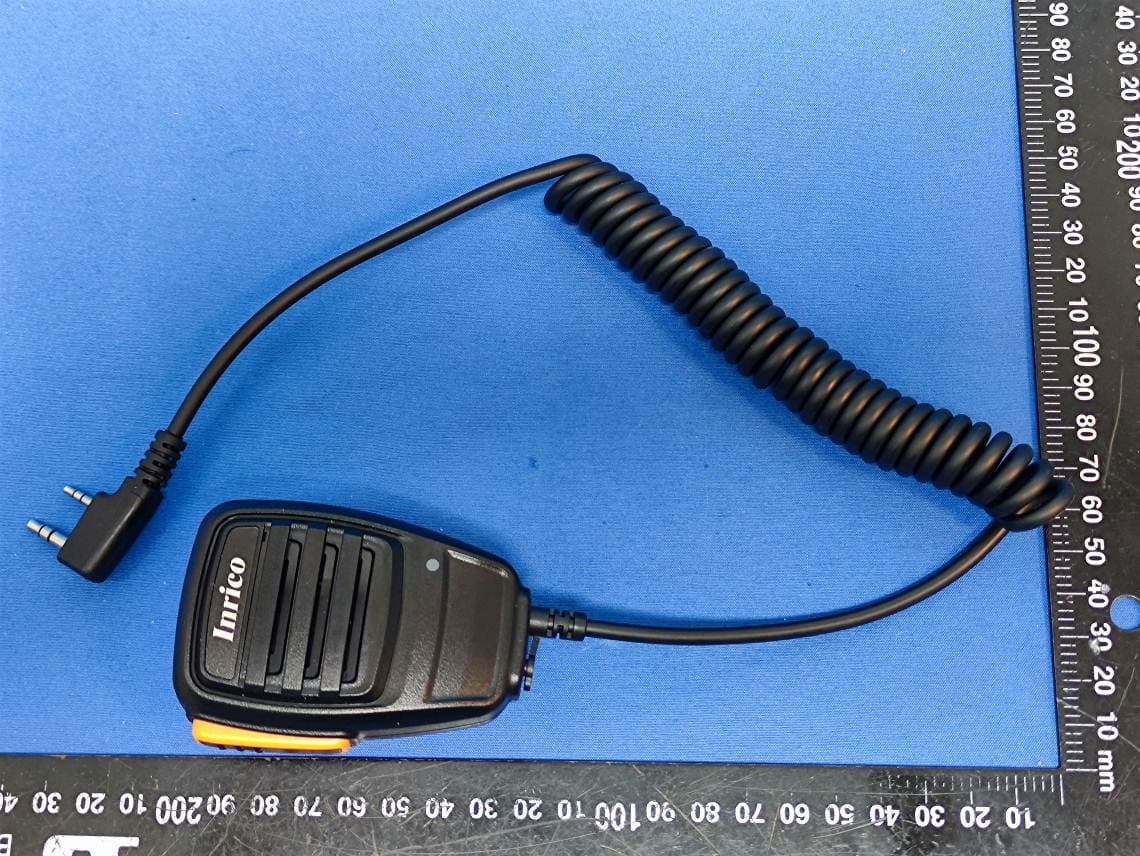
2AIV6-T521
Jul 31, 2024PoC Radio
Equipment Class
PCF - PCS Licensed Transmitter held to face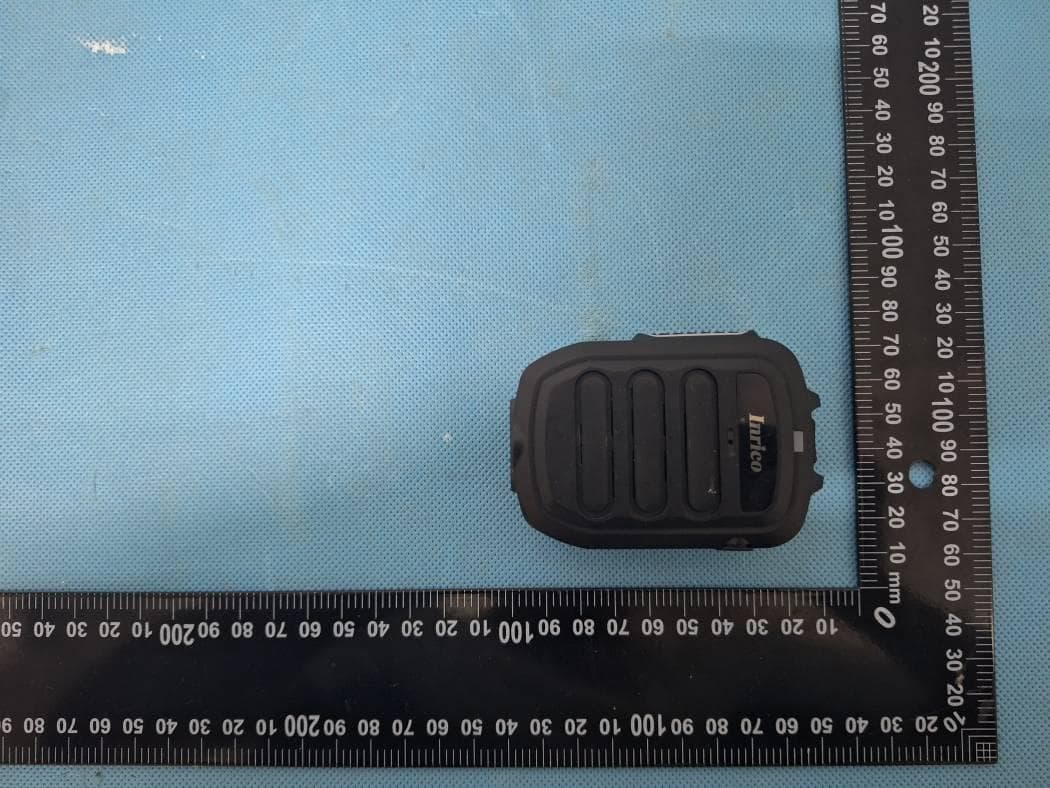
2AIV6-B06
Jul 21, 2024Wireless RSM
Equipment Class
DSS - Part 15 Spread Spectrum Transmitter
2AIV6-B05
Jun 03, 2024Wireless RSM
Equipment Class
DTS - Digital Transmission System2AIV6-S350
Jan 24, 20245G Rugged Device
Equipment Class
PCE - PCS Licensed Transmitter held to ear