2AK2Q-HAMSTER-SHAMSTER-S
ROBOMATION Co., Ltd.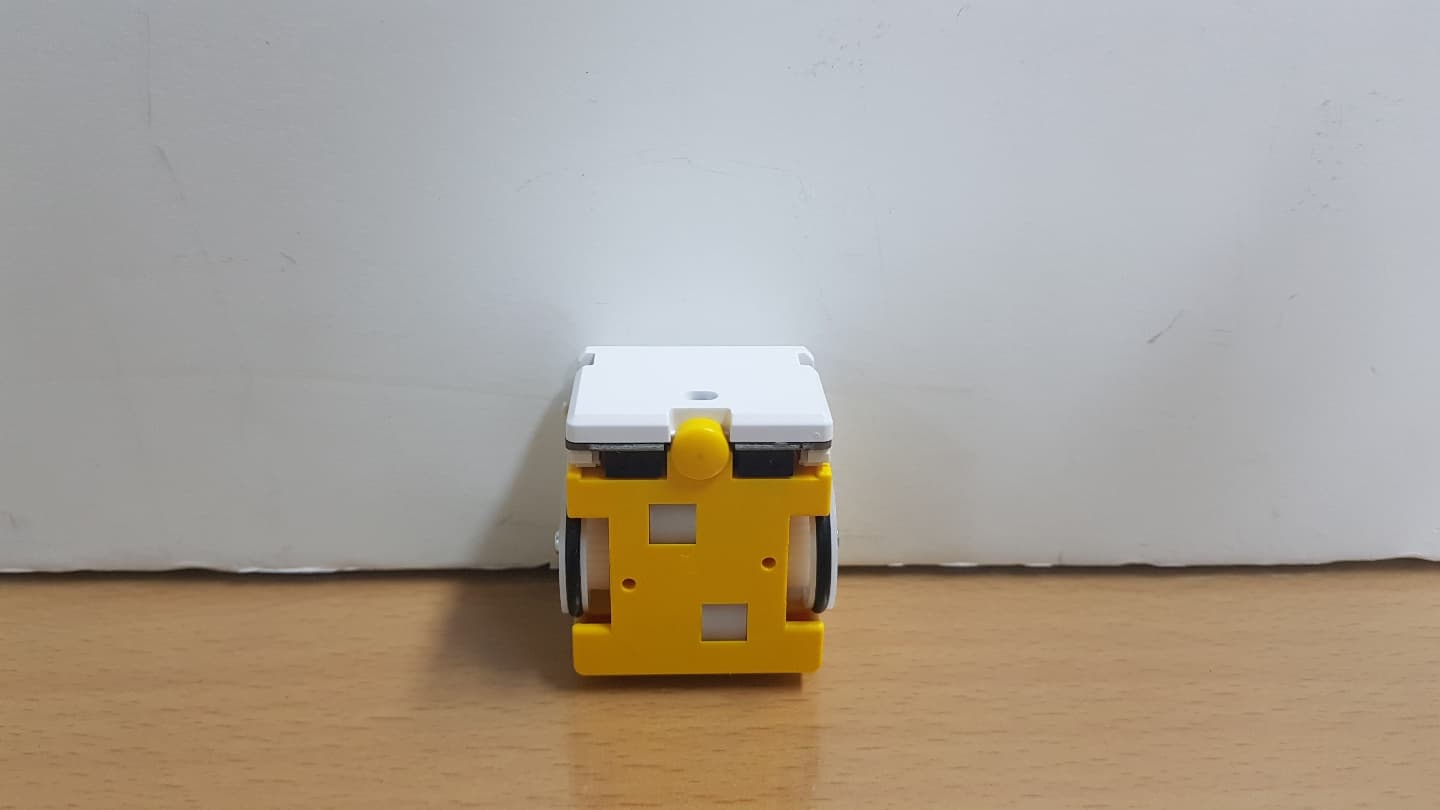
Click to zoom
Application Details
- Equipment Class
- DTS - Digital Transmission System
- Date of Grant
- Jan 13, 2020
- Application Purpose
- Original Equipment
- Date of Application
- Jan 13, 2020
- Equipment Note
- HAMSTER-S
- Frequency Range
- 2402.00000000 - 2480.00000000
- Company
- ROBOMATION Co., Ltd.
- Country
- South Korea
Documents & Files
Document Text
Text extracted from the exhibit documents filed with the FCC. Open a document above to read the original.
Users Manual
2 3 4 9 5 7 8 11 10 Manufacturer website: robomation.net Educat ion assistance website: hamster .school Make sure to refer to Hamster-S robot is a small, cute education robot for software education. This instruction contai ns only basic information of the product. For more information, please refer to the above websites. Basic InformationHow to turn on power Li ft the power switch up to ON position. When power is on, Bluet ooth connection stat us light is going to slowly flicker in b lue light. How to install Bl uetooth BLE USB dongle Caution : You must instal l USB dongle driver bef ore connecting dongle to PC. Downloading device driver Download device driver that fits into your PC’s OS from robomation.net or hamster .school websites. In scrat ch, entry, roboid studio, and processing instal lat ion files on hamster .school website include the device driver thus the driver will be automatical ly instal led. - For more det ai led inf ormation , please refer to driver instal lat ion tab on robomation.net or hamster .school. How to turn off power Pull the power switch down to OFF position and the power to the hamster robot is going to be turned off. How to connect Bl uetooth For Bluet ooth connection, please refer to Bluet ooth BLE USB dongle instruction and hamster .school website. How to connect sc ratch and entr y (other software) You ar e required to instal l rel at ed software and driver s before linking the hamster-S robot with the software. For det ai led instruction, please refer to educat ion resources tab in hamster .school website. Cautions befo re use Be cautious not to apply excessive force on motor and wheels. Motor is a consumable par t. When its expected lif e is over or a problem occurs, you will need to buy a new one to replace it. Due to the char acter istics of DC motor, the speeds of the motors on each side could b e different. Due to the char acter istics of motor, motor speed could be changed by per iod of use. The war ranty per iod for consumable par ts (motor, bat ter y, et c.) i s six months. Bat ter y is a consumable par t thus its per formance could decline based on user ’s use pat ter n. If bat ter y lif e is significantly reduced, you will be required to buy a new bat ter y for replacement. Make sure to check how to use IN / OUTPUT extension por t. (Refer to website and education assistance website) If circuit is incorrectly connected to extension port, it can cause ser ious malfunctions or device fai lures. (r epairing problems caused by misuse of the device will be pai d repair) For Bluet ooth connection, the connection stat us could be weak based on your connection environment. The Hamster-s robots go through movement and sensor inspections before shipment. Thus, ther e could be substance s such as dust on the wheels and bottom of the robots. The per formance and contents of the product is subject to change based on circumstances of the manufacturer . Bl uetooth BLE USB dongle pai ring Turn on power of the hamster-s robot and move it closer to the dongle. (less than 20cm bet ween the robot and dongle). When the hamster-s robot makes beep sound and the Bluet ooth lights on hamster robot and dongle ar e on or flicker quickly, it is normal. When receiving dat a through Bluet ooth connection the light is going to flicker quickly. When it is connected but not receiving any dat a, the light is going to be on without flicker ing. Af ter pairing the robot and dongle in such way, for al l future use the dongle will automatical ly find the robot and establish the Bluet ooth connection. Ther efore, ther e will be no need for additional pairing once initial pairing is done. To conn ect another hamster robot, follow the same pairing instruction given as above. The dongle remember s only one hamster robot with the most recent pairing. Af ter pairing, the hamster-s robot and dongle will exchange dat a even if they ar e far away. The pairing can only be done when Hamster-S robot and dongle ar e in close range thus you cannot use many robots and dongles at the same time in a classroom environment. 4/5. Li ne(floor) sensor × 2 1/2. Distance sensor 3. Luminous intensity sensor 6. Pi ezo speaker 7. Left wheel (Stepping motor) 8. Power switch 9. Power output port 10. Micro USB rechar ging port 11.Ri ght wheel (Stepping motor) 12. Input / Output extension port Recharging Connect Micro USB rechar ge cable to USB rechar ge socket on the hamster robot. (You must turn off the power when rechar ging). Bat tery stat us light ( ) Bl uetooth connecti on status light() Battery st atusBattery light Rechar gingLi ght is on Rechar ging complet eLi ght is off Rechar ging requiredLi ght flicker s LightMeaning Blue light flicker s slowlyWai tingfor Bluet ooth connection Blue light is onBluet oothconnection is on Blue light flicker s quickly Recei ving dat a Bluetooth USB dongle product specification SubjectSpeci fication Si zeWidth22mm × Length 64mm × Hei ght 6.5mm Weight6g Communicat ion method Bl uet oothBLE 4.0 Manufacturer website: robomation.net Dongle st atus lightMeaning Blue light flicker s slowlyWai tingfor connection Blue light is onConnectedto robot Blue light flicker s quicklyExchanging dat a with robot USB dongle Bluetooth connecti on st atus light Ente ring A I Mode On the hamster-s robot, ther e is a built-in AL mode which al lows the robot to move by itsel f without Bluet ooth connection. -Li ft the power switch up to turn on the power and within one second, quickly pull the switch down to turn off the power of the hamster-s robot. -When you lif t the switch up to turn on power agai n, green light will appear on the LED light on the front side of the hamster-s robot and the robot enter s into AI mode . Types of AI mode 1. Hand (object) det ection mode (green LED light is on in the front) -The hamster-s robot will per cei ve hand or obje ct in the front. 2. Li ne (f loor) sensor mode (r ed LED light is on in the front ) -The robot will m ove by det ecting black or white line on t…
Text truncated - open the document above for the full version.
Cover Letter(s)
Rev 11/20/07 Federal Communications Commission Authorization and Evaluation Division Confidentiality Request regarding application for certification of FCC ID : 2AK2Q-HAMSTER-S Pursuant to Sections 0.457 and 0.459 of the Commission’s Rules, we hereby request confidential treatment of information accompanying this application as outlined below: Exhibit Type File Name Block diagram Block diagram (2AK2Q-HAMSTER-S).pdf Parts List Part List (2AK2Q-HAMSTER-S).pdf Schematics Schematic diagram (2AK2Q-HAMSTER-S).pdf Schematic diagram PCB Layout (2AK2Q-HAMSTER- S).pdf Operational description Operational Description (2AK2Q-HAMSTER-S).pdf Operational Description Antenna specification (2AK2Q- HAMSTER-S).pdf The above materials contain trade secrets and proprietary information not customarily released to the public. The public disclosure of these materials may be harmful to the applicant and provide unjustified benefits to its competitors. The applicant understands that pursuant to Section 0.457 of the Rules, disclosure of this application and all accompanying documentation will not be made before the date of the Grant for this application. Sincerely, NAME: SANG HOON KIM Applicant: ROBOMATION CO., LTD.
Cover Letter(s)
Federal Communications Commission Authorization and Evaluation Division 1435 Oakland Mills Road Columbia, MD 21046 Date : Jan 09, 2020 SUBJECT: FCC Application for (FCC ID : 2AK2Q-HAMSTER-S) To Whom It May Concern: We, the undersigned, hereby authorize Young-taek Lee at CTK on our behalf, to apply to the Federal Communications Commission on our equipment. Any and all acts carried out by CTK on our behalf shall have the same effect as acts of our own. This is to advise that we are in full compliance with the Anti- Drug Abuse Act. We, the applicant, are not subject to a denial of federal benefits pursuant to Section 5301 of the Anti-Drug Act of 1988, 21 USC853a, and no party to the application is subject to a denial of federal benefits pursuant to that section. Regards, NAME: SANG HOON KIM Applicant: ROBOMATION CO., LTD.
External Photos
CTK Co., Ltd. (Ho-dong), 113, Yejik-ro, Cheoin-gu, Yongin-si, Gyeonggi-do, Korea Tel: +82-31-339-9970 Fax: +82-31-624-9501 www.e-ctk.com FCC ID : 2AK2Q-HAMSTER-S Page (1) / (2) Pages EUT External Photographs CTK Co., Ltd. (Ho-dong), 113, Yejik-ro, Cheoin-gu, Yongin-si, Gyeonggi-do, Korea Tel: +82-31-339-9970 Fax: +82-31-624-9501 www.e-ctk.com FCC ID : 2AK2Q-HAMSTER-S Page (2) / (2) Pages
ID Label/Location Info
CTK Co., Ltd. (Ho-dong), 113, Yejik-ro, Cheoin-gu, Yongin-si, Gyeonggi-do, Korea Tel: +82-31-339-9970 Fax: +82-31-624-9501 www.e-ctk.com FCC ID : 2AK2Q-HAMSTER-S 1 / 1 Label and Location
Internal Photos
CTK Co., Ltd. (Ho-dong), 113, Yejik-ro, Cheoin-gu, Yongin-si, Gyeonggi-do, Korea Tel: +82-31-339-9970 Fax: +82-31-624-9501 www.e-ctk.com FCC ID : 2AK2Q-HAMSTER-S Page (1) / (3) Pages EUT Internal Photographs CTK Co., Ltd. (Ho-dong), 113, Yejik-ro, Cheoin-gu, Yongin-si, Gyeonggi-do, Korea Tel: +82-31-339-9970 Fax: +82-31-624-9501 www.e-ctk.com FCC ID : 2AK2Q-HAMSTER-S Page (2) / (3) Pages Main board CTK Co., Ltd. (Ho-dong), 113, Yejik-ro, Cheoin-gu, Yongin-si, Gyeonggi-do, Korea Tel: +82-31-339-9970 Fax: +82-31-624-9501 www.e-ctk.com FCC ID : 2AK2Q-HAMSTER-S Page (3) / (3) Pages Battery Antenna
RF Exposure Info
CTK Co., Ltd. (Ho-dong), 113, Yejik-ro, Cheoin-gu, Yongin-si, Gyeonggi-do, Korea Tel: +82-31-339-9970 Fax: +82-31-624-9501 www.e-ctk.com Page 1 of 2 RF EXPOSURE EVALUATION FCC ID : 2AK2Q-HAMSTER-S Standard Requirement The following FCC Rule Parts and procedures are applicable : Part 1.1310 Radiofrequency radiation exposure limits Part 2.1091 Radiofrequency radiation exposure evaluation : Mobile device KDB447498 D01 v06 Mobile and Portable Devices RF Exposure Procedures and Equipment Authorization Policies Table 1 below sets forth limits for Maximum Permissible Exposure (MPE) to radiofrequency electromagnetic fields. Table 1—Limits for Maximum Permissible Exposure (MPE) Frequency range (MHz) Electric field strength (V/m) Magnetic field strength (A/m) Power density (mW/cm 2 ) Averaging time (minutes) (A) Limits for Occupational/Controlled Exposure 0.3-3.0 614 1.63 *100 6 3.0-30 1842/f 4.89/f *900/f 2 6 30-300 61.4 0.163 1.0 6 300-1,500 f/300 6 1,500-100,000 5 6 (B) Limits for General Population/Uncontrolled Exposure 0.3-1.34 614 1.63 *100 30 1.34-30 824/f 2.19/f *180/f 2 30 30-300 27.5 0.073 0.2 30 300-1,500 f/1500 30 1,500-100,000 1.0 30 f = frequency in MHz * = Plane-wave equivalent power density CTK Co., Ltd. (Ho-dong), 113, Yejik-ro, Cheoin-gu, Yongin-si, Gyeonggi-do, Korea Tel: +82-31-339-9970 Fax: +82-31-624-9501 www.e-ctk.com Page 2 of 2 MPE calculation S = EIRP / (4πR 2 ) Where S : Power density (mW/cm 2 ) EIRP : P + T + G (dBm) P : Maximum transmitter power (dBm) G : Antenna gain (dBi) R : distance to the centre of radiation of the antenna (cm) T : Power tolerance (dB) Safety distance(R) : 20 cm EUT RF Exposure Mode Frequency [MHz] Conducted Output power [dBm] Antenna Gain [dBi] Power tolerance [dB] EIRP [dBm] Power density [mW/cm 2 ] Limit [mW/cm 2 ] Bluetooth LE 2402 -3.72 3.40 + 1.5 1.18 0.0003 1 Conclusion This confirms compliance to the required Radio frequency radiation exposure limit.
Test Report
TEST REPORT CTK Co., Ltd. (Ho-dong), 113, Yejik-ro, Cheoin-gu, Yongin-si, Gyeonggi-do, Korea Tel: +82-31-339-9970 Fax: +82-31-624-9501 Report No.: CTK-2020-00154 Page (1) / (32) Pages CTK-D151-06 R101 Rev.0 1. Client ◦ Name : ROBOMATION CO., LTD. ◦ Address : A-1101,1102, 1103, 1104, 128, Beobwon-ro, Songpa-gu, Seoul, Republic of Korea ◦ Date of Receipt : 2019-12-10 2. Manufacturer ◦ Name : ROBOMATION CO., LTD. ◦ Address : 42, Samjak-ro 107beon-gil, Bucheon-si, Gyeonggi-do, Republic of korea 3. Use of Report : For FCC Certification 4. Test Sample / Model: HAMSTER-S / HAMSTER-S 5. Date of Test : 2019-12-23 to 2019-01-13 6. Test Standard(method) used : FCC 47 CFR part 15 subpart C 15.247, ANSI C63.10-2013 7. Testing Environment: Temp.: (23 ± 1) °C, Humidity: (48 ± 5) % R.H. 8. Test Results : Compliance The results shown in this test report refer only to the sample(s) tested unless otherwise stated. This Test Report cannot be reproduced, except in full. Affirmation Tested by Gwanyong Kim: (Signature) Technical Manager Young-taek Lee: (Signature) 2020-01-13 Republic of KOREA CTK Co., Ltd. CTK Co., Ltd. (Ho-dong), 113, Yejik-ro, Cheoin-gu, Yongin-si, Gyeonggi-do, Korea Tel: +82-31-339-9970 Fax: +82-31-624-9501 Report No.: CTK-2020-00154 Page (2) / (32) Pages CTK-D151-06 R101 Rev.0 REPORT REVISION HISTORY Date Revision Page No 2020-01-09 Issued (CTK-2020-00154) all This report shall not be reproduced except in full, without the written approval of CTK Co., Ltd. This document may be altered or revised by CTK Co., Ltd. personnel only, and shall be noted in the revision section of the document. Any alteration of this document not carried out by CTK Co., Ltd. will constitute fraud and shall nullify the document. CTK Co., Ltd. (Ho-dong), 113, Yejik-ro, Cheoin-gu, Yongin-si, Gyeonggi-do, Korea Tel: +82-31-339-9970 Fax: +82-31-624-9501 Report No.: CTK-2020-00154 Page (3) / (32) Pages CTK-D151-06 R101 Rev.0 CONTENTS 1. General Product Description ....................................................................................... 4 1.1 Client Information ............................................................................................. 4 1.2 Product Information ........................................................................................... 4 1.3 Peripheral Devices ............................................................................................. 4 2. Facility and Accreditations .......................................................................................... 5 2.1 Test Facility ...................................................................................................... 5 2.2 Laboratory Accreditations and Listings .................................................................. 5 2.3 Calibration Details of Equipment Used for Measurement .......................................... 5 3. Test Specifications .................................................................................................... 6 3.1 Standards ........................................................................................................ 6 3.2 Mode of operation during the test ........................................................................ 6 3.3 Maximum Measurement Uncertainty .................................................................... 7 4. Technical Characteristic Test ....................................................................................... 8 4.1 6dB Bandwidth and 99 % Bandwidth .................................................................... 8 4.2 Maximum peak Conducted Output Power ............................................................ 12 4.3 Power Spectral Density .................................................................................... 15 4.4 Band Edge & Conducted Spurious emission ......................................................... 18 4.5 Radiated Emission ........................................................................................... 22 APPENDIX A – Test Equipment Used For Tests ................................................................ 32 CTK Co., Ltd. (Ho-dong), 113, Yejik-ro, Cheoin-gu, Yongin-si, Gyeonggi-do, Korea Tel: +82-31-339-9970 Fax: +82-31-624-9501 Report No.: CTK-2020-00154 Page (4) / (32) Pages CTK-D151-06 R101 Rev.0 1. General Product Description 1.1 Client Information Company ROBOMATION CO., LTD. Contact Point A-1101,1102, 1103, 1104, 128, Beobwon-ro, Songpa-gu, Seoul, Republic of Korea Contact Person Name : SANG HOON KIM E-mail : [email protected] Tel : +82-2-421-1652 1.2 Product Information FCC ID 2AK2Q-HAMSTER-S Product Description HAMSTER-S Basic model HAMSTER-S Variant Model name - Operating Frequency 2 402 MHz – 2 480 MHz RF Output Power -3.72 dBm (0.425 mW) Antenna type Dielectric Chip Antenna Antenna gain 3.4 dBi Number of channels 40 Channel Spacing 2 MHz Type of Modulation GFSK Power Source DC 3.7 V Test Software(Version) Tera Term Version 4.88 RF Power setting in Test SW default 1.3 Peripheral Devices Device Manufacturer Model No. Serial No. Notebook Computer HP 15-bs563TU CND7253R6P AC/DC Adapter HP HSTNN-LA40 7628011101 CTK Co., Ltd. (Ho-dong), 113, Yejik-ro, Cheoin-gu, Yongin-si, Gyeonggi-do, Korea Tel: +82-31-339-9970 Fax: +82-31-624-9501 Report No.: CTK-2020-00154 Page (5) / (32) Pages CTK-D151-06 R101 Rev.0 2. Facility and Accreditations 2.1 Test Facility The measurement facility is located at (Ho-dong), 113, Yejik-ro, Cheoin-gu, Yongin-si, Gyeonggi-do, Korea. 2.2 Laboratory Accreditations and Listings Country Agency Registration Number USA FCC 805871 CANADA ISED 8737A-2 KOREA NRRA KR0025 2.3 Calibration Details of Equipment Used for Measurement Test equipment and test accessories are calibrated on regular basis. The maximum time between calibrations is one year or what is recommended by the manufacturer, whichever is less. All test equipment calibrations are traceable to the Korea Research Institute of Standards and Science (KRISS), therefor…
Text truncated - open the document above for the full version.
Test Setup Photos
CTK Co., Ltd. (Ho-dong), 113, Yejik-ro, Cheoin-gu, Yongin-si, Gyeonggi-do, 17142, Korea Tel: +82-31-339-9970 Fax: +82-31-624-9501 www.e-ctk.com FCC ID : 2AK2Q-HAMSTER-S Page (1) / (5) Pages Test Setup Photo Radiated Emissions measurement 9 kHz to 30 MHz CTK Co., Ltd. (Ho-dong), 113, Yejik-ro, Cheoin-gu, Yongin-si, Gyeonggi-do, 17142, Korea Tel: +82-31-339-9970 Fax: +82-31-624-9501 www.e-ctk.com FCC ID : 2AK2Q-HAMSTER-S Page (2) / (5) Pages 30 MHz to 1 GHz CTK Co., Ltd. (Ho-dong), 113, Yejik-ro, Cheoin-gu, Yongin-si, Gyeonggi-do, 17142, Korea Tel: +82-31-339-9970 Fax: +82-31-624-9501 www.e-ctk.com FCC ID : 2AK2Q-HAMSTER-S Page (3) / (5) Pages 1 GHz to 18 GHz CTK Co., Ltd. (Ho-dong), 113, Yejik-ro, Cheoin-gu, Yongin-si, Gyeonggi-do, 17142, Korea Tel: +82-31-339-9970 Fax: +82-31-624-9501 www.e-ctk.com FCC ID : 2AK2Q-HAMSTER-S Page (4) / (5) Pages 18 GHz to 26.5 GHz CTK Co., Ltd. (Ho-dong), 113, Yejik-ro, Cheoin-gu, Yongin-si, Gyeonggi-do, 17142, Korea Tel: +82-31-339-9970 Fax: +82-31-624-9501 www.e-ctk.com FCC ID : 2AK2Q-HAMSTER-S Page (5) / (5) Pages Conducted Emissions measurement
Contact Information
Applicant
SANG HOON KIM
Test Firm
CTK Co., Ltd.Young-Joon Park
Technical Specifications
| # | Rule Parts | Frequency Range | Power Output |
|---|---|---|---|
| 1 | 15C | 2.40 GHz - 2.48 GHz | 400.00 µW |
Other Applications from ROBOMATION Co., Ltd.
2AK2Q-RACCOONBOT
Jan 09, 2026BLE Device
Equipment Class
DTS - Digital Transmission System