2ANIRTABMAX7TABLET
LUXPAD TABLET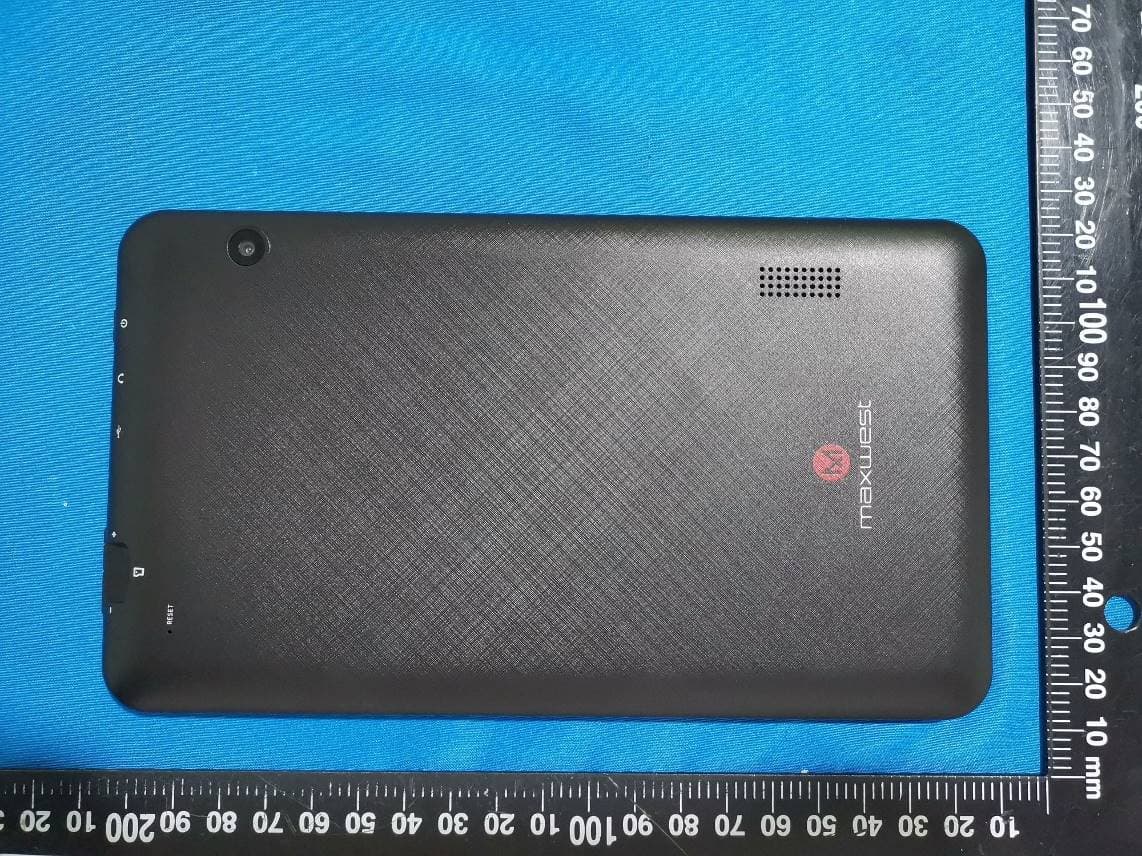
Click to zoom
Application Details
- Equipment Class
- DTS - Digital Transmission System
- Date of Grant
- Jul 22, 2021
- Application Purpose
- Original Equipment
- Date of Application
- Jul 22, 2021
- Equipment Note
- TABLET
- Frequency Range
- 2412.00000000 - 2462.00000000
- Company
- LUXPAD TABLET
- Country
- China
Documents & Files
Document Text
Text extracted from the exhibit documents filed with the FCC. Open a document above to read the original.
Users Manual
Content 1 Attention 2 Main function 3 Appearance and button 4 First use 4.1 Battery management and Charge 4.2 Connection with PC 5 Equipment operation interface 5.1 Main interface describe 5.2 Status bar describe 5.3 Use touch panel 6 Equipment basic set setting 6.1 Sound Volume 6.2 Application 6.3 Reset Option 6.4 Storage 6.5 Language & Keyboard 6.6 Data & time setting 6.7 About Tablet 7 File Manager 8 Problem Solution 8.1 Device can’t open 8.2 Device shut down after start up 8.3 Headset can’t hear the voice 8.4 Can’t copy file or play music and so on 1.Attention: Please don’t be in high temperature, moisture or very dust place please charge in the following condition, Avoid fall or Violent collision of the device, don’t make the TFT display screen were violent tremor, this could cause TFT display screen abnormal or damage. A. B. C. D. The battery power icons show have no power The system automatically shut off, startup after power off soon Operation buttons no response Don’t disassemble the product, don’t use alcoholThinner or benzene to scrubbing products The device on the top right corner show red icons When the device in the format or ongoing upload and download file, please don't suddenly disconnect, this could cause application error. 2. Main function Operation systems: Android™11(Go Edition) Processor: Allwinner A100 CPU processor speed: Quad core, ARM Cortex™-A53 Memory: 16GB FLASH RAM: 1GB DDR3 WI-FI Function:802.11b/g/n Bluetoothv4.2 Micro SD card: up to 128GB Display screen: 7inch Capacitive multi-touch Resolution: 1024*600 TN Dual camera: Front:0.3M Pixels Rear: 2.0M Pixels Battery and capacity: rechargeable Built-in type polymer battery, 3.7V/2800mAh USB: 2.0 G-sensor 3D Support Speaker Record: built-in microphone MIC phoneinput Video: asf, avi, flv, f4v, mkv, mov, mp4/m4v, vob, mpg, pmp, ts/tp, m2ts, mts, wmv, webm, 3GP Music:aac, aiff, amr, ape, atrac, caf, dsd, flac, g729, mp3, ogg, wav Pictures: JPG, JPEG, BMP, and PNG Recording function:Format supported: 3ga Format 3G function: Support external 3G USB-DONGLE wireless network E-book Function:Format Supported: TXT,EPUB,PDF,WORD,EXCEL,PPT Working temperature:-5 ~ 40 °C Languages:ChineseEnglish, JapaneseFrenchGermanSpanishRussian, etc. The company reserves the right to improve product, products specification and design have any change, and the information is subject to changes without prior notice. 3. Appearance and button: Before first use, please charge the device's battery to 100%. The first two times charging please keep it charging for about 6 hours, after that you just need leave it charging 4 hours or until fully charged. Attention: This tablet uses Built-in type polymer battery, Charge must be to choose standard adaptorAdaptor: power supply: DC 5V 1.5A, adaptor technical data: input AC100-240V,50/60Hz, DC5V 1.5A) 4.1 Battery management and charge Use USB cable to connect the TAB MAX 7 to the PC. First turn on the device; next, click USB connection window on the notification bar; lastly, turn on Transfer Files to connect to PC 4.2 Connection with PC Into the load mode, you can copy; delete the file on the device and the file on the memory card. 4. First use After startup will enter the main interface, In the main interface, you can Management the main interface software icons by: a) long press the icons for 3 seconds; after the icon will get bigger, allowing you to drag it anywhere in the interface. b) Delete icons: long press the icon for 3 seconds; after, drag the icons to the Recycle Bin icon. Once it becomes red, Let go of the icon and app will be deleted. c) To change wallpaper, long press screen and the dialog box appears with ”Choose wallpaper from” as shown below 5.1 Main interface describe 5. Equipment operation interface No matter which interface you are in, you can go back to main screen by pressing the soft key on the bottom middle corner of the main screen. In different applications, by tapping the back soft key on the bottom middle corner on the touch screen, you can return to its previous interface 5.3 Use touch panel Top right displays the battery, battery charge icons, current time, Settings Menu 5.2 status bar describe 6. Equipment Basic Setting: Click setting icons to enter the setting Interfaces. 6.1 Sound Volume Manage applications 6.2 Application 1Enter “Settings” > ”Apps & Notifications” And then there will be App list BSelect the one you want to uninstall, it will enter the following interface CClick Uninstall, then you can delete the application 6.3 Reset Options Please enter “Settings” > “System” > “Reset Options” 6.4 Storage Remove SD card to view of the available storage space Remark: please touch option” delete SD card”, so that can safety to remove SD card 6.5 Language & keyboard Setting: (Language), text input and automatic error correction options; Select Language: 54 kind of national languages are available 6.6 Date & time setting Set date, set time, select time zone and select date format 6.7 About Tablet Please enter “Setting” > “System”>“About Tablet” 7. File Manager This Tablet can support Android APP in market by third party, most Apps can install in the network, can copy to NAND FLASH or SD card. Click “Files Go” APP to open, then you can check Apps, Images, Videos, Audio and Documents. 8. Problem solution 8.1 Device can’t open ACheck the battery power BConnect adaptor first, then check again CPress the “reset” key first, the press “power” key DAfter charging then can’t to open, please contact with the supplier 8.2 Device shut down after start up After startup the screen or the Power On Image appears, the device appear shutdown: Power is not enough, please charge 8.3 Headset can't hear the voice A Please check the volume whether set to 0 B Check if the music file is damaged. Try playing another audio file. C If the file has been damaged it may lead to serious noise or popping sounds. 8.4 Can’t copy file or play music, etc.... APlease check if the computer and device are correct…
Text truncated - open the document above for the full version.
Attestation Statements
LUXPAD TABLET Add: YangGuangGaoErFU Building, No 7008, SHENNAN Road, FuTian, SHENZHEN, China Tel: 00861353424318 Fax: 0755-83255400 Email: [email protected] Date: 2021-06-30 To whom it may concern Dear Sir/Madam, We, LUXPAD TABLET, hereby authorize Bay Area Compliance Laboratories Corp(Dongguan). to act as a laboratory for testing and test report generation for the following project(s): (Product name: TABLET, FCC ID:2ANIRTABMAX7) The chipset XR829 supports Bluetooth BDR(GFSK), EDR(π/4-DQPSK, 8DPSK) and BLE Mode, But for this device, BLE was disable by software. Sincerely, Signature: Rita Yu Title: Manager
Cover Letter(s)
QA-FR-171-A LUXPAD TABLET Add: YangGuangGaoErFU Building, No 7008, SHENNAN Road, FuTian, SHENZHEN, China Tel: 00861353424318 Fax: 0755-83255400 Email: [email protected] FCC Confidential Authorization Date: 2021-06-30 FEDERAL COMMUNICATIONS COMMISSIONS Authorization and Evaluation Division 7435 Oakland Mills Road Columbia, MD 21046 Subject: Confidentiality Request regarding application for certification of FCC ID:2ANIRTABMAX7 In accordance with Sections 0.457 and 0.459 of the Commission’s Rules, LUXPAD TABLET hereby requests long-term confidential treatment of information accompanying this application as outlined below: Block Diagram Schematics Operation Description The above materials contain proprietary and confidential information not customarily released to the public. The public disclosure of these materials provides unjustified benefits to its competitors in the market. Sincerely, Signature: Printed Name: Rita Yu Title: Manager
External Photos
EXHIBIT B - EUT EXTERNAL PHOTOGRAPHS
ID Label/Location Info
SN: TABMX7210600001 FCC ID:2ANIRTABMAX7 Designed in USA Made in China Diseñado en EEUU Hecho en China : WIFI
Internal Photos
EXHIBIT C - EUT INTERNAL PHOTOGRAPHS Antenna
RF Exposure Info
SAR EVALUATION REPORT For LUXPAD TABLET YangGuangGaoErFU Building, No 7008, SHENNAN Road, FuTian, SHENZHEN, China FCC ID: 2ANIRTABMAX7 Report Type: Original Report Product Type: TABLET Report Number: DG1210517-17668E-20 Report Date: 2021-07-03 Reviewed By: Brave Lu SAR Engineer Prepared By: Bay Area Compliance Laboratories Corp. (Dongguan) No.12, Pulong East 1 st Road, Tangxia Town, Dongguan, Guangdong, China Tel: +86-769-86858888 Fax: +86-769-86858891 www.baclcorp.com.cn Bay Area Compliance Laboratories Corp. (Dongguan) Report No.: DG1210517-17668E-20 SAR Evaluation Report 2 of 37 Attestation of Test Results EUT Information EUT Description TABLET Tested Model TAB MAX 7 FCC ID 2ANIRTABMAX7 Serial Number DG1210517-17668E-SA-S1 Test Date 2021-06-18 MODE Max. SAR Level(s) Reported(W/kg) Limit (W/kg) WLAN 2.4G 1g Body SAR 0.29 1.6 Applicable Standards FCC 47 CFR part 2.1093 Radiofrequency radiation exposure evaluation: portable devices RF Exposure Procedures: TCB Workshop April 2019 IEEE1528:2013 IEEE Recommended Practice for Determining the Peak Spatial-Average Specific Absorption Rate (SAR) in the Human Head from Wireless Communications Devices: Measurement Techniques IEC 62209-1:2016 Measurement procedure for the assessment of specific absorption rate of human exposure to radio frequency fields from hand-held and body-mounted wireless communication devices – Part 1: Devices used next to the ear (Frequency range of 300 MHz to 6 GHz) KDB procedures KDB 447498 D01 General RF Exposure Guidance v06 KDB 865664 D01 SAR Measurement 100 MHz to 6 GHz v01r04 KDB 865664 D02 RF Exposure Reporting v01r02 KDB 616217 D04 SAR for laptop and tablets v01r02 KDB 248227 D01 802 11 Wi-Fi SAR v02r02 Note: This wireless device has been shown to be capable of compliance for localized specific absorption rate (SAR) for General Population/Uncontrolled Exposure limits specified in FCC 47 CFR part 2.1093 and has been tested in accordance with the measurement procedures specified in IEEE 1528-2013 and RF exposure KDB procedures. The results and statements contained in this report pertain only to the device(s) evaluated. Bay Area Compliance Laboratories Corp. (Dongguan) Report No.: DG1210517-17668E-20 SAR Evaluation Report 3 of 37 TABLE OF CONTENTS DOCUMENT REVISION HISTORY ............................................................................................................................ 4 EUT DESCRIPTION ........................................................................................................................................................ 5 TECHNICAL SPECIFICATION............................................................................................................................................. 5 REFERENCE, STANDARDS, AND GUIDELINES .................................................................................................... 6 SAR LIMITS ..................................................................................................................................................................... 7 FACILITIES ...................................................................................................................................................................... 8 DESCRIPTION OF TEST SYSTEM ............................................................................................................................. 9 4, IN THIS CASE, IEC PARAMETERS APPLIED. THE TOLERANCE IS ±10%.EQUIPMENT LIST AND CALIBRATION .............................................................................................................................................................. 14 EQUIPMENTS LIST & CALIBRATION INFORMATION ...................................................................................................... 15 SAR MEASUREMENT SYSTEM VERIFICATION ................................................................................................ 16 LIQUID VERIFICATION ................................................................................................................................................... 16 SYSTEM ACCURACY VERIFICATION .............................................................................................................................. 17 SAR SYSTEM VALIDATION DATA ........................................................................................................................ 18 EUT TEST STRATEGY AND METHODOLOGY .................................................................................................... 19 TEST POSITIONS FOR DEVICE OPERATING NEXT TO A PERSON’S EAR ......................................................................... 19 CHEEK/TOUCH POSITION .............................................................................................................................................. 20 EAR/TILT POSITION ....................................................................................................................................................... 20 TEST POSITIONS FOR BODY-WORN AND OTHER CONFIGURATIONS ................................................................................ 21 TEST DISTANCE FOR SAR EVALUATION ....................................................................................................................... 21 SAR EVALUATION PROCEDURE .................................................................................................................................... 22 CONDUCTED OUTPUT POWER MEASUREMENT ............................................................................................. 23 PROVISION APPLICABLE ................................................................................................................................................ 23 TEST PROCEDURE .......................................................................................................................................................... 23 MAXIMUM TARGET OUTPUT POWER ......…
Text truncated - open the document above for the full version.
Test Report
FCC PART 15.247 TEST REPORT For LUXPAD TABLET YangGuangGaoErFU Building, No 7008, SHENNAN Road, FuTian, SHENZHEN, China Report Type: Original Report Product Name: TABLET Report Number: DG1210517-17668E-00B Report Date: 2021-07-13 Reviewed By: Ivan Cao Assistant Mana ger Test Laboratory: Bay Area Compliance Laboratories Corp. (Dongguan) No.12, Pulong East 1 st Road, Tangxia Town, Dongguan, Guangdong, China Tel: +86-769-86858888 Fax: +86-769-86858891 www.baclcorp.com.cn FCC ID: 2ANIRTABMAX7 Bay Area Compliance Laboratories Corp. (Dongguan) Report No.: DG1210517-17668E-00B Page 2 of 48 TABLE OF CONTENTS GENERAL INFORMATION ....................................................................................................................................... 4 PRODUCT DESCRIPTION FOR EQUIPMENT UNDER TEST (EUT) ..................................................................................... 4 OBJECTIVE ................................................................................................................................................................... 4 TEST METHODOLOGY .................................................................................................................................................. 4 MEASUREMENT UNCERTAINTY .................................................................................................................................... 5 TEST FACILITY ............................................................................................................................................................. 5 DECLARATIONS ............................................................................................................................................................ 5 SYSTEM TEST CONFIGURATION .......................................................................................................................... 6 DESCRIPTION OF TEST CONFIGURATION ...................................................................................................................... 6 EUT EXERCISE SOFTWARE .......................................................................................................................................... 6 EQUIPMENT MODIFICATIONS ....................................................................................................................................... 9 SUPPORT CABLE LIST AND DETAILS ............................................................................................................................ 9 BLOCK DIAGRAM OF TEST SETUP ................................................................................................................................ 9 SUMMARY OF TEST RESULTS ............................................................................................................................. 10 FCC §15.247 (i) & §1.1310 & §2.1093- RF Exposure ............................................................................................... 11 APPLICABLE STANDARD ............................................................................................................................................ 11 FCC §15.203 - ANTENNA REQUIREMENT ........................................................................................................... 12 APPLICABLE STANDARD ............................................................................................................................................ 12 ANTENNA CONNECTOR CONSTRUCTION .................................................................................................................... 12 FCC §15.207 (a) – AC LINE CONDUCTED EMISSIONS ..................................................................................... 13 APPLICABLE STANDARD ............................................................................................................................................ 13 EUT SETUP ................................................................................................................................................................ 13 EMI TEST RECEIVER SETUP ....................................................................................................................................... 13 TEST PROCEDURE ...................................................................................................................................................... 14 CORRECTED AMPLITUDE & MARGIN CALCULATION ................................................................................................. 14 TEST EQUIPMENT LIST AND DETAILS ......................................................................................................................... 14 TEST DATA ................................................................................................................................................................ 15 FCC §15.209, §15.205 & §15.247(d) - SPURIOUS EMISSIONS ............................................................................. 17 APPLICABLE STANDARD ............................................................................................................................................ 17 EUT SETUP ................................................................................................................................................................ 17 EMI TEST RECEIVER & SPECTRUM ANALYZER SETUP .............................................................................................. 18 TEST PROCEDURE ...................................................................................................................................................... 18 CORRECTED AMPLITUDE & MARGIN CALCULATION ................................................................................................. 18 TEST EQUIPMENT LIST AND DETAILS ......................................................................................................................... 19 TEST DATA ...…
Text truncated - open the document above for the full version.
Test Setup Photos
EXHIBIT D - TEST SETUP PHOTOGRAPHS Conducted Emissions Front View Conducted Emissions Side View Radiated Emission Below 1GHz View Radiated Emission Above 1GHz View
Contact Information
Applicant
Rita Yu
Test Firm
Bay Area Compliance Laboratories Corp.(Dongguan)David Zhang
[email protected]0086 0769 86858888
Technical Specifications
| # | Rule Parts | Frequency Range | Power Output |
|---|---|---|---|
| 1 | 15C | 2.41 GHz - 2.46 GHz | 137.00 mW |
Other Applications from LUXPAD TABLET

2ANIRASTRO10P
Sep 21, 2023TABLET
Equipment Class
DSS - Part 15 Spread Spectrum Transmitter
2ANIRASTRO10
Jul 24, 2023TABLET
Equipment Class
PCB - PCS Licensed Transmitter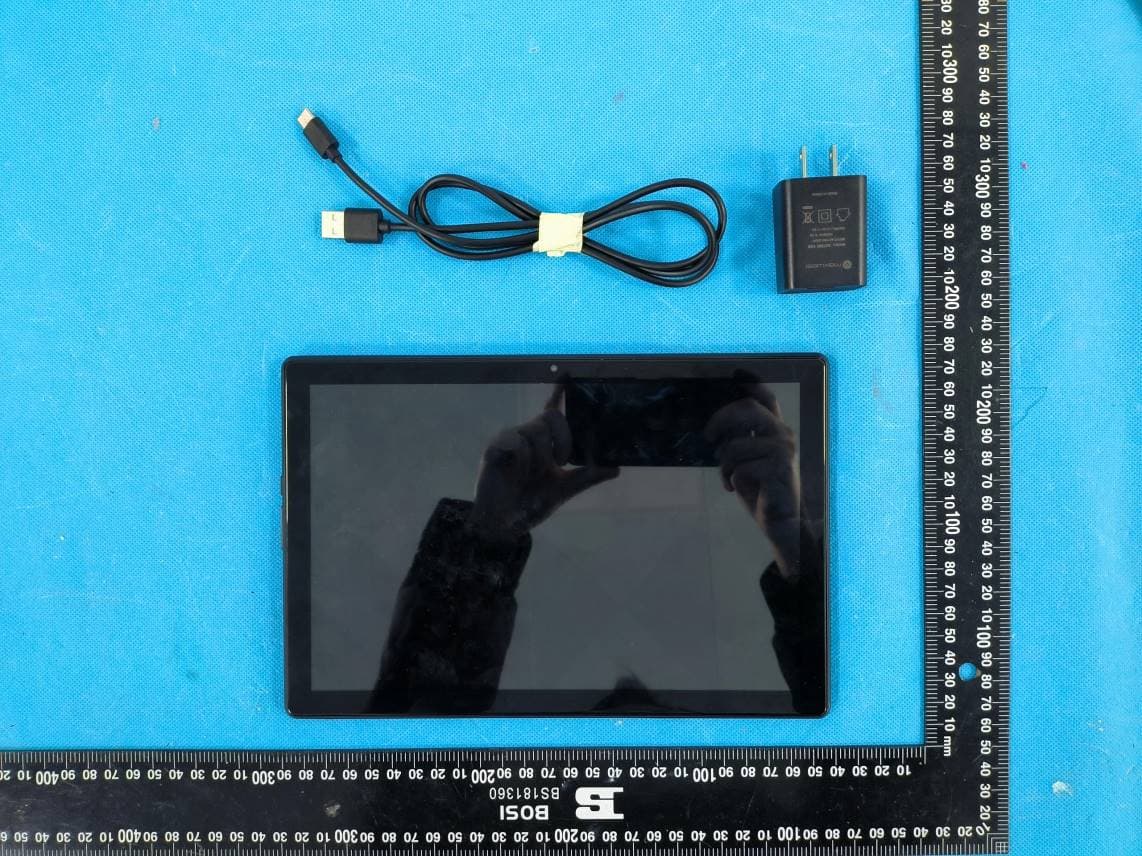
2ANIRASTRO10R
Jan 16, 2023TABLET
Equipment Class
DSS - Part 15 Spread Spectrum Transmitter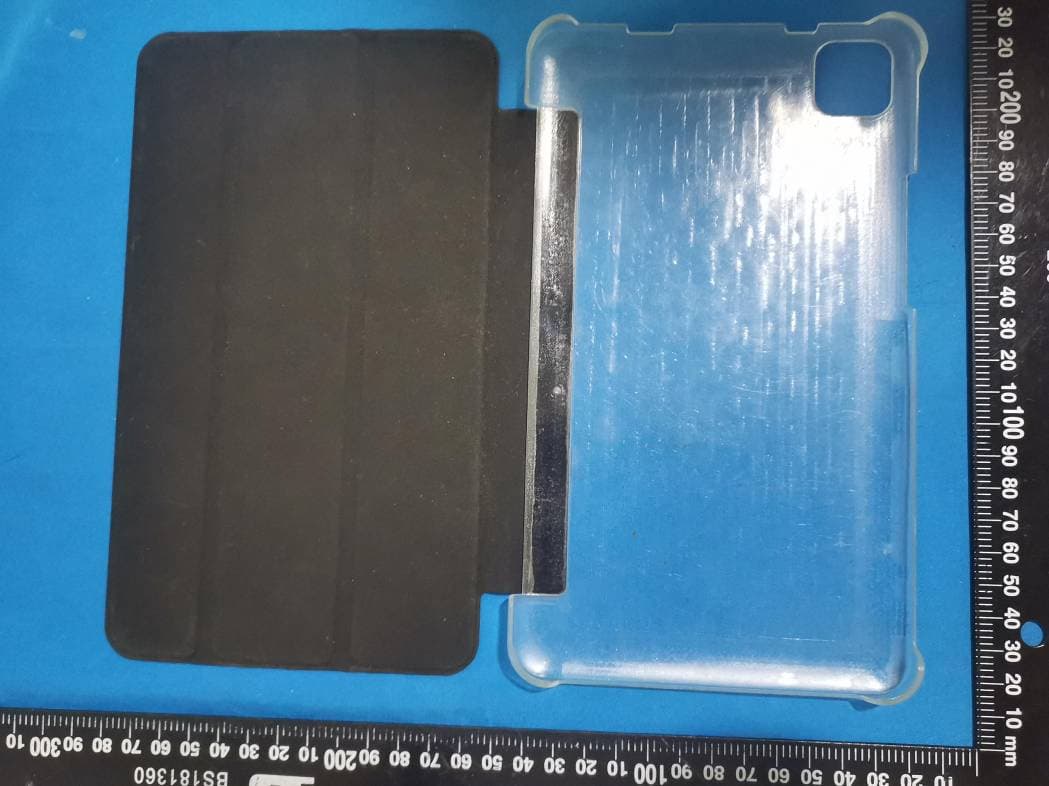
2ANIRASTRO8Q
Jun 06, 2021Phablet
Equipment Class
DSS - Part 15 Spread Spectrum Transmitter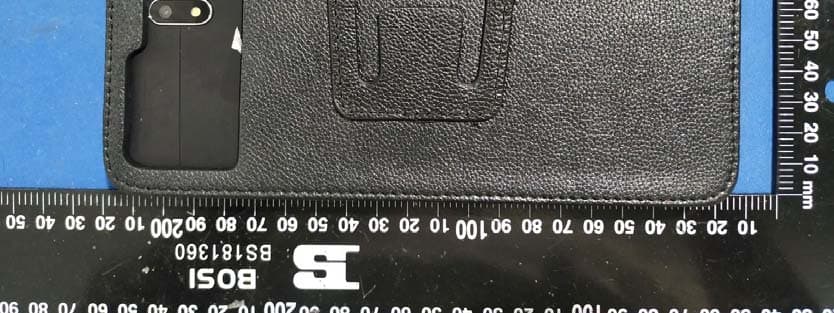
2ANIRNITRO7Q
Nov 23, 2020TAB
Equipment Class
DTS - Digital Transmission System