2AOERSGC-S1ASerafim S1 Controller
Serafim Technologies Inc.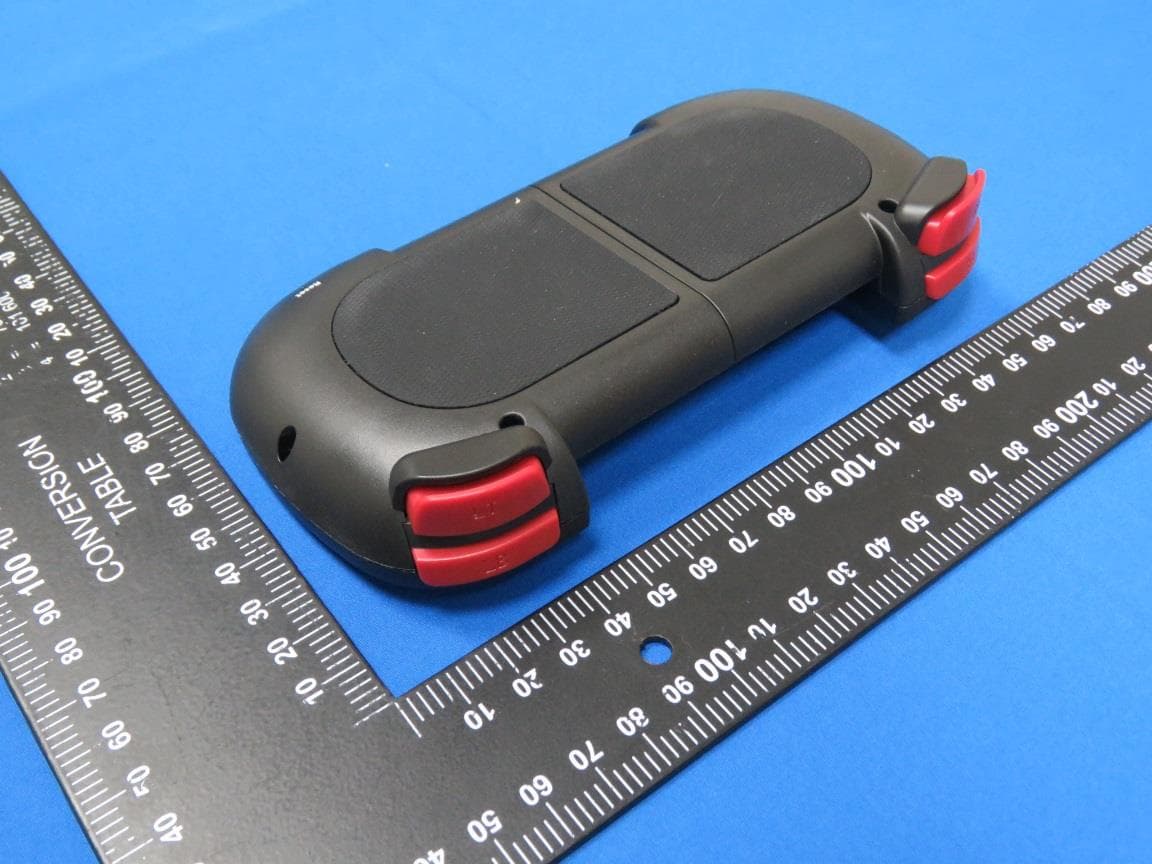
Click to zoom
Application Details
- Equipment Class
- DTS - Digital Transmission System
- Date of Grant
- Jul 26, 2020
- Application Purpose
- Original Equipment
- Date of Application
- Jul 26, 2020
- Equipment Note
- Serafim S1 Controller
- Frequency Range
- 2402.00000000 - 2480.00000000
- Company
- Serafim Technologies Inc.
- Country
- Taiwan
Documents & Files
Document Text
Text extracted from the exhibit documents filed with the FCC. Open a document above to read the original.
Users Manual
0 User manual of Serafim S1 controller for PC and phones 1 Contents Disclaimer ........................................................ 2 Warranty .......................................................... 3 Component names........................................ 4 How to use ....................................................... 5 Button customization ..................................... 9 Button customization setup ........................... 16 Macros of Serafim Play .................................. 24 How to use on PPSSPP .................................... 27 How to use on Steam ..................................... 31 Product Specification .................................... 42 Safety Notes .................................................... 43 FAQ .................................................................. 45 Compliance Information ............................... 47 Get the user manual here 2 Disclaimer Copyright© © Serafim Tech. Inc. All rights reserved. No part of this manual, including the products and software described in it, may be reproduced, transmitted, transcribed, stored in a retrieval system, or any without the express written permission of Serafim Tech. Inc. For any future information please visit Serafim official website: http://www.serafim- tech.com/serafim-s1/user-manual.html if however, you encounter any problems we would be glad to answer all your concerns at [email protected]. 3 Warranty This product has one-year Serafim warranty service, only in these following cases should not be content into warranty of Serafim: 1. The product is repaired, modified or altered, unless such repair, modification or alteration is authorized in written form by Serafim. 2. In all cases the commencement date for the period is one year since the actual day of purchase, as reflected on the authorized reseller's or distributor’s invoice / receipt provided to you. 4 Component names ⚫ Digital ABXY function buttons ⚫ Digital ↑↓←→ arrow buttons ⚫ Digital START, SELECT, HOME buttons ⚫ Left analog stick (LS),press it down for digital SL button ⚫ Right analog stick (RS),press it down for SR button ⚫ Digital LB, LT, RB, RT buttons 5 How to use Serafim S1 mode switching ⚫ Android mode Firstly, press power button located on the lower left of Serafim S1 to turn it on. Hold Home + A button for 3 secs for switching to Android mode. The indicator will turn to blue and start blinking. Next, open Settings on phone and pair with Serafim S1 via Bluetooth. The blinking speed will be slower when the connection succeeds. 6 * Some smartphones don’t meet the minimum requirement of this product. In this case, you could hold Home + X button for 3 secs to switch to HID mode. In this mode, games such as PPSSPP, Steam Link, Real Racing 3, Asphalt 8/9 are fully supported. (Read “Safety Notes” for details) ⚫ iOS mode (supports up to iOS 13.3) Firstly, press power button located on the lower left of Serafim S1 to turn it on. Hold Home + Y button for 3 secs for switching to iOS mode. The indicator will turn to green and start blinking. Next, open Settings on phone and pair with Serafim S1 via Bluetooth. The blinking speed will be slower when the connection succeeds. 7 ⚫ PC mode (HID, MTK mode) Firstly, press power button located on the lower left of Serafim S1 to turn it on. Hold Home + X button for 3 secs for switching to PC(HID) mode. The indicator will turn to red and start blinking. Next, open Settings on phone and pair with Serafim S1 via Bluetooth. The blinking speed will be slower when the connection succeeds. 8 Compatible games More than 25 games are supported. 9 Button customization Firstly, get a “Serafim Play” app for free on App Store or Google Play. Serafim Play is a smartphone app that allows you to customize button mapping or record macros for your favorite games. In fact, there are already 25 and more popular games are preset in this app. All you need to do is to pick a game you’d like to play and get started! Open “Serafim Play” app, and the app will automatically pair with Serafim S1 via Bluetooth. 10 Overview of button customization 1. Normal touch: Tap the screen once. 2. Bind LS: Press a target button and move L/R sitck around the pressed button. 3. Bind RS: Press a target button and move right stick to look around. 11 4. Bind RS&LS: Press a target button and move L/R sitck around the pressed button. 5. Dual-use: Press a target button to trigger two positions on screen simultaneously. 6. Sequence: Press a target button to trigger button 1, and then release the button for triggering button 2. 12 7. Bind camera: Press a target button and move right stick to look around. 8. Sliding: Press a target button to slide from one end to another. 9. Turbo: Keep tapping the screen. 13 10. Key comb.: Pick a button from LB, RB, LT, RT as a trigger. After doing this, keep holding the trigger you have set and then press a button you'd like to bind. 14 Enable customization overlay 1. Turn on Serafim S1, press HOME + A button for switching to Android mode. (Flickering blue indicator means that the controller is searching for a phone.) 2. Enable Bluetooth on your phone and pair with a device which is called Serafim S1. The flickering speed of blue indicator may get slower when the connection to the phone succeeds. 3. Open Serafim Play and login. 15 4. Select “Serafim S Series”. 5. In the main screen, press the square on the right to activate customization overlay. There will be a floating gadget and then tap the controller icon in order to customize button mapping. 16 Button customization setup Create button mapping profile 1. Open a game, go to a scene that shows all virtual buttons on the screen. 2. Tap controller icon on the left side of the floating gadget for entering customization settings. 3. Press a button on the controller, and it will appear on the center of the phone screen. 4. Drag the appeared button to a position that you want. 5. Tap the button on the screen to enter advanced option…
Text truncated - open the document above for the full version.
External Photos
Bay Area Compliance Laboratories Corp. (Linkou Laboratory) Project No.: RXZ200520001-00B Page 1 of 3 External Photographs (Brand: Serafim / Model: Serafim S1) Bay Area Compliance Laboratories Corp. (Linkou Laboratory) Project No.: RXZ200520001-00B Page 2 of 3 Bay Area Compliance Laboratories Corp. (Linkou Laboratory) Project No.: RXZ200520001-00B Page 3 of 3
ID Label/Location Info
Product Certification ID Label 1. Label Location: 2. Label Size & Content: Size:38x15mm Background color:Block Content color:White Label Location, detail please see following item 2
Internal Photos
Bay Area Compliance Laboratories Corp. (Linkou Laboratory) Project No.: RXZ200520001-00B Page 1 of 9 Internal Photographs (Brand: Serafim / Model: Serafim S1) Bay Area Compliance Laboratories Corp. (Linkou Laboratory) Project No.: RXZ200520001-00B Page 2 of 9 Bay Area Compliance Laboratories Corp. (Linkou Laboratory) Project No.: RXZ200520001-00B Page 3 of 9 Bay Area Compliance Laboratories Corp. (Linkou Laboratory) Project No.: RXZ200520001-00B Page 4 of 9 Bay Area Compliance Laboratories Corp. (Linkou Laboratory) Project No.: RXZ200520001-00B Page 5 of 9 Antenna and Module (Chip) Bay Area Compliance Laboratories Corp. (Linkou Laboratory) Project No.: RXZ200520001-00B Page 6 of 9 Bay Area Compliance Laboratories Corp. (Linkou Laboratory) Project No.: RXZ200520001-00B Page 7 of 9 Bay Area Compliance Laboratories Corp. (Linkou Laboratory) Project No.: RXZ200520001-00B Page 8 of 9 Bay Area Compliance Laboratories Corp. (Linkou Laboratory) Project No.: RXZ200520001-00B Page 9 of 9
Test Report
FCC Part 15.247 TEST REPORT For Serafim Technologies Inc. 5F., No. 6, Aly. 9, Ln. 45, Baoxing Rd., Xindian Dist., New Taipei City 231, Taiwan (R.O.C.) FCC ID: 2AOERSGC-S1A Report Type Original Report Product Name: Serafim S1 Controller Model Name: Serafim S1 Report Number : RXZ200520001-00B Report Date : 2020/06/19 Reviewed By : Flight Hsieh Prepared By: Bay Area Compliance Laboratories Corp.(Linkou Laboratory) No. 6, Wende 2Rd., Guishan Dist., Taoyuan City 33382, Taiwan (R.O.C.) Tel: +886 (3)3961072; Fax: +886 (3) 3961027 www.bacl.com.tw Note: This test report is prepared for the customer shown above and for the device described herein. It may not be duplicated or used in part without prior written consent from Bay Area Compliance Laboratories Corp. (Linkou Laboratory) Bay Area Compliance Laboratories Corp.(Linkou Laboratory) Report No.: RXZ200520001-00B Page 2 of 28 Revision History Revision Report Number Issue Date Description 1.0 RXZ200520001-00B 2020/06/19 Original Report Bay Area Compliance Laboratories Corp.(Linkou Laboratory) Report No.: RXZ200520001-00B Page 3 of 28 TABLE OF CONTENTS 1 GENERAL INFORMATION ....................................................................................................................................... 4 1.1 PRODUCT DESCRIPTION FOR EQUIPMENT UNDER TEST (EUT) ...................................................................................... 4 1.2 OBJECTIVE AND TEST METHODOLOGY ..................................................................................................................... 4 1.3 MEASUREMENT UNCERTAINTY .............................................................................................................................. 5 1.4 ENVIRONMENTAL CONDITIONS AND TEST DATE ........................................................................................................ 5 1.5 TEST FACILITY ..................................................................................................................................................... 5 2 SYSTEM TEST CONFIGURATION ............................................................................................................................. 6 2.1 TEST CHANNELS AND DESCRIPTION OF WORST TEST CONFIGURATION ........................................................................... 6 2.2 SUPPORT EQUIPMENT LIST AND EXTERNAL CABLE LIST ............................................................................................... 6 2.3 BLOCK DIAGRAM OF TEST SETUP ........................................................................................................................... 7 2.4 DUTY CYCLE ....................................................................................................................................................... 7 3 SUMMARY OF TEST RESULTS ................................................................................................................................. 8 4 FCC§15.247(I), §1.1307, § 2.1093 – RF EXPOSURE ................................................................................................ 9 4.1 APPLICABLE STANDARD ........................................................................................................................................ 9 4.2 RF EXPOSURE EVALUATION RESULT ........................................................................................................................ 9 5 FCC §15.203 - ANTENNA REQUIREMENTS ........................................................................................................... 10 5.1 APPLICABLE STANDARD ...................................................................................................................................... 10 5.2 ANTENNA LIST AND DETAILS ............................................................................................................................... 10 6 FCC §15.207 - AC LINE CONDUCTED EMISSIONS ................................................................................................. 11 6.1 APPLICABLE STANDARD ...................................................................................................................................... 11 6.2 EUT SETUP AND TEST PROCEDURE ....................................................................................................................... 11 6.3 TEST EQUIPMENT LIST AND DETAILS ..................................................................................................................... 12 6.4 TEST RESULT .................................................................................................................................................... 13 7 FCC §15.209, §15.205, §15.247(D) – SPURIOUS EMISSIONS ............................................................................... 14 7.1 APPLICABLE STANDARD ...................................................................................................................................... 14 7.2 EUT SETUP AND TEST PROCEDURE ....................................................................................................................... 16 7.3 TEST EQUIPMENT LIST AND DETAILS ..................................................................................................................... 17 7.4 TEST RESULT .................................................................................................................................................... 18 8 FCC §15.247(A)(2) – 6 DB EMISSION BANDWIDTH ............................................................................................. 22 8.1 APPLICABLE STANDARD ...................................................................................................................................... 22 8.2 TEST PROCEDURE .............................................................................................................................................. 22 8.3 TEST EQUIPMENT LIST AND DETAILS ..........…
Text truncated - open the document above for the full version.
Test Setup Photos
Bay Area Compliance Laboratories Corp. (Linkou Laboratory) Project No.: RXZ200520001-00B Page 1 of 3 EUT Setup Photographs Conduction Bay Area Compliance Laboratories Corp. (Linkou Laboratory) Project No.: RXZ200520001-00B Page 2 of 3 Radiated Emission (Below 1GHz) Bay Area Compliance Laboratories Corp. (Linkou Laboratory) Project No.: RXZ200520001-00B Page 3 of 3 Radiated Emission (Above 1GHz)
Contact Information
Applicant
GZ Chen(CEO)
Test Firm
Bay Area Compliance Laboratories Corp.(Linkou Lab)Gimmy Tsai
Technical Specifications
| # | Rule Parts | Frequency Range | Power Output |
|---|---|---|---|
| 1 | 15C | 2.40 GHz - 2.48 GHz | 300.00 µW |
Other Applications from Serafim Technologies Inc.
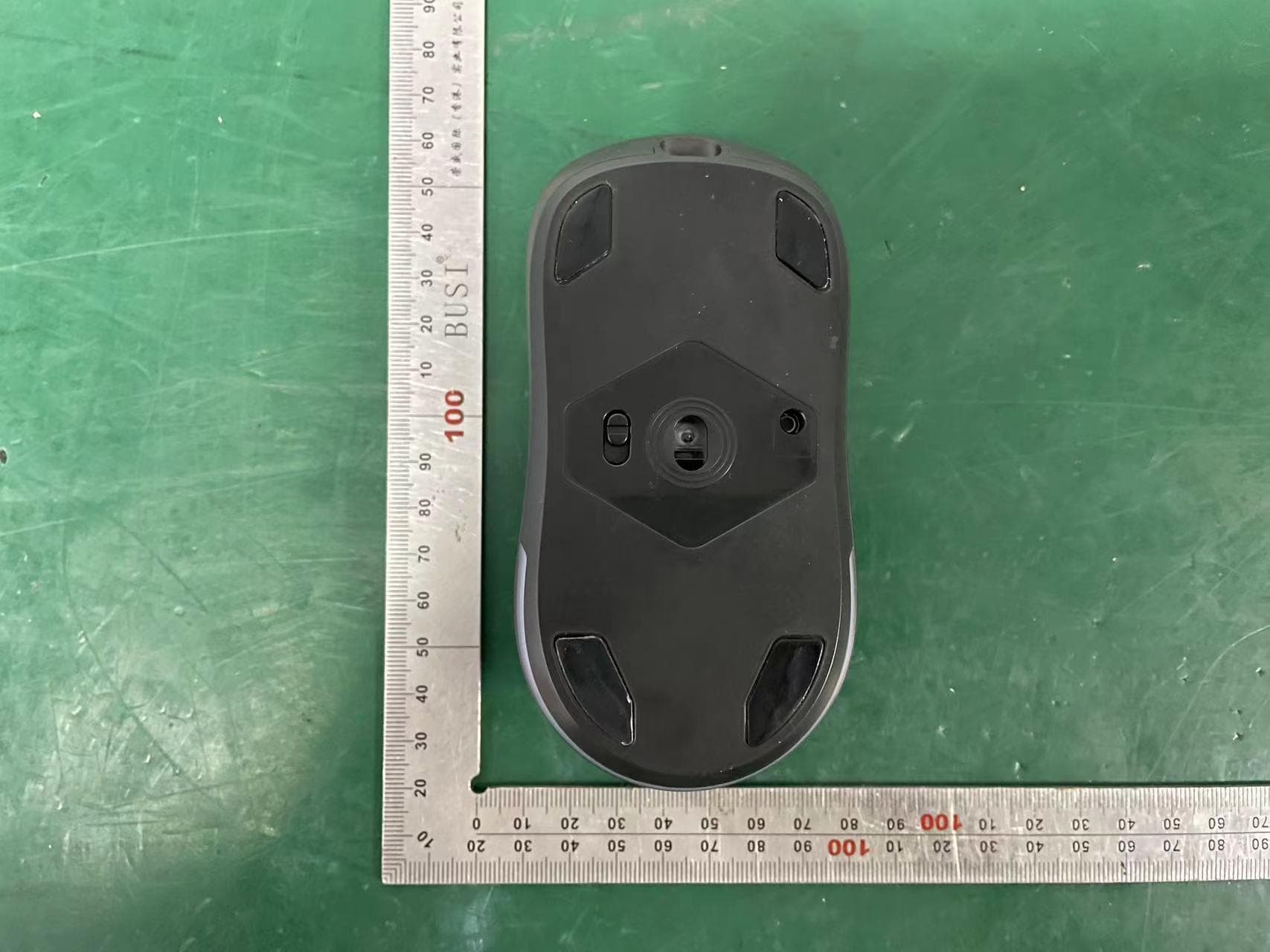
2AOERSGM-M1P
Dec 11, 2022Serafim M1 PRO Gaming Mouse
Equipment Class
DXX - Part 15 Low Power Communication Device Transmitter