2APV2-CSC6WSmart Home Camera
Hangzhou Ezviz Software Co., Ltd.
Click to zoom
Application Details
- Equipment Class
- DTS - Digital Transmission System
- Date of Grant
- Aug 23, 2020
- Application Purpose
- Original Equipment
- Date of Application
- Aug 23, 2020
- Equipment Note
- Smart Home Camera
- Frequency Range
- 2412.00000000 - 2462.00000000
- Country
- China
Documents & Files
Document Text
Text extracted from the exhibit documents filed with the FCC. Open a document above to read the original.
Users Manual
For additional information and resources, please visit the EZVIZ support.ezvizlife.com or email our support team at [email protected]. Get the EZVIZ APP Connect your mobile phone to Wi-Fi. Search for “EZVIZ” in App Store or Google Play . Download and install the EZVIZ app. Launch the app, and register an EZVIZ account. Follow the detailed User Manual to set your device: Get the detailed user manual Power on your device. Connect the device to the LAN port of your router with the Ethernet cable (Optional). 1. 2. 3. 4. Add your device to your EZVIZ account Notice Log in to your EZVIZ account. On the Home screen, tap “+” on the upper-right corner to go to the Scan QR Code interface. Scan the QR code on the cover of this paper or on the body of your device. Follow the wizard to add your device to the EZVIZ app. QR Code Please delete this device from your account in advance, if you need to return it to purchasing point or change its ownership. 1. 2. 3. 4. 1. 2. English TM 102026336 , B Deutsch EZVIZ-App herunterladen 1. Verbinden Sie Ihr Mobiltelefon mit einem WLAN. 2. Suchen Sie im App Store oder bei Google Play TM nach „EZVIZ“. 3. Laden Sie die EZVIZ-App herunter und installieren Sie sie. 4. Starten Sie die App und registrieren Sie ein EZVIZ-Konto. Gehen Sie wie im Benutzerhandbuch beschrieben vor, um Ihr Gerät zu konfigurieren: 1. Schalten Sie das Gerät ein. 2. Verbinden Sie das Gerät über ein Netzwerkkabel (optional) mit dem LAN-Anschluss Ihres Routers. Laden Sie das ausführliche Benutzerhandbuch herunter Das Gerät zu Ihrem EZVIZ-Konto hinzufügen 1. Melden Sie sich bei Ihrem EZVIZ-Konto an. 2. Tippen Sie auf der Startseite oben rechts auf „+“, um das Menü „QR-Code scannen“ aufzurufen. 3. Scannen Sie den QR-Code auf dem Umschlag dieses Benutzerhandbuchs oder auf dem Gehäuse des Geräts. 4. Folgen Sie dem Assistenten, um das Gerät zur EZVIZ-App hinzuzufügen. Weitere Informationen und Ressourcen finden Sie auf der Website von EZVIZ support.ezvizlife.com oder senden Sie eine E-Mail an unser Supportteam unter [email protected]. Hinweis QR-Code Entfernen Sie zuerst dieses Gerät von Ihrem Konto, wenn Sie es an den Händler zurückgeben oder verkaufen möchten. Scan the QR code for detailed user manual. Scannen Sie den QR-Code, um das ausführliche Benutzerhandbuch herunterzuladen. Escanee el código QR para obtener el manual de usuario detallado. Scannez le code QR pour accéder aux instructions détaillées du manuel d’utilisation. Scansionare il QR code per accedere al manuale d'uso dettagliato. Scan de QR-code voor de gedetailleerde gebruikershandleiding. Aby uzyskać Podręcznik użytkownika, zeskanuj kod QR. Σαρώστε τον κωδικό QR για να αποκτήσετε το λεπτομερές εγχειρίδιο χρήσης. Podrobnou uživatelskou příručku získáte naskenováním kódu QR. Podrobnú používateľskú príručku získate po naskenovaní QR kódu. Skanna QR-koden för den detaljerade bruksanvisningen. Scan QR-koden for en komplet brugervejledning. Skannaa QR-koodi saadaksesi yksityiskohtaiset käyttöohjeet. Skanne QR-koden for detaljert bruksanvisning. Scan the QR code with the EZVIZ App to add the device to your account. Please keep it for further reference. Scan the QR code for detailed User Manual by using supported QR code scan tools (such as Facebook, Safari, Chorme) Español Obtenga la aplicación EZVIZ 1. Conecte su teléfono móvil a la red wifi. 2. Busque «EZVIZ» en la App Store o en Google Play TM . 3. Descargue e instale la aplicación EZVIZ. 4. Inicie la aplicación y registre una cuenta de EZVIZ. Consulte el manual de usuario detallado para configurar su dispositivo: 1. Encienda su dispositivo. 2. Conecte el dispositivo al puerto LAN de su enrutador utilizando un cable Ethernet (opcional). Obtenga el manual de usuario detallado Añada su dispositivo a su cuenta de EZVIZ 1. Inicie sesión en su cuenta EZVIZ. 2. En la pantalla de inicio, pulse «+» en la esquina superior derecha para acceder a la interfaz de escaneo de códigos QR. 3. Escanee el código QR que se encuentra en la portada de este documento o en la carcasa de su dispositivo. 4. Siga las indicaciones del asistente para añadir su dispositivo a la aplicación EZVIZ. Para obtener información y recursos adicionales, visite el sitio web support.ezvizlife.com de EZVIZ o envíe un mensaje de correo electrónico a [email protected]. Aviso Código QR Elimine este dispositivo de su cuenta de antemano si necesita devolverlo al punto de compra o cambiar de propietario. Français Obtenir l’application EZVIZ 1. Connectez votre téléphone mobile au réseau Wi-Fi. 2. Recherchez « EZVIZ » dans l’App Store ou Google Play TM . 3. Téléchargez et installez l’application EZVIZ. 4. Lancez l’application et créez un compte EZVIZ. Suivez les instructions détaillées du manuel d’utilisation pour configurer votre appareil : 1. Allumez votre appareil. 2. Connectez l’appareil au port LAN (réseau local) de votre routeur à l’aide du câble Ethernet (facultatif). Suivez les instructions détaillées du manuel d’utilisation Ajouter votre appareil à votre compte EZVIZ 1. Connectez-vous à votre compte EZVIZ. 2. Dans l’écran d’accueil, appuyez sur le bouton « + » situé dans le coin supérieur droit pour accéder à l’interface de numérisation du code QR. 3. Scannez le code QR figurant sur la couverture de ce document ou sur le boîtier de votre appareil. 4. Laissez-vous guider par l’assistant pour ajouter votre appareil dans l’application EZVIZ. Pour des informations et des ressources supplémentaires, veuillez visiter le site Internet d’EZVIZ à l’adresse support.ezvizlife.com ou envoyer un e-mail à notre équipe technique à l’adresse [email protected]. Attention Code QR Veuillez supprimer au préalable cet appareil de votre compte, si vous devez le retourner à votre point d’achat ou modifier son propriétaire. Italiano Download dell'app EZVIZ 1. Connettere il cellulare alla rete Wi-Fi. 2. Cercare "EZVIZ" nell'App Store o in Google Play TM . 3. Scaricare e installare l'app EZVIZ. 4. Avviare l'app e creare un accou…
Text truncated - open the document above for the full version.
Users Manual
1 Package Contents Camera (x1)Base (x1) Screw Kit (x1)Drill Template (x1)Power Cable (x1) Power Adapter (x1)Quick Start Guide (x1) The camera appearance is subject to the actual model you have purchased. 2 Basics Micro SD Card Slot Reset Button MIC LED Indicator NameDescription LED Indicator Solid Red: Camera is starting up. Slow-flashing Red: Wi-Fi connection has failed. Fast-flashing Red: Device exception (e.g. MicroSD card error). Solid Blue: Video is being viewed or played back in EZVIZ App. Slow-flashing Blue: Camera is running properly. Fast-flashing Blue: Camera is ready for the Wi-Fi connection. Micro SD Card (sold separately) Initialize the card in the EZVIZ app before using it. Reset ButtonHold for 5 seconds to restart and set all parameters to default. MICFor audio in. SpeakerFor audio out. 3 Speaker Ethernet Port Power Port Setup 1 Power-on Plug the power cable into the camera, and then plug the power adapter into an outlet as shown in the figure below. Power Outlet Power Cable The LED turning fast-flashing blue indicates that the camera is powered on and ready for Wi-Fi configuration. 4 2 Camera Setup 1. Create a user account -Connect your mobile phone to Wi-Fi using your 2.4GHz network. -Search for "EZVIZ" in the App Store or Google Play (TM) . -Download and install the EZVIZ app. -Launch the app. -Create and register an EZVIZ user account by following the start-up wizard. The camera works with 2.4GHz Wi-Fi signals. If you have a dual-band router with separate 2.4GHz and 5GHz networks, make sure your phone is connected to the 2.4GHz one. 2. Add a camera to EZVIZ -Log in to your account using the EZVIZ app. -On the Home screen, tap “+” on the upper-right corner to go to the Scan QR Code interface. -Scan the QR code on the bottom of the camera. -Follow the EZVIZ app wizard to finish Wi-Fi configuration. Hold the Reset button for 5s in any of the following cases: • The camera fails to connect to your Wi-Fi network. • You want to select another Wi-Fi network. 5 Installation (Optional) 1 Install the Micro SD Card (Optional) 1. Rotate the sphere upwards until you see the card slot. 2. Insert the Micro SD card (sold separately) into the card slot as shown in the figure below. This Side Up 1 2 After installing the Micro SD card, you should initialize the card in the EZVIZ app before using it. 3. In the EZVIZ app, tap the Storage Status in the Device Settings interface to check the SD card status. 4. If the memory card status displays as Uninitialized, tap to initialize it. The status will then change to Normal and it can store videos. 6 2 Install the Base The camera can be placed horizontally or mounted on the ceiling. Here we take ceiling mounting as an example. • Make sure the ceiling is strong enough to withstand three times the weight of the camera. • Avoid positioning the camera in an area that gets a lot of light shining directly into the camera lens. -Place the drill template onto the surface you have chosen to mount the camera. -(For cement wall/ceiling only) Drill screw holes according to the template, and insert three anchors. -Use three metal screws to fix the camera base according to the template. Drill Template Anchors Metal Screws 1 2 3 Please tear up the drill template after installing the base if needed. 7 3 Install the Camera Mount the camera to the base, and turn it clockwise until it is fixed. 1 2 After installing the camera, please go to the EZVIZ app to flip the camera image. For detailed information, please visit www.ezvizlife.com.
Cover Letter(s)
Applicant Declaration Applicant Declaration Rev:0.0 SGS North America Inc. 620 Old Peachtree Road SUITE 100 Suwanee, Georgia 30024 United States Applicant Legal Business Name Hangzhou Ezviz Sofeware Co., Ltd. Address Room 302,Unit B,Building 2,No. 399,Danfeng Road Binjiang District China Grantee Code 2APV2 FCC ID 2APV2-CSC6W Authorized Contact Name Weiliang Bu Contact Email [email protected] Contact Phone 0571-88075988 I, the undersigned, certify that I am an authorized signatory for the Applicant and therefore declare; a) in accordance with 47CFR2.911(d), all of the statements herein and the exhibits attached hereto are true and correct to the best of my knowledge and belief. b) in accepting a Grant of Equipment Authorization issued by a TCB, under the authority of the FCC, as a result of the representations made in this application, the Applicant is responsible for: (1) labeling the equipment with the exact FCC ID as specified in this application, (2) compliance statement labeling pursuant to the applicable rules, (3) compliance of the equipment with the applicable technical rules, c) if the Applicant is not the actual manufacturer of the equipment, appropriate arrangements have been made with the manufacturer to ensure that production units of this equipment will continue to comply with the FCC’s technical requirements. d) in accordance with 47 CFR 2.909 and KDB394321, the Applicant has read, understood and agrees to accept that they are the responsible party and agree to abide by their responsibilities as specified under 47 CFR 2.909 and KDB394321. e) in accordance with ISO17065, FCC KDB641163, FCC KDB610077, KDB394321 and RSP-100, the Applicant has read, understood, accepts and agrees to abide by the post market surveillance requirements. (1) the Applicant understands, accepts and agrees that a sample may be requested for surveillance testing. (2) the Applicant shall make provisions to always have a production sample available upon request by SGS, FCC and/or ISED. (3) the Applicant shall, upon request by SGS, at the Applicant’s expense, provide a production sample of the requested product to SGS, FCC and/or ISED as instructed. The sample shall include all support devices, cables, software, accessories or other hardware or software required for evaluation, review, certification and audit surveillance of products certified by SGS. f) neither the Applicant nor any party to the application is subject to a denial of Federal benefits, that includes FCC benefits, pursuant to Section 5301 of the Anti-Drug Abuse Act of 1988, 21 U.S.C. §862 because of a conviction for possession or distribution of a controlled substance. See 47CFR 1.2002(b) for the definition of a “party” for these purposes. g) the Applicant has read, understood, accepts and agrees to abide by the SGS North America, Inc.(TCB) terms and conditions. Link to CFRs: https://www.fcc.gov/wireless/bureau-divisions/technologies-systems-and-innovation-division/rules-regulations-title-47 Link to KDBs: https://apps.fcc.gov/oetcf/kdb/index.cfm Link to RSP-100: https://www.ic.gc.ca/eic/site/smt-gst.nsf/eng/sf01130.html Applicant Signature: Date:2020-08-18 Print Name: Weiliang Bu Title: Global Certification Team Lead *NOTE: This declaration cannot be signed by an Agent, it shall be signed by an authorized person listed in the FCC database
Cover Letter(s)
Hangzhou Ezviz Sofeware Co., Ltd. Date: 2020-08-18 TO: Federal Communication Commission Equipment Authorization Branch 7435 Oakland Mills Road Columbia, MID 21046 Regarding: FCC ID: 2APV2-CSC6W To whom it may concern: We, the undersigned, hereby authorize Parlam Zhan to act on our behalf in all manners relating to application for equipment authorization with respect to the FCC ID above, including signing of all documents relating to these matters. Any and all acts carried out by the agent on our behalf shall have the same effect as acts of our own. We, the undersigned, hereby certify that we are not subject to a denial of federal benefits, that includes FCC benefits, pursuant to Section 5301 of the Anti-Drug Abuse Act of 1988, 21 U.S.C. 853(a). Where our agent signs the application for certification on our behalf, I acknowledge that all responsibility for complying with the terms and conditions for Certification, as specified by SGS North America, Inc., still resides with Hangzhou Ezviz Sofeware Co., Ltd. This authorization is valid until further written notice from the applicant. Name (Printed):Weiliang Bu Title: Global Certification Team Lead Signature: On behalf of Company: Hangzhou Ezviz Sofeware Co., Ltd. Telephone: +86-0571-88075998-62460
Cover Letter(s)
Hangzhou Ezviz Sofeware Co., Ltd. To: SGS North America Inc. 620 Old Peachtree Road SUITE 100 Suwanee, Georgia United States From: Hangzhou Ezviz Sofeware Co., Ltd. 2-1-10,No.700 Dongliu Road,Binjiang District Hangzhou,China Regarding: Confidentiality Request regarding application for FCC ID: 2APV2-CSC6W LONG TERM CONFIDENTIALITY Pursuant to 47 CFR Section 0.459 and 0.457 of the commission’s rules, the applicant hereby request confidential treatment of the documents listed below, associated with the certification application referenced above. Schematic(s) Block Diagrams Operational Descriptions The documents above contain proprietary information not released to the public. Public disclosure of this information may prove harmful to the business of the applicant. Sincerely, Signature: Printed Name (on file with the FCC associated with the Grantee Code): Weiliang Bu Title: Global Certification Team Lead Company Name: Hangzhou Ezviz Sofeware Co., Ltd.
External Photos
SGS-CSTC Standards Technical Services Co., Ltd. Shanghai Branch Page: 1 of 4 Page 1 of 4 External Photos Applicant: Hangzhou Ezviz Software Co., Ltd. Address of Applicant: Room 302,Unit B,Building 2,399 Danfeng Road,Binjiang District,Hangzhou,Zhejiang Equipment Under Test (EUT): Product Name: Smart Home Camera Model No.: CS-C6W SGS-CSTC Standards Technical Services Co., Ltd. Shanghai Branch Page: 2 of 4 Page 2 of 4 SGS-CSTC Standards Technical Services Co., Ltd. Shanghai Branch Page: 3 of 4 Page 3 of 4 SGS-CSTC Standards Technical Services Co., Ltd. Shanghai Branch Page: 4 of 4 Page 4 of 4 End
ID Label/Location Info
Remark:The product is small to place the FCC statement on the product and it be placed in the user manual which the device is marketed Label location
Internal Photos
SGS-CSTC Standards Technical Services Co., Ltd. Shanghai Branch Page: 1 of 9 Page 1 of 9 Internal Photos Applicant: Hangzhou Ezviz Software Co., Ltd. Address of Applicant: Room 302,Unit B,Building 2,399 Danfeng Road,Binjiang District,Hangzhou,Zhejiang Equipment Under Test (EUT): Product Name: Smart Home Camera Model No.: CS-C6W SGS-CSTC Standards Technical Services Co., Ltd. Shanghai Branch Page: 2 of 9 Page 2 of 9 SGS-CSTC Standards Technical Services Co., Ltd. Shanghai Branch Page: 3 of 9 Page 3 of 9 SGS-CSTC Standards Technical Services Co., Ltd. Shanghai Branch Page: 4 of 9 Page 4 of 9 SGS-CSTC Standards Technical Services Co., Ltd. Shanghai Branch Page: 5 of 9 Page 5 of 9 SGS-CSTC Standards Technical Services Co., Ltd. Shanghai Branch Page: 6 of 9 Page 6 of 9 SGS-CSTC Standards Technical Services Co., Ltd. Shanghai Branch Page: 7 of 9 Page 7 of 9 SGS-CSTC Standards Technical Services Co., Ltd. Shanghai Branch Page: 8 of 9 Page 8 of 9 SGS-CSTC Standards Technical Services Co., Ltd. Shanghai Branch Page: 9 of 9 Page 9 of 9 End
RF Exposure Info
SGS-CSTC Standards Technical Services Co., Ltd. Shanghai Branch Report No.: SHEM200700639902 Page: 1 of 8 Parlam Zhan E&E Section Manager The manufacturer should ensure that all products in series production are in conformity with the product sample detailed in this report. If the product in this report is used in any configuration other than that detailed in the report, the manufacturer must ensure the new system complies with all relevant standards. Any mention of SGS International Electrical Approvals or testing done by SGS International Electrical Approvals in connection with, distribution or use of the product described in this report must be approved by SGS International Electrical Approvals in writing. 1 Cover Page RF MPE REPORT Application No.: SHEM2007006399CR FCC ID: 2APV2-CSC6W Applicant: Hangzhou Ezviz Software Co., Ltd. Address of Applicant: Room 302,Unit B,Building 2,399 Danfeng Road,Binjiang District,Hangzhou,Zhejiang Manufacturer: Hangzhou Ezviz Software Co., Ltd. Address of Manufacturer: Room 302,Unit B,Building 2,399 Danfeng Road,Binjiang District,Hangzhou,Zhejiang Equipment Under Test (EUT): EUT Name: Smart Home Camera Model No.: CS-C6W Standard(s) : FCC Rules 47 CFR §2.1091 KDB447498 D01 General RF Exposure Guidance v06 Date of Receipt: 2020-08-05 Date of Test: 2020-08-04 to 2020-08-12 Date of Issue: 2020-08-14 Test Result: Pass* * In the configuration tested, the EUT complied with the standards specified above. SGS-CSTC Standards Technical Services Co., Ltd. Shanghai Branch Report No.: SHEM200700639902 Page: 2 of 8 Revision Record Version Description Date Remark 00 Original 2020-08-14 / Authorized for issue by: Micheal Niu / Project Engineer Parlam Zhan / Reviewer SGS-CSTC Standards Technical Services Co., Ltd. Shanghai Branch Report No.: SHEM200700639902 Page: 3 of 8 2 Contents Page 1 COVER PAGE................................................................................................................................................. 1 2 CONTENTS ..................................................................................................................................................... 3 3 GENERAL INFORMATION .......................................................................................................................... 4 3.1 GENERAL DESCRIPTION OF E.U.T. ......................................................................................................... 4 3.2 TECHNICAL SPECIFICATIONS ................................................................................................................... 4 3.3 TEST LOCATION ....................................................................................................................................... 5 3.4 TEST FACILITY .......................................................................................................................................... 5 4 TEST STANDARDS AND LIMITS ............................................................................................................... 6 4.1 FCC RADIOFREQUENCY RADIATION EXPOSURE LIMITS: ......................................................................... 6 5 MEASUREMENT AND CALCULATION .................................................................................................... 7 5.1 MAXIMUM TRANSMIT POWER ................................................................................................................... 7 5.2 MPE CALCULATION ................................................................................................................................. 8 SGS-CSTC Standards Technical Services Co., Ltd. Shanghai Branch Report No.: SHEM200700639902 Page: 4 of 8 3 General Information 3.1 General Description of E.U.T. Power supply: DC 5V by Adapter 3.2 Technical Specifications 2.4GHz Antenna Gain: Ant 1:3.94dBi, Ant 2:3.94dBi Directional gain:6.95dBi Antenna Type: Antenna 1: FPC Antenna Antenna 2: FPC Antenna Channel Spacing: 5MHz Modulation Type: 802.11b: DSSS (CCK, DQPSK, DBPSK) 802.11g/n: OFDM (64QAM, 16QAM, QPSK, BPSK) Number of Channels: 802.11b/g/n(HT20):11 Operation Frequency: 802.11b/g/n(HT20): 2412MHz to 2462MHz SGS-CSTC Standards Technical Services Co., Ltd. Shanghai Branch Report No.: SHEM200700639902 Page: 5 of 8 3.3 Test Location All tests were performed at: Compliance Certification Services (Kunshan) Inc. No.10 Weiye Rd, Innovation park, Eco&Tec, Development Zone, Kunshan City, Jiangsu, China. Tel: +86 512 5735 5888 Fax: +86 512 5737 0818 No tests were sub-contracted. 3.4 Test Facility The test facility is recognized, certified, or accredited by the following organizations: • CNAS (No. CNAS L4354) CNAS has accredited Compliance Certification Services (Kunshan) Inc. to ISO/IEC 17025:2017 General Requirements for the Competence of Testing and Calibration Laboratories (CNAS-CL01 Accreditation Criteria for the Competence of Testing and Calibration Laboratories) for the competence in the field of testing. • A2LA (Certificate No. 2541.01) Compliance Certification Services (Kunshan) Inc. is accredited by the American Association for Laboratory Accreditation (A2LA). Certificate No. 2541.01. • FCC (Designation Number: CN1172) Compliance Certification Services Inc. has been recognized as an accredited testing laboratory. Designation Number: CN1172. • ISED (CAB identifier: CN0072) Compliance Certification Services (Kunshan) Inc. has been recognized by Innovation, Science and Economic Development Canada (ISED) as an accredited testing laboratory. CAB Identifier: CN0072. • VCCI (Member No.: 1938) The 3m and 10m Semi-anechoic chamber and Shielded Room of Compliance Certification Services (Kunshan) Inc. has been registered in accordance with the Regulations for Voluntary Control Measures with Registration No.: R-1600, C-1707, T-1499, G-10216 respectively. SGS-CSTC Standards Technical Services Co., Ltd. Shanghai Branch Report No.: SHEM200700639902 Page: 6 of 8 4 Test Standards and Limits 4.1 FCC Radiofreque…
Text truncated - open the document above for the full version.
Test Report
SGS-CSTC Standards Technical Services (Shanghai) Co., Ltd. Appendix A for SHEM200700639901 1. Duty Cycle 1.1 Test Result Test Mode Channel Frequency(M Hz) TX Type ANT No. T_on (ms) Period (ms) Duty Cycle (%) Duty Cycle Correction Factor (dB) 802.11b 2412 SISO 1 12.420 12.590 98.65 0.06 2 12.392 12.559 98.67 0.06 2437 SISO 1 12.420 12.590 98.65 0.06 2 12.420 12.520 99.20 0.03 2462 SISO 1 12.387 12.524 98.91 0.05 2 12.400 12.575 98.61 0.06 802.11g 2412 SISO 1 1.396 1.565 89.20 0.50 2 1.396 1.557 89.66 0.47 2437 SISO 1 1.355 1.511 89.68 0.47 2 1.395 1.574 88.63 0.52 2462 SISO 1 1.396 1.574 88.69 0.52 2 1.356 1.494 90.76 0.42 802.11n(HT20) 2412 MIMO 1 1.308 1.433 91.28 0.40 2 1.262 1.426 88.50 0.53 2437 MIMO 1 1.261 1.373 91.84 0.37 2 1.261 1.425 88.49 0.53 2462 MIMO 1 1.308 1.451 90.14 0.45 2 1.308 1.469 89.04 0.50 1.2 Test Graph SGS-CSTC Standards Technical Services (Shanghai) Co., Ltd. SGS-CSTC Standards Technical Services (Shanghai) Co., Ltd. SGS-CSTC Standards Technical Services (Shanghai) Co., Ltd. SGS-CSTC Standards Technical Services (Shanghai) Co., Ltd. SGS-CSTC Standards Technical Services (Shanghai) Co., Ltd. SGS-CSTC Standards Technical Services (Shanghai) Co., Ltd. SGS-CSTC Standards Technical Services (Shanghai) Co., Ltd. SGS-CSTC Standards Technical Services (Shanghai) Co., Ltd. SGS-CSTC Standards Technical Services (Shanghai) Co., Ltd. SGS-CSTC Standards Technical Services (Shanghai) Co., Ltd. SGS-CSTC Standards Technical Services (Shanghai) Co., Ltd. SGS-CSTC Standards Technical Services (Shanghai) Co., Ltd. SGS-CSTC Standards Technical Services (Shanghai) Co., Ltd. 2. Bandwidth 2.1 Test Result Test Mode Frequency (MHz) TX Type ANT No. 6dB Bandwidth Verdict Test Result (MHz) Limits (MHz) 1.5*BW (MHz) Span using in the PSD (MHz) Span using in the Power (MHz) 802.11b 2412 SISO 1 9.605 ≥0.5 14.408 14.408 14.408 PASS 2 10.061 ≥0.5 15.092 15.092 15.092 PASS 2437 SISO 1 9.593 ≥0.5 14.390 14.390 14.390 PASS 2 10.026 ≥0.5 15.039 15.039 15.039 PASS 2462 SISO 1 10.076 ≥0.5 15.114 15.114 15.114 PASS 2 10.076 ≥0.5 15.114 15.114 15.114 PASS 802.11g 2412 SISO 1 15.152 ≥0.5 22.728 22.728 22.728 PASS 2 15.103 ≥0.5 22.655 22.655 22.655 PASS 2437 SISO 1 15.146 ≥0.5 22.719 22.719 22.719 PASS 2 14.47 ≥0.5 21.705 21.705 21.705 PASS 2462 SISO 1 15.099 ≥0.5 22.649 22.649 22.649 PASS 2 15.14 ≥0.5 22.710 22.710 22.710 PASS 802.11n(HT20) 2412 MIMO 1 15.133 ≥0.5 22.700 22.700 22.700 PASS 2 15.124 ≥0.5 22.686 22.686 22.686 PASS 2437 MIMO 1 15.123 ≥0.5 22.685 22.685 22.685 PASS 2 15.083 ≥0.5 22.625 22.625 22.625 PASS 2462 MIMO 1 17.583 ≥0.5 26.375 26.375 26.375 PASS 2 15.118 ≥0.5 22.677 22.677 22.677 PASS Test Mode Frequency (MHz) TX Type ANT No. 99% Occupied Bandwidth Test Result (MHz) 802.11b 2412 SISO 1 15.058 Only for Report Use 2 15.059 Only for Report Use 2437 SISO 1 15.064 Only for Report Use 2 15.067 Only for Report Use 2462 SISO 1 15.065 Only for Report Use 2 15.060 Only for Report Use 802.11g 2412 SISO 1 16.688 Only for Report Use 2 16.444 Only for Report Use 2437 SISO 1 16.664 Only for Report Use 2 16.436 Only for Report Use 2462 SISO 1 16.680 Only for Report Use 2 16.428 Only for Report Use 802.11n(HT20) 2412 MIMO 1 17.542 Only for Report Use 2 17.485 Only for Report Use 2437 MIMO 1 17.565 Only for Report Use 2 17.493 Only for Report Use 2462 MIMO 1 17.312 Only for Report Use 2 17.482 Only for Report Use 2.2 Test Graph - 6dB Bandwidth SGS-CSTC Standards Technical Services (Shanghai) Co., Ltd. SGS-CSTC Standards Technical Services (Shanghai) Co., Ltd. SGS-CSTC Standards Technical Services (Shanghai) Co., Ltd. SGS-CSTC Standards Technical Services (Shanghai) Co., Ltd. SGS-CSTC Standards Technical Services (Shanghai) Co., Ltd. SGS-CSTC Standards Technical Services (Shanghai) Co., Ltd. SGS-CSTC Standards Technical Services (Shanghai) Co., Ltd. SGS-CSTC Standards Technical Services (Shanghai) Co., Ltd. SGS-CSTC Standards Technical Services (Shanghai) Co., Ltd. SGS-CSTC Standards Technical Services (Shanghai) Co., Ltd. 2.3 Test Graph - 99% Occupied Bandwidth SGS-CSTC Standards Technical Services (Shanghai) Co., Ltd. SGS-CSTC Standards Technical Services (Shanghai) Co., Ltd. SGS-CSTC Standards Technical Services (Shanghai) Co., Ltd. SGS-CSTC Standards Technical Services (Shanghai) Co., Ltd. SGS-CSTC Standards Technical Services (Shanghai) Co., Ltd. SGS-CSTC Standards Technical Services (Shanghai) Co., Ltd. SGS-CSTC Standards Technical Services (Shanghai) Co., Ltd. SGS-CSTC Standards Technical Services (Shanghai) Co., Ltd. SGS-CSTC Standards Technical Services (Shanghai) Co., Ltd. 3. Maximum Conducted Output Power 3.1 Test Result Test Mode Frequency (MHz) Tx Type Measured Peak Output Power (dBm) Limits (dBm) Verdict Ant 1 Ant 2 Total 802.11b 2412 SISO 13.40 13.31 / 30 PASS 2437 SISO 13.69 13.91 / 30 PASS 2462 SISO 13.85 14.44 / 30 PASS 802.11g 2412 SISO 13.28 13.59 / 30 PASS 2437 SISO 13.53 13.75 / 30 PASS 2462 SISO 13.56 13.82 / 30 PASS 802.11n(HT20) 2412 MIMO 12.10 12.59 15.36 29.05 PASS 2437 MIMO 12.14 12.64 15.41 29.05 PASS 2462 MIMO 11.86 15.79 17.27 29.05 PASS 3.2 Test Graph SGS-CSTC Standards Technical Services (Shanghai) Co., Ltd. SGS-CSTC Standards Technical Services (Shanghai) Co., Ltd. SGS-CSTC Standards Technical Services (Shanghai) Co., Ltd. SGS-CSTC Standards Technical Services (Shanghai) Co., Ltd. SGS-CSTC Standards Technical Services (Shanghai) Co., Ltd. SGS-CSTC Standards Technical Services (Shanghai) Co., Ltd. SGS-CSTC Standards Technical Services (Shanghai) Co., Ltd. SGS-CSTC Standards Technical Services (Shanghai) Co., Ltd. SGS-CSTC Standards Technical Services (Shanghai) Co., Ltd. 4. Maximum Power Spectral Density (PSD) 4.1 Test Result Test Mode Frequency (MHz) Tx Type Maximum Power Spectral Density (dBm/3KHz) Limits (dBm/3kHz) Verdict Ant 1 Ant 2 Total 802.11b 2412 SISO -12.38 -12.59 / ≤8 PASS 2437 SISO -11.42 -11.45 / ≤8 PASS 2462 SISO -12.10 -11.68 / ≤8 PASS 802.11g 2412 SISO -19.76 -19.31 / ≤8 PASS 2437 SISO -19.86 -19.43 / ≤8 PASS 2462 SISO -19.19 -19.11 / ≤8 PASS 802.11n(H…
Text truncated - open the document above for the full version.
Test Report
SGS-CSTC Standards Technical Services (Shanghai) Co., Ltd. Report No.: SHEM200700639901 Page: 1 of 60 Parlam Zhan E&E Section Manager The manufacturer should ensure that all products in series production are in conformity with the product sample detailed in this report. If the product in this report is used in any configuration other than that detailed in the report, the manufacturer must ensure the new system complies with all relevant standards. Any mention of SGS International Electrical Approvals or testing done by SGS International Electrical Approvals in connection with, distribution or use of the product described in this report must be approved by SGS International Electrical Approvals in writing. TEST REPORT Application No.: SHEM2007006399CR FCC ID: 2APV2-CSC6W Applicant: Hangzhou Ezviz Software Co., Ltd. Address of Applicant: Room 302,Unit B,Building 2,399 Danfeng Road,Binjiang District,Hangzhou,Zhejiang Manufacturer: Hangzhou Ezviz Software Co., Ltd. Address of Manufacturer: Room 302,Unit B,Building 2,399 Danfeng Road,Binjiang District,Hangzhou,Zhejiang Equipment Under Test (EU…
Text truncated - open the document above for the full version.
Contact Information
Applicant
weiliang Bu
Technical Contact
SGS-CSTC Standards Technical Services Co., Ltd.Parlam Zhan
[email protected]86 21 61915666
588 West Jindu Road, Xinqiao, Songjiang · ShangHai · China
Test Firm
SGS-CSTC Standards Technical Services Co.,Ltd.Lola Yuan
[email protected]+86 (0)21 6191 5609
Technical Specifications
| # | Rule Parts | Frequency Range | Power Output |
|---|---|---|---|
| 1 | 15C | 2.41 GHz - 2.46 GHz | 53.00 mW |
Other Applications from Hangzhou Ezviz Software Co., Ltd.
2APV2-CSSD3
Nov 07, 2022Smart Screen
Equipment Class
DTS - Digital Transmission System
2APV2-CSC6C1H3
Sep 21, 2022Smart Home Camera
Equipment Class
DTS - Digital Transmission System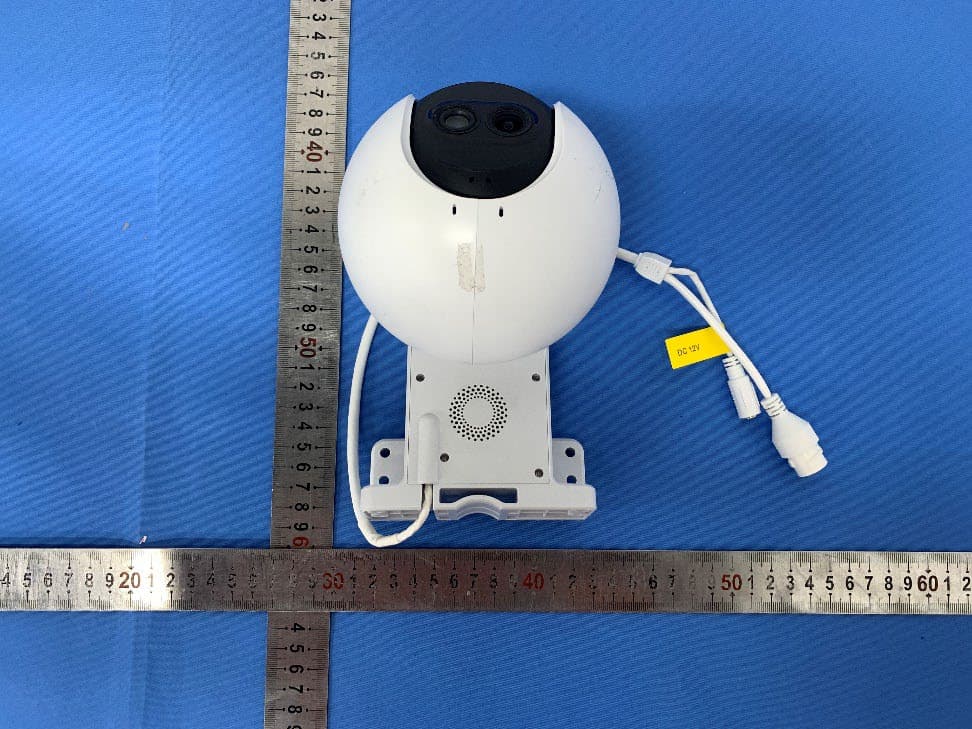
2APV2-CSC8PF9A
Aug 20, 2022Smart Home Camera
Equipment Class
DTS - Digital Transmission System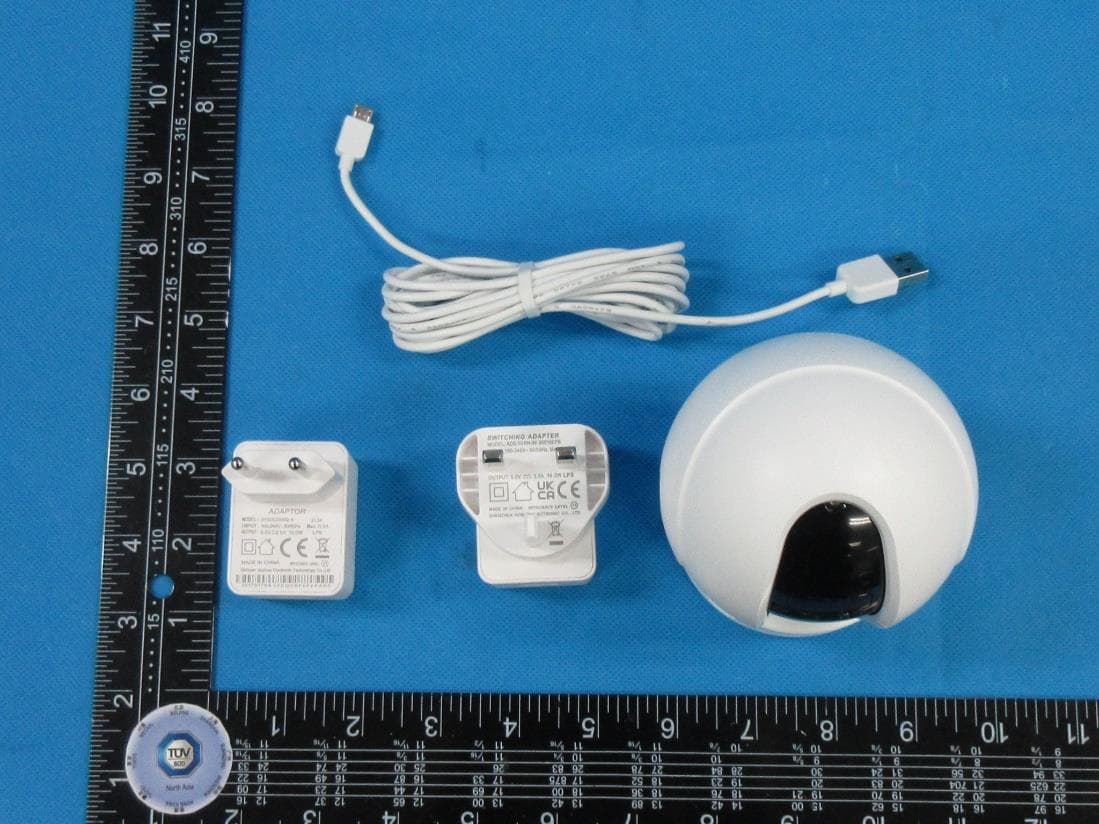
2APV2-CSC6CN8B4
Aug 15, 2022Smart Home Camera
Equipment Class
DTS - Digital Transmission System2APV2-CSDL01CP
Jul 28, 2022EZVIZ KEYPAD
Equipment Class
DTS - Digital Transmission System