2AQA6-H5182Smart Meat Thermometer
Shenzhen Intellirocks Tech. Co., Ltd.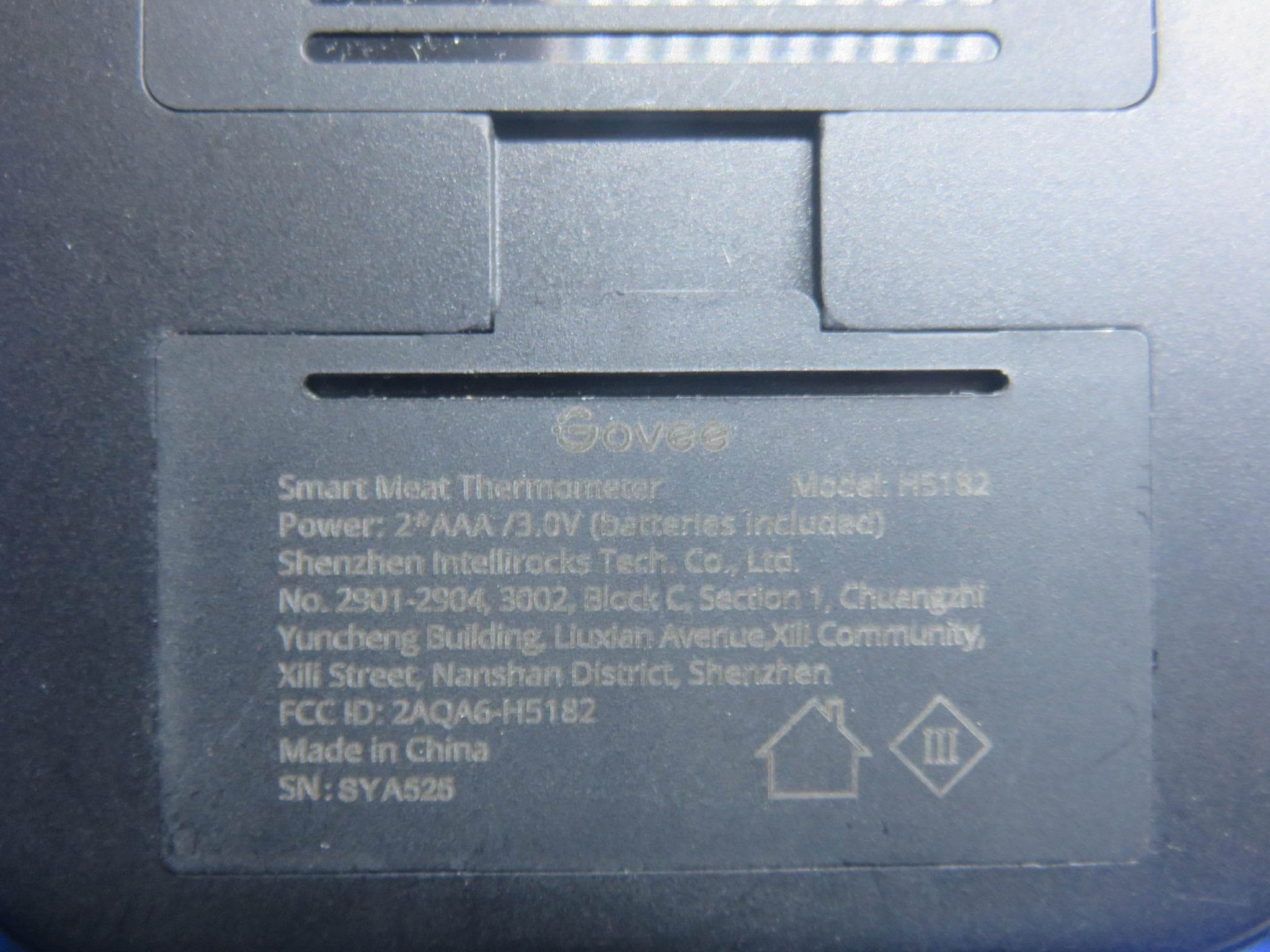
Click to zoom
Application Details
- Equipment Class
- DTS - Digital Transmission System
- Date of Grant
- Jan 19, 2021
- Application Purpose
- Original Equipment
- Date of Application
- Jan 19, 2021
- Equipment Note
- Smart Meat Thermometer
- Frequency Range
- 2402.00000000 - 2480.00000000
- Country
- China
Documents & Files
Document Text
Text extracted from the exhibit documents filed with the FCC. Open a document above to read the original.
Users Manual
User Manual Model: H5182 Smart Meat Thermometer 01 Safety Instructions Keep the product away from children. Do not use the product inside a microwave. Do not touch the probe or wire during or after use. Ensure that you wear heat-insulating gloves to avoid burns. The needle probe and wire probe are not waterproof. Do not soak either in water or place them inside a dishwasher. To clean, rinse them gently with water, then wipe until completely dry. Do not use corrosive chemicals when cleaning the product. Read and follow all the safety instructions: ❶ ❷ ❸ ❹ ❺ What You Get 1 2 2 1 1 Meat Thermometer Probe AAA Batteries Manual Service Card ItemQuantity 02 At a Glance Screen Display ❶ ❸ ❺ ❷ ❹ Bluetooth Connection Icon Mute Icon Preset Temperature Alert Battery Level Current Probe Temperature ❻ ❽ ❼ ❾ Alert Setting Button/Reset Button Increase Decrease Backlight/Power On/Off Buttons 03 Probe Port 040506 0708 Using Your Device Temperature Detection Clean the probe and insert it into the meat. Probe insertion location depends on the meat being cooked. Then, insert the probe cable into the probe port on the meat thermometer. Place the food into the oven. Long press the orange button for 3s to power On/Off. The internal temperature of the probed food will display as “MEAT TEMP.” ❶ ❷ ❸ ❹ Press the “TEMP” button to enter the Alert Setting mode. The “SET TEMP” icon of Probe will then blink. Press “-” or “+” to set the target temperature of Probe . Press “TEMP” again and the “SET TEMP” icon of Probe will then blink. Press “-” or “+” to set the target temperature of Probe . Press “TEMP” again to exit the Alert Setting Mode. ❶ ❷ ❸ ❹ ❺ Alert Setting Press the orange button to turn on the backlight. The backlight will automatically dim after 10s. Backlight Pairing Your Device with the Govee Home App What You Need Download the Govee Home app from the App Store (iOS devices) or Google Play (Android devices). Enable Bluetooth on your smartphone. Open the app, tap the “+” icon in the top right corner and search “H5182”. Tap the device icon and follow the onscreen instructions to complete pairing. ❶ ❷ ❸ ❹ Access a real-time remote view of current food temperatures. The Bluetooth distance can reach up to 70m (in an open environment). Food temperature charts generate within 2 hours (charts cannot be saved or downloaded). Recommended preset temperatures for 6 types of food. Adjust the preset temperature yourself. ❶ ❷ ❶ ❷ A smartphone or tablet running iOS 8.0 (or above) or Android 4.3 (or above). Govee Home Controlling Your Device with the Govee Home App Temperature Monitoring Alert Preset When the temperature reaches the preset temperature level, the meat thermometer will sound an alarm, and you will receive an alert notification via the Govee Home app. Other Functions ❶ ❷ ❸ Temperature calibration. Supports muting alarms. Can switch between different temperature units (°F/°C). Specifications 70m (in an open environment) AAA battery ±1°C/±1.8°F (0° to 150°C/32° to 302°F) ±2°C/±3.6°F (150° to 300°C/302° to 572°C) 80dB (in 10cm distance) 0° to 300°C/32° to 572°F Bluetooth Distance Battery Probe Accuracy Volume Probe Measure Range Troubleshooting The screen displays “LLL” or “HHH.” Cannot use the Govee Home App to set up the meat thermometer. ❶ ❷ The meat temperature measurement range is 0° to 300°C / 32° to 572°F. If the temperature is lower than 0°C / 32°F, the screen will display “LLL”; If the temperature is higher than 300°C / 572°F, the screen will display “HHH”, which will then trigger an alarm. Ensure the app location permission is allowed. Ensure your Bluetooth is on and has connected successfully. Ensure your smartphone is within 70m of the meat thermometer. It is recommended to be as close as possible to the thermometer during pairing. If the connection status is “single connected,” you can only check the current food temperature. Please move your smartphone closer to the meat thermometer to achieve a “two-way connection”. Then, you will be able to make related adjustments and settings. 0910 FCC Statement This device complies with Part 15 of the FCC Rules . Operation is subject to the following two conditions: (1) This device may not cause harmful interference, and (2) This device must accept any interference received, including interference that may cause undesired operation. Warning: Changes or modifications not expressly approved by the party responsible for compliance could void the user's authority to operate the equipment. NOTE: This equipment has been tested and found to comply with the limits for a Class B digital device, pursuant to Part 15 of the FCC Rules. These limits are designed to provide reasonable protection against harmful interference in a residential installation. This equipment generates uses and can radiate radio frequency energy and, if not installed and used in accordance with the instructions, may cause harmful interference to radio communications. However, there is no guarantee that interference will not occur in a particular installation. If this equipment does cause harmful interference to radio or television reception, which can be determined by turning the equipment off and on, the user is encouraged to try to correct the interference by one or more of the following measures: Connect the equipment into an outlet on a circuit different from that to which the receiver is connected. Consult the dealer or an experienced radio/TV technician for help. 3. 4. FCC Radiation Exposure Statement This equipment complies with FCC radiation exposure limits set forth for an uncontrolled environment. This equipment should be installed and operated with minimum distance 20cm between the radiator & your body. Customer Service Warranty: 12-Month Limited Warranty Support: Lifetime Technical Support Email: [email protected] Official Website: www.govee.com @Govee @Govee @Goveeofficial @Govee Reorient or relocate the receiving antenna. Increase the separation between the equipment and receiver. 1. 2. …
Text truncated - open the document above for the full version.
External Photos
FCCID:2AQA6-H5182
ID Label/Location Info
LabelLocationOnEUT Label ProductName:SmartMeatThermometer ModelNo.:H5182 FCCID:2AQA6-H5182
Internal Photos
FCCID:2AQA6-H5182 BTANT
Operational Description
version01 ShenzhenIntellirocksTech.Co.,Ltd. DeclarationconcerningAntennaSpecification Itisherebydeclaredthattheproduct ModelNo.: H5182 FCCID:2AQA6-H5182 fulfillstherequirementinFCCtestrelatingtotheantennatype. ThedevicespecifiedaboveconfirmstotheFCCrecommendationsforinternalantennatype(s) describedbelow: ModelNo.ofantenna:N/A Typeofantenna:PCBAntenna Gainoftheantenna:1dBi Frequencyrange: 2402-2480MHz Themountingoftheantennaisfixedtotheradiomoduleandnootherantennashouldbeused. Sincerely, Yulingzhan Manager CompanyName:ShenzhenIntellirocksTech.Co.,Ltd. CompanyAddress:No.2901-2904,3002,BlockC,Section1,ChuangzhiYunchengBuilding, LiuxianAvenue,XiliCommunity,XiliStreet,NanshanDistrict,Shenzhen,Guangdong,China
RF Exposure Info
RFEXPOSUREEVALUATION FCCID:2AQA6-H5182 AccordingtoFCC1.1310:Thecriterialistedinthefollowingtableshallbeused toevaluatetheenvironmentimpactofhumanexposuretoradiofrequency(RF) Radiationasspecifiedin§1.1307(b): RoutineSARevaluationreferstothatspecificallyrequiredby§2.1093,using measurementsorcomputersimulation.WhenroutineSARevaluationisnot required,portabletransmitterswithoutputpowergreaterthantheapplicable lowthresholdrequireSARevaluationtoqualifyforTCBapproval. Channel (MHz) Maximum output power (dBm) Tuneup tolerance (dBm) MaxTuneUp Power(dBm) Distance (mm) Calculation results Limit Operating Mode 2402-1.151-1.151±1 -0.151 5 0.299 3 BLE2440-1.141-1.141 ±1-0.141 5 0.302 3 24801.3621.362±12.36250.5433 TestResults:PASS.
Test Report
ReportNo.:18220WC00198201FCCID:2AQA6-H5182Page1of36 Code:AB-RF-05-a FCCTESTREPORT ClientName:ShenzhenIntellirocksTech.Co.,Ltd. Address: No.2901-2904,3002,BlockC,Section1,Chuangzhi YunchengBuilding,LiuxianAvenue,XiliCommunity,Xili Street,NanshanDistrict,Shenzhen,Guangdong,China ProductName:SmartMeatThermometer Date:Jan.19,2021 ShenzhenAnbotekComplianceLaboratoryLimited ReportNo.:18220WC00198201FCCID:2AQA6-H5182Page2of36 Code:AB-RF-05-a Contents 1.GeneralInformation ............................................................................................................................................... 5 1.1.ClientInformation ....................................................................................................................................... 5 1.2.DescriptionofDevice(EUT) ..................................................................................................................... 5 1.3.AuxiliaryEquipmentUsedDuringTest ................................................................................................... 6 1.4.DescriptionofTestModes ........................................................................................................................ 6 1.5.Listofchannels ........................................................................................................................................... 6 1.6.DescriptionOfTestSetup ......................................................................................................................... 7 1.7.TestEquipmentList .................................................................................................................................... 8 1.8.MeasurementUncertainty ......................................................................................................................... 9 1.9.DescriptionofTestFacility ........................................................................................................................ 9 2.SummaryofTestResults ................................................................................................................................... 10 3.ConductedEmissionTest ................................................................................................................................... 11 3.1.TestStandardandLimit .......................................................................................................................... 11 3.2.TestSetup .................................................................................................................................................. 11 3.3.TestProcedure .......................................................................................................................................... 11 3.4.TestData .................................................................................................................................................... 11 4.RadiationSpuriousEmissionandBandEdge ................................................................................................ 12 4.1.TestStandardandLimit .......................................................................................................................... 12 4.2.TestSetup .................................................................................................................................................. 12 4.3.TestProcedure .......................................................................................................................................... 13 4.4.TestData .................................................................................................................................................... 14 5.MaximumPeakOutputPowerTest .................................................................................................................. 22 5.1.TestStandardandLimit .......................................................................................................................... 22 5.2.TestSetup .................................................................................................................................................. 22 5.3.TestProcedure .......................................................................................................................................... 22 5.4.TestData .................................................................................................................................................... 22 6.6DBOccupyBandwidthTest ............................................................................................................................. 25 6.1.TestStandardandLimit .......................................................................................................................... 25 6.2.TestSetup .................................................................................................................................................. 25 6.3.TestProcedure .......................................................................................................................................... 25 6.4.TestData .................................................................................................................................................... 25 7.PowerSpectralDensityTest .............................................................................................................................. 28 7.1.TestStandardandLimit .......................................................................................................................... 28 7.2.TestSetup .................................................................................................................................................. 28 7.3.TestProcedure .......................................................................................................................................... 28 7.4.TestData ....................................................…
Text truncated - open the document above for the full version.
Test Setup Photos
FCCID:2AQA6-H5182 PhotoofRadiationEmissionTest
Contact Information
Applicant
Eric Pan(Manager)
Test Firm
Shenzhen Anbotek Compliance Laboratory LimitedJeff Zhu
Technical Specifications
| # | Rule Parts | Frequency Range | Power Output |
|---|---|---|---|
| 1 | 15C | 2.40 GHz - 2.48 GHz | 1.40 mW |
Other Applications from Shenzhen Intellirocks Tech. Co., Ltd.
2AQA6-H6008C
May 08, 2026Govee RGBWW Smart LED Bulb
Equipment Class
DTS - Digital Transmission System2AQA6-H5179A
Sep 17, 2024Wi-Fi Thermo-Hygrometer
Equipment Class
DTS - Digital Transmission System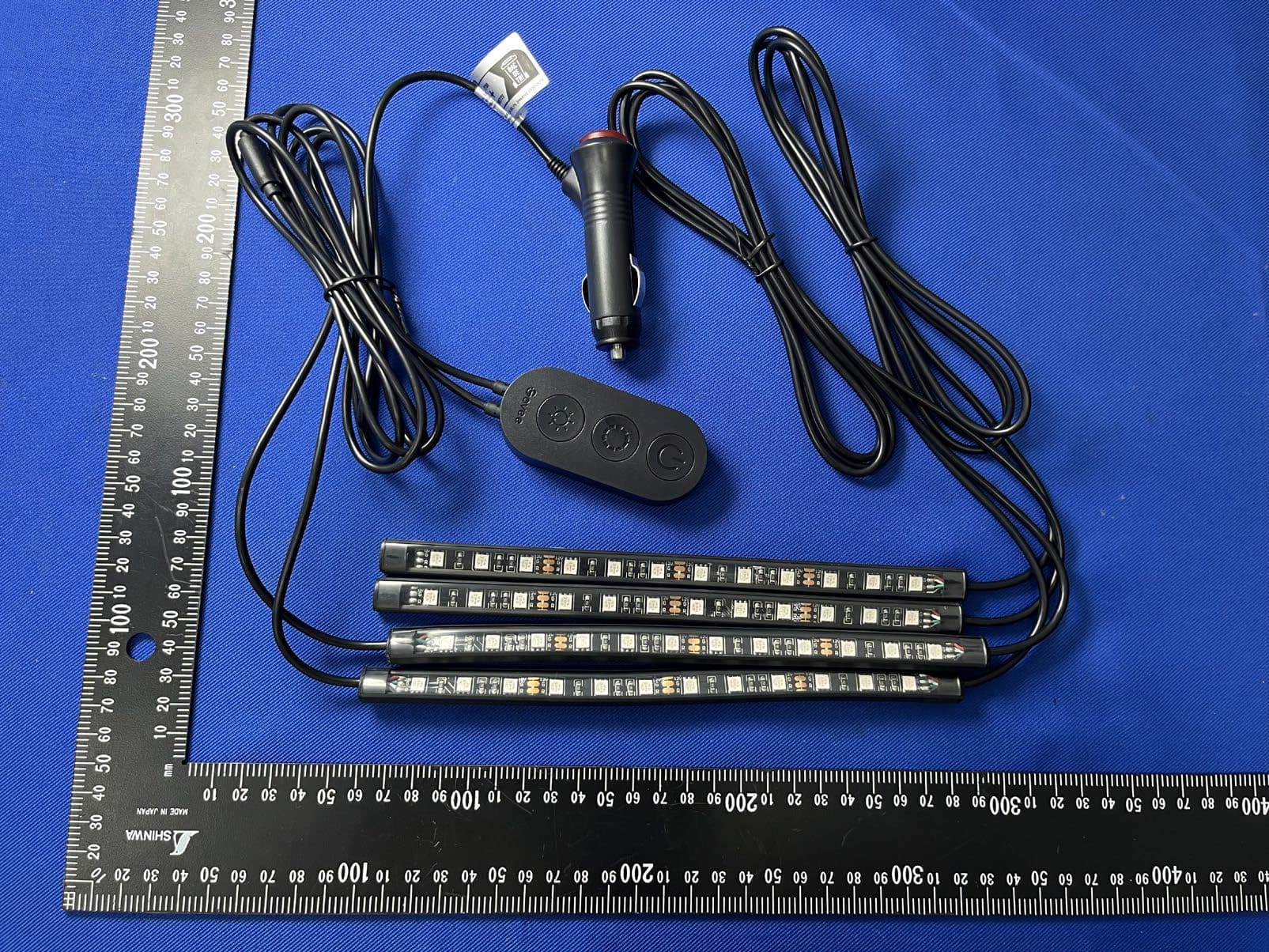
2AQA6-H6114A
Aug 28, 2024Govee RGB Car LED Strip Light
Equipment Class
DTS - Digital Transmission System2AQA6-H604D
Jun 29, 2024Govee DreamView G1S Gaming Light
Equipment Class
DTS - Digital Transmission System
2AQA6-H5085
Nov 13, 2023Smart Plug Pro
Equipment Class
DTS - Digital Transmission System