2ARD3-LH097LUMA L
LEXON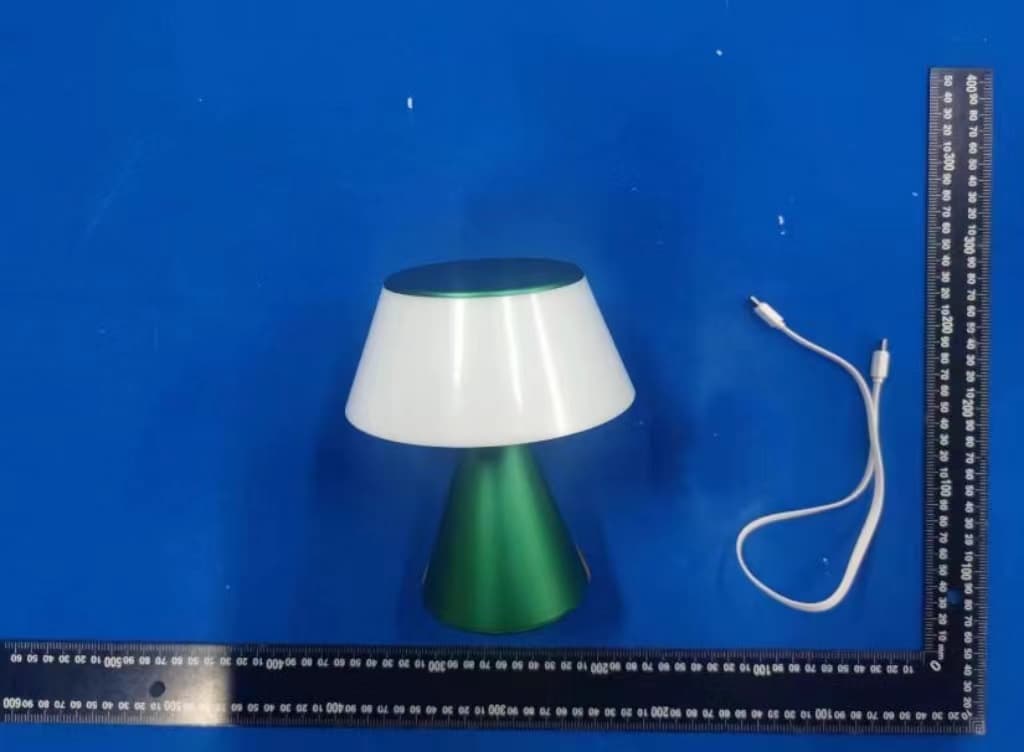
Click to zoom
Application Details
- Equipment Class
- DTS - Digital Transmission System
- Date of Grant
- Nov 01, 2023
- Application Purpose
- Original Equipment
- Date of Application
- Oct 31, 2023
- Equipment Note
- LUMA L
- Frequency Range
- 2402.00000000 - 2480.00000000
- Company
- LEXON
- Country
- France
Documents & Files
Document Text
Text extracted from the exhibit documents filed with the FCC. Open a document above to read the original.
Users Manual
0 mm 40 mm Design by Manuela Simonelli & Andrea Quaglio LH97 LUMA L IN THE BOX 1x LUMA L 1x USB Type-C charging cable 1x User manual PRODUCT OVERVIEW 1. Touch area (Lighting function) 5. Receiver for wireless charging 2. Lamp 6. LED indicator (battery & charging status) 3. BT Button (for lamp synchronisation) 7. USB Type-C charging port 4. Reset key FEATURES • LED technology with 9 colors (warm white, cold white, blue, yellow, green, red, purple, light pink & light blue) • Dimmable LED lights with memory system • Synchronisable LED lamp (Bluetooth mesh network) • Suitable for outdoor use (IPX4) • Rechargeable via wireless charging or USB Type-C CHARGING We recommend you to fully charge the battery before using LUMA L for the first time. The initial full charge should take approximately 3 hours via USB charging and 4 hours via wireless charging. LED information Operation mode LED status (Red LED) Charging LED indicator remains ON In use LED indicator remains OFF Fully charged LED indicator remains OFF Charge with USB cable 1. Plug the provided USB Type-C cable into the charging port of LUMA L . 2. Plug the USB end of the cable into any computer or any DC 5V power supply charger. Charge with Wireless Charger LUMA L has a built-in wireless charging receiver. You can charge the battery by using a wireless charger. 1. Place LUMA L at the center of the wireless charger. 2. Disconnect the device once the battery has been fully charged OPERATING INSTRUCTIONS Setting up one LUMA L lamp • Touch the top of the lamp to turn it ON. • There are 9 colors options you can select by simply touching the top of the lamp. • To adjust brightness, touch the top area until you reached the desired brightness then release. • To turn OFF the light, wait 3 seconds after the color selection then touch again. The last color set will be remembered for next time. Note: If you want to set LUMA L in cool and warm light mode only, quickly tap 3 times on the top area. To return to full set lighting mode, repeat the procedure. Syncing several LUMA L lamps (Interconnection network) Syncing LUMA L with one or multiple LUMA L lamps does not require any third-party software/device. To enjoy the multiple bulbs synchronization feature, follow below instructions: 1. Press and hold the BT button at the bottom of each lamp for 3 seconds to turn ON the communication module. The Blue LED will start flashing. 2. Select one of the lamps and press the BT button twice to initiate the multi-pairing procedure. Once procedure is complete, all lamps will be on the same color setting. The lamp used for connection is now identified a MASTER in the system, its LED will keep flashing while others are turned OFF You can now interact from any lamp the change the color, adjust brightness or turn ON & OFF all lamps at once. Important note: Bluetooth will automatically turn off after the lamp has been off for 60 minutes. If you enable the Bluetooth® on one of your lamps to connect it to the network, but do not complete the pairing, the lamp's Bluetooth mode will turn off after 3 minutes automatically Add one or more LUMA L lamps to the network 1. To add one or more LUMA L lamps to the network, simply to it (them) ON by pressing and holding the BT button on each unit for 3 seconds. 2. Press once on the pairing button of any lamp from the existing network (repeat the procedure with any new device). Exclusive LOCK NETWORK feature LUMA L is equipped with a unique locking system allowing only One lamp to control all others, preventing any change of color, brightness or even turn ON/OFF to be made from any other lamp in the network. The main lamp (MASTER) is the only one to control the network. All other lamps are becoming SLAVES. To enable LOCK function, take the MASTER units and follow below instructions: 1. Press 5 times on the BT MASTER device button, it will send signal to ALL other lamps to LOCK. 2. In LOCK mode, only MASTER interact with other lamps. Its LED is double flashing every 3 seconds. 3. Network can be unlocked by quickly pressing 5 times on the BT button from the MASTER lamp To change the MASTER device 1. Make sure the network is UNLOCKED 2. Quickly Press the BT button on any device for 10 times, this device will become the new MASTER device. You can now LOCK and UNLOCK the network from this new device. Important note: In LOCKED/UNLOCKED network mode, it is strongly recommended to always keep the MASTER device in charge or fully charged to get the best experience and avoid loss of control of the entire network. Other working operations: • To turn OFF ALL the lamps when the network is locked, double tap on the top of the MASTER device. You’ll need to tap on the MASTER again to turn all lamps back ON. • To turn OFF only one lamp when the network is locked, long press on the BT button from more than 15 seconds until the lamp turns OFF. (This will remove the lamp from the network. Repeat the pairing procedure above to bring it back to the network) • To reset the lamp, insert a thin object into the hole (4) under the lamp and press the key inside. A manual reset allows you to reboot your device and correct miscellaneous bugs (unrecognized device, unstable Bluetooth connection...). LED Information Operation mode LED status (Blue LED) Ready to pair Blinking quickly Master device Blinking twice every 3 seconds Locked devices Off SAFETY PRECAUTIONS • IPX4 water resistant device, resistant to rain, splash, and spray water. • Never immerse your device in water to avoid internal short circuit, overheating, fire, deformation or even explosion of the battery. • Do not store your device in very hot or cold areas. It is recommended to use your device at room temperatures. • Do not attempt to service, repair or disassemble the device yourself. • Make sure to respect the technical specifications for charging and never use a power adapter delivering more voltage output than the one indicated to avoid any irreversible damage to the internal circuit (DC Input: …
Text truncated - open the document above for the full version.
Attestation Statements
1/1 US Agent for Service of Process LETTER OF ATTESTATION TO: Office of Engineering Technology Federal Communications Commission 7435 Oakland Mills Road Columbia, MD 21046 US Agent for Service of Process: Company Name: BOW USA LLC FRN: 0034003665 Contact Name: Boris Brault Address: 100 N Biscayne BLVD, Miami, FL 33132 USA Telephone No: +1 786-687-4068 Email: [email protected] Applicant: Company name: LEXON FRN: 0027880947 Product Description: LUMA L Grantee code: 2ARD3 FCC ID: 2ARD3-LH097 Contact Name: Fred Boutin Address: 125 avenue des Champs élysées 75008 Paris France Telephone No: +33141102000 Email: [email protected] [LEXON] certifies that, as of the date of this filing of the application with the TCB, [BOW USA LLC] is our designated US agent for service of process for the above referenced FCC ID. [LEXON] accepts to maintain an agent for no less than one year after the grantee has terminated all marketing and importation or the conclusion of any commission related proceeding involving equipment. [BOW USA LLC] accepts, as of the date of the filing of the application, the obligation of the designated US agent for service of process for the above reference FCC ID. The US Agent for Service of Process is aware of and agrees to comply with the requirements outlined in the FCC Equipment Authorization Program, Report and Order FCC 22-84, and clause § 2.911. The Applicant is aware of and agrees to comply with the requirements outlined in the FCC Equipment Authorization Program, Report and Order FCC 22-84, and clause § 2.911. Date: 10.30.2023 Applicant’s Name: Fred Boutin US Agent’s Name: Boris Brault Title: Title: CEO Signature Signature
Cover Letter(s)
C5266091_X8_Ed.1 1/1 Letter of Authorization Company: LEXON Address: 125 avenue des Champs élysées 75008 Paris France Product Name: LUMA L Model Number: LH97 FCC Identifier: 2ARD3-LH097 We authorize LGAI Technological Center S.A., Ronda de la Font del Carme, s/n, 08193 Bellaterra, Spain, to act on our behalf on all matters concerning the above named equipment. Any individual within LGAI Technological Center S.A. is authorized to act on our behalf and take action on the application. We declare that authorize LGAI Technological Center S.A., Ronda de la Font del Carme, s/n, 08193 Bellaterra, Spain, is allowed to forward all information related to the approval project to the Federal Communication Commission and to discuss any issues concerning the approval application. Any and all acts carried out by LGAI Technological Center S.A. on our behalf shall have the same effect as acts of our own. Name: Fred Boutin Date: 10/30/2023 Title: Signature of applicant:
Cover Letter(s)
C5266091_X10_Ed.2 1/1 LEXON Office of Engineering Technology Federal Communications Commission 7435 Oakland Mills Road Columbia, MD 21046 Date: 10/30/2023 Subject: Request for Confidentiality FCC ID: 2ARD3-LH097 To Whom It May Concern, Pursuant to the provisions of Sections 0.457 and 0.459 of Commission's rules (47CFR0.457, 0.459), we are requesting the Commission to withhold the following attachment(s) as confidential document from public disclosure. Exhibits Long-Term Confidentiality Short-Term Confidentiality NOTE 2 ID Label/Location No No Attestation Statement No No External Photos No ☐ Block Diagram ☒ ☐ Schematics ☒ ☐ Test Report No No Test Setup Photos No ☐ User’s Manual ☐ NOTE 1 ☐ Internal Photos ☐ NOTE 1 ☐ Parts List / Tune Up ☐ ☐ RF Exposure Info No No Operational Description ☒ ☐ Cover Letter(s) No No SDR Software / Security Info ☐ No NOTE 1: Long-Term Confidentiality may be permitted under special conditions (See II. LONG-TERM CONFIDENTIALITY, Section 3 of KDB 726920, use last in force) NOTE 2: Short-Term Confidentiality can be requested for a maximum of 180 days from the date of the grant. Above mentioned document contains detailed system and equipment description are considered as proprietary information in operation of the equipment. The public disclosure of above documents might be harmful to our company and would give competitor an unfair advantage in the market. In case of short-term Confidentiality, the applicant requests the exhibits selected above are withheld from public view for a period of ______ days from the date of the Grant of Equipment Authorization and prior to marketing. It is our understanding that all measurement test reports, FCC ID label format and correspondent during certification review process cannot be granted as confidential documents and those information will be available for public review once the grant of equipment authorization is issued. C5266091_X10_Ed.2 1/1 Sincerely, Signature: Name: Fred Boutin Title:
External Photos
Page 1 of 5 Address: 101, No. 7, Zone 2, Xinxing Industrial Park, Fuhai Avenue, Xinhe Community, Fuhai Street, Bao’an District, Shenzhen, Guangdong, China Tel : (8 6-755)88850135 Fax: (86-755) 88850136 Web: www.mtitest.com E-mail: [email protected] Photographs of the EUT (External Photos) Model: LH97 Page 2 of 5 Address: 101, No. 7, Zone 2, Xinxing Industrial Park, Fuhai Avenue, Xinhe Community, Fuhai Street, Bao’an District, Shenzhen, Guangdong, China Tel : (8 6-755)88850135 Fax: (86-755) 88850136 Web: www.mtitest.com E-mail: [email protected] Page 3 of 5 Address: 101, No. 7, Zone 2, Xinxing Industrial Park, Fuhai Avenue, Xinhe Community, Fuhai Street, Bao’an District, Shenzhen, Guangdong, China Tel : (8 6-755)88850135 Fax: (86-755) 88850136 Web: www.mtitest.com E-mail: [email protected] Page 4 of 5 Address: 101, No. 7, Zone 2, Xinxing Industrial Park, Fuhai Avenue, Xinhe Community, Fuhai Street, Bao’an District, Shenzhen, Guangdong, China Tel : (8 6-755)88850135 Fax: (86-755) 88850136 Web: www.mtitest.com E-mail: [email protected] Page 5 of 5 Address: 101, No. 7, Zone 2, Xinxing Industrial Park, Fuhai Avenue, Xinhe Community, Fuhai Street, Bao’an District, Shenzhen, Guangdong, China Tel : (8 6-755)88850135 Fax: (86-755) 88850136 Web: www.mtitest.com E-mail: [email protected]
Internal Photos
Page 1 of 8 Address: 101, No. 7, Zone 2, Xinxing Industrial Park, Fuhai Avenue, Xinhe Community, Fuhai Street, Bao’an District, Shenzhen, Guangdong, China Tel : (8 6-755)88850135 Fax: (86-755) 88850136 Web: www.mtitest.com E-mail: [email protected] Photographs of the EUT (Internal Photos) Model: LH97 Page 2 of 8 Address: 101, No. 7, Zone 2, Xinxing Industrial Park, Fuhai Avenue, Xinhe Community, Fuhai Street, Bao’an District, Shenzhen, Guangdong, China Tel : (8 6-755)88850135 Fax: (86-755) 88850136 Web: www.mtitest.com E-mail: [email protected] RX ANT Page 3 of 8 Address: 101, No. 7, Zone 2, Xinxing Industrial Park, Fuhai Avenue, Xinhe Community, Fuhai Street, Bao’an District, Shenzhen, Guangdong, China Tel : (8 6-755)88850135 Fax: (86-755) 88850136 Web: www.mtitest.com E-mail: [email protected] Page 4 of 8 Address: 101, No. 7, Zone 2, Xinxing Industrial Park, Fuhai Avenue, Xinhe Community, Fuhai Street, Bao’an District, Shenzhen, Guangdong, China Tel : (8 6-755)88850135 Fax: (86-755) 88850136 Web: www.mtitest.com E-mail: [email protected] Bluetooth ANT Page 5 of 8 Address: 101, No. 7, Zone 2, Xinxing Industrial Park, Fuhai Avenue, Xinhe Community, Fuhai Street, Bao’an District, Shenzhen, Guangdong, China Tel : (8 6-755)88850135 Fax: (86-755) 88850136 Web: www.mtitest.com E-mail: [email protected] Page 6 of 8 Address: 101, No. 7, Zone 2, Xinxing Industrial Park, Fuhai Avenue, Xinhe Community, Fuhai Street, Bao’an District, Shenzhen, Guangdong, China Tel : (8 6-755)88850135 Fax: (86-755) 88850136 Web: www.mtitest.com E-mail: [email protected] Page 7 of 8 Address: 101, No. 7, Zone 2, Xinxing Industrial Park, Fuhai Avenue, Xinhe Community, Fuhai Street, Bao’an District, Shenzhen, Guangdong, China Tel : (8 6-755)88850135 Fax: (86-755) 88850136 Web: www.mtitest.com E-mail: [email protected] Page 8 of 8 Address: 101, No. 7, Zone 2, Xinxing Industrial Park, Fuhai Avenue, Xinhe Community, Fuhai Street, Bao’an District, Shenzhen, Guangdong, China Tel : (8 6-755)88850135 Fax: (86-755) 88850136 Web: www.mtitest.com E-mail: [email protected]
RF Exposure Info
Address: 101, No. 7, Zone 2, Xinxing Industrial Park, Fuhai Avenue, Xinhe Community, Fuhai Street, Bao’an District, Shenzhen, Guangdong, China. Tel: (86-755)88850135 Fax: (86-755) 88850136 Web: www.mtitest.com E-mail: [email protected] RF EXPOSURE Test Report Report No.: MTi230526022-12E2 Date of issue: 2023-10-17 Applicant: LEXON Product: LUMA L Model(s): LH97 FCC ID: 2ARD3-LH097 Shenzhen Microtest Co., Ltd. http://www.mtitest.com - Page 2 of 6- Report No.: MTi230526022-12E2 Address: 101, No. 7, Zone 2, Xinxing Industrial Park, Fuhai Avenue, Xinhe Community, Fuhai Street, Bao’an District, Shenzhen, Guangdong, China. Tel: (86-755)88850135 Fax: (86-755) 88850136 Web: www.mtitest.com E-mail: [email protected] Instructions 1. The report shall not be partially reproduced without the written consent of the laboratory; 2. The test results of this report are only responsible for the samples submitted; 3. This report is invalid without the seal and signature of the laboratory; 4. This report is invalid if transferred, altered or tampered with in any form without authorization; 5. Any objection to this report shall be submitted to the laboratory within 15 days from the date of receipt of the report. - Page 3 of 6- Report No.: MTi230526022-12E2 Address: 101, No. 7, Zone 2, Xinxing Industrial Park, Fuhai Avenue, Xinhe Community, Fuhai Street, Bao’an District, Shenzhen, Guangdong, China. Tel: (86-755)88850135 Fax: (86-755) 88850136 Web: www.mtitest.com E-mail: [email protected] Applicant: LEXON Address: 125 avenue des Champs-Élysées 75008 Paris France Manufacturer: LEXON Address: 125 avenue des Champs-Élysées 75008 Paris France Product description Product name: LUMA L Trademark: LEXON Model name: LH97 Serial Model: N/A Standards: N/A Test method: KDB 447498 D01 v06 Date of Test Date of test: 2023-08-11 to 2023-10-17 Test result: Pass Test Engineer : (Maleah Deng) Reviewed By: : (Leon Chen) Approved By: : (Tom Xue) - Page 4 of 6- Report No.: MTi230526022-12E2 Address: 101, No. 7, Zone 2, Xinxing Industrial Park, Fuhai Avenue, Xinhe Community, Fuhai Street, Bao’an District, Shenzhen, Guangdong, China. Tel: (86-755)88850135 Fax: (86-755) 88850136 Web: www.mtitest.com E-mail: [email protected] Table of Contents 1. STANDALONE SAR TEST EXCLUSION CONSIDERATIONS ............................................................................................ 5 2. SAR TEST EXCLUCSION THRESHOLDS ........................................................................................................................ 6 - Page 5 of 6- Report No.: MTi230526022-12E2 Address: 101, No. 7, Zone 2, Xinxing Industrial Park, Fuhai Avenue, Xinhe Community, Fuhai Street, Bao’an District, Shenzhen, Guangdong, China. Tel: (86-755)88850135 Fax: (86-755) 88850136 Web: www.mtitest.com E-mail: [email protected] 1. Standalone SAR test exclusion considerations Unless specifically required by the published RF exposure KDB procedures, standalone 1-g head or body and 10-g extremity SAR evaluation for general population exposure conditions, by measurement or numerical simulation, is not required when the corresponding SAR Test Exclusion Threshold condition(s), listed below, is (are) satisfied. These test exclusion conditions are based on source-based time-averaged maximum conducted output power of the RF channel requiring evaluation, adjusted for tune-up tolerance, and the minimum test separation distance required for the exposure conditions. The minimum test separation distance defined in 4.1 f) is determined by the smallest distance from the antenna and radiating structures or outer surface of the device, according to the host form factor, exposure conditions and platform requirements, to any part of the body or extremity of a user or bystander. To qualify for SAR test exclusion, the test separation distances applied must be fully explained and justified, typically in the SAR measurement or SAR analysis report, by the operating configurations and exposure conditions of the transmitter and applicable host platform requirements, according to the required published RF exposure KDB procedures. When no other RF exposure testing or reporting are required, a statement of justification and compliance must be included in the equipment approval, in lieu of the SAR report, to qualify for SAR test exclusion. When required, the device specific conditions described in the other published RF exposure KDB procedures must be satisfied before applying these SAR test exclusion provisions. a) For 100 MHz to 6 GHz and test separation distances ≤ 50 mm, the 1-g and 10-g SAR test exclusion thresholds are determined by the following: [(max. power of channel, including tune-up tolerance, mW) / (min. test separation distance, mm)] · [√f(GHz)] ≤ 3.0 for 1-g SAR, and ≤ 7.5 for 10-g extremity SAR, where f (GHz) is the RF channel transmit frequency in GHz Power and distance are rounded to the nearest mW and mm before calculation The result is rounded to one decimal place for comparison The values 3.0 and 7.5 are referred to as numeric thresholds in step b) below The test exclusions are applicable only when the minimum test separation distance is ≤ 50 mm, and for transmission frequencies between 100 MHz and 6 GHz. When the minimum test separation distance is < 5 mm, a distance of 5 mm according to 4.1 f) is applied to determine SAR test exclusion. b) For 100 MHz to 6 GHz and test separation distances > 50 mm, the 1-g and 10-g SAR test exclusion thresholds are determined by the following (also illustrated in Appendix B): 1) {[Power allowed at numeric threshold for 50 mm in step a)] + [(test separation distance – 50 mm)·(f(MHz)/150)]} mW, for 100 MHz to 1500 MHz 2) {[Power allowed at numeric threshold for 50 mm in step a)] + [(test separation distance – 50 mm)·10]} mW, for > 1500 MHz and ≤ 6 GHz c) For frequencies below 100 MHz, the following may be considered for SAR test exclusion (also illustrated in Appendix C): 1) For test separation distances > 50 mm and < 200 mm, the power t…
Text truncated - open the document above for the full version.
Test Report
Inverted F Antenna Specification Summary ITEMANT SPEC Model Name 2.4G ANT HorizontalVertical 2400MHz 2 450MHz2500MHz2400MHz 2 450MHz 2500MHz Center Frequency -1.26-0.76-0.58-5.25-2.46-1.86 MAX. Gain -0.58dBi PolarizationHorizontal and Vertical Azimuth Beam Pattern Omni-directional Impedance50 Ohm Antenna Length 38.20mm Manufacture ZHUHAI JIELI TECHNOLOGY CO.,LTD Antenna Photo & Length (mm) Horizontal: 2400 MHz 2450 MHz 2500 MHz Power (dBm) Max: 0 Min: -40 Scale: 5/div Gain(dBi) Frequency (MHz) MaxMinAvg 2400-1.26174-30.0801-7.18716 2450-0.765802-36.5604-7.48023 2500-0.585582-22.0315-6.59127 Vertical: 2400 MHz 2450 MHz 2500 MHz Power (dBm) Max: 0 Min: -30 Scale: 5/div Gain(dBi) Frequency (MHz) MaxMinAvg 2400-5.2537-22.1424-12.4294 2450-2.4652-24.5837-10.4702 2500-1.86120-29.5214-9.20432 ANT Test Labs:Attestation of Global Compliance Co., Ltd.
Test Report
The test report is only used for customer scientific research, teaching, internal quality control and other purposes, and is for internal reference only. Address: 101, No. 7, Zone 2, Xinxing Industrial Park, Fuhai Avenue, Xinhe Community, Fuhai Street, Bao’an District, Shenzhen, Guangdong, China Tel: (86-755)88850135 Fax: (86-755) 88850136 Web: www.mtitest.com E-mail: [email protected] Test Report Report No.: MTi230526022-12E1 Date of issue: 2023-10-17 Applicant: LEXON Product: LUMA L Model(s): LH97 FCC ID: 2ARD3-LH097 Shenzhen Microtest Co., Ltd. http://www.mtitest.com Page 2 of 46 Report No.: MTi230526022-12E1 Address: 101, No. 7, Zone 2, Xinxing Industrial Park, Fuhai Avenue, Xinhe Community, Fuhai Street, Bao’an District, Shenzhen, Guangdong, China Tel: (86-755)88850135 Fax: (86-755) 88850136 Web: www.mtitest.com E-mail: [email protected] Instructions 1. This test report shall not be partially reproduced without the written consent of the laboratory. 2. The test results in this test report are only responsible for the samples submitted 3. This test report is invalid without the seal and signature of the laboratory. 4. This test report is invalid if transferred, altered, or tampered with in any form without authorization. 5. Any objection to this test report shall be submitted to the laboratory within 15 days from the date of receipt of the report. Page 3 of 46 Report No.: MTi230526022-12E1 Address: 101, No. 7, Zone 2, Xinxing Industrial Park, Fuhai Avenue, Xinhe Community, Fuhai Street, Bao’an District, Shenzhen, Guangdong, China Tel: (86-755)88850135 Fax: (86-755) 88850136 Web: www.mtitest.com E-mail: [email protected] Table of contents 1 General Description ......................................................................................................................... 5 1.1 Description of the EUT ............................................................................................................................... 5 1.2 Description of test modes .......................................................................................................................... 5 1.3 Environmental Conditions .......................................................................................................................... 7 1.4 Description of support units ....................................................................................................................... 7 1.5 Measurement uncertainty .......................................................................................................................... 7 2 Summary of Test Result .................................................................................................................. 8 3 Test Facilities and accreditations ................................................................................................... 9 3.1 Test laboratory ........................................................................................................................................... 9 4 List of test equipment .................................................................................................................... 10 5 Evaluation Results (Evaluation) .................................................................................................... 11 5.1 Antenna requirement ............................................................................................................................... 11 6 Radio Spectrum Matter Test Results (RF) .................................................................................... 12 6.1 Conducted Emission at AC power line .................................................................................................... 12 6.2 Occupied Bandwidth ................................................................................................................................ 15 6.3 Maximum Conducted Output Power ........................................................................................................ 16 6.4 Power Spectral Density ........................................................................................................................... 17 6.5 RF conducted spurious emissions and band edge measurement .......................................................... 18 6.6 Band edge emissions (Radiated) ............................................................................................................ 19 6.7 Radiated emissions (below 1GHz) .......................................................................................................... 24 6.8 Radiated emissions (above 1GHz) .......................................................................................................... 28 Photographs of the test setup ............................................................................................................. 33 Photographs of the EUT....................................................................................................................... 34 Appendix A: DTS Bandwidth ............................................................................................................... 35 Appendix B: Maximum conducted output power ............................................................................... 37 Appendix C: Maximum power spectral density .................................................................................. 39 Appendix D: Band edge measurements ............................................................................................. 41 Appendix E: Conducted Spurious Emission ...................................................................................... 42 Appendix F: Duty Cycle ....................................................................................................................... 45 Page 4 of 46 Report No.: MTi230526022-12E1 Address: 101, No. 7, Zone 2, Xinxing Industrial Park, Fuhai Avenue, Xinhe Community, Fuhai Street, Bao’an District, S…
Text truncated - open the document above for the full version.
Test Setup Photos
Page 1 of 2 Address: 101, No. 7, Zone 2, Xinxing Industrial Park, Fuhai Avenue, Xinhe Community, Fuhai Street, Bao’an District, Shenzhen, Guangdong, China Tel : (8 6-755)88850135 Fax: (86-755) 88850136 Web: www.mtitest.com E-mail: [email protected] Photographs of the test setup Model: LH97 Conducted Emission at AC power line Radiated emissions (below 1GHz) Page 2 of 2 Address: 101, No. 7, Zone 2, Xinxing Industrial Park, Fuhai Avenue, Xinhe Community, Fuhai Street, Bao’an District, Shenzhen, Guangdong, China Tel : (8 6-755)88850135 Fax: (86-755) 88850136 Web: www.mtitest.com E-mail: [email protected] Radiated emissions (above 1GHz)
Contact Information
Applicant
Fred Boutin
Technical Contact
Test Firm
Shenzhen Microtest Co., Ltd.Phoebe Cui
[email protected]0755 88850135 1393
Technical Specifications
| # | Rule Parts | Frequency Range | Power Output |
|---|---|---|---|
| 1 | 15C | 2.40 GHz - 2.48 GHz | 4.50 mW |
Other Applications from LEXON
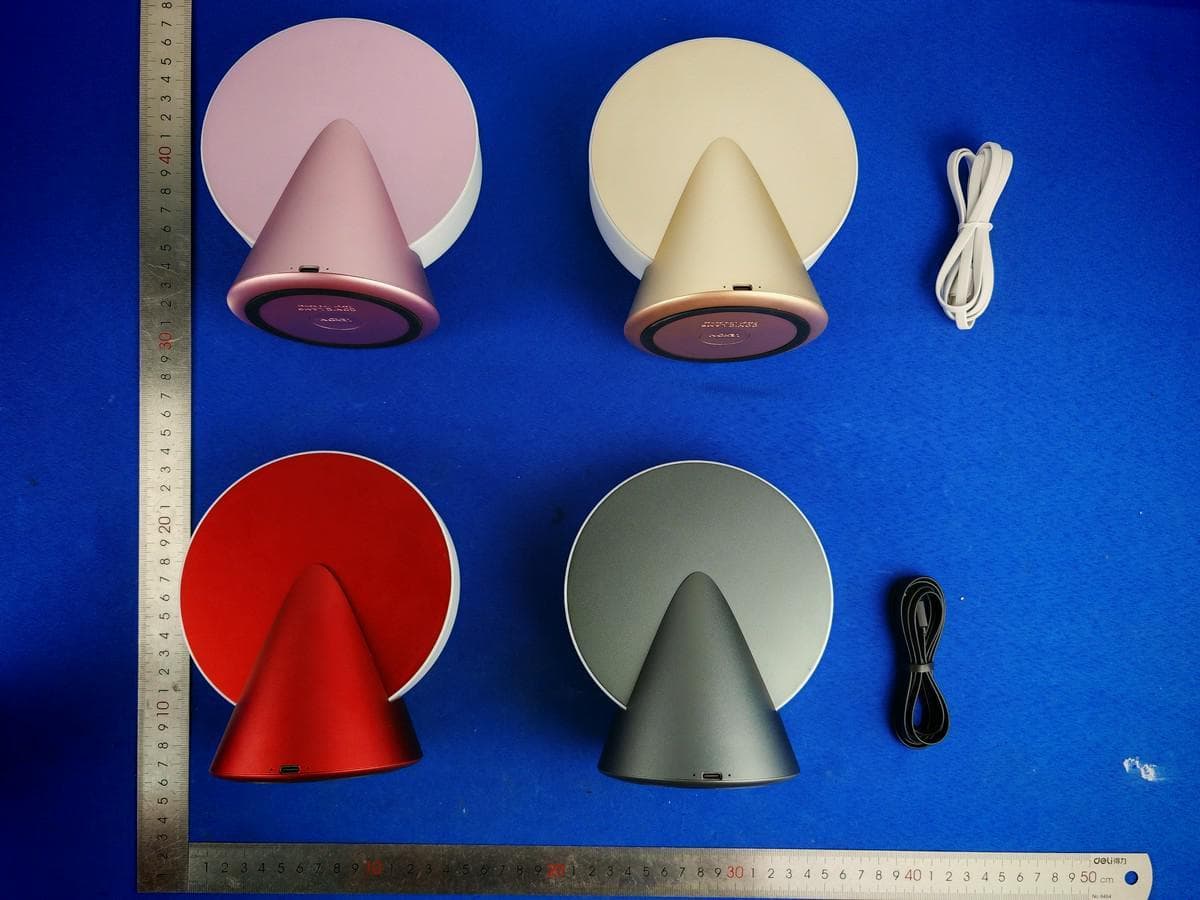
2ARD3-LH100
Dec 17, 2025CONIC LAMP
Equipment Class
DTS - Digital Transmission System
2ARD3-LH107
Dec 09, 2025STELI LOUNGE SHADE, STELI LOUNGE BELL, STELI LOUNGE DOME
Equipment Class
DTS - Digital Transmission System
2ARD3-LH110
Nov 21, 2025STELI CANDLE
Equipment Class
DTS - Digital Transmission System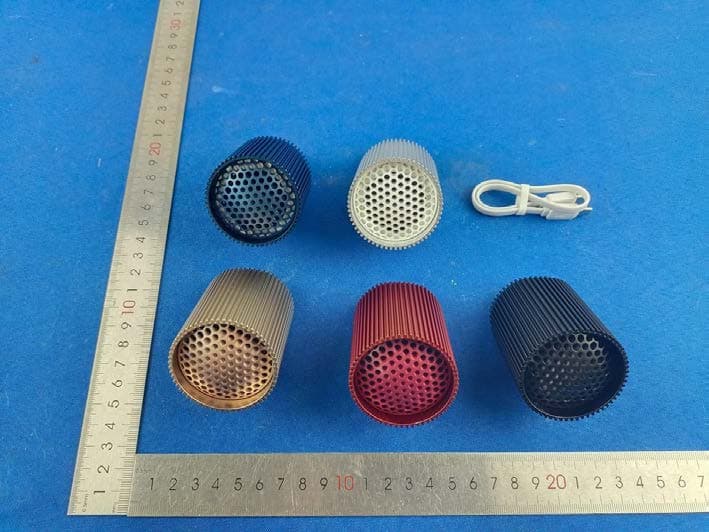
2ARD3-LA132
Dec 14, 2023RAY SPEAKER
Equipment Class
DSS - Part 15 Spread Spectrum Transmitter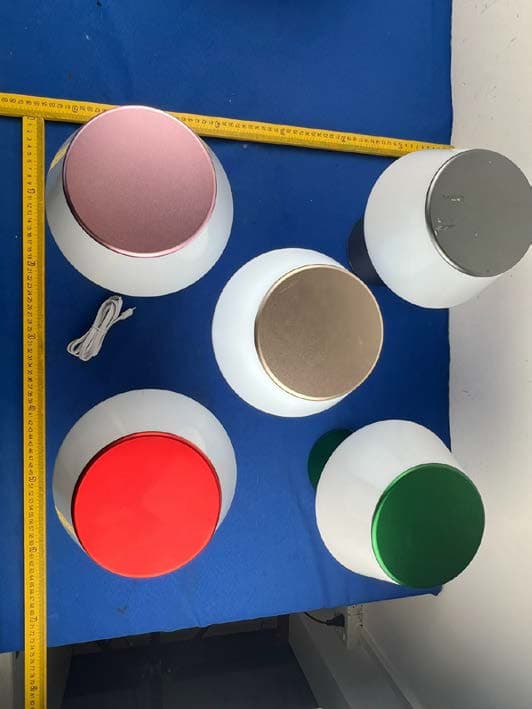
2ARD3-LH098
Nov 01, 2023LUMA XL
Equipment Class
DTS - Digital Transmission System