2ARZ2-PIP221PilotPano Panoramic Camera
Labpano Technology (Changzhou) Co., Ltd.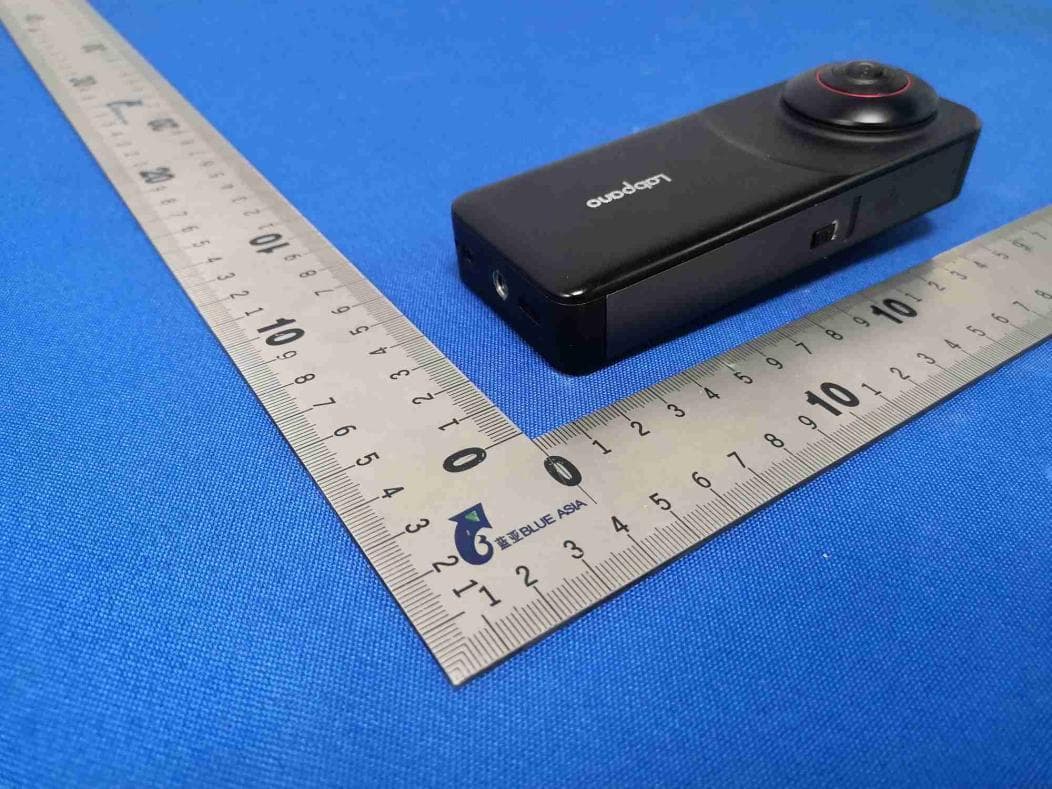
Click to zoom
Application Details
- Equipment Class
- JAB - Part 15 Class B Digital Device
- Date of Grant
- Sep 30, 2022
- Application Purpose
- Original Equipment
- Date of Application
- Sep 30, 2022
- Equipment Note
- PilotPano Panoramic Camera
- Country
- China
Documents & Files
Document Text
Text extracted from the exhibit documents filed with the FCC. Open a document above to read the original.
Users Manual
User Guide Pilot Pano Labpano Pilot Pano Panoramic Camera Overview (English) Pilot Pano*1 Type-C USB cable*1Wipe cloth*1 Extension rod*1Documentation(User guide, Warranty card, etc) Pilot Pano LIVE Outline 1 Lens*2 1 Speaker 8 Microphone*4 2 Indicator 3 3.0 Touch screen 4 SD card slot cover 5 Card slot 6 Power button 7 Battery cover release button 9 Standard 1/4 mounting point 10 USB Type-C port 11 3.5mm mic jack 12 Hang string mouth 13 3 4 2 5 6 13 11 10 12 7 2 8 9 2 Before You Start 1. Insert the battery and charge the battery fully before using this unit for the first time. 2. Please use the included charge cable to charge the camera. Power adaptor with PD 18W and above is commended. 1 2 3. Insert SD card 1). Open the SD card cover. 2). Insert the SD card into the card slot.(Faced the labbled side in the direction of the screen and press it straight in as far as it will go) Note: · Pilot Pano with 15GB of internal storage plus support for a microSD card. · Recommend TF card in exFAT format. When using the SD card for the first time, it is necessary to format the SD card. 3). Securely close the SD card slot cover, otherwise, it may result in water and sand entering the inside of the camera. 1 Insert SD card in the direction shown in the illustration. FCC This equipment has been tested and found to comply with the limits for a Class B digital device, pursuant to Part 15 of the FCC Rules. These limits are designed to provide reasonable protection against harmful interference in a residential installation. This equipment generates uses and can radiate radio frequency energy and, if not installed and used in accordance with the instructions, may cause harmful interference to radio communications. However, there is no guarantee that interference will not occur in a particular installation. If this equipment does cause harmful interference to radio or television reception, which can be determined by turning the equipment off and on, the user is encouraged to try to correct the interference by one or more of the following measures: -- Reorient or relocate the receiving antenna. -- Increase the separation between the equipment and receiver. -- Connect the equipment into an outlet on a circuit different from that to which the receiver is connected. -- Consult the dealer or an experienced radio/TV technician for help. This device complies with part 15 of the FCC Rules. Operation is subject to the following two conditions: (1) This device may not cause harmful interference, and (2) this device must accept any interference received, including interference that may cause undesired operation. Changes or modifications not expressly approved by the party responsible for compliance could void the user's authority to operate the equipment Quick Start Power on/Power offFeatures(Interface) 1. When Pilot Pano is powered off, press and hold the power button for 3s to power on. 2. When Pilot Pano is powered on, press the power button for 1s to set the screen on or screen off. 3. When Pilot Pano is powered on,press and hold the power button for 3s, select power off to turn off the camera. Connected WiFi Date/Time Remaining battery Tap on an app icon to open the app. Swipe left or right to switch between apps. Power button LIVE Specifications Items Image sensor Lens Screen Photo resolution Video resolution Storage 200°/F2.0 fisheye lens*2 3.0 800*480 5.7K(5760*2880) ROM: 32GB/Support external SD card 5.7K(5760*2880)30fps 4K(3840*1920)60fps IMU Power consumptionMax 7W 9 Axis Sony IMX577*2 Parameters Battery2300mAh removable LiPo battery Support batteryless mode Video: 5.7K@30fps—2H Live: 4K@30fps—1H Items Internet Microphone Indicator Temperature Dimensions Input Weight WiFi:802.11b/g/n/ac 80MHz 2*2 MU-MIMO WiFi Built-in 4 mic, support 4-channel PCM simultaneous recording, suppor external stereo mic RGB LED Indicator PD 18W About 295g(10.41 ounces) Working Temperature:0~40°C (32~104°F) Storage Temperature:-20~60°C(-4~140°F) 138*54.5*23.5mm Parameters Bluetooth version BT 5.1 认识 Labpano Pilot Pano 全景相机(简体中文) Pilot Pano*1 Type-C USB 数据线*1擦镜布*1 转接杆*1文档资料(本手册,保修卡等) Pilot Pano 直播 LIVE 相机 图库 设置 街景 Pilot漫游 产品概述 1 镜头*2 1 扬声器 8 麦克风*4 2 状态指示灯 3 3.0英寸高清触摸屏 4 存储卡保护盖 5 存储卡卡槽 6 电源键 7 电池盖拨钮 9 标准1/4英寸螺口 10 Type-C USB 接口 11 3.5mm麦克风接口 12 挂绳孔 13 3 4 2 5 6 13 11 10 12 7 2 8 9 2 使用前准备 1. 首次使用相机时,请放入电池并确保电池电量充足。 2. 请使用随附的充电线连接机身底部的USB Type-C接口,对相机进行充电。 PD 18W以上 电源适配器。 1 2 3.插入存储卡 a.拨开存储卡保护盖。 b.插入存储卡。(标签朝向相机有屏幕一侧) 注意事项: (1)机内有15G可用内存空间,可选择插入存储卡。 (2)请使用exFAT格式的TF存储卡,速度过低可能导致无法正常录像。当您在本相机上首次使用存储卡时, 请用本相机对该卡进行格式化,以确保存储卡的稳定性能。 c.可用拇指轻微移动确保保护盖完全锁紧,否则将影响整机的防水防尘性能。 a b.按照图示方向插入存储卡 快速入门 开机/关机相机功能(主界面) 关机时,长按右侧电源键3秒,相机开机。 开机时,按压右侧电源键1秒,相机熄屏/亮屏。 开机时,长按右侧电源键3秒,出现关机菜单,选择关机。 网络连接状态 系统时间 电池电量 轻触各个应用 图标,打开应用。 左右滑动,选择 应用。 电源键 直播 LIVE 相机图库 设置 街景 Pilot漫游 规格参数 项目 图像传感器 镜头 屏幕 全景照片分辨率 全景视频分辨率 存储 200°/F2.0鱼眼镜头*2 3.0英寸;分辨率:800*480 5.7K(5760*2880) ROM: 32GB/支持外部存储卡 5.7K(5760*2880)30fps 4K(3840*1920)60fps IMU 功耗Max 7W 9轴 索尼IMX577*2 规格参数 电池2300mAh可更换锂聚合物电池 支持无电池模式 视频5.7K@30fps—2小时 直播4K@30fps—1小时 项目 网络 麦克风 指示灯 工作温度 尺寸 电源输入 重量 WiFi:802.11b/g/n/ac 80MHz 2*2 MU-MIMO WiFi 内置4个麦克风,支持4路PCM同步录制 可外接立体声麦克风 RGB LED指示灯 PD 18W 约295克 (10.41盎司) 使用温度范围:0~40°C(32~104°F) 保存温度范围:-20~60°C(-4~140°F) 138*54.5*23.5mm 规格参数 BT 5.1
Cover Letter(s)
Sep.19, 2022 Equipment Autorisation Division Federal Communications Commission 7435 Oakland Mills Road Columbia, MD 21046 FCC ID: 2ARZ2-PIP221 Product Name:PilotPano Panoramic Camera Request for Confidentiality Pursuant to Sections 0.457 and 0.459 of the commissions rules, we hereby request that the following documents be held confidential: (List here the documents for which you are seeking confidentiality – for example ...) Schematics Block diagram Operationdescription Thesematerialscontaintradesecretsand proprietaryinformationand are not customarilyreleasedto the public.The publicdisclosureof this informationmight be harmfulto the companyand provideunjustifiedbenefitsto our competitors. <Signature> Name:GavinZhen Title:Manager Company : ShenzhenPisoftwareTechnologyCo.,Ltd.
Cover Letter(s)
Sep.19,2022 FederalCommunicationsCommission Authorization&EvaluationDivision 7345OaklandMillsRoad Columbia,Maryland21046 AuthoritytoActasAgent Onourbehalf,IappointQianhaiBlueAsiaofTechnicalSerivices(shenzhen)Limited,No448, BulongRoad,BantianStreet,LonggangDistric (NameofAgentcompanynameandaddress) toactasouragentinthepreparationofthisapplicationforequipmentcertification.Icertify thatsubmitteddocumentsproperlydescribethedeviceorsystemforwhichequipment certificationissought.Ialsocertifythateachunitmanufactured,importedormarketed,as definedintheFederalCommunicationsCommission’sregulationswillhaveaffixedtoita labelidenticaltothatsubmittedforapprovalwiththisapplication. Forinstanceswhereourauthorizedagentsignstheapplicationforcertificationonourbehalf,I acknowledgethatallresponsibilityforcomplyingwiththetermsandconditionsforcertification, stillresideswithShenzhenPisoftwareTechnologyCo.,Ltd.Room1221,12F,Shenzhen NewspaperGroupandPeriodicalsBuilding,QinghuCommunity,LonghuaStreet,Longhua District,Shenzhen,China (ApplicantNameandaddress) <Signature> Name:GavinZhen Title:Manager Company:ShenzhenPisoftwareTechnologyCo.,Ltd.
External Photos
ModelNo.: PIP221
ID Label/Location Info
FCCID:2ARZ2-PIP221 ModelNo.:PIP221 ExtensionModel:PIP221+
Internal Photos
ModelNo.: PIP221 EUTAntenna:
Test Report
Page 1 of 26 BlueAsiaofTechnicalServices(Shenzhen)Co.,Ltd. Add:BuildingC,No.107,ShihuanRoad,ShiyanSub-District,BaoanDistrict,Shenzhen,GuangdongProvince,China Tel:+86-755-23059481Email:[email protected] TESTREPORT ProductName: PilotPanoPanoramicCamera BrandMark: Labpano ModelNo.: PIP221 ExtensionModel: PIP221+ ReportNumber: BLA-EMC-202207-A1501 DateofSampleReceipt: 2022/8/1 DateofTest: 2022/8/1to2022/9/5 DateofIssue: 2022/9/5 TestStandard: 47CFRPart15,SubpartB TestResult:Pass Preparedfor: ShenzhenPisoftwareTechnologyCo.,Ltd. C11-B,TCLInternationalECity,1001ZhongshanyuanRoad,Nanshan District,ShenzhenCity,518057,P.R.China Preparedby: BlueAsiaofTechnicalServices(Shenzhen)Co.,Ltd. BuildingC,No.107,ShihuanRoad,ShiyanSub-District,BaoanDistrict, Shenzhen,GuangdongProvince,China TEL:+86-755-23059481 Compiledby:Reviewby: Approvedby:Date:2022/9/5 ReportNo.:BLA-EMC-202207-A1501 Page 2 of 26 BlueAsiaofTechnicalServices(Shenzhen)Co.,Ltd.Tel:+86-755-23059481Email:[email protected] REPORTREVISERECORD VersionNo.DateDescription 002022/9/5Original ReportNo.:BLA-EMC-202207-A1501 Page 3 of 26 BlueAsiaofTechnicalServices(Shenzhen)Co.,Ltd.Tel:+86-755-23059481Email:[email protected] TABLEOFCONTENTS 1TESTSUMMARY........................................................................................................................................4 2GENERALINFORMATION.........................................................................................................................5 3GENERALDESCRIPTIONOFE.U.T..........................................................................................................5 4TESTMODE................................................................................................................................................6 5MEASUREMENTUNCERTAINTY..............................................................................................................6 6DESCRIPTIONOFSUPPORTUNIT..........................................................................................................7 7LABORATORYLOCATION.........................................................................................................................7 8TESTINSTRUMENTSLIST........................................................................................................................8 9RADIATEDEMISSIONS(ABOVE1GHZ)...................................................................................................9 9.1LIMITS.......................................................................................................................................................................9 9.2BLOCKDIAGRAMOFTESTSETUP.............................................................................................................................9 9.3PROCEDURE.............................................................................................................................................................9 9.4TESTDATA................................................................................................................................................................10 10RADIATEDEMISSIONS(30MHZ-1GHZ).................................................................................................12 10.1LIMITS................................................................................................................................................................12 10.2BLOCKDIAGRAMOFTESTSETUP......................................................................................................................12 10.3PROCEDURE.......................................................................................................................................................12 10.4TESTDATA...........................................................................................................................................................13 11CONDUCTEDEMISSIONSATMAINSTERMINALS(150KHZ-30MHZ)................................................15 11.1LIMITS................................................................................................................................................................15 11.2BLOCKDIAGRAMOFTESTSETUP......................................................................................................................15 11.3PROCEDURE.......................................................................................................................................................15 11.4TESTDATA...........................................................................................................................................................16 APPENDIXA:PHOTOGRAPHSOFTESTSETUP..........................................................................................18 APPENDIXB:PHOTOGRAPHSOFEUT.........................................................................................................20 ReportNo.:BLA-EMC-202207-A1501 Page 4 of 26 BlueAsiaofTechnicalServices(Shenzhen)Co.,Ltd.Tel:+86-755-23059481Email:[email protected] 1TESTSUMMARY TestitemTestRequirementTestMethodClass/SeverityResult RadiatedEmissions (above1GHz) 47CFRPart15, SubpartB ANSI C63.4:2014 ClassBPass RadiatedEmissions (30MHz-1GHz) 47CFRPart15, SubpartB ANSI C63.4:2014 ClassBPass Conducted EmissionsatMains Terminals (150kHz-30MHz) 47CFRPart15, SubpartB ANSI C63.4:2014 ClassBPass ReportNo.:BLA-EMC-202207-A1501 Page 5 of 26 BlueAsiaofTechnicalServices(Shenzhen)Co.,Ltd.Tel:+86-755-23059481Email:[email protected] 2GENERALINFORMATION ApplicantShenzhenPisoftwareTechnologyCo.,Ltd. Address C11-B,TCLInternationalECity,1001ZhongshanyuanRoad,,Nanshan District,ShenzhenCity,518057,P.R.China ManufacturerShenzhenPisoftwareTechnologyCo.,Ltd. Address C11-B,TCLInternationalECity,1001ZhongshanyuanRoad,Nanshan District,ShenzhenCity,518057,P.R.China FactorySHENZHENAONIELECTRO…
Text truncated - open the document above for the full version.
Test Setup Photos
ModelNo.: PIP221 ConductedEmissionsatMainsTerminals(150kHz-30MHz) Transmitterunwantedemissionsinthespuriousdomain
Contact Information
Applicant
yufeng li
Test Firm
BlueAsia of Technical Services (Shenzhen)Blue Zheng
[email protected]+86 755-23059481-815
Technical Specifications
| # | Rule Parts | Frequency Range | Power Output |
|---|---|---|---|
| 1 | 15B | - | - |
Other Applications from Labpano Technology (Changzhou) Co., Ltd.
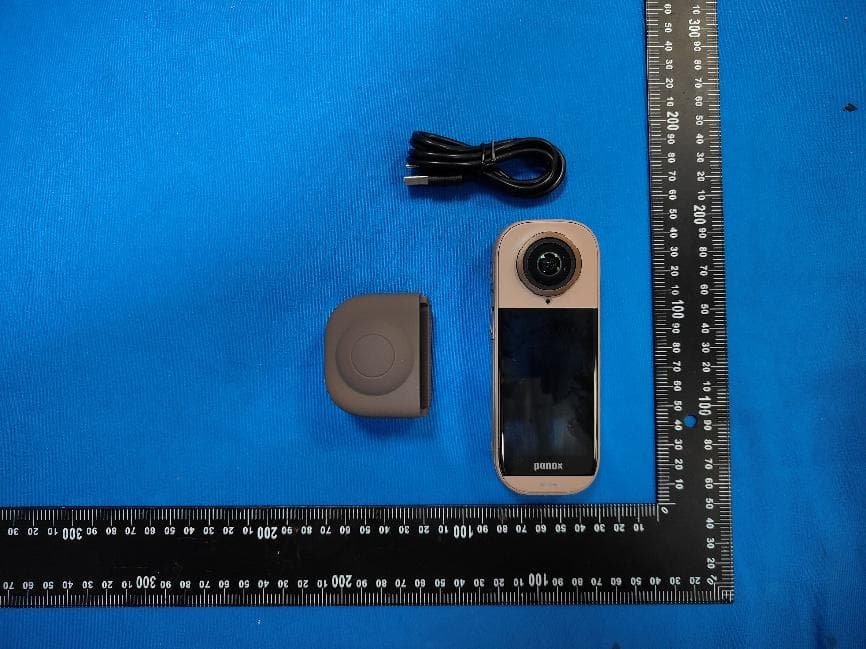
2ARZ2-PIP226L
Jun 11, 2026panox v5 lite
Equipment Class
DSS - Part 15 Spread Spectrum Transmitter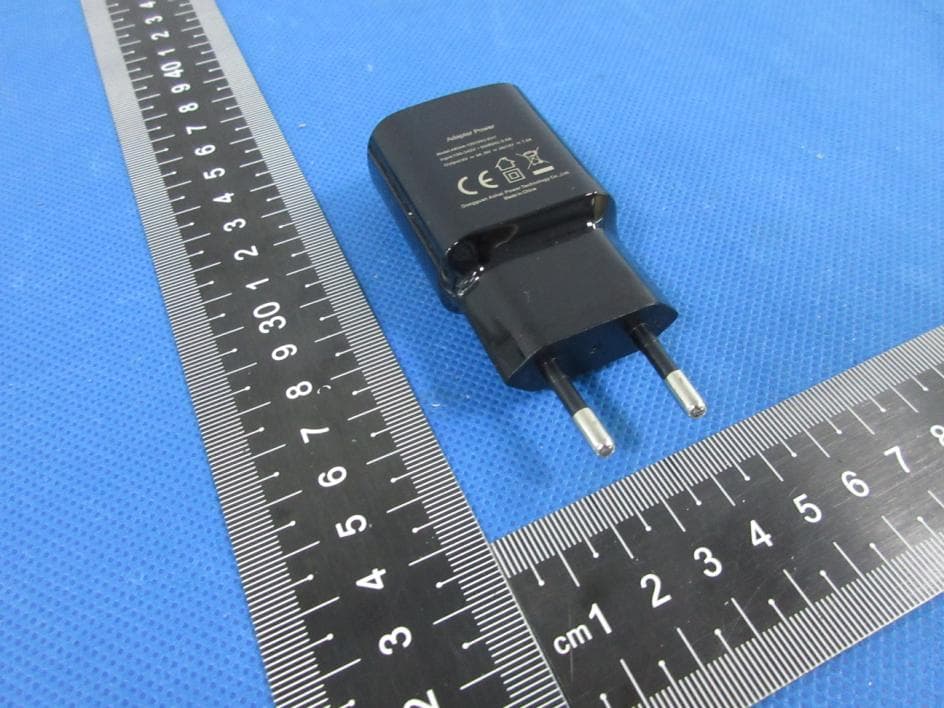
2ARZ2PIONA1925A
Apr 26, 2020Panoramic Camera
Equipment Class
NII - Unlicensed National Information Infrastructure TX