2AT3M-DYLHFPDynaLogger
Dynamox SA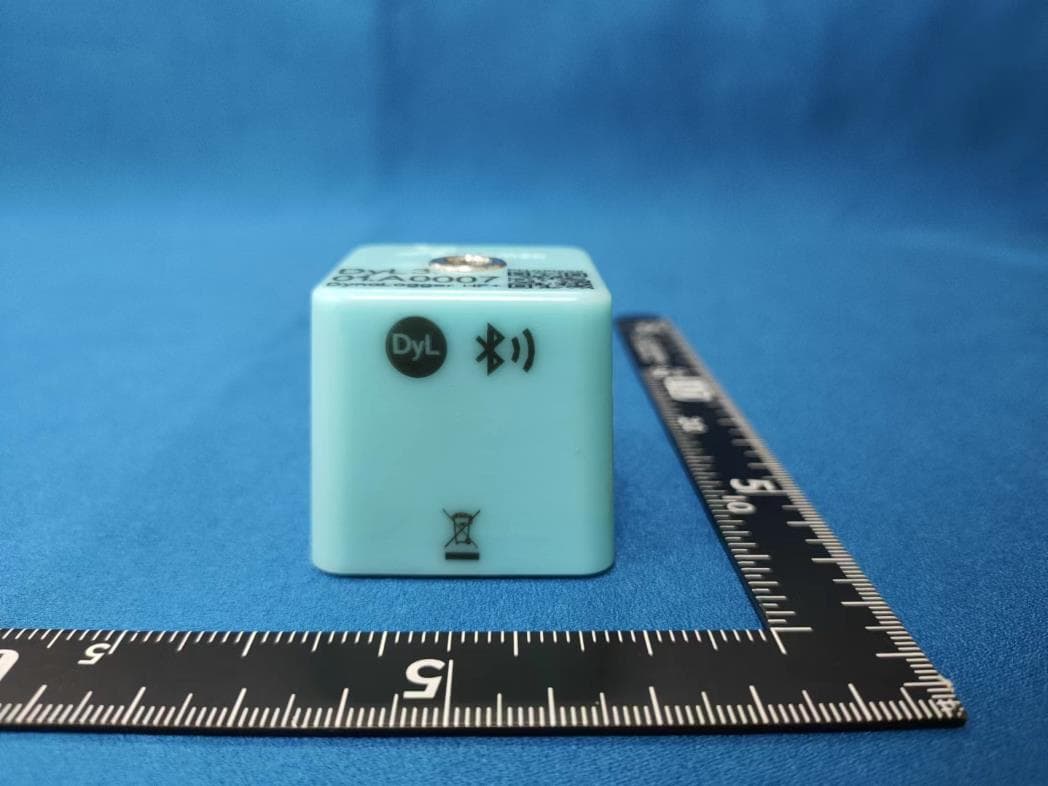
Click to zoom
Application Details
- Equipment Class
- JAB - Part 15 Class B Digital Device
- Date of Grant
- Dec 29, 2022
- Application Purpose
- Original Equipment
- Date of Application
- Dec 29, 2022
- Equipment Note
- DynaLogger
- Company
- Dynamox SA
- Country
- Brazil
Documents & Files
Document Text
Text extracted from the exhibit documents filed with the FCC. Open a document above to read the original.
Users Manual
DynaPredict Manual - Quick Start - Version 3 – September 2022 Public Document DynaPredict - Quick Start Guide Table of Contents DynaPredict Manual - Quick Start - Version 3 – September 2022 Public Document 1 2 3 4 5 6 Introduction_________________________________________ Accessing the system________________________________ Structuring the Asset Tree________________________ Positioning the DynaLoggers________________________ Mounting___________________________________________ Registering a DynaLogger___________________________ 03 05 07 08 10 13 02 DynaPredict Manual - Quick Start - Version 3 – September 2022 Public Document The complete solution includes: • DynaLogger, with vibration and temperature sensors and internal memory for data storage. • Application, for data collection, action and analysis on the shop floor; • Web Platform, with historic data and diagnostic tools for data analysis. In addition, a DynaGateway could be added to the solution in order to automate data collection from the DynaLoggers and send the data directly to the Web Platform. 1. Introduction Figure: DynaPredict Solution 03 DynaPredict Manual - Quick Start - Version 3 – September 2022 Public Document The flowchart below shows a basic step-by-step outline of how the solution works: Figure: Flowchart Vision 04 DynaPredict Manual - Quick Start - Version 3 – September 2022 Public Document To configure data loggers, spots and machines, it is neces- sary to download the "DynaPre- dict" app. The app is available on Android (version 5.0 or above) and iOS (version 11 or above) devices and is compatible with smartphones and tablets. To install the app, simply search for "dynapredict" on the app store of the device (Google Play Store/App Store) and com- plete the download. It is also possible to down- load the Android version from a computer by accessing the link: https://play.google.com/- store/apps/details?id=solu- tions.dynamox.predict Note: You must be logged in to your Google account and it must be the same that is regis- tered on the Play Store of your Android device. 2. Accessing the system 05 Figure: App login screen Install Mobile App DynaPredict Manual - Quick Start - Version 3 – September 2022 Public Document Access to the Web Platform To create the hierarchical sensor and gateway installation struc- ture, as well as access the entire history of vibration and temperature measurements collected by the DynaLoggers, users have a complete Web Platform at their disposal. Simply access the link https://dyp.dynamox.solutions and log in to the system with your access credentials. Now you’ll have access to the Web Platform and can consult the data of all the registered DynaLoggers. To learn more about the operation of the Platform and its fea- tures, please read the "DynaPredict Web Platform" manual. 06 Figure: DynaPredict Web Platform - Login Screen DynaPredict Manual - Quick Start - Version 3 – September 2022 Public Document Before placing sensors in the field, it is recommended to ensure that the asset tree (hierarchical structure) is properly creat- ed, with the monitoring points already standardized waiting for the sensor that will be associated to it. To learn all the details and under- stand how to perform the asset tree structuring process, please read the article Asset Tree Manegement. This facilitates the work in the field and ensures that the points are registered in the correct structure. The asset tree structure should be defined by the customer and, preferably, follow the standard already used by the company in ERP software (SAP, for example). After creating the asset tree via the Web Platform, the user should ideally also register the monitoring point (called the spot) in the tree structure, before going into the field to perform the physical installation of the sensors. The image in the next page shows an ex- ample of an asset tree. 3. Structuring the Asset Tree 07 Figure: Asset Tree DynaPredict Manual - Quick Start - Version 3 – September 2022 Public Document 4. Positioning the DynaLoggers 08 With these procedures completed, the user can finally go into the field to perform the physical installation of the sensors on the machines and components registered in the asset tree. After finishing these procedures, the user can finally go into the field and perform the physical installation of the sensors on the machines and components registered in the asset tree. More details regarding this process are present in the following articles of this section. Before carrying out the physical installation of the sensors on the machines, here are a few recommendations: The first step, in the case of explosive atmospheres, is to consult possible restrictions on the product datasheet. Regarding to vibration and temperature parameter measurements, these should be taken on rigid parts of the machinery. Installation on fins and in fuselage regions should be avoided, as these may present resonances, attenuate the signal, and dissipate heat. In addition, the device should preferably be positioned on a non-rotating part of the machine. Since the DynaLoggers take readings on three orthogonal axes, they can be installed in any angular direction. However, it is recommended that one of the axes (X,Y,Z) be aligned with the machine shaft. DynaPredict Manual - Quick Start - Version 3 – September 2022 Public Document 09 Figure: Axes orientation Left: DynaLogger TcA+. Right: DynaLoggers HF and HF+ The images above show the orientation of the DynaLogger axes. This can also be seen on the label attached to the devices. The correct positioning of the device should take into account the axis and orientation of the machine. 1. The DynaLogger must be installed in a rigid part of the ma- chine, avoiding regions that may present localized resonance; 2. Preferably, the DynaLogger should be centered in relation to critical components, such as bearings; 3. It is recommended to keep the DynaLogger at a fixed point, i.e., to define a definite instal…
Text truncated - open the document above for the full version.
Cover Letter(s)
Dynamox SA Company: Dynamox SA Address: Rodovia Jose Carlos Daux, n 600 KM 01 Modulo 05, Parque Tec. Alfa CEP 88030-090, Florianopolis, SC Brazil Product Name: DynaLogger Model Number(s): DynaLogger HF+ Product Description: DynaLogger We authorize MiCOM Labs Inc., 575 Boulder Court, Pleasanton, California 94566, USA, to act on our behalf on all matters concerning the certification of above named equipment. We declare that MiCOM Labs Inc. is allowed to forward all information related to the approval and certification of equipment to the regulatory agencies as required and to discuss any issues concerning the approval application. Any and all acts carried out by MiCOM Labs on our behalf shall have the same effect as acts of our own. Signature: Date: 2022-12-20 Name: Alexandre Ferreira Title: CTO Company: Dynamox SA
Cover Letter(s)
Dynamox SA Date: 2022-12-20 Office of Engineering Technology Federal Communications Commission 7435 Oakland Mills Road Columbia, MD 21046 USA Subject; Request for Confidentiality FCC ID:2AT3M-DYLHFP To Whom It May Concern, Pursuant to the provisions of the Commission’s rules Title 47 Sections §0.457 and §0.459, we are requesting the Commission to withhold the following attachment(s) as confidential documents from public disclosure indefinitely. These documents contain detailed system and equipment descriptions and are considered as proprietary information in operation of the equipment. The public disclosure of these documents might be harmful to our company and would give competitors an unfair advantage in the market. Schematic Diagram Block Diagram Parts List Operational Description Tune-up Procedure In additional to above mentioned documents, in order to comply with the marketing regulations in Title 47 CFR §2.803 and the importation rules in Title 47 CFR §2.1204, while ensuring that business sensitive information remains confidential until the actual marketing of newly authorized devices, we request Short Term Confidentiality of the following attachment(s); External Photos Test Setup Photos Internal Photos User Manual For 45 days, pursuant to Public Notice DA 04-1705. OR For 180 days pursuant to KDB 726920 D01. It is our understanding that all measurement test reports, FCC ID label format and correspondence during the certification review process cannot be granted as confidential documents and this information will be available for public review once the grant of equipment authorization is issued. Sincerely, Signature: Name: Alexandre Ferreira Title: CTO
External Photos
JianYan Testing Group Shenzhen Co., Ltd. JianYan Testing Group Shenzhen Co., Ltd. Project No.: JYTSZR2209078 No.101, Building 8, Innovation Wisdom Port, No.155 Hongtian Road, Huangpu Community, Xinqiao Street, Bao'an District, Shenzhen, Guangdong, People's Republic of China. Tel: +86-755-23118282, Fax: +86-755-23116366 Page 1 of 3 EUT External Photos JianYan Testing Group Shenzhen Co., Ltd. JianYan Testing Group Shenzhen Co., Ltd. Project No.: JYTSZR2209078 No.101, Building 8, Innovation Wisdom Port, No.155 Hongtian Road, Huangpu Community, Xinqiao Street, Bao'an District, Shenzhen, Guangdong, People's Republic of China. Tel: +86-755-23118282, Fax: +86-755-23116366 Page 2 of 3 JianYan Testing Group Shenzhen Co., Ltd. JianYan Testing Group Shenzhen Co., Ltd. Project No.: JYTSZR2209078 No.101, Building 8, Innovation Wisdom Port, No.155 Hongtian Road, Huangpu Community, Xinqiao Street, Bao'an District, Shenzhen, Guangdong, People's Republic of China. Tel: +86-755-23118282, Fax: +86-755-23116366 Page 3 of 3 -----End------
ID Label/Location Info
Label Model: DynaLogger HF+ →
Internal Photos
JianYan Testing Group Shenzhen Co., Ltd. JianYan Testing Group Shenzhen Co., Ltd. Project No.: JYTSZR2209078 No.101, Building 8, Innovation Wisdom Port, No.155 Hongtian Road, Huangpu Community, Xinqiao Street, Bao'an District, Shenzhen, Guangdong, People's Republic of China. Tel: +86-755-23118282, Fax: +86-755-23116366 Page 1 of 5 EUT Internal Photos JianYan Testing Group Shenzhen Co., Ltd. JianYan Testing Group Shenzhen Co., Ltd. Project No.: JYTSZR2209078 No.101, Building 8, Innovation Wisdom Port, No.155 Hongtian Road, Huangpu Community, Xinqiao Street, Bao'an District, Shenzhen, Guangdong, People's Republic of China. Tel: +86-755-23118282, Fax: +86-755-23116366 Page 2 of 5 JianYan Testing Group Shenzhen Co., Ltd. JianYan Testing Group Shenzhen Co., Ltd. Project No.: JYTSZR2209078 No.101, Building 8, Innovation Wisdom Port, No.155 Hongtian Road, Huangpu Community, Xinqiao Street, Bao'an District, Shenzhen, Guangdong, People's Republic of China. Tel: +86-755-23118282, Fax: +86-755-23116366 Page 3 of 5 JianYan Testing Group Shenzhen Co., Ltd. JianYan Testing Group Shenzhen Co., Ltd. Project No.: JYTSZR2209078 No.101, Building 8, Innovation Wisdom Port, No.155 Hongtian Road, Huangpu Community, Xinqiao Street, Bao'an District, Shenzhen, Guangdong, People's Republic of China. Tel: +86-755-23118282, Fax: +86-755-23116366 Page 4 of 5 JianYan Testing Group Shenzhen Co., Ltd. JianYan Testing Group Shenzhen Co., Ltd. Project No.: JYTSZR2209078 No.101, Building 8, Innovation Wisdom Port, No.155 Hongtian Road, Huangpu Community, Xinqiao Street, Bao'an District, Shenzhen, Guangdong, People's Republic of China. Tel: +86-755-23118282, Fax: +86-755-23116366 Page 5 of 5 -----End------
Test Report
JianYan Testing Group Shenzhen Co., Ltd. Report No.: JYTSZ-R01-2200594 This equipment has been shown to be capable of compliance with the applicable technical standards as indicated in the measurement report and was tested in accordance with the measurement procedures specified in above the application standard version. Test results reported herein relate only to the item(s) tested. This document cannot be reproduced except in full, without prior written approval of the Company. Any unauthorized alteration, forgery or falsification of the content or appearance of this document is unlawful and offenders may be prosecuted to the fullest extent of the law. Unless otherwise stated the results shown in this test report refer only to the sample(s) tested and such sample(s) are retained for 90 days only. Cover Page FCC EMC Test Report Applicant: Dynamox SA Address of Applicant: Rodovia José Carlos Daux, nº 600, Km 01 - Módulo 05, Parque Técnológico Alfa - CEP 88030-909, Florianópolis, SC Brazil Equipment Under Test (EUT) Product Name: DynaLogger Model No.: DynaLogger HF+ FCC ID: 2AT3M-DYLHFP Applicable Standards: FCC CFR Title 47 Part 15B Date of Sample Receipt: 27 Sep., 2022 Date of Test: 28 Sep., to 29 Nov., 2022 Date of report Issued: 30 Nov., 2022 Test Result: PASS Tested by: Date: 30 Nov., 2022 Test Engineer Reviewed by: Date: 30 Nov., 2022 Project Engineer Approved by: Date: 30 Nov., 2022 Manager Report No.: JYTSZ-R01-2200594 JianYan Testing Group Shenzhen Co., Ltd. Report Template No.: JYTSZ4b-147-C Project No.: JYTSZR2209078 No.101, Building 8, Innovation Wisdom Port, No.155 Hongtian Road, Huangpu Community, Xinqiao Street, Bao'an District, Shenzhen, Guangdong, People's Republic of China. Tel: +86-755-23118282, Fax: +86-755-23116366 Page 2 of 12 Version 1 Version No. Date Description 00 30 Nov., 2022 Original Report No.: JYTSZ-R01-2200594 JianYan Testing Group Shenzhen Co., Ltd. Report Template No.: JYTSZ4b-147-C Project No.: JYTSZR2209078 No.101, Building 8, Innovation Wisdom Port, No.155 Hongtian Road, Huangpu Community, Xinqiao Street, Bao'an District, Shenzhen, Guangdong, People's Republic of China. Tel: +86-755-23118282, Fax: +86-755-23116366 Page 3 of 12 Contents 2 Page Cover Page ............................................................................................................................................................. 1 Version ........................................................................................................................................................... 2 1 Contents ......................................................................................................................................................... 3 2 General Information ...................................................................................................................................... 4 3 Client Information ................................................................................................................................... 4 3.1 General Description of E.U.T. ................................................................................................................ 4 3.2 Test Mode .............................................................................................................................................. 4 3.3 Description of Test Auxiliary Equipment ................................................................................................ 5 3.4 Description of Cable Used...................................................................................................................... 5 3.5 Measurement Uncertainty ...................................................................................................................... 5 3.6 Additions to, Deviations, or Exclusions from the Method ....................................................................... 5 3.7 Laboratory Facility .................................................................................................................................. 5 3.8 Laboratory Location ................................................................................................................................ 5 3.9 Test Instruments List .............................................................................................................................. 6 3.10 Measurement Setup and Procedure ........................................................................................................... 7 4 Test Setup .............................................................................................................................................. 7 4.1 Test Procedure ....................................................................................................................................... 8 4.2 Test Results ................................................................................................................................................... 9 5 Summary ................................................................................................................................................ 9 5.1 Clause and data summary ................................................................................................................. 9 5.1.1 Test Limit ............................................................................................................................................ 9 5.1.2 Radiated Emission ............................................................................................................................... 10 5.2 Report No.: JYTSZ-R01-2200594 JianYan Testing Group Shenzhen Co., Ltd. Report Template No.: JYTSZ4b-147-C Project No.: JYTSZR2209078 No.101, Building 8, Innovation Wisdom Port, No.155 Hongtian Road, Huangpu Community, Xinqiao Street, Bao'an District, Shenzhen, Guangdong, People's Republic of China. Tel: +86-755-23118282, Fax: +86-755-23116366 Page 4 of 12 General …
Text truncated - open the document above for the full version.
Test Setup Photos
JianYan Testing Group Shenzhen Co., Ltd. JianYan Testing Group Shenzhen Co., Ltd. Project No.: JYTSZR2209078 No.101, Building 8, Innovation Wisdom Port, No.155 Hongtian Road, Huangpu Community, Xinqiao Street, Bao'an District, Shenzhen, Guangdong, People's Republic of China. Tel: +86-755-23118282, Fax: +86-755-23116366 Page 1 of 1 Setup Photos Radiated Spurious Emission Below 1GHz Above 1GHz ------End------
Contact Information
Applicant
Alexandre Ferreira(CTO)
Technical Contact
Test Firm
JianYan Testing Group Shenzhen Co., Ltd.Bruce Zhang
[email protected]+86 (0) 755 23118282
Technical Specifications
| # | Rule Parts | Frequency Range | Power Output |
|---|---|---|---|
| 1 | 15B | - | - |
Other Applications from Dynamox SA
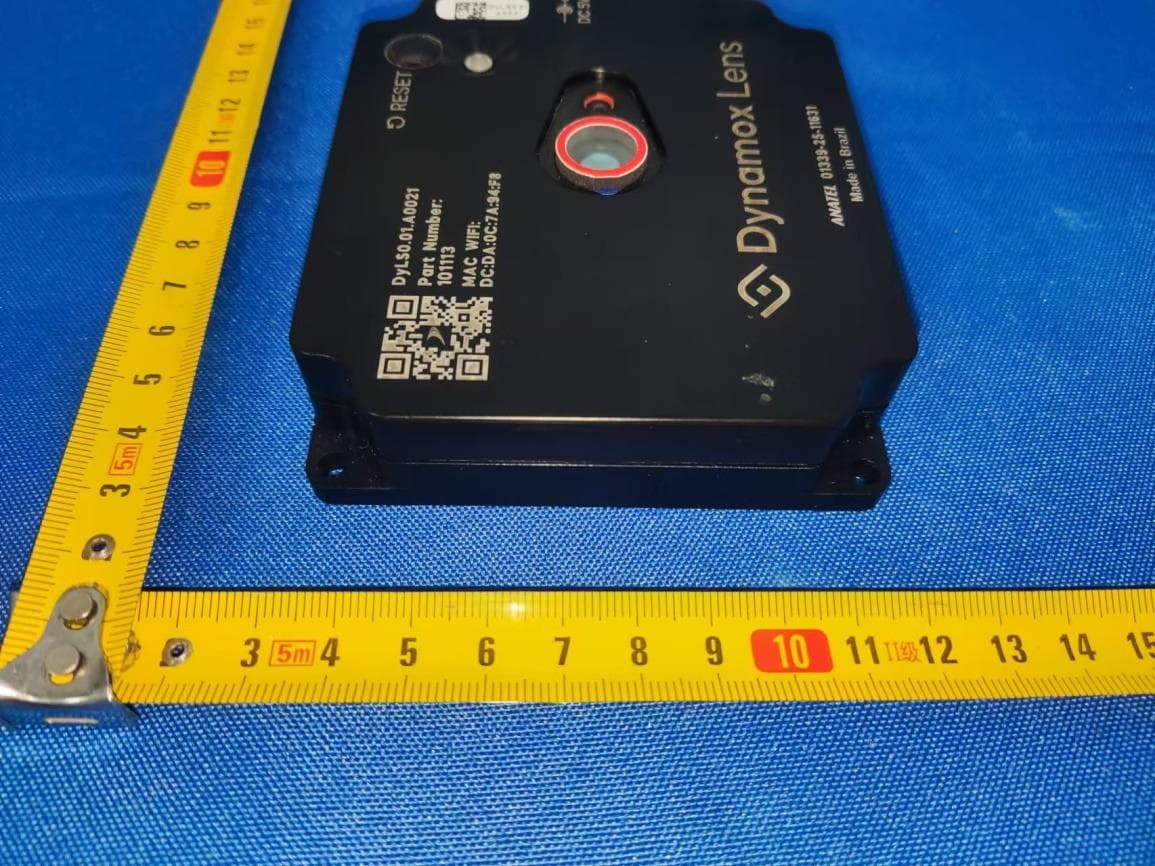
2AT3M-DYLENS
Jun 14, 2026Dynamox Lens
Equipment Class
JAB - Part 15 Class B Digital Device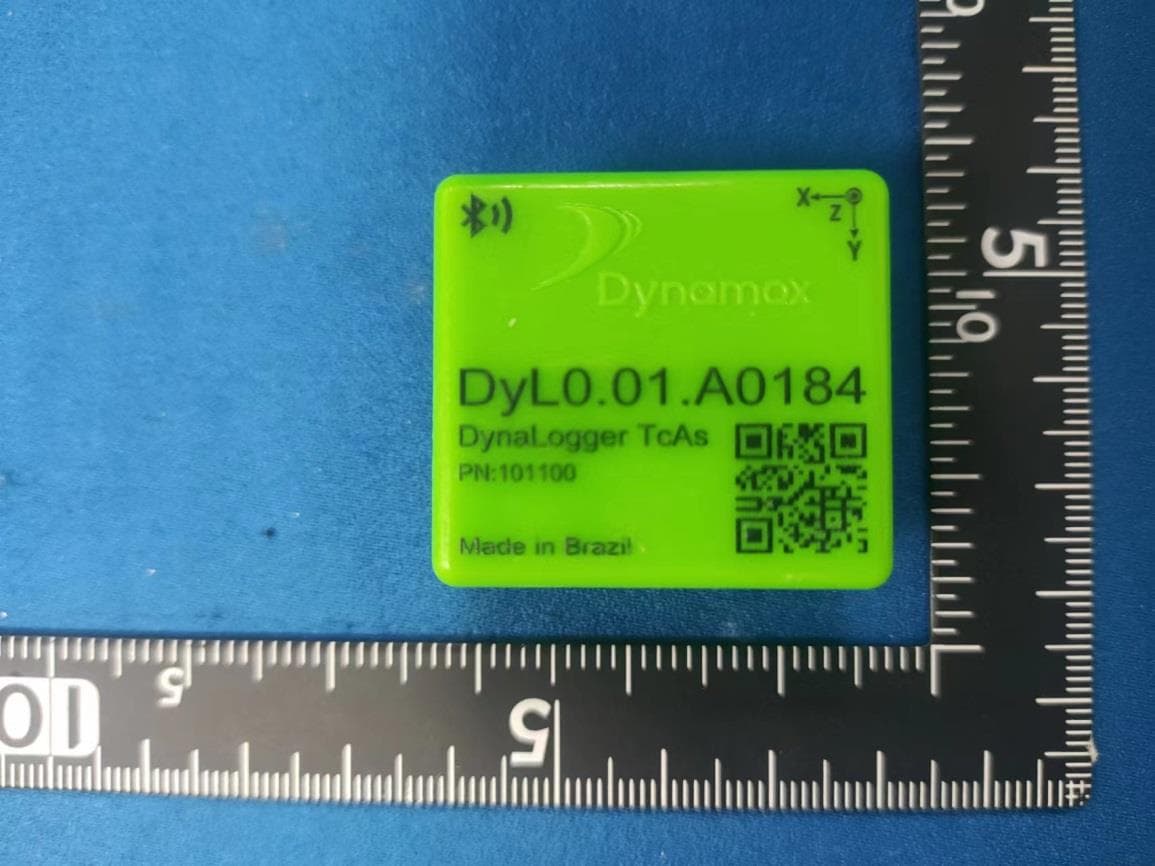
2AT3M-DYLTCAS
Jan 04, 2023Dynalogger
Equipment Class
JAB - Part 15 Class B Digital Device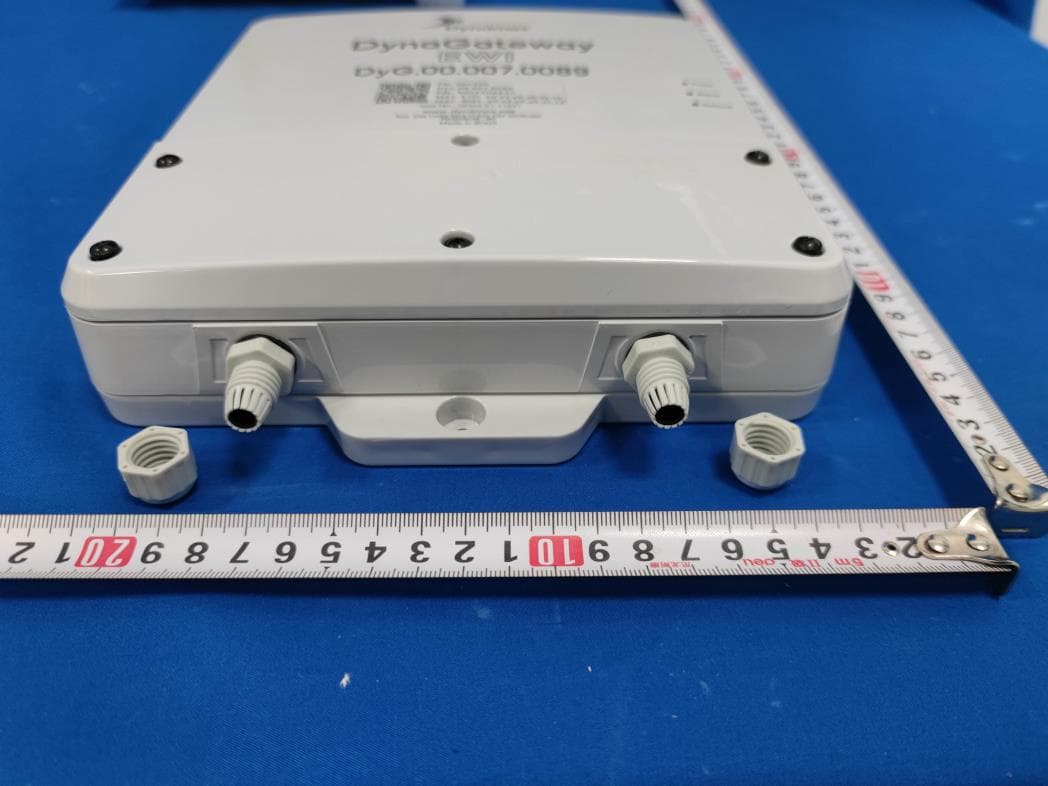
2AT3M-DYNAEWI
Jun 21, 2022DynaGateway
Equipment Class
JAB - Part 15 Class B Digital Device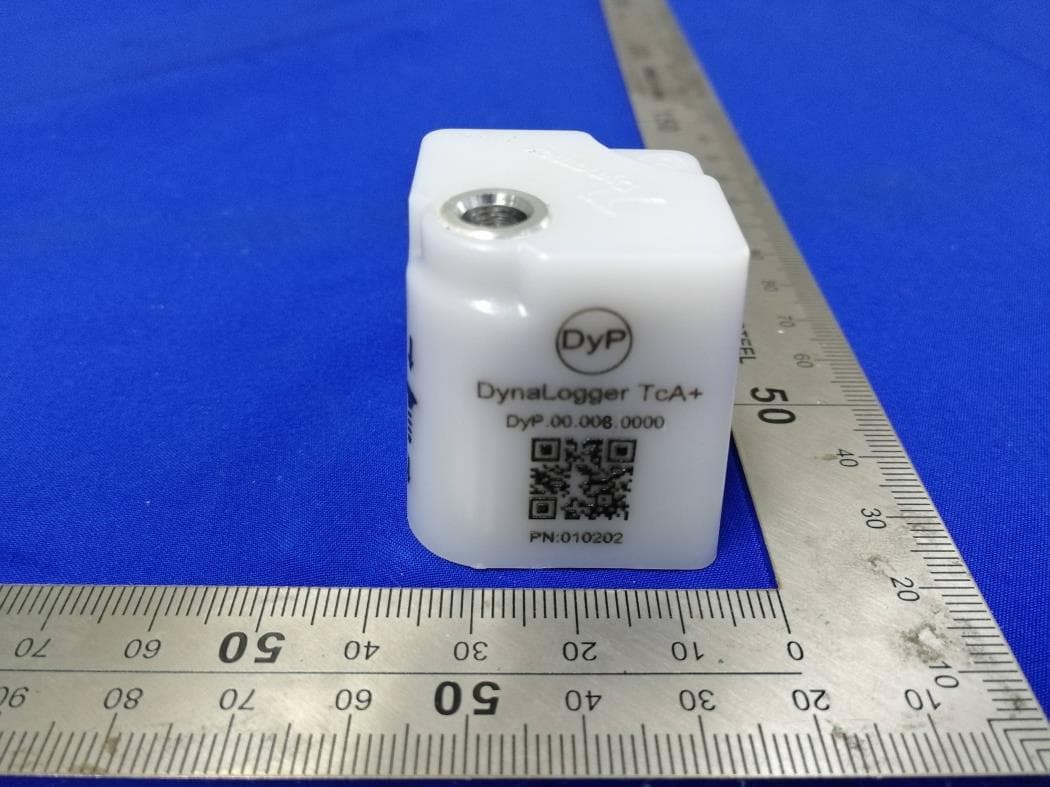
2AT3M010232
May 16, 2021DynaLogger
Equipment Class
DTS - Digital Transmission System