Text extracted from the exhibit documents filed with the FCC. Open a document above to read the original.
User Manual Version 1 2 Table of Contents Contents - Navigation - Touch screen navigation - Button navigation - Wrist Placement and Charging- Every-day wear - During activity - Charging - Watch functions - Changing watch face - From the watch face - From the watch settings- DND (Do Not Disturb) mode - Pairing - Notifications - Setting up notifications - View notifications - Clearing notifications - Applications - Status - 2 4 4 4 6 6 6 8 10 10 10 10 10 12 16 16 18 18 20 20 Body Temperature - Heart Rate Sleep Breath Weather Music Control Stop Watch and Timer Settings - Watch Face Display Brightness System Activity Tracking Pause, resume and end activities Activity history Care & maintenance - Legal - Copyright & trademarks Regulatory Information Electronic Label Radio Fre- quency (RF) Energy Medical Precautions Medical Devices Battery Safety Operating Environment Specific Absorption Rate (FCC & IC) Notices & Statements European Union Directives Conformance Statement RF parameters FCC Notice to Users Industry Canada Notice To Users 20 20 22 22 22 24 26 28 28 28 30 32 34 34 36 38 38 40 40 42 42 42 44 46 48 48 50 52 54 4 Navigation Touch Screen Navigation You can navigate the screen by swiping up, down, left and right. The watch will display the watch face by default. • Swipe down from watch face to view battery level and ac- cess quick setting screen • Swipe up from watch face to notifications • Swipe left and/or right to access various app widgets: steps/ distance/calories burnt, body temperature, heart rate, sleep data, weather, breathing exercise, music control, and menu. Button Navigation a. Long press the button (more than 3 seconds) when watch is off - turn on the watch b. Long press the button (more than 3 seconds) when watch is on - trigger turn off prompt screen for turning off the watch c. Short press the button when watch is on but screen is off - turn the screen back on d. Short press the button during an activity - trigger pause activity prompt screen for pausing the current activity The Moto Watch 70 has a LCD touch screen and one side button on the right hand side of the watch. 6 Wrist Placement and Charging Every-day wear Wear your watch with at least one fingers’ width below your wrist bone to ensure that the optical heart rate sensor can monitor correctly during daily wear. The back of the watch should maintain contact with your wrist and no light should escape the sensor. During activity Ensure the watch is at least two fingers’ width below your wrist bone. The watch should be slightly tighter than daily wear to prevent movement during activity but not too tight to reduce blood flow. 8 Charging To charge your Moto Watch 70: • Attach the USB end of the included charger into a com- pute or charging brick • Remove the watch and ensure the back of the watch is dry and clear of any debris • Bring the POGO pin end of the charger near the metal pins on the back of the watch • Magnets in the charger and watch will align the charger the correct way on the watch and begin charging. The watch will vibrate and show the current charge level while charging 7 0 • I P 6 7 W A T E R R E S I S T A N T • M A D E I N C H I N A • M O S W Z 7 0 • 10 Watch functions Change the watch face 1. From the watch face You can change the watch face style by long pressing the touch screen while viewing the watch face. Once the watch vibrates and shows a zoomed out view of the watch face you can swipe left and right to change the style. Once a style is selected, tap the watch face to apply it. 2. From the watch settings You can change the watch face from the watch settings. From the watch face, swipe down to view the quick settings, tap on the settings icon. From settings select “Dial”, the watch should vibrate and show a zoomed out view of the watch face. Swipe left and right to change the style. Once a style is selected, tap the watch face to apply it. DND (Do Not Disturb) mode DND mode will stop the watch from alerting when a new phone call or push notification is received. To enable DND mode: 1. Swipe down from the watch face to go to quick settings 2. Tap on the DND icon 3. The icon will turn white to indicate DND mode is enabled 4. Tap the DND icon again to turn off DND mode 12 Pairing your Watch to your mobile The Moto Watch 70 is expected to work with mobile phone APP (APP name: Moto Watch Lite) for best user experience and fully control your Moto Watch 70.Most of the operations are performed on the APP side and mobile phone side. To enable pair your watch to mobile phone: 1. Open the Moto Watch Lite APP on your mobile phone (either Android or iOS). 2. The APP can be searched and/or downloaded by scanning the QR code as shown. 3. Ensure the Bluetooth is enabled in your mobile phone. 4. In the Moto Watch Lite APP, click “Add watch” to add your watch. 5. Then select “Moto Watch 70” as the correct watch model. 6. A list of nearby watches are shown in the APP, and the watch IDs should be in format “Moto Watch 70-XXXX”, the last four digits are the last four digits of the watch’s MAC. 7. In the watch side, swipe down to view the “Quick Setting”, tap on the “Setting” icon, and then click “About”, you should be able to see the last four digits. 8. Select the right watch with the right ID and follow the process. 9. In the last step, “Pairing success” message will be shown. 14 Pairing your Watch to your mobile 16 Notifications Setting up notifications The Moto Watch 70 is able to receive, view and clear notifications and phone calls that come in through the connected mobile phone. To enable notifica- tions on your watch: • Ensure Bluetooth is enabled on your connected phone. • Open the “Moto Watch Lite” on your phone and tap on the profile icon in the top left • Select the paired Moto Watch in the side menu under “My Devices” • Select “Phone Permissions” from the device menu • Enable the toggles for the notifications you want to receive on your Moto Watch. • If you have not provided the Moto Watch permissi…
Text truncated - open the document above for the full version.
Authority to Act as Agent Date: 2022-08-02 TUV Rheinland Group 762 Park Avenue Youngsville, NC 27596 To Whom It May Concern: I appoint TUV Rheinland (Shenzhen) Co., Ltd. to act as our agent in the preparation of this application for equipment certification. I certify that submitted documents properly describe the device or system for which equipment certification is sought. I also certify that each unit manufactured, imported or marketed, as defined in the FCC or Industry Canada’s regulations will have affixed to it a label identical to that submitted for approval with this application. For instances where our authorized agent signs the application for certification on our behalf, I acknowledge that all responsibility for complying with the terms and conditions for Certification, as specified by TUV Rheinland Group, still resides with eBuyNow eCommerce Ltd. / The Atrium, 1321 Blanshard Street, Suite 301, Victoria, British Columbia, BC V8W 0B For TCB applications, We certify that we are not subject to denial of federal benefits, that includes FCC benefits, pursuant to Section 5301 of the Anti-Drug Abuse Act of 1988, 21 U.S.C. 862. Further, no party, as defined in 47 CFR 1.2002 (b), to the application is subject to denial of federal benefits, that includes FCC benefits. Thank you, Agency Agreement Expiration Date:12 months By:Eric Lee (Print Name) Title: VP of Product Development Telephone:94982915 On behalf of:eBuyNow eCommerce Ltd. (Company Name) QF094234Page 1 of 1Revision 0
Page 1 of 1 Date: _2022-11-15____ Industry Canada Certification and Engineering Bureau Building 94, 3701 Carling Ave, Nepean, ON K2K 2Y7, CANADA Subject: Confidentiality Request for IC: 22297-MOSWZ70 Pursuant to the provisions of the Access to Information Act and RSP-100, Section 12.4, the applicant requests that a part of the subject Canada application be held confidential. Type of Confidentiality RequestedExhibit Short Term PermanentBlock Diagrams Short Term PermanentExternal Photo Short Term PermanentInternal Photos Short Term PermanentDescription of the Device Short Term PermanentSchematics Short Term PermanentTest Setup Short Term PermanentUser’s Manual Short Term PermanentPart List/ Antenna Construction Short Term PermanentSoftware Security Information eBuyNow eCommerce Ltd. has spent substantial effort in developing this product and it is one of the first of its kind in industry. Having the subject information easily available to "competition" would negate the advantage they have achieved by developing this product. Not protecting the details of the design will result in financial hardship. Permanent Confidentiality: The applicant requests the exhibits listed above as permanently confidential be permanently withheld from public review due to materials that contain trade secrets and proprietary information not customarily released to the public. Short-Term Confidentiality: The applicant requests the exhibits selected above as short term confidential be withheld from public view for a period of specify number of days not to exceed 180 days from the date of the Grant of Equipment Authorization and prior to marketing. This is to avoid premature release of sensitive information prior to marketing or release of the product to the public. Applicant is also aware that they are responsible to notify TUV Rheinland in the event the product or the product is made available to the public. Innovation, Science and Economic Development Canada (ISED) will then release the documents listed above for public disclosure pursuant to ISED RSP-100, Section 12.4. Sincerely, By:______________ Eric Lee / VP of Product Development (Signature/Title) (Print name) Email: [email protected]
e-label information Product name: Moto Watch 70 FCC ID: 2AT76-MOSWZ70 IC: 22297-MOSWZ70; HVIN: MOSWZ70 A.Information to be displayed 1.The information that will be displayed on the e-label and information that will be remain in the user manual is shown below: informationE-labelUser Manual FCC ID numberYesYes 15.19 statement (This device complies with Part 15 of the FCC Rules. Operation is subject to the following two conditions: (1) this device may not cause harmful interference, and (2) this device must accept any interference received, including interference that may cause undesired operation.) NoYes Class A / B Digital Device statementsNoYes Caution to the user that Changes or modifications not expressly approved by the part responsible for compliance could void the user's authority to operate the equipment. NoYes Images of the e-label screen are provided below:Images of the label on product B.Access to the required information on the e-label 1.Users can access the information in no more than three steps in a device’s menu, the actual steps are: Press top right botten > Setting >About, then it will display E-Label No special access codes or permissions are required to go througth the above steps bryond entering a user defined password (optional) to protect against unauthorized access to the application. 2.The information is stored on the device, no special accessories or supplemental plug- ins (e.g. a SIM/USIM card) are required to access the information. Yes, it is no special accessories or supplemental required. 3.Users are provided specific instructions on how to access the information. Yes, the details steps are in the user manual. C.Labeling for importation and Purchasing Products utilizing e-labels are required to have a physical label on the product at the time of importation marketing and sales. For devices imported in bilk and not pakage individually, a removable adhesive label or, for devices in protective bags, a label on the bags is acceptable for this purpose. Any removable label shall be of a type intended to survive normal shipping and handling and must only be removed by the customer after purchase. For devices imported already in individual packages ready for sales, the information may alternatively be provided on the package. It shall contains: 1.The FCC ID and/or the DoC logo (if applicable); and 2.Any other information required by specific rule to be provided on the surface of the product unless such information is permitted to be included in the user’s manual or other packaging inserts. The FCC ID is present on the product packaging. Moudel number is present on the product label, packaging label and shipping label. D.Other considerstions 1.The above information must be programmed by the responsible party and the information must be secured in such a manner that thrid-parties cannot modify it. Yes, the e-label information is pre-programmed by grantee and the user cannot modfy it. 2.All the applicable regulatory information required on the packaging or user manual instructions must be provided according to the rules even if it is dispayed electronically. For example, hearing aid compatibility (HAC) rating for the phones as specified in 47 C.F.R.20.19. Yes, it is provided in the user manual. Contact Name: Eric Lee Company Name: ebuynow ecommerce Ltd Applicant Signature: Sig nature Date : 22 December 2022
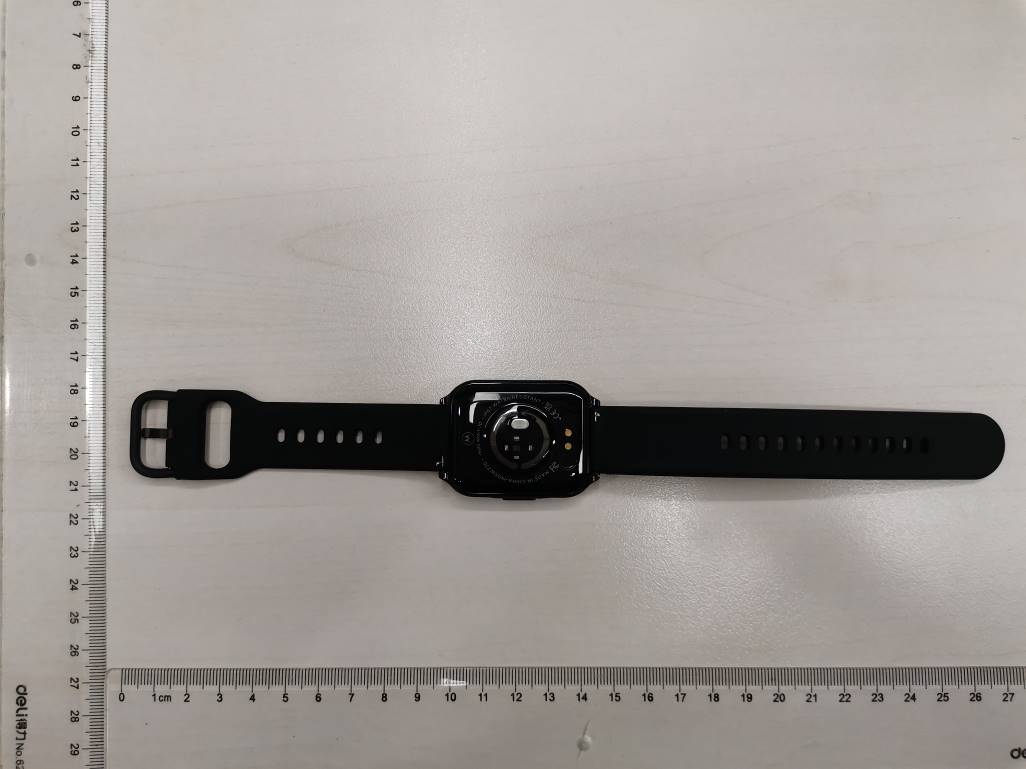
Photo-01 External view-01 Photo-02 External view-02
e-label information Product name: Moto Watch 70 FCC ID: 2AT76-MOSWZ70 IC: 22297-MOSWZ70; HVIN: MOSWZ70 A.Information to be displayed 1.The information that will be displayed on the e-label and information that will be remain in the user manual is shown below: informationE-labelUser Manual FCC ID numberYesYes 15.19 statement (This device complies with Part 15 of the FCC Rules. Operation is subject to the following two conditions: (1) this device may not cause harmful interference, and (2) this device must accept any interference received, including interference that may cause undesired operation.) NoYes Class A / B Digital Device statementsNoYes Caution to the user that Changes or modifications not expressly approved by the part responsible for compliance could void the user's authority to operate the equipment. NoYes Images of the e-label screen are provided below:Images of the label on product B.Access to the required information on the e-label 1.Users can access the information in no more than three steps in a device’s menu, the actual steps are: Press top right botten > Setting >About, then it will display E-Label No special access codes or permissions are required to go througth the above steps bryond entering a user defined password (optional) to protect against unauthorized access to the application. 2.The information is stored on the device, no special accessories or supplemental plug- ins (e.g. a SIM/USIM card) are required to access the information. Yes, it is no special accessories or supplemental required. 3.Users are provided specific instructions on how to access the information. Yes, the details steps are in the user manual. C.Labeling for importation and Purchasing Products utilizing e-labels are required to have a physical label on the product at the time of importation marketing and sales. For devices imported in bilk and not pakage individually, a removable adhesive label or, for devices in protective bags, a label on the bags is acceptable for this purpose. Any removable label shall be of a type intended to survive normal shipping and handling and must only be removed by the customer after purchase. For devices imported already in individual packages ready for sales, the information may alternatively be provided on the package. It shall contains: 1.The FCC ID and/or the DoC logo (if applicable); and 2.Any other information required by specific rule to be provided on the surface of the product unless such information is permitted to be included in the user’s manual or other packaging inserts. The FCC ID is present on the product packaging. Moudel number is present on the product label, packaging label and shipping label. D.Other considerstions 1.The above information must be programmed by the responsible party and the information must be secured in such a manner that thrid-parties cannot modify it. Yes, the e-label information is pre-programmed by grantee and the user cannot modfy it. 2.All the applicable regulatory information required on the packaging or user manual instructions must be provided according to the rules even if it is dispayed electronically. For example, hearing aid compatibility (HAC) rating for the phones as specified in 47 C.F.R.20.19. Yes, it is provided in the user manual. Contact Name: Eric Lee Company Name: ebuynow ecommerce Ltd Applicant Signature: Sig nature Date : 22 December 2022
Photo-03 Internal view-01 Photo-04 Internal view-02 Photo- 05 PCB view-01 Photo- 06 PCB view-02 Antenna Photo- 07 Battery view-01 Photo- 08 Battery view-02
Prüfbericht - Produkte Test Report - Products Prüfbericht - Nr.: Test Report No.: CN22SZG1 001 Seite 20 von 21 Page 20 of 21 6 Safety Human Exposure 6.1 Radio Frequency Exposure Compliance 6.1.1 Electromagnetic Fields RESULT: Pass Test Specification Test standard : FCC KDB Publication 447498 v06 CFR47 FCC Part 2: Section 2.1093 CFR47 FCC Part 1: Section 1.1310 RSS-102 Issue 5 March 2015 The measured maximum conducted output power of the EUT is 0.61dBm ≈ 1.15mW, which is far below the SAR exclusion threshold level 10mW (SAR Test Exclusion Thresholds for 100 MHz – 6 GHz and ≤ 50 mm), hence the EUT is excluded from SAR evaluation according to FCC KDB publication 447498 D01: Mobile and Portable RF Exposure. Guidance v06. The measured maximum specified e.i.r.p of the EUT is 2.89dBm ≈ 1.95mW, which is far below the SAR exclusion threshold level 4mW, hence the EUT is excluded from SAR evaluation according to RSS-102 Issue 5 section 2.5.1.
Prüfbericht - Produkte Test Report - Products Prüfbericht-Nr.: Test report no.: CN22SZG1 001 Auftrags-Nr.: Order no.: 168390452 Seite 1 von 21 Page 1 of 21 Kunden-Referenz-Nr.: Client reference no.: N/A Auftragsdatum: Order date: 2022-08-03 Auftraggeber: Client: eBuyNow eCommerce Limited 1321 Blanshard St Suite 301, Victoria, BC V8W 0B6, Canada Prüfgegenstand: Test item: Moto Watch 70 Bezeichnung / Typ-Nr.: Identification / Type no.: MOSWZ70 (Trademark: Motorola) Auftrags-Inhalt: Order content: FCC and IC approval Prüfgrundlage: Test specification: CFR47 FCC Part 15: Subpart C Section 15.247 CFR47 FCC Part 15: Subpart C Section 15.207 CFR47 FCC Part 15: Subpart C Section 15.209 CFR47 FCC Part 2.1093 RSS-247 Issue 2 February 2017 RSS-Gen Issue 5 February 2021 RSS-102 Issue 5 February 2021 Wareneingangsdatum: Date of receipt: 2022-09-14 Please refer to photo documents Prüfmuster-Nr.: Test sample No.: A003335069-001, 002 Prüfzeitraum: Testing period: 2022-10-18 – 2022-11-01 Ort der Prüfung: Place of testing: TÜV Rheinland (Shenzhen) Co., Ltd. Prüflaboratorium: Testing laboratory: TÜV Rheinland (Shenzhen) Co., Ltd. Prüfergebnis*: Test result*: Pass geprüft von: tested by: X Signed by: Alex Lan genehmigt von: authorized by: X Signed by: Winnie Hou Datum: Date: 2022-12-21 Ausstellungsdatum: Issue date: 2022-12-23 Stellung / Position Assistant Project Manager Stellung / Position Department Manager Sonstiges / Other: FCC ID: 2AT76-MOSWZ70 IC: 22297-MOSWZ70 HVIN: MOSWZ70 Zustand des Prüfgegenstandes bei Anlieferung: Condition of the test item at delivery: Prüfmuster vollständig und unbeschädigt Test item complete and undamaged: * Legende: 1 = sehr gut 2 = gut 3 = befriedigend 4 = ausreichend 5 = mangelhalt P(ass) = entspricht o.g. Prüfgrundlage(n) F(ail) = entspricht nicht o.g. Prüfgrundlage(n) N/A = nicht anwendbar N/T = nicht getestet Legend: 1 = very good 2 = good 3 = satisfactory 4 = sufficient 5 = poor P(ass) = passed a.m. test specifications(s) F(ail) = failed a.m. test specifications(s) N/A = not applicable N/T = not tested Dieser Prüfbericht bezieht sich nur auf das o.g. Prüfmuster und darf ohne Genehmigung der Prüfstelle nicht auszugsweise vervielfältigt werden. Dieser Bericht berechtigt nicht zur Verwendung eines Prüfzeichens. This test report only relates to the a. m. test sample. Without permission of the test center this test report is not permitted to be V05 duplicated in extracts. This test report does not entitle to carry any test mark. TÜV Rheinland (Shenzhen) Co., Ltd. 1601 R&D Room, 1602-1604, 17-18F, Building 7 Site C, Vanke Cloud City Phase I, Xingke First Street, Xili Street, Xili Community, Nanshan District, Shenzhen 518052, P.R. China Mail: [email protected] · Web: www.tuv.com Prüfbericht - Produkte Test Report - Products Prüfbericht - Nr.: Test Report No.: CN22SZG1 001 Seite 2 von 21 Page 2 of 21 Test Summary 5.1.1 ANTENNA REQUIREMENT RESULT: Pass 5.1.2 MAXIMUM PEAK CONDUCTED OUTPUT POWER RESULT: Pass 5.1.3 CONDUCTED POWER SPECTRAL DENSITY RESULT: Pass 5.1.4 99%DB BANDWIDTH RESULT: Pass 5.1.5 6DB BANDWIDTH RESULT: Pass 5.1.6 CONDUCTED SPURIOUS EMISSIONS MEASURED IN 100 KHZ BANDWIDTH RESULT: Pass 5.1.7 RADIATED SPURIOUS EMISSION RESULT: Pass 5.1.8 CONDUCTED EMISSION ON AC MAINS RESULT: Pass 6.1.1 ELECTROMAGNETIC FIELDS RESULT: Pass Prüfbericht - Produkte Test Report - Products Prüfbericht - Nr.: Test Report No.: CN22SZG1 001 Seite 3 von 21 Page 3 of 21 Contents 1 GENERAL REMARKS ......................................................................................................................4 1.1 COMPLEMENTARY MATERIALS ........................................................................................................4 2 TEST SITES ...................................................................................................................................4 2.1 TEST FACILITIES ............................................................................................................................4 2.2 LIST OF TEST AND MEASUREMENT INSTRUMENTS .............................................................................5 2.3 TRACEABILITY ...............................................................................................................................6 2.4 CALIBRATION ................................................................................................................................6 2.5 MEASUREMENT UNCERTAINTY ........................................................................................................6 2.6 LOCATION OF ORIGINAL DATA ........................................................................................................6 2.7 STATUS OF FACILITY USED FOR TESTING .........................................................................................6 3 GENERAL PRODUCT INFORMATION ..................................................................................................7 3.1 PRODUCT FUNCTION AND INTENDED USE .........................................................................................7 3.2 RATINGS AND SYSTEM DETAILS ......................................................................................................7 3.3 INDEPENDENT OPERATION MODES ..................................................................................................8 3.4 NOISE GENERATING AND NOISE SUPPRESSING PARTS ......................................................................8 3.5 SUBMITTED DOCUMENTS ................................................................................................................8 4 TEST SET-UP AND OPERATION MODES ............................................................................................9 4.1 PRINCIPLE OF CONFIGURATION SELECTION ......................................................................................9 4.2 TEST OPERATION AND TEST SOFTWARE ..........................................................................................9 4.3 SPEC…
Text truncated - open the document above for the full version.
承 認 書 SPECIFICATION FOR APPROVAL 客戶名稱 CUSTOMER : 客戶料號 CUSTOMER’S P/N : 料號 PART NUMBER : WAN1608H245H08 規格 DESCRIPTION : Chip Antenna 1608 MH-Ant 2.45G Type H08 版本 VERSION : V1.0 日期 ISSUE DATE : 2021/03/03 客 戶 承 認 CUSTOMER APPROVED 工 程 部 R&D CENTER 承 認 APPROVAL 確 認 CHECKED 製 作 DRAWN Ray Tennyson Snow 萬誠科技股份有限公司 OneWave Electronic Co., Ltd. 112台北市北投區立功街151號1樓 1F, No. 151, Li Gong Street, Beitou District, Taipei City 112, Taiwan 電話: (02) 2898-2220 TEL: +886 2 2898-2220 傳真: (02) 2898-5055 FAX: +886 2 2898-5055 ONEWAVE TECHNOLOGY CO., LTD. 2/12 1608 Chip antenna For Bluetooth / WLAN Applications Dimension (mm) L 1.70 ± 0.20 W 0.93 ± 0.20 T 0.75 ± 0.20 P/N: WAN1608H245H08 ONEWAVE TECHNOLOGY CO., LTD. 3/12 Part Number Information WAN 1608 H 245 H 08 A B C D E F A Product Series Antenna B Dimension L x W 1.6X0.8mm (+-0.2mm) C Material High K material D Working Frequency 2.4 ~ 2.5GHz E Feeding mode Monopole & Single Feeding F Antenna type Type = 08 1. Electrical Specification Remark : Bandwidth & Peak Gain was measured under evaluation board of next page Specification Part Number WAN1608H245H08 Central Frequency 2450 MHz Bandwidth 120 (Min.) MHz Return Loss -10(Max) dB Peak Gain 2.28 dBi Impedance 50 Ohm Operating Temperature -40~+110 °C Maximum Power 4 W Resistance to Soldering Heats 10 ( @ 260°C) sec. Polarization Linear Azimuth Beamwidth Omni-directional Termination Cu / Sn (Leadless) ONEWAVE TECHNOLOGY CO., LTD. 8/12 Radiation Pattern Efficiency Peak Gain Directivity 2400MHz 50.65 % 1.80 dBi 3.95 dBi 2450MHz 53.27 % 2.28 dBi 4.42 dBi 2500MHz 50.32 % 1.77 dBi 4.15 dBi Chamber Coordinate System Y Z X
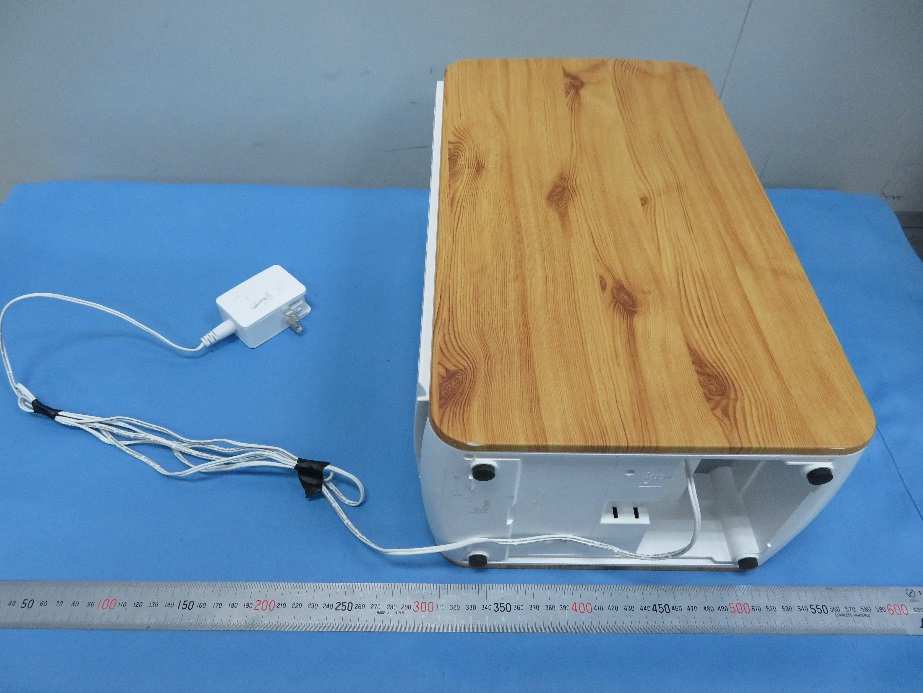
Prüfbericht - Produkte Test Report - Products Appendix A CN22SZG1 001 Page 1 of 3 Appendix A: Photographs of the Test Set-Up APPENDIX A: PHOTOGRAPHS OF THE TEST SET-UP.......................................................................................................1 PHOTOGRAPH 1: SET-UP FOR RADIATED SPURIOUS EMISSION, BELOW 1GHZ....................................................................................2 PHOTOGRAPH 2: SET-UP FOR RADIATED SPURIOUS EMISSION, ABOVE 1GHZ....................................................................................2 PHOTOGRAPH 3: SET-UP FOR CONDUCTED EMISSION ON AC MAINS...............................................................................................3 Prüfbericht - Produkte Test Report - Products Appendix A CN22SZG1 001 Page 2 of 3 Photograph 1: Set-up for Radiated Spurious Emission, Below 1GHz Photograph 2: Set-up for Radiated Spurious Emission, Above 1GHz Prüfbericht - Produkte Test Report - Products Appendix A CN22SZG1 001 Page 3 of 3 Photograph 3: Set-up for Conducted Emission on AC Mains
| # | Rule Parts | Frequency Range | Power Output |
|---|---|---|---|
| 1 | 15C | 2.40 GHz - 2.48 GHz | 1.20 mW |

Smart Air Purifie
Equipment Class
DTS - Digital Transmission System