2AUISION8ION8EDual band 4X4 0utdoor Access Point (AP) with integrated/external antenna
HFCL Limited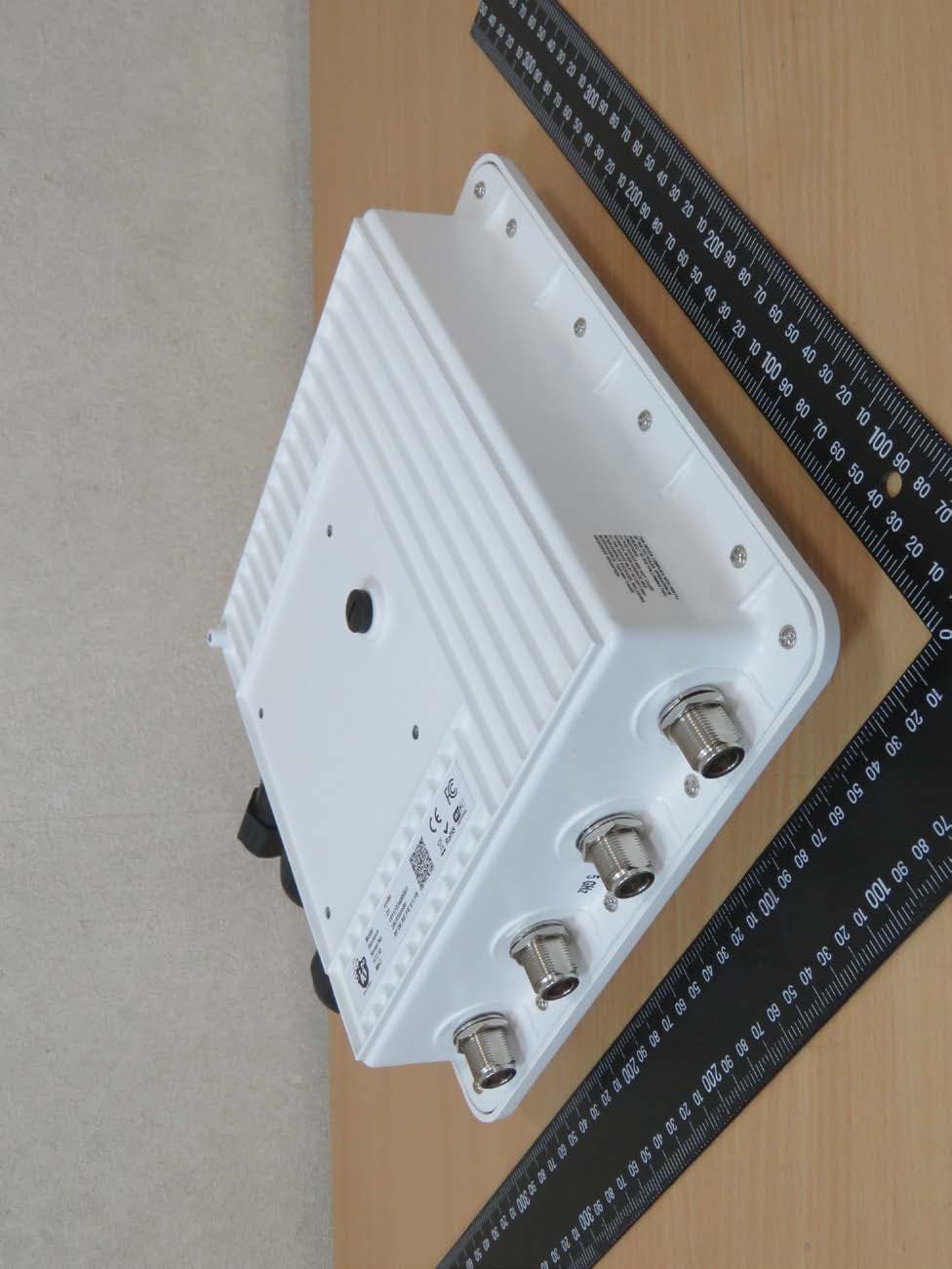
Click to zoom
Application Details
- Equipment Class
- NII - Unlicensed National Information Infrastructure TX
- Date of Grant
- Feb 04, 2020
- Application Purpose
- Original Equipment
- Date of Application
- Feb 04, 2020
- Equipment Note
- Dual band 4X4 0utdoor Access Point (AP) with integrated/external antenna
- Frequency Range
- 5775.00000000 - 5775.00000000
- Company
- HFCL Limited
- Country
- India
Documents & Files
Document Text
Text extracted from the exhibit documents filed with the FCC. Open a document above to read the original.
Users Manual
Revision: A0-09 12 th Sep 2019 This document helps you to understand the product feature s , configura t io n, login and logout process of Thin and Thic k Access Point. This manua l guides you through the installa t io n process and the entire software user set. Indoor & Outdoor Access Points Revision: A0-09 2 CONFIDENTIA L Copyright Notice This document is copyright of HFCL Limit e d, All Rights Reserved. No part of this document, in whole or in part, may be used, reproduced, stored in a retrieval system or transmitted, in any form, or by any means, electronic or otherwise, including photocopying, reprinting, or recording, for any purpose, without the express written permission of HFCL Limit e d. Legal Disclaimer The information contained in this document is subject to change without notice. The information in this document is provided for informational purposes only. HFCL Limit e d specifically d is claims all warran t ies , exp res s o r limit e d , including, but not limited, to the implied warranties of merchantability and fitness for a particular purpose, except as provided for in a separate software license agreement. About HFCL Limit e d HFCL Limit ed delivers innovative, customized and competitive products and latest solutions in the high technology telecommunications infrastructure sector, thereby enabling its customers to stay ahead of their peers in technology and network efficiency. The company’s core specialization lies in manufacturing and providing a wide range of turnkey solutions. HF CL Limit ed has implemented several Greenfield projects (setting up CDMA & GSM networks, satellite communications, wireless spectrum management and DWDM optical transmission network), rolled out over 100,000 kilometres of OFC network, implemented over 25,000 2G/3G cell sites, provided high security applications to Defence and has developed expertise in the areas of Railways, Homeland Security and Smart cities. Correspondence HFCL Lt d . 8, Commercial Complex, Masjid Moth, Greater Kailash II, New Delhi-11004 8, In d ia Co n tact u s at: +91 11308826 2 4/2 62 6 For your queries please mail us at: Sales: [email protected] Enquiry: [email protected] Investors: [email protected] Indoor & Outdoor Access Points Revision: A0-09 3 CONFIDENTIA L Revision History Date Rev No. De s cription By 13-12-2018 A0-00 I nitia l D r a f t Sonia 05-02-2019 A0-01 Feature update Himankush Jaswal 26-02-2019 A0-02 Feature update Himankush Jaswal 25-03-2019 A0-08 GUI update. Himankush Jaswal 12-09-2019 A0-09 TFTP settings removed, P rocess page removed, IP v4/IP v6 selection added for traceroute diagnostics, Static/Active lease settings added, Wi-Fi schedule feature added, 2.4 GHz radio configuration page added, Real Time graphs updated, Connected clients page added, DHCP & DNS page updated, Advanced SSID settings added, Advanced radio settings added, Advanced network interface settings added, FCC statement added, Himankush Jaswal Indoor & Outdoor Access Points Revision: A0-09 4 CONFIDENTIA L Table of Contents 1 ABOUT THIS DOCUMENT .......................................................................................................... 11 1.1 P URPOSE............................................................................................................................ 11 1.2 I NTENDED AU D IEN CE ............................................................................................................ 11 1.3 DOCUMENT CONVENTIONS..................................................................................................... 11 1.4 TERMS AND ABBREVIATIONS................................................................................................... 12 2 PRODUCT OVERVIEW ............................................................................................................... 15 3 FEDERAL COMMUNICATION COMMISSION CERTIFIED............................................................... 15 3.1 D UAL BAND 4X4:4 INDOOR ACCES S POI NT.................................................................................. 16 3.2 DUAL BAND 4X4:4 OU T D O OR ACCESS POI N T (I ON8/I ON8E)............................................................ 18 4 HARDWARE SETUP ................................................................................................................... 20 4.1 S YSTEM REQUI REMENTS ......................................................................................................... 20 4.2 PACKAGING CONTENT – FOR I ON8I/I ON8/I ON8E VARIANTS OF THIS PR ODUCT ...................................... 21 5 GETTING TO KNOW THE IO ACCESS POINT ................................................................................ 22 5.1 DUAL BAND 4X4:4 INDOOR ACCES S POI NT.................................................................................. 22 5.1.1 Front / Side View .......................................................................................................... 22 5.2 BOTTOM VI EW..................................................................................................................... 23 5.2.1 Back View .................................................................................................................... 24 5.3 DUAL BAND 4X4:4 OU T D O OR ACCESS POI N T............................................................................... 25 5.3.1 Front / Side View .......................................................................................................... 25 5.4 BACK VIEW ......................................................................................................................... 26 6 INITIAL SETUP .......................................................................................................................... 27 6.1 D UAL BAND 4X4:4 INDOOR ACCES S POI NT.................................................................................. 28 6.1.1 Connect to the Indoor Access Point ...........................................…
Text truncated - open the document above for the full version.
Users Manual
Indoor & Outdoor Access Points Revision: A0-09 41 CONFIDENTIA L 10.1.1 General Network interface s etup config uration The default IP address of the access point is set to 192.168.1.1. The user can change the current static IP address of the device from this screen. DHCP clien t (DHCP client or DHCPv6 client) option is to get the dynamic IP address from reachable DHCP server in the network. Once the protocol is set to DHCP client or DHCPv6 client, the device will automatically get the IP address (IPv4 or IPv6) from the DHCP server. Click on the “Edit” option in interface screen as shown in “Figure 24: Basic overview of the interface configuration screen”. A basic overview of the network interface setup configuration screen to switch protocol is given below: Figure 25: Basic ov erv iew of the network interface setup configuration screen to switch protocol Follow the steps given below to switch protocol: Table 13: List of actions to switch protocol Callout N a me De s cription 1. General Setup Click on “General Setup” option 2. Protocol Select the protocol desired protocol from the dropdown list (Static address/DHCP client/DHCPv 6 clien t ) 3. Really switch protocol Click on “Switch protocol” to confirm the protocol switch Indoor & Outdoor Access Points Revision: A0-09 42 CONFIDENTIA L 10.1.1.1 Static IP configuration The default IP address of the access point is set to 192.168.1.1. User can change the default IP address with an unused IP address. Refer Figure 25: Basic overview of the network interface setup configuration screen to switch protocol and set the protocol to static address. Refer the figure below to provide the static address parameters: Figure 26: Basic ov erv iew of static address parameters for general network interface setup Indoor & Outdoor Access Points Revision: A0-09 43 CONFIDENTIA L Follow the steps given below to provide static address parameters: Table 14: List of actions to provide static address parameters Callout N a me De s cription 1. Protocol The protocol is set to “Static address”. Enter the following parameters 2. IPv4 address Enter the “IPv4 address”. This is a unique address of the Ho s t/Dev ice eg .192.168.1 0 0. 10 3. IPv4 netmask Select the “IPv4 netmask” from the dropdown list or select “Custom” option to enter it manually. This specifies the number of bits for network part and host part e.g .255.255. 25 5. 0 4. IPv4 gateway Enter the “IPv4 gateway”. Gateway address is given to reach other network device e.g .192.168. 10 0. 2 54 5. IPv4 broadcast Enter the “IPv4 broadcast”. Broadcast address is to broadcast message in a network e.g. 192.168.100.255 6. Use custom DNS servers Enter the “DNS server”. Click on add icon to add multiple DNS s ervers . DNS s erver is to resolve the transition of domain name to IP and IP to domain name 7. IPv6 Assignment Length Enable/Disable the IPv6 assignment length for IPv6 address. Specify the number of bits that belong to network part, if enabled. The prefix-length specifies a range of devices e.g. IPv6 prefix length = 64 means range of IP addresses between 2001:0DB8:ABCD:0012:0000:0000:0000:0000 and 2001:0DB8:ABCD:0012:FFF F:FF FF :F FF F:FF FF 8. IPv6 address Enter the “IPv6 address”. Unique address of the Host/Device e.g .2001:11 ::1 00 9. IPv6 gateway Enter the “IPv6 gateway”. Gateway address is given to reach other network device e.g.2001:11::1 10. IPv 6 Routed prefix Specify the prefix length for IPv6 address. Specifies the number of bits that belong to network part. The prefix- length specifies a range of devices e.g. IPv6 prefix length = 64 means range of IP addresses between 2001:0DB8:ABCD:0012:0000:0000:0000:0000 and 2001:0DB8:ABCD:0012:FFF F:FF FF :F FF F:FF FF 11. WLC IPv4 address Enter the WLC IP address in IPv4 format 12. WLC IPv6 address Enter the WLC IP address in IPv6 format 13. A P Hos t Name Enter a unique name for the AP Click “Save” to save the general network setup configuration or click “Reset” to configure the same again. Indoor & Outdoor Access Points Revision: A0-09 44 CONFIDENTIA L 10.1.1.2 DHCP client configuration If the protocol is set to DHCP client, the device will automatically get the IPv4 address from the DHCP server. Refer Figure 25: Basic overview of the network interface setup configuration screen to switch protocol and set the protocol to DHCP client. Refer the figure below to provide the DHCP client parameters: Figure 27: Basic overview of DHCP client parameters for general network interface setup Follow the steps given below to provide DHCP client parameters: Table 15: List of actions to provide DHCP client parameters Callout N a me De s cription 1. Protocol The protocol is set to “DHCP client”. The IPv4 address and the other parameters will be taken care by the DHCP server. Enter the following parameters 2. WLC IPv4 address Enter the WLC IP address in IPv4 format 3. A P Hos t Name Enter a unique name for the AP Click “Save” to save the general network setup configuration or click “Reset” to configure the same again. Indoor & Outdoor Access Points Revision: A0-09 45 CONFIDENTIA L 10.1.1.3 DHCPv6 client configuration If the protocol is set to DHCPv6 client, the device will automatically get the IPv6 address from the DHCP server. Refer Figure 25: Basic overview of the network interface setup configuration screen to switch protocol and set the protocol to DHCPv6 client. Refer the figure below to provide the DHCPv6 client parameters: Figure 28: Basic overview of DHCPv6 client parameters for general network interface setup Follow the steps given below to provide DHCPv6 client parameters: Table 16: List of actions to provide DHCPv6 client parameters Callout N a me Description 1. Protocol The protocol is set to “DHCPv6 client”. The IPv6 address and the other parameters will be taken care by the DHCP server. Enter the following parameters 2. Dual Stack Enable/Disable the dual stack 3. WLC IPv6 address Enter the WLC IP address in IPv6 format 4. WLC IPv4 address Enter the WLC IP address i…
Text truncated - open the document above for the full version.
Users Manual
Indoor & Outdoor Access Points Revision: A0-09 74 CONFIDENTIA L 16.3.2 2.4 GHz radio config uration This screen provides the user with options to configure the 2.4 GHz radio parameters such as channel bandwidth, respective channel or the channel selection process, and the power for the radio signal transmission. Refer the “Figure 52: Basic overview of the wireless configuration screen for thick AP” and click on Add SSID/Radio Configuration option (8) to configure 2.4 GHz radio parameters. A basic overview of the 2.4 GHz radio configuration screen is given below: Figure 54: Basic overview of the 2.4 GHz radio configuration screen Follow the steps given below and for 2.4 GHz radio configuration of t h ick A P: Table 40: List of actions for 2.4 GHz radio configuration of thick AP Callout N a me De s cription 1. General Setup Click on “General Setup” option 2. Radio Status Enable or disable the 2.4 GHz radio with this option 3. Tx Power (dBm) Enter the “Tx Power” value. The wireless radio signal will be transmitted with the specified Tx power value. The user can set the Tx power value from the range of 7 dBm to 19 d Bm 4. Mode Select the radio operating mode from the dropdown list (802 11b/g/g+n). Channel width and channel list varies with Indoor & Outdoor Access Points Revision: A0-09 75 CONFIDENTIA L Callout N a me De s cription respect to the selected mode (802 11b/g/g+n). Channel width parameter is required, if the mode is set to “802.11b/g” 5. Channel Width Select the “Channel Width” from the dropdown list (20 MHz/40 MHz-Lo wer/40 MHz -Upper). This parameter is needed only if the mode is set to “802.11g+n” 6. Channel Select the “Channel” from the dropdown list. The device will choose the channel by itself, if “auto” channel is selected. For 20 MHz channel width, available channels are: 1/2/3/4/5/6/7/8/9/10/1 1/1 2/1 3 For 40 MHz Lower channel width, available channels are: 5/6/7/8/9/10/11/12/ 13. For 40 MHz Upper channel width, available channels are: 1/2/3/4/5/6/7/8/9. Available channels in 802.11b/g are: 1/2/3/4/5/6/7/8/9/10/1 1/1 2/1 3 Click “Save & Apply” to save the 2.4 GHz radio configuration of thick AP or click “Reset” to configure the same again. Indoor & Outdoor Access Points Revision: A0-09 76 CONFIDENTIA L 16.3.3 A dva n c e d radio config uration (2 .4 GHz and 5 GHz ) This screen provides the user with options to configure the advanced radio parameters (2.4 GHz an d 5 GHz) such as country code and Tx/Rx chain mask. Refer the “Figure 52: Basic overview of the wireless configuration screen for t h ick A P” and click on Add SSID/Radio Configuration option (8) fo r 2.4 GHz or Add SSID/Radio Configuration option (4) for 5 GHz to configure advanced radio parameters. A basic overview of the advanced radio parameters (2.4 GHz an d 5 GHz) configuration screen is given below: Figure 55: Basic overview of the advanced radio parameters (2.4 GHz and 5 GHz) configuration screen Follow the steps given below for advanced radio parameters (2.4 GHz an d 5 GHz) configuration of thick AP: Table 41: List of actions for advanced radio parameters (2.4 GHz and 5 GHz) configuration of thick AP Callout N a me De s cription 1. Advanced Settings Click o n “Advanced Settings” option 2. Tx/Rx Antenna Chain mask Select the chain mask from the dropdown list (1x1/2x2/3x3/4x4) 3. Regulatory Domain Enter the regulatory domain 4. Country Code Select the country code from the dropdown list. Channels are listed in accordance to the selected country Click “Save & Apply” to save the advanced radio parameters (2.4 GHz and 5 GHz) configuration of thick AP or click “Reset” to configure the same again. Indoor & Outdoor Access Points Revision: A0-09 77 CONFIDENTIA L 16.3.4 S S ID config uration Refer the “Figure 52: Basic overview of the wireless configuration screen for thick AP” and click on Add SSID/Radio Configuration option (8) fo r 2.4 GHz or Add SSID/Radio Configuration option (4) for 5 GHz to configure new SSIDs . Click o n Edit option (9) fo r 2.4 GHz or Edit option (5) for 5 GHz to edit existing SSIDs. Th is screen provides the user with options to configure the SSID operating at both 2.4 an d 5 GHz radio. The SSID configuration parameters are further categorized as follows: 1. General setup 2. Wireless Security 3. M A C Filt er 4. Advanced Settings 16.3.4.1 SSID/General setup (2.4 GHz and 5 GHz) Three type if SSIDs are created from this screen as follows: 1. Access Point SSID: By default the SSID mode is set to “Access Point”. This type of SSID is used by the clients to connect with the respective access point. 2. Access Point WDS SSID: This type of SSID mode is used to achieve wireless distribution system feature. Apart from operating as a normal access point SSID to serve the connecting clients, thes e SSIDs also act as repeaters for client access points of wireless distribution system. This type of SSID is needed for a clien t WDS SSID to complete the WDS link. Make sure to create at least one Access Point WDS SSID before configuring any Client WDS SSID. 3. Client WDS S S ID: This type of SSID mode is used to achieve wireless distribution system feature. These SSIDs are used by the client access points of wireless distribution system to connect with the respective service provider Access Point WDS SSID. Refer the “Figure 52: Basic overview of the wireless configuration screen for thick AP” and click o n Add SSID/Radio Configuration option (4) to configure 5 GHz radio parameters or click on Add SSID/Radio Configuration option (8) to configure 2.4 GHz radio parameters. A basic overview of the screen to configure general SSID parameters is given below: Figure 56: Basic overview of the screen to configure general SSID parameters Indoor & Outdoor Access Points Revision: A0-09 78 CONFIDENTIA L Follow the steps given below and configure the general SSID parameters: Table 42: List of actions to configure the general SSID parameters Callout N a me De s cription 1. General Setup Click on “General Setup” option 2. …
Text truncated - open the document above for the full version.
Users Manual
Indoor & Outdoor Access Points Revision: A0-09 104 CONFIDENTIA L 21.3 Outdoor Access Point mounting onto the Pole To mount the device on a pole, an extra clamping bracket is needed along with the mounting bracket. Follow the steps given below and mount the device on pole: 1. Attach the mounting bracket to the back side of the Access Point as shown in “Figure 79: Mounting bracket alig nment with the 4x4 outdoor AP”. 2. Firmly place the mounting bracket on the pole (make sure there is no movement) and attach the clamping bracket with M5-expansion bolts. Figure 81: Overview of the 4x4 outdoor AP with pole and clamping bracket Indoor & Outdoor Access Points Revision: A0-09 105 CONFIDENTIA L 3. The final alignment of 4x4 outdoor AP in a pole mounting is shown in the figure below: Figure 82: Basic overview of pole mounted 4x4 outdoor AP Indoor & Outdoor Access Points Revision: A0-09 106 CONFIDENTIA L 21.4 Outdoor Access Point mounting onto the Wall To mount the device onto the wall, M5-expansion bolts and foundation bolts are needed along with the mounting bracket. Refer the image given below: Figure 83: Items needed for mounting the device to wall Follow the steps given below and mount the device onto the wall: 1. Attach the mounting bracket to the back side of the AP device as shown in “Figure 79: Mounting bracket alignment with the 4x4 outdoor AP”. 2. Take the reference from the printed sheet provided along with the mounting bracket and mark the position of the holes on the wall. 3. Us e t h e d rill mach in e t o d rill 2 h o les with a drill tool on respective marked positions. Indoor & Outdoor Access Points Revision: A0-09 107 CONFIDENTIA L 4. Push the foundation bolt into the d rilled holes with a hammer. Refer the image shown below: Figure 84: Hammer foundation bolts into the wall 5. Align the drilled holes with the holes of mounting bracket. Indoor & Outdoor Access Points Revision: A0-09 108 CONFIDENTIA L 6. Ins ert M5-expansion bolts through the holes of mounting bracket into the foundation bolts as shown below: Figure 85: Basic ov erv iew of wall mounted 4x4 outdoor AP 7. The AP device is mounted on the wall. Indoor & Outdoor Access Points Revision: A0-09 109 CONFIDENTIA L 21.5 Grounding of AP The AP should be properly grounded upon installment. The IO’s 4x4 AP has a grounding position at the back side of the device as shown below: Figure 86: Grounding point of AP A grounding strap can be made from the ring lug terminal of M4 size and a medium length copper wire of suggested gauge AWG-6 (4.1 mm). Insert the grounding wire and flush it till the end of the terminal. Use the crimp tool and reshape or compress the terminal. Use an M4x10 machine screw and attach the crimped lug with AP . Indoor & Outdoor Access Points Revision: A0-09 110 CONFIDENTIA L 22 Use Cases A. Indoor Access Point Figure 87: Use Case Diagram of Indoor AP B. Outdoor Access Point Figure 88: Use Case Diagram of Outdoor AP
External Photos
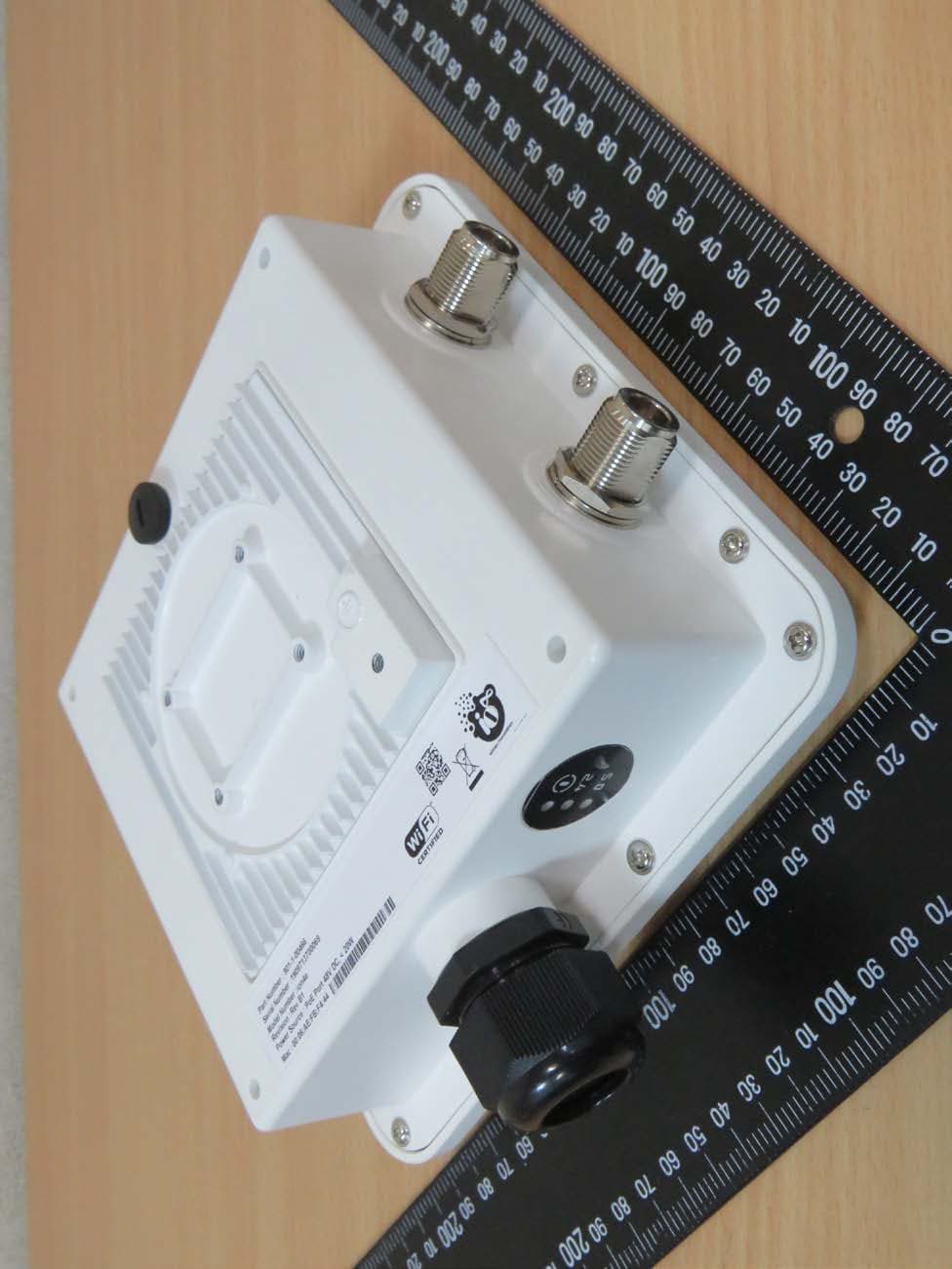
Registration number: W6M21903-18922-FCC FCC ID: 2AUISION8ION8E External Photos Integrated antenna Worldwide Testing Services(Taiwan) Co., Ltd. Appendix page 2 of 53 Registration number: W6M21903-18922-FCC FCC ID: 2AUISION8ION8E Worldwide Testing Services(Taiwan) Co., Ltd. Appendix page 3 of 53 Registration number: W6M21903-18922-FCC FCC ID: 2AUISION8ION8E Worldwide Testing Services(Taiwan) Co., Ltd. Appendix page 4 of 53 Registration number: W6M21903-18922-FCC FCC ID: 2AUISION8ION8E External antenna Worldwide Testing Services(Taiwan) Co., Ltd. Appendix page 5 of 53 Registration number: W6M21903-18922-FCC FCC ID: 2AUISION8ION8E Worldwide Testing Services(Taiwan) Co., Ltd. Appendix page 6 of 53 Registration number: W6M21903-18922-FCC FCC ID: 2AUISION8ION8E Worldwide Testing Services(Taiwan) Co., Ltd. Appendix page 7 of 53 Registration number: W6M21903-18922-FCC FCC ID: 2AUISION8ION8E Worldwide Testing Services(Taiwan) Co., Ltd. Appendix page 8 of 53
External Photos
Registration number: W6M21903-18922-FCC FCC ID: 2AUISION8ION8E External Photos Integrated antenna Worldwide Testing Services(Taiwan) Co., Ltd. Appendix page 2 of 53 Registration number: W6M21903-18922-FCC FCC ID: 2AUISION8ION8E Worldwide Testing Services(Taiwan) Co., Ltd. Appendix page 3 of 53 Registration number: W6M21903-18922-FCC FCC ID: 2AUISION8ION8E Worldwide Testing Services(Taiwan) Co., Ltd. Appendix page 4 of 53 Registration number: W6M21903-18922-FCC FCC ID: 2AUISION8ION8E External antenna Worldwide Testing Services(Taiwan) Co., Ltd. Appendix page 5 of 53 Registration number: W6M21903-18922-FCC FCC ID: 2AUISION8ION8E Worldwide Testing Services(Taiwan) Co., Ltd. Appendix page 6 of 53 Registration number: W6M21903-18922-FCC FCC ID: 2AUISION8ION8E Worldwide Testing Services(Taiwan) Co., Ltd. Appendix page 7 of 53 Registration number: W6M21903-18922-FCC FCC ID: 2AUISION8ION8E Worldwide Testing Services(Taiwan) Co., Ltd. Appendix page 8 of 53
ID Label/Location Info
Integrated Antenna External Antenna
ID Label/Location Info
Integrated Antenna External Antenna
Internal Photos
Registration number: W6M21903-18922-FCC FCC ID: 2AUISION8ION8E Internal Photos Integrated antenna Worldwide Testing Services(Taiwan) Co., Ltd. Appendix page 9 of 53 Registration number: W6M21903-18922-FCC FCC ID: 2AUISION8ION8E Worldwide Testing Services(Taiwan) Co., Ltd. Appendix page 10 of 53 Registration number: W6M21903-18922-FCC FCC ID: 2AUISION8ION8E Worldwide Testing Services(Taiwan) Co., Ltd. Appendix page 11 of 53 Registration number: W6M21903-18922-FCC FCC ID: 2AUISION8ION8E Worldwide Testing Services(Taiwan) Co., Ltd. Appendix page 12 of 53 Registration number: W6M21903-18922-FCC FCC ID: 2AUISION8ION8E Worldwide Testing Services(Taiwan) Co., Ltd. Appendix page 13 of 53 Registration number: W6M21903-18922-FCC FCC ID: 2AUISION8ION8E Worldwide Testing Services(Taiwan) Co., Ltd. Appendix page 14 of 53 Registration number: W6M21903-18922-FCC FCC ID: 2AUISION8ION8E Worldwide Testing Services(Taiwan) Co., Ltd. Appendix page 15 of 53 Registration number: W6M21903-18922-FCC FCC ID: 2AUISION8ION8E Worldwide Testing Services(Taiwan) Co., Ltd. Appendix page 16 of 53 Registration number: W6M21903-18922-FCC FCC ID: 2AUISION8ION8E Worldwide Testing Services(Taiwan) Co., Ltd. Appendix page 17 of 53 Registration number: W6M21903-18922-FCC FCC ID: 2AUISION8ION8E Worldwide Testing Services(Taiwan) Co., Ltd. Appendix page 18 of 53 Registration number: W6M21903-18922-FCC FCC ID: 2AUISION8ION8E Worldwide Testing Services(Taiwan) Co., Ltd. Appendix page 19 of 53 Registration number: W6M21903-18922-FCC FCC ID: 2AUISION8ION8E Worldwide Testing Services(Taiwan) Co., Ltd. Appendix page 20 of 53 Registration number: W6M21903-18922-FCC FCC ID: 2AUISION8ION8E Worldwide Testing Services(Taiwan) Co., Ltd. Appendix page 21 of 53 Registration number: W6M21903-18922-FCC FCC ID: 2AUISION8ION8E Worldwide Testing Services(Taiwan) Co., Ltd. Appendix page 22 of 53 Registration number: W6M21903-18922-FCC FCC ID: 2AUISION8ION8E Worldwide Testing Services(Taiwan) Co., Ltd. Appendix page 23 of 53 Registration number: W6M21903-18922-FCC FCC ID: 2AUISION8ION8E Worldwide Testing Services(Taiwan) Co., Ltd. Appendix page 24 of 53 Registration number: W6M21903-18922-FCC FCC ID: 2AUISION8ION8E Worldwide Testing Services(Taiwan) Co., Ltd. Appendix page 25 of 53 Registration number: W6M21903-18922-FCC FCC ID: 2AUISION8ION8E Worldwide Testing Services(Taiwan) Co., Ltd. Appendix page 26 of 53 Registration number: W6M21903-18922-FCC FCC ID: 2AUISION8ION8E External antenna Worldwide Testing Services(Taiwan) Co., Ltd. Appendix page 27 of 53 Registration number: W6M21903-18922-FCC FCC ID: 2AUISION8ION8E Worldwide Testing Services(Taiwan) Co., Ltd. Appendix page 28 of 53 Registration number: W6M21903-18922-FCC FCC ID: 2AUISION8ION8E Worldwide Testing Services(Taiwan) Co., Ltd. Appendix page 29 of 53 Registration number: W6M21903-18922-FCC FCC ID: 2AUISION8ION8E Worldwide Testing Services(Taiwan) Co., Ltd. Appendix page 30 of 53 Registration number: W6M21903-18922-FCC FCC ID: 2AUISION8ION8E Worldwide Testing Services(Taiwan) Co., Ltd. Appendix page 31 of 53 Registration number: W6M21903-18922-FCC FCC ID: 2AUISION8ION8E Worldwide Testing Services(Taiwan) Co., Ltd. Appendix page 32 of 53 Registration number: W6M21903-18922-FCC FCC ID: 2AUISION8ION8E Worldwide Testing Services(Taiwan) Co., Ltd. Appendix page 33 of 53 Registration number: W6M21903-18922-FCC FCC ID: 2AUISION8ION8E Worldwide Testing Services(Taiwan) Co., Ltd. Appendix page 34 of 53 Registration number: W6M21903-18922-FCC FCC ID: 2AUISION8ION8E Worldwide Testing Services(Taiwan) Co., Ltd. Appendix page 35 of 53 Registration number: W6M21903-18922-FCC FCC ID: 2AUISION8ION8E Worldwide Testing Services(Taiwan) Co., Ltd. Appendix page 36 of 53 Registration number: W6M21903-18922-FCC FCC ID: 2AUISION8ION8E Worldwide Testing Services(Taiwan) Co., Ltd. Appendix page 37 of 53 Registration number: W6M21903-18922-FCC FCC ID: 2AUISION8ION8E Worldwide Testing Services(Taiwan) Co., Ltd. Appendix page 38 of 53 Registration number: W6M21903-18922-FCC FCC ID: 2AUISION8ION8E Worldwide Testing Services(Taiwan) Co., Ltd. Appendix page 39 of 53 Registration number: W6M21903-18922-FCC FCC ID: 2AUISION8ION8E Worldwide Testing Services(Taiwan) Co., Ltd. Appendix page 40 of 53 Registration number: W6M21903-18922-FCC FCC ID: 2AUISION8ION8E Worldwide Testing Services(Taiwan) Co., Ltd. Appendix page 41 of 53
Internal Photos
Registration number: W6M21903-18922-FCC FCC ID: 2AUISION8ION8E Internal Photos Integrated antenna Worldwide Testing Services(Taiwan) Co., Ltd. Appendix page 9 of 53 Registration number: W6M21903-18922-FCC FCC ID: 2AUISION8ION8E Worldwide Testing Services(Taiwan) Co., Ltd. Appendix page 10 of 53 Registration number: W6M21903-18922-FCC FCC ID: 2AUISION8ION8E Worldwide Testing Services(Taiwan) Co., Ltd. Appendix page 11 of 53 Registration number: W6M21903-18922-FCC FCC ID: 2AUISION8ION8E Worldwide Testing Services(Taiwan) Co., Ltd. Appendix page 12 of 53 Registration number: W6M21903-18922-FCC FCC ID: 2AUISION8ION8E Worldwide Testing Services(Taiwan) Co., Ltd. Appendix page 13 of 53 Registration number: W6M21903-18922-FCC FCC ID: 2AUISION8ION8E Worldwide Testing Services(Taiwan) Co., Ltd. Appendix page 14 of 53 Registration number: W6M21903-18922-FCC FCC ID: 2AUISION8ION8E Worldwide Testing Services(Taiwan) Co., Ltd. Appendix page 15 of 53 Registration number: W6M21903-18922-FCC FCC ID: 2AUISION8ION8E Worldwide Testing Services(Taiwan) Co., Ltd. Appendix page 16 of 53 Registration number: W6M21903-18922-FCC FCC ID: 2AUISION8ION8E Worldwide Testing Services(Taiwan) Co., Ltd. Appendix page 17 of 53 Registration number: W6M21903-18922-FCC FCC ID: 2AUISION8ION8E Worldwide Testing Services(Taiwan) Co., Ltd. Appendix page 18 of 53 Registration number: W6M21903-18922-FCC FCC ID: 2AUISION8ION8E Worldwide Testing Services(Taiwan) Co., Ltd. Appendix page 19 of 53 Registration number: W6M21903-18922-FCC FCC ID: 2AUISION8ION8E Worldwide Testing Services(Taiwan) Co., Ltd. Appendix page 20 of 53 Registration number: W6M21903-18922-FCC FCC ID: 2AUISION8ION8E Worldwide Testing Services(Taiwan) Co., Ltd. Appendix page 21 of 53 Registration number: W6M21903-18922-FCC FCC ID: 2AUISION8ION8E Worldwide Testing Services(Taiwan) Co., Ltd. Appendix page 22 of 53 Registration number: W6M21903-18922-FCC FCC ID: 2AUISION8ION8E Worldwide Testing Services(Taiwan) Co., Ltd. Appendix page 23 of 53 Registration number: W6M21903-18922-FCC FCC ID: 2AUISION8ION8E Worldwide Testing Services(Taiwan) Co., Ltd. Appendix page 24 of 53 Registration number: W6M21903-18922-FCC FCC ID: 2AUISION8ION8E Worldwide Testing Services(Taiwan) Co., Ltd. Appendix page 25 of 53 Registration number: W6M21903-18922-FCC FCC ID: 2AUISION8ION8E Worldwide Testing Services(Taiwan) Co., Ltd. Appendix page 26 of 53 Registration number: W6M21903-18922-FCC FCC ID: 2AUISION8ION8E External antenna Worldwide Testing Services(Taiwan) Co., Ltd. Appendix page 27 of 53 Registration number: W6M21903-18922-FCC FCC ID: 2AUISION8ION8E Worldwide Testing Services(Taiwan) Co., Ltd. Appendix page 28 of 53 Registration number:…
Text truncated - open the document above for the full version.
Contact Information
Applicant
Bhuvnesh Sachdeva(Associate Vice President)
Technical Contact
Worldwide Testing Services (Taiwan) Co., Ltd.Danny Sung
[email protected]+886266068877
6F., No.58, Lane 188, Ruiguang Rd., Neihu District · Taipei · Taiwan
Test Firm
Worldwide Testing Services (Taiwan) Co., Ltd.Rex Kao
Technical Specifications
| # | Rule Parts | Frequency Range | Power Output |
|---|---|---|---|
| 6 | 15E | 5.78 GHz - 5.78 GHz | 28.40 mW |
Other Applications from HFCL Limited
2AUISION4E
Mar 18, 2020Dual band 2X2 Outdoor Access Point (AP) with external antenna
Equipment Class
NII - Unlicensed National Information Infrastructure TX
2AUISION4
Mar 17, 2020Dual band 2X2 Outdoor Access Point (AP) with integrated antenna
Equipment Class
DTS - Digital Transmission System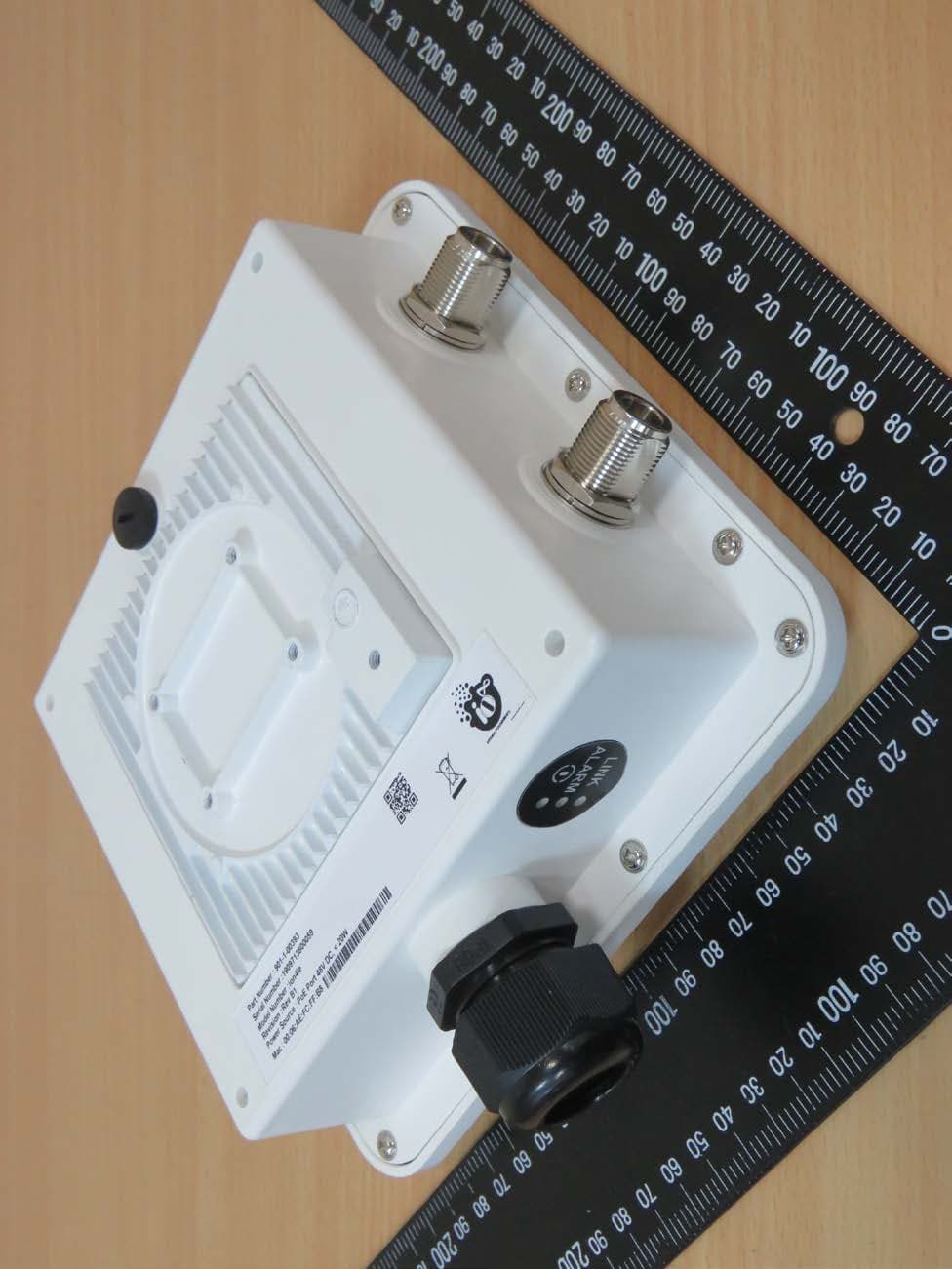
2AUISION4LE
Mar 17, 2020Unlicensed Band Radio (UBR) 2X2 with external antenna
Equipment Class
NII - Unlicensed National Information Infrastructure TX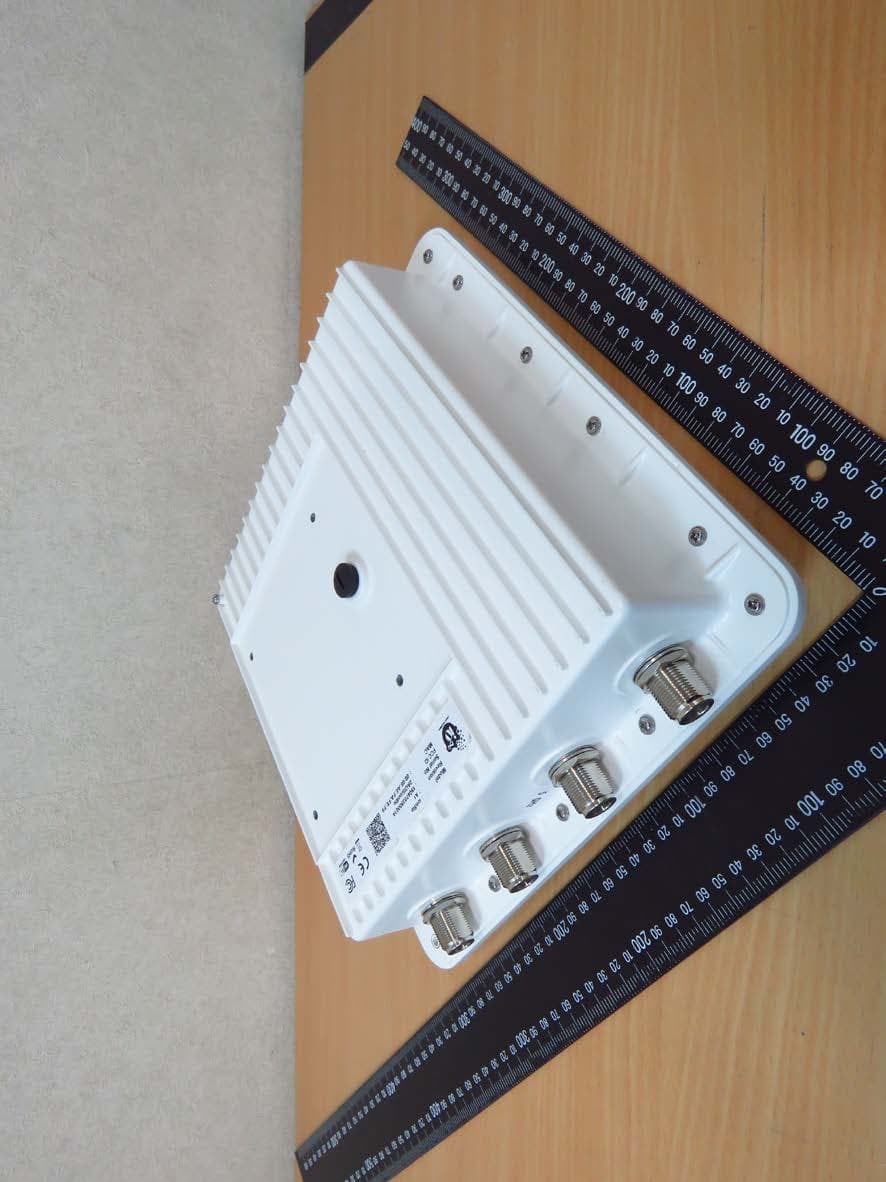
2AUISION8LE
Feb 27, 2020Unlicensed Band Radio (UBR) 4X4 with external antenna
Equipment Class
DTS - Digital Transmission System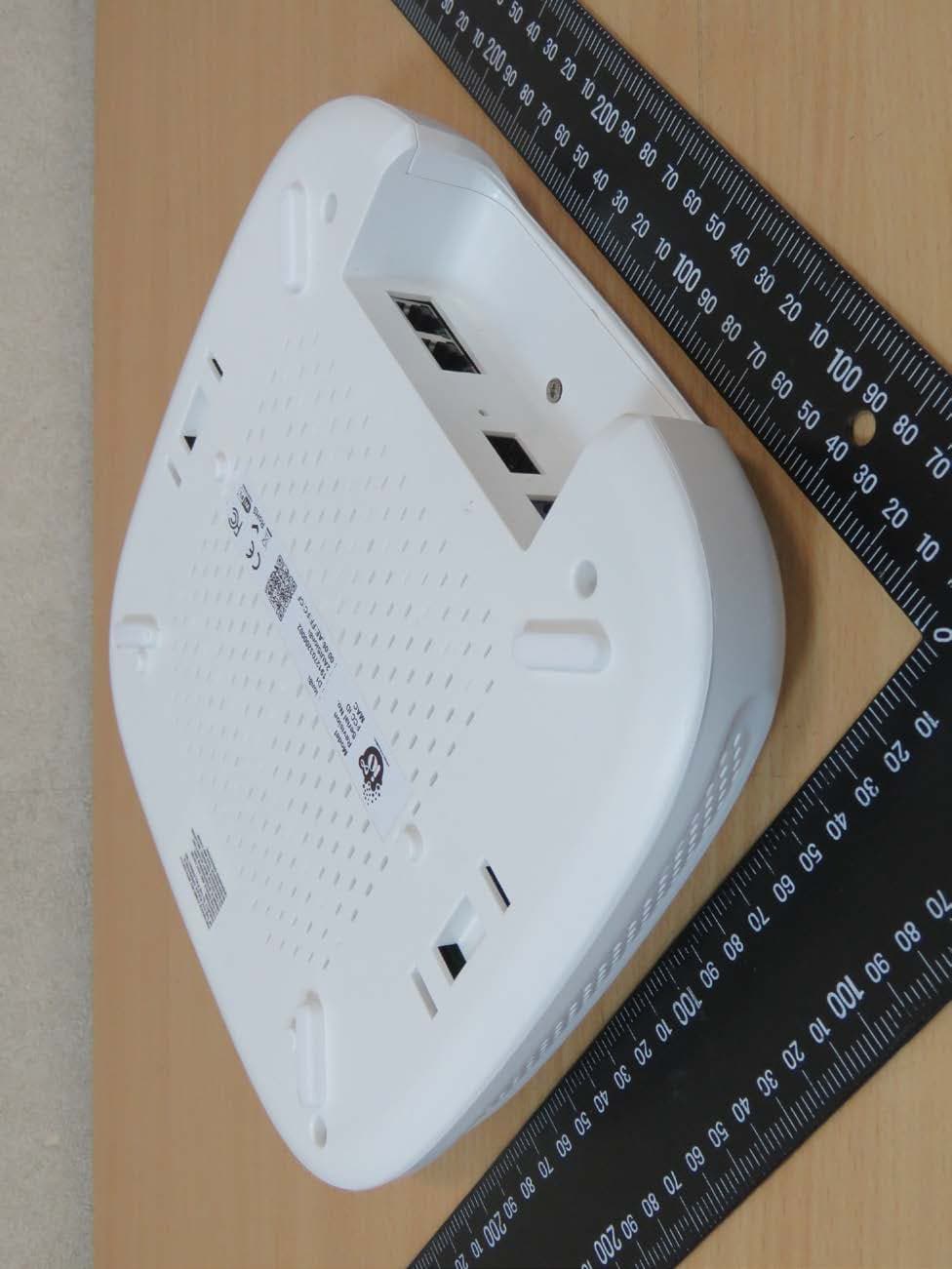
2AUISION8I
Jan 31, 2020Dual band 4X4 lndoor Access Point (AP) with integrated antenna
Equipment Class
NII - Unlicensed National Information Infrastructure TX