2AV39XVV-6120S-D7Flood light camera
Macro-video Technologies Co.,Ltd.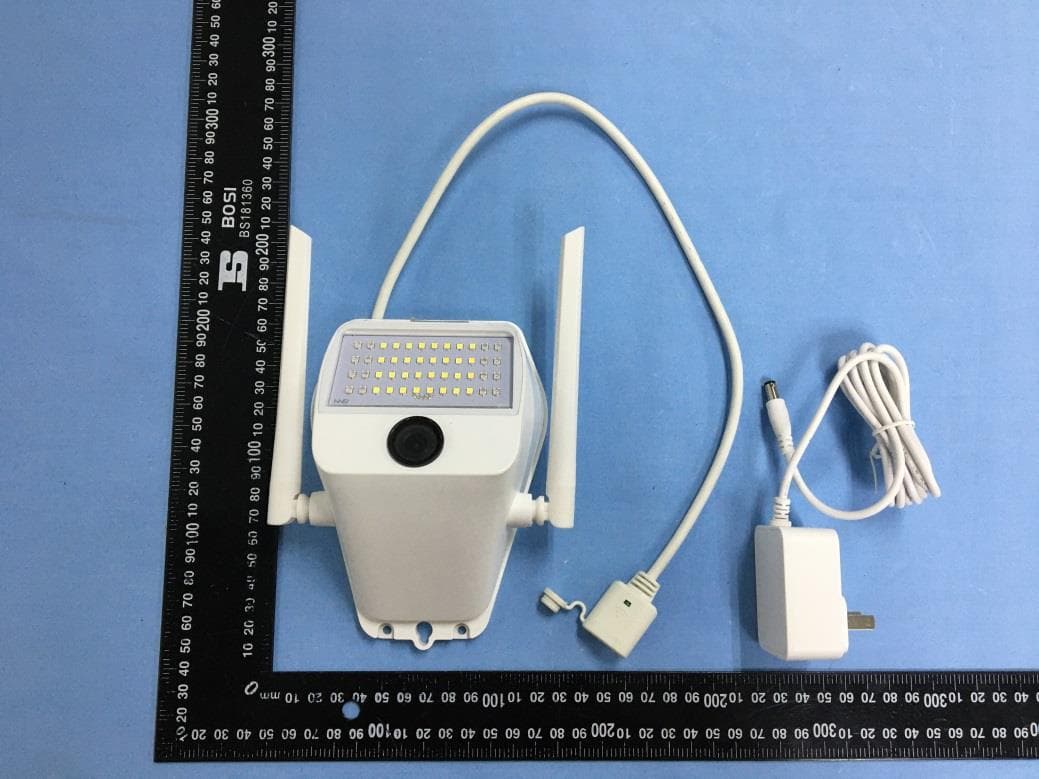
Click to zoom
Application Details
- Equipment Class
- DTS - Digital Transmission System
- Date of Grant
- May 07, 2020
- Application Purpose
- Original Equipment
- Date of Application
- May 07, 2020
- Equipment Note
- Flood light camera
- Frequency Range
- 2412.00000000 - 2462.00000000
- Country
- China
Documents & Files
Document Text
Text extracted from the exhibit documents filed with the FCC. Open a document above to read the original.
Users Manual
Please read this guide carefully before using the product, and please keep it properly. Product Description Antenna Microphone Product Parameters SD Card Slot Power Access Reset Button About works with Mijia The product works with Mijia, and can be controlled through Mijia app. Scan the QR code to download and install the Mijia APP. Users who have installed the Mijia APP will directly enter the device connection page. You can also search for "Mijia" in the app store, and download from there. Open the homepage on Mijia, click "+" in the upper right corner of the page, and add devices according to the app prompt. Power On Plug the power cable into the power jack of the camera and the camera will automatically turn on. Battery Status LED Adding Devices (Android) 1. Open the homepage of Mijia app and click "+" in the upper right corner of the page to add a device; select "Flood light camera." Include: Flood light camera×1, Power Adaptor×1, Quick Start Guide×1, Screw Bag×1 Flood light camera Quick Start Guide Lens LED Infrared Light + White Light Speaker Product Type: XVV-6120S-D7 Resolution: 1080P Image Enhancement: 3D digital noise reduction Field Angle: 150° Audio System: Two-way audio Storage: Micro SD Card/Cloud Storage Working Temperature: - 10°C~50°C Power Input: DC-12V/1A (Main Device) 100-240V~ 50-60Hz 0.4A (Adaptor) Lens: F2.0 aperture, 2.8mm focal length Night Vision Lights: 32 White Lights, 16 Infrared Lights Connection Method: Wi-Fi 802.11 b/g/n 2.4GHz Supported Platforms:Android 4.4/ios 9.0 and above Working Humidity: ≦75%(40°C Room Temperature Environment) Note: Due to the upgrade and update of the Mijia app, the actual operation may be slightly different from the above description; please follow the instructions in the app. Please note that “works with Mijia” is only for software verification, and Xiaomi and Mijia are not responsible for the production, standard implementation, quality supervision and other aspects of the product and enterprise. *When the battery status LED is on, and the device prompts “Waiting for connection,” the device is powered on successfully. If the device prompt is not "Waiting for connection," please long press the reset button to restart. 2 Adding Devices(iOS) 1.Open the homepage of Mijia app and click “+”in the upper right corner of the page to add a device; select “Flood light camera.” 2. Select the WiFi router you need to connect to and fill in the WiFi password; place the phone as close as possible to the device and wait for the software to be automatically configured. Flood light camera Warrenty Description 2. Select the WiFi router that you need to connect to and fill in the WiFi password. Then, go to the next step of connection and follow the prompts "Go to Wi-Fi settings" to enter the system settings to connect to WiFi. 3. After choosing to connect the mobile phone to the device WiFi, "xiaovv-camera- lamp_xxx," return to the Mijia APP, and go to the automatic configuration. Put the mobile phone as close as possible to the device, and wait for the software to be automatically configured. Live View After successfully adding the device, you can find it on the homepage list and select it to watch a live video stream. Through the control screen of the camera, you can perform operations such as screen capture, remote call and Light control. Video and graphic tutorials and more activities Please follow the xiaovv smart camera WeChat Official Account to learn more. Open WeChat to scan the above QR code to follow Return/Exchange Registration Form For non-human damage, you can enjoy 7 days of unreasonable return, 15 days of replacement, and one year of free repair service. If you need to return or exchange, please use WeChat to scan the QR code below to fill in the return and exchange registration form as required. Precautions: 1. Return and exchange process: fill in the registration form and send it back to xiaovv by courier; refund/exchange will be made after the manufacturer receives the product. 2. User is responsible for the shipping cost of sending back the original product to the manufacturer, and manufacturer is responsible for the shipping cost of sending the exchanged product to user. 3. If you have issued a paper invoice, please be sure to send it back with xiaovv product. 4. If you need maintenance or have other questions, please call 020-38259728 for consultation. Flood light camera after-sales service is strictly in accordance with Law of the PRC on the Protection of the Rights and Interests of Consumers, Law of the PRC on Product Quality and implements after-sales three guarantees service,including: Within the validity period of the three guarantees, you can enjoy the services of return, exchange and repair for free according to these regulations. Repair, exchange and return should be handled with the invoice. 1. seven days of no reason to return (e-commerce purchase channel), user is responsible for the shipping cost 2. If this product has a performance failure listed in the "Product Performance Failure Table," after testing and determination, you can enjoy the following services for free. FCC Warning This device complies with Part 15 of the FCC Rules. Operation is subject to the following two conditions: (1) This device may not cause harmful interference, and (2) This device must accept any interference received, including interference that may cause undesired operation. NOTE 1: This equipment has been tested and found to comply with the limits for a Class B digital device, pursuant to part 15 of the FCC Rules. These limits are designed to provide reasonable protection against harmful interference in a residential installation. This equipment generates, uses and can radiate radio frequency energy and, if not installed and used in accordance with the instructions, may cause harmful interference to radio communications. However, there is no guarantee that interference will not occur in a particular installation. If this equipment does c…
Text truncated - open the document above for the full version.
Cover Letter(s)
Macro-video Technologies Co.,Ltd. 9th floor,building No.22, TIANAN-TEP,Panyu Road North No. 555, Panyu District,Guangzhou, Guangdong, China -------------------------------------------------------------------------------- (FCC ID:2AV39XVV-6120S-D7) POWER OF ATTORNEY DATE: 2020-05-08 Federal Communications Commission Authorization and Evaluation Division 7435 Oakland Mills Road Columbia, MD 21046 To Whom It May Concern: To Whom It May Concern: We, the undersigned, hereby authorize Waltek Testing Group (Shenzhen) Co., Ltd. Jandy So on our behalf, to apply to the Federal Communications Commission on our equipment. Any and all acts carried out by Waltek Testing Group (Shenzhen) Co., Ltd. Jandy So on our behalf shall have the same effect as acts of our own. This is to advise that we are in full compliance with the Anti-Drug Abuse Act. We, Macro-video Technologies Co.,Ltd. are not subject to a denial of federal benefits pursuant to Section 5301 of the Anti-Drug Act of 1988, 21 USC853a, and no party to the application is subject to a denial of federal benefits pursuant to that section. Sincerely, Macro-video Technologies Co.,Ltd. ------------------------------------- (Wenhao Hu) (General Manager)
External Photos
Model: XVV-6120S-D7 Report No.: WTX20X02005545W FCC Part 15.247 EXHIBIT 2 - EUT EXTERNAL PHOTOGRAPHS EUT View 1 EUT View 2 Model: XVV-6120S-D7 Report No.: WTX20X02005545W FCC Part 15.247 EUT View 3 EUT View 4 Model: XVV-6120S-D7 Report No.: WTX20X02005545W FCC Part 15.247 EUT View 5 EUT View 6 Model: XVV-6120S-D7 Report No.: WTX20X02005545W FCC Part 15.247 EUT View 7 EUT View 8
ID Label/Location Info
Model: XVV-6120S-D7 Report No.: WTX20X02005545W FCC Part 15.247 EXHIBIT 1 - PRODUCT LABELING Proposed FCC ID Label Format Model: XVV-6120S-D7 XIAOVV FCC ID: 2AV39XVV-6120S-D7 Specifications: Text is black in color and justified. Labels are printed in indelible ink on permanent adhesive silk-screened onto the EUT or shall be affixed at a conspicuous location on the EUT. Proposed Label Location on EUT FCC ID Label Location
Internal Photos
Model: XVV-6120S-D7 Report No.: WTX20X02005545W FCC Part 15.247 EXHIBIT 3 - EUT INTERNAL PHOTOGRAPHS EUT Housing and Board View 1 Solder Board-Component View 1 Model: XVV-6120S-D7 Report No.: WTX20X02005545W FCC Part 15.247 Solder Board-Component View 2 Solder Board-Component View 3 Model: XVV-6120S-D7 Report No.: WTX20X02005545W FCC Part 15.247 Solder Board-Component View 4 Solder Board-Component View 5 Model: XVV-6120S-D7 Report No.: WTX20X02005545W FCC Part 15.247 Solder Board-Component View 6 Solder Board-Component View 7 Model: XVV-6120S-D7 Report No.: WTX20X02005545W FCC Part 15.247 Solder Board-Component View 8 Antenna View WIFI Antenna
RF Exposure Info
1. MAXIMUM PERMISSIBLE EXPOSURE (MPE) FCC ID: 2AV39XVV-6120S-D7 Client Information Applicant: Macro-video Technologies Co.,Ltd. Address of applicant: 9th floor,building No.22, TIANAN-TEP,Panyu Road North No. 555, Panyu District,Guangzhou, Guangdong, China Manufacturer: Macro-video Technologies Co.,Ltd. Address of manufacturer: 9th floor,building No.22, TIANAN-TEP,Panyu Road North No. 555, Panyu District,Guangzhou, Guangdong, China Technical Characteristics of EUT Support Standards: 802.11b, 802.11g, 802.11n Frequency Range: 2412-2462MHz for 802.11b/g/n-HT20 2422-2452MHz for 802.11n-HT40 RF Output Power: 18.24dBm (Conducted) Type of Modulation: DBPSK,BPSK,DQPSK,QPSK,16QAM,64QAM Data Rate: 1-11Mbps, 6-54Mbps, up to 150Mbps Quantity of Channels: 11 for 802.11b/g/n-HT20 7 for 802.11n-HT40 Channel Separation: 5MHz Type of Antenna: Integral Antenna Antenna Gain: 3.0dBi Note: The test data is gathered from a production sample provided by the manufacturer. 1.2 Standard Applicable According to §1.1307(b)(1) and KDB 447498 D01 General RF Exposure Guidance v06, system operating under the provisions of this section shall be operating in a manner that the public is not exposed to radio frequency energy level in excess limit for maximum permissible exposure. (a) Limits for Occupational / Controlled Exposure Frequency range (MHz) Electric Field Strength (E) (V/m) Magnetic Field Strength (H) (A/m) Power Density (S) (mW/cm 2 ) Averaging Times | E | 2 , | H | 2 or S (minutes) 0.3-3.0 614 1.63 (100)* 6 3.0-30 1842/f 4.89/f (900/f)* 6 30-300 61.4 0.163 1.0 6 300-1500 / / F/300 6 1500-100000 / / 5 6 (b) Limits for General Population / Uncontrolled Exposure Frequency range (MHz) Electric Field Strength (E) (V/m) Magnetic Field Strength (H) (A/m) Power Density (S) (mW/cm 2 ) Averaging Times | E | 2 , | H | 2 or S (minutes) 0.3-1.34 614 1.63 (100)* 30 1.34-30 824/f 2.19/f (180/f)* 30 30-300 27.5 0.073 0.2 30 300-1500 / / F/1500 30 1500-100000 / / 1 30 Note: f = frequency in MHz: * = Plane-wave equivalents power density 1.3 MPE Calculation Method S = (30*P*G) / (377*R 2 ) S = power density (in appropriate units, e.g., mw/cm 2 ) P = power input to the antenna (in appropriate units, e.g., mw) G = power gain of the antenna in the direction of interest relative to an isotropic radiator, the power gain factor is normally numeric gain. R = distance to the center of radiation of the antenna (in appropriate units, e.g., cm) 1.4 MPE Calculation Result Fixed device Wi-Fi: Maximum Tune-Up output power: 18.5 (dBm) Maximum peak output power at antenna input terminal: 70.79(mW) Prediction distance: >20(cm) Prediction frequency: 2412 (MHz) Antenna gain: 3.0(dBi) Directional gain (numeric gain): 2 The worst case is power density at prediction frequency at 20cm: 0.028(mw/cm 2 ) MPE limit for general population exposure at prediction frequency: 1 (mw/cm 2 ) Result: Pass
Test Report
Model: XVV-6120S-D7 Report No.: WTX20X02005545W Page 1 of 62 FCC Part 15.247 FCC Part 15C Measurement and Test Report For Macro-video Technologies Co.,Ltd. 9th floor,building No.22, TIANAN-TEP,Panyu Road North No. 555, Panyu District,Guangzhou, Guangdong, China FCC ID: 2AV39XVV-6120S-D7 FCC Rule(s): FCC Part 15.247 Product Description: Flood light camera Tested Model: XVV-6120S-D7 Report No.: WTX20X02005545W Sample Receipt Date: Feb.26, 2020 Tested Date: Feb.26, 2020 to Apr.01, 2020 Issued Date: Apr.01, 2020 Tested By: Mike Shi/ Engineer Reviewed By: Lion Cai / RF Manager Approved & Authorized By: Silin Chen / Manager Prepared By: Waltek Testing Group (Shenzhen) Co., Ltd. 1/F., Room 101, Building 1, Hongwei Industrial Park, Liuxian 2nd Road, Block 70 Bao'an District, Shenzhen, Guangdong, China Tel.: +86-755-33663308 Fax.: +86-755-33663309 Website: www.semtest.com.cn Note: This test report is limited to the above client company and the product model only. It may not be duplicated without prior permitted by Waltek Testing Group (Shenzhen) Co., Ltd. Model: XVV-6120S-D7 Report No.: WTX20X02005545W Page 2 of 62 FCC Part 15.247 TABLE OF CONTENTS 1. GENERAL INFORMATION ................................................................................................................................... 4 1.1 PRODUCT DESCRIPTION FOR EQUIPMENT UNDER TEST (EUT) ............................................................................... 4 1.2 TEST STANDARDS ................................................................................................................................................... 5 1.3 TEST METHODOLOGY ............................................................................................................................................. 5 1.4 TEST FACILITY ....................................................................................................................................................... 5 1.5 EUT SETUP AND TEST MODE ................................................................................................................................. 6 1.6 MEASUREMENT UNCERTAINTY .............................................................................................................................. 7 1.7 TEST EQUIPMENT LIST AND DETAILS ..................................................................................................................... 8 2. SUMMARY OF TEST RESULTS ......................................................................................................................... 10 3. RF EXPOSURE ....................................................................................................................................................... 11 3.1 STANDARD APPLICABLE ....................................................................................................................................... 11 3.2 TEST RESULT........................................................................................................................................................ 11 4. ANTENNA REQUIREMENT ................................................................................................................................ 12 4.1 STANDARD APPLICABLE ....................................................................................................................................... 12 4.2 EVALUATION INFORMATION ................................................................................................................................ 12 5. POWER SPECTRAL DENSITY ........................................................................................................................... 13 5.1 STANDARD APPLICABLE ....................................................................................................................................... 13 5.2 TEST PROCEDURE ................................................................................................................................................. 13 5.3 SUMMARY OF TEST RESULTS/PLOTS .................................................................................................................... 13 6. DTS BANDWIDTH ................................................................................................................................................. 18 6.1 STANDARD APPLICABLE ....................................................................................................................................... 18 6.2 TEST PROCEDURE ................................................................................................................................................. 18 6.3 SUMMARY OF TEST RESULTS/PLOTS .................................................................................................................... 18 7. RF OUTPUT POWER ............................................................................................................................................ 23 7.1 STANDARD APPLICABLE ....................................................................................................................................... 23 7.2 TEST PROCEDURE ................................................................................................................................................. 23 7.3 SUMMARY OF TEST RESULTS/PLOTS .................................................................................................................... 23 8. FIELD STRENGTH OF SPURIOUS EMISSIONS ............................................................................................. 29 8.1 STANDARD APPLICABLE ....................................................................................................................................... 29 8.2 TEST PROCEDURE ................................................................................................................................................. 29 8.3 CORRECTED AMPLITUDE & MARGI…
Text truncated - open the document above for the full version.
Test Setup Photos
Model: XVV-6120S-D7 Report No.: WTX20X02005545W FCC Part 15.247 EXHIBIT 4 - TEST SETUP PHOTOGRAPHS Conducted Emission Test Setup Radiation Emission Test Setup (Below 30MHz) Model: XVV-6120S-D7 Report No.: WTX20X02005545W FCC Part 15.247 Radiation Emission Test Setup (30MHz to 1GHz) Radiation Emission Test Setup (1GHz to 18GHz) Model: XVV-6120S-D7 Report No.: WTX20X02005545W FCC Part 15.247 Radiation Emission Test Setup (Above 18GHz)
Contact Information
Applicant
wenhao hu(General Manager)
Test Firm
Waltek Testing Group (Shenzhen) Co., Ltd.Jandy So
Technical Specifications
| # | Rule Parts | Frequency Range | Power Output |
|---|---|---|---|
| 1 | 15C | 2.41 GHz - 2.46 GHz | 67.00 mW |
Other Applications from Macro-video Technologies Co.,Ltd.
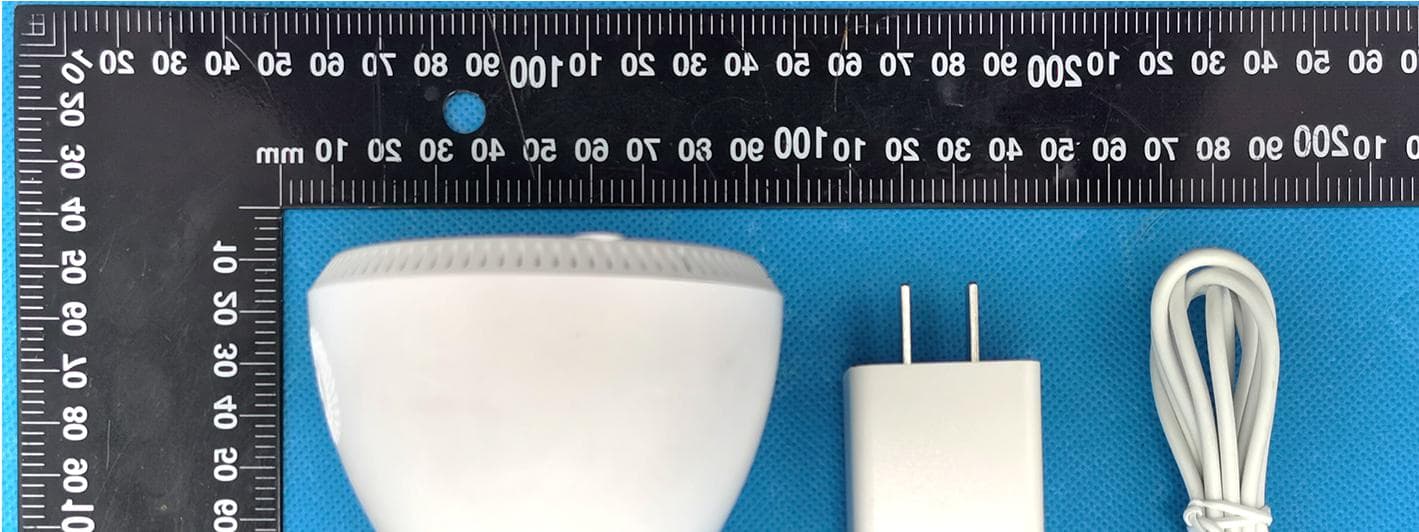
2AV39-XVV-3630S-Q8
Jul 07, 2021Smart camera with WiFi
Equipment Class
DTS - Digital Transmission System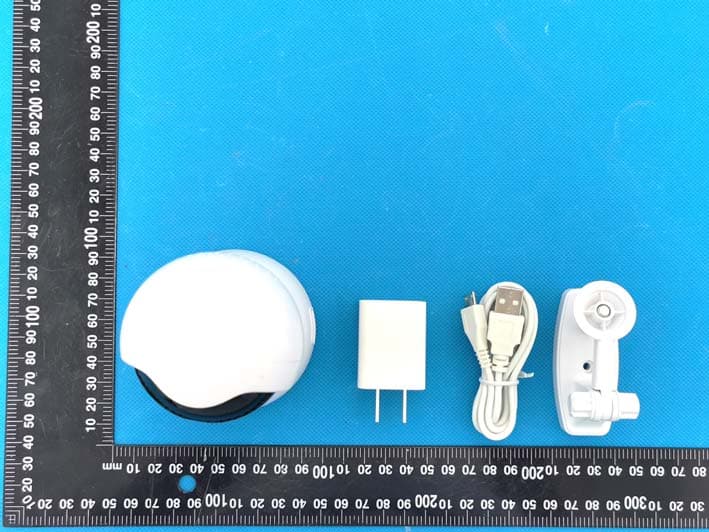
2AV39-XVV-3620S-Q2
Jul 07, 2021Smart camera WiFi
Equipment Class
DTS - Digital Transmission System
2AV39B12
Aug 04, 2020Temperature measuring camera with WiFi
Equipment Class
DTS - Digital Transmission System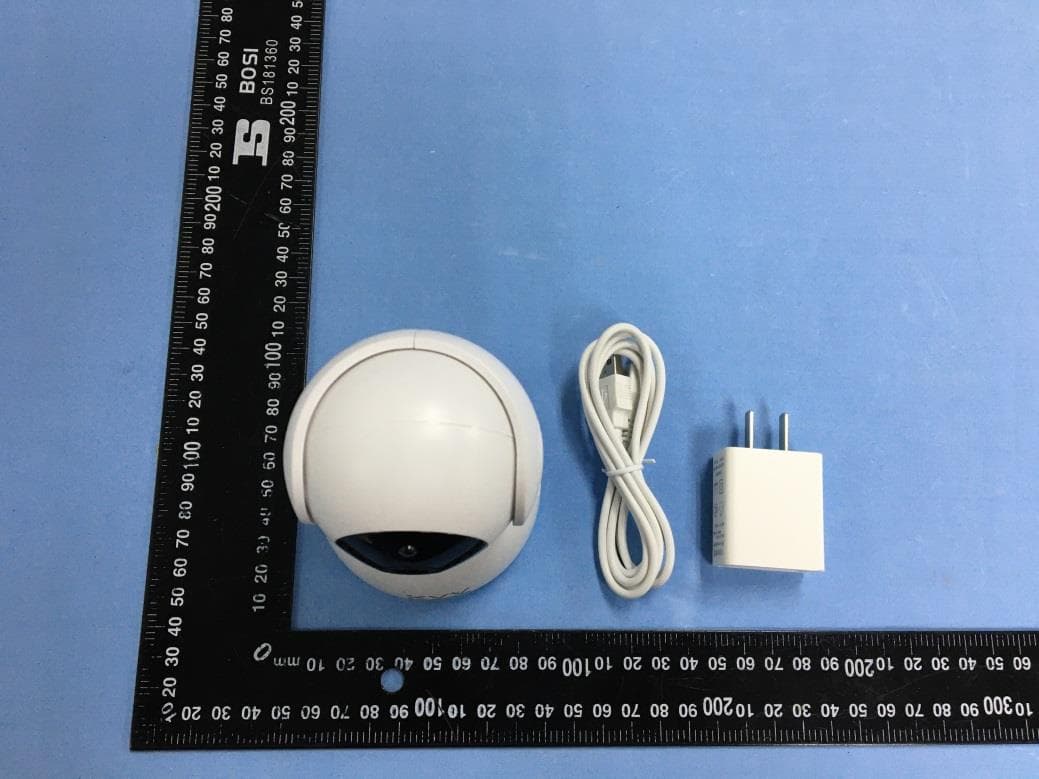
2AV39XVV-6620S-Q8
May 07, 2020Smart Wifi PTZ Camera
Equipment Class
DTS - Digital Transmission System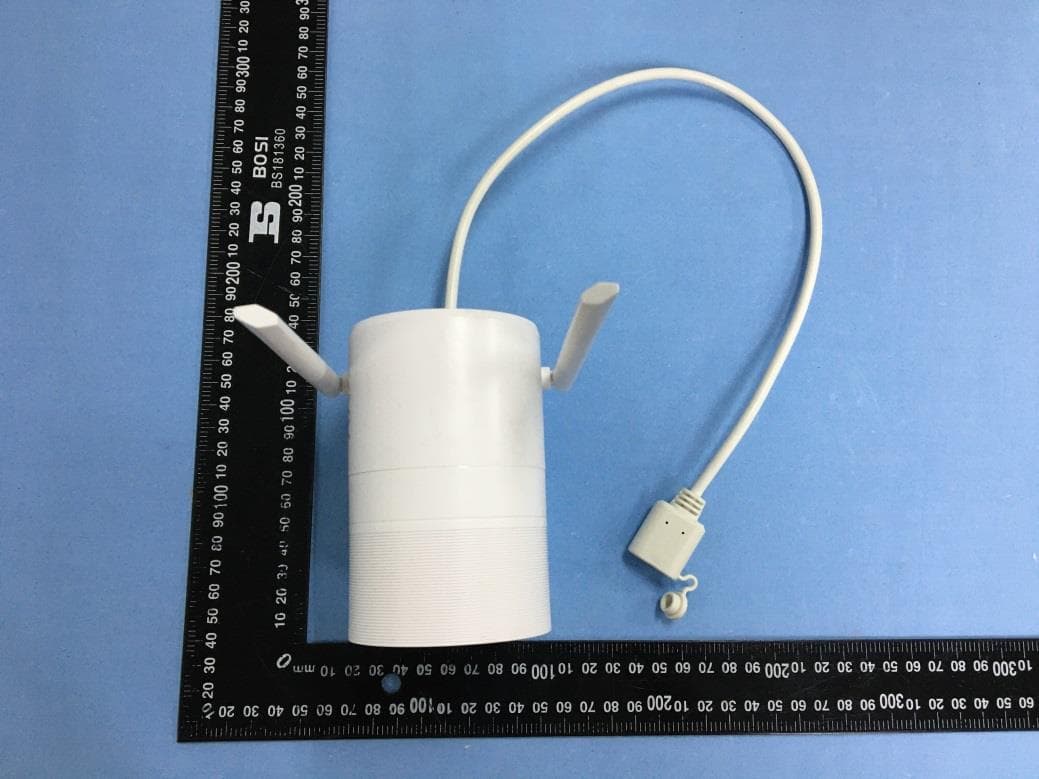
2AV39XVV-6120S-B1
May 07, 2020Outdoor camera
Equipment Class
DTS - Digital Transmission System