2AV42-PLANCKMINIplanck mini
SHEN ZHEN EVOWERA TECHNOLOGY CO.,LTD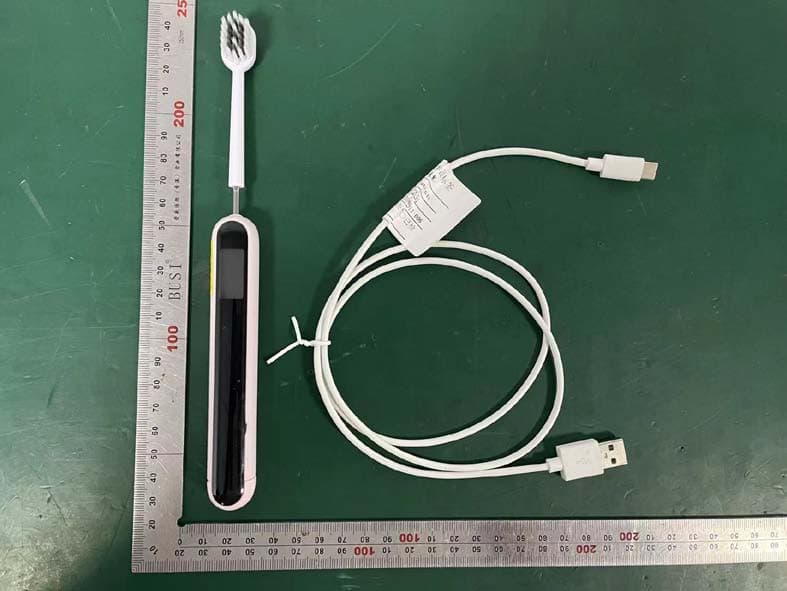
Click to zoom
Application Details
- Equipment Class
- DTS - Digital Transmission System
- Date of Grant
- Jul 17, 2022
- Application Purpose
- Original Equipment
- Date of Application
- Jul 16, 2022
- Equipment Note
- planck mini
- Frequency Range
- 2422.00000000 - 2452.00000000
- Country
- China
Documents & Files
Document Text
Text extracted from the exhibit documents filed with the FCC. Open a document above to read the original.
Users Manual
Smart Manual Toothbrush Instruction Disclaimers and Safety Precautions Thank you for choosing planck mini smart manual toothbrush. In order to provide you with a better experience, please read this instruction carefully before using this product and keep it for future reference. This product is for personal use, once used, it will be regarded as an approval and acceptance of the entire content of this statement. Please install and use this product in strict accordance with the manual, product instructions and relevant laws, regulations, policies and guidelines. In the process of using this product, users should undertake to be responsible for their own behaviors and all consequences arising therefrom. Shenzhen EVOWERA Technology Co., Ltd. will not bear any legal liability for any loss caused by improper use, installation or modification of the users. Important Safety Information HAZARD - Keep away from water when charging. Do not place or store this product in a place where it may fall into the sink. - Do not immerse the charging cable in water or other liquids. - After cleaning, keep USB and Type-C ports completely dry before connecting them to adapters or power outlets. WARNINGS - If there is any damage to this product (brush head, toothbrush handle, charging cable), please stop using. - This product is suitable for children over 3 years old, but only under the supervision or guidance of a parent or guardian to ensure their safe use and make them aware of the risks involved. Do not allow children to use, clean or maintain this product without supervision. -Toothbrushes can be used by children and persons with reduced physical. sensory or mental capabilities or lack of experience and knowledge if they have been given supervision or instruction concerning use of the appliance in a safe way and understand the hazards involved. Cleaning and user maintenance shall not be made by children without supervision. - Do not clean brush head, toothbrush handle and charging cable in the dishwasher. - If you have had oral or gum surgery within 2 months, please consult your dentist before using this product. - Consult your dentist if your gums bleed massively after using this product or if gum bleeding persists after a week of use. If you feel discomfort or pain during using this product, please consult your dentist. - This product meets the safety standards for electromagnetic devices. For any questions about pacemakers or other implanted devices, please consult your doctor or the device manufacturer of the implanted device before use. - For medical problem, please consult your doctor before using this product. - This product is designed to clean teeth, gums and tongue only. Do not use it for any other purpose. If you feel any discomfort or pain, please stop using this product and contact your doctor. - This product is for personal use and is not available for multiple patients in dental clinics or institutions. - Please stop using distorted brush head or brush head with bent bristles. Do not use brush heads not recommended by the manufacturer. Please replace the brush head every 3 months, or earlier replace it if there are signs of wear. - Charge, use and store this product at a temperature between 10°C and 40°C. - Keep this product away from fire and do not expose it to direct sunlight or high temperature. - If this product is unusually hot, or smells, changes color or takes longer than usual to charge, please stop using and contact evowera. - If the battery is damaged or leaks, please avoid contact with skin or eyes. In case of contact, please wash with water and seek medical treatment immediately. -That it must only be supplied at safety extra low volt-age corresponding to the marking on the appliance. 1 3 Product Components Back Front Brush head Toothbrush handle Brush head cover USB-C cable 2 4 1 2 3 4 Get Started 1. Charging For first use, this product may be low on power and needs to be charged. 2. Activation For first use, please connect this product to your mobile phone and activate it through the evowera App. Please complete the activation as follows: Wake up toothbrush: You can wake up the toothbrush by connecting the power supply or pressing the metal shaft in front and releasing it. Connect to app and activate: Open the registered and logged App and enter the device connection page. Place the device close to the mobile phone with the Bluetooth enabled, set and connect the toothbrush WiFi network according to the instructions, and complete the activation. Note: Minors should create their own personal information subject accounts under the guidance of their parents or supervisors after obtaining their consent. evowera Program Use 1. Scan the QR code below or search and download the "evowera App" in the App Store. After the installation, please register and log in as instructed by the App. QR code 2. In the data display page of the App, you can know the situation of your brushing each time, such as brushing duration, brushing interval, brushing intensity and brushing coverage rate. 3. In the toothbrush theme setting page of the App, you can change the screen theme of the device according to your preference. 4. Through the App, you can share the brushing data of others, and at the same time, you can leave messages to the users' device to interact with the users you followed. Send a message: Follow the user you want to leave a message, and then send a message to the user's device through the (Message) option on the menu bar of the user data page. 3mm Readmessage: If there is a message on your toothbrush device, you can see a message icon on the main screen of the device, press the brush head and read the message Device Restart Restart the device when the device is stuck or not working properly. Toothbrush restart: Press the brush head and turn on the toothbrush to charge while keeping the brush head pressed. After powering on, keep the brush head pressed for more than 5 seconds. Use Steps 1.…
Text truncated - open the document above for the full version.
Cover Letter(s)
SHEN ZHEN EVOWERA TECHNOLOGY CO.,LTD DATE: 2022.07.12 Federal Communications Commission Authorization & Evaluation Division 7345 Oakland Mills Road Columbia, Maryland 21046 Authority to Act as Agent On our behalf, I appoint EST Technology Co., Ltd. Address: Chilingxiang, Qishantou, Santun, Houjie, Dongguan, Guangdong, China (Name of Agent company name and address) to act as our agent in the preparation of this application for equipment certification. I certify that submitted documents properly describe the device or system for which equipment certification is sought. I also certify that each unit manufactured, imported or marketed, as defined in the Federal Communications Commission’s regulations will have affixed to it a label identical to that submitted for approval with this application. For instances where our authorized agent signs the application for certification on our behalf, I acknowledge that all responsibility for complying with the terms and conditions for certification, still resides with SHEN ZHEN EVOWERA TECHNOLOGY CO.,LTD Address: Room 402, Floor 4, Block C, Skyworth Building, 1st South Gao Xin Ave., Nanshan, Shenzhen, China (Applicant Name and address) <Signature> Name: MIN CHEN Title: HARDWARE ENGINEER Company: SHEN ZHEN EVOWERA TECHNOLOGY CO.,LTD
Cover Letter(s)
SHEN ZHEN EVOWERA TECHNOLOGY CO.,LTD DATE : 2022.07.12 Equipment Autorisation Division Federal Communications Commission 7435 Oakland Mills Road Columbia, MD 21046 FCC ID: 2AV42-PLANCKMINI Product Name: planck mini Request for Confidentiality Pursuant to Sections 0.457 and 0.459 of the commissions rules, we hereby request that the following documents be held confidential: (List here the documents for which you are seeking confidentiality – for example ...) • Schematics • Block diagram • Operation description These materials contain trade secrets and proprietary information and are not customarily released to the public. The public disclosure of this information might be harmful to the company and provide unjustified benefits to our competitors. <Signature> Name: MIN CHEN Title: HARDWARE ENGINEER Company: SHEN ZHEN EVOWERA TECHNOLOGY CO.,LTD
External Photos
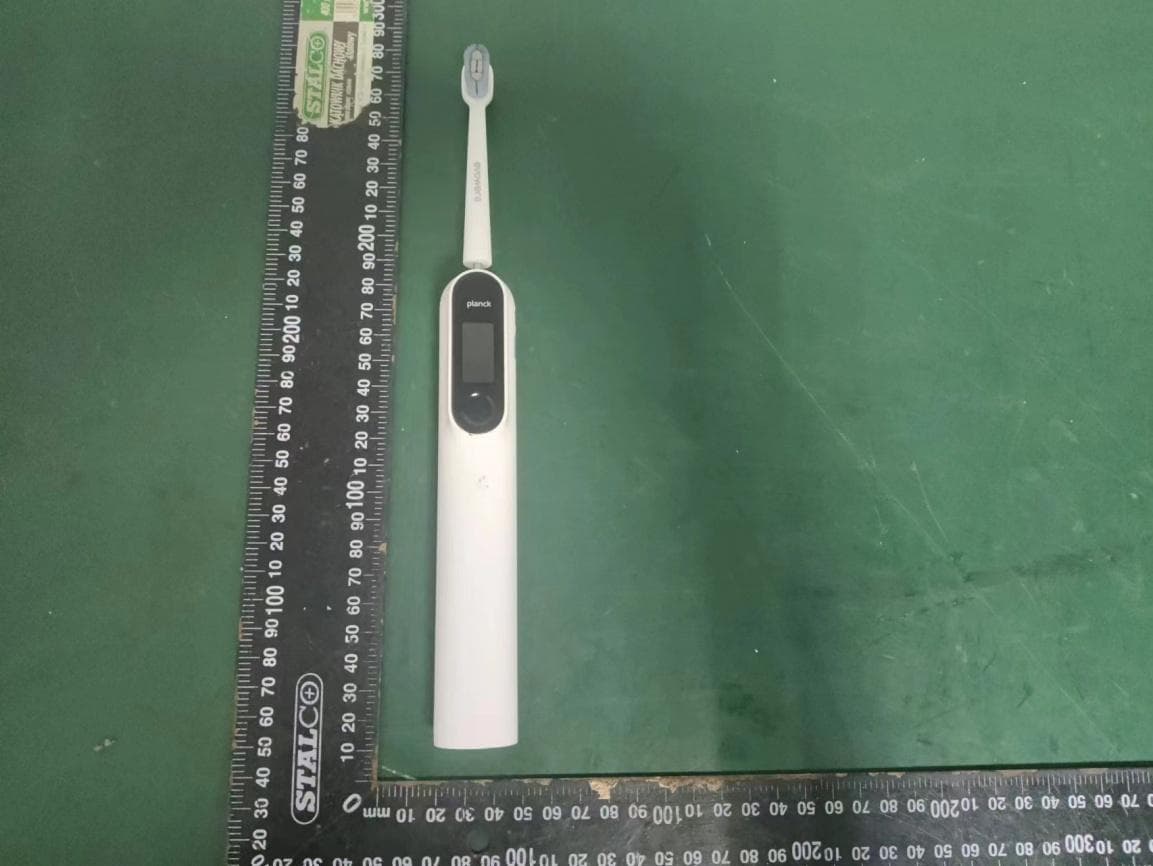
External photos M/N: planck mini External photos M/N: planck mini External photos M/N: planck mini External photos M/N: planck mini
ID Label/Location Info
3.5mm
Internal Photos
Internal photos M/N: planck mini Internal photos M/N: planck mini Internal photos M/N: planck mini Bluetooth antenna
Test Report
FCC ID: 2AV42-PLANCKMINI EST Technology Co., Ltd Report No.ESTE-R2207074 Page 1 of 68 FCC PART 15C TEST REPORT FOR CERTIFICATION On Behalf of SHEN ZHEN EVOWERA TECHNOLOGY CO.,LTD planck mini Model Number: planck mini FCC ID: 2AV42-PLANCKMINI Applicant : SHEN ZHEN EVOWERA TECHNOLOGY CO.,LTD Address: Room 402, Floor 4, Block C, Skyworth Building, 1st South Gao Xin Ave., Nanshan, Shenzhen, China Prepared By: EST Technology Co., Ltd. Chilingxiang, Qishantou, Santun, Houjie, Dongguan, Guangdong, China Tel: 86-769-83081888-808 Report Number: ESTE-R2207074 Date of Test: Jun. 01~Jul. 07, 2022 Date of Report: Jul. 11, 2022 FCC ID: 2AV42-PLANCKMINI EST Technology Co., Ltd Report No.ESTE-R2207074 Page 2 of 68 TABLE OF CONTENTS Description Page TEST REPORT VERIFICATION......................................................................................................................... 3 1. GENERAL INFORMATION ................................................................................................................. 5 1.1. Description of Device (EUT) ........................................................................................................... 5 1.2. Antenna Information ........................................................................................................................ 5 1.3. Information of RF Cable .................................................................................................................. 5 2. SUMMARY OF TEST ......................................................................................................................... 6 2.1. Summary of test result ...................................................................................................................... 6 2.2. Test Facilities ................................................................................................................................... 7 2.3. Measurement uncertainty ................................................................................................................. 8 2.4. Assistant equipment used for test ..................................................................................................... 8 2.5. Block Diagram ................................................................................................................................. 8 2.6. Test Mode ......................................................................................................................................... 9 2.7. Power Setting of Test Software ........................................................................................................ 9 2.8. Duty Cycle ...................................................................................................................................... 10 2.9. Channel List ................................................................................................................................... 11 2.10. Test Equipment List ....................................................................................................................... 12 3. 6DB BANDWIDTH .......................................................................................................................... 14 3.1. Limit ............................................................................................................................................... 14 3.2. Test Setup ....................................................................................................................................... 14 3.3. Spectrum Analyzer Setting ............................................................................................................. 14 3.4. Test Procedure ................................................................................................................................ 14 3.5. Test Result ...................................................................................................................................... 14 4. MAXIMUM PEAK OUTPUT POWER ................................................................................................. 15 4.1. Limit ............................................................................................................................................... 15 4.2. Test Setup ....................................................................................................................................... 15 4.3. Spectrum Analyzer Setting ............................................................................................................. 15 4.4. Test Procedure ................................................................................................................................ 15 4.5. Test Result ...................................................................................................................................... 15 5. POWER SPECTRAL DENSITY .......................................................................................................... 16 5.1. Limit ............................................................................................................................................... 16 5.2. Test Setup ....................................................................................................................................... 16 5.3. Spectrum Analyzer Setting ............................................................................................................. 16 5.4. Test Procedure ................................................................................................................................ 16 5.5. Test Result ...................................................................................................................................... 16 6. CONDUCTED BAND EDGE ............................................................................................................. 17 6.1. Limit .............................................…
Text truncated - open the document above for the full version.
Test Report
FCC ID: 2AV42-PLANCKMINI EST Technology Co., Ltd Report No. ESTE-R2207075 Page 1 of 81 FCC PART 15C REPORT FOR CERTIFICATION On Behalf of SHEN ZHEN EVOWERA TECHNOLOGY CO.,LTD planck mini Model Number: planck mini FCC ID: 2AV42-PLANCKMINI Applicant : SHEN ZHEN EVOWERA TECHNOLOGY CO.,LTD Address: Room 402, Floor 4, Block C, Skyworth Building, 1st South Gao Xin Ave., Nanshan, Shenzhen, China Prepared By: EST Technology Co., Ltd. Chilingxiang, Qishantou, Santun, Houjie, Dongguan, Guangdong, China Tel: 86-769-83081888-808 Report Number: ESTE-R2207075 Date of Test: Jun. 01~Jul. 07, 2022 Date of Report: Jul. 11, 2022 FCC ID: 2AV42-PLANCKMINI EST Technology Co., Ltd Report No. ESTE-R2207075 Page 2 of 81 TABLE OF CONTENTS Description Page TEST REPORT VERIFICATION......................................................................................................................... 3 1. GENERAL INFORMATION ................................................................................................................. 5 1.1. Description of Device (EUT) ........................................................................................................... 5 1.2. Antenna Information ........................................................................................................................ 5 1.3. Information of RF Cable .................................................................................................................. 5 2. SUMMARY OF TEST ......................................................................................................................... 6 2.1. Summary of test result ...................................................................................................................... 6 2.2. Test Facilities ................................................................................................................................... 7 2.3. Measurement uncertainty ................................................................................................................. 8 2.4. Assistant equipment used for test ..................................................................................................... 8 2.5. Block Diagram ................................................................................................................................. 8 2.6. Test Mode ......................................................................................................................................... 9 2.7. Power Setting of Test Software ...................................................................................................... 10 2.8. Duty Cycle ...................................................................................................................................... 10 2.9. Channel List ................................................................................................................................... 11 2.10. Test Equipment List ....................................................................................................................... 12 3. 6DB BANDWIDTH .......................................................................................................................... 14 3.1. Limit ............................................................................................................................................... 14 3.2. Test Setup ....................................................................................................................................... 14 3.3. Spectrum Analyzer Setting ............................................................................................................. 14 3.4. Test Procedure ................................................................................................................................ 14 3.5. Test Result ...................................................................................................................................... 14 4. MAXIMUM PEAK OUTPUT POWER ................................................................................................. 15 4.1. Limit ............................................................................................................................................... 15 4.2. Test Setup ....................................................................................................................................... 15 4.3. Spectrum Analyzer Setting ............................................................................................................. 15 4.4. Test Procedure ................................................................................................................................ 15 4.5. Test Result ...................................................................................................................................... 15 5. POWER SPECTRAL DENSITY .......................................................................................................... 16 5.1. Limit ............................................................................................................................................... 16 5.2. Test Setup ....................................................................................................................................... 16 5.3. Spectrum Analyzer Setting ............................................................................................................. 16 5.4. Test Procedure ................................................................................................................................ 16 5.5. Test Result ...................................................................................................................................... 16 6. CONDUCTED BAND EDGE ............................................................................................................. 17 6.1. Limit .................................................…
Text truncated - open the document above for the full version.
Test Setup Photos
Radiated emission test: Below 1GHz Radiated emission test: Above 1GHz Conducted emission test
Contact Information
Applicant
MIN CHEN(HARDWARE ENGINEER)
Test Firm
EST Technology Co., Ltd.Iceman Hu
[email protected]+86 0769-83081888
Technical Specifications
| # | Rule Parts | Frequency Range | Power Output |
|---|---|---|---|
| 3 | 15C | 2.42 GHz - 2.45 GHz | 1.91 mW |
Other Applications from SHEN ZHEN EVOWERA TECHNOLOGY CO.,LTD
2AV42-PLANCKO2
Dec 22, 2022Planck O2 Smart Electric Toothbrush
Equipment Class
DTS - Digital Transmission System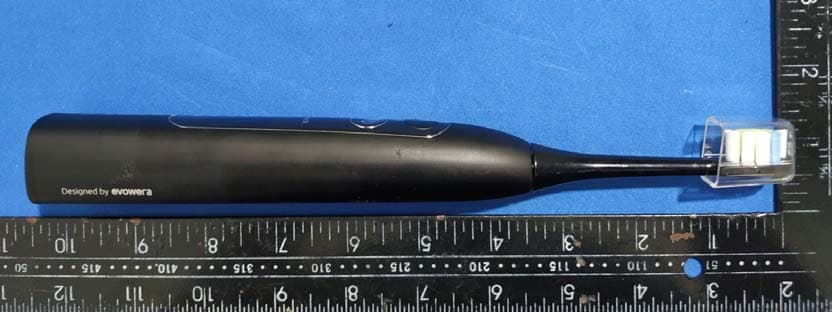
2AV42-PLANCKO1
Jul 06, 2020planck O1 Adaptive Control Sonic Electric Toothbrush
Equipment Class
DXX - Part 15 Low Power Communication Device Transmitter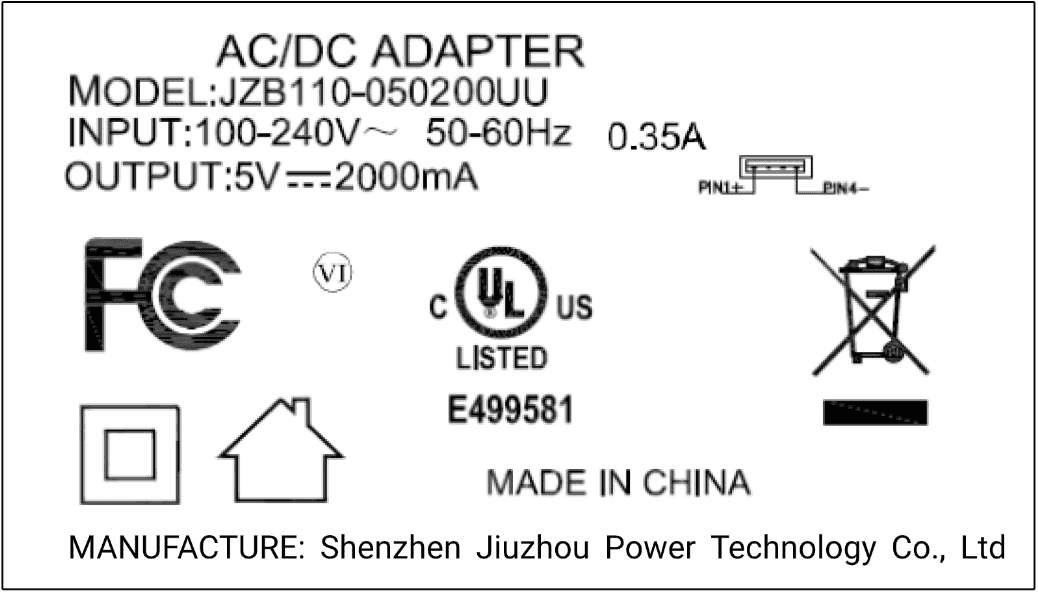
2AV42-E2152
Jul 06, 2020planck O1 Wireless Charging Dock
Equipment Class
DXX - Part 15 Low Power Communication Device Transmitter