2AVWB-AX1500Wi-Fi 6 MESH AP
Bowei Technology Co., Ltd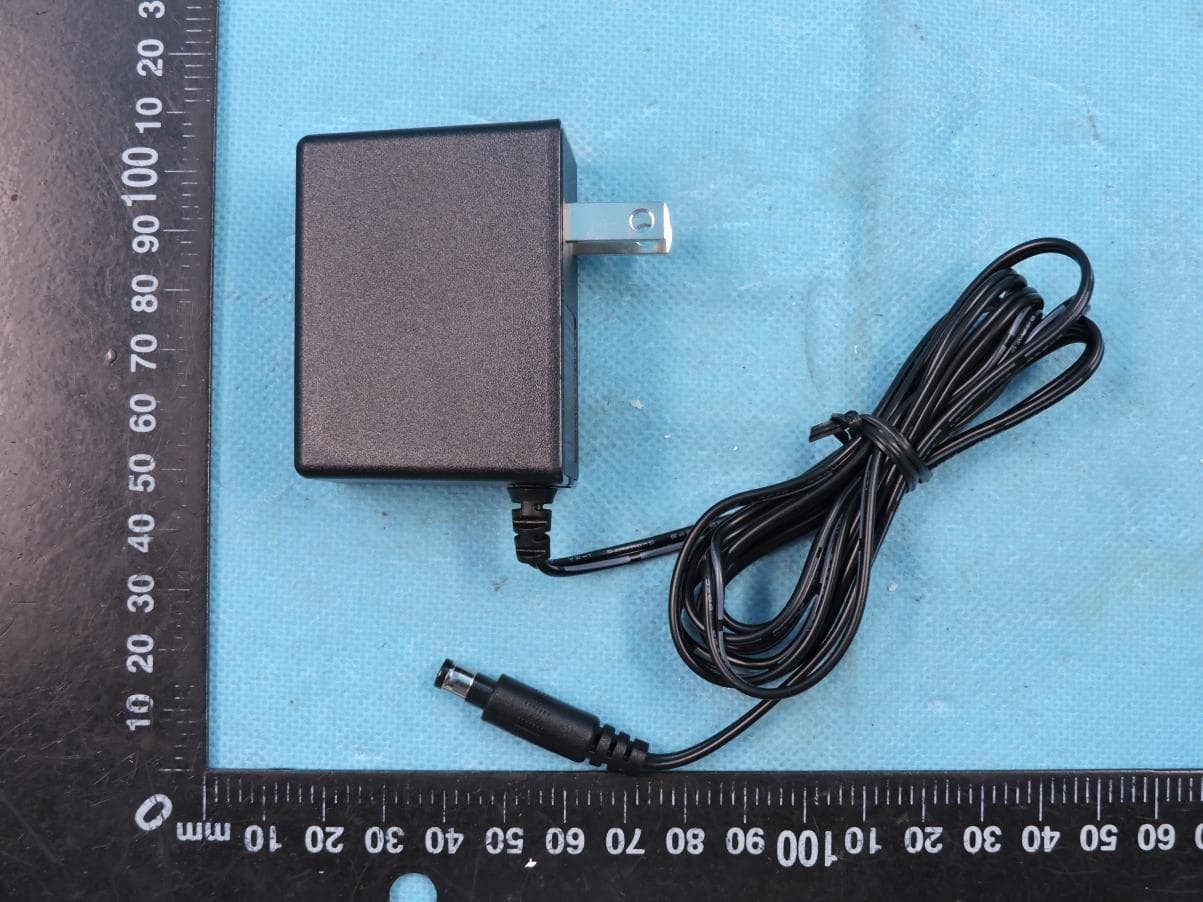
Click to zoom
Application Details
- Equipment Class
- NII - Unlicensed National Information Infrastructure TX
- Date of Grant
- Apr 11, 2020
- Application Purpose
- Original Equipment
- Date of Application
- Apr 10, 2020
- Equipment Note
- Wi-Fi 6 MESH AP
- Frequency Range
- 5745.00000000 - 5825.00000000
- Company
- Bowei Technology Co., Ltd
- Country
- China
Documents & Files
Document Text
Text extracted from the exhibit documents filed with the FCC. Open a document above to read the original.
Users Manual
80*120mm. ---风琴折. W37A709-0000-0000 0000000 ◆Packing list: QUICK INSTALLATION GUIDE 34 1 2 1000M WAN/LAN Power WPSON/OFF Connect the Ethernet interface to any Ethernet port Internet access on the wall DSL/PON/Cable Gateway Reset Reset Product name:WiFi 6 AP Product model:WA6-BF0WW IP:192.168.0.1 SSID(2.4G):WiFi6AP- XXXX SSID(5G): WiFi6AP-XXXX-5G Password:XXXXXXXX MAC: XX:XX:XX:XX:XX:XX S/N: XXXXXXXXXXXX Made in China Power ON/OFF ResetGE 10G_LAN 10G_PON or 12 • Power Adpater • User manual • Ethernet cable • Wi-Fi 6 !Please contact your service provider if any item is missing 80g paper(80克书写纸) Step One: Power on the Router and Connect To the Internet Step Two: Plug and Play 1Connect the Router to a power source 2Connect the Ethernet interface from a DSL/PON/Cable Gateway to any Ethernet port of the Wi-Fi 6 Router through a network cable. 1Wi-Fi6 Router is ready when its LED light shows steady Green. 2Look for Wi-Fi network name (SSID) and key (password) on the bottom of the Router. Connect a wireless device (for example Wi-Fi enabled computer or mobile phone) to the Wi-Fi 6 router. Alternatively, connect a wired device by inserting a network cable to any of the Wi-Fi 6 router’s Ethernet ports. If changing the Wi-Fi SSID and/or password, please refer to the following steps: Wi-Fi Settings 1Set up either a wireless or wired connection as indicated in “Step One” and “Step Two”. Launch a web browser and enter http://192.168.0.1 in the address bar. 2You need to set the login password when you enter the page for the first time. And then click “Next”. 3Internet Configuration Settings Connect a cable from your PON/DSL/Cable gateway to the Wi-Fi 6 router, and choose ”DHCP”, after click “Next”, the Wi-Fi router is ready. Note: if you forgot the Broadband account and Password, you can contact to broadband network provider (AIS) to get these information. Note: if click “Skip”, default choosing “DHCP” . 4Changing the Wi-Fi Network Name and Password The router default selects “The password is the same as the login password”. It means new Wi-Fi password is the same as login password, click “Next”. If not select “The password is the same as the login password”, you can enter a different Wi-Fi password in the password field, click “Next”. If click “Skip”, Wi-Fi information still as shown on the label. 5Click “Complete”, finishing the settings. When “Setup Succeed”, click “Confirm”, it will jump to the login page. LED Indicates Behavior Connection to the power supply Red initially, then blinking green Power on, no network Blinking Red Power on, network being connected... Blinking Green The router is ready Steady Green WPS (Press WPS button or click WPS on the web page). WPS or Mesh pairing action is in progress. Blinking Blue WPS or Mesh paring action is successful Steady Blue for 1min, then blue light goes off WPS ac tion failed Blue light off 1. Why can’t I access the web based configuration? FREQUENTLY ASKED QUESTIONS Answer(1) Check the connection between the Network cable and the Wired device. Check correct Wi-Fi connection in the wireless device. (2) Check your IP Address. Your computer must have an IP Address in the same range of the device you are attempting to configure. If not, the resolve solution isSetting the computer’s TCP/IP to “Obtain an IP address automatically” and ”Obtain DNS server address automatically” . (3) Check URL in browserLaunch a web browser and enter the router’s IP Address (192.168.0.1), enter the login password and then the home page displays. 2. If forgot the login password, what to do? AnswerYou can use a needle to press the Reset button on the bottom of the router and keep pressing more than 10s before you release the button. The router will restart for 2~3mins and finish restore factory setting. Then you can enter” http://192.168.0.1” to reset the login password. Answer 3. Wi-Fi enabled device can connect the router, but there is no network. What to do? (1) Check the Ethernet cable connection to your DSL/PON/Cable gateway. (2) If “PPPoE” is chosen, you need to check if you enter the right broadband account and password. (3) Make sure your broadband account is active, contact your service provider. (4) If all above are ok, please restart the router. Power off after 10s, then power on the router. If PPPoE is required alternatively, connect a cable from your PON/DSL/Cable gateway to the Wi-Fi 6 router and Choose “PPPoE”, and then enter the Broadband account and Password, and click “Next”. 3456 Open the Wi-Fi connection manager on your Wi-Fi-enabled computer or mobile device, find the router’s new Wi-Fi network name (ssid), and use the router’s new password to connect. AZORES AX1500 Wi-Fi 6 MESH AP AZORES FCC Warning This device complies with part 15 of the FCC Rules. Operation is subject to the following two conditions: (1) This device may not cause harmful interference, and (2) this device must accept any interference received, including interference that may cause undesired operation. Any Changes or modifications not expressly approved by the party responsible for compliance could void the user's authority to operate the equipment. Note: This equipment has been tested and found to comply with the limits for a Class B digital device, pursuant to part 15 of the FCC Rules. These limits are designed to provide reasonable protection against harmful interference in a residential installation. This equipment generates uses and can radiate radio frequency energy and, if not installed and used in accordance with the instructions, may cause harmful interference to radio communications. However, there is no guarantee that interference will not occur in a particular installation. If this equipment does cause harmful interference to radio or television reception, which can be determined by turning the equipment off and on, the user is encouraged to try to correct the interference by one or more of the following measures: -Reorient or relocate the receiving antenna. -Increase the separ…
Text truncated - open the document above for the full version.
Cover Letter(s)
2020-04-11 Federal Communications Commission Authorization & Evaluation Division 7345 Oakland Mills Road Columbia, Maryland 21046 RE: LETTER OF AGENT AUTHORIZATION To Whom It May Concern: We, the undersigned, hereby authorize Compliance Testing, LLC to act on our behalf in all matters relating to application for equipment authorization, including the signing of all documents relating to these matters. We also hereby certify that no party to the application authorized hereunder is subject to the denial of benefits, including FCC benefits, pursuant to Section 5301 of the Anti-Drug Abuse Act of 1988, 21 U.S.C.853(a). Sincerely, Company: Bowei Technology Co., Ltd Title: Manager E-mail: [email protected] Name: Gavin He Signature
Cover Letter(s)
2020-04-11 Federal Communications Commission Authorization & Evaluation Division 7345 Oakland Mills Road Columbia, Maryland 21046 Authority to Act as Agent On our behalf, I appoint Shenzhen STS Test Services Co., Ltd., 1/F., Building B, Zhuoke Science Park, No.190, Chongqing Road, Fuyong Street, Bao’an District, Shenzhen, Guangdong,China (Name of Agent company name and address) to act as our agent in the preparation of this application for equipment certification. I certify that submitted documents properly describe the device or system for which equipment certification is sought. I also certify that each unit manufactured, imported or marketed, as defined in the Federal Communications Commission’s regulations will have affixed to it a label identical to that submitted for approval with this application. For instances where our authorized agent signs the application for certification on our behalf, I acknowledge that all responsibility for complying with the terms and conditions for certification, still resides with B o w e i T e c h n o l o g y C o . , L t d, 2 F , B u i l d i n g N o . 6 C , 1 6 5 8 , G u m e i R d . , X u h u i D i s t r i c t , S h a n g h a i , C h i n a (Applicant Name and address) Sincerely, Company: Bowei Technology Co., Ltd Title: Manager E-mail: [email protected] Name: Gavin He Signature
Cover Letter(s)
2020-04-11 Equipment Autorisation Division Federal Communications Commission 7435 Oakland Mills Road Columbia, MD 21046 FCC ID: 2AVWB-AX1500 Product Name: Wi-Fi 6 MESH AP Model name: AX1500 Request for Confidentiality Pursuant to Sections 0.457 and 0.459 of the commissions rules, we hereby request that the following documents be held confidential: Schematics Block diagram Operation description SOFTWARE SECURITY REQUIREMENTS FOR U-NII DEVICES These materials contain trade secrets and proprietary information and are not customarily released to the public. The public disclosure of this information might be harmful to the company and provide unjustified benefits to our competitors. Sincerely, Client’s signature: Gavin He Applicant company: Bowei Technology Co., Ltd Address: 2F, Building No. 6C, 1658, Gumei Rd., Xuhui District, Shanghai, China
External Photos
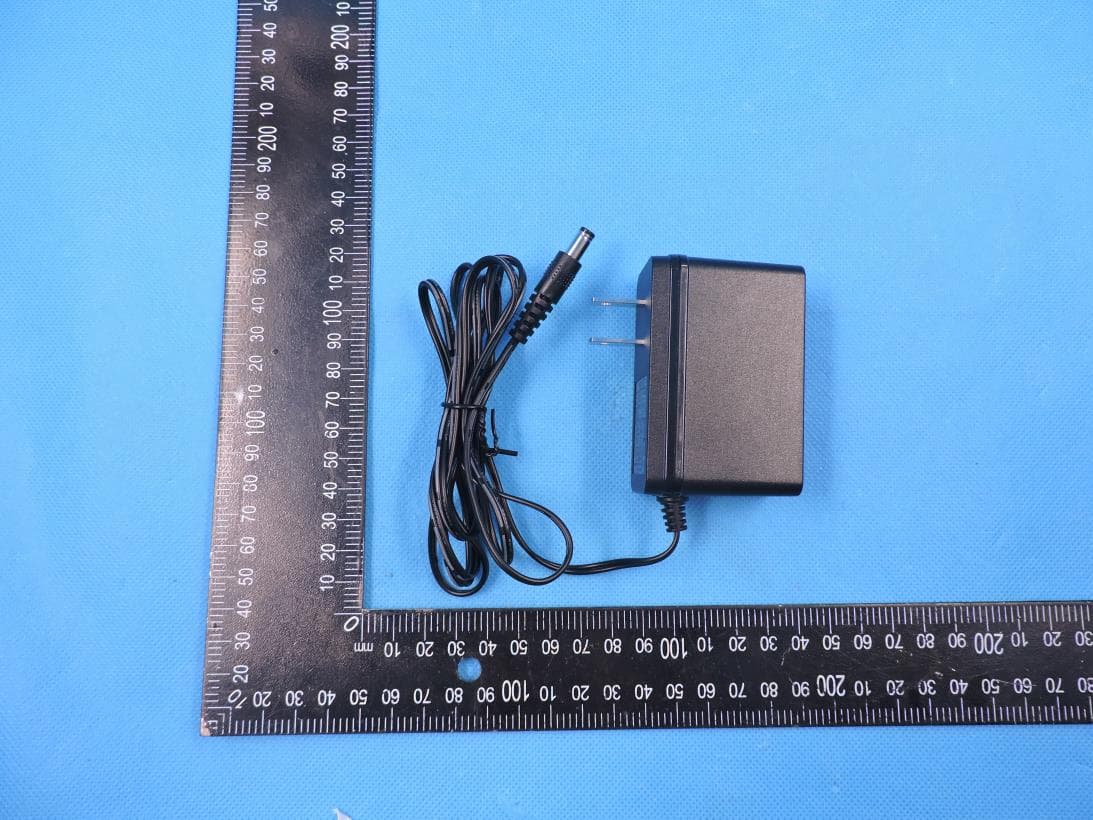
Page 1 of 4 Report No.: STS2003218 APPENDIX A-PHOTOGRAPHS OF EUT CONSTRUCTIONAL DETAILS Model: AX1500 Photo 1 Photo 2 Page 2 of 4 Report No.: STS2003218 Photo 3 Photo 4 Page 3 of 4 Report No.: STS2003218 Photo 5 Photo 6 Page 4 of 4 Report No.: STS2003218 Photo 7 Photo 8
ID Label/Location Info
FCC Label (Black printing,R0.5) (Material:50# bright white PET,with film,oil adhesive FCC ID:2AVWB-AX1500
Internal Photos
Page 1 of 3 Report No.: STS2003218 APPENDIX B-PHOTOGRAPHS OF EUT CONSTRUCTIONAL DETAILS Model: AX1500 Photo 1 Photo 2 Antenna B Antenna A Page 2 of 3 Report No.: STS2003218 Photo 3 Photo 4 Page 3 of 3 Report No.: STS2003218 Photo 5 Photo 6
RF Exposure Info
RF Exposure Report FCC ID: 2AVWB-AX1500 RF Exposure Measurement The limit for Maximum Permissible Exposure (MPE) specified in FCC 1.1310 is followed. The gain of the antennas used in the product is extracted from the Antenna data sheets provided and also the maximum total power input to the antenna is measured. Through the Friis transmission formula and the maximum gain of the antenna, we can calculate the distance, away from the product, where the limit of MPE is reached. Although the Friis Transmission formula is far field assumption, the calculated result of that is an over-prediction for near field power density. It is taken as worst case to specify the safety range. RF Exposure Limit According to FCC 1.1310: The criteria listed in the following table shall be used to evaluate the environmental impact of the human exposure to radio-frequency (RF) radiation as specified in 1.1307 (b) Limits for Maximum Permissible Exposure (MPE) F= Frequency in MHz Frequency Range (MHz) Electric Field Strength (V/m) Magnetic Field Strength (A/m) Power Density (mW/cm²) Limits for Occupational / controlled Exposures 300 - 1500 -- -- F/300 1500 – 100000 -- -- 5.0 Limits for General population / Uncontrolled Exposure 300 - 1500 -- -- F/1500 1500 – 100000 -- -- 1.0 Friss Formula Friss Transmission Formula: Pd = (Pout * G) / (4*pi*r²) Where Pd = power density in mW/cm² Pout = output power to antenna in mW G = gain of antenna in linear scale Pi = 3.1416 R = Distance between observation point and the center of radiator in cm If we know the maximum gain of the antenna and the total output power to the antenna, through calculation, we will know MPE value at distance 20cm. EUT Operation condition EUT was enabled to transmit and receive at lowest, middle and highest channels. Classification The antenna of this product, under normal use condition, is at least 20cm away from the body of the user. Warning statement to the user for keeping at least 20cm or more separation distance from the antenna should be included in the User manual. So, this device is classified as Mobile device. 1. 2.4G WIFI Mode 802.11b/g/n20:2412-2462MHz Detector PEAK 802.11b 17±1dBm 802.11g 23±1dBm 802.11n20 26±1dBm 802.11n40 25±1dBm ANT Gain (G) Antenna A gain : 4.2dBi Antenna B gain : 4.2dBi MIMO technology Directional gain=7.21dBi Antenna gain : 7.21dBi (gain of antenna in linear scale=5.26) Protocol ANT Gain(gain of antenna in linear scale) Channel Frequency (MHz) Output Power to Antenna (dBm) Output Power to Antenna (mW) Power Density (mW/cm²) Limit (mW/cm²) 802.11 b 5.26 2437 18 63.10 0.07 1 802.11 g 5.26 2437 24 251.19 0.26 1 802.11 n20 5.26 2437 27 501.19 0.52 1 802.11 n40 5.26 2437 26 398.11 0.42 1 2. 5G WIFI-Band1 Mode 802.11a/n20/n40/ac20/ac40/ac80: 5150-5250MHz Detector AV 802.11a 9±1dBm 802.11n20 9±1dBm 802.11n40 9±1dBm 802.11ac20 9±1dBm 802.11ac40 9±1dBm 802.11ac80 5±1dBm 802.11ax20 9±1dBm 802.11ax40 9±1dBm 802.11ax80 5±1dBm ANT Gain (G) Antenna A gain : 4.5dBi Antenna B gain : 4.5dBi MIMO technology Directional gain=7.51dBi Antenna gain : 7.21dBi (gain of antenna in linear scale=5.64) Protocol ANT Gain(gain of antenna in linear scale) Channel Frequency (MHz) Output Power to Antenna (dBm) Output Power to Antenna (mW) Power Density (mW/cm²) Limit (mW/cm²) 802.11 a 5.64 5180 10 10.00 0.01 1 802.11 n20 5.64 5180 10 10.00 0.01 1 802.11 n40 5.64 5190 10 10.00 0.01 1 802.11 ac20 5.64 5180 10 10.00 0.01 1 802.11 ac40 5.64 5190 10 10.00 0.01 1 802.11 ac80 5.64 5210 6 3.98 0.0045 1 802.11 ax20 5.64 5180 10 10.00 0.01 1 802.11 ax40 5.64 5190 10 10.00 0.01 1 802.11 ax80 5.64 5210 6 3.98 0.0045 1 3. 5G WIFI-Band4 Mode 802.11a/n20/n40/ac20/ac40/ac80: 5750-5850MHz Detector AV 802.11a 9±1dBm 802.11n20 11±1dBm 802.11n40 11±1dBm 802.11ac20 11±1dBm 802.11ac40 11±1dBm 802.11ac80 5±1dBm 802.11ax20 11±1dBm 802.11ax40 11±1dBm 802.11ax80 5±1dBm ANT Gain (G) Antenna A gain : 4.5dBi Antenna B gain : 4.5dBi MIMO technology Directional gain=7.51dBi Antenna gain : 7.21dBi (gain of antenna in linear scale=5.64) Protocol ANT Gain(gain of antenna in linear scale) Channel Frequency (MHz) Output Power to Antenna (dBm) Output Power to Antenna (mW) Power Density (mW/cm²) Limit (mW/cm²) 802.11 a 5.64 5745 10 10.00 0.01 1 802.11 n20 5.64 5745 11 12.59 0.01 1 802.11 n40 5.64 5755 11 12.59 0.01 1 802.11 ac20 5.64 5745 11 12.59 0.01 1 802.11 ac40 5.64 5755 11 12.59 0.01 1 802.11 ac80 5.64 5775 6 3.98 0.0045 1 802.11 ax20 5.64 5745 11 12.59 0.01 1 802.11 ax40 5.64 5755 11 12.59 0.01 1 802.11 ax80 5.64 5775 6 3.98 0.0045 1
Test Report
Any reproduction of this document must be done in full. No single part of this document may be reproduced without permission from STS, All Test Data Presented in this report is only applicable to presented Test sample. Shenzhen STS Test Services Co., Ltd. A 1/F, Building B, Zhuoke Science Park, No.190 Chongqing Road, HepingShequ, Fuyong Sub-District, Bao’an District, Shenzhen, Guang Dong, China TEL: +86-755 3688 6288 FAX: +86-755 3688 6277 E-mail:[email protected] RADIO TEST REPORT Report No.:STS2003218W02 Issued for Bowei Technology Co., Ltd 2F, Building No. 6C, 1658, Gumei Rd., Xuhui District, Shanghai, China Product Name: Wi-Fi 6 MESH AP Brand Name: Model Name: AX1500 Series Model: N/A FCC ID: 2AVWB-AX1500 Test Standard: FCC Part 15.407 S T L A B S Page 2 of 57 Report No.: STS2003218W02 TEST RESULT CERTIFICATION Applicant’s Name ................. : Bowei Technology Co., Ltd Address ................................. : 2F, Building No. 6C, 1658, Gumei Rd., Xuhui District, Shanghai, China Manufacture's Name ............ : TDG Technology Co., Ltd Address ................................. : No.1 Yatai Road, Jiaxing City, Zhejiang Province, P.R.C. Product Description Product Name ........................ : Wi-Fi 6 MESH AP Brand Name ......................... : Model Name .......................... : AX1500 Series Model .......................... : N/A Test Standards ..................... : FCC Part15.407 Test Procedure............................... : ANSI C63.10-2013 This device described above has been tested by STS, the test results show that the equipment under test (EUT) is in compliance with the FCC requirements. And it is applicable only to the tested sample identified in the report. This report shall not be reproduced except in full, without the written approval of STS, this document only be altered or revised by STS, personal only, and shall be noted in the revision of the document. Date of Test ........................................... : Date of receipt of test item ..................... : 16 Mar. 2020 Date (s) of performance of tests ............. : 16 Mar. 2020 ~ 30 Mar. 2020 Date of Issue .......................................... : 01 Apr. 2020 Test Result.............................................. : Pass Testing Engineer : (Chris Chen) Technical Manager : (Sean she) Authorized Signatory : (Vita Li) Page 3 of 57 Report No.: STS2003218W02 Table of Contents Page 1 . SUMMARY OF TEST RESULTS 6 1.1 TEST FACTORY 7 1.2 MEASUREMENT UNCERTAINTY 7 2 . GENERAL INFORMATION 8 2.1 GENERAL DESCRIPTION OF THE EUT 8 2.2 DESCRIPTION OF TEST MODES 10 2.3 BLOCK DIGRAM SHOWING THE CONFIGURATION OF SYSTEM TESTED 11 2.4 DESCRIPTION OF NECESSARY ACCESSORIES AND SUPPORT UNITS 12 2.5 EQUIPMENTS LIST FOR ALL TEST ITEMS 13 3 . EMC EMISSION TEST 14 3.1 CONDUCTED EMISSION MEASUREMENT 14 3.2 RADIATED EMISSION AND ( BANDEDGE) MEASUREMENT 18 4. CONDUCTED SPURIOUS EMISSIONS AND BANDEDGE 31 4.1 LIMIT 31 4.2 TEST PROCEDURE 31 4.3 DEVIATION FROM STANDARD 31 4.4 TEST SETUP 32 4.5 EUT OPERATION CONDITIONS 32 4.6 TEST RESULTS 32 5. POWER SPECTRAL DENSITY TEST 33 5.1 LIMIT 33 5.2 TEST PROCEDURE 33 5.3 DEVIATION FROM STANDARD 34 5.4 TEST SETUP 34 5.5 EUT OPERATION CONDITIONS 34 5.6 TEST RESULTS 35 6. BANDWIDTH MEASUREMENT 37 6.1 EMISSION BANDWIDTH (EBW) 26 BANDWID PROCEDURES / LIMIT 37 6.2 OCCUPIED BANDWIDTH ( 99%) TEST APPLIED PROCEDURES / LIMIT 40 6.3 MINIMUM EMISSION BANDWIDTH(6 DB) PROCEDURES / LIMIT 43 7. MAXIMUM CONDUCTED OUTPUT POWER 45 7.1 LIMIT 45 7.2 TEST PROCEDURE 45 7.3 DEVIATION FROM STANDARD 45 Page 4 of 57 Report No.: STS2003218W02 Table of Contents Page 7.4 TEST SETUP 45 7.5 EUT OPERATION CONDITIONS 45 7.6 TEST RESULTS 46 8. AUTOMATICALLY DISCONTINUE TRANSMISSION 55 8.1 LIMIT OF AUTOMATICALLY DISCONTINUE TRANSMISSION 55 8.2 TEST RESULT OF AUTOMATICALLY DISCONTINUE TRANSMISSION 55 9. ANTENNA REQUIREMENT 56 9.1 STANDARD REQUIREMENT 56 9.2 EUT ANTENNA 56 APPENDIX - PHOTOS OF TEST SETUP 57 Page 5 of 57 Report No.: STS2003218W02 Revision History Rev. Issue Date Report NO. Effect Page Contents 00 01 Apr. 2020 STS2003218W02 ALL Initial Issue Page 6 of 57 Report No.: STS2003218W02 1. SUMMARY OF TEST RESULTS Test procedures according to the technical standards: § 15.407,KDB 789033 D02 General U-NII Test Procedures New Rules v02r01 FCC Part 15.407 FCC standard Test Item Results 15.207 AC Conducted Emission PASS § 15.407 (2) (26 dB) / § 15.407 (e) (6 dB)/ § 15.407 (a) (99%) 26dB/6dB &99% Bandwidth PASS 15.407(a) (1).(2).(3).(4).(5) Maximum Conducted Output Power PASS 15.407(b)& 15.209 Radiated Emission And (bandedge Emissions) Measurement PASS 15.407(b)7 Conducted Emission And (bandedge Emissions) Measurement PASS 15.407(a) (1).(2).(3).(4).(5) Power Spectral Density PASS 15.407(c) Automatically Discontinue Transmission PASS 15.203/15.204 Antenna Requirement PASS NOTE: (1) ‘N/A’ denotes test is not applicable in this Test Report. (2) All tests are according to ANSI C63.10-2013. Page 7 of 57 Report No.: STS2003218W02 1.1 TEST FACTORY SHENZHEN STS TEST SERVICES CO., LTD Add. : A 1/F, Building B, Zhuoke Science Park, No.190 Chongqing Road, HepingShequ, Fuyong Sub-District, Bao’an District, Shenzhen, Guang Dong, China FCC test Firm Registration Number: 625569 IC test Firm Registration Number: 12108A A2LA Certificate No.: 4338.01 1.2 MEASUREMENT UNCERTAINTY The reported uncertainty of measurement y ± U, where expended uncertainty U is based on a standard uncertainty multiplied by a coverage factor of k=2, providing a level of confidence of approximately 95 %. No. Item Uncertainty 1 RF output power, conducted ±0.68dB 2 Unwanted Emissions, conducted ±2.988dB 3 All emissions, radiated 30-1GHz ±6.7dB 4 All emissions, radiated 1G-6GHz ±5.5dB 5 All emissions, radiated>6G ±5.8dB 6 Conducted Emission (9KHz-150KHz) ±4.43dB 7 Conducted Emission (150KHz-30MHz) ±5dB Page 8 of 57 Report No.: STS2003218W02 2. GENERAL INFORMATION 2.1 GENERAL DESCRIPTION OF THE EUT Product Name Wi-Fi 6 MESH AP Trade Name Model Name AX1500 Series Mod…
Text truncated - open the document above for the full version.
Test Report
Page 1 of 14 Report No.: STS2003218W02 Conducted Spurious&Band edge Note: Antenna A Power> Antenna B Power, Both antenna A and B have been test, Only show the worst data of Antenna A. WLAN_Band-1 WLAN_Band-1 W52_11a20_Lower_Conducted Spurious W52_11a20_Middle_Conducted Spurious W52_11a20_Higher_Conducted Spurious W52_11a20_Lower_Band edge W52_11a20_Higher_Band edge W52_11n20_Lower_Conducted Spurious Page 2 of 14 Report No.: STS2003218W02 WLAN_Band-1 WLAN_Band-1 W52_11n20_Middle_Conducted Spurious W52_11n20_Higher_Conducted Spurious W52_11n20_Lower_Band edge W52_11n20_Higher_Band edge W52_11n40_Lower_Conducted Spurious W52_11n40_Higher_Conducted Spurious Page 3 of 14 Report No.: STS2003218W02 WLAN_Band-1 WLAN_Band-1 W52_11n40_Lower_Band edge W52_11n40_Higher_Band edge W52_11ac20_Lower_Conducted Spurious W52_11ac20_Middle_Conducted Spurious W52_11ac20_Higher_Conducted Spurious W52_11ac20_Lower_Band edge Page 4 of 14 Report No.: STS2003218W02 WLAN_Band-1 WLAN_Band-1 W52_11ac20_Higher_Band edge W52_11ac40_Lower_Conducted Spurious W52_11ac40_Higher_Conducted Spurious W52_11ac40_Lower_Band edge W52_11ac40_Higher_Band edge W52_11ac80_CH42(5210MHz)_Conducted Spurious Page 5 of 14 Report No.: STS2003218W02 WLAN_Band-1 WLAN_Band-1 W52_11ac80_CH42(5210MHz)_Band edge_left W52_11ac80_CH42(5210MHz)_Band edge_Right W52_11ax20_Lower_Conducted Spurious W52_11ax20_Middle_Conducted Spurious W52_11ax20_Higher_Conducted Spurious W52_11ax20_Lower_Band edge Page 6 of 14 Report No.: STS2003218W02 WLAN_Band-1 WLAN_Band-1 W52_11ax20_Higher_Band edge W52_11ax40_Lower_Conducted Spurious W52_11ax40_Higher_Conducted Spurious W52_11ax40_Lower_Band edge W52_11ax40_Higher_Band edge W52_11ax80_CH42(5210MHz)_Conducted Spurious Page 7 of 14 Report No.: STS2003218W02 WLAN_Band-1 WLAN_Band-1 W52_11ax80_CH42(5210MHz)_Band edge_left W52_11ax80_CH42(5210MHz)_Band edge_Right Page 8 of 14 Report No.: STS2003218W02 WLAN_Band-4 WLAN_Band-4 W58_11a20_Lower_Conducted Spurious W58_11a20_Middle_Conducted Spurious W58_11a20_Higher_Conducted Spurious W58_11a20_Lower_Band edge W58_11a20_Higher_Band edge W58_11n20_Lower_Conducted Spurious Page 9 of 14 Report No.: STS2003218W02 WLAN_Band-4 WLAN_Band-4 W58_11n20_Middle_Conducted Spurious W58_11n20_Higher_Conducted Spurious W58_11n20_Lower_Band edge W58_11n20_Higher_Band edge W58_11n40_Lower_Conducted Spurious W58_11n40_Higher_Conducted Spurious Page 10 of 14 Report No.: STS2003218W02 WLAN_Band-4 WLAN_Band-4 W58_11n40_Lower_Band edge W58_11n40_Higher_Band edge W58_11ac20_Lower_Conducted Spurious W58_11ac20_Middle_Conducted Spurious W58_11ac20_Higher_Conducted Spurious W58_11ac20_Lower_Band edge Page 11 of 14 Report No.: STS2003218W02 WLAN_Band-4 WLAN_Band-4 W58_11ac20_Higher_Band edge W58_11ac40_Lower_Conducted Spurious W58_11ac40_Higher_Conducted Spurious W58_11ac40_Lower_Band edge W58_11ac40_Higher_Band edge W58_11ac80_Spurious_30M26BWG_5775M Page 12 of 14 Report No.: STS2003218W02 WLAN_Band-4 WLAN_Band-4 W58_11ac80_Band edge_Left W58_11ac80_Band edge_Right W58_11ax20_Lower_Conducted Spurious W58_11ax20_Middle_Conducted Spurious W58_11ax20_Higher_Conducted Spurious W58_11ax20_Lower_Band edge Page 13 of 14 Report No.: STS2003218W02 WLAN_Band-4 WLAN_Band-4 W58_11ax20_Higher_Band edge W58_11ax40_Lower_Conducted Spurious W58_11ax40_Higher_Conducted Spurious W58_11ax40_Lower_Band edge W58_11ax40_Higher_Band edge W58_11ax80_Spurious_30M26BWG_5775M Page 14 of 14 Report No.: STS2003218W02 WLAN_Band-4 WLAN_Band-4 W58_11ax80_Band edge_Left W58_11ax80_Band edge_Right
Test Report
Page 1 of 16 Report No.: STS1803209W02 Power Spectrum Density-Ant A WLAN_Band-1 WLAN_Band-1 W52_11a20_Lower_Power Spectrum Density W52_11a20_Middle_Power Spectrum Density W52_11a20_Higher_Power Spectrum Density W52_11n20_Lower_Power Spectrum Density W52_11n20_Middle_Power Spectrum Density W52_11n20_Higher_Power Spectrum Density Page 2 of 16 Report No.: STS1803209W02 WLAN_Band-1 WLAN_Band-1 W52_11n40_Lower_Power Spectrum Density W52_11n40_Higher_Power Spectrum Density W52_11ac20_Lower_Power Spectrum Density W52_11ac20_Middle_Power Spectrum Density W52_11ac20_Higher_Power Spectrum Density W52_11ac40_Lower_Power Spectrum Density Page 3 of 16 Report No.: STS1803209W02 WLAN_Band-1 WLAN_Band-1 W52_11ac40_Higher_Power Spectrum Density W52_11ac80_CH42(5210MHz)_Power Spectrum Density W52_11ax20_Lower_Power Spectrum Density W52_11ax20_Middle_Power Spectrum Density W52_11ax20_Higher_Power Spectrum Density W52_11ax40_Lower_Power Spectrum Density Page 4 of 16 Report No.: STS1803209W02 WLAN_Band-1 WLAN_Band-1 W52_11ax40_Higher_Power Spectrum Density W52_11ax80_CH42(5210MHz)_Power Spectrum Density Page 5 of 16 Report No.: STS1803209W02 WLAN_Band-4 WLAN_Band-4 W58_11a20_Lower_Power Spectrum Density W58_11a20_Middle_Power Spectrum Density W58_11a20_Higher_Power Spectrum Density W58_11n20_Lower_Power Spectrum Density W58_11n20_Middle_Power Spectrum Density W58_11n20_Higher_Power Spectrum Density Page 6 of 16 Report No.: STS1803209W02 WLAN_Band-4 WLAN_Band-4 W58_11n40_Lower_Power Spectrum Density W58_11n40_Higher_Power Spectrum Density W58_11ac20_Lower_Power Spectrum Density W58_11ac20_Middle_Power Spectrum Density W58_11ac20_Higher_Power Spectrum Density W58_11ac40_Lower_Power Spectrum Density Page 7 of 16 Report No.: STS1803209W02 WLAN_Band-4 WLAN_Band-4 W58_11ac40_Higher_Power Spectrum Density W58_11ac80_Power Density_5775M W58_11ax20_Lower_Power Spectrum Density W58_11ax20_Middle_Power Spectrum Density W58_11ax20_Higher_Power Spectrum Density W58_11ax40_Lower_Power Spectrum Density Page 8 of 16 Report No.: STS1803209W02 WLAN_Band-4 WLAN_Band-4 W58_11ax40_Higher_Power Spectrum Density W58_11ax80_Power Density_5775M Page 9 of 16 Report No.: STS1803209W02 Power Spectrum Density-Ant B WLAN_Band-1 WLAN_Band-1 W52_11a20_Lower_Power Spectrum Density W52_11a20_Middle_Power Spectrum Density W52_11a20_Higher_Power Spectrum Density W52_11n20_Lower_Power Spectrum Density W52_11n20_Middle_Power Spectrum Density W52_11n20_Higher_Power Spectrum Density Page 10 of 16 Report No.: STS1803209W02 WLAN_Band-1 WLAN_Band-1 W52_11n40_Lower_Power Spectrum Density W52_11n40_Higher_Power Spectrum Density W52_11ac20_Lower_Power Spectrum Density W52_11ac20_Middle_Power Spectrum Density W52_11ac20_Higher_Power Spectrum Density W52_11ac40_Lower_Power Spectrum Density Page 11 of 16 Report No.: STS1803209W02 WLAN_Band-1 WLAN_Band-1 W52_11ac40_Higher_Power Spectrum Density W52_11ac80_CH42(5210MHz)_Power Spectrum Density W52_11ax20_Lower_Power Spectrum Density W52_11ax20_Middle_Power Spectrum Density W52_11ax20_Higher_Power Spectrum Density W52_11ax40_Lower_Power Spectrum Density Page 12 of 16 Report No.: STS1803209W02 WLAN_Band-1 WLAN_Band-1 W52_11ax40_Higher_Power Spectrum Density W52_11ax80_CH42(5210MHz)_Power Spectrum Density Page 13 of 16 Report No.: STS1803209W02 WLAN_Band-4 WLAN_Band-4 W58_11a20_Lower_Power Spectrum Density W58_11a20_Middle_Power Spectrum Density W58_11a20_Higher_Power Spectrum Density W58_11n20_Lower_Power Spectrum Density W58_11n20_Middle_Power Spectrum Density W58_11n20_Higher_Power Spectrum Density Page 14 of 16 Report No.: STS1803209W02 WLAN_Band-4 WLAN_Band-4 W58_11n40_Lower_Power Spectrum Density W58_11n40_Higher_Power Spectrum Density W58_11ac20_Lower_Power Spectrum Density W58_11ac20_Middle_Power Spectrum Density W58_11ac20_Higher_Power Spectrum Density W58_11ac40_Lower_Power Spectrum Density Page 15 of 16 Report No.: STS1803209W02 WLAN_Band-4 WLAN_Band-4 W58_11ac40_Higher_Power Spectrum Density W58_11ac80_Power Density_5775M W58_11ax20_Lower_Power Spectrum Density W58_11ax20_Middle_Power Spectrum Density W58_11ax20_Higher_Power Spectrum Density W58_11ax40_Lower_Power Spectrum Density Page 16 of 16 Report No.: STS1803209W02 WLAN_Band-4 WLAN_Band-4 W58_11ax40_Higher_Power Spectrum Density W58_11ax80_Power Density_5775M
Test Report
Page 1 of 8 Report No.: STS1803209W02 26BW and 99% Note: Antenna A Power> Antenna B Power, Both antenna A and B have been test, Only show the worst data of Antenna A WLAN_Band-1 WLAN_Band-1 W52_11a20_Lower_26BW and 99% W52_11a20_Middle_26BW and 99% W52_11a20_Higher_26BW and 99% W52_11n20_Lower_26BW and 99% W52_11n20_Middle_26BW and 99% W52_11n20_Higher_26BW and 99% Page 2 of 8 Report No.: STS1803209W02 WLAN_Band-1 WLAN_Band-1 W52_11n40_Lower_26BW and 99% W52_11n40_Higher_26BW and 99% W52_11ac20_Lower_26BW and 99% W52_11ac20_Middle_26BW and 99% W52_11ac20_Higher_26BW and 99% W52_11ac40_Lower_26BW and 99% Page 3 of 8 Report No.: STS1803209W02 WLAN_Band-1 WLAN_Band-1 W52_11ac40_Higher_26BW and 99% W52_11ac80_CH42(5210MHz)_26BW and 99% W52_11ax20_Lower_26BW and 99% W52_11ax20_Middle_26BW and 99% W52_11ax20_Higher_26BW and 99% W52_11ax40_Lower_26BW and 99% Page 4 of 8 Report No.: STS1803209W02 WLAN_Band-1 WLAN_Band-1 W52_11ax40_Higher_26BW and 99% W52_11ax80_CH42(5210MHz)_26BW and 99% Page 5 of 8 Report No.: STS1803209W02 WLAN_Band-4 WLAN_Band-4 W58_11a20_Lower_26BW and 99% W58_11a20_Middle_26BW and 99% W58_11a20_Higher_26BW and 99% W58_11n20_Lower_26BW and 99% W58_11n20_Middle_26BW and 99% W58_11n20_Higher_26BW and 99% Page 6 of 8 Report No.: STS1803209W02 WLAN_Band-4 WLAN_Band-4 W58_11n40_Lower_26BW and 99% W58_11n40_Higher_26BW and 99% W58_11ac20_Lower_26BW and 99% W58_11ac20_Middle_26BW and 99% W58_11ac20_Higher_26BW and 99% W58_11ac40_Lower_26BW and 99% Page 7 of 8 Report No.: STS1803209W02 WLAN_Band-4 WLAN_Band-4 W58_11ac40_Higher_26BW and 99% W58_11ac80_26BW_99%_Bandwidth_5775M W58_11ax20_Lower_26BW and 99% W58_11ax20_Middle_26BW and 99% W58_11ax20_Higher_26BW and 99% W58_11ax40_Lower_26BW and 99% Page 8 of 8 Report No.: STS1803209W02 WLAN_Band-4 WLAN_Band-4 W58_11ax40_Higher_26BW and 99% W58_11ax80_26BW_99%_Bandwidth_5775M
Test Report
Page 1 of 4 Report No.: STS2003218W02 6BW Note: Antenna A Power> Antenna B Power, Both antenna A and B have been test, Only show the worst data of Antenna A WLAN_Band-4 WLAN_Band-4 W58_11a20_Lower_6BW W58_11a20_Middle_6BW W58_11a20_Higher_6BW W58_11n20_Lower_6BW W58_…
Text truncated - open the document above for the full version.
Contact Information
Applicant
Gavin He(Manager)
Test Firm
SHENZHEN STS TEST SERVICES CO.,LTD.Bovey Yang
[email protected]+86 755-36886288
Technical Specifications
| # | Rule Parts | Frequency Range | Power Output |
|---|---|---|---|
| 2 | 15E | 5.75 GHz - 5.83 GHz | 13.10 mW |
Other Applications from Bowei Technology Co., Ltd
2AVWB-AX6600
Jun 01, 2021Wi-Fi 6 MESH AP
Equipment Class
NII - Unlicensed National Information Infrastructure TX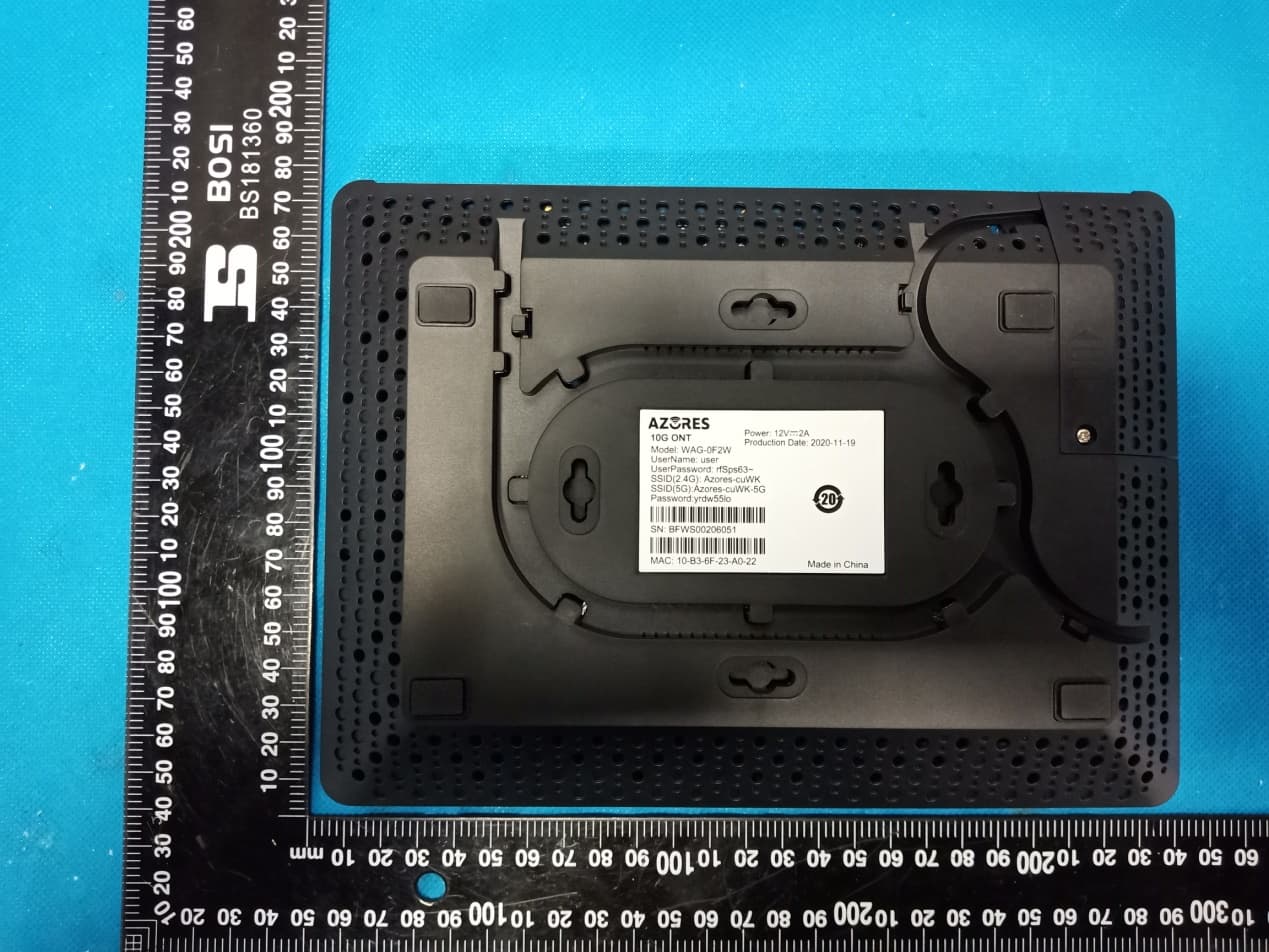
2AVWB-WAG-0F2W
May 25, 202110G ONT
Equipment Class
NII - Unlicensed National Information Infrastructure TX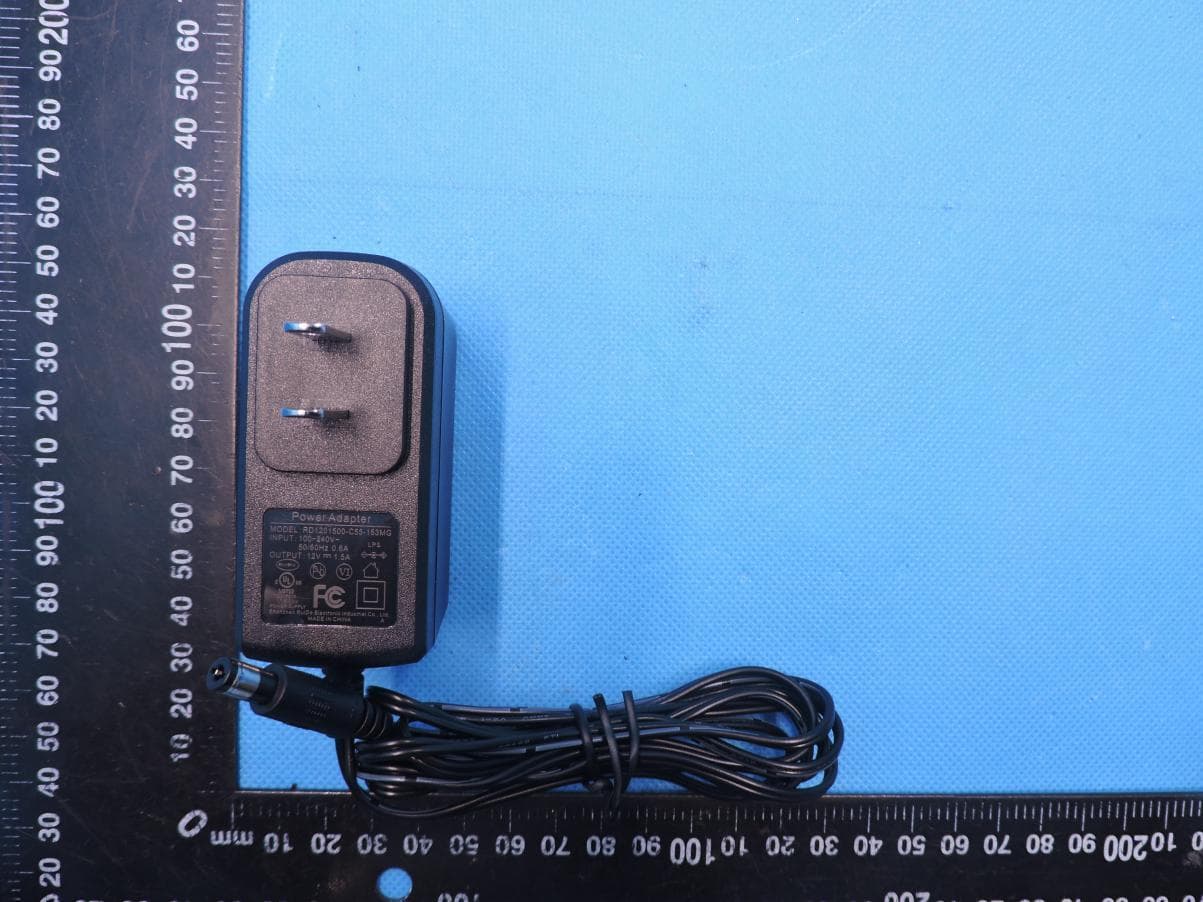
2AVWBAX1800
Nov 23, 2020Wi-Fi 6 MESH AP
Equipment Class
DTS - Digital Transmission System