2AVWCXRsmartwatch
Shenzhen Xinhuajitong Technology Co., Ltd.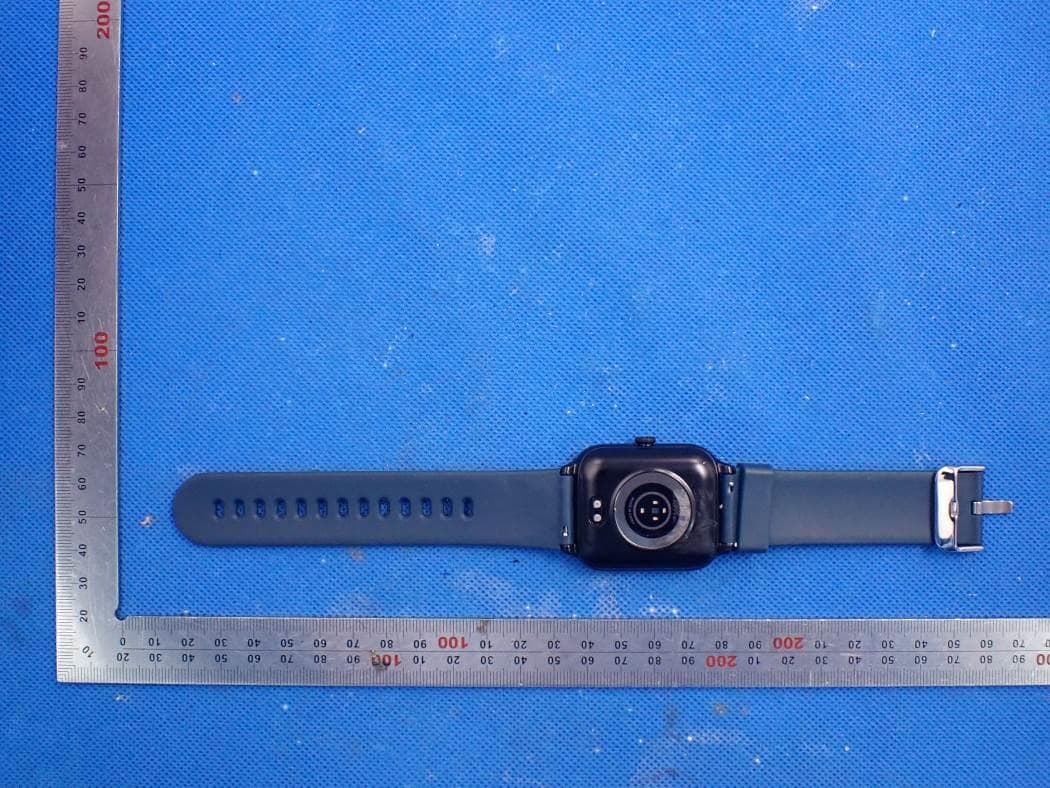
Click to zoom
Application Details
- Equipment Class
- DTS - Digital Transmission System
- Date of Grant
- Oct 12, 2020
- Application Purpose
- Original Equipment
- Date of Application
- Oct 12, 2020
- Equipment Note
- smartwatch
- Frequency Range
- 2402.00000000 - 2480.00000000
- Country
- China
Documents & Files
Document Text
Text extracted from the exhibit documents filed with the FCC. Open a document above to read the original.
Users Manual
User Manual Please read and understand the manual English Version-英语 Model X3 Pro Screen Size 1.54 inch Battery capacity 280mAh Charging voltage 5V±0.2V Charging time 2.5 hours Battery life 7-10 days Waterproof level 5ATM Standby time 30 days Operating temperature -20°C--45°C Bluetooth version BLE5.0 Screen material Glass Strap width 22mm Product Introduction 1, Long press the side button and wait for the watch to vibrate to boot, press and hold the touch area for 2 seconds on the dial interface to enter the dial switch, slide left and right to select the dial, and click on the dial preview to switch the dial。 2, Swipe left and right on the dial interface to switch shortcut functions, including today’s activity data, heart rate measurement, sleep record, and breathing training。 Introduction To the Connection between Watch and Mobile Phone 1、Download and install mobile APP(GloryFit) Use the mobile browser program to download by scanning the QR code on the packaging box or the built-in QR code on the watch end。 The download process requires the mobile phone to be connected to the WIFI network or data traffic download。 After the download is complete, install it。 After the installation is complete, open GloryFit。 Give this software the corresponding permission, the permission used is required for Bluetooth connection。 (Note: GloryFit supports systems above IOS9.0, systems above Android 6.0) (GloryFit QR code) 2、The way to connect the watch to the phone Turn on the Bluetooth switch of the mobile phone, and then open the GloryFit application on the mobile desktop。 You can choose to skip the login or use the email and other third-party login methods to log in。 Before logging in, you need to agree to the "User Agreement" and "Privacy Policy"。 After successful login, set the background Run permissions and personal information settings。 Android system connection method (you must click Allow all the prompts to ensure the normal operation of the APP): In the select device interface, give GloryFit location information and Bluetooth usage permissions, click "select bracelet" to search for the device, and select the corresponding device (X3 Pro) Connect and bind, and then grant permissions according to the APP prompts。 ios system setting method: click "select bracelet" on the device selection interface to search for the device, select the corresponding device (X3 Pro) to connect and bind, wait a few seconds, and then prompt the watch end and mobile phone Bluetooth pairing request (ios need to pair, Android does not need ) Please allow "Bluetooth pairing" to complete the Bluetooth connection between the mobile phone and the device。 Will the system pop up "Allow" X3 Pro" to display the "iphone" notification on ios 13 and above? Click "Allow"。 Important: If the Apple mobile phone is not used for a long time (more than 2 hours), in standby or sleep mode (the phone has not been used, it is in a black screen state), GloryFit may be cleaned up by the Apple IOS system, and the GloryFit application is disconnected from the watch。 , The GloryFit application function will not be available。 Open the GloryFit application again and the watch will automatically reconnect。 After installing the GloryFit software on the Android phone, you need to open the background application startup permission in the phone's settings。 Each phone has a difference。 Take Huawei mobile phone as an example, the steps are as follows: Settings-Application-Application startup management-GloryFit, find the APP application, change the automatic management to manual management, and open all permissions (allow self-start, allow associated startup, allow background activities)。 This work is only for the GloryFit application to be able to maintain the Bluetooth connection with the watch when the phone is in standby (the phone is not on the screen), and will not be cleaned up by the Android system。 Watch Function Introduction 1、Heart Rate Swipe the second page from the left on the dial interface to enter the heart rate measurement interface。 Enter this interface to automatically start the heart rate test。 After the test duration is 50 seconds, the screen will automatically turn off and stand by。 Please maintain a sitting posture before the test。 (Note: The watch should not be worn too tightly or too loosely and keep a finger distance from the wrist to ensure the accuracy of the data。) 2、Training Swipe on the dial interface to enter the function menu interface to find the multi-sport function, click the multi-sport icon to enter the sport mode。 The watch provides:(Running,Walking,Yoga,Jumping Jack, Alpinism,Badminton,Treadmill,Spinning bike,Cycling,Basketball, Swimming,Tennis)12 kinds of exercise modes for users to choose, exercise history record will save the latest 5 exercise data for viewing。 When the watch and GloryFit are connected, the exercise mode is turned on in GloryFit, and the watch will start the current exercise synchronously。 Part of the exercise mode GloryFit requires the use of mobile phone GPS。 Exercise record storage conditions: 1。 All exercises require more than 60 seconds 2。 The movement distance with steps is greater than 100 meters 3。 Exercise calories without steps are greater than 1kcal 4。 The movement started by GloryFit, the movement with track needs GPS signal to have data 3、Message This function can be set to GloryFit→APP reminder setting switch, when set to "on", the phone receives applications (WeChat, QQ, lnstagram, YouTube, Messenger, Gmail, Snapchat, Facebook, Twitter, WhatsGloryFit, Pinterest, Hangouts, LinkedIn, When Skype, Tumblr, Viber, LINE, Google+, Flickr, VKontakte, Kakaotalk, others, etc。) message is pushed, the push content can be displayed on the watch (IOS needs to be paired, Android permissions need to be turned on, and the device can promptly push normally)。 Store up to 8 messages in the watch 4、Find Phone Swipe down on the dial interface to enter the shortcut navigation bar, and click the Find pho…
Text truncated - open the document above for the full version.
Cover Letter(s)
Shenzhen Xinhuajitong Technology Co., Ltd. Oct. 12, 2020 Office of Engineering Technology Federal Communications Commission 7435 Oakland Mills Road Columbia, MD 21046 USA Subject: Explanation of differences between product types FCC ID : 2AVWCXR Model Number: R3 Pro, R1, R2, R3, R5, R6 To Whom It May Concern: We, The Shenzhen Pumax Technology Co., Ltd hereby declare that the model : R3 Pro, R1, R2, R3, R5, R6 are identical with the model : R3 Pro, except the model name. Except for the different above, no other modification is performed. Sincerely, Signature: Shenzhen Xinhuajitong Technology Co., Ltd. Contact person: Borong Huang
Cover Letter(s)
Shenzhen Xinhuajitong Technology Co., Ltd. Agent Authorization Company: Shenzhen Xinhuajitong Technology Co., Ltd. Address: 802, Building 3, No. 7 Industrial Zone, Yulu Community, Yutang Street, Guangming District, Shenzhen, China Product Name: smartwatch Model Number(s): R3 Pro, R1, R2, R3, R5, R6 Product Description: Bluetooth smart watch We authorize MiCOM Labs Inc., 575 Boulder Court, Pleasanton, California 94566, USA, to act on our behalf on all matters concerning the certification of above named equipment. We declare that MiCOM Labs Inc. is allowed to forward all information related to the approval and certification of equipment to the regulatory agencies as required and to discuss any issues concerning the approval application. Any and all acts carried out by MiCOM Labs on our behalf shall have the same effect as acts of our own. Signature: Date: 2020-10-09 Name: Borong Huang Company: Shenzhen Xinhuajitong Technology Co., Ltd.
Cover Letter(s)
Shenzhen Xinhuajitong Technology Co., Ltd. Office of Engineering Technology Federal Communications Commission 7435 Oakland Mills Road Columbia, MD 21046 USA Date: 2020-09-30 Subject; Request for Confidentiality FCC ID: 2AVWCXR To Whom It May Concern, Pursuant to the provisions of the Commission’s rules Title 47 Sections §0.457 and §0.459, we are requesting the Commission to withhold the following attachment(s) as confidential documents from public disclosure indefinitely. These documents contain detailed system and equipment descriptions and are considered as proprietary information in operation of the equipment. The public disclosure of these documents might be harmful to our company and would give competitors an unfair advantage in the market. Schematic Diagram Block Diagram Parts List Operational Description Tune-up Procedure In additional to above mentioned documents, in order to comply with the marketing regulations in Title 47 CFR §2.803 and the importation rules in Title 47 CFR §2.1204, while ensuring that business sensitive information remains confidential until the actual marketing of newly authorized devices, we request Short Term Confidentiality of the following attachment(s); External Photos Test Setup Photos Internal Photos User Manual For 45 days, pursuant to Public Notice DA 04-1705. OR For 180 days pursuant to KDB 726920 D01. It is our understanding that all measurement test reports, FCC ID label format and correspondence during the certification review process cannot be granted as confidential documents and this information will be available for public review once the grant of equipment authorization is issued. Sincerely Shenzhen Xinhuajitong Technology Co., Ltd. Shenzhen Xinhuajitong Technology Co., Ltd. Contact person: Borong Huang
External Photos
External Photos WHOLE VIEW OF EUT-1 WHOLE VIEW OF EUT-2 WHOLE VIEW OF EUT-3 TOP VIEW OF EUT BOTTOM VIEW OF EUT FRONT VIEW OF EUT BACK VIEW OF EUT LEFT VIEW OF EUT RIGHT VIEW OF EUT
ID Label/Location Info
FCC ID Label Location FCC ID: 2AVWCXR
Internal Photos
Internal Photos OPEN VIEW OF EUT VIEW OF BATTERY INTERNAL VIEW OF EUT-1 INTERNAL VIEW OF EUT-2 BT Antenna INTERNAL VIEW OF EUT-3 INTERNAL VIEW OF EUT-4
RF Exposure Info
RF EXPOSURE EVALUATION 1. PRODUCT INFORMATION Product Description smartwatch Model Name R3 Pro, R1, R2, R3, R5, R6 FCC ID 2AVWCXR 2. EVALUATION METHOD According to 447498 D01 General RF Exposure Guidance v05 The 1-g and 10-g SAR test exclusion thresholds for 100 MHz to 6 GHz at test separation distances ≤ 50 mm are determined by: [(max. power of channel, including tune-up tolerance, mW)/(min. test separation distance, mm)] ·[√f(GHz)] ≤ 3.0 for 1-g SAR and ≤ 7.5 for 10-g extremity SAR. Where f(GHz) is the RF channel transmit frequency in GHz Power and distance are rounded to the nearest mW and mm before calculation 3. CALCULATION BLE: GFSK 1Mbps: P t = 0.392dBm=1.094mW The value of the Maximum output power P t is referred to the test report of the CFR47 §15.247. The result for RF exposure evaluation SAR=(1.094mW /5mm) .[√2.480GHz)]= 0.34<3.0 for 1-g SAR and ≤ 7.5 for 10-g extremity SAR. GFSK 2Mbps: P t = 0.431dBm=1.104mW The value of the Maximum output power P t is referred to the test report of the CFR47 §15.247. The result for RF exposure evaluation SAR=(1.104mW /5mm) .[√2.480GHz)]= 0.35<3.0 for 1-g SAR and ≤ 7.5 for 10-g extremity SAR. 4. CONCLUSION The SAR evaluation is not required.
Test Report
Page 1 of 69 FCC Test Report Report No.: AGC03709200901FE02 FCC ID : 2AVWCXR APPLICATION PURPOSE : Original Equipment PRODUCT DESIGNATION : smartwatch BRAND NAME : N/A MODEL NAME : R3 Pro, R1, R2, R3, R5, R6 APPLICANT : Shenzhen Xinhuajitong Technology Co., Ltd. DATE OF ISSUE : Sep. 28,2020 STANDARD(S) : FCC Part 15.247 REPORT VERSION : V1.0 Attestation of Global Compliance (Shenzhen) Co., Ltd Report No.: AGC03709200901FE02 Page 2 of 69 REPORT REVISE RECORD Report Version Revise Time Issued Date Valid Version Notes V1.0 / Sep. 28,2020 Valid Initial Release Report No.: AGC03709200901FE02 Page 3 of 69 TABLE OF CONTENTS 1. VERIFICATION OF COMPLIANCE ............................................................................................................... 4 2. GENERAL INFORMATION ............................................................................................................................ 5 2.1. PRODUCT DESCRIPTION ...................................................................................................................... 5 2.2. TABLE OF CARRIER FREQUENCYS ..................................................................................................... 5 2.3. RELATED SUBMITTAL(S)/GRANT(S) .................................................................................................... 6 2.4. TEST METHODOLOGY ........................................................................................................................... 6 2.5. SPECIAL ACCESSORIES ....................................................................................................................... 6 2.6. EQUIPMENT MODIFICATIONS .............................................................................................................. 6 2.7. ANTENNA REQUIREMENT ..................................................................................................................... 6 3. MEASUREMENT UNCERTAINTY ................................................................................................................. 7 4. DESCRIPTION OF TEST MODES ................................................................................................................. 8 5. SYSTEM TEST CONFIGURATION ............................................................................................................... 9 5.1. CONFIGURATION OF TESTED SYSTEM ............................................................................................... 9 5.2. EQUIPMENT USED IN TESTED SYSTEM .............................................................................................. 9 5.3. SUMMARY OF TEST RESULTS .............................................................................................................. 9 6. TEST FACILITY ........................................................................................................................................... 10 7. PEAK OUTPUT POWER ............................................................................................................................. 11 7.1. MEASUREMENT PROCEDURE ............................................................................................................ 11 7.2. TEST SET-UP (BLOCK DIAGRAM OF CONFIGURATION) ................................................................... 11 7.3. LIMITS AND MEASUREMENT RESULT ............................................................................................... 12 8. 6 DB BANDWIDTH ...................................................................................................................................... 16 8.1. MEASUREMENT PROCEDURE ........................................................................................................... 16 8.2. TEST SET-UP (BLOCK DIAGRAM OF CONFIGURATION) .................................................................. 16 8.3. LIMITS AND MEASUREMENT RESULTS ............................................................................................. 16 9. CONDUCTED SPURIOUS EMISSION ........................................................................................................ 20 9.1. MEASUREMENT PROCEDURE ........................................................................................................... 20 9.2. TEST SET-UP (BLOCK DIAGRAM OF CONFIGURATION) .................................................................. 20 9.3. MEASUREMENT EQUIPMENT USED .................................................................................................. 20 9.4. LIMITS AND MEASUREMENT RESULT ............................................................................................... 20 10. MAXIMUM CONDUCTED OUTPUT POWER SPECTRAL DENSITY ....................................................... 35 10.1. MEASUREMENT PROCEDURE ......................................................................................................... 35 10.2. TEST SET-UP (BLOCK DIAGRAM OF CONFIGURATION) ................................................................ 35 10.3. MEASUREMENT EQUIPMENT USED ................................................................................................ 35 10.4. LIMITS AND MEASUREMENT RESULT ............................................................................................. 35 11. RADIATED EMISSION ............................................................................................................................... 39 11.1. MEASUREMENT PROCEDURE ......................................................................................................... 39 11.2. TEST SETUP ....................................................................................................................................... 40 11.3. LIMITS AND MEASUREMENT RESULT ............................................................................................. 41 11.4. TEST RESULT ...........................................................................................…
Text truncated - open the document above for the full version.
Test Report
Report No.: AGC03709200901FE02 Page 41 of 69 11.3. LIMITS AND MEASUREMENT RESULT 15.209 Limit in the below table has to be followed Frequencies (MHz) Field Strength (microvolts/meter) Measurement Distance (meters) 0.009~0.490 2400/F(kHz) 300 0.490~1.705 24000/F(kHz) 30 1.705~30.0 30 30 30~88 100 3 88~216 150 3 216~960 200 3 Above 960 500 3 Note: All modes were tested for restricted band radiated emission, the test records reported below are the worst result compared to other modes. 11.4. TEST RESULT RADIATED EMISSION BELOW 30MHz The amplitude of spurious emissions from 9kHz to 30MHz which are attenuated more than 20 dB below the permissible value need not be reported. Report No.: AGC03709200901FE02 Page 42 of 69 BLE for 1Mbps: RADIATED EMISSION BELOW 1GHZ EUT smartwatch Model Name R3 Pro Temperature 25°C Relative Humidity 55.4% Pressure 960hPa Test Voltage Normal Voltage Test Mode Mode 3 Antenna Horizontal RESULT: PASS Report No.: AGC03709200901FE02 Page 43 of 69 EUT smartwatch Model Name R3 Pro Temperature 25°C Relative Humidity 55.4% Pressure 960hPa Test Voltage Normal Voltage Test Mode Mode 3 Antenna Vertical RESULT: PASS Note: 1. Factor=Antenna Factor + Cable loss, Margin=Measurement-Limit. 2. All test modes had been tested. The mode 3 is the worst case and recorded in the report. Report No.: AGC03709200901FE02 Page 44 of 69 BLE for 2Mbps: RADIATED EMISSION BELOW 1GHZ EUT smartwatch Model Name R3 Pro Temperature 25°C Relative Humidity 55.4% Pressure 960hPa Test Voltage Normal Voltage Test Mode Mode 3 Antenna Horizontal RESULT: PASS Report No.: AGC03709200901FE02 Page 45 of 69 EUT smartwatch Model Name R3 Pro Temperature 25°C Relative Humidity 55.4% Pressure 960hPa Test Voltage Normal Voltage Test Mode Mode 3 Antenna Vertical RESULT: PASS Note: 1. Factor=Antenna Factor + Cable loss, Margin=Measurement-Limit. 2. All test modes had been tested. The mode 3 is the worst case and recorded in the report. Report No.: AGC03709200901FE02 Page 46 of 69 BLE for 1Mbps: RADIATED EMISSION ABOVE 1GHZ EUT smartwatch Model Name R3 Pro Temperature 25°C Relative Humidity 55.4% Pressure 960hPa Test Voltage Normal Voltage Test Mode Mode 1 Antenna Horizontal FrequencyMeter ReadingFactorEmission LevelLimitsMargin (MHz)(dBμV)(dB)(dBμV/m)(dBμV/m)(dB) 4804.00043.870.0843.9574-30.05 peak 4804.00036.520.0836.654-17.4 AVG 7206.00039.312.2141.5274-32.48 peak 7206.00032.452.2134.6654-19.34 AVG Remark: Factor = Antenna Factor + Cable Loss – Pre-amplifier. Value Type EUT smartwatch Model Name R3 Pro Temperature 25°C Relative Humidity 55.4% Pressure 960hPa Test Voltage Normal Voltage Test Mode Mode 1 Antenna Vertical FrequencyMeter ReadingFactorEmission LevelLimitsMargin (MHz)(dBμV)(dB)(dBμV/m)(dBμV/m)(dB) 4804.00043.690.0843.7774-30.23 peak 4804.00035.260.0835.3454-18.66 AVG 7206.00038.742.2140.9574-33.05 peak 7206.00031.622.2133.8354-20.17 AVG Remark: Factor = Antenna Factor + Cable Loss – Pre-amplifier. Value Type Report No.: AGC03709200901FE02 Page 47 of 69 EUT smartwatch Model Name R3 Pro Temperature 25°C Relative Humidity 55.4% Pressure 960hPa Test Voltage Normal Voltage Test Mode Mode 2 Antenna Horizontal FrequencyMeter ReadingFactorEmission LevelLimitsMargin (MHz)(dBμV)(dB)(dBμV/m)(dBμV/m)(dB) 4880.00044.510.1444.6574-29.35 peak 4880.00036.320.1436.4654-17.54 AVG 7320.00038.892.3641.2574-32.75 peak 7320.00032.562.3634.9254-19.08 AVG Remark: Factor = Antenna Factor + Cable Loss – Pre-amplifier. Value Type EUT smartwatch Model Name R3 Pro Temperature 25°C Relative Humidity 55.4% Pressure 960hPa Test Voltage Normal Voltage Test Mode Mode 2 Antenna Vertical FrequencyMeter ReadingFactorEmission LevelLimitsMargin (MHz)(dBμV)(dB)(dBμV/m)(dBμV/m)(dB) 4880.00046.790.1446.9374-27.07 peak 4880.00039.620.1439.7654-14.24 AVG 7320.00041.252.3643.6174-30.39 peak 7320.00033.62.3635.9654-18.04 AVG Remark: Factor = Antenna Factor + Cable Loss – Pre-amplifier. Value Type Report No.: AGC03709200901FE02 Page 48 of 69 EUT smartwatch Model Name R3 Pro Temperature 25°C Relative Humidity 55.4% Pressure 960hPa Test Voltage Normal Voltage Test Mode Mode 3 Antenna Horizontal FrequencyMeter ReadingFactorEmission LevelLimitsMargin (MHz)(dBμV)(dB)(dBμV/m)(dBμV/m)(dB) 4960.00045.210.2245.4374-28.57 peak 4960.00036.580.2236.854-17.2 AVG 7440.00037.742.6440.3874-33.62 peak 7440.00030.562.6433.254-20.8 AVG Remark: Factor = Antenna Factor + Cable Loss – Pre-amplifier. Value Type EUT smartwatch Model Name R3 Pro Temperature 25°C Relative Humidity 55.4% Pressure 960hPa Test Voltage Normal Voltage Test Mode Mode 3 Antenna Vertical FrequencyMeter ReadingFactorEmission LevelLimitsMargin (MHz)(dBμV)(dB)(dBμV/m)(dBμV/m)(dB) 4960.00043.580.2243.874-30.2 peak 4960.00035.230.2235.4554-18.55 AVG 7440.00039.742.6442.3874-31.62 peak 7440.00030.642.6433.2854-20.72 AVG Remark: Factor = Antenna Factor + Cable Loss – Pre-amplifier. Value Type RESULT: PASS Note: The amplitude of other spurious emissions from 1G to 25 GHz which are attenuated more than 20 dB below the permissible value need not be reported. Factor = Antenna Factor + Cable loss - Amplifier gain, Over=Measure-Limit. The “Factor” value can be calculated automatically by software of measurement system. Report No.: AGC03709200901FE02 Page 49 of 69 BLE for 2Mbps: RADIATED EMISSION ABOVE 1GHZ EUT smartwatch Model Name R3 Pro Temperature 25°C Relative Humidity 55.4% Pressure 960hPa Test Voltage Normal Voltage Test Mode Mode 1 Antenna Horizontal FrequencyMeter ReadingFactorEmission LevelLimitsMargin (MHz)(dBμV)(dB)(dBμV/m)(dBμV/m)(dB) 4804.00043.750.0843.8374-30.17 peak 4804.00036.460.0836.5454-17.46 AVG 7206.00039.232.2141.4474-32.56 peak 7206.00032.392.2134.654-19.4 AVG Remark: Factor = Antenna Factor + Cable Loss – Pre-amplifier. Value Type EUT smartwatch Model Name R3 Pro Temperature 25°C Relative Humidity 55.4% Pressure 960hPa Test Voltage Normal Voltage Test Mode Mode 1 Antenna Vertical FrequencyMeter ReadingFactorEmission LevelLimitsMargin (MHz)(dBμV)(dB)(dBμV/m)(dBμV/m)(dB) 4804.00043.960.0844.0474…
Text truncated - open the document above for the full version.
Test Setup Photos
Test Setup Photos RADIATED EMISSION TEST SETUP BELOW 1GHZ RADIATED EMISSION TEST SETUP ABOVE 1GHZ CONDUCTED TEST SETUP
Contact Information
Applicant
Borong Huang
Technical Contact
Test Firm
Attestation of Global Compliance (Shenzhen) Co., LDoris Li
[email protected]+86-755-25234088
Technical Specifications
| # | Rule Parts | Frequency Range | Power Output |
|---|---|---|---|
| 1 | 15C | 2.40 GHz - 2.48 GHz | 1.10 mW |
Other Applications from Shenzhen Xinhuajitong Technology Co., Ltd.
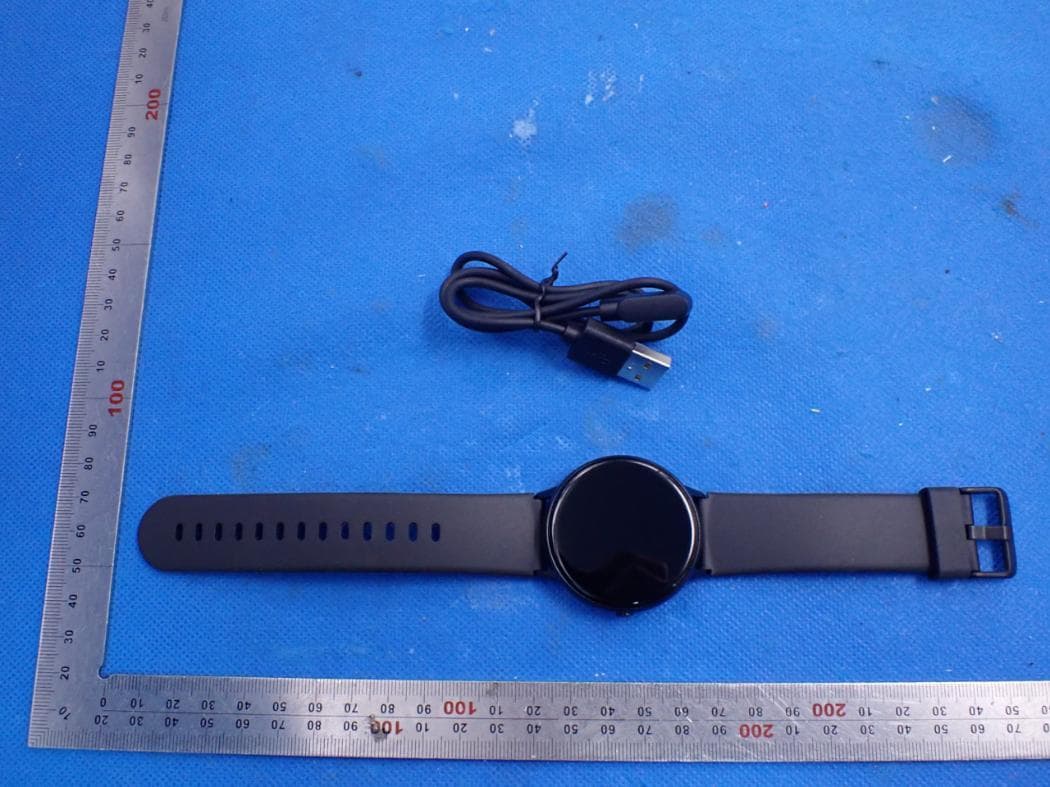
2AVWCR2
Apr 27, 2021smartwatch
Equipment Class
DTS - Digital Transmission System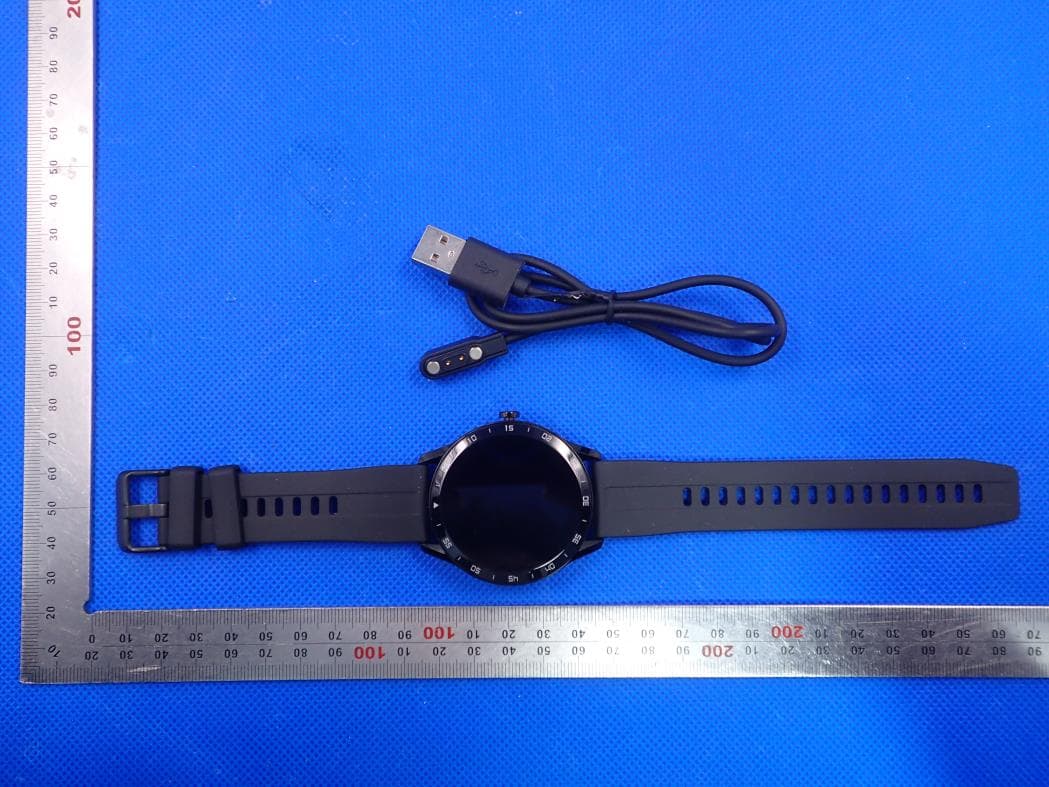
2AVWCX1
May 05, 2020smartwatch
Equipment Class
DTS - Digital Transmission System