2AW56-EZFLIP24G senior phone
Excellus Communications, LLC
Click to zoom
Application Details
- Equipment Class
- DTS - Digital Transmission System
- Date of Grant
- Jan 19, 2022
- Application Purpose
- Original Equipment
- Date of Application
- Jan 19, 2022
- Equipment Note
- 4G senior phone
- Frequency Range
- 2412.00000000 - 2462.00000000
- Company
- Excellus Communications, LLC
- Country
- United States
Documents & Files
Document Text
Text extracted from the exhibit documents filed with the FCC. Open a document above to read the original.
Users Manual
8 Quick-Start Guide Contacts: Tap Contacts to open it. The Contacts page offers management functions. It allows you to view the list of contacts and related details, make a call or send an SMS to a certain contact, and share the contact. Contact import: On the Contacts page, tap the Menu button, and choose Import/Export to select a mode for importing or exporting a contact. Add a contact: On the lower right of the Contacts page, tap the create new contact button to add a contact to your phone or USIM/SIM. Enter the name and number, and tap Finish. In this way, a contact is created. Contact list: On the Contacts page, tap any of the contact info. Details about the contact is displayed. This allows you to quickly make a call or send an SMS to the contact. Search contact: On the Contacts page, tab Search, and enter related information about a certain contact to search it among the list of contacts. Basic Operations 5 Quick-Start Guide Powering On or Off Powering on: Press and hold the red PWR button for 3-5 seconds. Release the button when the screen animation begins and phone plays its start-up chime. Powering off: Press and hold the red PWR button for 3-5 seconds. Power off option screen will appear asking, ‘Do you want to shut down?’ select OK shut-down chime will sound and the screen animation will begin. Setting Up Voicemail After the phone has powered on and has connected with the carrier, press and hold the 1 button on the phone’s keypad until it begins to call your voicemail box. When the call connects, simply follow the spoken instructions. You may choose to have (or not to have) a password. Note: If you do not set up voicemail, you may not be able to receive incoming calls. Basic Operations 6 Quick-Start Guide Touch Screen Usage Use your fingers to perform operations directly on icons, buttons, and the optional on-screen keypad. Tap/Touch/Click: Tap the icon of an Application to start it. Touch & Hold: Touch and hold an item to display a pop-up menu of options. For example, go to Address Book, touch and hold a contact on the Address Book page, and a menu of options pops up. Drag: Tap an item on the screen and drag it to another place. Slide/Sweep: To sweep vertically or horizontally across the screen, you can view apps, pictures, and web pages in a convenient manner. Scroll: Similar to sweeping, but faster. Basic Operations 7 Quick-Start Guide Calling Making a Call: With the phone powered on, while on the Home screen, enter the phone number you wish to call and press the green Phone button. Tap the Phone icon to open the application. The Dial-up page is displayed. Enter a phone number and press the green Phone button to make the call. You are also able to initiate a call by selecting a phone number from you Contacts List, Call History, or the Message page. Answering an Incoming Call : When the phone rings and/or vibrates open phone, then you can press the green Send/Answer button, swipe up on touch screen, or press Answer on the touch screen to answer the call. You can turn on or off the phone’s ability to answer on opening in the Phone Settings section. Ending a Call or Ignoring a Call: Press the red PWR button to end a call at any time. You can turn on or off the phone’s ability to end a call on closing in the Phone Settings. Note: Holding down the PWR button will turn the phone completely off. Call Waiting: While a call is engaged, press the Answer or Ignore Option Buttons when the second incoming call is displayed. To swap between lines when call waiting is in use, select “swap” from the Options menu, or press the green OK/Send button one time. Basic Operations FCC Caution. This device complies with part 15 of the FCC Rules. Operation is subject to the following two conditions: (1) This device may not cause harmful interference, and (2) this device must accept any interference received, including interference that may cause undesired operation. Any Changes or modifications not expressly approved by the party responsible for compliance could void the user's authority to operate the equipment. Note: This equipment has been tested and found to comply with the limits for a Class B digital device, pursuant to part 15 of the FCC Rules. These limits are designed to provide reasonable protection against harmful interference in a residential installation. This equipment generates uses and can radiate radio frequency energy and, if not installed and used in accordance with the instructions, may cause harmful interference to radio communications. However, there is no guarantee that interference will not occur in a particular installation. If this equipment does cause harmful interference to radio or television reception, which can be determined by turning the equipment off and on, the user is encouraged to try to correct the interference by one or more of the following measures: -Reorient or relocate the receiving antenna. -Increase the separation between the equipment and receiver. -Connect the equipment into an outlet on a circuit different from that to which the receiver is connected. -Con sult the dealer or an experienced radio/TV technician for help. This Smart Phone meets the government's requirements for exposure to radio waves. The guidelines are based on standards that were developed by independent scientific organizations through periodic and thorough evaluation of scientific studies. The standards include a substantial safety margin designed to assure the safety of all persons regardless of age or health. The SAR limit of USA (FCC) is 1.6 W/kg averaged over one gram of tissue. Device types: Snapfōn ezFlip 4G v1.1 (FCC ID: 2AW56-EZFLIP2) has also been tested against this SAR limit. The highest SAR value reported under this standard during product certification for use at the ear is 0.455W/kg and when properly worn on the body is 0.912W/kg. This device was tested for typical body-worn operations with the back of the handset kept 10mm from the body. To maintain compliance with FC…
Text truncated - open the document above for the full version.
Users Manual
2 Quick-Start Guide External Features Sel e Camera Lens Main Camera Lens Headphone Jack SOS Button Silent/Volume On Volume (+/-) Touch Screen Micro-USB Charging Port Flashlight Camera End/Power Back Menu Navigation Pad Call Voicemail Calculator Flash 11 Quick-Start Guide SOS Emergency Features: • Speakerphone Connects to Emergency Contacts • Accessible SOS Button • Calls and Texts Emergency Message • Customizable Emergency Message • Low Battery Warning System • Fall Detection Capable • Optional Siren When Activated 10 Quick-Start Guide SOS Features The SOS button on your ezFlip is located on the back side of your device. When the SOS button is held down for 3 seconds it will initiate sos sequence. The SOS sequence is; siren to alert those near, calling your preprogrammed emergency contact, and sending out emergency SMS text message to your preprogrammed contacts list that says, "Help me. I'm having an emergency and have activated my phone's SOS alert button." This message can be changed in your SOS settings. Maximize the safety features of your ezFlip 4G with sosPlus® Mobile Monitoring Service from Snapfōn®. With sosPlus® the SOS button on your device will contact a 24 hour sosPlus® Mobile Response Agent. Our agents can access your submitted medical information through your Snapfōn® User Account. sosPlus® agents can provide your medical information to first-responders during an emergency. Agents can also contact your approved contact list and stay on the line with you through your situation. Learn more at snapfon.com/sos-plus/. sosPlus Mobile Monitoring Service 3 Quick-Start Guide • SOS Button Press for 3 seconds to activate SOS Alarm and SOS features. Learn more in SOS Section. • Main Camera Lens 5mp Camera • Sel e Camera Lens 2mp Sel e Camera • Touch Screen Use your ngers to perform operations directly on icons, buttons, and the optional on-screen keypad. • Menu Press to display menu options. • Navigation Pad Up, Down, Left, Right, and Enter for navigating on screen activity. • Call Answer an incoming call or press once to open call application, twice to dial last outgoing call. • Calculator Press to launch Calculator Application. • Voicemail Hold down to launch Voicemail. • Silent/Volume On Hold down to mute or turn on volume. • Flashlight Press to turn Flashlight on or o . • Camera Press to open Camera application. • End/Power End call or application and power o . • Back Return to previous screen. • Micro-USB Charging Port For charging the ezFlip. • Headphone Jack For use with any 3.5mm standard headphone. • Volume (+/-) Adjust the ringer, in-call, speaker, media, and alarm volume. Ringer volume may be adjusted any time but in-call volume must be adjusted during a call. External Functions 4 Quick-Start Guide Activating your ezFlip If you've purchased your ezFlip from Snapfon directly your phone service may already be activated. If you purchased your ezFlip from another retailer you may still need to activate your device and an activation guide will be included in the box. Follow that activation guide to get started. If you need any assistance contact our U.S. Based customer service department. Call: 800-937-1532 or Email: [email protected] Mobile 9 Quick-Start Guide Messaging Select the Message application through the menu or on the home screen to create and send an SMS or MMS. New Message: Tap the Add icon on the upper right of the Message page. The message creating page is displayed. Enter the name or phone number of the target contact into the Recipient bar. The phone will automatically search among the list of contacts for one that best matches the entered info. (You can also select the contact from the list of contacts or groups.) Input method: Tap the text editing zone to invoke the keypad. Short press the # key to switch your input method. Send: After an SMS is complete, tap Send. Basic Operations
Users Manual
[email protected] 800-937-1532 snapfon.com/support © 2022 Excellus Communications, LLC dba Snapfōn® ezFlip 4G V1.1 Quick-Start Guide Welcome to Thank you for your purchase of the Snapfōn® ezFlip 4G, the first senior cell phone with both a touch screen and a big-button keypad. The Snapfōn® ezFlip Quick-Start Guide is here to help you get started. For more in-depth information about your ezFlip, please reference the Snapfōn® ezFlip User Manual online at snapfon.com/support. For additional assistance or questions see our Support section in this guide to connect with one of our helpful U.S. based customer service representatives. © 2022 Excellus Communications, LLC dba Snapfōn® 13 Quick-Start Guide 1. Do not cover slots or openings on the device. This may cause overheating. 2. Never force or push any objects through slots in the device. 3. Do not disassemble device. Do not attempt to repair device yourself. If device is malfunctioning or having operational problems contact Snapfōn® support. 4. Use the specific battery and charger made by Snapfōn® or a supported model with device. 5. Dropping, crushing, burning, puncturing, or submerging/contact with liquid occurs the device and/or battery may become damaged or unusable. 6. Do not use damaged charging devices, headphones, Bluetooth® units, or other accessories with device. 7. When charging device make sure to fully plug connector into device before plugging receiver into electrical wall outlet. Device should be free of objects on the unit while charging and keep device in a well ventilated area during charging. 7. Do not expose device to extreme temperatures such as areas near a hot radiator, stove, or in a hot vehicle. 8. Keep items such as candles, cigarettes, or other heated items off of device. 9. Do not use liquids or aerosol products to clean device. 10. Do not use device with a cracked or broken screen or obvious damage. If service or repair work is required contact Snapfōn® support. 11. Device may interfere with the function of certain medical devices, such as pacemakers, when switched-on. Contact your medical device manufacturer for information specific to your medical device and distance between ezFlip™ device. 12. Keep battery away from water or liquids to prevent damage and short circuiting. Do not discard battery in fire. Recycle battery properly and separately from household waste. 13. Do not operate a vehicle while holding or using your device. Follow the local laws and traffic regulations when operating your device. 14. Always power your mobile telephone off while in an airplane. Follow the FCC regulations when operating your device during air travel. 15. Never shine the LED flashlight into a human or animal’s eyes (protection class 3). IMPORTANT SAFETY INFORMATION READ ALL INSTRUCTIONS BEFORE USING SNAPFŌN® EZFLIP 4G DEVICE WARNING: When using an electrical device, basic safety precautions should always be followed to reduce risk of fire, electric shock, or personal injury: 12 Quick-Start Guide Support Contact our U.S. based customer service representatives for assistance. Online: snapfon.com/support Email: [email protected] Phone: 800-937-1532 © 2022 Excellus Communications, LLC dba Snapfōn®. Snapfōn®, sosPlus®, ezProtection™, and Snapfōn Mobile™ are the trademarks, brands, and service marks of Excellus Communications, LLC. Other trademarks and trade names are those of their respective owners. The Snapfōn® ezFlip 4G is part of the Snapfōn® family of products and services. Find out more about the Snapfōn® Network, Snapfōn® devices, and sosPlus® at snapfon.com sosPlus Mobile Monitoring Service + 1 Quick-Start Guide Quick-Start Guide ezFlip ™ 4G What’s in the box ezFlip 4G Micro-USB Cord Quick-Start Guide USB Wall Plug
Cover Letter(s)
Excellus Communications, LLC Agent Authorization Company: Excellus Communications, LLC Address: 27298 Wetland Road, Suite 101 Harrisburg, SD 57032 USA Product Name: 4G senior phone Model Number(s): Snapfōn ezFlip 4G v1.1 Product Description: 4G senior phone FCC ID: 2AW56-EZFLIP2 We authorize MiCOM Labs Inc., 575 Boulder Court, Pleasanton, California 94566, USA, to act on our behalf on all matters concerning the certification of above named equipment. We declare that MiCOM Labs Inc. is allowed to forward all information related to the approval and certification of equipment to the regulatory agencies as required and to discuss any issues concerning the approval application. Any and all acts carried out by MiCOM Labs on our behalf shall have the same effect as acts of our own. Signature: Date: 2022.01.17 Name: Jiankuai Li Title: PM Company: Shenzhen STS Test Services Co., Ltd.
Cover Letter(s)
Excellus Communications, LLC Authorization Letter We, (the approval holder) Company name Excellus Communications, LLC Addresss 27298 Wetland Road, Suite 101 Harrisburg, SD 57032 USA declare that the following representative (agent): Name (person) Bovey Yang Company name Shenzhen STS Test Services Co., Ltd. Addresss 1/F., Building B, Zhuoke Science Park, No.190,Chongqing Road, Fuyong Street, Bao’an District, Shenzhen, Guangdong,China City Shenzhen Country China to act on our behalf on all matters concerning the application and documents submitted to Nemko for product certification below Product Description 4G senior phone Type or Model(s) Snapfōn ezFlip 4G v1.1 Brand Name Snapfon FCC ID 2AW56-EZFLIP2 Attestation: Country: Date: Name: (this must be a person) Function: Signature: (or official company stamp) Shenzhen 2022.01.17 Jiankuai Li PM
Cover Letter(s)
Excellus Communications, LLC Office of Engineering Technology Federal Communications Commission 7435 Oakland Mills Road Columbia, MD 21046 USA Date: 2022.01.17 Subject; Request for Confidentiality FCC ID: 2AW56-EZFLIP2 To Whom It May Concern, Pursuant to the provisions of the Commission’s rules Title 47 Sections §0.457 and §0.459, we are requesting the Commission to withhold the following attachment(s) as confidential documents from public disclosure indefinitely. These documents contain detailed system and equipment descriptions and are considered as proprietary information in operation of the equipment. The public disclosure of these documents might be harmful to our company and would give competitors an unfair advantage in the market. Schematic Diagram Block Diagram Operational Description Tune-up Procedure Part List In additional to above mentioned documents, in order to comply with the marketing regulations in Title 47 CFR §2.803 and the importation rules in Title 47 CFR §2.1204, while ensuring that business sensitive information remains confidential until the actual marketing of newly authorized devices, we request Short Term Confidentiality of the following attachment(s); External Photos Test Setup Photos Internal Photos User Manual For 45 days, pursuant to Public Notice DA 04-1705. OR For 180 days pursuant to KDB 726920 D01. It is our understanding that all measurement test reports, FCC ID label format and correspondence during the certification review process cannot be granted as confidential documents and this information will be available for public review once the grant of equipment authorization is issued. Sincerely, Signature: Name: Jiankuai Li Title: PM
External Photos
Page 1 of 6 Report No.: STS2111153 APPENDIX-PHOTOGRAPHS OF EUT CONSTRUCTIONAL DETAILS Photo 1 Photo 2 Page 2 of 6 Report No.: STS2111153 Photo 3 Photo 4 Page 3 of 6 Report No.: STS2111153 Photo 5 Photo 6 Page 4 of 6 Report No.: STS2111153 Photo 7 Photo 8 Page 5 of 6 Report No.: STS2111153 Photo 9 Photo 10 Page 6 of 6 Report No.: STS2111153 Photo 11
ID Label/Location Info
FCC Label
Internal Photos
Page 1 of 5 Report No.: STS2111153 APPENDIX-PHOTOGRAPHS OF EUT CONSTRUCTIONAL DETAILS Photo 1 Photo 2 LTE RX Antenna BT/WIFI/GPS Antenna GSM/WCDMA/LTE Antenna Page 2 of 5 Report No.: STS2111153 Photo 3 Photo 4 Page 3 of 5 Report No.: STS2111153 Photo 5 Photo 6 Page 4 of 5 Report No.: STS2111153 Photo 7 Photo 8 Page 5 of 5 Report No.: STS2111153 Photo 9
Test Report
Any reproduction of this document must be done in full. No single part of this document may be reproduced without permission from STS, all test data presented in this report is only applicable to presented test sample. Shenzhen STS Test Services Co., Ltd. A 1/F, Building B, Zhuoke Science Park, No.190 Chongqing Road, HepingShequ, Fuyong Sub-District, Bao’an District, Shenzhen, Guang Dong, China TEL: +86-755 3688 6288 FAX: +86-755 3688 6277 E-mail:[email protected] RADIO TEST REPORT Report No.:STS2111153W04 Issued for Excellus Communications, LLC 27298 Wetland Road, Suite 101 Harrisburg, SD 57032 USA Product Name: 4G senior phone Brand Name: Snapfon Model Name: Snapfōn ezFlip 4G v1.1 Series Model: N/A FCC ID: 2AW56-EZFLIP2 Test Standard: FCC Part 15.247 S T L A B S Page 2 of 46 Report No.: STS2111153W04 TEST RESULT CERTIFICATION Applicant’s Name ..................: Excellus Communications, LLC Address ..................................: 27298 Wetland Road, Suite 101 Harrisburg, SD 57032 USA Manufacturer's Name ...........: Ying Tai Electronics Co., Ltd Address ..................................: ROOM 803, CHEVALIER HOUSE 45-51 CHATHAM ROAD SOUTH, TSIM SHA TSUI, KOWLOON, HONG KONG Product Description Product Name .........................: 4G senior phone Brand Name ..........................: Snapfon Model Name ...........................: Snapfōn ezFlip 4G v1.1 Series Model ...........................: N/A Test Standards ......................: FCC Part15.247 Test Procedure .......................: ANSI C63.10-2013 This device described above has been tested by STS, the test results show that the equipment under test (EUT) is in compliance with the FCC requirements. And it is applicable only to the tested sample identified in the report. This report shall not be reproduced except in full, without the written approval of STS, this document may be altered or revised by STS, personal only, and shall be noted in the revision of the document. Date of Test ............................................ : Date of receipt of test item ...................... : 24 Nov. 2021 Date (s) of performance of tests ............. : 24 Nov. 2021 ~ 27 Dec. 2021 Date of Issue ........................................... : 27 Dec. 2021 Test Result ............................................... : Pass Testing Engineer : (Chris Chen) Technical Manager : (Sean she) Authorized Signatory: (Vita Li) Page 3 of 46 Report No.: STS2111153W04 Table of Contents 1. SUMMARY OF TEST RESULTS 6 1.1 TEST FACTORY 7 1.2 MEASUREMENT UNCERTAINTY 7 2. GENERAL INFORMATION 8 2.1 GENERAL DESCRIPTION OF THE EUT 8 2.2 DESCRIPTION OF THE TEST MODES 10 2.3 TEST SOFTWARE AND POWER LEVEL 10 2.4 BLOCK DIAGRAM SHOWING THE CONFIGURATION OF SYSTEM TESTED 11 2.5 DESCRIPTION OF NECESSARY ACCESSORIES AND SUPPORT UNITS 12 2.6 EQUIPMENTS LIST 13 3. EMC EMISSION TEST 15 3.1 CONDUCTED EMISSION MEASUREMENT 15 3.2 TEST PROCEDURE 16 3.3 TEST SETUP 16 3.4 EUT OPERATING CONDITIONS 16 3.5 TEST RESULTS 17 4. RADIATED EMISSION MEASUREMENT 19 4.1 RADIATED EMISSION LIMITS 19 4.2 TEST PROCEDURE 21 4.3 TEST SETUP 22 4.4 EUT OPERATING CONDITIONS 22 4.5 FIELD STRENGTH CALCULATION 23 4.6 TEST RESULTS 24 5. CONDUCTED SPURIOUS & BAND EDGE EMISSION 31 5.1 LIMIT 31 5.2 TEST PROCEDURE 31 5.3 TEST SETUP 31 5.4 EUT OPERATION CONDITIONS 31 5.5 TEST RESULTS 32 6. POWER SPECTRAL DENSITY TEST 36 6.1 LIMIT 36 6.2 TEST PROCEDURE 36 6.3 TEST SETUP 36 Page 4 of 46 Report No.: STS2111153W04 Table of Contents 6.4 EUT OPERATION CONDITIONS 36 6.5 TEST RESULTS 37 7. BANDWIDTH TEST 39 7.1 LIMIT 39 7.2 TEST PROCEDURE 39 7.3 TEST SETUP 39 7.4 EUT OPERATION CONDITIONS 39 7.5 TEST RESULTS 40 8. PEAK OUTPUT POWER TEST 42 8.1 LIMIT 42 8.2 TEST PROCEDURE 42 8.3 TEST SETUP 43 8.4 EUT OPERATION CONDITIONS 43 8.5 TEST RESULTS 44 9. ANTENNA REQUIREMENT 45 9.1 STANDARD REQUIREMENT 45 9.2 EUT ANTENNA 45 10. EUT TEST PHOTO 46 Page 5 of 46 Report No.: STS2111153W04 Revision History Rev. Issue Date Report NO. Effect Page Contents 00 27 Dec. 2021 STS2111153W04 ALL Initial Issue Page 6 of 46 Report No.: STS2111153W04 1. SUMMARY OF TEST RESULTS Test procedures according to the technical standards: KDB 558074 D01 15.247 Meas Guidance v05r02. FCC Part 15.247,Subpart C Standard Section Test Item Judgment Remark 15.207 Conducted Emission PASS -- 15.247 (a)(2) 6dB Bandwidth PASS -- 15.247 (b)(3) Output Power PASS -- 15.209 Radiated Spurious Emission PASS -- 15.247 (d) Conducted Spurious & Band Edge Emission PASS -- 15.247 (e) Power Spectral Density PASS -- 15.205 Restricted bands of operation PASS -- Part 15.247(d)/ Part 15.209(a) Band Edge Emission PASS -- 15.203 Antenna Requirement PASS -- NOTE: (1) ‘N/A’ denotes test is not applicable in this Test Report. (2) All tests are according to ANSI C63.10-2013. Page 7 of 46 Report No.: STS2111153W04 1.1 TEST FACTORY SHENZHEN STS TEST SERVICES CO., LTD Add. : A 1/F, Building B, Zhuoke Science Park, No.190 Chongqing Road, HepingShequ, Fuyong Sub-District, Bao’an District, Shenzhen, Guang Dong, China FCC test Firm Registration Number: 625569 IC test Firm Registration Number: 12108A A2LA Certificate No.: 4338.01 1.2 MEASUREMENT UNCERTAINTY The reported uncertainty of measurement y ± U, where expended uncertainty U is based on a standard uncertainty multiplied by a coverage factor of k=2, providing a level of confidence of approximately 95 %. No. Item Uncertainty 1 RF output power, conducted ±0.87dB 2 Unwanted Emissions, conducted ±2.895dB 3 All emissions, radiated 9K-30MHz ±3.80dB 4 All emissions, radiated 30M-1GHz ±4.09dB 5 All emissions, radiated 1G-6GHz ±4.92dB 6 All emissions, radiated>6G ±5.49dB 7 Conducted Emission (9KHz-30MHz) ±2.73dB Page 8 of 46 Report No.: STS2111153W04 2. GENERAL INFORMATION 2.1 GENERAL DESCRIPTION OF THE EUT Product Name 4G senior phone Trade Name Snapfon Model Name Snapfōn ezFlip 4G v1.1 Series Model N/A Model Difference N/A Product Description The EUT is a 4G senior phone Operation Frequency: 2402~2480 MHz Modulation Type: GFSK Radio Technology:…
Text truncated - open the document above for the full version.
Test Report
Any reproduction of this document must be done in full. No single part of this document may be reproduced without permission from STS, all test data presented in this report is only applicable to presented test sample. Shenzhen STS Test Services Co., Ltd. A 1/F, Building B, Zhuoke Science Park, No.190 Chongqing Road, HepingShequ, Fuyong Sub-District, Bao’an District, Shenzhen, Guang Dong, China TEL: +86-755 3688 6288 FAX: +86-755 3688 6277 E-mail:[email protected] RADIO TEST REPORT Report No.:STS2111153W05 Issued for Excellus Communications, LLC 27298 Wetland Road, Suite 101 Harrisburg, SD 57032 USA Product Name: 4G senior phone Brand Name: Snapfon Model Name: Snapfōn ezFlip 4G v1.1 Series Model: N/A FCC ID: 2AW56-EZFLIP2 Test Standard: FCC Part 15.247 S T L A B S Page 2 of 71 Report No.:STS2111153W05 TEST RESULT CERTIFICATION Applicant’s Name ................. : Excellus Communications, LLC Address .................................. : 27298 Wetland Road, Suite 101 Harrisburg, SD 57032 USA Manufacturer's Name ........... : Ying Tai Electronics Co., Ltd Address .................................. : ROOM 803, CHEVALIER HOUSE 45-51 CHATHAM ROAD SOUTH, TSIM SHA TSUI, KOWLOON, HONG KONG Product Description Product Name ........................ : 4G senior phone Brand Name ........................... : Snapfon Model Name ........................... : Snapfōn ezFlip 4G v1.1 Series Model .......................... : N/A Test Standards ..................... : FCC Part 15.247 Test Procedure........................: ANSI C63.10-2013 This device described above has been tested by STS, the test results show that the equipment under test (EUT) is in compliance with the FCC requirements. And it is applicable only to the tested sample identified in the report. This report shall not be reproduced except in full, without the written approval of STS, this document only be altered or revised by STS, personal only, and shall be noted in the revision of the document. Date of Test ............................................ : Date of receipt of test item ...................... : 24 Nov. 2021 Date (s) of performance of tests ............. : 24 Nov. 2021 ~ 27 Dec. 2021 Date of Issue .......................................... : 27 Dec. 2021 Test Result .............................................. : Pass Testing Engineer : (Chris Chen) Technical Manager : (Sean she) Authorized Signatory: (Vita Li) Page 3 of 71 Report No.:STS2111153W05 Table of Contents Page 1. SUMMARY OF TEST RESULTS 6 1.1 TEST FACTORY 7 1.2 MEASUREMENT UNCERTAINTY 7 2. GENERAL INFORMATION 8 2.1 GENERAL DESCRIPTION OF THE EUT 8 2.2 DESCRIPTION OF THE TEST MODES 10 2.3 TEST SOFTWARE AND POWER LEVEL 10 2.4 BLOCK DIAGRAM SHOWING THE CONFIGURATION OF SYSTEM TESTED 11 2.5 DESCRIPTION OF NECESSARY ACCESSORIES AND SUPPORT UNITS 12 2.6 EQUIPMENTS LIST FOR ALL TEST ITEMS 13 3. EMC EMISSION TEST 15 3.1 CONDUCTED EMISSION MEASUREMENT 15 3.2 RADIATED EMISSION MEASUREMENT 19 4. CONDUCTED SPURIOUS & BAND EDGE EMISSION 31 4.1 LIMIT 31 4.2 TEST PROCEDURE 31 4.3 DEVIATION FROM STANDARD 31 4.4 TEST SETUP 31 4.5 EUT OPERATION CONDITIONS 31 4.6 TEST RESULTS 32 5. POWER SPECTRAL DENSITY TEST 48 5.1 LIMIT 48 5.2 TEST PROCEDURE 48 5.3 DEVIATION FROM STANDARD 48 5.4 TEST SETUP 48 5.5 EUT OPERATION CONDITIONS 48 5.6 TEST RESULTS 49 6. BANDWIDTH TEST 56 6.1 LIMIT 56 6.2 TEST PROCEDURE 56 6.3 DEVIATION FROM STANDARD 56 6.4 TEST SETUP 56 6.5 EUT OPERATION CONDITIONS 56 Page 4 of 71 Report No.:STS2111153W05 Table of Contents Page 6.6 TEST RESULTS 57 7. PEAK OUTPUT POWER TEST 64 7.1 LIMIT 64 7.2 TEST PROCEDURE 64 7.3 DEVIATION FROM STANDARD 64 7.4 TEST SETUP 65 7.5 EUT OPERATION CONDITIONS 65 7.6 TEST RESULTS 66 8. ANTENNA REQUIREMENT 70 8.1 STANDARD REQUIREMENT 70 8.2 EUT ANTENNA 70 APPENDIX-PHOTOS OF TEST SETUP 71 Page 5 of 71 Report No.:STS2111153W05 Revision History Rev. Issue Date Report No. Effect Page Contents 00 27 Dec. 2021 STS2111153W05 ALL Initial Issue Page 6 of 71 Report No.:STS2111153W05 1. SUMMARY OF TEST RESULTS Test procedures according to the technical standards: KDB 558074 D01 15.247 Meas Guidance v05r02. FCC Part 15.247,Subpart C Standard Section Test Item Judgment Remark 15.207 Conducted Emission PASS -- 15.247 (a)(2) 6dB Bandwidth PASS -- 15.247 (b)(3) Output Power PASS -- 15.209 Radiated Spurious Emission PASS -- 15.247 (d) Conducted Spurious & Band Edge Emission PASS -- 15.247 (e) Power Spectral Density PASS -- 15.205 Restricted Band Edge Emission PASS -- Part 15.247(d)/ part 15.209(a) Band Edge Emission PASS -- 15.203 Antenna Requirement PASS -- NOTE: (1) ‘N/A’ denotes test is not applicable in this Test Report. (2) All tests are according to ANSI C63.10-2013. Page 7 of 71 Report No.:STS2111153W05 1.1 TEST FACTORY SHENZHEN STS TEST SERVICES CO., LTD Add. : A 1/F, Building B, Zhuoke Science Park, No.190 Chongqing Road, HepingShequ, Fuyong Sub-District, Bao’an District, Shenzhen, Guang Dong, China FCC test Firm Registration Number: 625569 IC test Firm Registration Number: 12108A A2LA Certificate No.: 4338.01 1.2 MEASUREMENT UNCERTAINTY The reported uncertainty of measurement y ±U, where expended uncertainty U is based on a standard uncertainty multiplied by a coverage factor of k=2, providing a level of confidence of approximately 95 %. No. Item Uncertainty 1 RF output power, conducted ±0.87dB 2 Unwanted Emissions, conducted ±2.895dB 3 All emissions, radiated 9K-30MHz ±3.80dB 4 All emissions, radiated 30M-1GHz ±4.09dB 5 All emissions, radiated 1G-6GHz ±4.92dB 6 All emissions, radiated>6G ±5.49dB 7 Conducted Emission (9KHz-30MHz) ±2.73dB Page 8 of 71 Report No.:STS2111153W05 2. GENERAL INFORMATION 2.1 GENERAL DESCRIPTION OF THE EUT Product Name 4G senior phone Trade Name Snapfon Model Name Snapfōn ezFlip 4G v1.1 Series Model N/A Model Difference N/A Product Description The EUT is a 4G senior phone Operation Frequency: 802.11b/g/n 20: 2412~2462 MHz 802.11n(40MHz):2422~2452MHz Modulation Type: 802.11b(DSSS):CCK,DQPSK,DBPSK 802.11g(OFDM):BPSK,QPSK,16-QAM,64-Q…
Text truncated - open the document above for the full version.
Test Setup Photos
Page 1 of 2 FCC ID: 2AW56-EZFLIP2 DSS&DTS&U-NII Setup photo Model name: Snapfōn ezFlip 4G v1.1 DSS&DTS&U-NII conduction DSS&DTS&U-NII radiation L Page 2 of 2 FCC ID: 2AW56-EZFLIP2 DSS&DTS&U-NII rad…
Text truncated - open the document above for the full version.
Contact Information
Applicant
Dan Strandell(General Manager)
Technical Contact
Test Firm
SHENZHEN STS TEST SERVICES CO.,LTD.Bovey Yang
[email protected]+86 755-36886288
Technical Specifications
| # | Rule Parts | Frequency Range | Power Output |
|---|---|---|---|
| 2 | 15C | 2.41 GHz - 2.46 GHz | 76.70 mW |
Other Applications from Excellus Communications, LLC
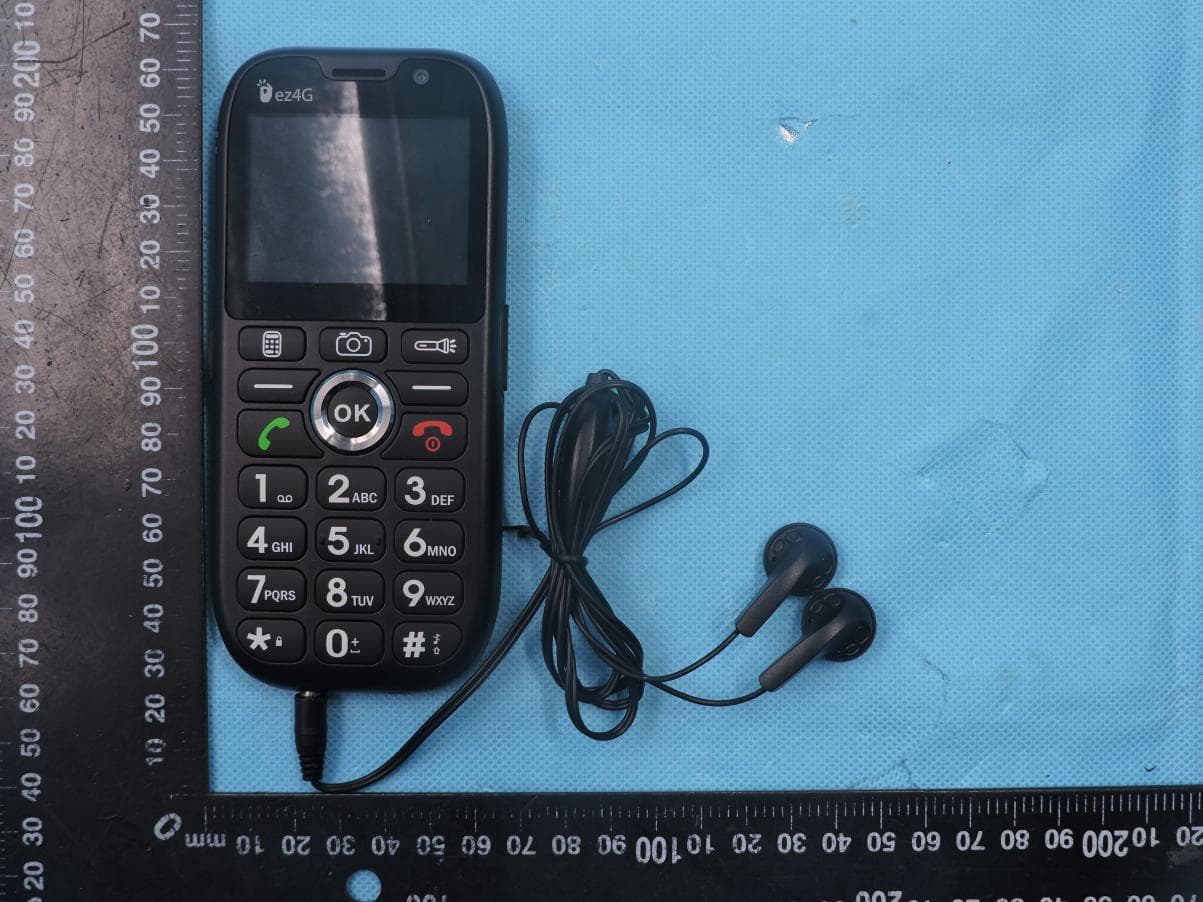
2AW56-EZ4G
Nov 04, 20204G phone
Equipment Class
DSS - Part 15 Spread Spectrum Transmitter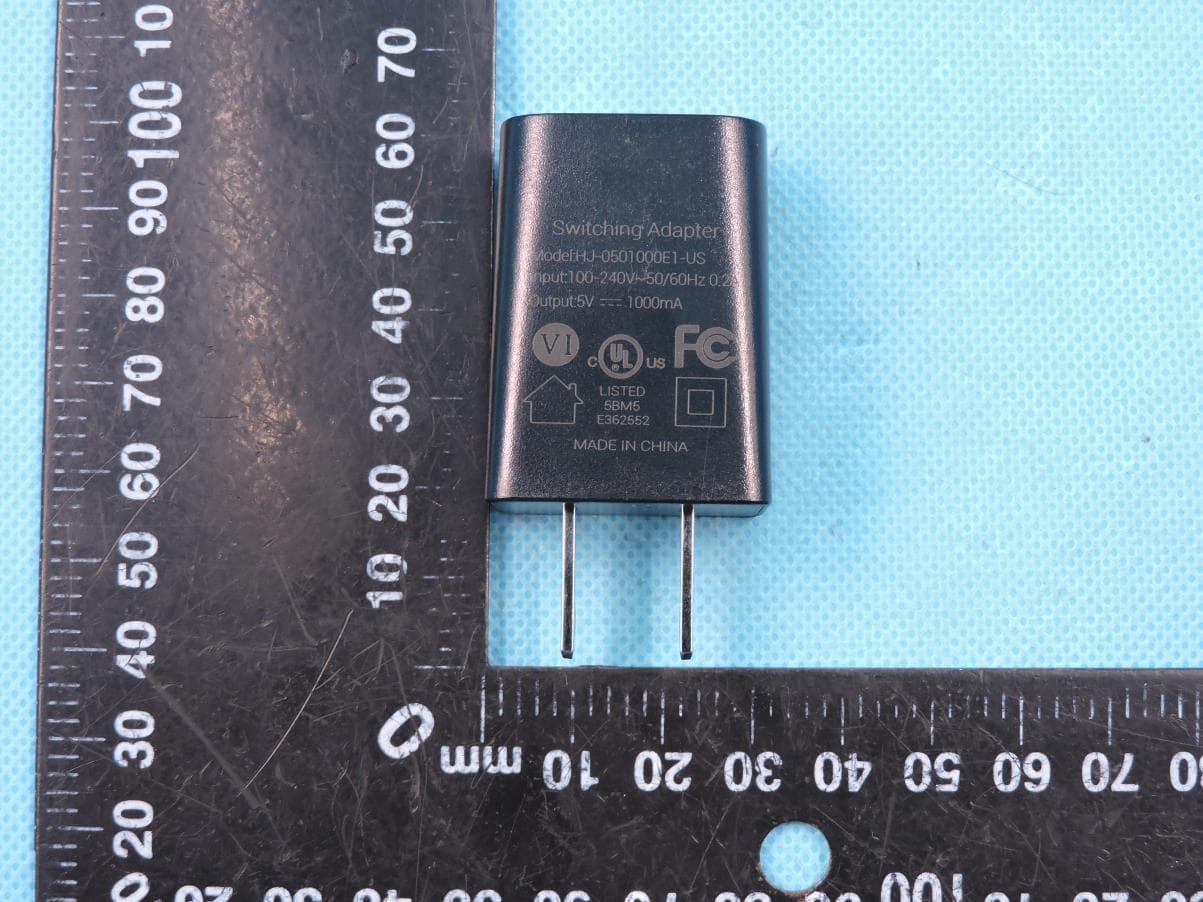
2AW56-EZFLIP
Aug 25, 20204G phone
Equipment Class
DSS - Part 15 Spread Spectrum Transmitter