2AW7SDS62613G Mobile Phone
Shenzhen Digidragon Technology Co., Ltd
Click to zoom
Application Details
- Equipment Class
- DSS - Part 15 Spread Spectrum Transmitter
- Date of Grant
- Jul 08, 2021
- Application Purpose
- Original Equipment
- Date of Application
- Jul 08, 2021
- Equipment Note
- 3G Mobile Phone
- Frequency Range
- 2402.00000000 - 2480.00000000
- Country
- China
Documents & Files
Document Text
Text extracted from the exhibit documents filed with the FCC. Open a document above to read the original.
Users Manual
BasicOperationsSwitchon Touchand hold the Powerbuttonuntil the phone switcheson. Note: If you have enabledUSIM/SIM lockingin the Settingsmenu,enter the correctPIN numberupon power-onbeforeyou use the phone. Caution:Threeconsecutiveattemptsof enteringan incorrectPIN will lock the SIM card. If it is locked,use a PUK providedby the operatorto unlockit. Switchoff Touchand hold the “Powerbutton ” until the Phone Optionsscreendisplays.Tap " Poweroff ” to switchoff the phone. Unlock Short press the “Powerbutton ” light up the screen, accordingto the clues of the screeninterfacecan be unlocked. TouchscreenUsage Use your fingersto performoperationsdirectlyon icons, buttons,and the on-screenkeypad. Tap/Touch/Click Tap the icon of an App to start it. Touch& Hold Touchand hold an item to displaya pop-upmenu of options.For example,go to AddressBook, touch and hold a contacton the AddressBook page, and a menu of optionspops up. Drag Tap an item on the screenand drag it to anotherplace. Slide/Sweep To sweepverticallyor horizontallyacrossthe screen, you can view apps, pictures,and webpagesin a convenientmanner. Scroll Similarto sweeping,but faster. Pinch Put two fingerson the screento pinch in or out an item, such as a webpageor picture. HomeScreen 1.Statusbar:allowsyou to view statusicons and notices,such as signal,battery,currenttime and data service. 2.Notificationbar:On the Homescreen,tap the statusbar and drag it down to displaythe notification bar. Tap this bar. Then you can view the notices.Touch the returnbuttonto switchback to the previouspage. 3.App icon:Tap an app to open it. 4.Main menu:Tap the arrow and drag it up to enter the app main menu. PhoneSettings To displaythe Settingsmenu,tap the Settingsicon directly. 1.SIM card:In the Settingsmenu,chooseSIM Card. You can then manageyour SIM cards on the pop-up page. 2.Network:In the Settingsmenu,selectWLANto configureyour radio network;or select Trafficusageto configureyour mobiledate services; or selectMobile Networkunder More to configuredata servicesof your phone. 3.Sound:In the Settingsmenu,chooseSound.The allowsyou to set the volume,enable/disablevibration duringringing,and selectringtonesfor incomingcalls and messages,as well as enable/disablekeypad touch soundeffect,touch alert tone, and screenlock tone 4.Display:allowsyou to configurethe brightness, wallpaper,automaticdevicerotation,sleep duration, and font size. 5. Security:In the Settingsmenu,chooseSecurity. The Securitypage allowsyou to set the screenlocking mode and USIM/SIMlockingmode. 6. App Permission:allowsyou to configurecertain permissionsfor an App and monitortheir usage. 7.Anti-theft:allowsyou to remotelylock the phone or clear all data of it. 8.Manageapps:In the Settingsmenu,chooseApps. Then you can view or manageyour apps. Note: Disableor unloadcertainapps if availablespace is less than 100MB. 9.Message:On the Messagepage, tap the Menu buttonand chooseSettings.On the MessageSettings page, you can enable/disablereport sending,createor select a messagetemplate,and configurea message alert tone for each short or multimediamessage. 10.Call:To displaythe Call Settingspage, choose Settingson the Call page. Shortcuts On the Homescreen,lightly drag down the Statusbar. On the screen top, a group of shortcuts are displayed, such as Settings, WLAN, Bluetooth, Brightness, Auto-rotate, flashlight Airplane mode and so on. Tap any of them to open it quickly. Shortcut menu easy-to-use shortcut menus on the home screen. On this screen, long press on the screen, the selection menu of the shortcut function menu will pop up. Click the menu of the desired settings and complete the function settings according t o the prompts. Move/Uninstall apps 1. Access the App main menu from the Home screen. On the ALL App page, tap and hold an app to be put on the Home screen, and drag it left or right to locate it at a proper pl ace. In this way, a desktop app is created. 2. On the All App page, tap and hold an app, and drag it to Uninstall on the desktop. In this way, the app is removed from the phone. Note: You are not allowed to uninstall basic apps of the phone. 3. On the All App page, tap and hold an app, and drag it to APP Info. on the desktop. In this way, details about the app is displ ayed. Call This phone allows you to make or answer a call, initiate an emergency call, and launch a multi-party call. On the bottom left of the Home screen, tap the Dial-up icon. The Dial-up page is displayed. Enter a phone number and choose between card 1 and card 2 to make the call. When you enter the number, the phone will automatically search among all contacts a number that best matches the entered numerals, to facilitate provides several your operation. Duringa call, tap Add a Call, and this call automaticallyswitchesto Silent mode.Enter the numberof anothercontact,tap Dial-up,and the previouscall automaticallyswitchesto On-holdmode. After the secondcall is answered,tap Join. In this way, a teleconferenceis establishedto achievea multi-partytalk. Note: You need to subscribeto this servicefrom your carrierbeforeyou use it. You are also allowedto initiatea call by selectinga phonenumberfrom the list of contactsor the Message page. Contacts Tap Contactsto open it. The Contactspage offers managementfunctions.It allowsyou to view the list of contactsand relateddetails,make a call or send an SMS to a certaincontact,and share the contact. Contactimport: On the Contactspage, tap the Menu button,and chooseImport/Exportto select a mode for importingor exportinga contact. Add a contact: On the lower right of the Contacts page, tap the Add buttonto add a contactto your phoneor USIM/SIM.Enter the name and number,and tap Finish.In this way, a contactis created. Contactlist: On the Contactspage, tap the imageof a contact.Detailsabout the contactis displayed.This allowsyou to quicklymake a call or send an SMS to the contact. Searchcontact: On the Contactspage, tab Search, and enter relatedinformationabout a certaincontact to se…
Text truncated - open the document above for the full version.
Cover Letter(s)
Shenzhen Digidragon Technology Co., Ltd Address: F02-3, Block 36, Dayun Software Town, Longgang District, Shenzhen, China Tel.:0086 755 2790 1651 Fax Number:0086 755 2790 1651 E-mail: [email protected] FCC Confidential Authorization Date: 2021-06-11 FEDERAL COMMUNICATIONS COMMISSIONS Authorization and Evaluation Division 7435 Oakland Mills Road Columbia, MD 21046 Subject: Confidentiality Request regarding application for certification of FCC ID:2AW7SDS6261 In accordance with Sections 0.457 and 0.459 of the Commission’s Rules, Shenzhen Digidragon Technology Co., Ltd hereby requests long-term confidential treatment of information accompanying this application as outlined below: Block Diagram Schematics Operation Description Part list/Tune up procedure (for licensed devices) The above materials contain proprietary and confidential information not customarily released to the public. The public disclosure of these materials provides unjustified benefits to its competitors in the market. Sincerely Yours, Signature Jackie Lei General manager
External Photos
EXHIBIT B - EUT EXTERNAL PHOTOGRAPHS
Internal Photos
EXHIBIT C - EUT INTERNAL PHOTOGRAPHS WWAN Main Antenna Bluetooth/Wi-Fi Antenna
Test Report
FCC PART 15.247 TEST REPORT For Shenzhen Digidragon Technology Co., Ltd F02-3, Block 36, Dayun Software Town, Longgang District, Shenzhen, China FCC ID: 2AW7SDS6261 Report Type: Original Report Product Name: 3G Mobile Phone Report Number: SZ2210517-17698E-00A Re port Date: 2021-06-15 Reviewed By: Ivan Cao Assistant Manager Test Laboratory: Bay Area Compliance Laboratories Corp. (Dongguan) No.12, Pulong East 1 st Road, Tangxia Town, Dongguan, Guangdong, China Tel: +86-769-86858888 Fax: +86-769-86858891 www.baclcorp.com.cn Bay Area Compliance Laboratories Corp. (Dongguan) Report No.: SZ2210517-17698E-00A Page 2 of 53 TABLE OF CONTENTS GENERAL INFORMATION ....................................................................................................................................... 4 PRODUCT DESCRIPTION FOR EQUIPMENT UNDER TEST (EUT) ..................................................................................... 4 OBJECTIVE ................................................................................................................................................................... 4 TEST METHODOLOGY .................................................................................................................................................. 4 MEASUREMENT UNCERTAINTY .................................................................................................................................... 5 TEST FACILITY ............................................................................................................................................................. 5 DECLARATIONS ............................................................................................................................................................ 5 SYSTEM TEST CONFIGURATION .......................................................................................................................... 6 DESCRIPTION OF TEST CONFIGURATION ...................................................................................................................... 6 EUT EXERCISE SOFTWARE .......................................................................................................................................... 6 EQUIPMENT MODIFICATIONS ....................................................................................................................................... 6 SUPPORT CABLE LIST AND DETAILS ............................................................................................................................ 6 BLOCK DIAGRAM OF TEST SETUP ................................................................................................................................ 7 SUMMARY OF TEST RESULTS ............................................................................................................................... 8 FCC §15.247 (i) & §1.1310 & §2.1093- RF EXPOSURE ............................................................................................ 9 APPLICABLE STANDARD .............................................................................................................................................. 9 FCC §15.203 - ANTENNA REQUIREMENT ........................................................................................................... 10 APPLICABLE STANDARD ............................................................................................................................................ 10 ANTENNA CONNECTOR CONSTRUCTION .................................................................................................................... 10 FCC §15.207 (a) – AC LINE CONDUCTED EMISSIONS ..................................................................................... 11 APPLICABLE STANDARD ............................................................................................................................................ 11 EUT SETUP ................................................................................................................................................................ 11 EMI TEST RECEIVER SETUP ....................................................................................................................................... 11 TEST PROCEDURE ...................................................................................................................................................... 12 CORRECTED AMPLITUDE & MARGIN CALCULATION ................................................................................................. 12 TEST EQUIPMENT LIST AND DETAILS ......................................................................................................................... 12 TEST DATA ................................................................................................................................................................ 13 FCC §15.209, §15.205 & §15.247(d) - SPURIOUS EMISSIONS ............................................................................. 15 APPLICABLE STANDARD ............................................................................................................................................ 15 EUT SETUP ................................................................................................................................................................ 15 EMI TEST RECEIVER & SPECTRUM ANALYZER SETUP .............................................................................................. 16 TEST PROCEDURE ...................................................................................................................................................... 16 TEST EQUIPMENT LIST AND DETAILS ......................................................................................................................... 16 CORRECTED AMPLITUDE & MARGIN CALCULATION ...................................................................................…
Text truncated - open the document above for the full version.
Test Setup Photos
EXHIBIT D - TEST SETUP PHOTOGRAPHS Conducted Emissions Front View Conducted Emissions Side View Radiated Emission Below 1GHz View Radiated Emission Above 1GHz View
Contact Information
Applicant
Jackie Lei(General manager)
Test Firm
Bay Area Compliance Laboratories Corp.(Dongguan)David Zhang
[email protected]0086 0769 86858888
Technical Specifications
| # | Rule Parts | Frequency Range | Power Output |
|---|---|---|---|
| 1 | 15C | 2.40 GHz - 2.48 GHz | 2.00 mW |
Other Applications from Shenzhen Digidragon Technology Co., Ltd

2AW7SS999
Nov 06, 2021Mobile Phone
Equipment Class
PCE - PCS Licensed Transmitter held to ear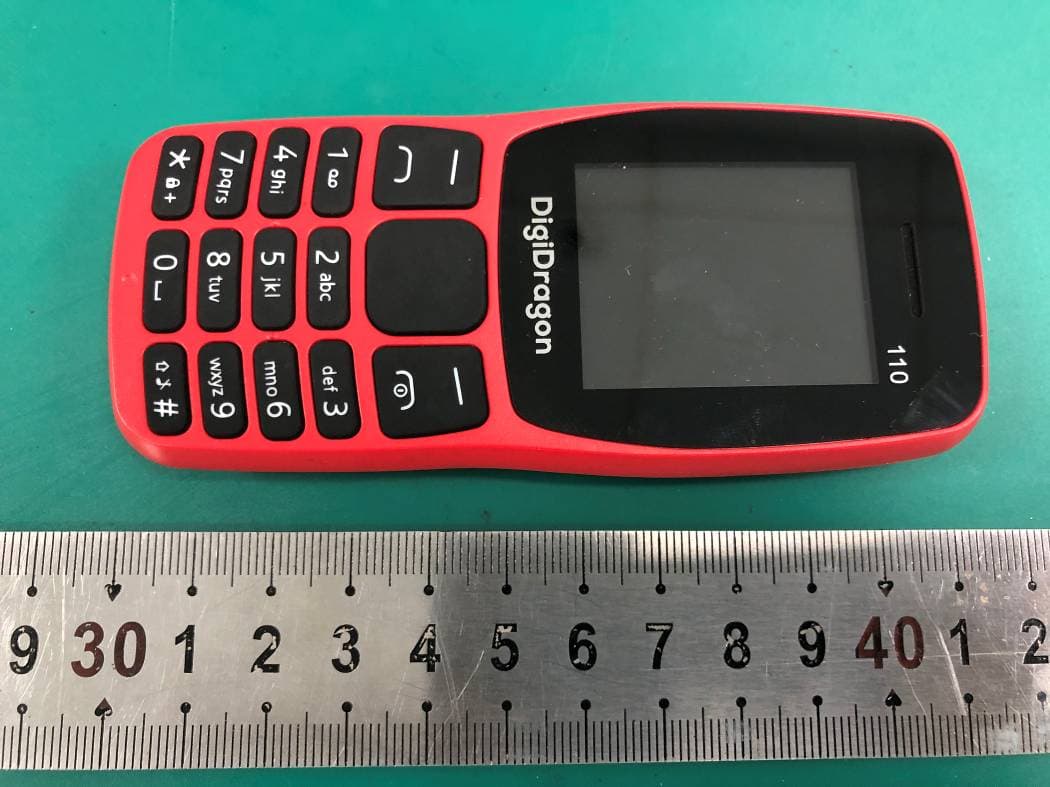
2AW7S110
Aug 02, 2021Mobile Phone
Equipment Class
DSS - Part 15 Spread Spectrum Transmitter
2AW7SX20
Jul 28, 2021WCDMA Mobile Phone
Equipment Class
DSS - Part 15 Spread Spectrum Transmitter
2AW7SDS502
Jul 08, 20213G Mobile Phone
Equipment Class
DSS - Part 15 Spread Spectrum Transmitter
2AW7S706Z
Nov 01, 20203G Tablet
Equipment Class
PCB - PCS Licensed Transmitter