2AWC8-RS13RBP01Wireless projection screen collaboration system
Shenzhen uvision Technology Co., Ltd.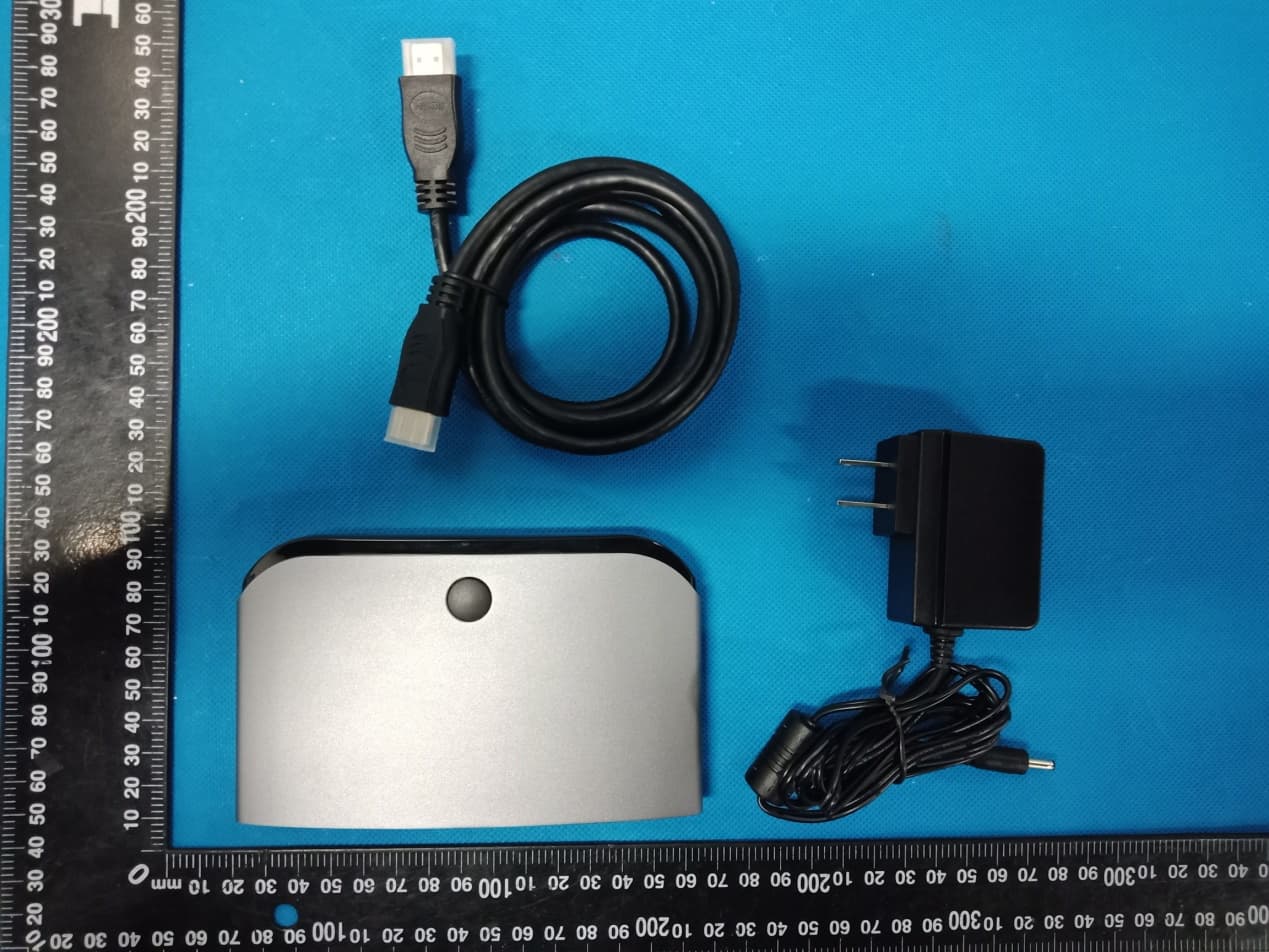
Click to zoom
Application Details
- Equipment Class
- DTS - Digital Transmission System
- Date of Grant
- May 24, 2020
- Application Purpose
- Original Equipment
- Date of Application
- May 24, 2020
- Equipment Note
- Wireless projection screen collaboration system
- Frequency Range
- 2412.00000000 - 2462.00000000
- Country
- China
Documents & Files
Document Text
Text extracted from the exhibit documents filed with the FCC. Open a document above to read the original.
Users Manual
ShenzhenuvisionTechnologyCo.,Ltd. Room410,building3,liuxianculturepark,no.1002xilitongleroad,nanshan district,shenzhen,China RS13-RBP01wirelessprojecttion screencollaborationsystem Theusermanual Aboutthismanual Theproductsdescribedinthismanualareforsaleandusein mainlandChinaonly. Thismanualisusedasaguide.Thephotos,graphics,chartsand illustrationsprovidedinthemanual, Forthepurposeofexplanationandexplanationonly,theremaybe differenceswiththespecificproduct,pleaserefertotheactual product. Declarationofresponsibility Withinthescopeofthelawallowmaximum,thismanualdescribes products(includingitshardware,software,firmware,etc.)are provided"accordingtothestatusquo",apossibleflaw,erroror malfunction,thecompanydoesnotprovideanyexpressorimplied warranty,includingbutnotlimitedto,suitableforaparticularpurpose, merchantability,qualitysatisfactionwithoutinfringementofthird partyrightsguarantee;Nocompensationshallbemadeforanyspecial, incidental,incidentalorindirectdamagescausedbytheuseofthis manualortheuseofourproducts,includingbutnotlimitedtolossof businessprofit,lossofdataorlossofdocuments. IfyouconnecttheproducttotheInternet,youneedtotakerisks, includingbutnotlimitedtotheproductmaybesubjecttonetwork attack,hackerattack,virusinfection,etc.,thecompanyshallnotbe responsiblefortheabnormalproductwork,informationleakageand otherproblemscausedbythis,butthecompanywillprovideyouwith timelytechnicalsupportrelatedtotheproduct. Pleasestrictlyfollowtheapplicablelawswhenusingthisproduct.The companydoesnotacceptanyliabilityiftheproductisusedfor infringingtherightsofthirdpartiesorotherimproperpurposes. Intheeventofanyconflictbetweenthecontentsofthismanualand theapplicablelaw,theprovisionsofthelawshallprevail. 3 4 roductintroduction Wirelessscreentransmittercanrealizeautomaticwireless screenprojection,mirrorscreenprojection,bidirectionalcontrol andotherintelligentofficemeetingfunctionsinavarietyof platforms.Fromnowon,wecanavoidthecomplicateddataline constraint,notberestrictedbythedistance,multiplepeoplecan cast,two-wayoperation,andrealizeefficientautomatic,multi- person,multi-platform,andunconstrainedintelligentmeeting experience Theproductadoptsadvanceddrivefreedesign,theaccessto thecomputercanautomaticallyidentifythesystem,automatically installtheapplication,andstarttheapplication.Donotneed tediousoperation,cancompleteakeyscreen.Thewirelessscreen transmittercanalsoreceivetouchfeedbackfromthereceivingend, feedbackthetouchoperationtothePC,andrealizethetouchback function. Figure1appearanceofwirelessprojectorandreceivingbox (whenusedinconjunctionwiththeconferencetablet,allfunctionscanbe achievedbywirelessprojectoronly,noreceivingboxisneeded) Thefuselageinterface FIG.2interfaceschematicdiagramofwirelessprojector 5 I 、 Usewithmeetingtablet 1.Scheme1:usewirelessprojector Meetingflatendpairing ConnectthewirelessprojectortotheUSBportoftheconference panelandwaitforthedevicetopairautomatically.Theindicatorlight willchangefromtheflashingstatetothelong-brightstate,which meansthematchissuccessful. Aftersuccess,themaininterfaceoftheprojectionscreenprompts thatthepairingissuccessful,thenpulloutthewirelessprojector. Ifthematchisnotsuccessful,pleasecontactourafter-salesservice forassistance. Note:thedeviceonlyneedstobepairedonce.Ifthereisnochange later,thereisnoneedtore-pair. PCmatching EquipmentsupportWindows7systemandaboveandAppleMac OSX10.10systemabove. Thefirststepistoinstallthedriver WhenthewirelessprojectorisconnectedtothePC'sUSBinterface, itwillautomaticallystarttheinstallationdriversoftwareandstartthe applicationuntilthePCpairingisautomaticallycompleted. WhenthePCsystemissettoturnoffautomaticplaybackofmobile devices,theautomaticinstallationofthedriverfunctionwillnotbe realized.Atthispoint,manuallyopen"ShareMax"intherootdirectory ofthewirelessprojectorstoragespacetoinstallandpairwiththePC. Thefirsttimeyouuseit,ittakesabout1minutetoinstallthedriver andabout20secondsforsubsequentusetostartautomaticallyand pair. Ifthesystempromptsforpermissionorantivirussoftware,please choosetoagree. Step2opentheprojectionscreen LEDindicationapertureflashing:indicatesthatthewireless 6 transmitterislookingforthereceiver; LEDindicateslongandbrightaperture:itindicatesthatthewireless screentransmitterisinthereadystateandcantransmitthescreen atanytime;Atthistime,pressthewirelessscreentransmitterbutton toachievethescreenfunction. Step3:endtheprojection Pressthewirelessprojectorbuttonagaintoendtheprojection. 2.Plan2:usewithmobiledevices a)Androiddevices SupportAndroidsystem2.3orabove Scantheqrcodebelowtodownloadtherelevantapplication Openthewirelesshotspotoftheconferencetabletandrecordthe wirelesshotspotnameandpassword OpenWIFIonAndroiddeviceandsearchforWIFIhotspotShareAP- *** ("ShareAP-***"dependsonthehotspotnameoftheactualdevice) EntertheaccountpasswordofWIFIhotspot,thedefaultpasswordis 12345678 OpenthedownloadedAPP,andthedevicenumberwillbedisplayed atthetopofthepage,whichrepresentsthesuccessfulconnection. Themaininterfacewillpromptthenameofthecurrentloginphone.If not,pleaseclickrefreshandselectthecurrentdevicenametologin. 7 b)Appledevices SupportAppleiPhoneIOS8.0andabove,AppleiPadIOS8.0and above Openthewirelesshotspotoftheconferencetabletandrecordthe wirelesshotspotnameandpassword OpenAppledeviceWIFIandsearchWIFIhotspotShareAP-*** ("ShareAP-***"dependsonthehotspotnameoftheactualdevice) EntertheaccountpasswordofWIFIhotspot,thedefaultpasswordis 12345678 SelectthescreenimageinthecontrolcenteroftheAppledevice andbeginthewirelessprojection. *note:whenthe"four-screen"optionisenabledintheESharesoftware Settingsoftheconferencetablet,uptofourdevicescanbedisplayedat thesametime.Whentherearemorethanfourdevices,thelaterdevices willreplacetheearliestconnecteddevices. II、Usemethodofmatchingdisplaydevice 1)Displaysdevicesideconnections Thefirststepistoconnectthedisplaydevice(projector,monitor)to 8 thereceivingbox PlugoneendoftheHDMIconnectorintothedisplaydevice (projector,monitor)andtheotherendintotheHDMIconnectorinthe receivingbox FIG.5wiringdiag…
Text truncated - open the document above for the full version.
Cover Letter(s)
Shenzhen uvision Technology Co., Ltd. Agent Authorization Company: Shenzhen uvision Technology Co., Ltd. Address: Room 410, building 3, liuxian culture park, no.1002 xili tongle road, nanshan district, shenzhen, China Product Name: Wireless projection screen collaboration system Model Number(s): RS13-RBP01 Product Description: Wireless projection screen collaboration system We authorize MiCOM Labs Inc., 575 Boulder Court, Pleasanton, California 94566, USA, to act on our behalf on all matters concerning the certification of above named equipment. We declare that MiCOM Labs Inc. is allowed to forward all information related to the approval and certification of equipment to the regulatory agencies as required and to discuss any issues concerning the approval application. Any and all acts carried out by MiCOM Labs on our behalf shall have the same effect as acts of our own. Signature: Date: May. 21, 2020 Name: Wang shaokui Title: engineer Company: Shenzhen uvision Technology Co., Ltd.
External Photos
Annex A External Photos Report No.:HK2003030561-1E/2E Page 1 of 4 Report No.:HK2003030561-1E/2E Page 2 of 4 Report No.:HK2003030561-1E/2E Page 3 of 4 Report No.:HK2003030561-1E/2E Page 4 of 4
ID Label/Location Info
FCC ID LABEL: Label Location Width: 2cm Long: 4cm FCC ID: 2AWC8-RS13RBP01 Product name: Wireless projection screen collaboration system Model No.: RS13-RBP01 This device complies with Part 15 of the FCC Rules. Operation is subject to the following two conditions: (1)This device may not cause harmful interference, and (2)This device must accept any interference received, including interference that may cause undesired operation.
Internal Photos
Annex B Internal Photo Report No.: HK2003030561-1E/2E Page 1 of 4 2.4G Wifi Antenna 5.8G Wifi Antenna Report No.: HK2003030561-1E/2E Page 2 of 4 Report No.: HK2003030561-1E/2E Page 3 of 4 Report No.: HK2003030561-1E/2E Page 4 of 4
RF Exposure Info
MPE ESTIMATION FCC ID: 2AWC8-RS13RBP01 1, Limit for General Population/ Uncontrolled Exposures Frequency Power density (mW/ cm 2 ) Averaging time(minutes) 300MHz----1.5GHz F/1500 30 1.5GHz---100GHz 1.0 30 Note: F= Frequency in MHz 2, Estimation Result WIFI Mode Max PK Output power(dBm) Tune Up Power(dBm) Max Tune Up power(mW) Antenna Gain(dBi) Antenna Gain (numerical) MPE ( mW/cm²) 2.4G WIFI 21.66 21±1(22) 158.489 3 1.9953 0.06294 5.8G WIFI 18.57 18±1(19) 79.433 3 1.9953 0.03155 Note: Note: The estimation distance is 20cm Note: PK Output power= conducted power. Conducted power see the test report HK2003030561-1E/2E, antenna gain=3dBi simultaneously MPE 2.4G WIFI MPE (max) = 0.06294 (mW/cm²) 5G WIFI MPE (max) = 0.03155 (mW/cm²) simultaneously MPE=0.06294+0.03155=0.09449(mW/cm²) when the minimum test separation distance is >20 cm, a distance of 20 cm is applied to determine RF Exposure test exclusion. The test exclusion threshold is 0.09449 mW/cm² which is< 1.0mW/cm², RF Exposure testing is not required. -------The End-------
Test Report
Report No.: HK2003030561-1E FCC TEST REPORT Test report On Behalf of Shenzhen uvision Technology Co., Ltd. For Wireless projection screen collaboration system Model No.: RS13-RBP01 FCC ID: 2AWC8-RS13RBP01 Prepared for : Shenzhen uvision Technology Co., Ltd. Room 410, building 3, liuxian culture park, no.1002 xili tongle road, nanshan district, shenzhen, China Prepared By : Shenzhen HUAK Testing Technology Co., Ltd. 1F, B2 Building, JunfengZhongchengZhizao Innovation Park, Fuhai Street, Bao'an District, Shenzhen City, China Date of Test: Apr. 01, 2020 ~Apr. 08, 2020 Date of Report: Apr. 08, 2020 Report Number: HK2003030561-1E Report No.: HK2003030561-1E Page 2 of 60 TEST RESULT CERTIFICATION Applicant’s name .................. : Shenzhen uvision Technology Co., Ltd. Address .................................. : Room 410, building 3, liuxian culture park, no.1002 xili tongle road, nanshan district, shenzhen, China Manufacture's Name ............. : Shenzhen uvision Technology Co., Ltd. Address .................................. : Room 410, building 3, liuxian culture park, no.1002 xili tongle road, nanshan district, shenzhen, China Product description Trade Mark: N/A Product name ............................ : Wireless projection screen collaboration system Model and/or type reference . : RS13-RBP01 Standards .............................. : FCC Rules and Regulations Part 15 Subpart C Section 15.247 ANSI C63.10: 2013 This publication may be reproduced in whole or in part for non-commercial purposes as long as the Shenzhen HUAK Testing Technology Co., Ltd. is acknowledged as copyright owner and source of the material. Shenzhen HUAK Testing Technology Co., Ltd. takes no responsibility for and will not assume liability for damages resulting from the reader's interpretation of the reproduced material due to its placement and context. Date of Test ............................................ : Date (s) of performance of tests ............. : Apr. 01, 2020 ~Apr. 08, 2020 Date of Issue ........................................... : Apr. 08, 2020 Test Result ............................................... : Pass Testing Engineer : (Gary Qian) Technical Manager : (Eden Hu) Authorized Signatory : (Jason Zhou) Report No.: HK2003030561-1E Page 3 of 60 TABLE OF CONTENTS 1. Test Result Summary ............................................................................... 5 1.1. TEST PROCEDURES AND RESULTS ............................................................................................... 5 1.2. TEST FACILITY .................................................................................................................................. 5 1.3. MEASUREMENT UNCERTAINTY ............................................................................................................... 6 2. EUT Description ........................................................................................ 7 2.1. GENERAL DESCRIPTION OF EUT ................................................................................................... 7 2.2. CARRIER FREQUENCY OF CHANNELS ..................................................................................................... 8 2.3. OPERATION OF EUT DURING TESTING .................................................................................................... 8 2.4. DESCRIPTION OF TEST SETUP ....................................................................................................... 9 3. Genera Information ................................................................................. 10 3.1. TEST ENVIRONMENT AND MODE ............................................................................................................ 10 3.2. DESCRIPTION OF SUPPORT UNITS ........................................................................................................ 11 4. Test Results and Measurement Data .................................................... 12 4.1. CONDUCTED EMISSION ........................................................................................................................ 12 4.2. TEST RESULT ...................................................................................................................................... 14 4.3. MAXIMUM CONDUCTED OUTPUT POWER .............................................................................................. 16 4.4. EMISSION BANDWIDTH ......................................................................................................................... 18 4.5. POWER SPECTRAL DENSITY ................................................................................................................ 23 4.6. CONDUCTED BAND EDGE AND SPURIOUS EMISSION MEASUREMENT ..................................................... 28 4.7. RADIATED SPURIOUS EMISSION MEASUREMENT ................................................................................... 36 4.8. ANTENNA REQUIREMENT ............................................................................................................. 57 4.9. PHOTOGRAPH OF TEST ................................................................................................................. 58 4.10. PHOTOS OF THE EUT ..................................................................................................................... 60 Report No.: HK2003030561-1E Page 4 of 60 ** Modifited History ** Revison Description Issued Data Remark Revsion 1.0 Initial Test Report Release Apr. 08, 2020 Jason Zhou Report No.: HK2003030561-1E Page 5 of 60 1. Test Result Summary 1.1. TEST PROCEDURES AND RESULTS Requirement CFR 47 Section Result Antenna requirement §15.203/§15.247 (c) PASS AC Power Line Conducted Emission §15.207 PASS Conducted Peak Output Power §15.247 (b)(3) PASS 6dB Emission Bandwidth §15.247 (a)(2) PASS Power Spectral Density §15.247 (e) PASS Band Edge 1§5.247(d) PASS Spurious Emission §15.205/§15.209 PASS Note: 1. PASS: Test item meets the require…
Text truncated - open the document above for the full version.
Test Setup Photos
Conducted Emission Radiated Emissions
Contact Information
Applicant
Wang shaokui(engineer)
Technical Contact
Test Firm
Shenzhen HUAK Testing Technology Co., Ltd.Jason Zhou
[email protected]+86-755-23029901
Technical Specifications
| # | Rule Parts | Frequency Range | Power Output |
|---|---|---|---|
| 1 | 15C | 2.41 GHz - 2.46 GHz | 146.55 mW |
Other Applications from Shenzhen uvision Technology Co., Ltd.
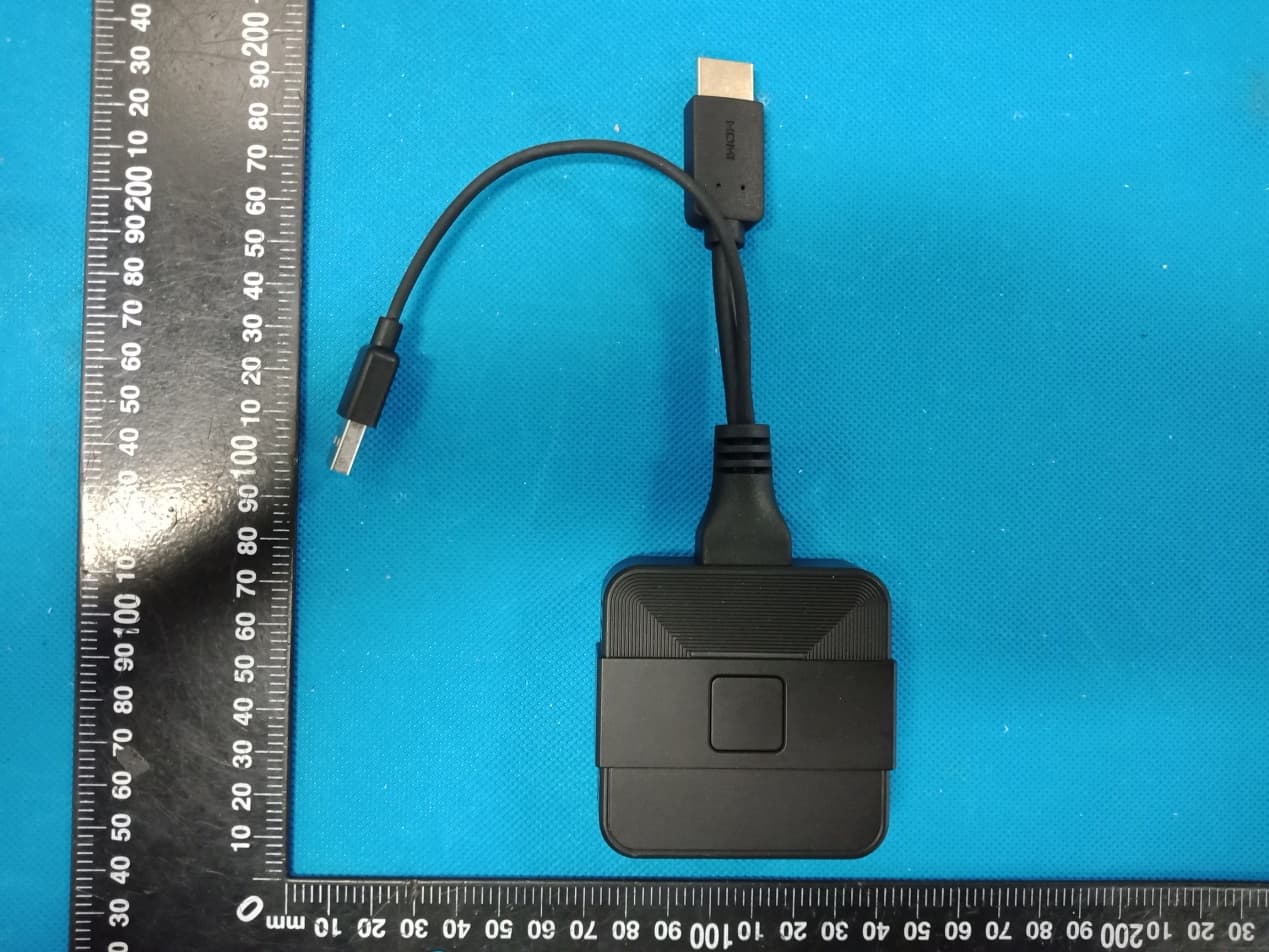
2AWC8-RS13SDP03
May 24, 2020Wireless screen transmitter
Equipment Class
NII - Unlicensed National Information Infrastructure TX