2AWC8-RS13SDP03Wireless screen transmitter
Shenzhen uvision Technology Co., Ltd.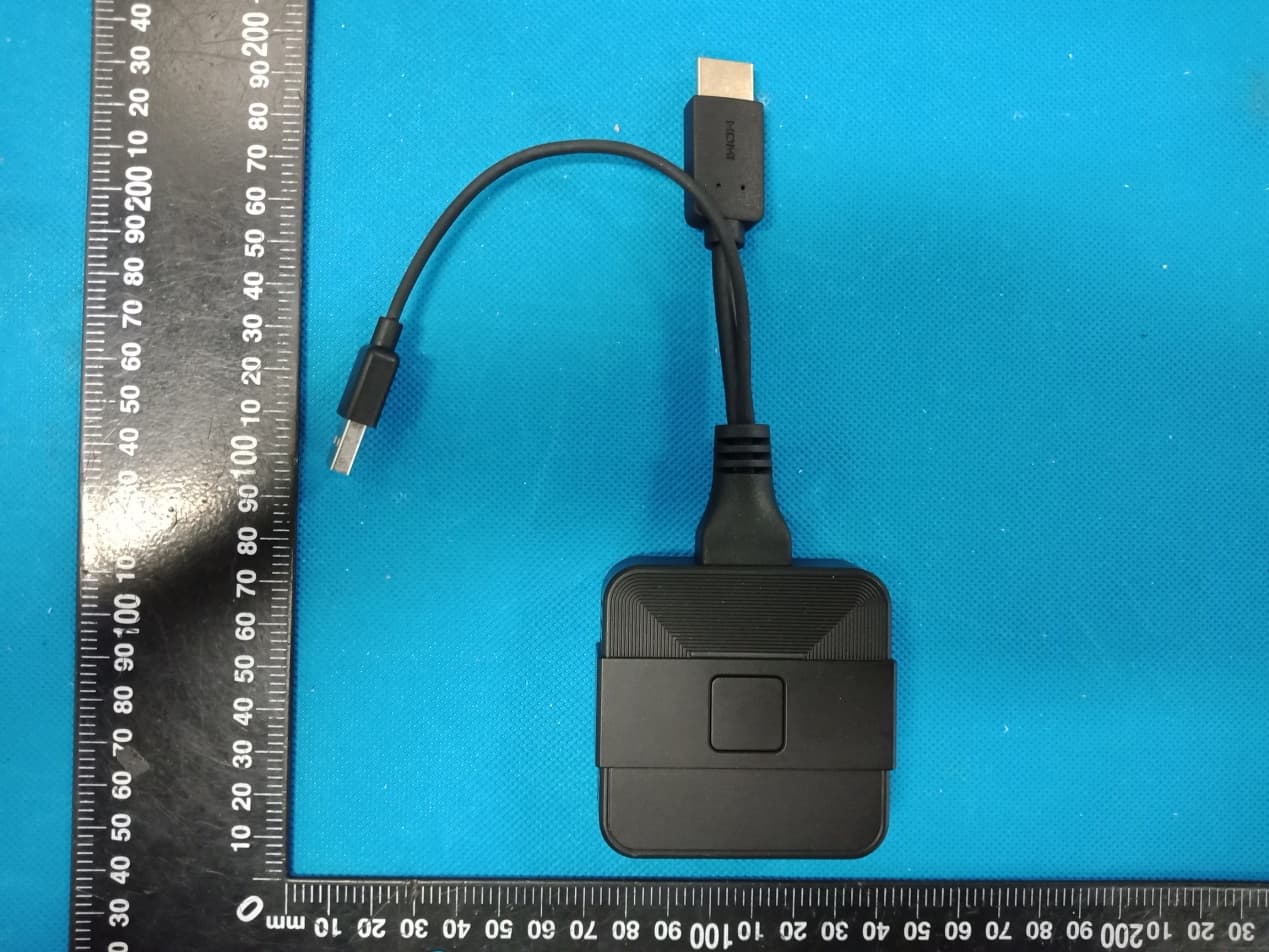
Click to zoom
Application Details
- Equipment Class
- NII - Unlicensed National Information Infrastructure TX
- Date of Grant
- May 24, 2020
- Application Purpose
- Original Equipment
- Date of Application
- May 24, 2020
- Equipment Note
- Wireless screen transmitter
- Frequency Range
- 5745.00000000 - 5825.00000000
- Country
- China
Documents & Files
Document Text
Text extracted from the exhibit documents filed with the FCC. Open a document above to read the original.
Users Manual
RS13-SDP03Wirelessscreentransmitter Theusermanual ShenzhenuvisionTechnologyCo.,Ltd. Aboutthismanual TheproductsdescribedinthismanualareforsaleanduseinmainlandChina only. Thismanualisusedasaguide.Thephotos,graphics,chartsandillustrations providedinthemanual, Forthepurposeofexplanationandexplanationonly,theremaybedifferences withthespecificproduct,pleaserefertotheactualproduct. Declarationofresponsibility Withinthescopeofthelawallowmaximum,thismanualdescribesproducts (includingitshardware,software,firmware,etc.)areprovided"accordingto thestatusquo",apossibleflaw,errorormalfunction,thecompanydoesnot provideanyexpressorimpliedwarranty,includingbutnotlimitedto,suitable foraparticularpurpose,merchantability,qualitysatisfactionwithout infringementofthirdpartyrightsguarantee;Nocompensationshallbemade foranyspecial,incidental,incidentalorindirectdamagescausedbytheuse ofthismanualortheuseofourproducts,includingbutnotlimitedtolossof businessprofit,lossofdataorlossofdocuments. IfyouconnecttheproducttotheInternet,youneedtotakerisks,including butnotlimitedtotheproductmaybesubjecttonetworkattack,hackerattack, virusinfection,etc.,thecompanyshallnotberesponsiblefortheabnormal productwork,informationleakageandotherproblemscausedbythis,butthe companywillprovideyouwithtimelytechnicalsupportrelatedtotheproduct. Pleasestrictlyfollowtheapplicablelawswhenusingthisproduct.The companydoesnotacceptanyliabilityiftheproductisusedforinfringingthe rightsofthirdpartiesorotherimproperpurposes. Intheeventofanyconflictbetweenthecontentsofthismanualandthe applicablelaw,theprovisionsofthelawshallprevail. 3 roductintroduction Wirelessscreentransmittercanrealizeautomaticwirelessscreen projection,mirrorscreenprojection,bidirectionalcontrolandother intelligentofficemeetingfunctionsinavarietyofplatforms.Fromnowon, wecanavoidthecomplicateddatalineconstraint,notberestrictedbythe distance,multiplepeoplecancast,two-wayoperation,andrealize efficientautomatic,multi-person,multi-platform,andunconstrained intelligentmeetingexperience Theproductadoptsadvanceddrivefreedesign,theaccesstothe computercanautomaticallyidentifythesystem,automaticallyinstallthe application,andstarttheapplication.Donotneedtediousoperation,can completeakeyscreen.Thewirelessscreentransmittercanalsoreceive touchfeedbackfromthereceivingend,feedbackthetouchoperationto thePC,andrealizethetouchbackfunction. Figure1appearanceofwirelessprojectorandreceivingbox (whenusedinconjunctionwiththeconferencetablet,allfunctionscanbe achievedbywirelessprojectoronly,noreceivingboxisneeded) Thefuselageinterface FIG.2interfaceschematicdiagramofwirelessprojector FIG.3schematicdiagramofreceivingboxinterface 4 I 、 Usewithmeetingtablet 1.Scheme1:usewirelessprojector Meetingflatendpairing ConnectthewirelessprojectortotheUSBportoftheconference panelandwaitforthedevicetopairautomatically.Theindicatorlight willchangefromtheflashingstatetothelong-brightstate,which meansthematchissuccessful. Aftersuccess,themaininterfaceoftheprojectionscreenprompts thatthepairingissuccessful,thenpulloutthewirelessprojector. Ifthematchisnotsuccessful,pleasecontactourafter-salesservice forassistance. Note:thedeviceonlyneedstobepairedonce.Ifthereisnochange later,thereisnoneedtore-pair. PCmatching EquipmentsupportWindows7systemandaboveandAppleMac OSX10.10systemabove. Thefirststepistoinstallthedriver WhenthewirelessprojectorisconnectedtothePC'sUSBinterface, itwillautomaticallystarttheinstallationdriversoftwareandstartthe applicationuntilthePCpairingisautomaticallycompleted. WhenthePCsystemissettoturnoffautomaticplaybackofmobile devices,theautomaticinstallationofthedriverfunctionwillnotbe realized.Atthispoint,manuallyopen"ShareMax"intherootdirectory ofthewirelessprojectorstoragespacetoinstallandpairwiththePC. Thefirsttimeyouuseit,ittakesabout1minutetoinstallthedriver andabout20secondsforsubsequentusetostartautomaticallyand pair. Ifthesystempromptsforpermissionorantivirussoftware,please choosetoagree. 5 Step2opentheprojectionscreen LEDindicationapertureflashing:indicatesthatthewireless transmitterislookingforthereceiver; LEDindicateslongandbrightaperture:itindicatesthatthewireless screentransmitterisinthereadystateandcantransmitthescreen atanytime;Atthistime,pressthewirelessscreentransmitterbutton toachievethescreenfunction. Figure4.Openthewirelessprojectionscreen Step3:endtheprojection Pressthewirelessprojectorbuttonagaintoendtheprojection. 2.Plan2:usewithmobiledevices a)Androiddevices SupportAndroidsystem2.3orabove Scantheqrcodebelowtodownloadtherelevantapplication 6 Openthewirelesshotspotoftheconferencetabletandrecordthe wirelesshotspotnameandpassword OpenWIFIonAndroiddeviceandsearchforWIFIhotspotShareAP- *** ("ShareAP-***"dependsonthehotspotnameoftheactualdevice) EntertheaccountpasswordofWIFIhotspot,thedefaultpasswordis 12345678 OpenthedownloadedAPP,andthedevicenumberwillbedisplayed atthetopofthepage,whichrepresentsthesuccessfulconnection. Themaininterfacewillpromptthenameofthecurrentloginphone.If not,pleaseclickrefreshandselectthecurrentdevicenametologin. b)Appledevices SupportAppleiPhoneIOS8.0andabove,AppleiPadIOS8.0and above Openthewirelesshotspotoftheconferencetabletandrecordthe wirelesshotspotnameandpassword OpenAppledeviceWIFIandsearchWIFIhotspotShareAP-*** ("ShareAP-***"dependsonthehotspotnameoftheactualdevice) EntertheaccountpasswordofWIFIhotspot,thedefaultpasswordis 12345678 SelectthescreenimageinthecontrolcenteroftheAppledevice andbeginthewirelessprojection. *note:whenthe"four-screen"optionisenabledintheESharesoftware Settingsoftheconferencetablet,uptofourdevicescanbedisplayedat thesametime.Whentherearemorethanfourdevices,thelaterdevices willreplacetheearliestconnecteddevices. 7 II、Usemethodofmatchingdisplaydevice 1)Displaysdevicesideconnections Thefirststepistoconnectthedisplaydevice(projector,monitor)to thereceivingbox PlugoneendoftheHDMIconnectorintothedisplaydevice (projector,monitor)andtheotherendintotheHDMIconnectorinthe receivingbox FIG.5wiringdiagramofreceivingboxanddisplayequip…
Text truncated - open the document above for the full version.
Cover Letter(s)
FCC Software Configuration Control Declaration Rev1.0.docx Shenzhen uvision Technology Co., Ltd. FCC Software Configuration Control Declaration Date: May. 21, 2020 Federal Communications Commission Authorization and Evaluation Division 7435 Oakland Mills Road Columbia, MD 21046 Attn: OET Dept. Product: Model No.RS13-SDP03 Regarding FCC Country Code Selection guidelines identified in KDB 594280 D01 v02r01. “All applications for equipment authorization for transmitters that can have radio parameters, or other technical parameters, reported to the Commission set by software must have an attestation indicating that no third party will have software, or configuration control, to program the device out of compliance of the technical rules under which it has been certified.” We declare that no third party will have software, or configuration control, to program the device out of compliance of the technical rules under which it has been certified. Date: May. 21, 2020 Name: Wang shaokui Title: engineer Signature of applicant
Cover Letter(s)
Shenzhen uvision Technology Co., Ltd. Agent Authorization Company: Shenzhen uvision Technology Co., Ltd. Address: Room 410, building 3, liuxian culture park, no.1002 xili tongle road, nanshan district, shenzhen, China Product Name: Wireless screen transmitter Model Number(s): RS13-SDP03 Product Description: Wireless screen transmitter We authorize MiCOM Labs Inc., 575 Boulder Court, Pleasanton, California 94566, USA, to act on our behalf on all matters concerning the certification of above named equipment. We declare that MiCOM Labs Inc. is allowed to forward all information related to the approval and certification of equipment to the regulatory agencies as required and to discuss any issues concerning the approval application. Any and all acts carried out by MiCOM Labs on our behalf shall have the same effect as acts of our own. Signature: Date: May. 21, 2020 Name: Wang shaokui Title: engineer Company: Shenzhen uvision Technology Co., Ltd.
Cover Letter(s)
Shenzhen uvision Technology Co., Ltd. Office of Engineering Technology Federal Communications Commission 7435 Oakland Mills Road Columbia, MD 21046 USA Date: May. 21, 2020 Subject; Request for Confidentiality FCC ID: 2AWC8-RS13SDP03 To Whom It May Concern, Pursuant to the provisions of the Commission’s rules Title 47 Sections §0.457 and §0.459, we are requesting the Commission to withhold the following attachment(s) as confidential documents from public disclosure indefinitely. These documents contain detailed system and equipment descriptions and are considered as proprietary information in operation of the equipment. The public disclosure of these documents might be harmful to our company and would give competitors an unfair advantage in the market. Schematic Diagram Block Diagram Parts List Operational Description SOFTWARE SECURITY DESCRIPTION It is our understanding that all measurement test reports, FCC ID label format and correspondence during the certification review process cannot be granted as confidential documents and this information will be available for public review once the grant of equipment authorization is issued. Sincerely, Signature: Name: Wang shaokui Title: engineer
External Photos
Annex A External Photos Report No.: HK2004080646‐1E/2E Page 1 of 3 Report No.: HK2004080646‐1E/2E Page 2 of 3 Report No.: HK2004080646‐1E/2E Page 3 of 3
ID Label/Location Info
FCC ID LABEL: Ca. 5mm x 10mm Include in manual: This device complies with part 15 of the FCC Rules. Operation is subject to the following two conditions: (1) This device may not cause harmful interference, and (2) this device must accept any interference received, including interference that may cause undesired operation. Label Location FCC ID: 2AWC8-RS13SDP03
Internal Photos
Annex B Internal Photo Report No.:HK2004080646-1E/2E Page 1 of 4 2.4G/5.8G Antenna Report No.:HK2004080646-1E/2E Page 2 of 4 Report No.:HK2004080646-1E/2E Page 3 of 4 Report No.:HK2004080646-1E/2E Page 4 of 4
RF Exposure Info
MPE ESTIMATION FCC ID: 2AWC8-RS13SDP03 1, Limit for General Population/ Uncontrolled Exposures Frequency Power density (mW/ cm 2 ) Averaging time(minutes) 300MHz----1.5GHz F/1500 30 1.5GHz---100GHz 1.0 30 Note: F= Frequency in MHz 2, Estimation Result WIFI Mode Max PK Output power(dBm) Tune Up Power(dBm) Max Tune Up power(mW) Antenna Gain(dBi) Antenna Gain (numerical) MPE ( mW/cm²) 2.4G WIFI 13.84 13±1(14) 25.119 3 1.9953 0.00998 5.8G WIFI 11.68 11±1(12) 15.849 3 1.9953 0.00629 Note: Note: The estimation distance is 20cm Note: PK Output power= conducted power. Conducted power see the test report HK2004080646-1E/2E, antenna gain=3dBi simultaneously MPE 2.4G WIFI MPE (max) = 0.00998 (mW/cm²) 5G WIFI MPE (max) = 0.00629 (mW/cm²) simultaneously MPE=0.00998+0.00629=0.01627(mW/cm²) when the minimum test separation distance is >20 cm, a distance of 20 cm is applied to determine RF Exposure test exclusion. The test exclusion threshold is 0.01627 mW/cm² which is< 1.0mW/cm², RF Exposure testing is not required. -------The End-------
Test Report
Report No.: HK2004080646-2E FCC TEST REPORT Test report On Behalf of Shenzhen uvision Technology Co., Ltd. For Wireless screen transmitter Model No.: RS13-SDP03 FCC ID: 2AWC8-RS13SDP03 Prepared for : Shenzhen uvision Technology Co., Ltd. Room 410, building 3, liuxian culture park, no.1002 xili tongle road, nanshan district, shenzhen, China Prepared By : Shenzhen HUAK Testing Technology Co., Ltd. 1F, B2 Building, Junfeng Zhongcheng Zhizao Innovation Park, Fuhai Street, Bao'an District, Shenzhen City, China Date of Test: Apr. 09, 2020 ~Apr. 16, 2020 Date of Report: Apr. 16, 2020 Report Number: HK2004080646-2E Report No.: HK2004080646-2E Page 2 of 62 TEST RESULT CERTIFICATION Applicant’s name .................. : Shenzhen uvision Technology Co., Ltd. Address .................................. : Room 410, building 3, liuxian culture park, no.1002 xili tongle road, nanshan district, shenzhen, China Manufacture's Name ............. : Shenzhen uvision Technology Co., Ltd. Address .................................. : Room 410, building 3, liuxian culture park, no.1002 xili tongle road, nanshan district, shenzhen, China Product description Trade Mark: N/A Product name ............................ : Wireless screen transmitter Model and/or type reference . : RS13-SDP03 Standards .............................. : FCC Rules and Regulations Part 15 Subpart C Section 15.407 ANSI C63.10: 2013 This publication may be reproduced in whole or in part for non-commercial purposes as long as the Shenzhen HUAK Testing Technology Co., Ltd. is acknowledged as copyright owner and source of the material. Shenzhen HUAK Testing Technology Co., Ltd. takes no responsibility for and will not assume liability for damages resulting from the reader's interpretation of the reproduced material due to its placement and context. Date of Test ............................................ : Date (s) of performance of tests ............. : Apr. 09, 2020 ~Apr. 16, 2020 Date of Issue ........................................... : Apr. 16, 2020 Test Result ............................................... : Pass Testing Engineer : (Gary Qian) Technical Manager : (Eden Hu) Authorized Signatory : (Jason Zhou) Report No.: HK2004080646-2E Page 3 of 62 TABLE OF CONTENTS 1. Test Result Summary ............................................................................... 5 1.1. TEST PROCEDURES AND RESULTS ............................................................................................... 5 1.2. TEST FACILITY .................................................................................................................................. 5 1.3. MEASUREMENT UNCERTAINTY ............................................................................................................... 6 2. EUT Description ........................................................................................ 7 2.1. GENERAL DESCRIPTION OF EUT ................................................................................................... 7 2.2. OPERATION FREQUENCY EACH OF CHANNEL ........................................................................................... 8 2.3. OPERATION OF EUT DURING TESTING .................................................................................................... 8 2.4. DESCRIPTION OF TEST SETUP ....................................................................................................... 9 3. Genera Information ................................................................................. 10 3.1. TEST ENVIRONMENT AND MODE ............................................................................................................ 10 3.2. DESCRIPTION OF SUPPORT UNITS ........................................................................................................ 11 4. Test Results and Measurement Data .................................................... 12 4.1. CONDUCTED EMISSION ........................................................................................................................ 12 4.2. MAXIMUM CONDUCTED OUTPUT POWER .............................................................................................. 16 4.3. 6DB EMISSION BANDWIDTH ................................................................................................................. 18 4.4. 26DB BANDWIDTH AND 99% OCCUPIED BANDWIDTH ............................................................................ 25 4.5. POWER SPECTRAL DENSITY ................................................................................................................ 26 4.6. BAND EDGE ......................................................................................................................................... 33 4.7. SPURIOUS EMISSION ........................................................................................................................... 48 4.8. FREQUENCY STABILITY MEASUREMENT ................................................................................................ 57 4.9. ANTENNA REQUIREMENT ............................................................................................................. 59 4.10. PHOTOGRAPHS OF TEST SETUP ........................................................................................................... 60 4.11. PHOTOS OF THE EUT ..................................................................................................................... 62 Report No.: HK2004080646-2E Page 4 of 62 ** Modifited History ** Revison Description Issued Data Remark Revsion 1.0 Initial Test Report Release Apr. 16, 2020 Jason Zhou Report No.: HK2004080646-2E Page 5 of 62 1. Test Result Summary 1.1. TEST PROCEDURES AND RESULTS Requirement CFR 47 Section Result Antenna requirement §15.203 PASS AC Power Line Conducted Emission §15.207 PASS Maximum Conducted Output Power §15.407(a) PASS 6dB Emission Bandwidth §15.407(e) PASS 26dB Emission Bandwidth& 99% Occupied Ba…
Text truncated - open the document above for the full version.
Test Setup Photos
Conducted Emission Radiated Emissions
Contact Information
Applicant
Wang shaokui(engineer)
Technical Contact
Test Firm
Shenzhen HUAK Testing Technology Co., Ltd.Jason Zhou
[email protected]+86-755-23029901
Technical Specifications
| # | Rule Parts | Frequency Range | Power Output |
|---|---|---|---|
| 1 | 15E | 5.75 GHz - 5.83 GHz | 14.72 mW |
Other Applications from Shenzhen uvision Technology Co., Ltd.
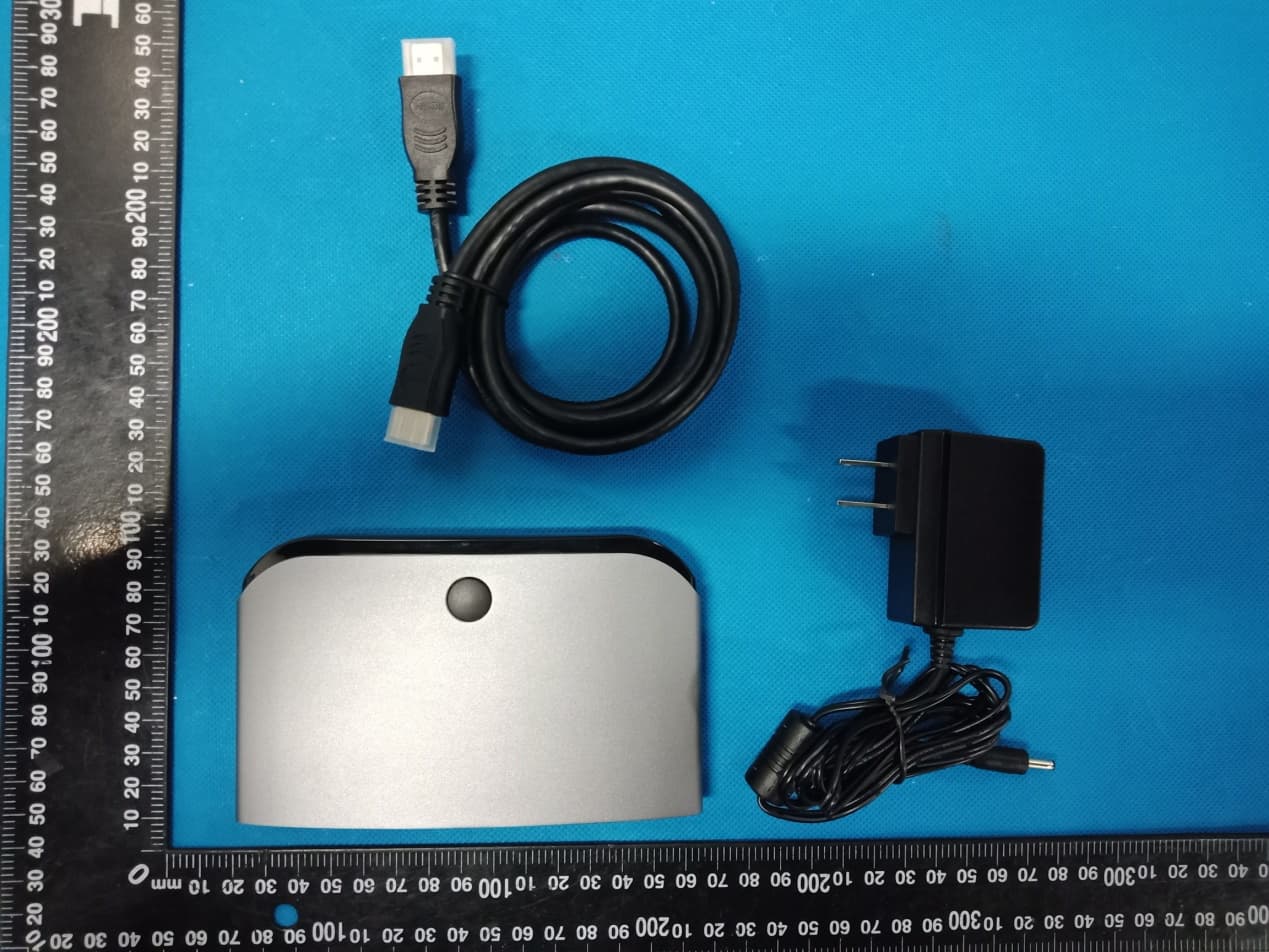
2AWC8-RS13RBP01
May 24, 2020Wireless projection screen collaboration system
Equipment Class
DTS - Digital Transmission System