2AWDBTTV103WRFWater Timer
Fujian Baldr Technology Co., Ltd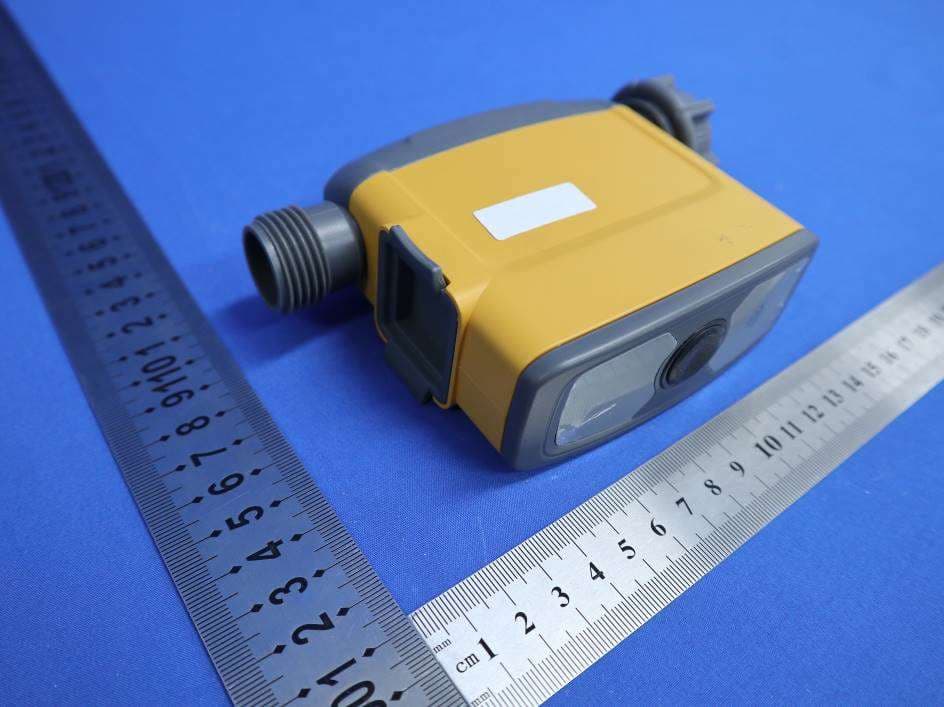
Click to zoom
Application Details
- Equipment Class
- DSR - Part 15 Remote Control/Security Device Transceiver
- Date of Grant
- Jul 30, 2020
- Application Purpose
- Original Equipment
- Date of Application
- Jul 30, 2020
- Equipment Note
- Water Timer
- Frequency Range
- 433.92000000 - 433.92000000
- Country
- China
Documents & Files
Document Text
Text extracted from the exhibit documents filed with the FCC. Open a document above to read the original.
Users Manual
ITV0103W WIFI IRRIGATION WATER CONTROLLER SYSTEM USER MANUAL 100*120mm Manual Production OverviewMain Function Illustrated Operating Instructions Up to 60 meters depending obstacles between gateway and tap timer 10.Tap-to-Run & Automation Irrigation 11.Tips 12.Warranty & Warning 13.Basic Parameters of the device Downloading the App Rainpoint After finishing setting, icons will be found under Tap-to-Run and Automation. The button on the right can enable or disenable the Automation plan. The Tap-to-Run function connects different plans and devices at the same time to enable “One-Click Management”. 1. Connection and Basic Information 2. Manual Operation Manual mode: Click the “Irrigation control” to manually turn ON/OFF the water timer and set the start time. Tips: The connection delay will be around 0.5 to 1 seconds, please do not repeatedly press the button. 3.2 Plan Setting 4. Sensor (Not including) 4.1. Sensors can be connected to monitor the soil moisture and temperature, and then the data will be displayed as a graph. When the soil moisture goes high, the water timer will stop watering automatically once customer set the “stop watering moisture level”. 4.2. The water timer has its own water flow monitoring function and users can check the daily water consumption and last water usage. (The minimum monitoring water flow is 25L/H). 5. Tap-to-Run & Automation Irrigation The Tap-to-Run and Automation planning systems are at “Smart” selection which in the middle of the bottom panel. There are many options shown on the page to select and a variety of conditions can be added at the same time. In the device condition, the basic options of the connecting devices are related to the data from the WiFi timer and sensors. The plan will be triggered when any single condition is met or all conditions are met at the same time. All the data of current conditions is automatically searched online by the App. The figure shows that irrigation mode watering 20 minutes. Start time is 10 AM every Tuesday, Wednesday and Thursday . The figure shows: mist mode spray 30 seconds of every 5 minutes, duration time is 4 hours (starting from 10:00 am and stop at 3:00 pm). Click the Plan A/B/C to set daily irrigation schedule and rain delay plan. The Irrigation schedule includes two mode: Irrigation mode and Mist Mode. Different mode have different setting options and both of them can be set with 12-hour or 24-hour. On the Schedule page, there are Daily notices of a week, Plan detail display board and rain delay selections. There are three plans that can be set in total. Each plan has a unique represent color, which will be shown under the day mark as a point after turned on. The setting detail of each plan is shown under as a row and the on/off button is on the right side. The Rain delay (Watering Delay) can set with 24H, 48H and 72H. 3. Plans and Setting 3.1 Schedule overview Shared the device and setting to your home member who has added on the family group. Different task could be set: Tap to Run, Enable or Disable Automation, Send Notification, Delay and Device Option. When the conditions are triggered, the task will be executed. Basic Parameter of the device Warranty & Warning WARRANTY 1"BSP or 3/4" NH inlet 3/4’’outlet thread Working pressure: 0.5 bar to 8 bar(10PSI-120PSI) Max flow: 5L/min to 35L/min Water proof: IP54 Working temperature: 0 to 50(37°F-122°F) Battery life: over one year WiFi timer power by 4 AA batteries, WiFi gateway power by AC power There are some existing Q&A to solve problems. Tip: Please e-mail our customer service or call us by phone to get support if you need more help. Register an account on the RainPoint App before connecting to WiFi smart water timer. Press the button to add a device. After the gateway getting connected, click “Manager added devices” to add WiFi water timers. Insert 4xAA batteries to the water timer and press and hold the button until the white LED light rapidly blink which means the device is ready for connection. Select the choice of Wi-Fi water timer and wait for connection. It will show “Device added successfully” once WiFi water timer connects successfully. Note: If it do not get paired in 20s, the LED indicator will light off and stop connection. Please press and hold the button for a few seconds again until the LED indicator flashes rapidly to start connection. If the LED indicator does not flash rapidly, please remove and reinstall the batteries, then press and hold the button for 5 seconds. After finishing the connection, all the paired devices will be displayed on the page. The “Wi-Fi Socket” can set the gateway socket’s power ON or OFF.Click the WiFi Water Timer and get into the main page of the device. The following information will be shown on the page: Temperature unit selection, Last water usage, Soil Moisture and Temperature (if already connected the sensor), Battery status, Mode and Next irrigation time. The background color will turn red if the moisture of soil is higher than setting. At the bottom, there is an operating panel with several options: Parameter, Irrigation control, Plan, Sensor and My. Note If the water timer already paired with one gateway before, once it has been re-insert batteries, the LED light will slowly blink, it means the device is searching the gateway automatically. After clicking the right top button, there is a basic information and operation board with several different options: Device information, Tap-to-Run and Automation and other basic functions and services for the device. Plug your WiFi gateway into an electrical socket. Open the APP and click the “+” on the right top corner to add devices. Click the “Irrigation Hub” and enter the WiFi password. Hold the button until the blue LED light rapidly blink which means the device is ready for connection. TECHNICAL PARAMETER WARNING 1. Under freezing temperatures, timers should be removed from the faucet and stored indoors to avoid potential freezing damage. 2. Please clean f…
Text truncated - open the document above for the full version.
Cover Letter(s)
2020-07-16 MET Laboratories, Inc. 914 West Patapsco Avenue Baltimore, MD 21230 RE: CONFIDENTIALITY REQUEST FOR (Water Timer/TTV103WRF FCC ID: 2AWDBTTV103WRF) To Whom It May Concern: This letter serves as an official request for confidentiality under sections 0.457 and 0.459 of CFR 47. We have requested that the (Block Diagrams, Schematics, Operational Descriptions) required to be submitted with this application be permanently withheld from public review. SPECIFY REASON FOR REQUEST (i.e. the above documents are company proprietary information that could never get into the possession of your competition). Please contact me if there is any information you may need. Sincerely, Signature: Name: Chris Liu Applicant: FUJIAN BALDR TECHNOLOGY CO.,LTD Address: Zone D, Floor 2, Production Workshop, No.36, Jinrong North Road, Jianxin Town, Cangshan District, Fuzhou, CN TEL: 0086-591-3872 1182 FAX:0086-591-2805 9327
Cover Letter(s)
2020-07-16 Eurofins MET Labs 914 West Patapsco Avenue Baltimore, MD 21230 RE: LETTER OF AGENT AUTHORIZATION To Whom It May Concern: We, the undersigned, hereby authorize Eurofins Electrical Testing Service (Shenzhen) Co., Ltd. to act on our behalf in all matters relating to application for equipment authorization, including the signing of all documents relating to these matters. We also hereby certify that no party to the application authorized hereunder is subject to the denial of benefits, including FCC benefits, pursuant to Section 5301 of the Anti-Drug Abuse Act of 1988, 21 U.S.C.853(a). This agreement expires one year from the current date. Sincerely, Signature: Name: Chris Liu Applicant: FUJIAN BALDR TECHNOLOGY CO.,LTD Address: Zone D, Floor 2, Production Workshop, No.36, Jinrong North Road, Jianxin Town, Cangshan District, Fuzhou, CN TEL: 0086-591-3872 1182 FAX:0086-591-2805 9327
ID Label/Location Info
尺寸:25*15mm FUJIAN BALDR TECHNOLOGY CO.,LTD Powered by 4 AA 1.5 alkaline batteries Model No. TTV103WRF LOT No. 202005 FCC ID: 2AWDBTTV103WRF www.rainpointus.com
Internal Photos
Antenna
Test Report
Test Report No.: EFGX20040021-IE-07-E01 Eurofins Electrical Testing Service (Shenzhen) Co., Ltd. 1st Floor, Building 2, Chungu, Meisheng Huigu Science and Technology Park, No. 83 Dabao Road, Bao'an District, Shenzhen. P.R.China Page 1 of 24 EUROFINS ELECTRICAL TESTING SERVICE (SHENZHEN) CO., LTD. RADIO TEST - REPORT FCC Compliance Test Report Test Report Number: EFGX20040021-IE-07-E01 The above sample(s) and sample information was/were submitted and identified on behalf of the applicant. Eurofins assures objectivity and impartiality of the test, and fulfills the obligation of confidentiality for applicant’s commercial information and technical documents. Test Report No.: EFGX20040021-IE-07-E01 Eurofins Electrical Testing Service (Shenzhen) Co., Ltd. 1st Floor, Building 2, Chungu, Meisheng Huigu Science and Technology Park, No. 83 Dabao Road, Bao'an District, Shenzhen. P.R.China Page 2 of 24 Content 1 General Information 3 1.1 Notes 3 1.2 Testing laboratory 4 1.3 Details of approval holder 4 1.4 Details of Manufacturer 4 1.5 Application details 4 1.6 Test item 4 1.7 Test standards 6 2 Technical test 7 2.1 Summary of test results 7 2.2 Test environment 7 2.3 Measurement uncertainty 7 2.4 Test mode 7 2.5 Test equipment utilized 8 2.6 Auxiliary Equipment Used during Test: 8 2.7 Test software information 8 2.8 Customized Configurations 8 2.9 Test Environments 8 2.10 Test results 9 3 Technical Requirement 10 3.1 Conducted Emission 10 3.2 Automatically Deativate 11 3.3 20dB bandwidth 13 3.4 Field strength of fundamental and Field strength of spurious emission for transmitter 15 Test Report No.: EFGX20040021-IE-07-E01 Eurofins Electrical Testing Service (Shenzhen) Co., Ltd. 1st Floor, Building 2, Chungu, Meisheng Huigu Science and Technology Park, No. 83 Dabao Road, Bao'an District, Shenzhen. P.R.China. Telephone: +86-755-82911867, Fax : +86-755-82910749 Page 4 of 24 1.2 Testing laboratory Eurofins Electrical Testing Service (Shenzhen) Co., Ltd. 1st Floor, Building 2, Chungu, Meisheng Huigu Science and Technology Park, No. 83 Dabao Road, Bao'an District, Shenzhen. P.R.China. Telephone : +86-755-82911867 Fax : +86-755-82910749 The Laboratory has passed the Accreditation by the American Association for Laboratory Accrediation (A2LA). The Accreditation number is 5376.01 The Laboratory has been listed by industry Canada to perform electromagnetic emission measurements, The CAB identifier is CN0088 1.3 Details of approval holder Name : FUJIAN BALDR TECHNOLOGY CO.,LTD Address : 2F Jin Shan Ya Yuan, No. 36 Jin Rong North Road Fu- zhou,China Telephone : N/A Fax : N/A 1.4 Details of Manufacturer Name : FUJIAN BALDR TECHNOLOGY CO.,LTD Address : 2F Jin Shan Ya Yuan, No. 36 Jin Rong North Road Fu- zhou,China Telephone : N/A Fax : N/A 1.5 Application details Date of receipt of application : April 04, 2020 Date of receipt of test item : April 04, 2020 Date of test : April 04, 2020 – June 28, 2020 Date of issue : July 28, 2020 1.6 Test item Product type : Water Timer Model name : TTV103WRF Brand : N/A Serial number : N/A Ratings : DC 6V by battery Test voltage : DC 6V by battery FCC ID : 2AWDBTTV103WRF PMN : Water Timer HVIN : TTV103WRF Additional information : N/A RadioTechnical data Frequency range : 433.05MHz – 434.79MHz Radio Tech. : N/A Frequency channel : 1 Channel Modulation : FSK Antenna type : Internal antenna Test Report No.: EFGX20040021-IE-07-E01 Eurofins Electrical Testing Service (Shenzhen) Co., Ltd. 1st Floor, Building 2, Chungu, Meisheng Huigu Science and Technology Park, No. 83 Dabao Road, Bao'an District, Shenzhen. P.R.China. Telephone: +86-755-82911867, Fax : +86-755-82910749 Page 5 of 24 Antenna gain : 2.0dBi Test Report No.: EFGX20040021-IE-07-E01 Eurofins Electrical Testing Service (Shenzhen) Co., Ltd. 1st Floor, Building 2, Chungu, Meisheng Huigu Science and Technology Park, No. 83 Dabao Road, Bao'an District, Shenzhen. P.R.China. Telephone: +86-755-82911867, Fax : +86-755-82910749 Page 6 of 24 1.7 Test standards Test Standards FCC Part 15 Subpart C 2020 Edition PART 15 - RADIO FREQUENCY DEVICES Subpart C - Intentional Radiators Test Method 1: ANSI C63.4-2014, American National Standard for Methods of Measurement of Radio-Noise Emis- sions from Low-Voltage Electrical and Electronic Equipment in the Range of 9 kHz to 40 GHz. 2: ANSI C63.10-2013, American National Standard for Testing Unlicensed Wireless Devices. Test Report No.: EFGX20040021-IE-07-E01 Eurofins Electrical Testing Service (Shenzhen) Co., Ltd. 1st Floor, Building 2, Chungu, Meisheng Huigu Science and Technology Park, No. 83 Dabao Road, Bao'an District, Shenzhen. P.R.China. Telephone: +86-755-82911867, Fax : +86-755-82910749 Page 7 of 24 2 Technical test 2.1 Summary of test results No deviations from the technical specification(s) were ascertained in the course of the tests performed. or The deviations as specified were ascertained in the course of the tests performed. 2.2 Test environment Temperature : 20 ... 25°C Relative humidity content : 30 ... 60% Air pressure : 100 ... 101kPa 2.3 Measurement uncertainty The uncertainty is calculated using the methods suggested in the "Guide to the Expression of Uncer- tainty in Measurement" (GUM) published by ISO. System Measurement Uncertainty Test Items Extended Uncertainty Uncertainty for Conducted RF test RF Power Conducted: 1.16dB Frequency test involved: 1.05×10⁻⁷ or 1% Uncertainty for Radiated Spurious Emission 25MHz-3000MHz Horizontal: 4.46dB; Vertical: 4.54dB; Uncertainty for Radiated Spurious Emission 3000MHz-18000MHz Horizontal: 4.42dB; Vertical: 4.41dB; Uncertainty for Radiated Spurious Emission 18000MHz- 40000MHz Horizontal: 4.63dB; Vertical: 4.62dB; 2.4 Test mode The EUT was set at continuously transmitting during the test. Test Report No.: EFGX20040021-IE-07-E01 Eurofins Electrical Testing Service (Shenzhen) Co., Ltd. 1st Floor, Building 2, Chungu, Meisheng Huigu Science and Technology Park, No. 83 Dabao Road, Bao'an District, Shenzhen. P.R.China. Telephone: +86-755-8291…
Text truncated - open the document above for the full version.
Contact Information
Applicant
Chris Liu(Manager)
Technical Contact
FUJIAN BALDR TECHNOLOGY CO.,LTDDun Zheng
[email protected]86 1395028795
Zone D, Floor 2, Production Workshop, No.36, · Fuzhou, · China
Test Firm
Eurofins Electrical Testing Service (Shenzhen) Co.Lynn Su
[email protected]+86-755-82911867
Technical Specifications
| # | Rule Parts | Frequency Range | Power Output |
|---|---|---|---|
| 1 | 15.231 | 433.92 MHz - 433.92 MHz | - |
Other Applications from Fujian Baldr Technology Co., Ltd

2AWDB-HCS044FRF
Jul 03, 2026Wireless Rain Sensor
Equipment Class
DSC - Part 15 Security/Remote Control Transmitter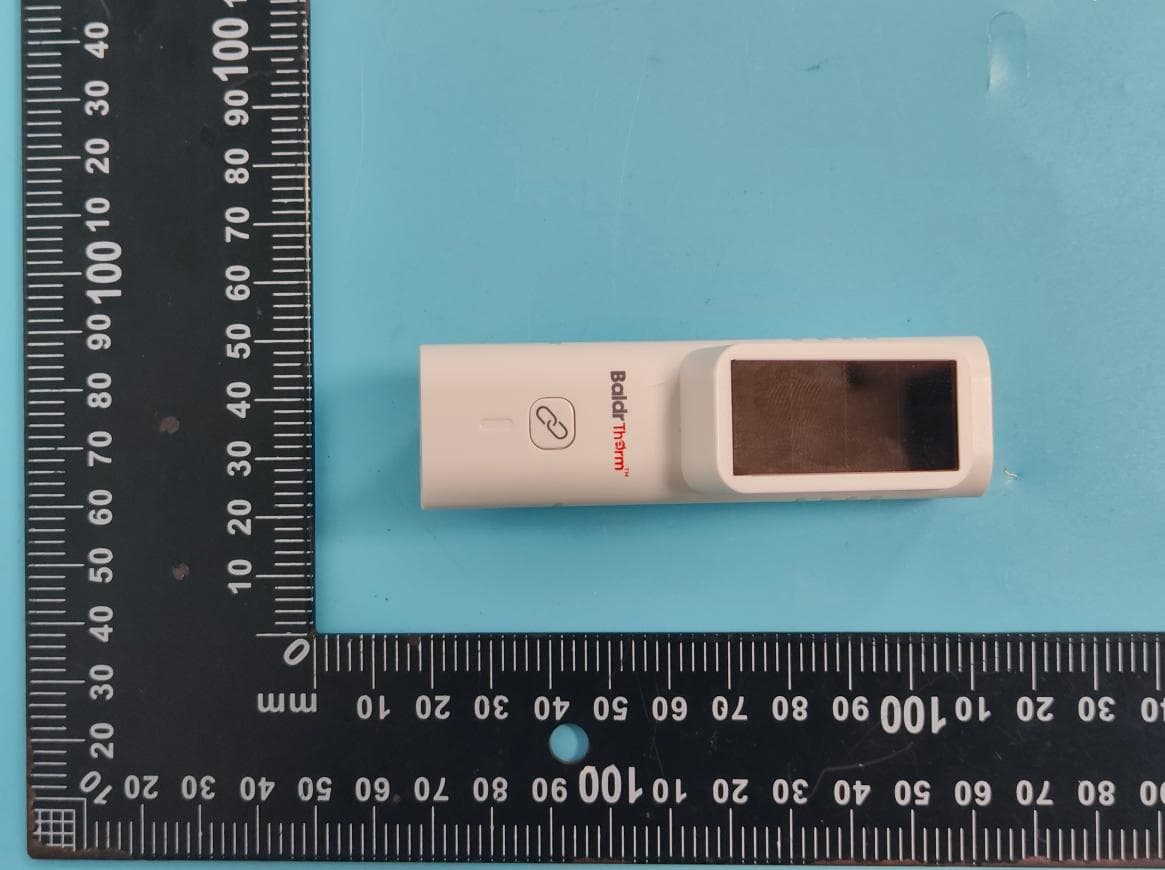
2AWDB-HCS701B
Sep 28, 2025SOLAR-POWERED BLUETOOTH THERMO-HYGROMETER
Equipment Class
DTS - Digital Transmission System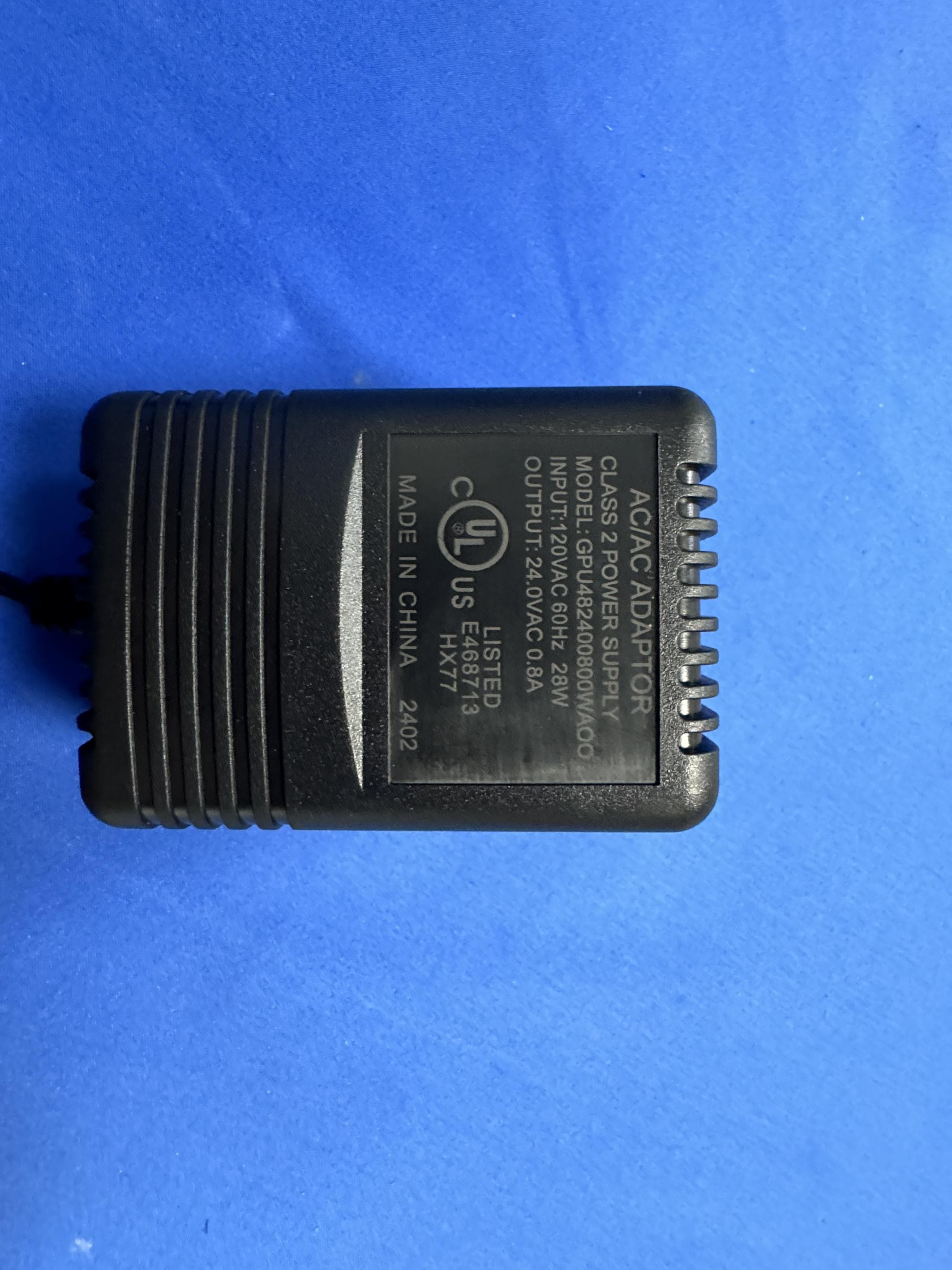
2AWDBHIC801W
Sep 04, 2024IRRIGATION CONTROLLER
Equipment Class
DSC - Part 15 Security/Remote Control Transmitter
2AWDBHWG023WRF
Feb 20, 2024WiFi Gateway Hub
Equipment Class
DSC - Part 15 Security/Remote Control Transmitter
2AWDBHTV213FRF
Dec 21, 2023Water Timer
Equipment Class
DSC - Part 15 Security/Remote Control Transmitter