2AX2R-WHP01KBluetooth Headphone
final Inc.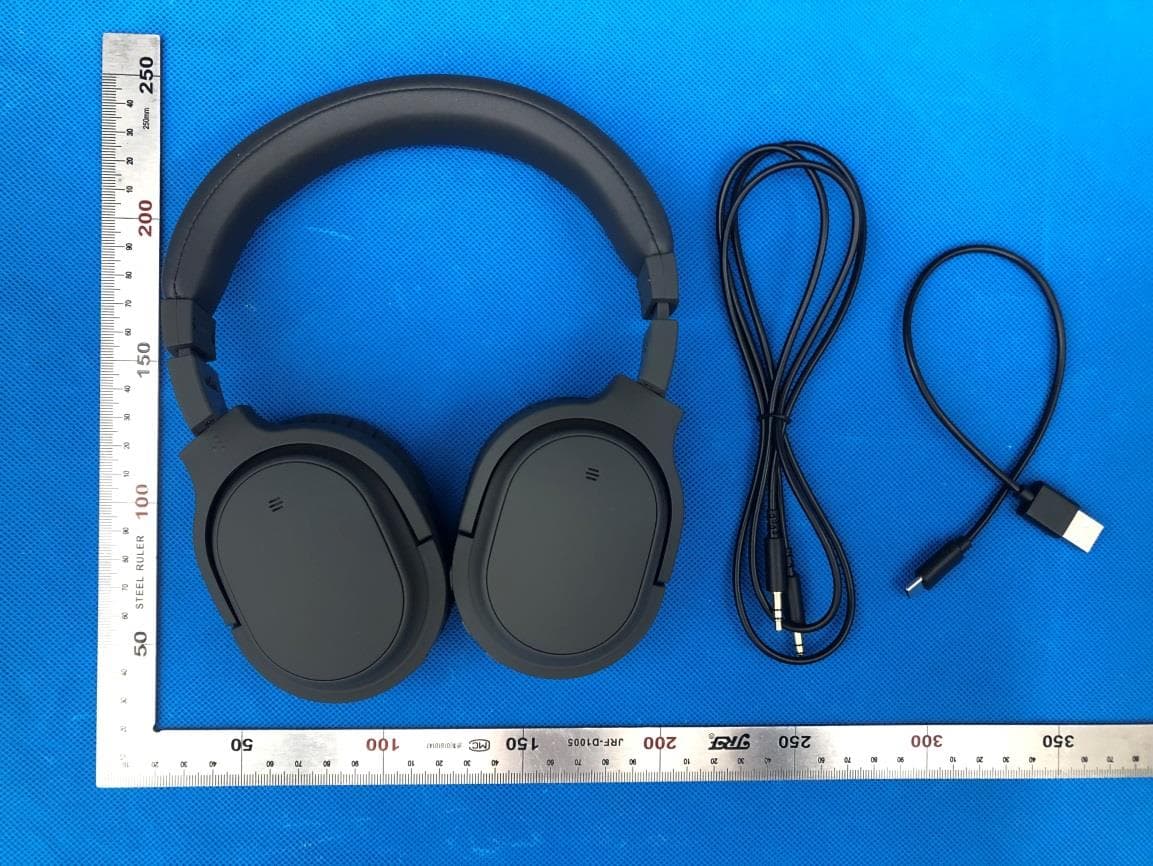
Click to zoom
Application Details
- Equipment Class
- DSS - Part 15 Spread Spectrum Transmitter
- Date of Grant
- Jul 29, 2021
- Application Purpose
- Original Equipment
- Date of Application
- Jul 29, 2021
- Equipment Note
- Bluetooth Headphone
- Frequency Range
- 2402.00000000 - 2480.00000000
- Company
- final Inc.
- Country
- Japan
Documents & Files
Document Text
Text extracted from the exhibit documents filed with the FCC. Open a document above to read the original.
Users Manual
AG-WHP01K Bluetooth Headphone User's Manual 23 EN Product OverviewPackage contents AG-WHP01K Carrying Pouch User’s Manual (Warranty Card Included) USB Type-C Charging Cable Analog Audio Cable with 3.5mm Plug Volume - Button Charging Indicator ANC (Active Noise Cancelling) Button USB Charging Port Bluetooth/ANC Status Indicator Power Button Volume + Button 3.5mm Audio Jack 45 Powering ON Press and hold the Power Button for 3 seconds and the headphones will turn ON with a "Power ON" announcement. When the power is ON, the Bluetooth/ANC Status Indicator flashes in blue at a regular interval. When the power is ON with the ANC function is activated, the Bluetooth/ANC Status Indicator flashes alternately in blue and green at a regular interval. Powering OFF Press and hold the Power Button for 5 seconds and the headphones will turn OFF with a "Power OFF" announcement. When the power is turned OFF, the Bluetooth/ANC Status Indicator lights up red and fades off. * To fully turn OFF the power of the headphones, please make sure to turn OFF the ANC function too to prevent extra power consumption. ANC function might remain ON even after turning OFF the headphone power. Charging the Headphones Connect the USB Charging Port to a charging adaptor with the supplied USB Type-C Charging Cable. The Charging Indicator flashes red while charging and turns green when the headphones are fully charged. NOTE: This equipment has been tested and found to comply with the limits for a Class B digital device, pursuant to part 15 of the FCC Rules. These limits are designed to provide reasonable protection against harmful interference in a residential installation. This equipment generates uses and can radiate radio frequency energy and, if not installed and used in accordance with the instructions, may cause harmful interference to radio communications. However, there is no guarantee that interference will not occur in a particular installation. If this equipment does cause harmful interference to radio or television reception, which can be determined by turning the equipment off and on, the user is encouraged to try to correct the interference by one or more of the following measures: - Reorient or relocate the receiving antenna. - Increase the separation between the equipment and receiver. -Connect the equipment into an outlet on a circuit different from that to which the receiver is connected. -Consult the dealer or an experienced radio/TV technician for help Changes or modifications not expressly approved by the party responsible for compliance could void the user's authority to operate the equipment. This device complies with Part 15 of the FCC Rules. Operation is subject to the following two conditions: (1) this device may not cause harmful interference, and (2) this device must accept any interference received, including interference that may cause undesired operation. 6 7 WHP01K To perform initial device pairing: 1. Press and hold the Power Button for 3 seconds and the headphones will turn ON with a "Power ON" announcement. The headphones start device pairing mode automatically with the Bluetooth/ ANC Status Indicator flashing alternately in red and blue. 2. With the Bluetooth function of the device being ON, choose "WHP01K" under the device list. The device pairing is successful if "WHP01K Connected" is shown. To reinitiate device pairing with another device: 1. While the headphone power is OFF, press and hold the Power Button for 5s and the headphones will turn ON and start device pairing mode with "Power ON" & "Pairing" announcements and the Bluetooth/ANC Status Indicator flashes alternately in red and blue. 2. With the Bluetooth function of the device is ON, choose "WHP01K" under the device list. The device pairing is successful if "WHP01K Connected" is shown. * It is necessary to unpair the current device pairing before reinitiating a new device pairing. This can be done by removing the current connection or turning off the Bluetooth function of the current paired device. Performing Device Pairing In order to use the WHP01K with your device, initial device pairing is necessary. Once the headphone is paired to a device, it will connect to the device automatically next time the power is turned ON. Activating ANC (Active Noise Cancelling) Function Press and hold the ANC Button for 2 seconds and the ANC function will be activated in 2 different ways depending on the status of the headphone. If headphone power is ON: Announcement "Noise Cancelling" will be emitted and the Bluetooth/ANC Status Indicator flashes alternately in blue and green at a regular interval. If the headphone power is OFF: The Bluetooth/ANC Status Indicator will light up green. * The ANC function can be activated even when the power is OFF. As ANC function consumes battery power, when the headphones are not in use, please make sure that the ANC function is properly turned OFF. Deactivating ANC (Active Noise Cancelling) Function Press and hold the ANC Button for 2 seconds and the ANC function will be deactivated in 2 different ways depending on the status of the headphone. If the headphone power is ON: Announcement "OFF" will be emitted and the alternately flashing blue and green light of the Bluetooth/ANC Status Indicator fades off. If the headphone power is OFF: The green light of the Bluetooth/ANC Status Indicator fades off. * The status of the ANC function when the headphone power is OFF can be easily recognizable by refering to the Bluetooth/ANC Status Indicator. Green light: ANC function ON No light: ANC function OFF Setting Device 89 Performing Factory Reset If the headphone is having difficulty pairing to a device, please follow the simple steps below to perform a factory reset. 1. While the headphone power is ON, press and hold the Volume + Button and the Volume - Button simultenously for 2 seconds and the Bluetooth/ANC Status Indicator will flash twice in purple together with 2 beeps. 2. The factory reset is completed. The headphon…
Text truncated - open the document above for the full version.
Cover Letter(s)
final Inc. 3-12-7, Kitakase, Saiwai-ku, Kawasaki, Kanagawa, Japan 212-0057 Agent Authorization Company: final Inc. Address: 3-12-7, Kitakase, Saiwai-ku, Kawasaki, Kanagawa, Japan 212-0057 Product Name: Bluetooth Headphone Model Number(s): AG-WHP01K Product Description: Bluetooth Headphone We authorize MiCOM Labs Inc., 575 Boulder Court, Pleasanton, California 94566, USA, to act on our behalf on all matters concerning the certification of above named equipment. We declare that MiCOM Labs Inc. is allowed to forward all information related to the approval and certification of equipment to the regulatory agencies as required and to discuss any issues concerning the approval application. Any and all acts carried out by MiCOM Labs on our behalf shall have the same effect as acts of our own. Signature: Date: Jul. 16, 2021 Name: Nakamichi Takashi Title: Manager Company: final Inc.
Cover Letter(s)
final Inc. 3- 12-7, Kitakase, Saiwai-ku, Kawasaki, Kanagawa, Japan 212-0057 Of fice of Engineering Technology Federal Communications Commission 7435 Oakland Mills Road Columbia, MD 21046 USA Date: July 16, 2021 Subject; Request for Confidentiality FCC ID: 2AX2R-WHP01K To Whom It May Concern, Pursuant to the provisions of the Commission’s rules Title 47 Sections §0.457 and §0.459, we are requesting the Commission to withhold the following attachment(s) as confidential documents from public disclosure indefinitely. Thes e documents contain detailed system and equipment descriptions and are considered as proprietary information in operation of the equipment. The public disclosure of these documents might be harmful to our company and would give competitors an unfair advantage in the market. Schematic Diagram Block Diagram Operational Description Parts List Tune-up Procedure In addi tional to above mentioned documents, in order to comply with the marketing regulations in Title 47 CFR §2.803 and the importation rules in Title 47 CFR §2.1204, while ensuring that business sensitive information remains confidential until the actual marketing of newly authorized devices, we request Short Term Confidentiality of the following attachment(s); External Photos Test Setup Photos Internal Photos User Manual For 45 days, pursuant to Public Notice DA 04-1705. OR For 180 days pursuant to KDB 726920 D01. It is our understanding that all measurement test reports, FCC ID label format and correspondence during the certification review process cannot be granted as confidential documents and this information will be available for public review once the grant of equipment authorization is issued. Si ncerely, Si gnature: Name: Nakamichi Takashi Title: Manager
External Photos
External Photos Test Model: AG-WHP01K ALL VIEW OF EUT TOP VIEW OF EUT BOTTOM VIEW OF EUT FRONT VIEW OF EUT BACK VIEW OF EUT LEFT VIEW OF EUT RIGHT VIEW OF EUT VIEW OF EUT(PORT)-1 VIEW OF EUT(PORT)-2
ID Label/Location Info
FCC ID Label Location 30mm*10mm FCC ID: 2AX2R-WHP01K
Internal Photos
Internal Photos Test Model: AG-WHP01K OPEN VIEW OF EUT VIEW OF BATTERY INTERNAL VIEW OF EUT-1 INTERNAL VIEW OF EUT-2 INTERNAL VIEW OF EUT-3 INTERNAL VIEW OF EUT-4 INTERNAL VIEW OF EUT-5 INTERNAL VIEW OF EUT-6 Antenna
RF Exposure Info
RF EXPOSURE EVALUATION 1. PRODUCT INFORMATION Product Description Bluetooth Headphone Model Name AG-WHP01K FCC ID 2AX2R-WHP01K 2. EVALUATION METHOD According to 447498 D01 General RF Exposure Guidance v06 The 1-g and 10-g SAR test exclusion thresholds for 100 MHz to 6 GHz at test separation distances ≤ 50 mm are determined by: [(max. power of channel, including tune-up tolerance, mW)/(min. test separation distance, mm)] ·[√f(GHz)] ≤ 3.0 for 1-g SAR and ≤ 7.5 for 10-g extremity SAR. Where f(GHz) is the RF channel transmit frequency in GHz Power and distance are rounded to the nearest mW and mm before calculation 3. CALCULATION P t =6.012dBm=3.99mW The value of the Maximum output power P t is referred to the test report of the CFR47 §15.247. The result for RF exposure evaluation SAR=(3.99mW /5mm) .[√2.441(GHz)]= 1.24<3.0 for 1-g SAR and ≤ 7.5 for 10-g extremity SAR. 4. CONCLUSION The SAR evaluation is not required.
Test Report
Page 1 of 79 FCC Test Report Report No.: AGC12383210703FE03 FCC ID : 2AX2R-WHP01K APPLICATION PURPOSE : Original Equipment PRODUCT DESIGNATION : Bluetooth Headphone BRAND NAME : ag MODEL NAME : AG-WHP01K APPLICANT : final Inc. DATE OF ISSUE : Jul. 15, 2021 STANDARD(S) : FCC Part 15.247 REPORT VERSION : V1.0 Attestation of Global Compliance (Shenzhen) Co., Ltd Report No.: AGC12383210703FE03 Page 2 of 79 REPORT REVISE RECORD Report Version Revise Time Issued Date Valid Version Notes V1.0 / Jul. 15, 2021 Valid Initial Release Report No.: AGC12383210703FE03 Page 3 of 79 TABLE OF CONTENTS 1. VERIFICATION OF CONFORMITY .................................................................................................................. 5 2. GENERAL INFORMATION .............................................................................................................................. 6 2.1. PRODUCT DESCRIPTION ........................................................................................................................ 6 2.2. TABLE OF CARRIER FREQUENCYS ....................................................................................................... 6 2.3. RECEIVER INPUT BANDWIDTH .............................................................................................................. 7 2.4. EXAMPLE OF A HOPPING SEQUENCY IN DATA MODE ......................................................................... 7 2.5. EQUALLY AVERAGE USE OF FREQUENCIES AND BEHAVIOUR ......................................................... 7 2.6. RELATED SUBMITTAL(S) / GRANT (S) .................................................................................................... 8 2.7. TEST METHODOLOGY ............................................................................................................................. 8 2.8. SPECIAL ACCESSORIES ......................................................................................................................... 8 2.9. EQUIPMENT MODIFICATIONS ................................................................................................................. 8 2.10. ANTENNA REQUIREMENT..................................................................................................................... 8 3. MEASUREMENT UNCERTAINTY ................................................................................................................... 9 4. DESCRIPTION OF TEST MODES ................................................................................................................. 10 5. SYSTEM TEST CONFIGURATION ................................................................................................................ 11 5.1. CONFIGURATION OF EUT SYSTEM ...................................................................................................... 11 5.2. EQUIPMENT USED IN TESTED SYSTEM .............................................................................................. 11 5.3. SUMMARY OF TEST RESULTS .............................................................................................................. 11 6. TEST FACILITY .............................................................................................................................................. 12 7. PEAK OUTPUT POWER ................................................................................................................................ 13 7.1. MEASUREMENT PROCEDURE ............................................................................................................. 13 7.2. TEST SET-UP (BLOCK DIAGRAM OF CONFIGURATION) .................................................................... 13 7.3. LIMITS AND MEASUREMENT RESULT .................................................................................................. 14 8. 20DB BANDWIDTH ........................................................................................................................................ 19 8.1. MEASUREMENT PROCEDURE ............................................................................................................. 19 8.2. TEST SET-UP (BLOCK DIAGRAM OF CONFIGURATION) .................................................................... 19 8.3. LIMITS AND MEASUREMENT RESULTS ............................................................................................... 20 9. CONDUCTED SPURIOUS EMISSION........................................................................................................... 25 9.1. MEASUREMENT PROCEDURE ............................................................................................................. 25 Report No.: AGC12383210703FE03 Page 4 of 79 9.2. TEST SET-UP (BLOCK DIAGRAM OF CONFIGURATION) .................................................................... 25 9.3. MEASUREMENT EQUIPMENT USED .................................................................................................... 25 9.4. LIMITS AND MEASUREMENT RESULT .................................................................................................. 25 10. RADIATED EMISSION ................................................................................................................................. 46 10.1. MEASUREMENT PROCEDURE ........................................................................................................... 46 10.2. TEST SETUP ......................................................................................................................................... 48 10.3. LIMITS AND MEASUREMENT RESULT ............................................................................................... 49 10.4. TEST RESULT........................................................................................................................................ 49 11. NUMBER OF HOPPING FREQUENCY .............................................................................................…
Text truncated - open the document above for the full version.
Test Report
Report No.: AGC12383210703FE03 Page 51 of 79 EUT Bluetooth Headphone Model Name AG-WHP01K Temperature 25°C Relative Humidity 55.4% Pressure 960hPa Test Voltage Normal Voltage Test Mode Mode 2 Antenna Vertical RESULT: PASS Note: 1. Factor=Antenna Factor + Cable loss, Margin=Measurement-Limit. 2. All test modes had been pre-tested. The mode 2 is the worst case and recorded in the report. Report No.: AGC12383210703FE03 Page 52 of 79 Radiated emission above 1GHz EUT Bluetooth Headphone Model Name AG-WHP01K Temperature 25°C Relative Humidity 55.4% Pressure 960hPa Test Voltage Normal Voltage Test Mode Mode 1 Antenna Horizontal FrequencyMeter ReadingFactorEmission LevelLimitsMargin (MHz)(dBμV)(dB)(dBμV/m)(dBμV/m)(dB) 4804.00045.260.0845.3474-28.66 peak 4804.00037.240.0837.3254-16.68 AVG 7206.00041.162.2143.3774-30.63 peak 7206.00032.972.2135.1854-18.82 AVG Remark: Factor = Antenna Factor + Cable Loss – Pre-amplifier. Value Type EUT Bluetooth Headphone Model Name AG-WHP01K Temperature 25°C Relative Humidity 55.4% Pressure 960hPa Test Voltage Normal Voltage Test Mode Mode 1 Antenna Vertical FrequencyMeter ReadingFactorEmission LevelLimitsMargin (MHz)(dBμV)(dB)(dBμV/m)(dBμV/m)(dB) 4804.00044.260.0844.3474-29.66 peak 4804.00036.170.0836.2554-17.75 AVG 7206.00040.492.2142.774-31.3 peak 7206.00031.542.2133.7554-20.25 AVG Remark: Factor = Antenna Factor + Cable Loss – Pre-amplifier. Value Type Report No.: AGC12383210703FE03 Page 53 of 79 EUT Bluetooth Headphone Model Name AG-WHP01K Temperature 25°C Relative Humidity 55.4% Pressure 960hPa Test Voltage Normal Voltage Test Mode Mode 2 Antenna Horizontal FrequencyMeter ReadingFactorEmission LevelLimitsMargin (MHz)(dBμV)(dB)(dBμV/m)(dBμV/m)(dB) 4882.00046.290.1446.4374-27.57 peak 4882.00038.470.1438.6154-15.39 AVG 7323.00041.262.3643.6274-30.38 peak 7323.00035.492.3637.8554-16.15 AVG Remark: Factor = Antenna Factor + Cable Loss – Pre-amplifier. Value Type EUT Bluetooth Headphone Model Name AG-WHP01K Temperature 25°C Relative Humidity 55.4% Pressure 960hPa Test Voltage Normal Voltage Test Mode Mode 2 Antenna Vertical FrequencyMeter ReadingFactorEmission LevelLimitsMargin (MHz)(dBμV)(dB)(dBμV/m)(dBμV/m)(dB) 4882.00046.260.1446.474-27.6 peak 4882.00037.540.1437.6854-16.32 AVG 7323.00040.132.3642.4974-31.51 peak 7323.00033.492.3635.8554-18.15 AVG Remark: Factor = Antenna Factor + Cable Loss – Pre-amplifier. Value Type Report No.: AGC12383210703FE03 Page 54 of 79 EUT Bluetooth Headphone Model Name AG-WHP01K Temperature 25°C Relative Humidity 55.4% Pressure 960hPa Test Voltage Normal Voltage Test Mode Mode 3 Antenna Horizontal FrequencyMeter ReadingFactorEmission LevelLimitsMargin (MHz)(dBμV)(dB)(dBμV/m)(dBμV/m)(dB) 4960.00047.180.2247.474-26.6 peak 4960.00038.940.2239.1654-14.84 AVG 7440.00042.352.6444.9974-29.01 peak 7440.00033.462.6436.154-17.9 AVG Remark: Factor = Antenna Factor + Cable Loss – Pre-amplifier. Value Type EUT Bluetooth Headphone Model Name AG-WHP01K Temperature 25°C Relative Humidity 55.4% Pressure 960hPa Test Voltage Normal Voltage Test Mode Mode 3 Antenna Vertical FrequencyMeter ReadingFactorEmission LevelLimitsMargin (MHz)(dBμV)(dB)(dBμV/m)(dBμV/m)(dB) 4960.00047.150.2247.3774-26.63 peak 4960.00038.510.2238.7354-15.27 AVG 7440.00040.292.6442.9374-31.07 peak 7440.00031.572.6434.2154-19.79 AVG Remark: Factor = Antenna Factor + Cable Loss – Pre-amplifier. Value Type RESULT: PASS Note: The amplitude of other spurious emissions from 1G to 25 GHz which are attenuated more than 20 dB below the permissible value need not be reported. Factor = Antenna Factor + Cable loss - Amplifier gain, Over=Measure-Limit. The “Factor” value can be calculated automatically by software of measurement system. All test modes had been tested. The GFSK modulation is the worst case and recorded in the report. Report No.: AGC12383210703FE03 Page 55 of 79 Test result for band edge emission at restricted bands EUT Bluetooth Headphone Model Name AG-WHP01K Temperature 25°C Relative Humidity 55.4% Pressure 960hPa Test Voltage Normal Voltage Test Mode Mode 1 Antenna Horizontal Test Graph for Peak Measurement Test Graph for Average Measurement RESULT: PASS Report No.: AGC12383210703FE03 Page 56 of 79 EUT Bluetooth Headphone Model Name AG-WHP01K Temperature 25°C Relative Humidity 55.4% Pressure 960hPa Test Voltage Normal Voltage Test Mode Mode 1 Antenna Vertical Test Graph for Peak Measurement Test Graph for Average Measurement RESULT: PASS Report No.: AGC12383210703FE03 Page 57 of 79 EUT Bluetooth Headphone Model Name AG-WHP01K Temperature 25°C Relative Humidity 55.4% Pressure 960hPa Test Voltage Normal Voltage Test Mode Mode 3 Antenna Horizontal Test Graph for Peak Measurement Test Graph for Average Measurement RESULT: PASS Report No.: AGC12383210703FE03 Page 58 of 79 EUT Bluetooth Headphone Model Name AG-WHP01K Temperature 25°C Relative Humidity 55.4% Pressure 960hPa Test Voltage Normal Voltage Test Mode Mode 3 Antenna Vertical Test Graph for Peak Measurement Test Graph for Average Measurement RESULT: PASS Note: The factor had been edited in the “Input Correction” of the Spectrum Analyzer. The GFSK modulation is the worst case and recorded in the report. Report No.: AGC12383210703FE03 Page 59 of 79 11. NUMBER OF HOPPING FREQUENCY 11.1. MEASUREMENT PROCEDURE The EUT shall have its hopping function enabled. Use the following spectrum analyzer settings: 1. Span: The frequency band of operation. Depending on the number of channels the device supports, it may be necessary to divide the frequency range of operation across multiple spans, to allow the individual channels to be clearly seen. 2. RBW: To identify clearly the individual channels, set the RBW to less than 30% of the channel spacing or the 20 dB bandwidth, whichever is smaller. 3. VBW ≥ RBW. Sweep: Auto. Detector function: Peak. Trace: Max hold. 4. Allow the trace to stabilize. 11.2. TEST SETUP (BLOCK DIAGRAM OF CONFIGURATION) Same as described in section 8.2 11.3. MEASUREMENT EQUIPMENT USED The same as described in sectio…
Text truncated - open the document above for the full version.
Contact Information
Applicant
Nakamichi Takashi(Manager)
Technical Contact
Test Firm
Attestation of Global Compliance (Shenzhen) Co., LDoris Li
[email protected]+86-755-25234088
Technical Specifications
| # | Rule Parts | Frequency Range | Power Output |
|---|---|---|---|
| 1 | 15C | 2.40 GHz - 2.48 GHz | 4.00 mW |
Other Applications from final Inc.

2AX2R-GEAR01
Jul 18, 2023TWS Bluetooth Earphone
Equipment Class
DSS - Part 15 Spread Spectrum Transmitter
2AX2R-PITA
Dec 15, 2022TWS Bluetooth Earphone
Equipment Class
DSS - Part 15 Spread Spectrum Transmitter
2AX2R-UZURA
Dec 13, 2022TWS Bluetooth Earphone
Equipment Class
DSS - Part 15 Spread Spectrum Transmitter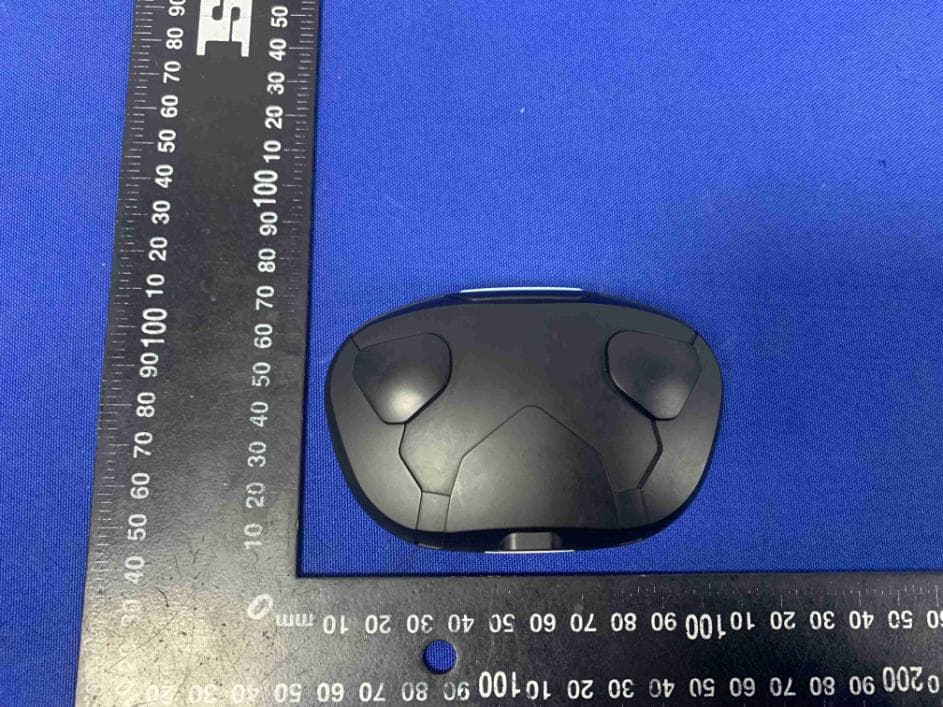
2AX2R-FI-EVATW
May 06, 2022True Wireless Earphone
Equipment Class
DSS - Part 15 Spread Spectrum Transmitter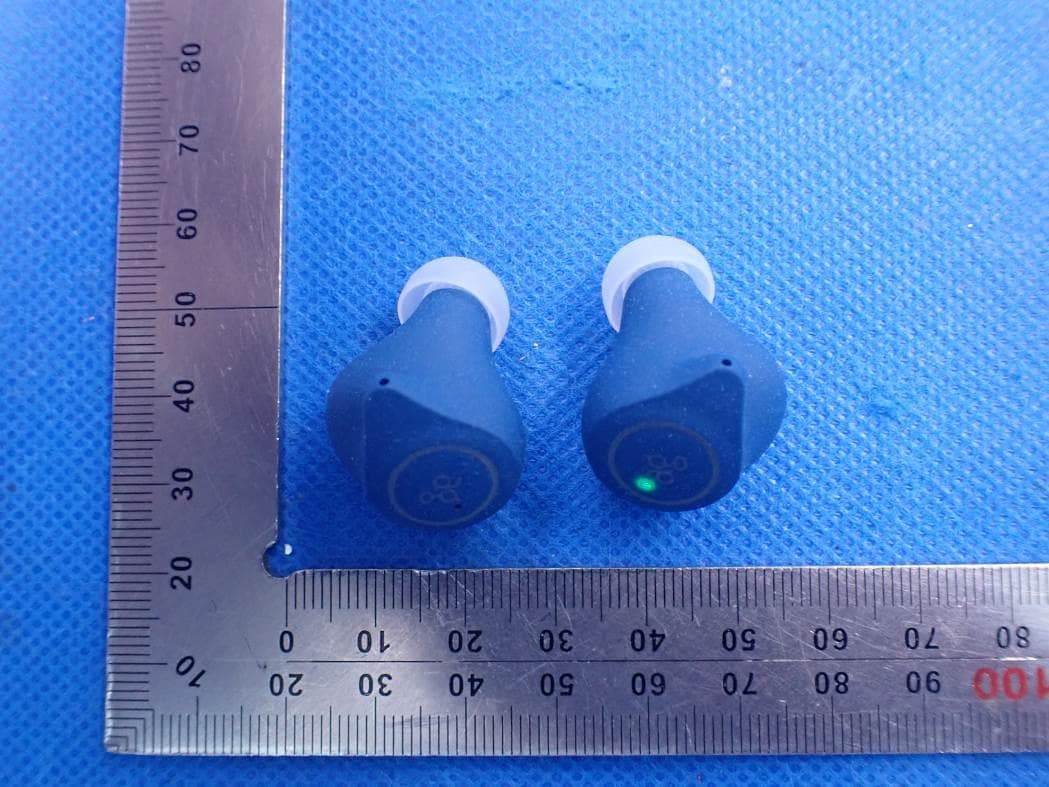
2AX2R-TWS08R
Apr 13, 2021TWS Bluetooth Earphone
Equipment Class
DSS - Part 15 Spread Spectrum Transmitter