2AXKI-CLT2156Laptop
Shenzhen Weihejia Electronic Technology Co.,LTD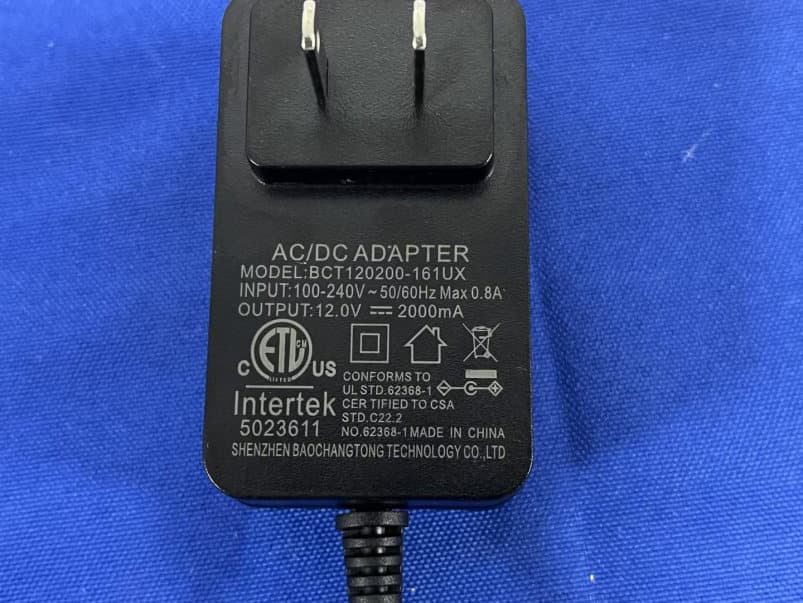
Click to zoom
Application Details
- Equipment Class
- DSS - Part 15 Spread Spectrum Transmitter
- Date of Grant
- Sep 21, 2023
- Application Purpose
- Original Equipment
- Date of Application
- Sep 21, 2023
- Equipment Note
- Laptop
- Frequency Range
- 2402.00000000 - 2480.00000000
- Country
- China
Documents & Files
Document Text
Text extracted from the exhibit documents filed with the FCC. Open a document above to read the original.
Users Manual
CORE INNOVATIONS TM 15.6” Laptop with Windows™ 11 CLT2156 User Manual 3 Table of Contents 3 4 6 7 8 9 12 13 13 14 14 15 16 17 17 18 18 19 20 21 22 23 Read Before Use Device Overview Getting Started Charging and Power Management Connecting to a Wi-Fi ® Network Connecting to a Bluetooth ® Device Touchpad Gestures User Accounts Sleep, Shut Down, and Restarting Your Device Search Task View Multiple Desktops Snap Windows Action Center Notifications The New Microsoft Edge™ Browser Downloading Applications Settings Factory Reset Specifications Need Help? Warranty Information 4 1. This laptop works best in non-tropical areas below 6560 feet (2000 meters). 2. Protect your device from impact from bumps and falls. 3. Do not use this device for extended periods of time in environments that are either too cold, too hot, too humid or too dusty. Do not expose the device to direct sunlight. 4. Avoid using this device in strong magnetic and static environments as much as possible. 5. If the device comes into contact with water or any other liquid, power it off immediately and wait for it to dry completely before turning it on again. 6. Do not clean the device with any cleaning products containing chemicals, to avoid damage caused by corrosion and dampness. When cleaning is necessary, use a dry, soft cloth. 7. The company shall not be held responsible for the loss or deletion of material inside the device caused by abnormal software and hardware operation, maintenance or any other accidents. 8. Please regularly back up important data and files to avoid loss. 9. Please do not disassemble the device by yourself; doing so will void the warranty. Read Before Use 5 Device Overview 1 2 3 10796 85 4 6 Device Overview 1. Camera: Take photos and videos. 2. Power Button: Turn your device on or off. Use to set your device to Sleep or to wake it from Sleep. 3. Touchpad: Use the touchpad to move your cursor. 4. Speakers (under laptop): Built-in speakers allow you to playback sound without connecting external devices. 5. USB Input: Connect external USB devices. 6. Charging Port 7. Mini-HDMI ® Output: Connect your laptop to a monitor, TV or other HDMI ® -enabled device via an HDMI ® cable (sold separately). 8. Headphone Jack: Transmit audio signals to speakers or headphones. 9. Micro SD Card Slot: Built-in memory card reader slot that supports Micro SD format up to 128 GB. 10. USB Input: Connect external USB devices. 7 1. Fully charge your laptop for at least six hours before initial use. Use the included wall charger. The battery indicator will confirm that your device is charging. 2. Turn your laptop on by pressing and holding the power key for two seconds. 3. When booting up for the first time, you will be asked to configure your new laptop. Complete the steps on screen to get started. 4. When the above settings are completed, the system will continue to complete the final steps of initialization. During this period, please ensure sufficient power and do not shut down the computer (connecting to a power supply is recommended). The following interface appears, indicating the completion of initialization. Getting Started 8 5. When using Windows™ 11 for the first time, please read the [Get Started] guide in the Start menu. It can help you master various features of Windows™ 11 quickly. When your device is running low on power, a low battery warning will pop up. Please charge the computer in time, otherwise, it will automatically go to sleep. Connect to the power adapter, and the charging indicator light will glow, indicating the device is charging. If the light is off, the laptop is not charging or fully charged. The battery charges faster when the computer is shut down or goes to sleep. Click the battery icon in the taskbar in the bottom right of the desktop to check the battery level. Getting Started Charging and Power Management 9 2. Scroll to find your Wi-Fi ® network from the list, and click [Connect]. 3. Enter the network security password if required, and click [Next]. 4. Once the password is verified, the network will display as "Connected". 1. Click the [Network] button in the taskbar in the bottom right of the desktop, and click the right arrow in the pop-up menu. Connecting to a Wi-Fi ® Network 10 2. Right-click the Bluetooth ® icon to open the below menu, and click [Add a Bluetooth ® Device]. 1. At the bottom right of the desktop, click the arrow icon , and then the Bluetooth ® iconwill pop up. Connecting to a Bluetooth ® Device 11 4. In the new pop-up window, select [Bluetooth ® ]. Connecting to a Bluetooth ® Device 3. In the pop-up settings page, click [Add device] on the right. 12 Connecting to a Bluetooth ® Device The system will then search for nearby Bluetooth ® devices. Select the Bluetooth ® device you wish to connect to when it appears on the list. If a pairing code is needed, enter it based on the onscreen prompts. When connected, click [Done] to finish. 13 Swipe with one finger: move the cursor on the desktop Left-click: equivalent to clicking the left mouse button Right-click: equivalent to clicking the right mouse button Tap with two fingers: equivalent to clicking the right mouse button Swipe vertically with two fingers: scroll the screen or document Pinch open or stretch out with two fingers: to zoom into/out of pictures, web pages, etc. when browsing. Tap with three fingers: open Search Swipe up with three fingers: display all open windows Swipe down with three fingers: show the desktop Swipe left or right with three fingers: switch between open apps Tap with four fingers: quickly open the Action Center Touchpad Gestures Tap with one finger: equivalent to the left mouse button Double-tap with one finger: equivalent to double-clicking the left mouse button 14 Enter the [Start] menu from your desktop. On the bottom right side of the window, you will find the [Power] button. Sleep: Set your device to idle. Shut Down: Turn off your device. Restart: Your device will turn off, then automatically tu…
Text truncated - open the document above for the full version.
Attestation Statements
Shenzhen Weihejia Electronic Technology Co.,LTD Federal Communications Commission Authorization and Evaluation Division Equipment Authorization Branch 7435 Oakland Mills Road Columbia, MD 21046 9/19/2023 U.S. Agent Designation Shenzhen Weihejia Electronic Technology Co.,LTD acknowledges their consent for the following contact located in the United States to act as their agent for service of process for the equipment for which authorization is sought (FCC ID: 2AXKI-CLT2156): Name and company of U.S. agent: DP AUDIO VIDEO LLC Physical U.S. address of agent: 920 Malcolm Ave Los Angeles, CA 90024 United States FRN of U.S. agent: 0029264256 Email address of U.S. agent: [email protected] DP AUDIO VIDEO LLC acknowledges their obligation to accept service of process on behalf of Shenzhen Weihejia Electronic Technology Co.,LTD. Shenzhen Weihejia Electronic Technology Co.,LTD with the FRN 0029982279 accepts its obligation to maintain an agent for service of process in the United States for no less than one year after either the grantee has permanently terminated all marketing and importation of the applicable equipment within the U.S., or the conclusion of any Commission-related administrative or judicial proceeding involving the equipment, whichever is later. By signing this form, we confirm the above and that we are aware of the application requirements listed under § 2.911(d)(7). The information provided in this letter is based on the referenced rule parts of Title 47 of the CFR as well as KDB 986446 D01. An expiration date for this letter does not exist. In case the U.S. agent changes, the grantee is obligated to notify the FCC within 30 days via the granting TCB. Sincerely, Signature Fengyan Zhang Sales Shenzhen Weihejia Electronic Technology Co.,LTD Signature Roy Ryan Manager DP AUDIO VIDEO LLC 48_[mo d el] US_Agent_2.911(d)(7) - U, V05
External Photos
Page1of6FCCID:2AXKI-CLT2156 ShenzhenLCSComplianceTestingLaboratoryLtd. Add:101,201BldgA&301BldgC,JujiIndustrialParkYabianxueziwei,ShajingStreet,BaoanDistrict,Shenzhen, 518000,China Tel:+(86)0755-82591330|E-mail:[email protected]|Web:www.lcs-cert.com Scancodetocheckauthenticity ExternalPhotosoftheEUT Fig.1 Fig.2 Page2of6FCCID:2AXKI-CLT2156 ShenzhenLCSComplianceTestingLaboratoryLtd. Add:101,201BldgA&301BldgC,JujiIndustrialParkYabianxueziwei,ShajingStreet,BaoanDistrict,Shenzhen, 518000,China Tel:+(86)0755-82591330|E-mail:[email protected]|Web:www.lcs-cert.com Scancodetocheckauthenticity Fig.3 Fig.4 Page3of6FCCID:2AXKI-CLT2156 ShenzhenLCSComplianceTestingLaboratoryLtd. Add:101,201BldgA&301BldgC,JujiIndustrialParkYabianxueziwei,ShajingStreet,BaoanDistrict,Shenzhen, 518000,China Tel:+(86)0755-82591330|E-mail:[email protected]|Web:www.lcs-cert.com Scancodetocheckauthenticity Fig.5 Fig.6 Page4of6FCCID:2AXKI-CLT2156 ShenzhenLCSComplianceTestingLaboratoryLtd. Add:101,201BldgA&301BldgC,JujiIndustrialParkYabianxueziwei,ShajingStreet,BaoanDistrict,Shenzhen, 518000,China Tel:+(86)0755-82591330|E-mail:[email protected]|Web:www.lcs-cert.com Scancodetocheckauthenticity Fig.7 Fig.8 Page5of6FCCID:2AXKI-CLT2156 ShenzhenLCSComplianceTestingLaboratoryLtd. Add:101,201BldgA&301BldgC,JujiIndustrialParkYabianxueziwei,ShajingStreet,BaoanDistrict,Shenzhen, 518000,China Tel:+(86)0755-82591330|E-mail:[email protected]|Web:www.lcs-cert.com Scancodetocheckauthenticity Fig.9 Fig.10 Page6of6FCCID:2AXKI-CLT2156 ShenzhenLCSComplianceTestingLaboratoryLtd. Add:101,201BldgA&301BldgC,JujiIndustrialParkYabianxueziwei,ShajingStreet,BaoanDistrict,Shenzhen, 518000,China Tel:+(86)0755-82591330|E-mail:[email protected]|Web:www.lcs-cert.com Scancodetocheckauthenticity Fig.11
ID Label/Location Info
Page 1 of 1 FCC ID: 2AXKI-CLT2156 Shenzhen LCS Compliance Testing Laboratory Ltd. Add: 101, 201 Bldg A & 301 Bldg C, Juji Industrial Park Yabianxueziwei, Shajing Street, Baoan District, Shenzhen, 518000, China Tel: +(86) 0755-82591330 | E-mail: [email protected] | Web: www.lcs-cert.com Scan code to check authenticity LABEL AND LOCATION (Size: L 4.0cm x W 2.0cm) Label Location Laptop Model: CLT2156BL FCC ID: 2AXKI-CLT2156 This device complies with part 15 of the FCC Rules. Operation is subject to the following two conditions: (1) This device may not cause harmful interference, and (2) this device must accept any interference received, including interference that may cause undesired operation.
Internal Photos
Page 1 of 12 FCC ID: 2AXKI-CLT2156 Shenzhen LCS Compliance Testing Laboratory Ltd. Add: 101, 201 Bldg A & 301 Bldg C, Juji Industrial Park Yabianxueziwei, Shajing Street, Baoan District, Shenzhen, 518000, China Tel: +(86) 0755-82591330 | E-mail: [email protected] | Web: www.lcs-cert.com Scan code to check authenticity Internal Photos of the EUT Fig. 1 Fig. 2 Bluetooth/WIFI Antenna Page 2 of 12 FCC ID: 2AXKI-CLT2156 Shenzhen LCS Compliance Testing Laboratory Ltd. Add: 101, 201 Bldg A & 301 Bldg C, Juji Industrial Park Yabianxueziwei, Shajing Street, Baoan District, Shenzhen, 518000, China Tel: +(86) 0755-82591330 | E-mail: [email protected] | Web: www.lcs-cert.com Scan code to check authenticity Fig. 3 Fig. 4 Page 3 of 12 FCC ID: 2AXKI-CLT2156 Shenzhen LCS Compliance Testing Laboratory Ltd. Add: 101, 201 Bldg A & 301 Bldg C, Juji Industrial Park Yabianxueziwei, Shajing Street, Baoan District, Shenzhen, 518000, China Tel: +(86) 0755-82591330 | E-mail: [email protected] | Web: www.lcs-cert.com Scan code to check authenticity Fig. 5 Fig. 6 Page 4 of 12 FCC ID: 2AXKI-CLT2156 Shenzhen LCS Compliance Testing Laboratory Ltd. Add: 101, 201 Bldg A & 301 Bldg C, Juji Industrial Park Yabianxueziwei, Shajing Street, Baoan District, Shenzhen, 518000, China Tel: +(86) 0755-82591330 | E-mail: [email protected] | Web: www.lcs-cert.com Scan code to check authenticity Fig. 7 Fig. 8 Page 5 of 12 FCC ID: 2AXKI-CLT2156 Shenzhen LCS Compliance Testing Laboratory Ltd. Add: 101, 201 Bldg A & 301 Bldg C, Juji Industrial Park Yabianxueziwei, Shajing Street, Baoan District, Shenzhen, 518000, China Tel: +(86) 0755-82591330 | E-mail: [email protected] | Web: www.lcs-cert.com Scan code to check authenticity Fig. 9 Fig. 10 Page 6 of 12 FCC ID: 2AXKI-CLT2156 Shenzhen LCS Compliance Testing Laboratory Ltd. Add: 101, 201 Bldg A & 301 Bldg C, Juji Industrial Park Yabianxueziwei, Shajing Street, Baoan District, Shenzhen, 518000, China Tel: +(86) 0755-82591330 | E-mail: [email protected] | Web: www.lcs-cert.com Scan code to check authenticity Fig. 11 Fig. 12 Page 7 of 12 FCC ID: 2AXKI-CLT2156 Shenzhen LCS Compliance Testing Laboratory Ltd. Add: 101, 201 Bldg A & 301 Bldg C, Juji Industrial Park Yabianxueziwei, Shajing Street, Baoan District, Shenzhen, 518000, China Tel: +(86) 0755-82591330 | E-mail: [email protected] | Web: www.lcs-cert.com Scan code to check authenticity Fig. 13 Fig. 14 Page 8 of 12 FCC ID: 2AXKI-CLT2156 Shenzhen LCS Compliance Testing Laboratory Ltd. Add: 101, 201 Bldg A & 301 Bldg C, Juji Industrial Park Yabianxueziwei, Shajing Street, Baoan District, Shenzhen, 518000, China Tel: +(86) 0755-82591330 | E-mail: [email protected] | Web: www.lcs-cert.com Scan code to check authenticity Fig. 15 Fig. 16 Page 9 of 12 FCC ID: 2AXKI-CLT2156 Shenzhen LCS Compliance Testing Laboratory Ltd. Add: 101, 201 Bldg A & 301 Bldg C, Juji Industrial Park Yabianxueziwei, Shajing Street, Baoan District, Shenzhen, 518000, China Tel: +(86) 0755-82591330 | E-mail: [email protected] | Web: www.lcs-cert.com Scan code to check authenticity Fig. 17 Fig. 18 Page 10 of 12 FCC ID: 2AXKI-CLT2156 Shenzhen LCS Compliance Testing Laboratory Ltd. Add: 101, 201 Bldg A & 301 Bldg C, Juji Industrial Park Yabianxueziwei, Shajing Street, Baoan District, Shenzhen, 518000, China Tel: +(86) 0755-82591330 | E-mail: [email protected] | Web: www.lcs-cert.com Scan code to check authenticity Fig. 19 Fig. 20 Page 11 of 12 FCC ID: 2AXKI-CLT2156 Shenzhen LCS Compliance Testing Laboratory Ltd. Add: 101, 201 Bldg A & 301 Bldg C, Juji Industrial Park Yabianxueziwei, Shajing Street, Baoan District, Shenzhen, 518000, China Tel: +(86) 0755-82591330 | E-mail: [email protected] | Web: www.lcs-cert.com Scan code to check authenticity Fig. 21 Fig. 22 Page 12 of 12 FCC ID: 2AXKI-CLT2156 Shenzhen LCS Compliance Testing Laboratory Ltd. Add: 101, 201 Bldg A & 301 Bldg C, Juji Industrial Park Yabianxueziwei, Shajing Street, Baoan District, Shenzhen, 518000, China Tel: +(86) 0755-82591330 | E-mail: [email protected] | Web: www.lcs-cert.com Scan code to check authenticity Fig. 23
RF Exposure Info
Page 1 of 5 FCC ID: 2AXKI-CLT2156 Shenzhen LCS Compliance Testing Laboratory Ltd. Add: 101, 201 Bldg A & 301 Bldg C, Juji Industrial Park Yabianxueziwei, Shajing Street, Baoan District, Shenzhen, 518000, China Tel: +(86) 0755-82591330 | E-mail: [email protected] | Web: www.lcs-cert.com Scan code to check authenticity FCC RF Exposure Evaluation 1. Product Information EUT : Laptop Test Model : CLT2156BL Additional Model No. : CLT2156RD, CLT2156BU, CLT2156LC, N156, WH156, C156 Model Declaration : PCB board, structure and internal of these model(s) are the same, So no additional models were tested Power Supply : Input: 12V2A For AC Adapter Input: 100-240V~, 50/60Hz, Max 0.8A Adapter Output: 12.0V2000mA DC 7.7V by Rechargeable Li-ion Battery, 5000mAh Hardware Version : GN10Q_MB_V11 Software Version : WIN11 HOME Bluetooth : Frequency Range : 2402MHz~2480MHz Channel Number : 79 channels for Bluetooth V5.0 (DSS) Channel Spacing : 1MHz for Bluetooth V5.0 (DSS) Modulation Type : GFSK, π/4-DQPSK, 8-DPSK for Bluetooth V5.0 (DSS) Bluetooth Version : V5.0 Antenna Description : PIFA Antenna, 2.56dBi (max.) WIFI(2.4G Band) : Frequency Range : 2412MHz~2462MHz Channel Spacing : 5MHz Channel Number : 11 Channels for 20MHz bandwidth (2412~2462MHz) Modulation Type : IEEE 802.11b: DSSS (CCK, DQPSK, DBPSK) IEEE 802.11g: OFDM (64QAM, 16QAM, QPSK, BPSK) IEEE 802.11n: OFDM (64QAM, 16QAM, QPSK, BPSK) Antenna Description : PIFA Antenna, 2.56dBi (max.) Exposure category : General population/uncontrolled environment EUT Type : Production Unit Device Type : Portable Device Page 2 of 5 FCC ID: 2AXKI-CLT2156 Shenzhen LCS Compliance Testing Laboratory Ltd. Add: 101, 201 Bldg A & 301 Bldg C, Juji Industrial Park Yabianxueziwei, Shajing Street, Baoan District, Shenzhen, 518000, China Tel: +(86) 0755-82591330 | E-mail: [email protected] | Web: www.lcs-cert.com Scan code to check authenticity 2. Evaluation method and Limit According to KDB447498 D01 General RF Exposure Guidance v06 Section 4.3.1 Standalone SAR test exclusion considerations: “Unless specifically required by the published RF exposure KDB procedures, standalone 1-g head or body and 10-g extremity SAR evaluation for general population exposure conditions, by measurement or numerical simulation, is not required when the corresponding SAR Test Exclusion Threshold condition, listed below, is satisfied. These test exclusion conditions are based on source-based time-averaged maximum conducted output power of the RF channel requiring evaluation, adjusted for tune-up tolerance, and the minimum test separation distance required for the exposure conditions.22 The minimum test separation distance is determined by the smallest distance from the antenna and radiating structures or outer surface of the device, according to the host form factor, exposure conditions and platform requirements, to any part of the body or extremity of a user or bystander (see 5) of section 4.1). To qualify for SAR test exclusion, the test separation distances applied must be fully explained and justified by the operating configurations and exposure conditions of the transmitter and applicable host platform requirements, typically in the SAR measurement or SAR analysis report, according to the required published RF exposure KDB procedures. When no other RF exposure testing or reporting is required, a statement of justification and compliance must be included in the equipment approval, in lieu of the SAR report, to qualify for the SAR test exclusion. When required, the device specific conditions described in the other published RF exposure KDB procedures must be satisfied before applying these SAR test exclusion provisions; for example, handheld PTT two-way radios, handsets, laptops & tablets etc.“ [(max. power of channel, including tune-up tolerance, mW)/ (min. test separation distance, mm)] · [√f (GHz)] ≤ 3.0 for 1-g SAR and ≤ 7.5 for 10-g extremity SAR, where: • f (GHz) is the RF channel transmit frequency in GHz • Power and distance are rounded to the nearest mW and mm before calculation • The result is rounded to one decimal place for comparison • 3.0 and 7.5 are referred to as the numeric thresholds in the step 2 below The test exclusions are applicable only when the minimum test separation distance is ≤ 50 mm and for transmission frequencies between 100 MHz and 6 GHz. When the minimum test separation distance is < 5 mm, a distance of 5 mm according to f) in section 4.1 is applied to determine SAR test exclusion. When one of the following test exclusion conditions is satisfied for all combinations of simultaneous transmission configurations, further equipment approval is not required to incorporate transmitter modules in host devices that operate in the mixed mobile and portable host platform exposure conditions. The grantee is responsible for documenting this according to Class I permissive change requirements. Antennas that qualify for standalone SAR test exclusion must apply the estimated standalone SAR to determine simultaneous transmission test exclusion. a) The [∑ of (the highest measured or estimated SAR for each standalone antenna configuration, adjusted for maximum tune-up tolerance) / 1.6 W/kg] + [∑ of MPE ratios] is ≤ 1.0. b)The SAR to peak location separation ratios of all simultaneously transmitting antenna pairs operating in portable device exposure conditions are all ≤ 0.04, and the [∑ of MPE ratios] is ≤ 1.0. 3. Refer Evaluation Method ANSI C95.1–1999: IEEE Standard for Safety Levels with Respect to Human Exposure to Radio Frequency Electromagnetic Fields, 3 kHz to 300 GHz. FCC KDB publication 447498 D01 General RF Exposure Guidance v06: Mobile and Portable Devices RF Exposure Procedures and Equipment Authorization Policies. FCC CFR 47 part1 1.1310: Radiofrequency radiation exposure limits. FCC CFR 47 part2 2.1093: Radiofrequency radiation exposure evaluation: portable devices Page 3 of 5 FCC ID: 2AXKI-CLT2156 Shenzhen LCS Compliance Testing Laboratory Ltd. Add: 101,…
Text truncated - open the document above for the full version.
Test Report
R&D,productionandsalesofprofessionalwirelessterminalantenna 承认书 SPECIFICATIONFORAPPROVAL 客户名称CustomerName:深圳市伟合佳电子科技有限公司 产品型号ProductModel:WHJ98 客户料号CustomerP/N: 鑫恒阳料号XINHENGYANGP/N:XHY-WHJ98.0304-WIFI-V1.0 产品规格SPECIFFCATIONS:频段:WIFI2.4G 制作日期Productiondate:2023.07.19 封样版本SampleVersion:V1.0 生产厂商:深圳市鑫恒阳科技有限公司 深圳地址:深圳市南山区西丽创盛路1号康和盛大厦7A 电话:0755-83600916邮箱:xinhengyang1116@163,com 网址:https://www.xhy-2008.com 鑫恒阳(XINHENGYANG) 编制(FICTION)品质(DQE)研发(R&D) 客户(Customer) 采购(PUR)品质(QC)研发(R&D) R&D,productionandsalesofprofessionalwirelessterminalantenna 目录Index 一、封面(Cover)---------------------------------------1 二、目录(Index)--------------------------------------2 三、变更履历(Changehistory)--------------------------3 四、基本参数(Thebasicparameters)--------------------4 五、测试设备(TestEquipment&Conditions)--------------5 六、性能测试报告(TestReport)-------------------------6 七、工程图纸(ProductDrawing)-------------------------10 八、ROHS----------------------------------------------11 九、产品包装说明(Productpackaginginstructions)------11 R&D,productionandsalesofprofessionalwirelessterminalantenna 三、变更履历(Changehistory) NumberEffectivedateChangerecord V1.02023.07.19Initialrelease R&D,productionandsalesofprofessionalwirelessterminalantenna 四、基本参数(Thebasicparameters) A.ElectricalCharacteristics Frequency VSWR AvgEfficiency Impedance Polarization PeakGain 2400MHZ~2500MHZ 515 <3.00 >45% 50 ± 15 Ohm Linear 2.56Bi B.Material&MechanicalCharacteristics MaterialofRadiatorFPCblack CableTypeΦ1.13MM340MM ConnectorTypeGeneration Dimension16.60MM*35.60MM±0.2MM C.Environmental OperationTemperature -20 ̊ C~+60 ̊ C StorageTemperature -30 ̊C~+70 ̊C R&D,productionandsalesofprofessionalwirelessterminalantenna 五、测试设备Introduction: Microwavedarkroomandnoreflectionchamber,absorbingshortwave darkroomdarkroom.Microwavedarkroombyelectromagneticshieldingroom, filteringandisolation,groundingdevice,theventilationduct,indoor distributionsystem,monitoringsystem,ceilingwavematerialpart.It isbasedonthewaveabsorbingmaterialastheliningoftheshieldroom, itcanabsorbthemostoftheelectromagneticenergyintothesixwall isabettersimulationofthefreespaceconditions. Themainworkingprincipleofmicrowaveanechoicchamberisaccordingto theelectromagneticwaveinthemediumfromthelowmagneticguide magneticdirectionofpropagationrules,absorbingmaterialstoguidethe electromagneticwaveusinghighpermeability,throughresonance,a substantialabsorptionofelectromagneticwaveradiationenergy,by couplingtheelectromagneticenergyintoheatenergy. mainperformance: Frequencyrange:400MHz~6GHzceilingreflectedwavelossmaterials: 400MHz~6GHzisequaltoormorethan15dB(microwaveabsorbingmaterial bycompositewaveabsorbingmaterials,namelytaperedcontainingcarbon spongesuctionwavematerialpasteinferrite). R&D,productionandsalesofprofessionalwirelessterminalantenna 六.性能测试报告(TestReport) ThosespecificationswerespeciallydefinedforWHJ98model. 1.Antennaposition: 2.Antennapassivefieldpatternandpassiveefficiencygain table: WIFI2.4G: R&D,productionandsalesofprofessionalwirelessterminalantenna FrequencyIDFrequency(MHz)Gain(dBi)Efficiency(%) 12400.0 2.2649.13 22405.0 2.2549.39 32410.0 2.1349.14 42415.0 2.1349.06 52420.0 2.2449.46 62425.0 2.4849.80 72430.0 2.5649.34 82435.0 2.4848.68 92440.0 2.4548.65 102445.0 2.4648.30 112450.0 2.3447.70 122455.0 2.1947.50 132460.0 2.0547.27 142465.0 1.9346.97 152470.0 1.7646.72 162475.0 1.8046.64 172480.0 1.8646.27 182485.0 1.9646.50 192490.0 2.0847.68 202495.0 2.1648.32 212500.0 2.2148.25 R&D,productionandsalesofprofessionalwirelessterminalantenna 3.OTA: WIFI2.4G: 七、工程图纸(ProductDrawing) R&D,productionandsalesofprofessionalwirelessterminalantenna 八、ROHS AntennaXHY-WHJ98.0304-WIFI-V1.0meetsROHS requirements. 九、Productpackaginginstructions A.packingshouldmeetthemoistureproof,vibration,pressureand mildewproof,etc. B.thesmallestpackingunitlogomusthavethemanufacturer trademarks,productmodel,name,codeandquantity. C.intheattachedpackinglist,certificateofapproval,andthefactory inspectionreport. ***************************END****************************
Test Report
Page 1 of 54 FCC ID: 2AXKI-CLT2156 Report No.: LCSA072623057EA Shenzhen LCS Compliance Testing Laboratory Ltd. Add: 101, 201 Bldg A & 301 Bldg C, Juji Industrial Park Yabianxueziwei, Shajing Street, Baoan District, Shenzhen, 518000, China Tel: +(86) 0755-82591330 | E-mail: [email protected] | Web: www.lcs-cert.com Scan code to check authenticity Appendix A RF Test Data for BT (Conducted Measurement) Product Name: Laptop Test Model: CLT2156BL Environmental Conditions Temperature: 23.8 C Relative Humidity: 52.1% ATM Pressure: 100.0 kPa Test Engineer: Nick Peng Supervised by: Ling Zhu Page 2 of 54 FCC ID: 2AXKI-CLT2156 Report No.: LCSA072623057EA Shenzhen LCS Compliance Testing Laboratory Ltd. Add: 101, 201 Bldg A & 301 Bldg C, Juji Industrial Park Yabianxueziwei, Shajing Street, Baoan District, Shenzhen, 518000, China Tel: +(86) 0755-82591330 | E-mail: [email protected] | Web: www.lcs-cert.com Scan code to check authenticity A.1 -20dB Bandwidth Condition Mode Frequency (MHz) Antenna -20 dB Bandwidth (MHz) Limit -20 dB Bandwidth (MHz) Verdict NVNT 1-DH5 2402 Ant1 1.012 N/A Pass NVNT 1-DH5 2441 Ant1 1.017 N/A Pass NVNT 1-DH5 2480 Ant1 1.024 N/A Pass NVNT 2-DH5 2402 Ant1 1.315 N/A Pass NVNT 2-DH5 2441 Ant1 1.289 N/A Pass NVNT 2-DH5 2480 Ant1 1.286 N/A Pass NVNT 3-DH5 2402 Ant1 1.285 N/A Pass NVNT 3-DH5 2441 Ant1 1.307 N/A Pass NVNT 3-DH5 2480 Ant1 1.294 N/A Pass Page 3 of 54 FCC ID: 2AXKI-CLT2156 Report No.: LCSA072623057EA Shenzhen LCS Compliance Testing Laboratory Ltd. Add: 101, 201 Bldg A & 301 Bldg C, Juji Industrial Park Yabianxueziwei, Shajing Street, Baoan District, Shenzhen, 518000, China Tel: +(86) 0755-82591330 | E-mail: [email protected] | Web: www.lcs-cert.com Scan code to check authenticity Test Graphs -20dB Bandwidth NVNT 1-DH5 2402MHz Ant1 -20dB Bandwidth NVNT 1-DH5 2441MHz Ant1 Page 4 of 54 FCC ID: 2AXKI-CLT2156 Report No.: LCSA072623057EA Shenzhen LCS Compliance Testing Laboratory Ltd. Add: 101, 201 Bldg A & 301 Bldg C, Juji Industrial Park Yabianxueziwei, Shajing Street, Baoan District, Shenzhen, 518000, China Tel: +(86) 0755-82591330 | E-mail: [email protected] | Web: www.lcs-cert.com Scan code to check authenticity -20dB Bandwidth NVNT 1-DH5 2480MHz Ant1 -20dB Bandwidth NVNT 2-DH5 2402MHz Ant1 Page 5 of 54 FCC ID: 2AXKI-CLT2156 Report No.: LCSA072623057EA Shenzhen LCS Compliance Testing Laboratory Ltd. Add: 101, 201 Bldg A & 301 Bldg C, Juji Industrial Park Yabianxueziwei, Shajing Street, Baoan District, Shenzhen, 518000, China Tel: +(86) 0755-82591330 | E-mail: [email protected] | Web: www.lcs-cert.com Scan code to check authenticity -20dB Bandwidth NVNT 2-DH5 2441MHz Ant1 -20dB Bandwidth NVNT 2-DH5 2480MHz Ant1 Page 6 of 54 FCC ID: 2AXKI-CLT2156 Report No.: LCSA072623057EA Shenzhen LCS Compliance Testing Laboratory Ltd. Add: 101, 201 Bldg A & 301 Bldg C, Juji Industrial Park Yabianxueziwei, Shajing Street, Baoan District, Shenzhen, 518000, China Tel: +(86) 0755-82591330 | E-mail: [email protected] | Web: www.lcs-cert.com Scan code to check authenticity -20dB Bandwidth NVNT 3-DH5 2402MHz Ant1 -20dB Bandwidth NVNT 3-DH5 2441MHz Ant1 Page 7 of 54 FCC ID: 2AXKI-CLT2156 Report No.: LCSA072623057EA Shenzhen LCS Compliance Testing Laboratory Ltd. Add: 101, 201 Bldg A & 301 Bldg C, Juji Industrial Park Yabianxueziwei, Shajing Street, Baoan District, Shenzhen, 518000, China Tel: +(86) 0755-82591330 | E-mail: [email protected] | Web: www.lcs-cert.com Scan code to check authenticity -20dB Bandwidth NVNT 3-DH5 2480MHz Ant1 Page 8 of 54 FCC ID: 2AXKI-CLT2156 Report No.: LCSA072623057EA Shenzhen LCS Compliance Testing Laboratory Ltd. Add: 101, 201 Bldg A & 301 Bldg C, Juji Industrial Park Yabianxueziwei, Shajing Street, Baoan District, Shenzhen, 518000, China Tel: +(86) 0755-82591330 | E-mail: [email protected] | Web: www.lcs-cert.com Scan code to check authenticity A.2 Maximum Conducted Output Power Condition Mode Frequency (MHz) Antenna Conducted Power (dBm) Limit (dBm) Verdict NVNT 1-DH5 2402 Ant1 -0.19 21 Pass NVNT 1-DH5 2441 Ant1 0.05 21 Pass NVNT 1-DH5 2480 Ant1 0.15 21 Pass NVNT 2-DH5 2402 Ant1 -0.45 21 Pass NVNT 2-DH5 2441 Ant1 -0.17 21 Pass NVNT 2-DH5 2480 Ant1 -0.10 21 Pass NVNT 3-DH5 2402 Ant1 -0.32 21 Pass NVNT 3-DH5 2441 Ant1 -0.08 21 Pass NVNT 3-DH5 2480 Ant1 0.01 21 Pass Page 9 of 54 FCC ID: 2AXKI-CLT2156 Report No.: LCSA072623057EA Shenzhen LCS Compliance Testing Laboratory Ltd. Add: 101, 201 Bldg A & 301 Bldg C, Juji Industrial Park Yabianxueziwei, Shajing Street, Baoan District, Shenzhen, 518000, China Tel: +(86) 0755-82591330 | E-mail: [email protected] | Web: www.lcs-cert.com Scan code to check authenticity Test Graphs Power NVNT 1-DH5 2402MHz Ant1 Power NVNT 1-DH5 2441MHz Ant1 Page 10 of 54 FCC ID: 2AXKI-CLT2156 Report No.: LCSA072623057EA Shenzhen LCS Compliance Testing Laboratory Ltd. Add: 101, 201 Bldg A & 301 Bldg C, Juji Industrial Park Yabianxueziwei, Shajing Street, Baoan District, Shenzhen, 518000, China Tel: +(86) 0755-82591330 | E-mail: [email protected] | Web: www.lcs-cert.com Scan code to check authenticity Power NVNT 1-DH5 2480MHz Ant1 Power NVNT 2-DH5 2402MHz Ant1 Page 11 of 54 FCC ID: 2AXKI-CLT2156 Report No.: LCSA072623057EA Shenzhen LCS Compliance Testing Laboratory Ltd. Add: 101, 201 Bldg A & 301 Bldg C, Juji Industrial Park Yabianxueziwei, Shajing Street, Baoan District, Shenzhen, 518000, China Tel: +(86) 0755-82591330 | E-mail: [email protected] | Web: www.lcs-cert.com Scan code to check authenticity Power NVNT 2-DH5 2441MHz Ant1 …
Text truncated - open the document above for the full version.
Contact Information
Applicant
Fengyan Zhang(Sales)
Test Firm
Shenzhen LCS Compliance Testing Laboratory Ltd.Gavin Liang
Technical Specifications
| # | Rule Parts | Frequency Range | Power Output |
|---|---|---|---|
| 1 | 15C | 2.40 GHz - 2.48 GHz | 1.00 mW |
Other Applications from Shenzhen Weihejia Electronic Technology Co.,LTD
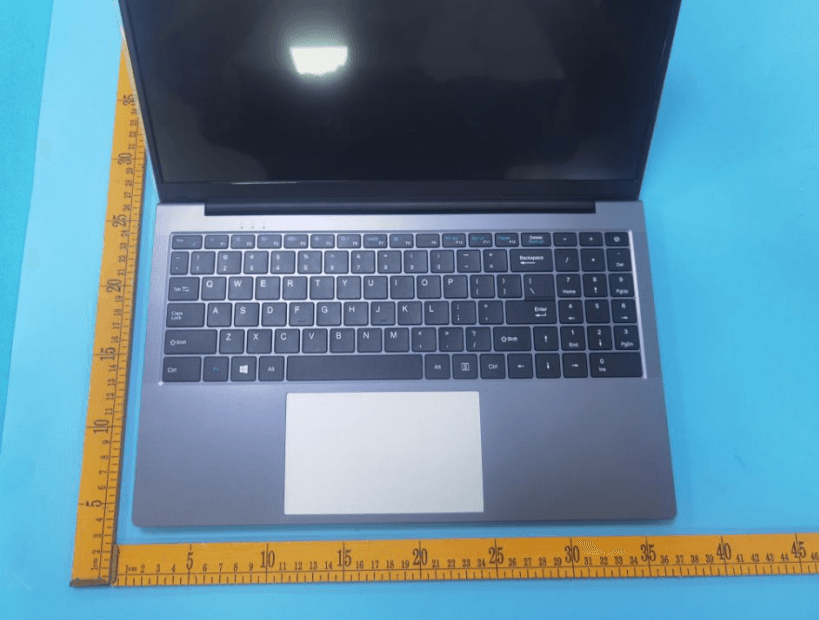
2AXKI-WH156B
Sep 13, 2023BHWW Laptop
Equipment Class
DTS - Digital Transmission System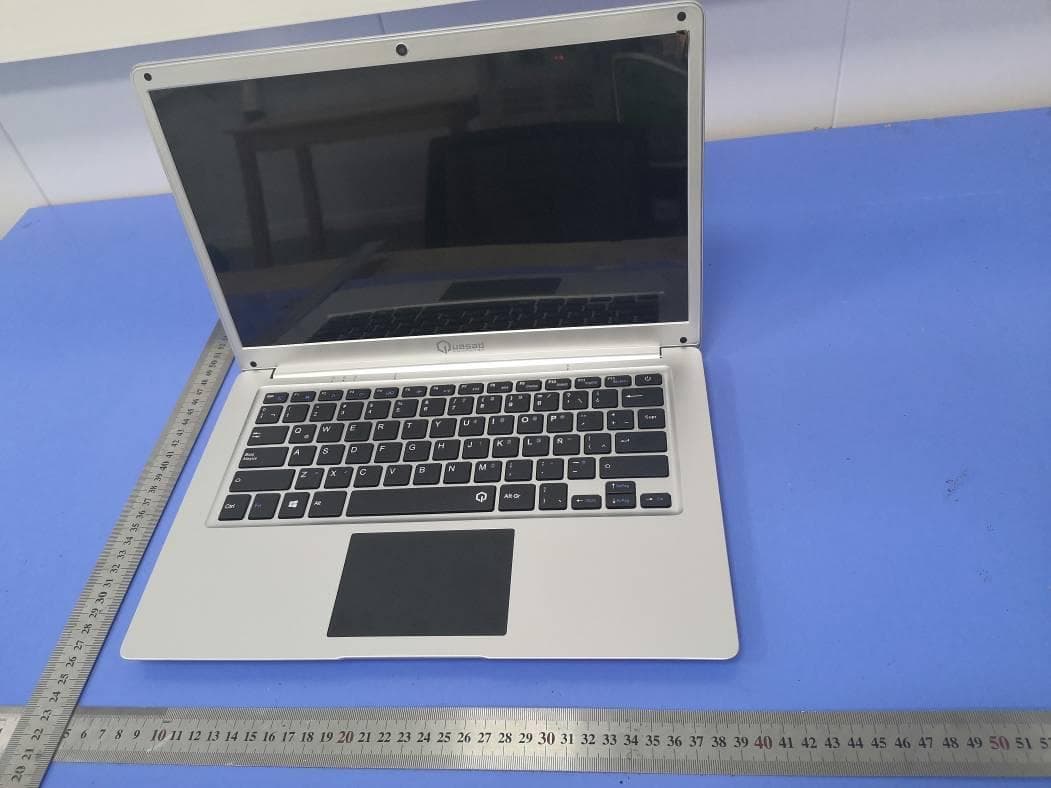
2AXKI-QNC14
Sep 26, 202014.1inch Notebook
Equipment Class
DTS - Digital Transmission System