2AXQK-T10TWS Bluetooth Headset
shenzhenshishuangsikejiyouxiangongsi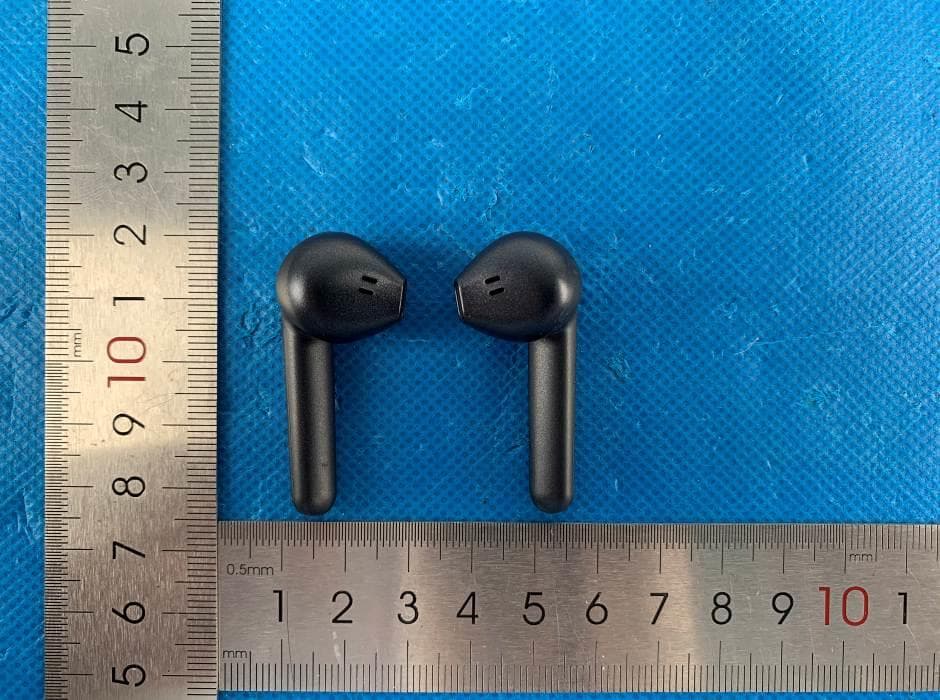
Click to zoom
Application Details
- Equipment Class
- DSS - Part 15 Spread Spectrum Transmitter
- Date of Grant
- Nov 02, 2020
- Application Purpose
- Original Equipment
- Date of Application
- Nov 02, 2020
- Equipment Note
- TWS Bluetooth Headset
- Frequency Range
- 2402.00000000 - 2480.00000000
- Country
- China
Documents & Files
Document Text
Text extracted from the exhibit documents filed with the FCC. Open a document above to read the original.
Users Manual
Specifications *The time mentioned above may vary due to user's operation mode and device settings. Structure Sketch BS251FL TWS Bluetooth Headset User Manual Bluetooth Version: Bluetooth Profiles Supported: Audio Decoding Protocol: Transmission Power: Operation Range: Frequency Range: Battery of Headset: Charging Voltage of Headset: Charging Time of Headset: Battery of Base: Charging Voltage of Base: Charging Time of Base: Charging Headset Times from Charging Base: Music Playing Time: Talk Time: Standby Time (TWS connect with mobile): Driver: Driver sensitivity : Driver impedance: Driver frequency ring range: Dimensions of Charging Base(mm): Dimensions of Headset(mm): Weight(one headset): Total Weight : Charging temperature : Non-charging temperature : Storage temperature : 1) Charging Base Lid 2) Charging Base Indicator 3) Charging Base-One-Key- Reset Button 4) Type-C Charging Port 5) Headset Sound Port 6) Headset Indicator+ Side Mic Hole 7) Touch Panel 8) Headset- Mic Hole Headset Mode Charging Base Mode Identify according L&R and wear the headset (R) and headset (L) respectively Step ① Wearing Steps: Place headset into the cochlea Step ② Slightly rotate headset until it firm Step ③ Make the headset to cochlear edge tightly Charging Ways of Headset Charging Ways of Charging Base Turning ON/OFF left Check the charging device is suit to the headset or not. Note 1: Note 2: Note 3: Use only the supplied charger to charge the headset, if use other device may violate the validation or the maintenance article of this product and may cause danger. Do not attempt to force open the built-in battery as this will damage the headset. Note 4: Note 5: A fully charged headset will lose its power automatically if unused. It is recommended to charge the headset each three months. Do not dispose of the headset into fire or water. r. Method Method 1. When the TYPE-C charging interface access to power, the indicator light red when being charged, and turns to green automatically after being fully charged. Bluetooth headset should be used with compatible devices which support Bluetooth wireless technology. This allows you to make any calls with Bluetooth function at any time freely. Please read this user manual carefully before using the headset, and also read your device’s user manual regarding the Bluetooth function, and pay attention to those important safety and maintenance information. Please keep the headset away from children. Put the headset (L) (R) to the corresponding position of the charging base. Status No. Status Indicator Prompt 1 1 2 2 3 3 5 4 7 Flashes white quickly once every 0.2 seconds The indicator light flashes white slowly once every 1 second Power On "Power on" "Power off" Power Off TWS Pairing Mode TWS Connected Phone Pairing Mode Phone Connected Low Battery Alarm State Reset Headset Charging Flashes red for 3seconds(reset) and white quickly 5 times White being charged, turns off after fully charged " Low Battery " (once every 3 minutes) The indicator light of master headset flashes white once every 1 second and slave headset flashes white once every 5 seconds The indicator light of the headset flashes white once every 5 seconds 8 9 / / / / / / 6 Headset (R) Headset (L) TYPE-C Charging port Use the Type-C cable to connect with computer Use the Type-C cable to connect with mobile phone charger V5.0 HSP, HFP, A2DP, AVRCP SBC, AAC Class 2 Up to 10 meters 2.4GHz 40mAH Li-polymer Battery DC 5.0V±0.25V ≤2 Hours 300mAH Li-polymer Battery DC 5.0V±0.25V ≤2 Hours About 3 times ≥4 Hours50% volume ≥3 Hours50% volume 60 Hours φ12mm 102±3dB(at 1KHz) 16Ω±15% 20Hz-20kHz L51.2×W59.3×H23.1 L43.45×W16.8×H17.5 About 3.9g About 38.5g 0°C~45°C -10°C~60°C -20°C~40°C 7 6 8 4 1 2 3 5 "TWS connected" (if first time pairing) "Pairing" “Connected” Charging Base PerformanceStatus No.Status Charging Base Charging Red when being charged, turns to green after fully charged Charging Base charging for headsets Charging base flashes green for 3 times if found the headsets put inside ( finish within 1.5s) Charging Base Battery Capacity Open the lid or press the ③ button, indicator show different battery capacity for 2 seconds, red is less than 20%, orange between 20%-79% and green if more than 80% Turn ON: Open the charging base lid to turn on automatically. (It is advised to pick up the headset after open lid for 1 second) Turn OFF: Put the headset back to the charging base and close the lid for 1 second to turn off and charge. (It is advised not to open and close the lid too frequently) Turn ON: In OFF MODE, touch the panel of headset(R) or headset(L) for 2 seconds to turn on. Turn OFF: Headset will turn off automatically after the headset(R) or headset(L) disconnected from device for 5 seconds. Headset is charged once put in charging base, charging base indicator flashes green 3 times. Pairing Method Bluetooth ON Connect BS251FL TWS Reconnected Method1: Method2: Answer /End a Call Reject a call Music Pause/Playing Volume +/- /Next SongPre Delete Pairing Records on the Headset Maintenance Trouble Shooting TroubleReasonsSolutions Headsets always flash white/The headset can’t reconnect/ The headsets make sizzling sound/ Can't operation Not turn on by opening charging base lid or touch the panel Headsets crash Low battery Turning off automatically No sound on one headset after connecting Low battery Charging headset for 1-2 hours Headset echo Volume is too loud or environment is noisy Adjust the volume at phone change a place Noise in call Pairing wrongDelete pairing records and pairing again Too many pairing recordsDelete pairing records and pairing again Headsets without indicator light when charging The headsets couldn’t being charged in charging base Connect failDelete pairing records and pairing again 1)Checking headset charging interface whether has impurities and touched POGO PIN of charging base the location is correct or not. 2)Charging for charging base Put the headsets into the charging base and close the lid…
Text truncated - open the document above for the full version.
Cover Letter(s)
C5266091_X8_Ed.1 1/1 LetterofAuthorization Company:shenzhenshishuangsikejiyouxiangongsi Address:changchunzhonglu33hao101gongmingshequshenzhenshiguangmingou (qu)gongmingjiedao ProductName:TWSBluetoothHeadset ModelNumber:T10 FCCIdentifier:2AXQK-T10 WeauthorizeLGAITechnologicalCenterS.A.,RondadelaFontdelCarme,s/n, 08193Bellaterra,Spain,toactonourbehalfonallmattersconcerningthe abovenamedequipment. AnyindividualwithinLGAITechnologicalCenterS.A.isauthorizedtoactonour behalfandtakeactionontheapplication. WedeclarethatauthorizeLGAITechnologicalCenterS.A.,RondadelaFontdel Carme,s/n,08193Bellaterra,Spain,isallowedtoforwardallinformation relatedtotheapprovalprojecttotheFederalCommunicationCommissionand todiscussanyissuesconcerningtheapprovalapplication.Anyandallacts carriedoutbyLGAITechnologicalCenterS.A.onourbehalfshallhavethe sameeffectasactsofourown. Name:junzhang Date:10/31/2020 Title:Manager Signatureofapplicant:
Cover Letter(s)
C5266091_X10_Ed.1 1/1 Shenzhenshishuangsikejiyouxiangongsi OfficeofEngineeringTechnology FederalCommunicationsCommission 7435OaklandMillsRoad Columbia,MD21046 Date:10/31/2020 Subject:RequestforConfidentiality FCCID:2AXQK-T10 ToWhomItMayConcern, PursuanttotheprovisionsofSections0.457and0.459ofCommission'srules (47CFR0.457,0.459),wearerequestingtheCommissiontowithholdthefollowing attachment(s)asconfidentialdocumentfrompublicdisclosure. ExhibitsLong-Term Confidentiality Short-Term Confidentiality IDLabel/LocationNoNo AttestationStatementNoNo ExternalPhotosNo BlockDiagram Schematics TestReportNoNo TestSetupPhotosNo User’sManual InternalPhotos PartsList/TuneUp RFExposureInfo OperationalDescription CoverLetter(s)NoNo SDRSoftware/SecurityInfoNo Abovementioneddocumentcontainsdetailedsystemandequipmentdescriptionare consideredasproprietaryinformationinoperationoftheequipment.Thepublic disclosureofabovedocumentsmightbeharmfultoourcompanyandwouldgive competitoranunfairadvantageinthemarket. Itisourunderstandingthatallmeasurementtestreports,FCCIDlabelformatand correspondentduringcertificationreviewprocesscannotbegrantedasconfidential documentsandthoseinformationwillbeavailableforpublicreviewoncethegrantof equipmentauthorizationisissued. Sincerely, Signature: Name:junzhangDate:10/31/2020 Title:Manager
External Photos
1 - Page 1 of 7 - Report No.: MTi20091601-8E1-1 Tel:(86-755)88850135 Fax: (86-755) 88850136 Web: http://www.mtitest.com E-mail: [email protected] Address: 101, No. 7, Zone 2, Xinxing Industrial Park, Fuhai Avenue, Xinhe Community, Fuhai Street, Bao’ an District, Shenzhen, Guangdong, China. APPENDIX 1: EUT PHOTO Photo 1 (For model T10) Photo 2 1 - Page 2 of 7 - Report No.: MTi20091601-8E1-1 Tel:(86-755)88850135 Fax: (86-755) 88850136 Web: http://www.mtitest.com E-mail: [email protected] Address: 101, No. 7, Zone 2, Xinxing Industrial Park, Fuhai Avenue, Xinhe Community, Fuhai Street, Bao’ an District, Shenzhen, Guangdong, China. Photo 3 Photo 4 1 - Page 3 of 7 - Report No.: MTi20091601-8E1-1 Tel:(86-755)88850135 Fax: (86-755) 88850136 Web: http://www.mtitest.com E-mail: [email protected] Address: 101, No. 7, Zone 2, Xinxing Industrial Park, Fuhai Avenue, Xinhe Community, Fuhai Street, Bao’ an District, Shenzhen, Guangdong, China. Photo 5 Photo 6 1 - Page 4 of 7 - Report No.: MTi20091601-8E1-1 Tel:(86-755)88850135 Fax: (86-755) 88850136 Web: http://www.mtitest.com E-mail: [email protected] Address: 101, No. 7, Zone 2, Xinxing Industrial Park, Fuhai Avenue, Xinhe Community, Fuhai Street, Bao’ an District, Shenzhen, Guangdong, China. Photo 7 Photo 8 1 - Page 5 of 7 - Report No.: MTi20091601-8E1-1 Tel:(86-755)88850135 Fax: (86-755) 88850136 Web: http://www.mtitest.com E-mail: [email protected] Address: 101, No. 7, Zone 2, Xinxing Industrial Park, Fuhai Avenue, Xinhe Community, Fuhai Street, Bao’ an District, Shenzhen, Guangdong, China. Photo 9 Photo 10 1 - Page 6 of 7 - Report No.: MTi20091601-8E1-1 Tel:(86-755)88850135 Fax: (86-755) 88850136 Web: http://www.mtitest.com E-mail: [email protected] Address: 101, No. 7, Zone 2, Xinxing Industrial Park, Fuhai Avenue, Xinhe Community, Fuhai Street, Bao’ an District, Shenzhen, Guangdong, China. Photo 11 Photo 12 1 - Page 7 of 7 - Report No.: MTi20091601-8E1-1 Tel:(86-755)88850135 Fax: (86-755) 88850136 Web: http://www.mtitest.com E-mail: [email protected] Address: 101, No. 7, Zone 2, Xinxing Industrial Park, Fuhai Avenue, Xinhe Community, Fuhai Street, Bao’ an District, Shenzhen, Guangdong, China. Photo 13 Photo 14 ----END OF REPORT----
ID Label/Location Info
Size: 30mm*20mm Model: T10 FCC ID: 2AXQK-T10
Internal Photos
1 - Page 1 of 5 - Report No.: MTi20091601-8E1-1 Tel:(86-755)88850135 Fax: (86-755) 88850136 Web: http://www.mtitest.com E-mail: [email protected] Address: 101, No. 7, Zone 2, Xinxing Industrial Park, Fuhai Avenue, Xinhe Community, Fuhai Street, Bao’ an District, Shenzhen, Guangdong, China. APPENDIX 1: EUT PHOTO Photo 1 (For model T10) Photo 2 1 - Page 2 of 5 - Report No.: MTi20091601-8E1-1 Tel:(86-755)88850135 Fax: (86-755) 88850136 Web: http://www.mtitest.com E-mail: [email protected] Address: 101, No. 7, Zone 2, Xinxing Industrial Park, Fuhai Avenue, Xinhe Community, Fuhai Street, Bao’ an District, Shenzhen, Guangdong, China. Photo 3 Photo 4 1 - Page 3 of 5 - Report No.: MTi20091601-8E1-1 Tel:(86-755)88850135 Fax: (86-755) 88850136 Web: http://www.mtitest.com E-mail: [email protected] Address: 101, No. 7, Zone 2, Xinxing Industrial Park, Fuhai Avenue, Xinhe Community, Fuhai Street, Bao’ an District, Shenzhen, Guangdong, China. Photo 5 Photo 6 1 - Page 4 of 5 - Report No.: MTi20091601-8E1-1 Tel:(86-755)88850135 Fax: (86-755) 88850136 Web: http://www.mtitest.com E-mail: [email protected] Address: 101, No. 7, Zone 2, Xinxing Industrial Park, Fuhai Avenue, Xinhe Community, Fuhai Street, Bao’ an District, Shenzhen, Guangdong, China. Photo 7 Photo 8 Ceramic Antenna 1 - Page 5 of 5 - Report No.: MTi20091601-8E1-1 Tel:(86-755)88850135 Fax: (86-755) 88850136 Web: http://www.mtitest.com E-mail: [email protected] Address: 101, No. 7, Zone 2, Xinxing Industrial Park, Fuhai Avenue, Xinhe Community, Fuhai Street, Bao’ an District, Shenzhen, Guangdong, China. Photo 9 ----END OF REPORT----
RF Exposure Info
This test report is valid for the tested samples only. It cannot be reproduced except in full without prior written consent of Shenzhen Microtest Co., Ltd. Tel:(86-755)88850135 Fax: (86-755) 88850136 Web: http://www.mtitest.com E-mail: [email protected] Address: 101, No. 7, Zone 2, Xinxing Industrial Park, Fuhai Avenue, Xinhe Community, Fuhai Street, Bao’ an District, Shenzhen, Guangdong, China. RF EXPOSURE REPORT FCC ID: 2AXQK-T10 Date of issue: Oct. 16, 2020 Report Number: MTi20091601-8E2 Sample Description: TWS Bluetooth Headset Mo d e l( s ) : T10 Applicant: shenzhenshishuangsikejiyouxiangongsi Address: changchunzhonglu33hao101gongmingshequshenzhenshiguan gmingou(qu)gongmingjiedao Date of Test: Oct. 10, 2020 to Oct. 16, 2020 Shenzhen Microtest Co., Ltd. http://www.mtitest.com - Page 2 of 4- Report No.: MTi20091601-8E2 TEST RESULT CERTIFICATION Applicant’s name: shenzhenshishuangsikejiyouxiangongsi Address: changchunzhonglu33hao101gongmingshequshenzhenshiguang mingou(qu)gongmingjiedao Manufacture's name: GuangZhou U&I Technology Company Limited Address: 4th Floor, 15th Building, Vtrek Innovation Industrial Park, No. 644, Shibei Road, Panyu District, Guangzhou, China Product name: TWS Bluetooth Headset Model and/or type reference: T10 Serial Model: N/A RF Exposure Procedures: KDB 447498 D01 v06 This device described above has been tested by Shenzhen Microtest Co., Ltd and the test results show that the equipment under test (EUT) is in compliance with the FCC requirements. And it is applicable only to the tested sample identified in the report. Tested by: Demi Mu Oct. 16, 2020 Reviewed by: Leo Su Oct. 16, 2020 Approved by: Tom Xue Oct. 16, 2020 - Page 3 of 4- Report No.: MTi20091601-8E2 1. Standalone SAR test exclusion considerations Unless specifically required by the published RF exposure KDB procedures, standalone 1-g head or body and 10-g extremity SAR evaluation for general population exposure conditions, by measurement or numerical simulation, is not required when the corresponding SAR Test Exclusion Threshold condition(s), listed below, is (are) satisfied. These test exclusion conditions are based on source-based time-averaged maximum conducted output power of the RF channel requiring evaluation, adjusted for tune-up tolerance, and the minimum test separation distance required for the exposure conditions. The minimum test separation distance defined in 4.1 f) is determined by the smallest distance from the antenna and radiating structures or outer surface of the device, according to the host form factor, exposure conditions and platform requirements, to any part of the body or extremity of a user or bystander. To qualify for SAR test exclusion, the test separation distances applied must be fully explained and justified, typically in the SAR measurement or SAR analysis report, by the operating configurations and exposure conditions of the transmitter and applicable host platform requirements, according to the required published RF exposure KDB procedures. When no other RF exposure testing or reporting are required, a statement of justification and compliance must be included in the equipment approval, in lieu of the SAR report, to qualify for SAR test exclusion. When required, the device specific conditions described in the other published RF exposure KDB procedures must be satisfied before applying these SAR test exclusion provisions. a) For 100 MHz to 6 GHz and test separation distances ≤ 50 mm, the 1-g and 10-g SAR test exclusion thresholds are determined by the following: [(max. power of channel, including tune-up tolerance, mW) / (min. test separation distance, mm)] · [√f(GHz)] ≤ 3.0 for 1-g SAR, and ≤ 7.5 for 10-g extremity SAR, where f (GHz) is the RF channel transmit frequency in GHz Power and distance are rounded to the nearest mW and mm before calculation The result is rounded to one decimal place for comparison The values 3.0 and 7.5 are referred to as numeric thresholds in step b) below The test exclusions are applicable only when the minimum test separation distance is ≤ 50 mm, and for transmission frequencies between 100 MHz and 6 GHz. When the minimum test separation distance is < 5 mm, a distance of 5 mm according to 4.1 f) is applied to determine SAR test exclusion. b) For 100 MHz to 6 GHz and test separation distances > 50 mm, the 1-g and 10-g SAR test exclusion thresholds are determined by the following (also illustrated in Appendix B): 1) {[Power allowed at numeric threshold for 50 mm in step a)] + [(test separation distance – 50 mm)·(f(MHz)/150)]} mW, for 100 MHz to 1500 MHz 2) {[Power allowed at numeric threshold for 50 mm in step a)] + [(test separation distance – 50 mm)·10]} mW, for > 1500 MHz and ≤ 6 GHz c) For frequencies below 100 MHz, the following may be considered for SAR test exclusion (also illustrated in Appendix C): 1) For test separation distances > 50 mm and < 200 mm, the power threshold at the corresponding test separation distance at 100 MHz in step b) is multiplied by [1 + log(100/f(MHz))] 2) For test separation distances ≤ 50 mm, the power threshold determined by the equation in c) 1) for 50 mm and 100 MHz is multiplied by ½ 3) SAR measurement procedures are not established below 100 MHz. - Page 4 of 4- Report No.: MTi20091601-8E2 When SAR test exclusion cannot be applied, a KDB inquiry is required to determine SAR evaluation requirements for any SAR test results below 100 MHz to be acceptable. 2. SAR Test Exclucsion Thresholds We use 5mm as separation distance to calculated. Bluetooth DSS: Transmit Frequenc y (GHz) Mode Measured Power (dBm) Tune-up power (dBm) Max tune- up Result 1g SAR power(dBm) calculation 2.402 GFSK 3.114 4±1 5 0.9802 3 2.441 4.193 4±1 5 0.9881 3 2.480 4.248 4±1 5 0.9960 3 2.402 π/4-DQPSK 3.896 4±1 5 0.9802 3 2.441 4.661 4±1 5 0.9881 3 2.480 4.763 4±1 5 0.9960 3 2.402 8DPSK 4.061 4±1 5 0.9802 3 2.441 4.804 4±1 5 0.9881 3 2.480 4.945 4±1 5 0.9960 3 Conclusion: For the max result: 0.9960≤ 3.0 for 1g SAR, No SAR is req…
Text truncated - open the document above for the full version.
Test Report
This test report is valid for the tested samples only. It cannot be reproduced except in full without prior written consent of Shenzhen Microtest Co., Ltd. Tel:(86-755)88850135 Fax: (86-755) 88850136 Web: http://www.mtitest.com E-mail: [email protected] Address: 101, No. 7, Zone 2, Xinxing Industrial Park, Fuhai Avenue, Xinhe Community, Fuhai Street, Bao’ an District, Shenzhen, Guangdong, China. Test Report FCC ID: 2AXQK-T10 Date of issue: Oct. 16, 2020 Report number: MTi20091601-8E1 Sample description: TWS Bluetooth Headset Mo d e l( s ) : T10 Applicant: shenzhenshishuangsikejiyouxiangongsi Address: changchunzhonglu33hao101gongmingshequshenzhenshiguangmi ngou(qu)gongmingjiedao Date of test: Oct. 10, 2020 to Oct. 16, 2020 Shenzhen Microtest Co., Ltd. http://www.mtitest.com - Page 2 of 63 - Report No.: MTi20091601-8E1 Tel:(86-755)88850135 Fax: (86-755) 88850136 Web: http://www.mtitest.com E-mail: [email protected] Address: 101, No. 7, Zone 2, Xinxing Industrial Park, Fuhai Avenue, Xinhe Community, Fuhai Street, Bao’ an District, Shenzhen, Guangdong, China. Table of Contents 1 GENERAL INFORMATION .......................................................................................................................................... 5 1.1 DESCRIPTION OF EUT ................................................................................................................................................... 5 1.2 OPERATION CHANNEL LIST .............................................................................................................................................. 5 1.3 TEST CHANNEL LIST ....................................................................................................................................................... 6 1.4 ANCILLARY EQUIPMENT LIST ........................................................................................................................................... 6 1.5 DESCRIPTION OF SUPPORT UNITS .................................................................................................................................... 6 2 SUMMARY OF TEST RESULTS .................................................................................................................................... 7 3 TEST FACILITIES AND ACCREDITATIONS ..................................................................................................................... 8 3.1 TEST LABORATORY ........................................................................................................................................................ 8 3.2 ENVIRONMENTAL CONDITIONS ........................................................................................................................................ 8 3.3 MEASUREMENT UNCERTAINTY ........................................................................................................................................ 8 3.4 TEST SOFTWARE ........................................................................................................................................................... 8 4 EQUIPMENT LIST ...................................................................................................................................................... 9 5 TEST RESULT ........................................................................................................................................................... 10 5.1 ANTENNA REQUIREMENT ............................................................................................................................................. 10 5.1.1 Standard requirement ....................................................................................................................................... 10 5.1.2 EUT antenna ..................................................................................................................................................... 10 5.2 PEAK OUTPUT POWER ................................................................................................................................................. 11 5.2.1 Limit .................................................................................................................................................................. 11 5.2.2 Test setup .......................................................................................................................................................... 11 5.2.3 Test procedure ................................................................................................................................................... 11 5.2.4 Test results......................................................................................................................................................... 11 5.3 CONDUCTED EMISSION ................................................................................................................................................ 18 5.3.1 Limits ................................................................................................................................................................. 18 5.3.2 Test setup .......................................................................................................................................................... 18 5.3.3 Test procedure ................................................................................................................................................... 19 5.3.4 Test results......................................................................................................................................................... 19 5.4 RADIATED SPURIOUS EMISSION ...................................................................................................................................... 20 5.4.1 Limits ......................................................................................................................…
Text truncated - open the document above for the full version.
Test Setup Photos
Model: T10
Contact Information
Applicant
jun zhang
Technical Contact
Test Firm
Shenzhen Microtest Co., Ltd.Selby Liao
[email protected]0755-88850135-1193
Technical Specifications
| # | Rule Parts | Frequency Range | Power Output |
|---|---|---|---|
| 1 | 15C | 2.40 GHz - 2.48 GHz | 3.10 mW |
Other Applications from shenzhenshishuangsikejiyouxiangongsi
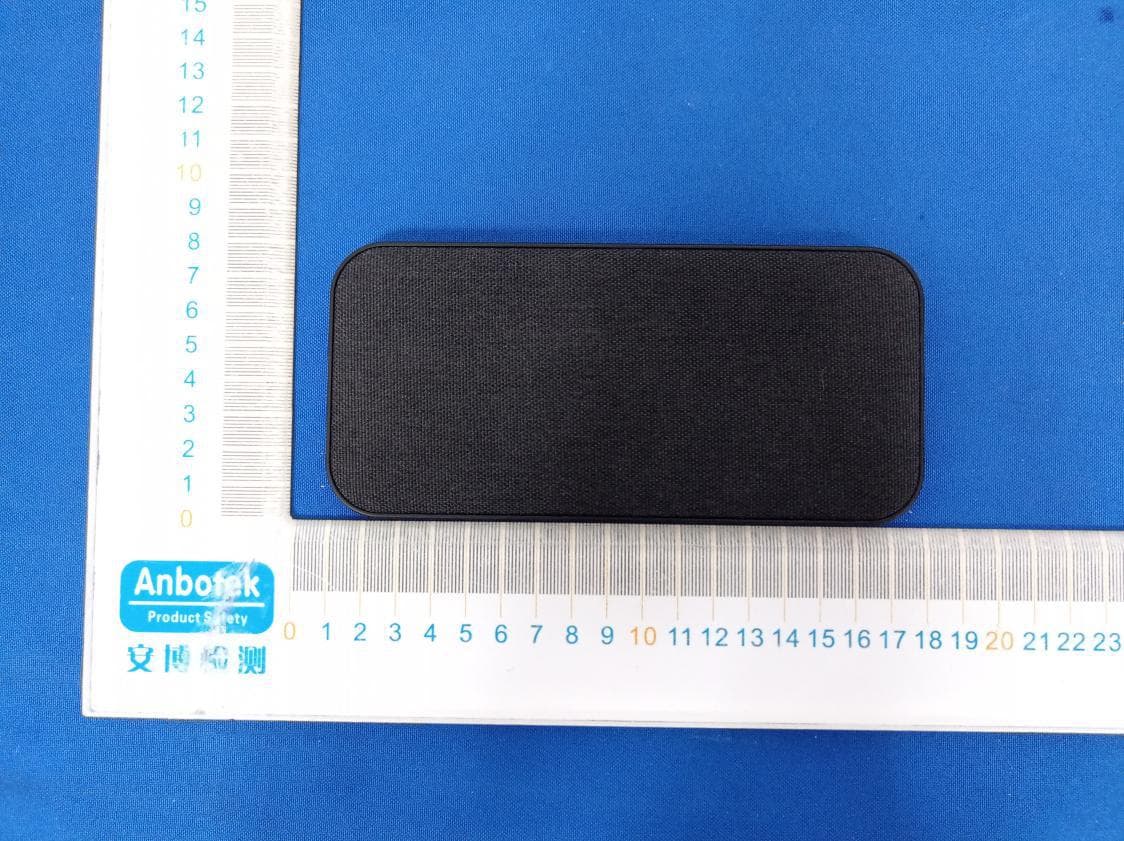
2AXQK-FT06
Jul 28, 2021wireless charger
Equipment Class
DCD - Part 15 Low Power Transmitter Below 1705 kHz
2AXQK-TX33
Mar 17, 2021Bluetooth Wireless Earbuds
Equipment Class
DSS - Part 15 Spread Spectrum Transmitter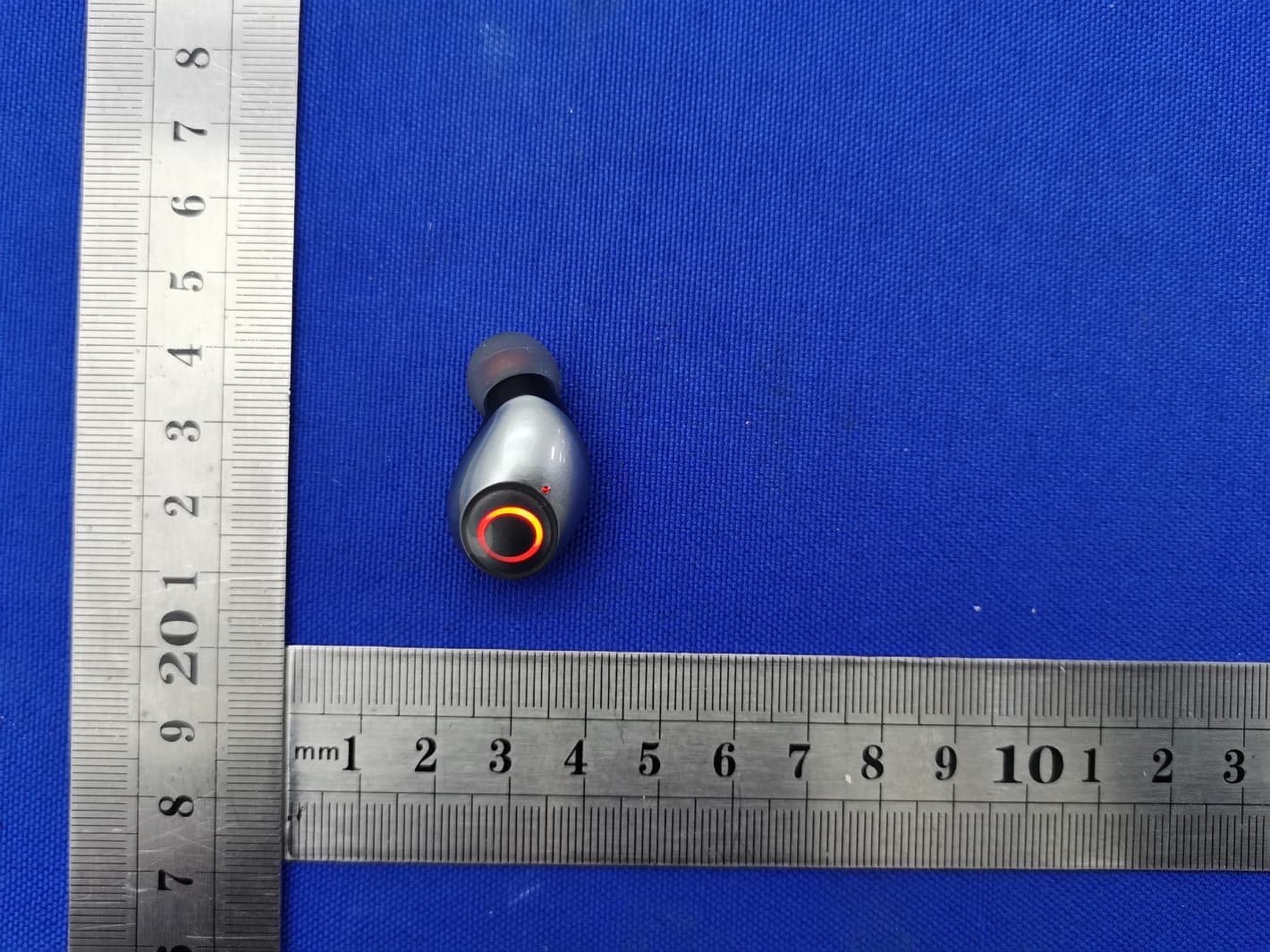
2AXQK-T08
Jan 03, 2021TWS Bluetooth headset
Equipment Class
DSS - Part 15 Spread Spectrum Transmitter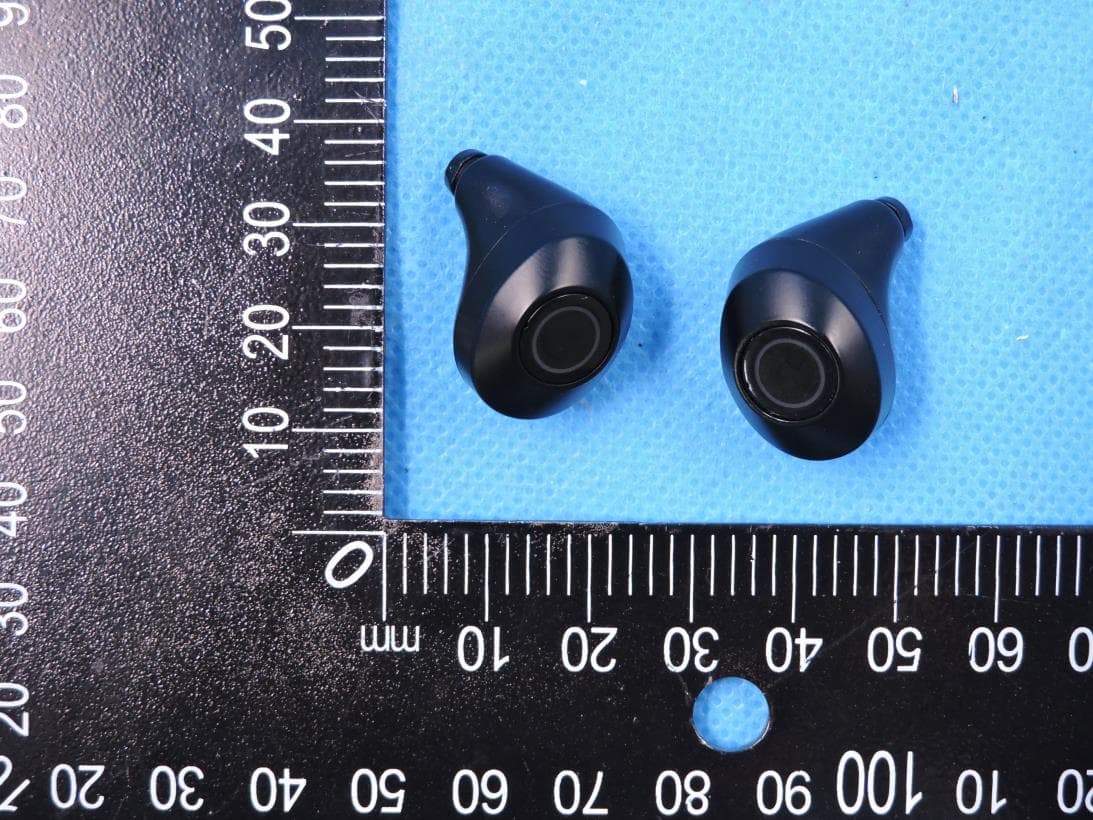
2AXQK-T09
Jan 03, 2021TWS Bluetooth headset
Equipment Class
DSS - Part 15 Spread Spectrum Transmitter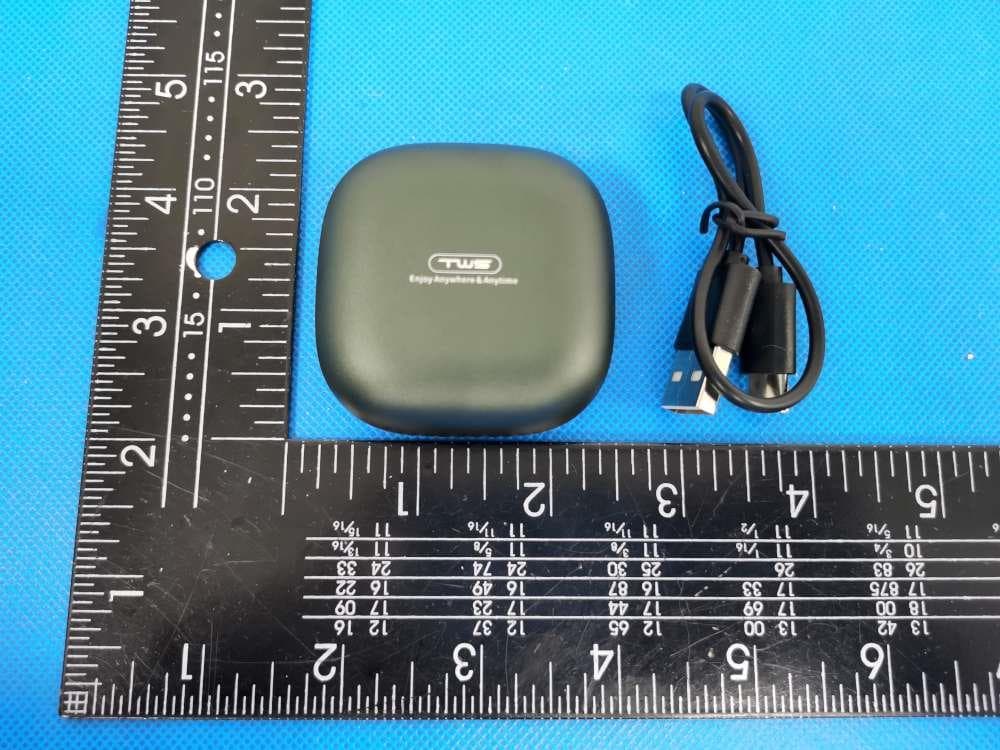
2AXQK-T20
Nov 08, 2020True Wireless Stereo
Equipment Class
DXX - Part 15 Low Power Communication Device Transmitter