Text extracted from the exhibit documents filed with the FCC. Open a document above to read the original.
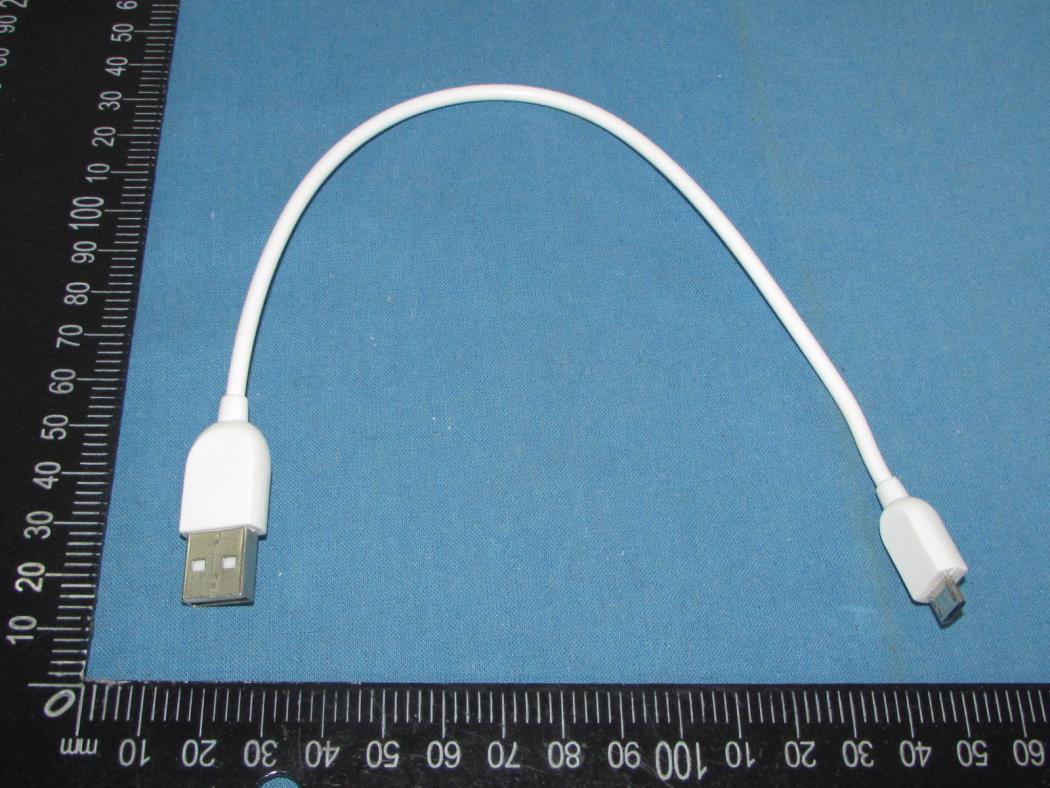
BG-MK-6338 1 User Manual Padlock Model BGPL1338 September 2020 PL-1338-ug-01 Brilliant Guard www.brilliantguard.com/support BG-MK-6338 2 Table of Content User Manual ...................................................................................................................... 1 Unpack Padlock ................................................................................................................. 4 Wake up the Padlock ......................................................................................................... 4 LED Indication .................................................................................................................... 5 Activate your padlock ........................................................................................................ 6 Download mobile APP ............................................................................................... 6 Register padlock ........................................................................................................ 7 Home Screen ............................................................................................................. 8 .................................................................................................................. 9 Operation Device Setting .......................................................................................................... 10 Share to Friend ........................................................................................................ 11 Smart key List .......................................................................................................... 12 Friend List ................................................................................................................ 13 Device Log ............................................................................................................... 14 Frequently Asked Questions ............................................................................................ 15 Technical Specifications ................................................................................................... 16 BG-MK-6338 3 Support Thank you for purchasing this Brilliant Guard product. You can visit https://www.brilliantguard.com/support to get help, access the latest downloads and user manuals. We recommend that you use only official Brilliant Guard support resources. Compliance and Conformity For regulatory compliance information, visit https://www.brilliantguard.com/regulatory Trademarks ©Brilliant Guard, Inc. and the Brilliant Guard logo are trademarks of Brilliant Guard limited. BG-MK-6338 4 Unpack Padlock Your package contains the padlock, usb cable and quick start guide. Padlock 20cm micro USB cable Wake up the Padlock The padlock is in the sleep mode as default after 5 minutes; therefore, to wake up the padlock, simply remove the latch at the bottom, press the button or charge with USB cable. (Charger not included) BG-MK-6338 5 LED Indication LED Light LED Description Device is charging battery (Solid Green) Device connected to mobile APP (Flashing neon once every 5 seconds) Device is disconnecting Bluetooth connectivity with mobile APP (Flashing amber 3 times in one second) Device is in low battery (less than 25%) (Flashing red once every 5 seconds) BG-MK-6338 6 Activate your padlock Download mobile APP Download our App from Google Play or Apple App Store, search for Brilliant Guard, or scan the QR as follow, you should see following icon and you can install the app on your smartphone. (NOTE: If you have installed and setup for any BG lock product previously, you can skip this step) Requirements: Mobile devices running iOS 9 or higher and Android 4.4 or higher Download and launch the Brilliant Guard app on your mobile device and create an account. We recommended to sign in with Google or Apple for quicker accessing. Or create by email and password, ensure you can access your email to verify and complete the registration. BG-MK-6338 7 Register padlock Obtain the unique padlock QR code from the last page of Quick Start Guide (provided with the package). – Diagram 1 Click Product -> E-lock -> Select the mode and Add device (Plus “+” sign) Place the QR code with the built-in scanner – Diagram 2 Diagram 1 Diagram 2 Once the padlock was successfully connected and registered, it will automatically return to Home screen . Diagram 3 BG-MK-6338 8 Home Screen Home screen provides overview of device listing, user can click the right top button to sort and view the devices based on whether its Creation time, Location time, Device Name or Online status Device Icon provides information such as device name, location, connection status, battery level indication, and signal strength. When the device is nearby and ready to connect Bluetooth, lock, battery and signal icons are display in blue. Lock Icon: Symbol indicate the lock and unlock status Battery Icon: Five bars indicate the battery is fully charge. Signal Icon: Indicate the signal strength between your mobile and the lock BG-MK-6338 9 Operation The following are the icons display on lock page screen. 1. Unlock icon Usage: Press and hold to unlock 2. Device setting icon Usage: Device information, advertisement management 3. Share to Friend Usage: Share your lock access to your friend Email via APP 4. Smart Key List Usage: Listing which smart key has access to open this lock 5. Friend List Usage: Listing who are the friends can access to open this lock via APP 6. Device Log Usage: Display lock access records of both using APP and Smart Key 7. Trash bin Usage: Delete the lock (Only available with Bluetooth connection) BG-MK-6338 10 Device Setting The device setting provides device information, some could changeable, and others are ready-only. User can rename device name, also change advertisement management which control sleep time of the device, set from 5mins and above till forever not to sleep. Please …
Text truncated - open the document above for the full version.
CONFIDENTIALITY REQUEST for Certification Service in USA Federal Communication Commission Equipment Authorization Division, Application Processing Branch 7435 Oakland Mills Road Columbia, MD 21046 Date: 11/26/2020 TO WHOM IT MAY CONCERN Pursuant to Paragraphs §0.457 and 0.459 of the Commission’s Rules (47 C.F.R.) and Section §552(b)(4) of the Freedom of Information Act, we requests confidentiality for the following products: FCC ID Model name 2AYAP-BGPL1338 BGPL1338 For the product stated above, we request that the following information be held confidential; Exhibits Long-Term Confidentiality Short-Term Confidentiality Short-Term Confidentiality Days External Photos Internal Photos Block Diagram Schematics Test Setup Photos User’s Manual Parts List Tune Up Operational Descriptions The long-term confidentiality exhibits contain our trade secrets and proprietary information that could be of benefit to our competitors. The short-term confidentiality on the basis of ensuring that business sensitive information remains confidential until the actual marketing of our new device. If you have any questions, please feel free to contact me at the address shown below. Sincerely, Signature FIONA CHEUNG MANAGER BRILLIANT GUARD LIMITED
BRILLIANT GUARD LIMITED UNIT 1307, LEADER INDUSTRIAL CENTRE, 57-59 AU PUI WAN STREET, FO TAN, HONG KONG Federal Communications Commission Authorization and Evaluation Division Equipment Authorization Branch 7435 Oakland Mills Road Columbia, MD 21046 11/26/2020 To whom it may concern: We, BRILLIANT GUARD LIMITED, the undersigned, hereby authorize Eurofins Product Service GmbH to act on our behalf in all matters relating to applications for equipment authorization FCC ID: 2AYAP-BGPL1338 including the signing of all documents related to these matters. Any and all acts carried out by Eurofins Product Service GmbH on our behalf shall have the same effect as acts of our own. We also hereby certify that no party to this application is subject to a denial of benefits, including FCC benefits, pursuant to Section 5301 of the Anti-Drug Abuse Act of 1988, 21 U.S.C. 862. Sincerely, Signature FIONA CHEUNG MANAGER BRILLIANT GUARD LIMITED
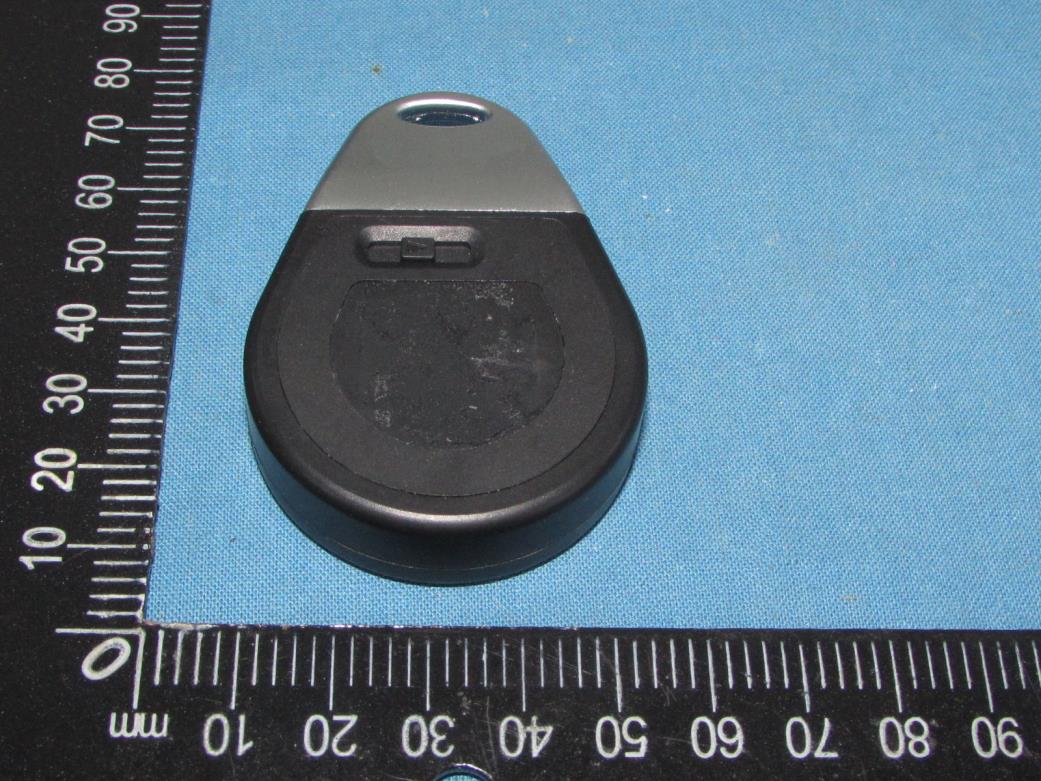
Shenzhen Tongzhou Testing Co.,Ltd FCC ID: 2AYAP-BGPL1338 This reportshall not be reproduced except in full, without the written approval of Shenzhen Tongzhou Testing Co.,Ltd Page 1 of 4 EXTERIOR PHOTOGRAPHS OF EUT Fig.1 Fig.2 Shenzhen Tongzhou Testing Co.,Ltd FCC ID: 2AYAP-BGPL1338 This reportshall not be reproduced except in full, without the written approval of Shenzhen Tongzhou Testing Co.,Ltd Page 2 of 4 Fig.3 Fig.4 Shenzhen Tongzhou Testing Co.,Ltd FCC ID: 2AYAP-BGPL1338 This reportshall not be reproduced except in full, without the written approval of Shenzhen Tongzhou Testing Co.,Ltd Page 3 of 4 Fig.5 Fig.6 Shenzhen Tongzhou Testing Co.,Ltd FCC ID: 2AYAP-BGPL1338 This reportshall not be reproduced except in full, without the written approval of Shenzhen Tongzhou Testing Co.,Ltd Page 4 of 4 Fig.7
Label & Label Location Size: 15mm(L)*5mm(W) FCC ID: 2AYAP-BGPL1338
Shenzhen Tongzhou Testing Co.,Ltd FCC ID: 2AYAP-BGPL1338 This report shall not be reproduced except in full, without the written approval of Shenzhen Tongzhou Testing Co.,Ltd Page 1 of 4 INTERIOR PHOTOGRAPHS OF EUT Fig.1 Fig.2 Shenzhen Tongzhou Testing Co.,Ltd FCC ID: 2AYAP-BGPL1338 This report shall not be reproduced except in full, without the written approval of Shenzhen Tongzhou Testing Co.,Ltd Page 2 of 4 Fig.3 Fig.4 Bluetooth Antenna Shenzhen Tongzhou Testing Co.,Ltd FCC ID: 2AYAP-BGPL1338 This report shall not be reproduced except in full, without the written approval of Shenzhen Tongzhou Testing Co.,Ltd Page 3 of 4 Fig.5 Fig.6 Shenzhen Tongzhou Testing Co.,Ltd FCC ID: 2AYAP-BGPL1338 This report shall not be reproduced except in full, without the written approval of Shenzhen Tongzhou Testing Co.,Ltd Page 4 of 4 Fig.7
Shenzhen Tongzhou Testing Co.,Ltd FCC ID: 2AYAP-BGPL1338 This report shall not be reproduced except in full, without the written approval of Shenzhen Tongzhou Testing Co.,Ltd Page 1 of 2 RADIO FREQUENCY EXPOSURE Limit According to section 4.3.1 of KDB 447498 D01 General RF Exposure Guidance v06, SAR evaluation is required if the separation distance between the user and/or bystander and the antenna and/or radiating element of the device is less than or equal to 20 cm, except when the device operates at or below the applicable output power level (adjusted for tune-up tolerance) for the specified separation distance defined in Appendix A. Appendix A SAR Test Exclusion Thresholds for 100 MHz – 6 GHz and ≤ 50 mm MHz 5 10 15 20 25 mm 150 39 77 116 155 194 SAR Test Exclusion Threshold (mW) 300 27 55 82 110 137 450 22 45 67 89 112 835 16 33 49 66 82 900 16 32 47 63 79 1500 12 24 37 49 61 1900 11 22 33 44 54 2450 10 19 29 38 48 3600 8 16 24 32 40 5200 7 13 20 26 33 5400 6 13 19 26 32 5800 6 12 19 25 31 MHz 30 35 40 45 50 mm 150 232 271 310 349 387 SAR Test Exclusion Threshold (mW) 300 164 192 219 246 274 450 134 157 179 201 224 835 98 115 131 148 164 900 95 111 126 142 158 1500 73 86 98 110 122 1900 65 76 87 98 109 2450 57 67 77 86 96 3600 47 55 63 71 79 5200 39 46 53 59 66 5400 39 45 52 58 65 5800 37 44 50 56 62 Note: Manufacturer declared that the maximum antenna gain is 0dBi (Max.). Shenzhen Tongzhou Testing Co.,Ltd FCC ID: 2AYAP-BGPL1338 This report shall not be reproduced except in full, without the written approval of Shenzhen Tongzhou Testing Co.,Ltd Page 2 of 2 Conducted Power Results Test Mode Channel Frequency (MHz) Measured Peak Output Power (dBm) GFSK(1Mbps) 00 2402 -5.31 19 2440 -5.02 39 2480 -5.11 Manufacturing tolerance GFSK (1Mbps Peak) Channel Channel 0 Channel 19 Channel 39 Target (dBm) -5.5 -5.5 -5.5 Tolerance ±(dB) 1.0 1.0 1.0 Results Test Mode Channel Frequency (MHz) Max. Tune Up Power (dBm, Peak) Max. Eirp including Tune Up (dBm, Peak) Max. Eirp including Tune Up (mW, Peak) Exemption Limit (mW) GFSK(1Mbps) 2402 -4.5 -4.5 0.35 10 2440 -4.5 -4.5 0.35 10 2480 -4.5 -4.5 0.35 10 The antenna gain of the EUT for BT is 0dBi (Max). the Maximum Eirp is used for Routine Evaluation Exemption according to section 4.3.1 of KDB 447498 D01. So, the SAR evaluation is not required.
Shenzhen Tongzhou Testing Co.,Ltd FCC ID: 2AYAP-BGPL1338 TEST SETUP PHOTOS OF THE EUT Radiated Emission Below 1GHz Radiated Emission Above 1GHz Shenzhen Tongzhou Testing Co.,Ltd FCC ID: 2AYAP-BGPL1338 Conducted Emission
| # | Rule Parts | Frequency Range | Power Output |
|---|---|---|---|
| 1 | 15C | 2.40 GHz - 2.48 GHz | 300.00 µW |

Smart Key
Equipment Class
DTS - Digital Transmission System