2AYHJ-N-1Wireless Controller 2.4G
Dongguan Nuoyifan Technology Co.,Ltd.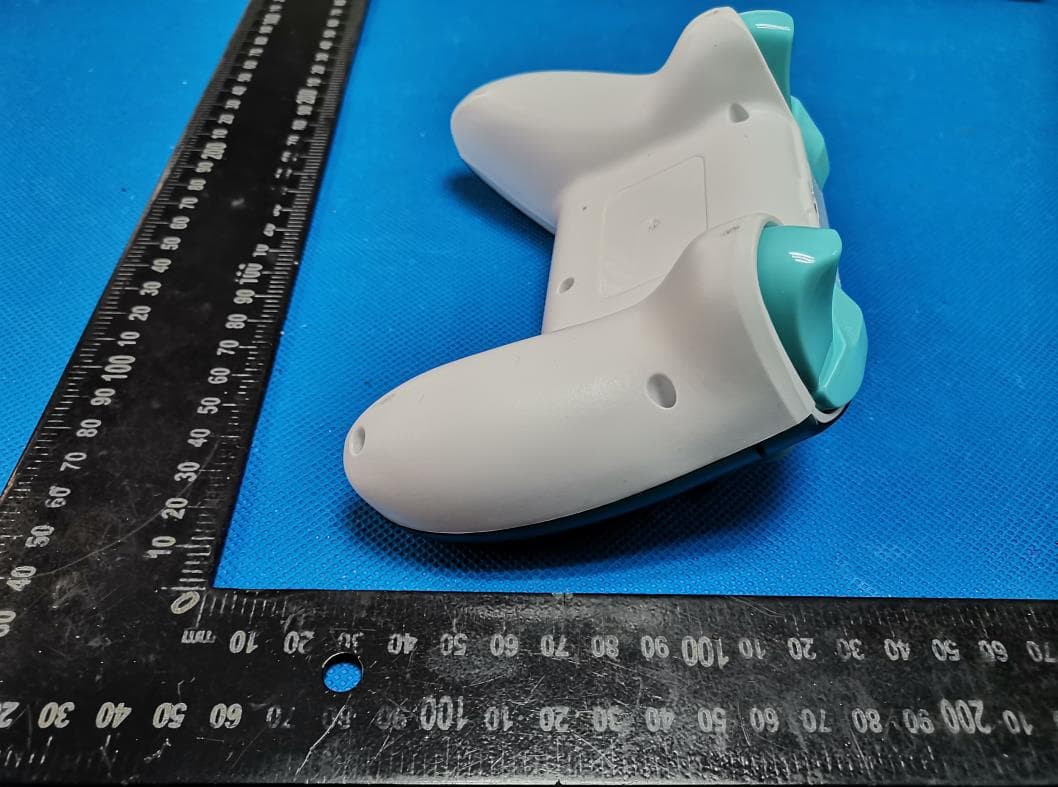
Click to zoom
Application Details
- Equipment Class
- DXX - Part 15 Low Power Communication Device Transmitter
- Date of Grant
- Jan 04, 2021
- Application Purpose
- Original Equipment
- Date of Application
- Jan 04, 2021
- Equipment Note
- Wireless Controller 2.4G
- Frequency Range
- 2410.00000000 - 2468.00000000
- Country
- China
Documents & Files
Document Text
Text extracted from the exhibit documents filed with the FCC. Open a document above to read the original.
Users Manual
一、特点 1、手柄以XBONE主机为主,同时也支持Windows电脑、P3主机 /XSX主机。 2、 手柄可选择支持双马达振动功能。 3、 无线2.4G连接,独家跳频技术, 抗干扰能力强,连接信号稳定,操 控自如。 4、 配置锂电池使用,高达10小时的使用时间。 5、 无需装载任何驱动,手柄与XBONE主机 / P3主机/XSX主机 / PC 电脑连接后即插即用。 6、 在PC电脑可任意切換成X-input或D-input,无需装载任何驱动。 7、 最多可以同时连2个无线手柄到主机。 8、 在手柄充电的情况下,也可以正常玩游戏。 9、 无线2.4G接收器可以通过连接电脑利用更新软件升级。 二、按键简介手把端: 1、 Home键*1个:开启手柄或执行主机的指令, 以及切换X-Input和 D-input使用。 2、 方向键*1组:上、下、左、右。 3、 功能控制键*8个:A、B、Y、X、LB、RB、LT、RT。 4、 左右摇杆*2个:3D摇杆,含摇杆按键。 5、 Menu鍵*1个:在不同的游戏有不同的功能设定。 6、 View键*1个:。在不同的游戏有不同的功能设定。 7、 复位键*1个:按下此键,使手柄与接收器断开连接(复位)此按 键在手柄的背面左下方(隐藏式)。 接收端: 1、Receiver键*1个:执行主机的指令, 以及切换X-Input和D-input使 用。 四、连机指导 1 . 通 过 2.4G 无 线 连 接 XBONE 主 机 A)主机关机的情况下,将接收器USB接头接上XBONE主机,按下接收器上的 Receiver键可唤醒主机, 此时接收器的LED开始闪烁进入配对模式,在按下手柄上的 Home键唤醒手柄,手柄LED1~LED4闪烁进行配对,配对成功后接收器LED常亮, 手柄通道灯常亮即可进行操作。 B)主机开机的情况下,将接收器USB接头接上XBONE主机,此时接收器的LED开始 闪烁进入配对模式,在按下手柄上的Home键唤醒手柄,手柄LED1~LED4闪烁进 行配 对,配对成功后接收器LED常亮, 手柄通道灯常亮即可进行操作。 2、 通过2.4G无线连接P3主机 主机开机的情况下,将接收器USB接头接上P3主机,此时接收器的LED开始闪烁进 入配对模式,在按下手柄上的Home键唤醒手柄,手柄LED1~LED4闪烁进行配对 ,配对成功后接收器LED常亮, 手柄通道灯常亮即可进行操作。 3、 通过2.4G无线连接PC电脑, PC电脑开机的情况下,将接收器USB接头接上PC电 脑,此时接收器LED开始闪烁进入配对模式,在按下手柄上的Home键唤醒手柄, 手柄LED1~LED4闪烁进行配对,配 对成功后接收器LED常亮, 手柄通道灯常亮即可 进行操作。 4、 通过2.4G无线连接XSX主机, XSX主机开机的情况下,将接收器USB接头接上 XSX主机,此时接收器LED开始闪烁进入配对模式,在按下手柄上的Home键唤醒 手柄,手柄LED1~LED4闪烁进行配对,配 对成功后接收器LED常亮, 手柄通道灯常 亮即可进行操作。 5、 连接PC电脑切換X-INPUT / D-INPUT 第一次连接PC电脑默认为X-INPUT模式,长按手柄或接收器的Home键5秒后可切 换模式,切换模式会有1秒的断线时间,切换成功时接收器LED闪烁一次, 手柄在 D-INPUT模式LED1~LED4常亮,在X-INPUT模式通道灯常亮;接收器会记忆上一 次的模式。 6、 马达振动功能 手柄支持大小马达振动功能(双马达)。 五、休眠功能1、 手柄端: A)未配对过之手柄, LED1~LED4快闪(2Hz)持续30秒, 若未能与接收器连接, 则进入 休眠。 B)已配对过之手柄, LED1~LED4慢闪(1Hz)持续10秒后LED1~LED4转为快闪(2Hz) 持续20秒,若未能与接收器连接, 则进入休眠。 C)长按手柄Home键10秒后进入休眠。 D)连线中,手柄端没有任何动作持续5分钟后进入休眠。 2、 接收端: A) 无休眠功能,需将连接之主机设备关机即关闭搜寻配对。备注1:LED快闪(2Hz) 表示可接受任何手柄端的配对。 备注2:LED慢闪(1Hz)表示仅接受前一次配对手柄的配对。 六、手柄电量显示 1、 手柄与接收器连接进行充电时, 对应的通道灯慢闪(0.5Hz),充饱时对应的灯号恒 亮。 2、 手柄未与接收器连接进行充电时, 四个灯同时呈现呼吸灯(0.5Hz), 充饱时四个灯 熄灭。 3、 电池电量,约3.5V时显示电池低电量, 对应的通道灯快闪(2.5Hz), 未与接收器连 接时则四个灯同时快闪(0.5Hz) 。 七、手柄参数1、 工作电压 手柄:DC3.7V-4.2V 接收器:USB 5V 2、 工作电流 手 柄 :55mA ±5mA 接收器:65mA ±5mA 3、 持续使用时:600mA电池可使用10H 4、 休眠电流: 80uA ±10uA 5、 充电电压/电流:DC5V/500mA 6、 无线传输距离:〈=10米 View键 方向键 LB键 L操控游戏杆 / L3键 USB充电插孔 Menu键 R操控游戏杆 /R3键 RB键 A B X Y键 连机指示灯 RB键 复位键 LB键 三、按键功能与对应位置 通道指示灯 Recevier 键 Home 键 I. Features 1. The controller is available to XBONE, as well as Windows computers and P3 host XSX hosts. 2. The controller is able to be applied to dual motor vibration. 3. There are many advantages, including wireless 2.4G connection, exclusive frequency hopping technology, powerful anti-interference ability, stable connection signal, and free control. 4. It is equipped with lithium batteries, operating up to 10 hours. 5. Any driver is not needed and the controller will work when it connects with XBONE host, P3 host XSX host or PC computer. 6. It is easy to be switched to X-input or D-input on the PC without any driver. 7. Up to 2 wireless controllers can be connected to the host at the same time. 8. You can enjoy the game even though the controller is being charged. 9. The wireless 2.4G receiver can be upgraded by the software in a computer. II. Brief introduction of keys Controller end: 1. One home key: to launch the handle or execute the command of the host and to switch the X-Input and D-input. 2. One group of direction keys: up, down, left and right key. 3. Eight function control keys: A, B, Y, X, LB, RB, LT and RT. 4. Left and right joysticks: 3D joysticks including their keys. 5. One menu key: different games have different settings. 6. One view key: different games have different settings 7. One reset key: disconnecting it from the receiver (reset) Moreover, this key is located on the lower left of the back of the controller (hidden). Receiving end: 1. One receiver key: to execute the command of the host and switch between X-Input and D-input. IV. Operation guidance 1.Connect the XBONE through 2.4G wireless A) When the host is off, connect the USB connector of the receiver to the XBONE host and then, press the Receiver key on the receiver to start the host. At the same time, the LED of the receiver starts to flash and enter the pairing mode. Press the Home key on the controller to launch the controller and LED1 to LED4 flashes for pairing. After that, if LED of the receiver and channel light of the controller are always on, it is time to run. B) When the host is turned on, connect the USB connector of the receiver to the XBONE host. Meanwhile, the LED of the receiver starts to flash and enter the pairing mode. Press the Home button on the handle to start the handle, and LED1 to LED4 of the controller flash to pair. After that, if LED of the receiver and channel light of the controller are always on, it is time to operate. 2. Connect to P3 host via 2.4G wireless Connect to the PC via 2.4G wireless. When the PC is switched on, connect the USB connector of the receiver to the PC. At the same time, the LED of the receiver starts to flash and enter the pairing mode. Press the Home key on the controller to launch the controller and LED1 to LED4 flash for pairing. After that, if LED of the receiver and channel light of the controller are always on, it is time to run. 3. Connect to PC host via 2.4G wireless Connect to the PC via 2.4G wireless. When the PC is switched on, connect the USB connector of the receiver to the PC. At the same time, the LED of the receiver starts to flash and enter the pairing mode. Press the Home key on the controller to launch the controller and LED1 to LED4 flash for pairing. After that, if LED of the receiver and channel light of the controller are always on, it is time to run. 4. Connect to XSX host via 2.4G wireless Connect to the XSX via 2.4G wireless. When the XSX is switched on, connect the USB connector of the receiver to the PC. At the same time, the LED of the receiver starts to flash and enter the pairing mode. Press the Home key on the controller to launch the controller and LED1 to LED4 flash for pairing. After that, if LED of the receiver and channel light of the contro…
Text truncated - open the document above for the full version.
Cover Letter(s)
CONFIDENTIALITY REQUEST for Certification Service in USA Federal Communication Commission Equipment Authorization Division, Application Processing Branch 7435 Oakland Mills Road Columbia, MD 21046 Date: 2021/01/03 TO WHOM IT MAY CONCERN Pursuant to Paragraphs §0.457 and 0.459 of the Commission’s Rules (47 C.F.R.) and Section §552(b)(4) of the Freedom of Information Act, we requests confidentiality for the following products: Model No.: N-1 FCC ID: 2AYHJ-N-1 For the product stated above, we request that the following information be held confidential; Exhibits Long-Term Confidentiality Short-Term Confidentiality Short-Term Confidentiality Days External Photos Internal Photos Block Diagram Schematics Test Setup Photos User’s Manual Parts List Tune Up Operational Descriptions The long-term confidentiality exhibits contain our trade secrets and proprietary information that could be of benefit to our competitors. The short-term confidentiality on the basis of ensuring that business sensitive information remains confidential until the actual marketing of our new device. If you have any questions, please feel free to contact me at the address shown below. Sincerely, Name/Title: Yinmei Hu/ Manager Company: Dongguan Nuoyifan Technology Co.,Ltd. Address: Room 401, No.22, 3th Street, Jinqianling, Huangjiang Town, Dongguan, Guangdong, China Phone: 13509698051 E-Mail: [email protected]
Cover Letter(s)
Dongguan Nuoyifan Technology Co.,Ltd. Room 401, No.22, 3th Street, Jinqianling, Huangjiang Town, Dongguan, Guangdong, China Federal Communications Commission Authorization and Evaluation Division Equipment Authorization Branch 7435 Oakland Mills Road Columbia, MD 21046 01/03/2020 To whom it may concern: We, Dongguan Nuoyifan Technology Co.,Ltd. the undersigned, hereby authorize Eurofins Product Service GmbH to act on our behalf in all matters relating to applications for equipment authorization FCC ID: 2AYHJ-N-1 including the signing of all documents related to these matters. Any and all acts carried out by Eurofins Product Service GmbH on our behalf shall have the same effect as acts of our own. We also hereby certify that no party to this application is subject to a denial of benefits, including FCC benefits, pursuant to Section 5301 of the Anti-Drug Abuse Act of 1988, 21 U.S.C. 862. Sincerely, Name/Title: Yinmei Hu/ Manager Company: Dongguan Nuoyifan Technology Co.,Ltd. Address: Room 401, No.22, 3th Street, Jinqianling, Huangjiang Town, Dongguan, Guangdong, China Phone: 13509698051 E-Mail: [email protected]
External Photos
FCC ID: 2AYHJ-N-1 FCC ID: 2AYHJ-N-1 FCC ID: 2AYHJ-N-1
ID Label/Location Info
FCC ID: 2AYHJ-N-1 FCC ID: 2AYHJ-N-1
Internal Photos
FCC ID: 2AYHJ-N-1 FCC ID: 2AYHJ-N-1
Test Report
Shenzhen Global Test Service Co.,Ltd. No.7-101 and 8A-104, Building 7 and 8, DCC Cultural and Creative Garden, No.98, Pingxin North Road, Shangmugu Community, Pinghu Street, Longgang District, Shenzhen, Guangdong TEST REPORT FCC Rules and Regulations Part PART 15.249 Report Reference No..............: GTS20201222024-1-1 FCC ID...................................: 2AYHJ-N-1 Compiled by ( position+printed name+signature ... : File administrators Jimmy Wang Supervised by ( position+printed name+signature ... : Test Engineer Aaron Tan Approved by ( position+printed name+signature ... : Manager Jason Hu Date of issue ..................................... : Dec.28, 2020 Testing Laboratory Name .............. : Shenzhen Global Test Service Co., Ltd. Address ............................................ : No.7-101 and 8A-104, Building 7 and 8, DCC Cultural and Creative Garden, No.98, Pingxin North Road, Shangmugu Community, Pinghu Street, Longgang District, Shenzhen, Guangdong, China Applicant’s name ............................ : Dongguan Nuoyifan Technology Co.,Ltd. Address ............................................ : Room 401, No.22, 3th Street, Jinqianling, Huangjiang Town, Dongguan, Guangdong, China Standard ........................................... : FCC Rules and Regulations Part PART 15.249 Shenzhen Global Test Service Co., Ltd. All rights reserved. This publication may be reproduced in whole or in part for non-commercial purposes as long as the Shenzhen Global Test Service Co., Ltd. is acknowledged as copyright owner and source of the material. Shenzhen Global Test Service Co., Ltd. takes no responsibility for and will not assume liability for damages resulting from the reader's interpretation of the reproduced material due to its placement and context. Test item description .....................: Wireless Controller 2.4G Trade Mark ....................................... : N/A Manufacturer .................................... : Dongguan Nuoyifan Technology Co.,Ltd. Model/Type reference....................... : N-1 Listed Models .................................. : N/A Modulation ....................................... : GFSK Frequency .......................................... 2410-2468MHz Ratings ............................................. : DC 3.7V From Battery and DV 5V From External circuit Result................................................ : PASS Report No.: GTS20201222024-1-1 Page 2 of 25 T E S T R E P O R T Test Report No. : GTS20201222024-1-1 Dec.28, 2020 ______________________________________________________________________________________________ Date of issue Equipment under Test : Wireless Controller 2.4G Model /Type : N-1 Listed Models : N/A Applicant : Dongguan Nuoyifan Technology Co.,Ltd. Address : Room 401, No.22, 3th Street, Jinqianling, Huangjiang Town, Dongguan, Guangdong, China Manufacturer : Dongguan Nuoyifan Technology Co.,Ltd. Address : Room 401, No.22, 3th Street, Jinqianling, Huangjiang Town, Dongguan, Guangdong, China Test Result: PASS The test report merely corresponds to the test sample. It is not permitted to copy extracts of these test result without the written permission of the test laboratory. Report No.: GTS20201222024-1-1 Page 3 of 25 Contents 1. 0BT E S T S T A N D A R D S................................................................. 4 2. 1BS U M M A R Y ............................................................................ 5 2.1. General Remarks 5 2.2. 7BProduct Description 5 2.3. 8BEquipment Under Test 5 2.4. 9BShort description of the Equipment under Test (EUT) 5 2.5. 10BEUT operation mode 5 2.6. 11BBlock Diagram of Test Setup 6 2.7. Modifications 6 3. 2BT E S T E N V I R O N M E N T ............................................................. 7 3.1. TEST FACILITY 7 3.2. 17BEnvironmental conditions 7 3.3. 18BSummary of measurement results 7 3.4. Statement of the measurement uncertainty 7 3.5. 20BEquipments Used during the Test 8 4. 3BT E S T C O N D I T I O N S A N D R E S U L T S ............................................ 9 4.1. 21BAC Power Conducted Emission ..................................................................................... 9 4.2. Radiated Emission and Band Edges ............................................................................ 12 4.3. 20dB Bandwidth Measurement .................................................................................... 18 4.4. 31BAntenna Requirement ................................................................................................... 20 5. 4BT E S T S E T U P P H O T O S O F T H E E U T ........................................ 21 6. 4BT E S T P H O T O S O F T H E E U T .................................................. 22 Report No.: GTS20201222024-1-1 Page 4 of 25 1. 0BT E S T S T A N D A R D S The tests were performed according to following standards: FCC Rules Part 15.249: Operation within the bands 902 - 928 MHz, 2400 - 2483.5 MHz, 5725 - 5875 MHz, and 24.0 - 24.25 GHz. ANSI C63.10:2013 : American National Standard for Testing Unlicensed Wireless Devices ANSI C63.4: 2014: –American National Standard for Methods of Measurement of Radio-Noise Emissions from Low-Voltage Electrical and Electronic Equipment in the Range of 9 kHz to 40GHz Range of 9 kHz to 40GHz Report No.: GTS20201222024-1-1 Page 5 of 25 2. 1BSU M M A R Y 2.1. General Remarks Date of receipt of test sample : Dec. 10, 2020 Testing commenced on : Dec. 10, 2020 Testing concluded on : Dec. 28, 2020 2.2. 7BProduct Description Name of EUT Wireless Controller 2.4G Model Number N-1 List Model: N/A Power Rating DC 3.7V From Battery and DV 5V From External circuit Adapter(Auxiliary test Provided by the laborator) Mode:EP-TA20CBC Input:AC100-240V-50/60Hz,0.5A Output:DC 5V,2A Sample ID: GTS20201222024-1-1-1#(Engineer sample) GTS20201222024-1-1-2#(Normal sample) Operation frequency 2410-2468MHz Modulation GFSK(FHSS) Antenna Type PCB antenna Antenna Gain -6.72dBi(Max) 2.3. 8BEquipment Under Test Power s…
Text truncated - open the document above for the full version.
Test Setup Photos
FCC ID: 2AYHJ-N-1 _______________________________________________________________________________________________ 1. TEST SETUP PHOTOGRAPHS 1.1. Photo of Radiated Emissions Measurement Fig. 1 Fig. 2 FCC ID: 2AYHJ-N-1 _______________________________________________________________________________________________ 1.2. Photo of AC Main Conducted Emission Fig. 3
Contact Information
Applicant
Yinmei Hu(Manager)
Test Firm
Shenzhen Global Test Service Co., Ltd.Simon Hu
[email protected]86-137-286-828-40
Technical Specifications
| # | Rule Parts | Frequency Range | Power Output |
|---|---|---|---|
| 1 | 15C | 2.41 GHz - 2.47 GHz | - |
Other Applications from Dongguan Nuoyifan Technology Co.,Ltd.
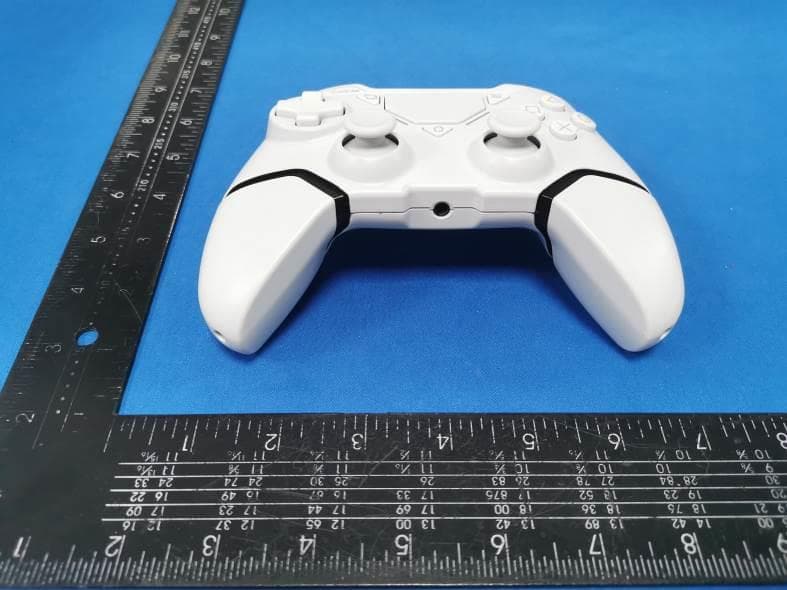
2AYHJ-T1
Sep 24, 2022Wireless Controller
Equipment Class
DSS - Part 15 Spread Spectrum Transmitter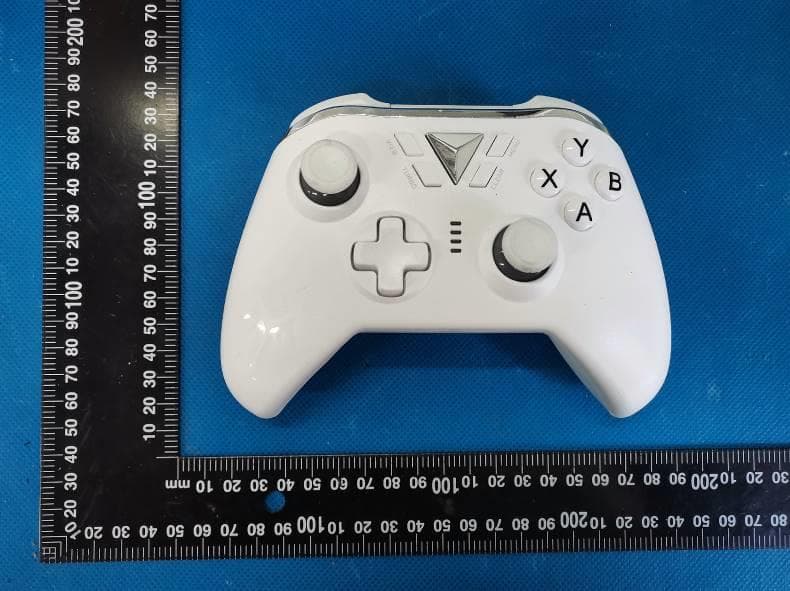
2AYHJ-M-1
Dec 24, 2020Wireless Controller 2.4G
Equipment Class
DXX - Part 15 Low Power Communication Device Transmitter