2AYKQMT02Tablet PC
OASYS CYBERNETICS PRIVATE LIMITED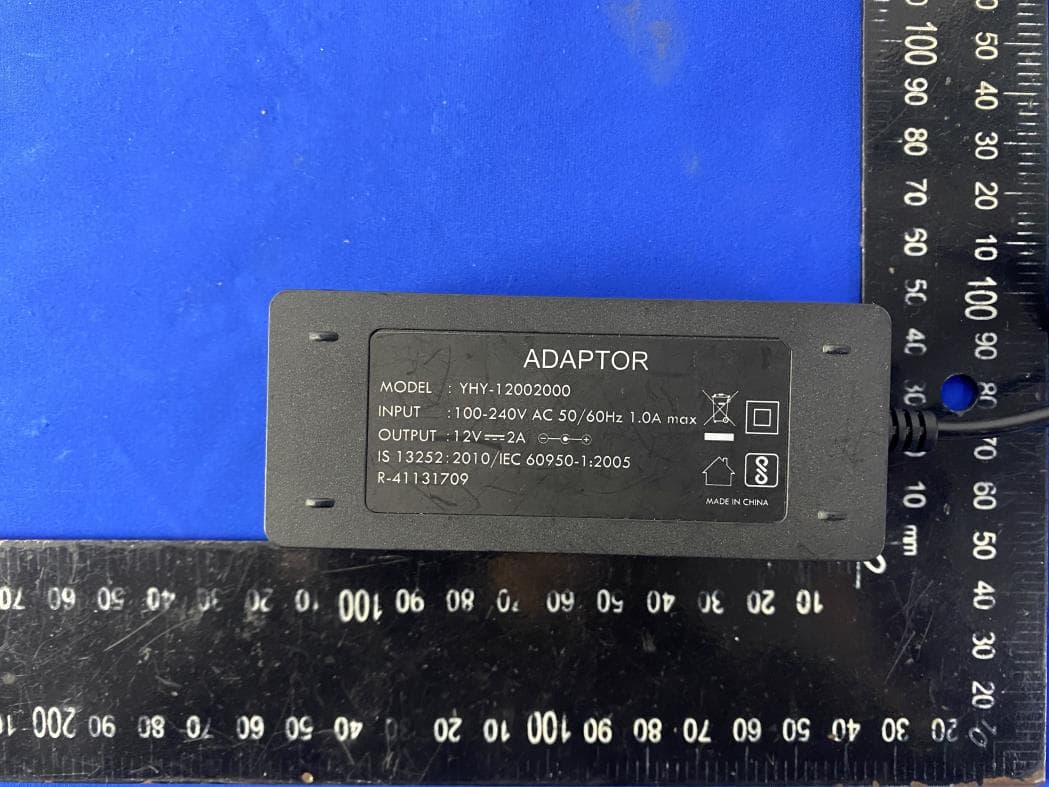
Click to zoom
Application Details
- Equipment Class
- NII - Unlicensed National Information Infrastructure TX
- Date of Grant
- Feb 24, 2021
- Application Purpose
- Original Equipment
- Date of Application
- Feb 24, 2021
- Equipment Note
- Tablet PC
- Frequency Range
- 5745.00000000 - 5825.00000000
- Country
- India
Documents & Files
Document Text
Text extracted from the exhibit documents filed with the FCC. Open a document above to read the original.
Users Manual
GETTING STARTED Power On/Off * Press and hold the power button for 2~3s to turn on your tablet. Select your language and set up your tablet following the start guide. * Press and hold the power button for 2s, then release it. It will show Power off ,Restart and Screenshot on the screen. Tap Power off to turn off the tablet. * Press and hold the power button for 10s to do a forced reboot when it's frozen. Battery * A rechargeable Li-ion battery is installed in the tablet. * We suggest you drain the battery completely once a month if only use your tablet occasionally. *DO NOT dispose of tablet in a fire. Sleep Mode Simply press the power button once to switch the tablet to the Sleep Mode when the tablet is ON; press again to wake it up. Tip: Go to Settings > Display > Screen timeout to set the time of entering the Sleep Mode. Screenshot * Press the Volume- button and the Power On/Off button together to capture a picture. * Press and hold the power button for 2s, then release it. It will show Power off, Restart and Screenshot on the screen. Tap Screenshot to capture a screenshot. HOME SCREEN Icons on the Bottom Menu 1.Volume- 2.Back 3.Home Screen 4.Recent Activities 5.Volume+ ❶ ❷ ❸ ❹ ❺ Home Settings,Widgets and Wallpapers * Tap and hold the empty section of a Home screen, Home settings, Widgets and Wallpapers will be displayed. * Tap Home Settings to enable/disable Add icon to Home screen. This is applicable to the new Apps installed from Play Store. It also provides the shortcut to enable/disable the notification dots. * Tap Widgets, touch and hold any application (e.g. Clock), then slide and add it to a Home screen. Remove it by sliding it to X Remove. * Tap Wallpapers to change the current wallpaper of the tablet from the default wallpapers or your photos. SETTING BASICS Quick Settings Swipe down from the top of the screen to access Quick Settings. :Wifi. Tap to connect/disconnect to a wireless network :Bluetooth. Enable/disable the Bluetooth of the tablet :Do not disturb. Block sound after enabling this function :Turn on/off the Auto rotate of the screen :Tap to choose the power setting you prefer to save the battery time :Aiplane Mode. Turn on/off all the network Connectivity More Settings Swipe down from the top of the screen, then tap the icon to enter the detailed setting interface. Or, tap the Settings App on the Home screen to enter. Network & internet * Connect to any working Wifi * Enable/disable the Airplane Mode * Monitor the data usage and more Connected devices * Turn on/off Bluetooth * Pair with Bluetooth devices and check the paired devices * Check the received files from other devices via bluetooth connection. Add and check printers and more Apps & notifications * Check the Apps recently opened * Check all the Apps on the tablet * Set the App permissions * Uninstall the third-party Apps * Adjust App notification settings * Clear the cache of the Apps Battery * Display the remaining battery power as a percentage * Enable/disable Battery percentage and Battery Manager * Set Power saving optimization * Manage the battery optimization for apps and more Display * Adjust the screen brightness * Adjust the font size and display size * Set a screen saver * Change the wallpaper * Adjust the time of entering the Sleep Mode and more Sound * Select audio profiles from General, Silent and Outdoor * Set the volumes for notification, media and alarm Storage * View and manage your storage space Privacy * Set tablet access permissions and privacy management Location * Turn on/off the location services for specific Apps Security * Set screen lock pattern, e g Password, PIN, Swipe etc * Enable disable all the notifications while the screen is locked * Set to show/hide the password when input a password. and more Accounts * Add and manage the user accounts on your tablet Accessibility * For vision and hearing impaired users, manage settings for Screen readers, Display, and more Screenshot * Set the screen capture delay time and screenshot button display Digital Wellbeing & parental controls * Check your app usage based on Screen time, Notifications received, or Times opened from Dashboard * Set a schedule for Wind Down and turn on the setting you prefer * Manage the related notification settings to reduce interruptions * Set up Parental controls to help your kids balance their screen time and more Google * Set the preferences for Google™ related services System * Set Language Tap Languages & input> Languages +Add a language to add your language. adding, hold and slide the to the top to change the language. * Restore factory setting Tap Advanced » Reset options > Erase all data (factory reset) to restore the factory setting * Set the date and time * Turn on/off the Back up to Google Drive * Check and update the tablet's system * Check the detailed information about the tablet About tablet * Check the model of the tablet, the version of the software, the MAC address, etc NETWORK CONNECTION Go to network settings from the Settings App or by long pressing the Wifi/Bluetooth icon in Quick Settings. Wifi Connection 1.Tap Network & internet and turn on the Wifi. All the Wifi connections available will be listed. 1.Select your Wifi and input the correct password. Bluetooth Pairing Please turn on the Bluetooth on your tablet and your bluetooth device. 1. Tap Connected devices. 2. Tap +Pair new device to enter the scanning interface. Devices available will be displayed after a few seconds. 3. Tap the desired device to get a paring code and click PAIR on both devices The automatic connection is applied to some devices. APP MANAGEMENT App Download and Installation 1. Tap and open Play Store on the Home screen. 2. Log into your google account, search and download the App you need. App Management Move the App Tap and hold the App, then slide it to a desired screen. Remove the App from the Home screen Touch and hold the App, then slide to X Remove to remove it from your Home screen. Uninstall the App Touch…
Text truncated - open the document above for the full version.
Cover Letter(s)
OASYSCYBERNETICSPRIVATELIMITED DATE:2021/2/8 EquipmentAutorisationDivision FederalCommunicationsCommission 7435OaklandMillsRoad Columbia,MD21046 FCCID:2AYKQMT02 ProductName:TabletPC RequestforConfidentiality PursuanttoSections0.457and0.459ofthecommissionsrules,weherebyrequestthat thefollowingdocumentsbeheldconfidential: (Listherethedocumentsforwhichyouareseekingconfidentiality–forexample...) Schematics Blockdiagram Operationdescription BOM Thesematerialscontaintradesecretsandproprietaryinformationandarenot customarilyreleasedtothepublic.Thepublicdisclosureofthisinformationmightbe harmfultothecompanyandprovideunjustifiedbenefitstoourcompetitors. <Signature> Name:SRIDHARS Title:C.E.O Company:OASYSCYBERNETICSPRIVATELIMITED
Cover Letter(s)
DATE:2021/2/8 FederalCommunicationsCommission Authorization&EvaluationDivision 7345OaklandMillsRoad Columbia,Maryland21046 AuthoritytoActasAgent Onourbehalf,IappointJianyanTestingGroupShenzhenCo.,Ltd.No.101,Building8, InnovationWisdomPort,No.155HongtianRoad,HuangpuCommunity,XinqiaoStreet,Bao'an District,Shenzhen,Guangdong,People'sRepublicofChina.toactasouragentinthe preparationofthisapplicationforequipmentcertification.Icertifythatsubmitted documentsproperlydescribethedeviceorsystemforwhichequipmentcertificationis sought.Ialsocertifythateachunitmanufactured,importedormarketed,asdefinedinthe FederalCommunicationsCommission’sregulationswillhaveaffixedtoitalabelidentical tothatsubmittedforapprovalwiththisapplication. 1.Forinstanceswhereourauthorizedagentsignstheapplicationforcertificationonour behalf,Iacknowledgethatallresponsibilityforcomplyingwiththetermsandconditionsfor certification,stillresideswithOASYSCYBERNETICSPRIVATELIMITED/OASTOWERS,No.3, STRINGERSSTREET,VEPERY,CHENNAI,TAMILNADU,India–600003. <Signature> Name: SRIDHARS Title:C.E.O Company:OASYSCYBERNETICSPRIVATELIMITED
Cover Letter(s)
DeclarationLetter We,OASYSCYBERNETICSPRIVATELIMITEDdeclaredthatourproductTabletPC itemNo.:MT02,MT02A,MT04,MT03wereidenticalinside,theelectricalcircuit design,layout,componentsusedandinternalwiring,withonlydifferencebeing modelname. Sincerelyyours Signature: Name/Title:SRIDHARS Tel.No.:+918939877853 E-Mail:[email protected] Date:2021-2-9
External Photos
Report No: JYTSZE201104901 JianYan Testing Group Shenzhen Co., Ltd. Project No.: JYTSZE2011049 No.110~116, Building B, Jinyuan Business Building, Xixiang Road, Bao’an District, Shenzhen, Guangdong, China Telephone: +86 (0) 755 23118282 Fax: +86 (0) 755 23116366 Page 29 of 51 8 EUT Constructional Details Report No: JYTSZE201104901 JianYan Testing Group Shenzhen Co., Ltd. Project No.: JYTSZE2011049 No.110~116, Building B, Jinyuan Business Building, Xixiang Road, Bao’an District, Shenzhen, Guangdong, China Telephone: +86 (0) 755 23118282 Fax: +86 (0) 755 23116366 Page 30 of 51 Report No: JYTSZE201104901 JianYan Testing Group Shenzhen Co., Ltd. Project No.: JYTSZE2011049 No.110~116, Building B, Jinyuan Business Building, Xixiang Road, Bao’an District, Shenzhen, Guangdong, China Telephone: +86 (0) 755 23118282 Fax: +86 (0) 755 23116366 Page 31 of 51 Report No: JYTSZE201104901 JianYan Testing Group Shenzhen Co., Ltd. Project No.: JYTSZE2011049 No.110~116, Building B, Jinyuan Business Building, Xixiang Road, Bao’an District, Shenzhen, Guangdong, China Telephone: +86 (0) 755 23118282 Fax: +86 (0) 755 23116366 Page 32 of 51
ID Label/Location Info
Label: Location:
Internal Photos
Report No: JYTSZE201104901 JianYan Testing Group Shenzhen Co., Ltd. Project No.: JYTSZE2011049 No.110~116, Building B, Jinyuan Business Building, Xixiang Road, Bao’an District, Shenzhen, Guangdong, China Telephone: +86 (0) 755 23118282 Fax: +86 (0) 755 23116366 Page 33 of 51 Report No: JYTSZE201104901 JianYan Testing Group Shenzhen Co., Ltd. Project No.: JYTSZE2011049 No.110~116, Building B, Jinyuan Business Building, Xixiang Road, Bao’an District, Shenzhen, Guangdong, China Telephone: +86 (0) 755 23118282 Fax: +86 (0) 755 23116366 Page 34 of 51 Report No: JYTSZE201104901 JianYan Testing Group Shenzhen Co., Ltd. Project No.: JYTSZE2011049 No.110~116, Building B, Jinyuan Business Building, Xixiang Road, Bao’an District, Shenzhen, Guangdong, China Telephone: +86 (0) 755 23118282 Fax: +86 (0) 755 23116366 Page 35 of 51 Report No: JYTSZE201104901 JianYan Testing Group Shenzhen Co., Ltd. Project No.: JYTSZE2011049 No.110~116, Building B, Jinyuan Business Building, Xixiang Road, Bao’an District, Shenzhen, Guangdong, China Telephone: +86 (0) 755 23118282 Fax: +86 (0) 755 23116366 Page 36 of 51 Report No: JYTSZE201104901 JianYan Testing Group Shenzhen Co., Ltd. Project No.: JYTSZE2011049 No.110~116, Building B, Jinyuan Business Building, Xixiang Road, Bao’an District, Shenzhen, Guangdong, China Telephone: +86 (0) 755 23118282 Fax: +86 (0) 755 23116366 Page 37 of 51 Report No: JYTSZE201104901 JianYan Testing Group Shenzhen Co., Ltd. Project No.: JYTSZE2011049 No.110~116, Building B, Jinyuan Business Building, Xixiang Road, Bao’an District, Shenzhen, Guangdong, China Telephone: +86 (0) 755 23118282 Fax: +86 (0) 755 23116366 Page 38 of 51 Report No: JYTSZE201104901 JianYan Testing Group Shenzhen Co., Ltd. Project No.: JYTSZE2011049 No.110~116, Building B, Jinyuan Business Building, Xixiang Road, Bao’an District, Shenzhen, Guangdong, China Telephone: +86 (0) 755 23118282 Fax: +86 (0) 755 23116366 Page 39 of 51
RF Exposure Info
JianYan Testing Group Shenzhen Co., Ltd. Report No: JYTSZE201105001 Authorized Signature: Bruce Zhang Laboratory Manager This report details the results of the testing carried out on one sample. The results contained in this test report do not relate to other samples of the same product and does not permit the use of the JYT product certification mark. The manufacturer should ensure that all products in series production are in conformity with the product sample detailed in this report. This report may only be reproduced and distributed in full. If the product in this report is used in any configuration other than that detailed in the report, the manufacturer must ensure the new system complies with all relevant standards. This document cannot be reproduced except in full, without prior written approval of the Company. Any unauthorized alteration, forgery or falsification of the content or appearance of this document is unlawful and offenders may be prosecuted to the fullest extent of the law. Unless otherwise stated the results shown in this test report refer only to the sample(s) tested and such sample(s) are retained for 90 days only. 1 Cover Page FCC SAR REPORT Applicant: OASYS CYBERNETICS PRIVATE LIMITED Address of Applicant: OAS TOWERS, No.3, STRINGERS STREET, VEPERY, CHENNAI, TAMILNADU, India – 600003. Equipment Under Test (EUT) Product Name: Tablet PC Model No.: MT02, MT02A, MT04, MT03 Trade mark OASYS FCC ID: 2AYKQMT02 Applicable standards: FCC 47 CFR Part 2.1093 Date of Test: 18 Jan., 2021 ~ 18 Jan., 2021 Test Result: Maximum Reported 1-g SAR (W/kg) Body: 0.107 Report No: JYTSZE201105001 JianYan Testing Group Shenzhen Co., Ltd. Project No.: JYTSZE2011050 No.110~116, Building B, Jinyuan Business Building, Xixiang Road, Bao’an District, Shenzhen, Guangdong, China Telephone: +86 (0) 755 23118282 Fax: +86 (0) 755 23116366, E-mail: [email protected] Page 2 of 70 2 Version Version No. Date Description 00 25 Jan., 2021 Original 01 24 Feb., 2021 1. Added photos of antenna location. Page 34 2. Added simultaneously transmission evaluation. Page 5/ Page37 to 38 Tested by: Date: 24 Feb., 2021 Test Engineer Reviewed by: Date: 24 Feb., 2021 Project Engineer Report No: JYTSZE201105001 JianYan Testing Group Shenzhen Co., Ltd. Project No.: JYTSZE2011050 No.110~116, Building B, Jinyuan Business Building, Xixiang Road, Bao’an District, Shenzhen, Guangdong, China Telephone: +86 (0) 755 23118282 Fax: +86 (0) 755 23116366, E-mail: [email protected] Page 3 of 70 3 Contents 1 COVER PAGE ....................................................................................................................................................... 1 2 VERSION ............................................................................................................................................................... 2 3 CONTENTS ........................................................................................................................................................... 3 4 SAR RESULTS SUMMARY ................................................................................................................................. 5 5 GENERAL INFORMATION .................................................................................................................................. 6 5.1 CLIENT INFORMATION ..................................................................................................................................................................... 6 5.2 GENERAL DESCRIPTION OF EUT ................................................................................................................................................... 6 5.3 MAXIMUM RF OUTPUT POWER ...................................................................................................................................................... 7 5.4 ENVIRONMENT OF TEST SITE ......................................................................................................................................................... 8 5.5 TEST SAMPLE PLAN ....................................................................................................................................................................... 8 5.6 TEST LOCATION ............................................................................................................................................................................. 8 6 INTRODUCTION ................................................................................................................................................... 9 6.1 INTRODUCTION ............................................................................................................................................................................... 9 6.2 SAR DEFINITION ............................................................................................................................................................................ 9 7 RF EXPOSURE LIMITS ..................................................................................................................................... 10 7.1 UNCONTROLLED ENVIRONMENT ................................................................................................................................................... 10 7.2 CONTROLLED ENVIRONMENT ....................................................................................................................................................... 10 7.3 RF EXPOSURE LIMITS .................................................................................................................................................................. 10 8 SAR MEASUREMENT SYSTEM ....................................................................................................................... 11 8.1 E-FIELD PROBE.................................................................................................................................…
Text truncated - open the document above for the full version.
RF Exposure Info
JianYan Testing Group Shenzhen Co., Ltd. Report No: JYTSZE2011050 JianYan Testing Group Shenzhen Co., Ltd. Project No.: JYTSZE2011050 Page 1 of 4 EUT Photos (Model: MT02) JianYan Testing Group Shenzhen Co., Ltd. Report No: JYTSZE2011050 JianYan Testing Group Shenzhen Co., Ltd. Project No.: JYTSZE2011050 Page 2 of 4 EUT Antenna Locations JianYan Testing Group Shenzhen Co., Ltd. Report No: JYTSZE2011050 JianYan Testing Group Shenzhen Co., Ltd. Project No.: JYTSZE2011050 Page 3 of 4 JianYan Testing Group Shenzhen Co., Ltd. Report No: JYTSZE2011050 JianYan Testing Group Shenzhen Co., Ltd. Project No.: JYTSZE2011050 Page 4 of 4 SAR Test Setup Photos Body Back side(0mm) Left side(0mm) Bottom side(0mm)
Test Report
JianYan Testing Group Shenzhen Co., Ltd. Report No: JYTSZE201104904 Authorized Signature: Bruce Zhang Laboratory Manager This report details the results of the testing carried out on one sample. The results contained in this test report do not relate to other samples of the same product and does not permit the use of the JYT product certification mark. The manufacturer should ensure that all products in series production are in conformity with the product sample detailed in this report. This report may only be reproduced and distributed in full. If the product in this report is used in any configuration other than that detailed in the report, the manufacturer must ensure the new system complies with all relevant standards. This document cannot be reproduced except in full, without prior written approval of the Company. Any unauthorized alteration, forgery or falsification of the content or appearance of this document is unlawful and offenders may be prosecuted to the fullest extent of the law. Unless otherwise stated the results shown in this test report refer only to the sample(s) tested and such sample(s) are retained for 90 days only. 1 Cover Page FCC REPORT (UNII) Applicant: OASYS CYBERNETICS PRIVATE LIMITED Address of Applicant: OAS TOWERS, No.3, STRINGERS STREET, VEPERY, CHENNAI, TAMILNADU, India – 600003. Equipment Under Test (EUT) Product Name: Tablet PC Model No.: MT02, MT02A, MT04, MT03 Trade mark: OASYS FCC ID: 2AYKQMT02 Applicable standards: FCC CFR Title 47 Part 15 Subpart E Section 15.407 Date of sample receipt: 01 Dec., 2020 Date of Test: 01 Dec., 2020 to 26 Jan., 2021 Date of report issued: 27 Jan., 2021 Test Result: PASS* * In the configuration tested, the EUT complied with the standards specified above. Report No: JYTSZE201104904 JianYan Testing Group Shenzhen Co., Ltd. Project No.: JYTSZE2011049 No.110~116, Building B, Jinyuan Business Building, Xixiang Road, Bao’an District, Shenzhen, Guangdong, China Telephone: +86 (0) 755 23118282 Fax: +86 (0) 755 23116366 Page 2 of 107 2 Version Version No. Date Description 00 27 Jan., 2021 Original Tested by: Date: 27 Jan., 2021 Test Engineer Reviewed by: Date: 27 Jan., 2021 Project Engineer Report No: JYTSZE201104904 JianYan Testing Group Shenzhen Co., Ltd. Project No.: JYTSZE2011049 No.110~116, Building B, Jinyuan Business Building, Xixiang Road, Bao’an District, Shenzhen, Guangdong, China Telephone: +86 (0) 755 23118282 Fax: +86 (0) 755 23116366 Page 3 of 107 3 Contents Page 1 COVER PAGE ....................................................................................................................................................... 1 2 VERSION ............................................................................................................................................................... 2 3 CONTENTS ........................................................................................................................................................... 3 4 TEST SUMMARY .................................................................................................................................................. 4 5 GENERAL INFORMATION .................................................................................................................................. 5 5.1 CLIENT INFORMATION .................................................................................................................................................... 5 5.2 GENERAL DESCRIPTION OF E.U.T. ............................................................................................................................... 5 5.3 TEST ENVIRONMENT AND MODE, AND TEST SAMPLES PLANS ....................................................................................... 7 5.4 DESCRIPTION OF SUPPORT UNITS ................................................................................................................................ 7 5.5 MEASUREMENT UNCERTAINTY...................................................................................................................................... 7 5.6 ADDITIONS TO, DEVIATIONS, OR EXCLUSIONS FROM THE METHOD .............................................................................. 7 5.7 RELATED SUBMITTAL(S) / GRANT (S) ........................................................................................................................... 7 5.8 LABORATORY FACILITY ................................................................................................................................................. 8 5.9 LABORATORY LOCATION ............................................................................................................................................... 8 5.10 TEST INSTRUMENTS LIST ............................................................................................................................................ 9 6 TEST RESULTS AND MEASUREMENT DATA .............................................................................................. 10 6.1 ANTENNA REQUIREMENT ............................................................................................................................................. 10 6.2 CONDUCTED EMISSION ............................................................................................................................................... 11 6.3 CONDUCTED OUTPUT POWER .................................................................................................................................... 14 6.4 OCCUPY BANDWIDTH .................................................................................................................................................. 15 6.5 POWER SPECTRAL DENSITY ....................................................................................................................................... 16 6.6 BAND EDGE .................................................................................…
Text truncated - open the document above for the full version.
Test Setup Photos
Report No: JYTSZE201104904 JianYan Testing Group Shenzhen Co., Ltd. Project No.: JYTSZE2011049 No.110~116, Building B, Jinyuan Business Building, Xixiang Road, Bao’an District, Shenzhen, Guangdong, China Telephone: +86 (0) 755 23118282 Fax: +86 (0) 755 23116366 Page 45 of 107 7 Test Setup Photo Radiated Spurious Emission Below 1GHz Above 1GHz Report No: JYTSZE201104904 JianYan Testing Group Shenzhen Co., Ltd. Project No.: JYTSZE2011049 No.110~116, Building B, Jinyuan Business Building, Xixiang Road, Bao’an District, Shenzhen, Guangdong, China Telephone: +86 (0) 755 23118282 Fax: +86 (0) 755 23116366 Page 46 of 107 Conducted Emission 8 EUT Constructional Details Reference to the test report No.: JYTSZE201104901
Contact Information
Applicant
SRIDHAR S(Mr)
Test Firm
JianYan Testing Group Shenzhen Co., Ltd.Bruce Zhang
[email protected]+86 (0) 755 23118282
Technical Specifications
| # | Rule Parts | Frequency Range | Power Output |
|---|---|---|---|
| 2 | 15E | 5.75 GHz - 5.83 GHz | 4.90 mW |
Other Applications from OASYS CYBERNETICS PRIVATE LIMITED
2AYKQTEG9300-T
May 06, 2021POS Terminal
Equipment Class
TNB - Licensed Non-Broadcast Station Transmitter