2AZL3-STMDux Bluetooth Keyboard case
Chun Lam Group (International) Limited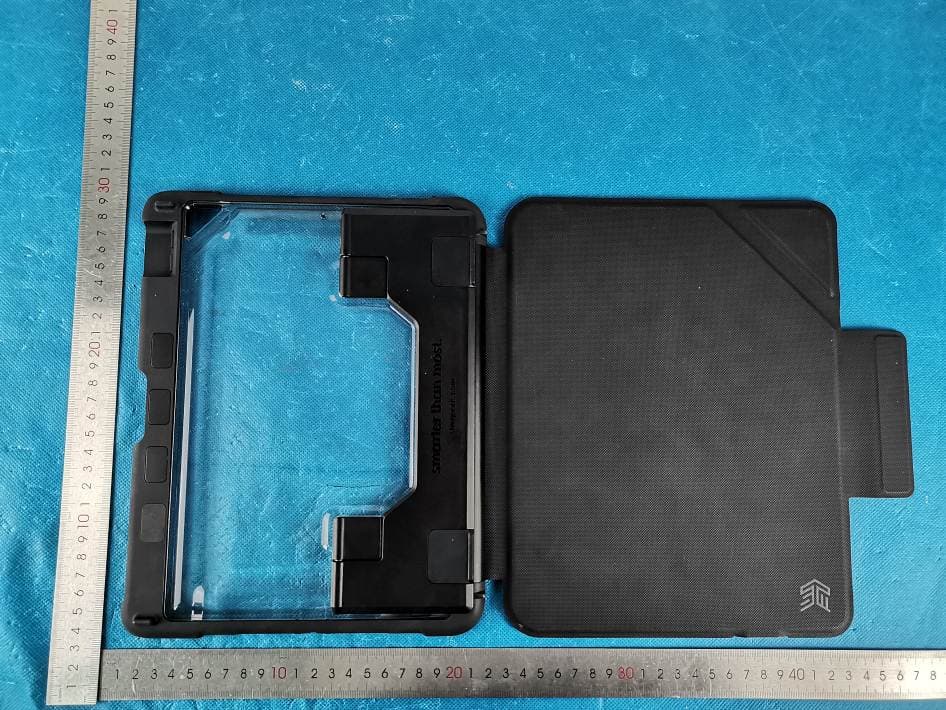
Click to zoom
Application Details
- Equipment Class
- DSS - Part 15 Spread Spectrum Transmitter
- Date of Grant
- Apr 21, 2021
- Application Purpose
- Original Equipment
- Date of Application
- Apr 21, 2021
- Equipment Note
- Dux Bluetooth Keyboard case
- Frequency Range
- 2402.00000000 - 2480.00000000
- Country
- China
Documents & Files
Document Text
Text extracted from the exhibit documents filed with the FCC. Open a document above to read the original.
Users Manual
STM -DUX BLUETOOTH KEYBOARD -INSTRUCTIONS -FOR IPAD (8TH/7TH GENERATION) PK-226-321JU-01:l BLACK 14 APRIL 2021 24.9 CM FRONT D U X 二 二 ? 二 : : 二 : Presenting the Dux Bluetooth Keyboa『dCase for 10.2" 7th/8th gen iPad. This brilliant case is truly Smarter Than Most, featuring M小ta『ygrade impact protection, a fully functional trackpad, and storage for both the Apple Pencil or Logitech Crayon, all designed to make you『iPadexperience the sma「testit can be. FEATURES 0 KEYBOARD SHORTCUT Brings up and hides away on sc『een iPad keyboard f)SIRI SHORTCUT Activates Siri voice assistant Q CAMERA SHORTCUT Takes a screen shot of iPad screen O CAMERA CORNER Flips lo「wa「d to give access to the back came『a when the cover is folded back e BLUETOOTH p『essand hold the Fn key and the C key at the same lime, until the blue light next to the cha『gingport flashes. When this happens, the keyboard is "discove『able"by the iPad Q TRACKPAD Allows you to click, swipe, zoom, and scroll just as you'd expect f「omat「ackpad f)CAPS/BLUETOOTH LIGHT • Flashing blue - Bluetooth is iPad discove『able • Solid green - CAPS lock is on 19.5 CM 0 KEYBOARD ON/OFF • Towa『ds,Pad -off • Away from iPad -on Cl) POWER INDICATOR LIGHT • Solid「ed- charging • Flashing red - low powe『 • Solid green - fully charged d!) USB-C KEYBOARD CHARGING PORT Easy access TO让航NH创VTOUSETHE DUX BLUETOOTH KEYBOARD OR GOTO 汕IIK叩虹omld111妞伽a11l-demo/ BACK D U X 盓 芦 昙 骂 t D C A S E PREPARING FOR INSTALLATION I. Remove the foam p「otecto「f「ominside the case. 2. Peel back and「emovethe clea『p「otect,velining I『ominside and outside of the case (on clear panel). TOP CORNERS BOTTOM CORNERS INSERTING YOUR 1PAD INTO THE CASE I. Fi『mly press the top co『ne『s of the iPad into the top co『ne『s of the case, ensuring the I『ame of the case covers the top and co『nersof the iPad 2. Fi「mly press the bottom come『s of the iPad into the bottom come「s of the case, so they snap into place, and the frame of the case cove『s the bottom edge and corners of the iPad. 3. Once all four co『nersa『e firmly in position, and the edge of the case fits smoothly a「oundthe f『ontoute「edgeof the iPad, the device is installed co『『ectlyinto the case REMOVING YOUR iPAD FROM THE CASE I. Release the top「ightco「ne「of the iPad by pushing the corne「of the case back and away from the iPad 2. Release the bottom『ightcorner of the iPad by firmly pushing the corner of the case away from the iPad 3. The iPad will be easy to『emoveonce the top and bottom right come「sa「e released f「om the case CHARGING THE KEYBOARD Insert one end of the USB-G cable into a powe『sou「ce (not included) and the othe『endinto the port on the『ights1deof the keyboard. The『edlight will illuminate while charging, and will switch to g『eenwhen fully cha「ged. TURNING THE KEYBOARD ON AND OFF Once the keyboard is cha『ged,it can be tu『nedon and off using the toggle switch that is located on the right side of the keyboa『d, next to the charging port Off= toggle towa『ds the 1Pad On = toggle away from the iPad PAIRING YOUR KEYBOARD WITH YOUR iPAD The Dux Bluetooth Keyboa「d links to you『iPadvia a Bluetooth connection. The first time you use the keyboard case, it must be paired with you『iPad. ON THE KEYBOARD: • Tu『n the keyboa『d on, making su『e that the on/off toggle is switched away from the iPad • p『essand hold the Fn key and the C key at the same time, until the blue light next to the charging port flashes. When this happens, the keyboa『d is气liscoverable"by the iPad ON THE iPAD: • In settings, select Bluetooth > On • Select "Dux Bluetooth Keyboard" I『omthe Devices menu • When successful connection is made, the status light turns solid blue lo「a short time, and then tu『nsoff STATUS LIGHT INDICATORS You『DuxBluetooth Keyboa「d includes status lights that provide info「mationabout the battery powe『andBluetooth connection: FEATURE COLOUR PRESENTATION Powe『-cha「ging Red Solid Powe『-fully cha『gedGreen Solid Powe『-lowRed Flashing GAPS lock Green Solid Bluetooth Discove『able Blue Flashing r,;,o,• 氏eomplle,wlthpa『tl5offhefCCR"l".Op矿,11001, ," bjectfofhefollowloofwo eoodltloo,,(l)fhlsd盯leem,yoot ea"艾humfrn '"'"''"'""""·'"'12fthl,d叨屈m"'''�,otonylm,『''"""""'"''·'"''"""''"切计B飞oeethatmayea""""'"佃dopa『叭''"·'"""'"' 邸 omodlfieatloo,om的应slyappro.,dbythepartyre,poo,lblefo『eompllon岱""""'""'""『"小h订,,1oopera伍theeq"lpmeot , OTE,Thl,eq"lpmeol ha, 比'""啦daodfo"odforomply�lhlhellm,t,fo『'""'"'''"'中''"· '"""'爪foPartl5oflh叶"'"'"·'"函 11m,, are de,lgned to pro.,,"'""'"'μml�llon''''"''ho而ful loraoe,eoeelo a re,ld,曲'''"'""'"'"·'"''''"''·'"'""'面"·""""' ""『adl叭rndlof『''"'""'"'『"'"'·""'''"寸'"'''"'""""'比0中"""'价'"''"劝oetioo,,mayca""""mfol而e『 fereoeofo 『adlo eomm"oleatloo,.How,.,,,, 怕飞'' ""田"""''"引'" '廿''"'以'"'"'""可"'"''" '""''"'"'"'''"'"'" lflhl,eo"lpmem doe,ea, 沁humfullote『佃'"忱to radlo o, tele,l,lonreeepllo几whleh eaobedete,mloed切'"'血o theeq"lpmeot offandon, 们'""''"忙'""''dtotryto印"'"'"''""""'"�byooeo,mo『eoflhefot•wtog meas, 『" •R邸''"'"'"阮atef佃忒''''"''""""' .' "'""''"'艾''""'"'引"""'"'''"''·'"''"'飞戊'"' •Conoectthe时"loment,o切mallet oo ael兀"'"'"'"爪什omthatto whlehtho reeol佃'"'""忒彷d •Con,"ltthedeale,o『an欧伪"'"臼'"的/TVfeehnlelaofo『help.T佃'' """"'""纽'"'"'"···胆"'"'"蚁'""『""花me爪 Th, d.,leoeaob盯茨d loportabl,欧'"""印"""'"'叩'"'"'响'""'" .,,,,;,,,,,, .. , ... 『mod,fleatloo,tofhl,""""''印p代艾oappro.. dby廿eparty re,pooslble佃eompllaoee印""""'"'""心'"'"'""" ope『ate价"'"'•·臼,t. stm goods fil smart霾thanmost- T he device has been evaluated to meet general RF exposure requirement. The device can be used in portable exposure condition without restriction.
Cover Letter(s)
C5266091_X8_Ed.1 1/1 Letter of Authorization Company: Chun Lam Group (International) Limited. Address: 8 Zhen Yuan Road, Caiwu, Wusha, Chang An, Dongguan City, Guangdong, China. Product Name: Dux Bluetooth Keyboard case Model Number: stm-226-321JU-01 FCC Identifier: 2AZL3-STM We authorize LGAI Technological Center S.A., Ronda de la Font del Carme, s/n, 08193 Bellaterra, Spain, to act on our behalf on all matters concerning the above named equipment. Any individual within LGAI Technological Center S.A. is authorized to act on our behalf and take action on the application. We declare that authorize LGAI Technological Center S.A., Ronda de la Font del Carme, s/n, 08193 Bellaterra, Spain, is allowed to forward all information related to the approval project to the Federal Communication Commission and to discuss any issues concerning the approval application. Any and all acts carried out by LGAI Technological Center S.A. on our behalf shall have the same effect as acts of our own. Name: Sunny Wan Date: 4/20/2021 Title: Project assistant Signature of applicant:
Cover Letter(s)
C5266091_X10_Ed.2 1/1 Chun Lam Group (International) Limited. Office of Engineering Technology Federal Communications Commission 7435 Oakland Mills Road Columbia, MD 21046 Date: 4/16/2021 Subject: Request for Confidentiality FCC ID: 2AZL3-STM To Whom It May Concern, Pursuant to the provisions of Sections 0.457 and 0.459 of Commission's rules (47CFR0.457, 0.459), we are requesting the Commission to withhold the following attachment(s) as confidential document from public disclosure. Exhibits Long-Term Confidentiality Short-Term Confidentiality NOTE 2 ID Label/Location No No Attestation Statement No No External Photos No ☐ Block Diagram ☒ ☐ Schematics ☒ ☐ Test Report No No Test Setup Photos No ☐ User’s Manual ☐ NOTE 1 ☐ Internal Photos ☐ NOTE 1 ☐ Parts List / Tune Up ☐ ☐ RF Exposure Info No No Operational Description ☒ ☐ Cover Letter(s) No No SDR Software / Security Info ☐ No NOTE 1: Long-Term Confidentiality may be permitted under special conditions (See II. LONG-TERM CONFIDENTIALITY, Section 3 of KDB 726920, use last in force) NOTE 2: Short-Term Confidentiality can be requested for a maximum of 180 days from the date of the grant. Above mentioned document contains detailed system and equipment description are considered as proprietary information in operation of the equipment. The public disclosure of above documents might be harmful to our company and would give competitor an unfair advantage in the market. In case of short-term Confidentiality, the applicant requests the exhibits selected above are withheld from public view for a period of ______ days from the date of the Grant of Equipment Authorization and prior to marketing. It is our understanding that all measurement test reports, FCC ID label format and correspondent during certification review process cannot be granted as confidential documents and those information will be available for public review once the grant of equipment authorization is issued. C5266091_X10_Ed.2 1/1 Sincerely, Signature: Name: Sunny Wan Title: Project assistant
External Photos
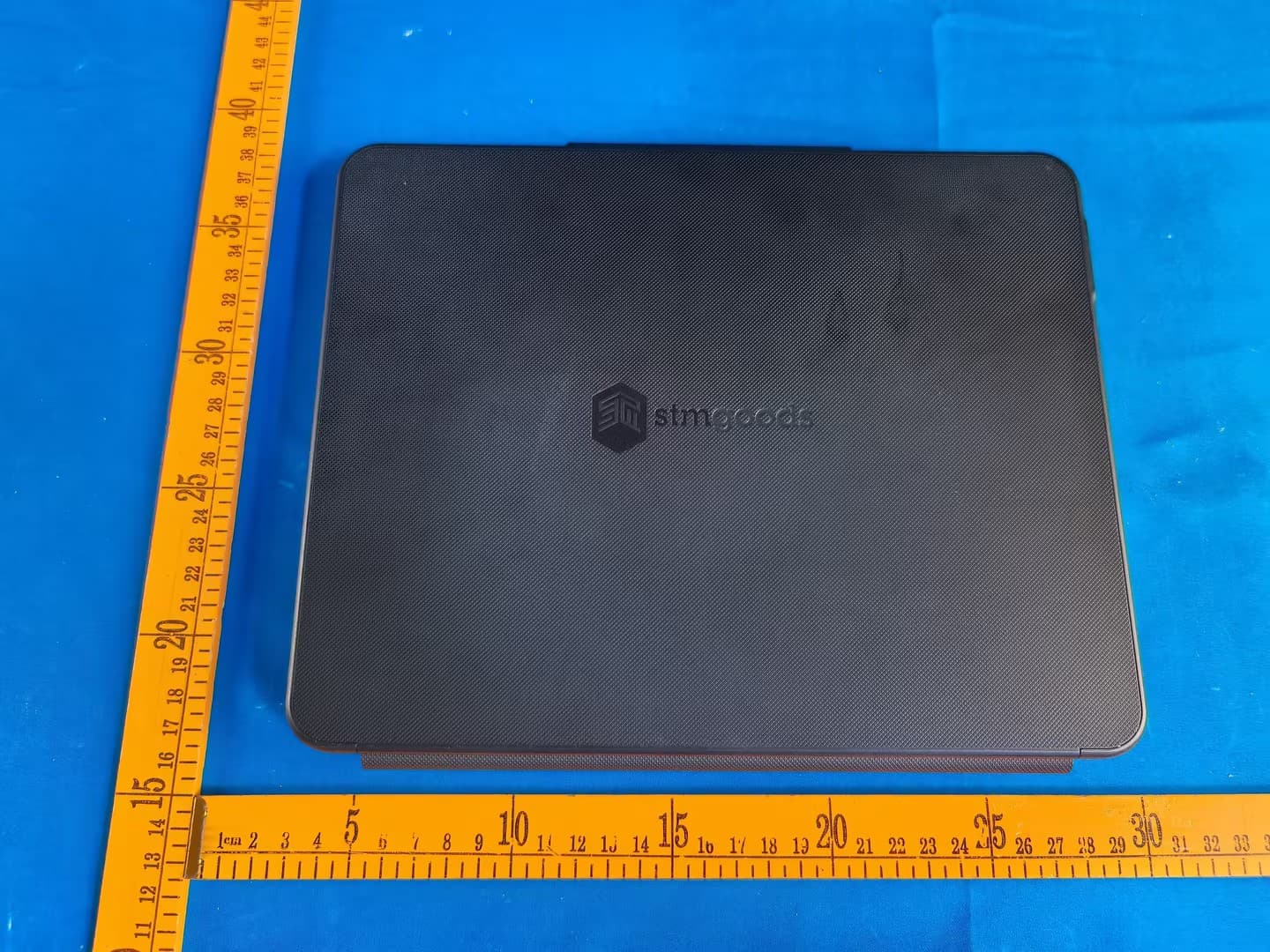
1 - Page 1 of 4 - Address: 101, No. 7, Zone 2, Xinxing Industrial Park, Fuhai Avenue, Xinhe Community, Fuhai Street, Bao’ an District, Shenzhen, Guangdong, China. Te l : (86-755)88850135 Fax: (86-755) 88850136 Web:www.mtitest.com E-mail: [email protected] APPENDIX 1- EUT PHOTO Photo 1 (For model stm-226-321JU-01) Photo 2 1 - Page 2 of 4 - Address: 101, No. 7, Zone 2, Xinxing Industrial Park, Fuhai Avenue, Xinhe Community, Fuhai Street, Bao’ an District, Shenzhen, Guangdong, China. Te l : (86-755)88850135 Fax: (86-755) 88850136 Web:www.mtitest.com E-mail: [email protected] Photo 3 Photo 4 1 - Page 3 of 4 - Address: 101, No. 7, Zone 2, Xinxing Industrial Park, Fuhai Avenue, Xinhe Community, Fuhai Street, Bao’ an District, Shenzhen, Guangdong, China. Te l : (86-755)88850135 Fax: (86-755) 88850136 Web:www.mtitest.com E-mail: [email protected] Photo 5 Photo 6 1 - Page 4 of 4 - Address: 101, No. 7, Zone 2, Xinxing Industrial Park, Fuhai Avenue, Xinhe Community, Fuhai Street, Bao’ an District, Shenzhen, Guangdong, China. Te l : (86-755)88850135 Fax: (86-755) 88850136 Web:www.mtitest.com E-mail: [email protected] Photo 7
ID Label/Location Info
-STM
Internal Photos
1 - Page 1 of 6 - Address: 101, No. 7, Zone 2, Xinxing Industrial Park, Fuhai Avenue, Xinhe Community, Fuhai Street, Bao’ an District, Shenzhen, Guangdong, China. Te l : (86-755)88850135 Fax: (86-755) 88850136 Web:www.mtitest.com E-mail: [email protected] APPENDIX 1- EUT PHOTO Photo 1 (For model stm-226-321JU-01) Photo 2 1 - Page 2 of 6 - Address: 101, No. 7, Zone 2, Xinxing Industrial Park, Fuhai Avenue, Xinhe Community, Fuhai Street, Bao’ an District, Shenzhen, Guangdong, China. Te l : (86-755)88850135 Fax: (86-755) 88850136 Web:www.mtitest.com E-mail: [email protected] Photo 3 Photo 4 1 - Page 3 of 6 - Address: 101, No. 7, Zone 2, Xinxing Industrial Park, Fuhai Avenue, Xinhe Community, Fuhai Street, Bao’ an District, Shenzhen, Guangdong, China. Te l : (86-755)88850135 Fax: (86-755) 88850136 Web:www.mtitest.com E-mail: [email protected] Photo 5 Photo 6 1 - Page 4 of 6 - Address: 101, No. 7, Zone 2, Xinxing Industrial Park, Fuhai Avenue, Xinhe Community, Fuhai Street, Bao’ an District, Shenzhen, Guangdong, China. Te l : (86-755)88850135 Fax: (86-755) 88850136 Web:www.mtitest.com E-mail: [email protected] Photo 7 Photo 8 1 - Page 5 of 6 - Address: 101, No. 7, Zone 2, Xinxing Industrial Park, Fuhai Avenue, Xinhe Community, Fuhai Street, Bao’ an District, Shenzhen, Guangdong, China. Te l : (86-755)88850135 Fax: (86-755) 88850136 Web:www.mtitest.com E-mail: [email protected] Photo 9 Photo 10 BT ANT 1 - Page 6 of 6 - Address: 101, No. 7, Zone 2, Xinxing Industrial Park, Fuhai Avenue, Xinhe Community, Fuhai Street, Bao’ an District, Shenzhen, Guangdong, China. Te l : (86-755)88850135 Fax: (86-755) 88850136 Web:www.mtitest.com E-mail: [email protected] Photo 11
RF Exposure Info
Address: 101, No. 7, Zone 2, Xinxing Industrial Park, Fuhai Avenue, Xinhe Community, Fuhai Street, Bao’ an District, Shenzhen, Guangdong, China. Tel: (86-755)88850135 Fax: (86-755) 88850136 Web:www.mtitest.com E-mail: [email protected] RF EXPOSURE Test Report Report No.: MTi210401011-02E2 Date of issue: Apr. 19, 2021 Applicant: Chun Lam Group (International) Limited Product name: Dux Bluetooth Keyboard case Model(s): stm-226-321JU-01 FCC ID: 2AZL3-STM Shenzhen Microtest Co., Ltd. http://www.mtitest.com - Page 2 of 6- Report No.: MTi210401011-02E2 Address: 101, No. 7, Zone 2, Xinxing Industrial Park, Fuhai Avenue, Xinhe Community, Fuhai Street, Bao’ an District, Shenzhen, Guangdong, China. Tel: (86-755)88850135 Fax: (86-755) 88850136 Web:www.mtitest.com E-mail: [email protected] Instructions 1. The report shall not be partially reproduced without the written consent of the laboratory; 2. The test results of this report are only responsible for the samples submitted; 3. This report is invalid without the seal and signature of the laboratory; 4. This report is invalid if transferred, altered or tampered with in any form without authorization; 5. Any objection to this report shall be submitted to the laboratory within 15 days from the date of receipt of the report. - Page 3 of 6- Report No.: MTi210401011-02E2 Address: 101, No. 7, Zone 2, Xinxing Industrial Park, Fuhai Avenue, Xinhe Community, Fuhai Street, Bao’ an District, Shenzhen, Guangdong, China. Tel: (86-755)88850135 Fax: (86-755) 88850136 Web:www.mtitest.com E-mail: [email protected] TEST RESULT CERTIFICATION Applicant’s name .................... : Chun Lam Group (International) Limited Address .................................. : 8 Zhen Yuan Road, Caiwu, Wusha, Chang An, Dongguan City, Guangdong, China. Manufacturer's Name ............. : Chun Lam Group (International) Limited Address .................................. : 8 Zhen Yuan Road, Caiwu, Wusha, Chang An, Dongguan City, Guangdong, China. Product description Product name ........................... : Dux Bluetooth Keyboard case Trademark ............................. : STM Model Name .......................... : stm-226-321JU-01 Serial Model ............................ N/A Standards ............................... : N/A Test procedure ....................... : KDB 447498 D01 v06 Date of Test Date (s) of performance of tests ............. : Apr. 06, 2021 ~ Apr. 19, 2021 Test Result .............................................. : Pass This device described above has been tested by Shenzhen Microtest Co., Ltd. and the test results show that the equipment under test (EUT) is in compliance with the FCC requirements. And it is applicable only to the tested sample identified in the report. Testing Engineer : (Danny Xu)) Technical Manager : (Leo Su) Authorized Signatory : (Tom Xue) - Page 4 of 6- Report No.: MTi210401011-02E2 Address: 101, No. 7, Zone 2, Xinxing Industrial Park, Fuhai Avenue, Xinhe Community, Fuhai Street, Bao’ an District, Shenzhen, Guangdong, China. Tel: (86-755)88850135 Fax: (86-755) 88850136 Web:www.mtitest.com E-mail: [email protected] Table of Contents 1. STANDALONE SAR TEST EXCLUSION CONSIDERATIONS ......................................................................................... 5 2. SAR TEST EXCLUCSION THRESHOLDS ..................................................................................................................... 6 - Page 5 of 6- Report No.: MTi210401011-02E2 Address: 101, No. 7, Zone 2, Xinxing Industrial Park, Fuhai Avenue, Xinhe Community, Fuhai Street, Bao’ an District, Shenzhen, Guangdong, China. Tel: (86-755)88850135 Fax: (86-755) 88850136 Web:www.mtitest.com E-mail: [email protected] 1. Standalone SAR test exclusion considerations Unless specifically required by the published RF exposure KDB procedures, standalone 1-g head or body and 10-g extremity SAR evaluation for general population exposure conditions, by measurement or numerical simulation, is not required when the corresponding SAR Test Exclusion Threshold condition(s), listed below, is (are) satisfied. These test exclusion conditions are based on source-based time-averaged maximum conducted output power of the RF channel requiring evaluation, adjusted for tune-up tolerance, and the minimum test separation distance required for the exposure conditions. The minimum test separation distance defined in 4.1 f) is determined by the smallest distance from the antenna and radiating structures or outer surface of the device, according to the host form factor, exposure conditions and platform requirements, to any part of the body or extremity of a user or bystander. To qualify for SAR test exclusion, the test separation distances applied must be fully explained and justified, typically in the SAR measurement or SAR analysis report, by the operating configurations and exposure conditions of the transmitter and applicable host platform requirements, according to the required published RF exposure KDB procedures. When no other RF exposure testing or reporting are required, a statement of justification and compliance must be included in the equipment approval, in lieu of the SAR report, to qualify for SAR test exclusion. When required, the device specific conditions described in the other published RF exposure KDB procedures must be satisfied before applying these SAR test exclusion provisions. a) For 100 MHz to 6 GHz and test separation distances ≤ 50 mm, the 1-g and 10-g SAR test exclusion thresholds are determined by the following: [(max. power of channel, including tune-up tolerance, mW) / (min. test separation distance, mm)] · [√f(GHz)] ≤ 3.0 for 1-g SAR, and ≤ 7.5 for 10-g extremity SAR, where f (GHz) is the RF channel transmit frequency in GHz Power and distance are rounded to the nearest mW and mm before calculation The result is rounded to one decimal place for comparison The values 3.0 and 7.5 are referred to as numeric thresholds in step b) below The test exclusions are applicable only…
Text truncated - open the document above for the full version.
Test Report
Address: 101, No. 7, Zone 2, Xinxing Industrial Park, Fuhai Avenue, Xinhe Community, Fuhai Street, Bao’ an District, Shenzhen, Guangdong, China. Te l : (86-755)88850135 Fax: (86-755) 88850136 Web:www.mtitest.com E-mail: [email protected] Test Report Report No.: MTi210401011-02E1 Date of issue: Apr. 19, 2021 Applicant: Chun Lam Group (International) Limited Product name: Dux Bluetooth Keyboard case Model(s): stm-226-321JU-01 FCC ID: 2AZL3-STM Shenzhen Microtest Co., Ltd. http://www.mtitest.com - Page 2 of 51 - Report No.: MTi210401011-02E1 Address: 101, No. 7, Zone 2, Xinxing Industrial Park, Fuhai Avenue, Xinhe Community, Fuhai Street, Bao’ an District, Shenzhen, Guangdong, China. Te l : (86-755)88850135 Fax: (86-755) 88850136 Web:www.mtitest.com E-mail: [email protected] Instructions 1. The report shall not be partially reproduced without the written consent of the laboratory; 2. The test results of this report are only responsible for the samples submitted; 3. This report is invalid without the seal and signature of the laboratory; 4. This report is invalid if transferred, altered or tampered with in any form without authorization; 5. Any objection to this report shall be submitted to the laboratory within 15 days from the date of receipt of the report. - Page 3 of 51 - Report No.: MTi210401011-02E1 Address: 101, No. 7, Zone 2, Xinxing Industrial Park, Fuhai Avenue, Xinhe Community, Fuhai Street, Bao’ an District, Shenzhen, Guangdong, China. Te l : (86-755)88850135 Fax: (86-755) 88850136 Web:www.mtitest.com E-mail: [email protected] Table of Contents 1 GENERAL INFORMATION ....................................................................................................................................... 6 1.1 DESCRIPTION OF EUT ................................................................................................................................................... 6 1.2 OPERATION CHANNEL LIST .............................................................................................................................................. 6 1.3 TEST CHANNEL LIST ....................................................................................................................................................... 7 1.4 ANCILLARY EQUIPMENT LIST ........................................................................................................................................... 7 1.5 DESCRIPTION OF SUPPORT UNITS .................................................................................................................................... 7 2 SUMMARY OF TEST RESULTS ................................................................................................................................. 8 3 TEST FACILITIES AND ACCREDITATIONS .................................................................................................................. 9 3.1 TEST LABORATORY ........................................................................................................................................................ 9 3.2 ENVIRONMENTAL CONDITIONS ........................................................................................................................................ 9 3.3 MEASUREMENT UNCERTAINTY ........................................................................................................................................ 9 3.4 TEST SOFTWARE ........................................................................................................................................................... 9 4 EQUIPMENT LIST ................................................................................................................................................ 10 5 TEST RESULT ....................................................................................................................................................... 11 5.1 ANTENNA REQUIREMENT ............................................................................................................................................. 11 5.1.1 Standard requirement ....................................................................................................................................... 11 5.1.2 EUT antenna ..................................................................................................................................................... 11 5.2 PEAK OUTPUT POWER ................................................................................................................................................. 12 5.2.1 Limit .................................................................................................................................................................. 12 5.2.2 Test setup .......................................................................................................................................................... 12 5.2.3 Test procedure ................................................................................................................................................... 12 5.2.4 Test results......................................................................................................................................................... 12 5.3 CONDUCTED EMISSION ................................................................................................................................................ 16 5.3.1 Limits ................................................................................................................................................................. 16 5.3.2 Test setup .......................................................................................................................................................... 16 5.3.3 Test procedure ................................................................................................................................................... 17 5.3.4 Te…
Text truncated - open the document above for the full version.
Test Setup Photos
Model: stm-226-321JU-01 Radiated emission Conducted emission
Contact Information
Applicant
Sunny Wan(Project assistant)
Technical Contact
Test Firm
Shenzhen Microtest Co., Ltd.Selby Liao
[email protected]0755-88850135-1193
Technical Specifications
| # | Rule Parts | Frequency Range | Power Output |
|---|---|---|---|
| 1 | 15C | 2.40 GHz - 2.48 GHz | 380.00 µW |
Other Applications from Chun Lam Group (International) Limited
2AZL3-STM226514KY
Jul 08, 2026Dux guard keyboard trackpad BT (iPad Air 11 M4 & M3 & M2 & 5th & 4th gen) ANSI
Equipment Class
DTS - Digital Transmission System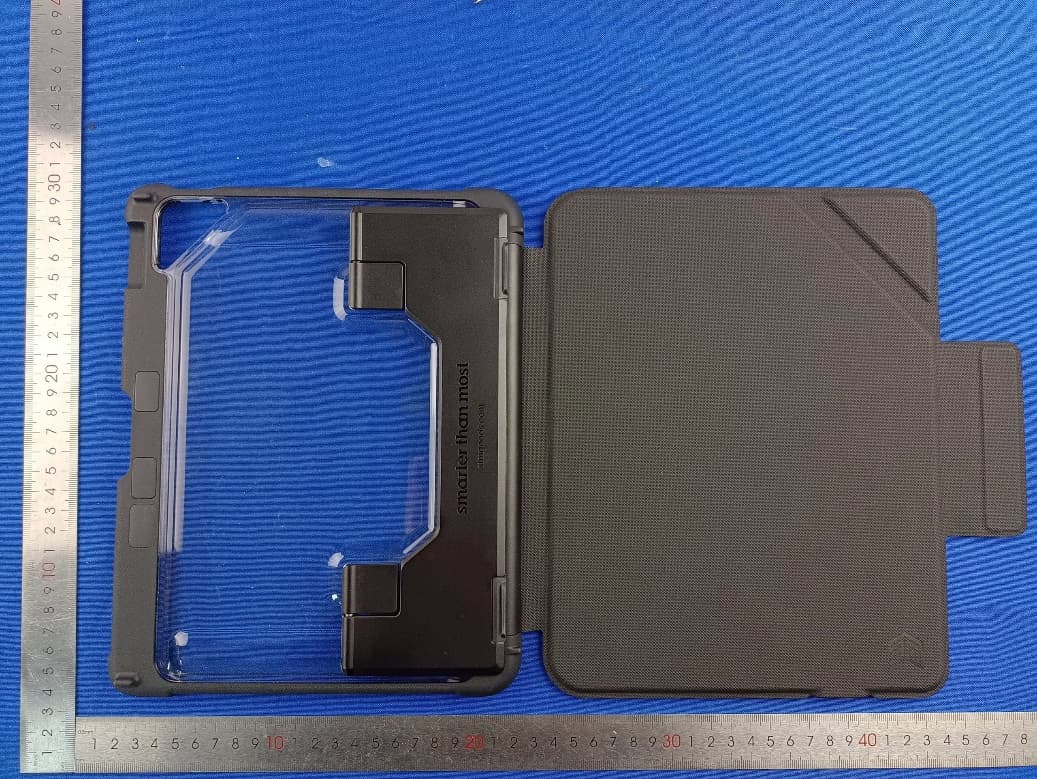
2AZL3-STM226402KX
May 07, 2023dux keyboard trackpad BT (iPad 10th gen)
Equipment Class
DTS - Digital Transmission System